

Just another contact form plugin. Simple but flexible.

About Gravity Forms Email Blacklist
The Email Blacklist Add-on for Gravity Forms helps block submissions from users with generic or competitor email addresses. It allows site admins to create a list of domains that, if used in an email field on a Gravity Form, will cause a validation error and block the submission. These settings can be applied globally or on an individual email field basis.Screenshots
Frequently asked questions
What is Gravity Forms Email Blacklist?
Gravity Forms Email Blacklist is a WordPress plugin that serves as an add-on for Gravity Forms. It allows site administrators to prevent form submissions from specific email addresses or domains.
How does the plugin help with form submissions?
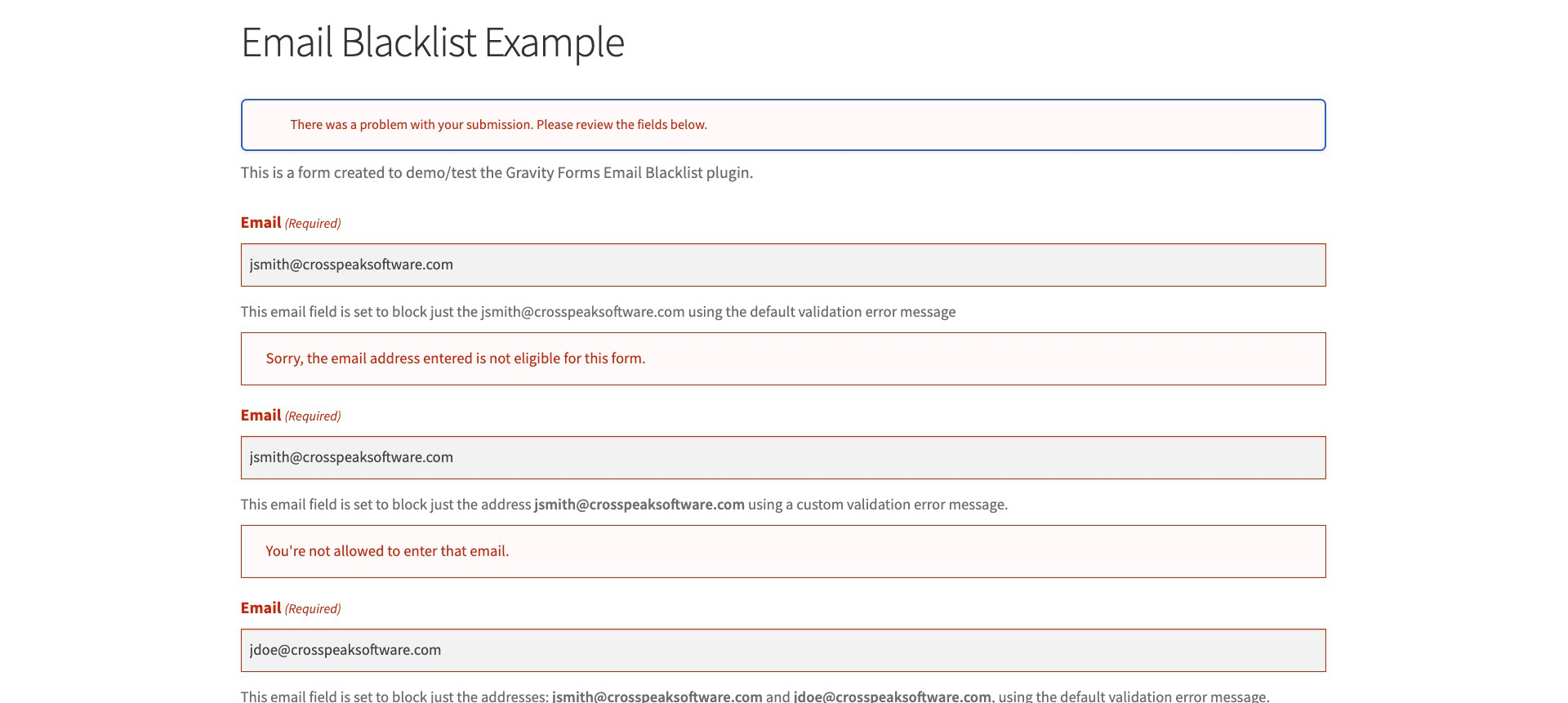
The plugin helps block submissions from users with generic or competitor email addresses, preventing non-qualified leads from being collected. It causes a validation error if a blacklisted email is entered in an email field.
What types of email entries can be blacklisted?
The plugin can block individual email addresses (e.g., [email protected]), email address domains (e.g., gmail.com), and/or email address top-level domains (e.g., *.com).
Where can I find the global settings for the plugin?
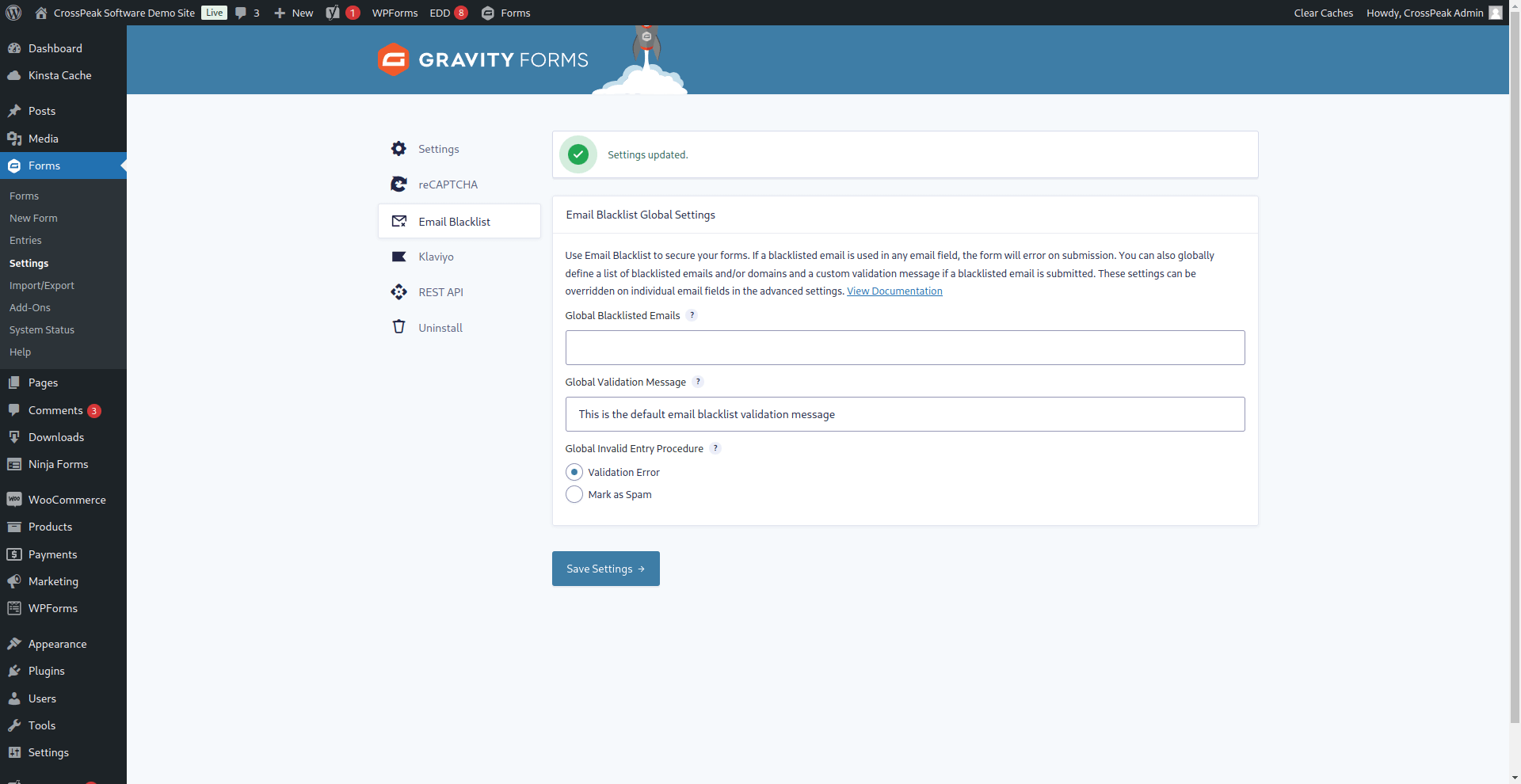
Global settings for the plugin can be found by navigating to 'Forms' > 'Settings' > 'Email Blacklist' within your WordPress site. These settings apply to all email input fields across all Gravity Forms.
Can I customize blacklist settings for individual email fields?
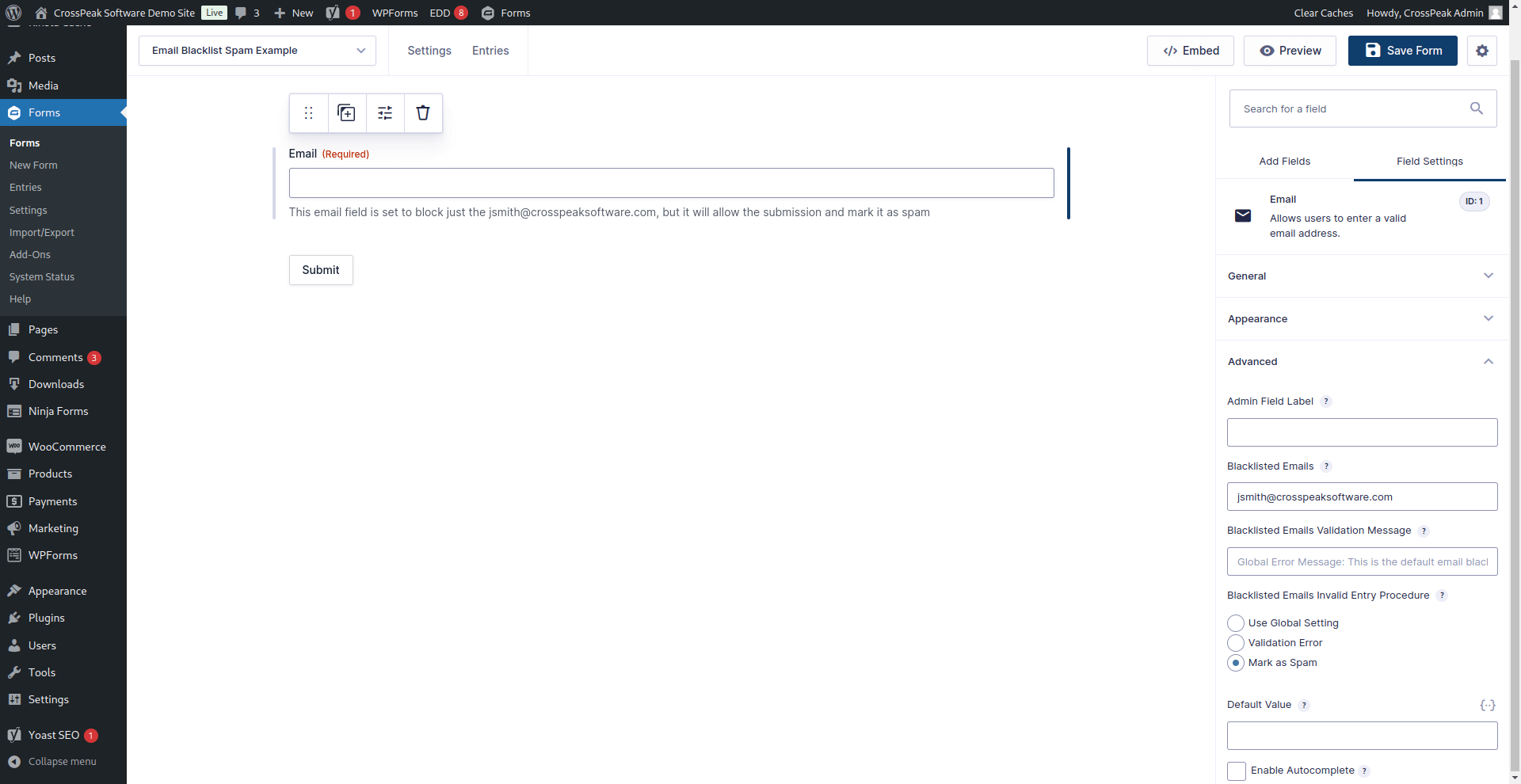
Yes, default global settings can be overridden on a per-email field basis. To do this, select the specific email field and navigate to its 'Advanced Settings' tab.
Changelog
2.6.2
- Fix: Improve loading of SVG icon to prevent warning on some servers.
2.6.1
- Fix: Better handle invalid syntax in the blacklist rules and ignore it.
2.6.0
- Enhancement: Added support to treat submissions with blacklisted emails as spam.
- Enhancement: Added the ability to include * for wildcards anywhere in the blacklisted address or domain.
2.5.6
- Fix PHP error under PHP 8+
- Fix with multiple email fields and different blacklists.
2.5.5
- Fixed version number issue
2.5.4
- Fixed validation function to remove any empty values for the array of blacklisted emails to prevent false positives from empty email fields.
- Added capability declination to the class to allow the plugin to work with role and capabilities plugins.
2.5.3
- Updated labels and descriptions throughout the admin settings to improve clarity.
2.5.2
- Fix: Updated method for getting the TLD to make sure the domain wildcards work in the case of a sub-domain email.
2.5.1
- Updated static setting strings to allow them to be translated.
- Added Text Domain.
- Added a function to Load Loads a plugin’s translated strings.
- Added filter to allow 3rd party plugins to alter the validation message before it is output.
- Added filter to allow 3rd party plugins to alter the is_valid check.
- Added short circuit filter to allow 3rd party plugins to jump over a check.
2.5
- Updated documentation, readme and added instructions.
- Updated version number and plugin information on compatibility and stable release.
- Fix: Updated validation function to account for email fields hidden by conditional logic
2.4
- Updated the plugin to allow the use of wildcards to block whole top-level domains.
2.3
- Updated the way the AddOn is initiated.
- Updated code to meet PHPCS code standards for WordPress.
- Updated version and compatibility numbers.
- Updated readme.txt.
2.2
- Added Author URL to GitHub Repo
- Fixed typo in readme.txt
2.1
- Added plugin icon
2.0
- Bug Fix: Removed ‘var_dump’ in validation function.
- Added ‘gf_emailblacklist_clean’ function to make comparison case insensitive. Thanks to @ractoon, @rscoates.
- Updated function to work with both email domains and specific emails.
- Ran ‘class-gfemailblacklist.php’ through PHPCS with WordPress Coding Standards.
- Moved class to ‘/includes/class-gfemailblacklist.php’ file.
- Added placeholder text to fields
- Updated code comments.
- Updated plugin file name.
- Updated readme.txt and README.md
1.1
- Added custom validation message options to the email field under the ‘Advanced’ field settings
- Added default setting for the email blacklist and validation message to the form settings area to be used on all forms with an email field.
1.0
- Added email blacklist options to the email field under the ‘Advanced’ field settings

