

Just another contact form plugin. Simple but flexible.
About File Upload Types by WPForms
The WordPress File Upload Types plugin allows you to easily add support for any file types with any extension or MIME type, so you can accept uploads of any file type on your website. This plugin works by adjusting the internal file whitelist, giving you control over which types of file extensions your WordPress website can upload. It also allows you to add custom file types that WordPress doesn't support natively.Screenshots
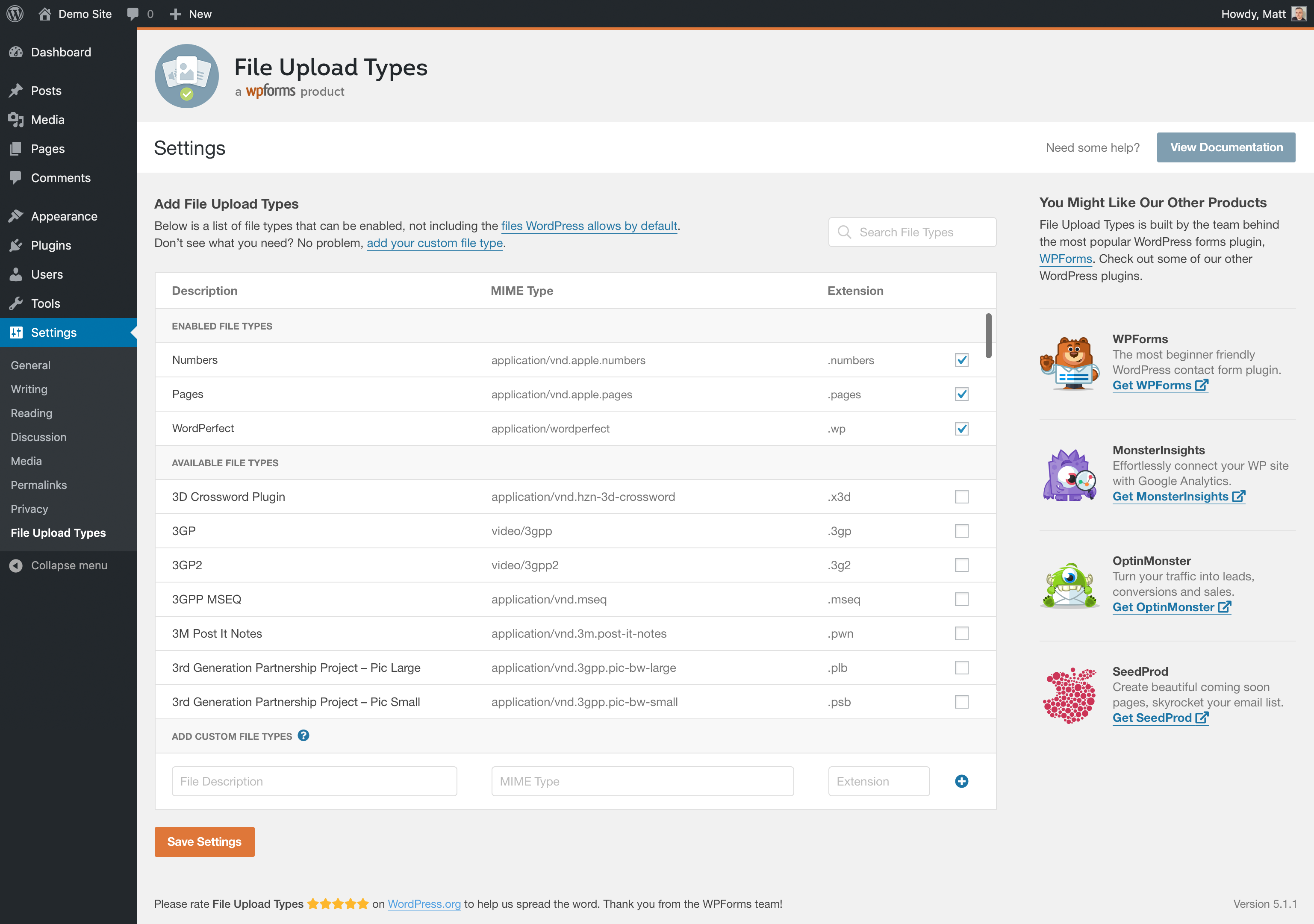
Frequently asked questions
How does the File Upload Types plugin work?
The File Upload Types plugin works by letting you adjust the internal file whitelist, letting you manually control which types of file extensions your WordPress website can upload.
What file types can I upload to WordPress with this plugin?
The File Upload Types plugin lets you allow uploads of any file extension, including custom file types.
Do you want to let your WordPress website accept uploads from your users for more file types and to freely upload files?
Yes, the File Upload Types plugin allows you to add support for any file types with any extension or MIME type.
How WordPress File Uploads Work
By default, WordPress only allows certain file types to be uploaded to your website's media library.
What's Next
If you like this plugin, then consider checking out our other projects: WPForms, OptinMonster, MonsterInsights, SeedProd, WP Mail SMTP, RafflePress.
Changelog
1.5.0 – 2024-10-23
- “Add your custom file types” link did not work before clicking on “Add file types manually” link.
- Implemented sanitizing of SVG & HTML files.
- Added message about allowing risky file types.
- Some file types, even enabled, were not possible to upload using the Gutenberg editor.
1.4.0 – 2024-07-17
- New functionality to define file extension and MIME type with sample file.
- The minimum required PHP version is now 7.0.
- The minimum required WordPress version is now 5.5.
- Updated styles and icons.
1.3.0 – 2023-02-15
- IMPORTANT – Support for WordPress 5.1 has been discontinued. If you are running WordPress 5.1, you MUST upgrade WordPress before installing File Upload Types 1.3.0. Failure to do that will disable File Upload Types core functionality.
- Enhancement – Add
.worldand.heifextensions to the default list. - Enhancement – The list of mime types was extended with
.json,.otf, and.ttffile extensions. - Enhancement – Do not load the plugin textdomain locally, since it is not needed starting from WP 4.6.
- Fix – Microsoft Office MIME type wasn’t properly supported.
1.2.2 – 2021-06-17
- Fix – PHP notices when invalid files are uploaded.
- Enhancement – Replace jquery.ready with recommended syntax.
1.2.1 – 2021-02-24
- Fix – Correctly load composer autoload.
- Enhancement – Add .eps extension to the default list.
- Enhancement – Add ‘application/pdf’ mime type to .ai extension.
1.2.0 – 2020-09-15
- Feature – Multiple MIME types support for a single extension.
- Fix – WordPress 5.5 not clearing values for reptetitive fields.
- Enhancement – Remove already allowed jpg,jpeg extension from the list.
- Enhancement – Improve ‘add your custom file types’ link’.
- Dev – Deprecate ‘file_upload_types_strict_check’ filter without any alternative.
- Dev – Increase priority of ‘wp_check_filetype_and_ext’ filter to 999.
1.1.1 – 2020-07-02
- Fix – Ignore file types that are already allowed by default.
- Fix – Remove duplicate MIME types of the same extension that could create conflict.
1.1.0 – 2020-05-13
- Refactor – Autoloading plugin files and use namespace.
- Fix – Error uploading file types with numerical extension.
- Fix – Icon position on small sized devices.
- Enhancement – Custom types field color visisbility.
- Enahcement – Parameters to the strict check filter.
1.0.0 – 2020-02-12
- Initial Release

