

Just another contact form plugin. Simple but flexible.
About Export WP Page to Static HTML/CSS
The Export WP Page to Static HTML/CSS plugin allows you to convert your WordPress site or pages into static HTML websites, improving site performance and reducing security risks. The plugin offers both free and premium features, including the ability to export the full site, create an offline site, export external URLs, and more. To use the plugin, simply activate it, go to the settings page, select the page you want to export, and click the export button.Screenshots
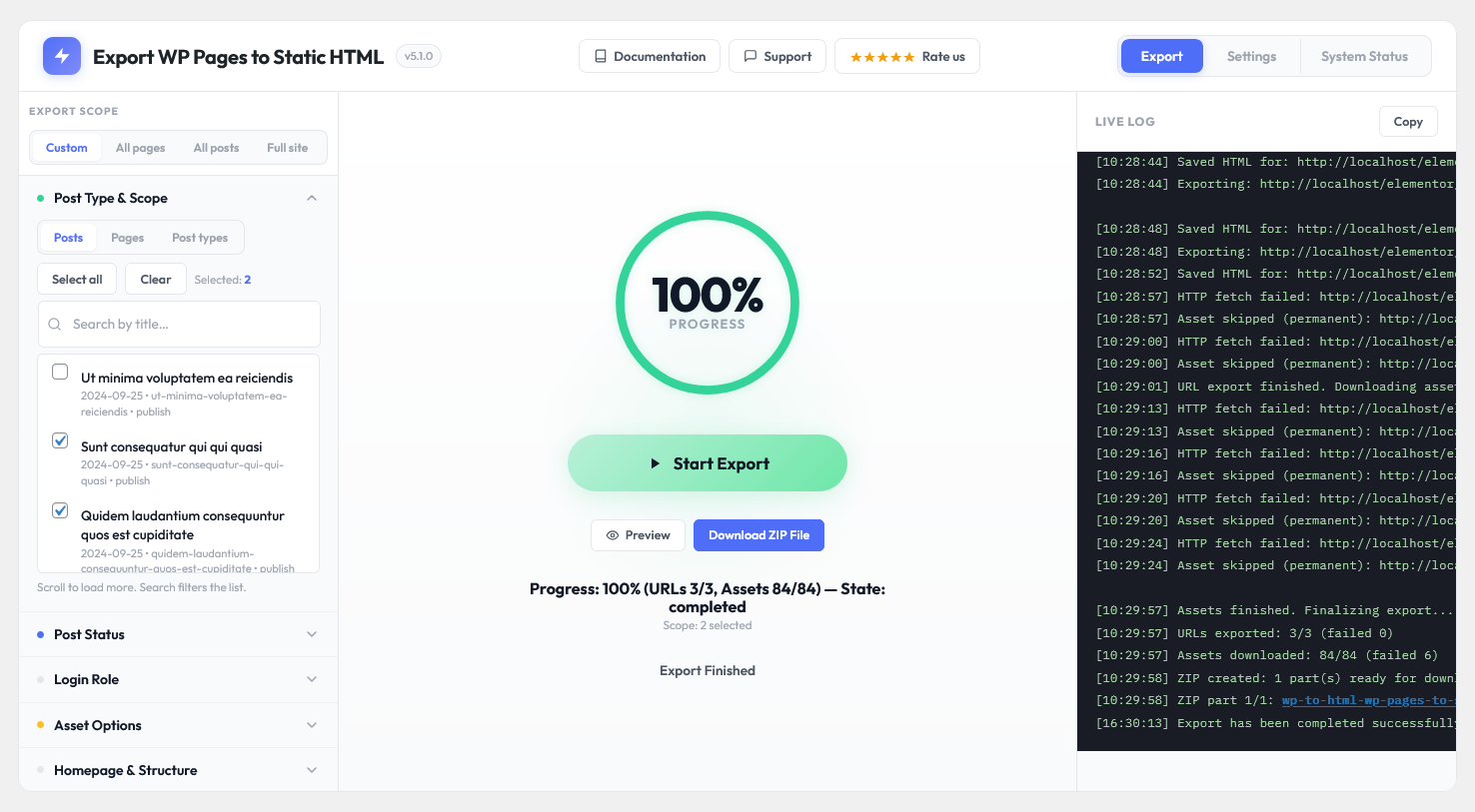
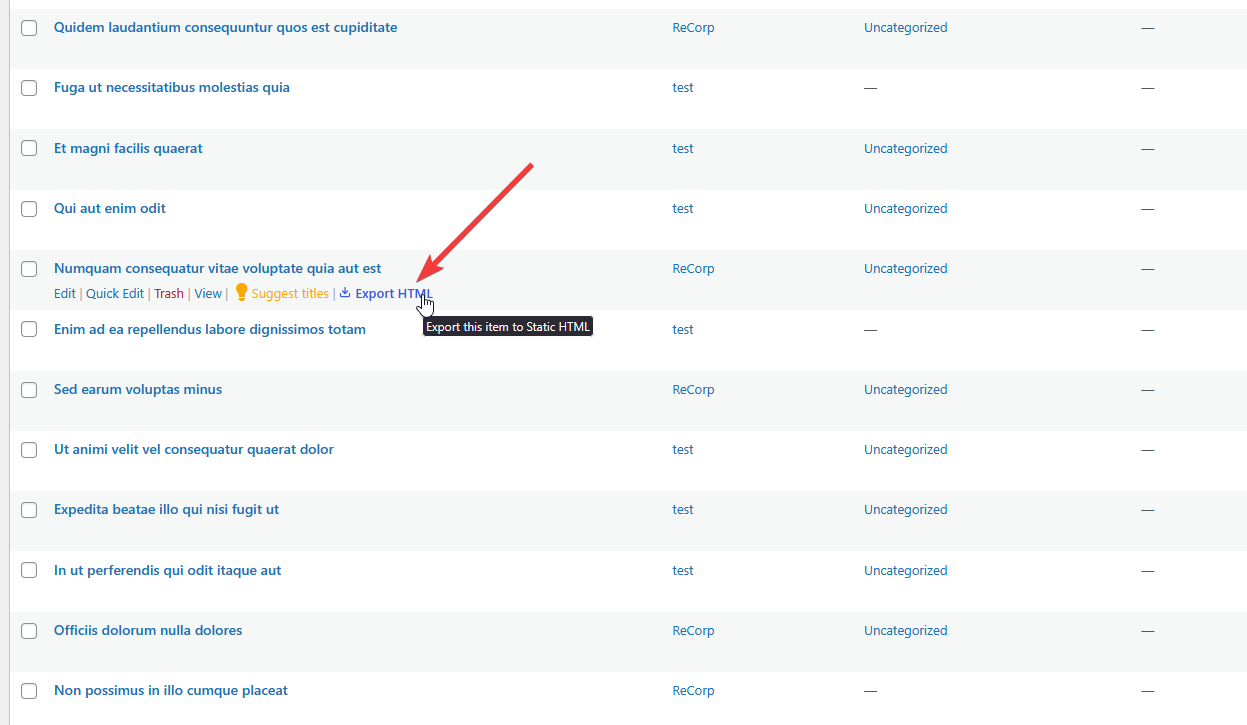
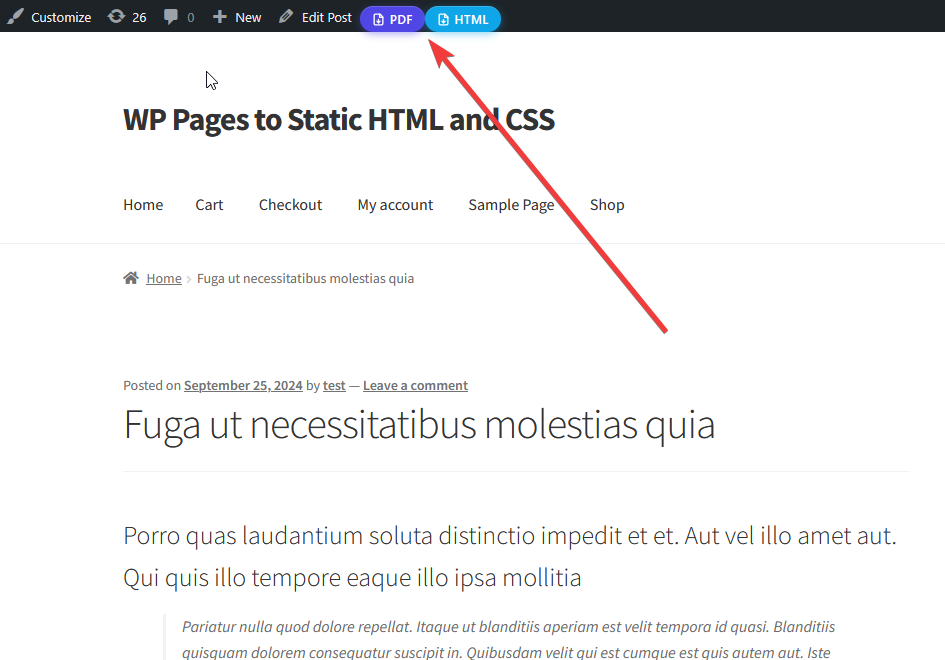
Changelog
3.0.0 – 9 July 2024
- Fixed lots of tweaks.
2.2.3 – 1 July 2024
- Fixed safe redirection
2.2.2 – 16 March 2024
- Fixed assets naming issues.
- Added php zip extension not installed notice.
2.2.1 – 30 November 2023
- Added webp image extension. Now this extension images will export also.
2.2.0 – 28 November 2023
- Made compatible with php version 8.2.
- Added “User roles can access” settings.
- Fixed very little security issue.
- Made some polishing.
- Fixed post searching issue.
- Fixed some more minor issues.
2.1.8 – 31 July 2023
- Fixed some minor issues.
2.1.7 – 28 June 2023
- Added review notice with “having problem” button.
- Added “Successfully exported” toast notification.
2.1.6 – 28 May 2023
- Fixed main site address still appearing issue in everywhere.
2.1.5 – 21 May 2023
- Fixed pro version direct installing issue.
2.1.4 – 23 December 2022
- Fixed a minor issue.
2.1.3 – 1 November 2022
- Fixed a major issue.
2.1.2 – 1 November 2022
- Fixed a minor issue.
2.1.1 – 12 August 2022
- Fixed some major issues.
2.1.0 – 23 June 2022
- Added html icon to the menu.
- Added documents exporting system.
- Added audios exporting system.
- Added linked videos exporting system.
- Fast exporting technique has been utilized.
- Fixed images, audios and documents url not exporting issue.
2.0.3 – 30 Septembar 2021
- Fixed one little issue.
2.0.2 – 14 Septembar 2021
- Make plugin compatible with PHP 7.3
- Reduce minimumInputLength to 1 for posts search
2.0.1 – 10 Septembar 2021
- Fixed little issues.
2.0.0 – 9 September 2021
- Added “Advanced Settings” Tab.
- Added checkbox “Create index.html on single page exporting”.
- Added checkbox “Save all assets files to the specific directory (css, js, images, fonts)”.
- Added textarea “Add contents to the header”.
- Added textarea “Add contents to the footer”.
- Added button “View Last Exported File”.
- Added logs percentage system.
- Hide details logs system by default.
- Added skip assets functionalities.
- Fixed unlimited loading issue.
- Fixed minor issues.
1.0.3 – 22 April 2021
- Fixed little issues.
1.0.2 – 13 March 2021
- Fixed some major issues.
1.0.1 – 28 Jan 2021
- Fixed http site data getting issue.
- Fixed same filename conflict issue.
- Fixed single quotation in filename issue.
- increase posts per page to infinite.
- Added homepage option in the page select box.
1.0.0 – 22 May 2020
- Initialize the plugin

