Looking for a reliable server management solution for your WordPress site? You’d do yourself a favor by choosing FlyWP—it’s specifically designed to automate many of the demanding technical tasks that come with running a WordPress site. This allows you to dedicate more time to content creation and business growth without getting bogged down by backend complexities.
In short, FlyWP is a great resource for those who want a managed WordPress hosting solution that takes care of the backend.
But as great as FlyWP is, it’s not the only option out there. You might be looking for different features, better pricing, or specific performance needs—and that means other platforms would be a better fit.
Table of Contents
In this article, we’ll dive into some top alternatives to FlyWP. Let’s explore how they compare and what unique advantages they offer, to help you make the best choice for your WordPress hosting needs.
Let’s get to it!
What is FlyWP?
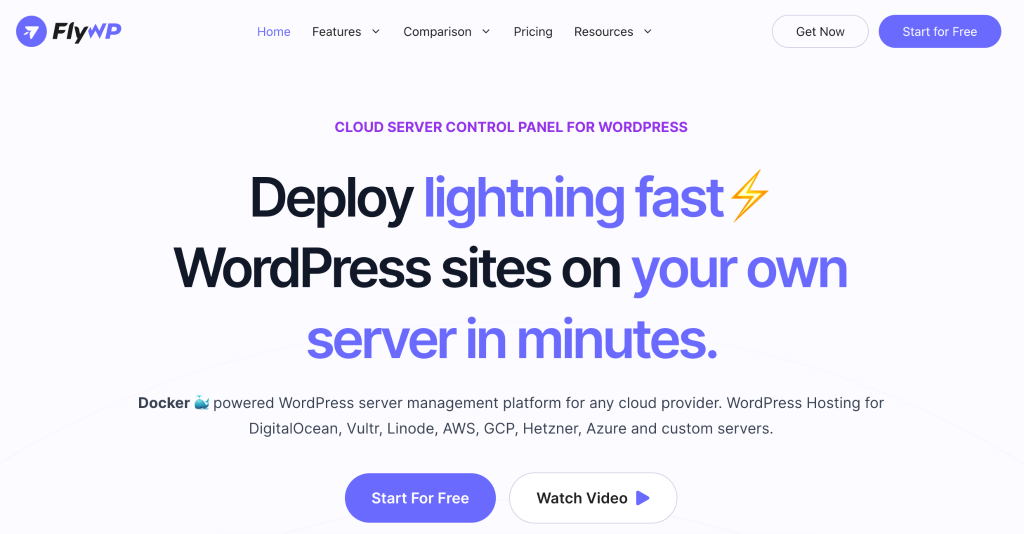
FlyWP is a comprehensive server management solution designed specifically for WordPress, developed by weDevs. As mentioned earlier, it aims to streamline the management of WordPress sites by automating routine tasks like updates, security, and performance optimization, allowing site owners to focus more on running their businesses and less on technical site management.
FlyWP provides a centralized dashboard from which users can manage multiple aspects of their WordPress sites and servers. It supports a variety of servers and offers flexibility, making it suitable for different hosting preferences. The platform is built with a range of developer-friendly tools, enhancing both the site’s performance and the user’s management experience.
A Look At Some Of FlyWP’s Features
FlyWP has a suite of powerful tools that both novices and seasoned developers can appreciate. Here’s an in-depth look at some of them:
- FlyWP can cater to various hosting preferences and requirements since it supports many types of web servers, including Amazon EC2, Google Cloud, Vultr, Digital Ocean, Akamai, and even custom configurations.
- FlyWP ensures that plugins, themes, and WordPress itself are always up to date, maintaining site security and relevance.
- FlyWP features the WP Config Editor, which allows users to fine-tune their WordPress experience according to their specific needs.
- Designed for users of all technical levels, FlyWP offers an intuitive interface that reduces the need for deep technical knowledge.
- Management is made efficient through a centralized dashboard that offers role-based access to different admin levels: Super Admin, Server Admin, and Site Admin, streamlining site and server management.
- The platform supports WordPress multisite setups and provides WordPress CLI support, making it easier to manage complex tasks and large-scale WordPress installations.
- FlyWP enhances site performance through powerful caching mechanisms, including full-page and Redis caching. This not only speeds up page loading times but also reduces server load.
- Features like “Push to Deploy” and “Easy Switching of PHP Versions” are built into the system to facilitate development work, allowing for seamless deployment of changes and adjustments to the PHP environment.
- The platform is equipped with an automatic firewall, uses Docker for site isolation, offers free SSL certificates, integrates with Cloudflare, and includes real-time monitoring, ensuring a secure and reliable online presence.
What are the limitations of FlyWP?
As great as FlyWP is, like any software, it has its limitations, such as:
- As mentioned above, FlyWP supports a variety of popular servers, but it may not integrate as seamlessly with less common or niche hosting providers. This could limit options for users with specific hosting preferences.
- The impact of performance enhancement features can vary depending on the specifics of the user’s website such as its complexity and traffic. You may need to do extensive testing to optimize these features for your particular setup or setups, which can take up a lot of time.
- While FlyWP has developer-friendly tools, the actual effectiveness of these tools can vary. You may not like these based on your preferences and specific requirements.
- FlyWP relies on major cloud providers for backup hosting, which may not align with your needs, especially if you need or want other backup solutions or more localized control over your data storage.
- Some users might find the customization options in team management features to be limited, particularly in larger organizations with complex hierarchies or specific role-based access needs.
- Users new to server management tools might find a steep learning curve with FlyWP, especially in fully using all its features to make site management easier.
- FlyWP might have good security features but if you’re an advanced user or you’re looking for something more specific, you may not appreciate what FlyWP has to offer.
Top FlyWP Alternatives
FlyWP is great for automating tasks like backups and security, but if you need more flexibility or different features, other options might fit your needs better, especially if you’re feeling limited by FlyWP’s features. After all, it’s important to have the right tools for your WordPress site. Let’s explore three alternatives that might be a better fit for your requirements:
InstaWP

InstaWP is a great alternative to FlyWP for those who need more than just site maintenance. It’s particularly useful for developers and designers as it lets you quickly set up staging sites. This means you can test new designs or features without changing anything on your live site.
InstaWP also supports tools like Git and SFTP/SSH, making it easier to manage your development workflow. If you’re often tweaking your site and need a safe space to experiment, InstaWP provides the perfect setup for rapid testing and updates.
Kinsta

Kinsta is a great alternative to FlyWP for those who need a powerful and scalable hosting platform. It’s designed to handle websites of all sizes, automatically adjusting resources to keep your site running smoothly during traffic spikes. Kinsta also speeds up your site with built-in caching and uses Cloudflare’s global network to deliver content quickly everywhere.
You also get 24/7 support from WordPress experts ready to help anytime. With great security measures and a commitment to fast performance, Kinsta is perfect for anyone looking for a reliable managed WordPress hosting solution.
Cloudways

One more alternative to look at is Cloudways, especially for those looking for flexibility and strong WordPress support. It combines the power of five cloud providers, including Google Cloud and AWS, to offer a versatile hosting environment. This platform is geared towards providing managed WordPress hosting, which includes easy setup, automatic updates, and a handy staging area.
With Cloudways, you get fast SSD storage, free CDN for speed, and top-notch security measures like SSL certificates and daily backups. Pricing is flexible, allowing you to choose a plan that matches your budget and needs. You’ll also get w24/7 support through live chat and tickets.
Introducing InstaWP: A Comprehensive Overview As A FlyWP Alternative
Now, again, as mentioned, while FlyWP does a lot of great things, you might be looking for a platform that gives you more features and flexibility when it comes to managing and developing WordPress sites. You can find that in InstaWP, especially for those who prioritize rapid development and comprehensive project management tools over basic maintenance. Here’s why:
- InstaWP lets you create and manage staging sites instantly, allowing safe testing of changes without impacting actual websites. This also makes the platform ideal for fast testing and development across different versions of WordPress and PHP and lets you ensure compatibility and good performance.
- Equipped with built-in database and code editors, plus capabilities to view logs, InstaWP enhances troubleshooting and customization of sites.
- InstaWP supports saving existing setups as templates or creating new sites using predefined templates. This saves you time and ensures consistency across all your projects.
- You get SFTP & SSH Access and the ability to run commands, providing you with the tools needed for detailed site management. Did we mention that staging sites help with site management as well?
- Once you’re done testing, you can migrate your sites to different hosting providers—talk about better flexibility and control over site deployment!
- InstaWP integrates seamlessly with tools like Git for version control, making it easier to manage and collaborate on projects.
You can read more about these features here, but let’s just they make InstaWP a superior choice for anyone looking for a platform for good WordPress website management and development.
Feature Comparison: FlyWP VS InstaWP
Still not convinced about InstaWP as a FlyWP alternative? Let’s compare the two.
| Feature | FlyWP | InstaWP |
| Server Management | Focuses on comprehensive server management, automating backups, security updates, and performance optimizations. | Not specifically a server management tool, but automates the setup and management of WordPress sites for development. |
| Development Tools | Offers basic support for staging environments. | Great in creating and managing staging sites with tools for rapid setup, cloning, and management. |
| Customization and Flexibility | Limited user-side customization; optimized for server stability and security. | High customization for PHP settings, and WordPress versions, allowing specific configurations for certain projects. |
| User Interface | Simplified interface is more designed for non-technical users. | Developer-friendly interface with advanced tools like database and code editors, and log viewing. |
| Support | Strong server-related support ensuring smooth operation across cloud infrastructures. | Comes with extensive development-focused support and detailed documentation for developers. |
| Pricing and Scalability | Pricing is based on server use, with scalability tied to server capacity for traffic and data handling. | Flexible pricing plans based on development needs, focusing on managing multiple environments rather than traffic. |
| Security & Backups | High focus on security with automated updates and comprehensive backup solutions. | Includes development-stage security features like password protection and configurable backups. |
These comparisons show that while FlyWP is ideal for users seeking robust server management, InstaWP offers a rich set of features that those involved in the development and testing of WordPress sites would appreciate.
InstaWP versus FlyWP, Kinsta, and Cloudways
When choosing a WordPress management tool, you have to understand how different platforms cater to various needs. Check out the comparison of the mentioned platforms to see how they stack up against each other:
| Feature | InstaWP | FlyWp | Kinsta | Cloudways |
| Core Focus | Development and staging site management. | Server management and optimization for WordPress. | Performance-oriented managed WordPress hosting. | Versatile managed cloud hosting for various PHP applications. |
| Hosting Type | Primarily for development and testing but with hosting capabilities. | Managed WordPress server management. | Managed WordPress hosting on Google Cloud. | Managed cloud hosting with multiple cloud provider options. |
| Development Tools | Extensive tools for staging and development. | Basic staging support. | Advanced staging environments. | Integrated staging environment. |
| Performance | Optimized for rapid deployment and testing. | Optimized for security and performance. | High performance with Google Cloud infrastructure. | Custom stack for optimized performance (Thunderstack). |
| Security | Basic development-level security features. | High-level security management and backups. | Strong security with free hack fix guarantee. | Robust security with firewalls and patch management. |
| Pricing Flexibility | Various plans tailored to development needs. | Pricing based on server usage. | Range of plans with premium features. | Pay-as-you-go pricing model. |
| User Interface | Developer-friendly with advanced tools. | Simple and intuitive for non-technical users. | Custom, user-friendly management dashboard. | Simple dashboard, easy for application deployment. |
| Scalability | Designed for scaling development workflows. | Scalability within cloud infrastructure. | Easy scalability with Google Cloud. | Easy scaling options with top cloud providers. |
To summarize:
- InstaWP is the top choice for developers and agencies with its staging and rapid deployment tools.
- FlyWP is best for users wanting a more hands-off approach.
- With Google Cloud support, Kinsta is best for users looking for strong infrastructure support.
- Cloudways is appealing to those looking for scaling and cloud provider options.
InstaWP shines as the top choice for development, giving you the tools to create and manage sites quickly and effortlessly.
Conclusion
FlyWP is a great server management platform that excels in automating essential tasks like updates, backups, and security for WordPress sites. It’s a solid choice for users who don’t want to learn the technicalities of managing websites.
However, if your priorities include rapid site development and comprehensive staging environment capabilities, InstaWP may serve you better. InstaWP is specially made for developers and agencies with its advanced tools that simplify and accelerate the development and testing processes. This lets you make changes and tests quickly and more efficiently.
So, if you’re looking to elevate your WordPress development process with a platform designed for speed and flexibility, look no further than InstaWP. Try it today!
FAQs
What is FlyWP?
FlyWP is a comprehensive server management solution tailored specifically for WordPress, offering features like automated updates, security enhancements, and performance optimization.
Why might someone look for an alternative to FlyWP?
Users might seek alternatives if they require more flexibility, specific development tools, or better pricing that aligns more closely with their needs for WordPress site management and development.
What makes InstaWP a good alternative to FlyWP?
InstaWP is good for developers and agencies who need quick setup capabilities, advanced staging options, and tools that support fast-paced development cycles.
What are the key features of InstaWP?
InstaWP gives users fast site deployment, advanced staging environment tools, built-in database, and code editors, and supports integration with Git. You get a powerful environment for WordPress development.
Does InstaWP offer support for multisite WordPress installations like FlyWP?
Yes, InstaWP supports WordPress multisite installations, which is ideal if you’re managing multiple WordPress sites simultaneously. This allows streamlined workflows and consistent management across various sites.