So, you’re using Eventbrite to power your events and WordPress to host your website – smart move! But what if you could take that dynamic duo to the next level? Unlock a world of enhanced features and seamless workflows by integrating the right WordPress plugins with your Eventbrite WordPress setup.
Get ready to discover the best Eventbrite plugins that will amplify your event management game, streamline your website, and create an even better experience for your attendees!
Table of Contents
What is the Eventbrite?

Eventbrite is a global self-service ticketing and event management platform. It allows event organizers of all sizes to create, promote, and sell tickets for events of any kind, from concerts and festivals to workshops and conferences.
Here are some key aspects of Eventbrite:
- Ticketing: It provides tools for creating different ticket types, setting prices, managing inventory, and processing payments.
- Event Promotion: Eventbrite offers features to help organizers promote their events, including customizable event pages, email marketing tools, social media integration, and analytics to track performance.
- Event Management: The platform provides tools for managing attendees, handling check-ins, and gathering post-event feedback.
- Discoverability: Eventbrite also acts as a marketplace where users can browse and discover events happening in their area or based on their interests.
- Self-Service: It’s designed to be user-friendly and allows organizers to manage their events independently without needing extensive technical expertise.
In short, Eventbrite simplifies the process of organizing and selling tickets for events, making it a popular choice for a wide range of event creators.
What is a WordPress Eventbrite Plugin and Why Do You Need One?
An Eventbrite WordPress plugin is a software component that you can install and activate on your WordPress website. Its primary purpose is to seamlessly connect your WordPress site with your Eventbrite account. This integration allows you to easily display and manage your Eventbrite events directly within your WordPress website without having to navigate away to the Eventbrite platform.
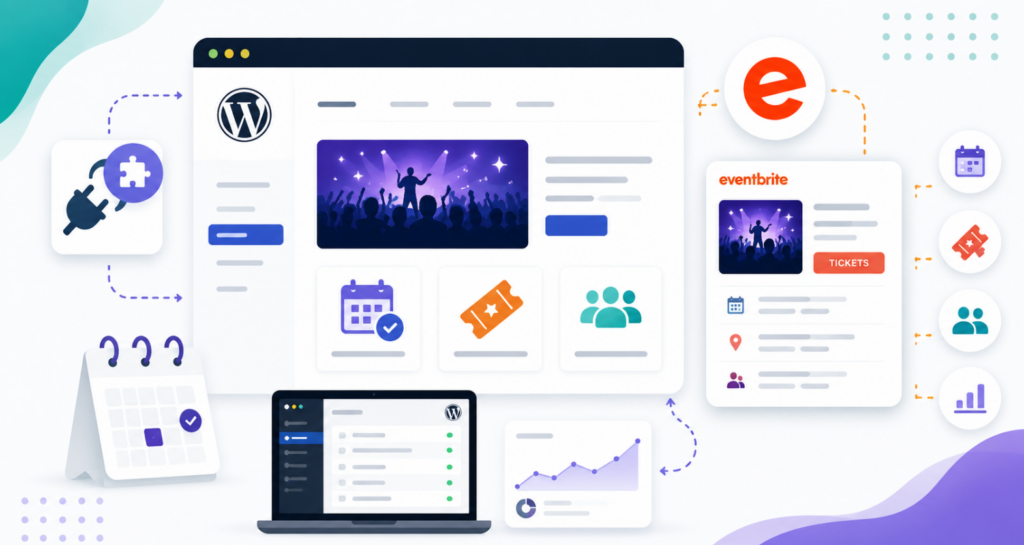
Essentially, these WordPress Eventbrite plugins act as a bridge, pulling information about your events from Eventbrite and displaying it in various formats on your WordPress pages or posts. This can include event listings, ticket information, registration forms, and more.
You need an Eventbrite WordPress plugin if you’re using both Eventbrite to manage your events and WordPress to host your website. Here’s why:
- Seamless Integration: It allows you to display your Eventbrite events directly on your WordPress website without requiring visitors to leave your site. This creates a more cohesive and branded experience.
- Improved User Experience: Keeping users on your website throughout the event discovery and registration process can lead to higher engagement and conversion rates. They don’t get redirected to an external Eventbrite page.
- Enhanced Branding and Control: You have more control over how your events are presented visually on your WordPress site, allowing you to match your website’s design and branding more effectively.
- SEO Benefits: Embedding your event information directly on your WordPress site can improve your website’s SEO for event-related keywords, potentially attracting more organic traffic.
- Simplified Promotion: You can easily integrate your event listings into your blog posts, landing pages, and other website content, making it easier to promote your events to your existing audience.
- Centralized Management (to some extent): While the primary management still happens on Eventbrite, the plugin allows you to manage the display and some aspects of your events directly from your WordPress dashboard.
- Integration with Other WordPress Features: You can combine your event listings with other WordPress plugins and features, such as contact forms, maps, and calls to action, to create more comprehensive event pages.
In essence, an Eventbrite WordPress plugin bridges the gap between the two platforms, making it easier to showcase and promote your events to your website visitors in a seamless and branded way.
It is worth weighing one trade-off before you commit to this route. Every plugin on this list keeps Eventbrite as the system of record, which means registrations, attendee data, and per-ticket fees all stay on Eventbrite’s side.
That is a fair deal if you already rely on Eventbrite for discovery. If you would rather take bookings natively on your own site and keep the attendee data and the revenue inside WordPress, a self-hosted booking plugin such as Amelia handles event registrations and appointment scheduling with its own booking forms, payments, and automated notifications built in.
Special note: Before choosing any of the best WordPress Eventbrite plugins, test it using InstaWP’s robust Staging Environments. InstaWP lets you quickly deploy staging copies of your site, evaluate speed, stability, and plugin compatibility in a real-world scenario, and confidently migrate to your live hosting without the guesswork. This ensures your attendees enjoy a seamless, reliable experience from day one!
Which are the Best WordPress Eventbrite Plugins for You?
Here are some of the best Eventbrite plugins for WordPress that will make the integrations of your Eventbrite account and the WordPress dashboard seamless.
1. Import Eventbrite Events

Tired of juggling between your Eventbrite account and your WordPress website to showcase your events? Say hello to effortless integration!
This WordPress Eventbrite plugin, “Import Eventbrite Events,” is designed to seamlessly bring your Eventbrite events directly onto your WordPress site. Whether you’re a seasoned event organizer or just starting, this Eventbrite plugin for WordPress simplifies your event marketing workflow.
Effortlessly import events using their unique Event IDs (free version) or unlock the power of automated, scheduled imports by Organiser ID or directly from your Eventbrite account in the Pro version.
This plugin acts as a vital bridge, ensuring your WordPress visitors stay informed about your upcoming happenings without ever leaving your domain. Enjoy a responsive and visually appealing display of your events, perfectly integrated with your WordPress theme and compatible with leading event calendar plugins.
What it Does:
This plugin imports events from your Eventbrite account into your WordPress website. The free version allows import by individual Event ID, while the Pro version offers scheduled, automatic synchronization and import by Organiser ID or directly from your Eventbrite account.
Best Features:
- Easy and seamless import of events from Eventbrite to WordPress.
- Import events using individual Event IDs (free version).
- Compatibility with leading WordPress event calendar plugins.
- Powerful
[eventbrite_events]shortcode for flexible event listing display. - Responsive and visually appealing event listing design.
- Impressive design for individual event detail pages.
- Option to automatically publish or save imported events as drafts.
Why It Is Best WordPress Eventbrite Plugin:
This is a top WordPress Eventbrite plugin for its ease of use, compatibility with various event calendar solutions, and the ability to directly showcase Eventbrite events on your WordPress site, enhancing visibility and streamlining event promotion.
Pro Tip for Users:
Utilize the [eventbrite_events] shortcode to embed your Eventbrite events on any page or post of your WordPress site for maximum visibility. For a truly hands-off approach, explore the Pro version for automated, scheduled syncing with your Eventbrite account.
Special Note:
This plugin focuses on importing your events from your Eventbrite account into your WordPress website. The free version supports import by individual Event IDs, while the Pro version unlocks advanced features like scheduled imports and importing events by Organiser ID for comprehensive Eventbrite integration.
2. Display Eventbrite Events

Frustrated by the effort of keeping your WordPress website updated with your Eventbrite schedule? This plugin offers a straightforward solution! In mere minutes, you can seamlessly integrate your Eventbrite account and display your events on your WordPress site, all without requiring any coding expertise.
Leveraging the power of the Eventbrite API, this plugin ensures that your website always reflects the most current information from your Eventbrite profile, saving you valuable time and preventing potential booking mishaps due to outdated details.
Whether you prefer using the WordPress Block Editor, Elementor, or good old Shortcodes, this plugin provides flexible options to showcase your events in two distinct, free layouts. Say goodbye to manual updates and hello to a streamlined, automated way to promote your events on your WordPress platform.
What it Does:
This plugin connects your WordPress site to your Eventbrite account using the official Eventbrite API. It enables you to easily display your events on your website through WordPress Blocks, Elementor Widgets, or shortcodes. Any updates made on Eventbrite are automatically reflected on your WordPress site, ensuring your audience always sees the latest information.
Best Features:
- Quick and easy setup to connect your Eventbrite account to your WordPress site.
- Display your Eventbrite events on WordPress without any coding knowledge.
- Utilizes the reliable Eventbrite API for real-time event synchronization.
- Offers three convenient display methods: WordPress Block, Elementor Widget, and Shortcode.
- Provides a choice of two free, ready-to-use layouts for showcasing your events.
- Automatically updates event information on your WordPress site whenever you make changes on Eventbrite.
- Includes options for basic color customization to match your website’s design.
Why It Is Best WordPress Eventbrite Plugin:
This plugin is a top-tier WordPress Eventbrite plugin due to its exceptional ease of use, its adaptability with various WordPress page builders, and its robust reliance on the Eventbrite API for seamless and automatic event updates on your website.
Pro Tip for Users:
For a visually intuitive integration, utilize the dedicated WordPress Block or the Elementor Widget to embed your Eventbrite events directly within your page layouts.
If you prefer more control over placement, the shortcode offers excellent flexibility. Consider upgrading to the Pro version to unlock advanced filtering options and additional layout templates for a more customized Eventbrite integration.
Special Note:
This plugin directly communicates with Eventbrite through their API to retrieve and display your event data. This eliminates the need for manual data entry on your WordPress site, guaranteeing accuracy and significantly simplifying the process of managing your Eventbrite WordPress integration.
3. Blocks for Eventbrite

Managing your events across platforms can feel disjointed. This plugin, “Blocks for Eventbrite,” offers a streamlined solution for WordPress users who love the power of Eventbrite but want to showcase their events directly within their WordPress site using the intuitive block editor. Bridge the gap between these two platforms and provide a seamless user experience for your audience.
A standout feature is the integration of Eventbrite’s embedded checkout, meaning if your website is secured with SSL, attendees can sign up and even pay for events without ever leaving your WordPress domain! Customize your event display with options to select event status (live, draft, or all) and control the order in which events appear.
You can even personalize the color of the signup button to match your branding. Give your visitors quick access to event details and direct links to your Eventbrite page, all within a lightweight and efficient block.
Did You Know: When using plugins such as Blocks for Eventbrite InstaWP’s built-in SSL-ready staging environments let you securely test embedded checkouts and ensure smooth registrations—giving your attendees a frictionless sign-up experience.
What it Does:
This plugin provides a dedicated WordPress block that allows you to easily embed your Eventbrite events into your WordPress posts and pages. It leverages Eventbrite’s embedded checkout for a seamless on-site registration experience (SSL required) and offers customization options for event filtering and display order within the block editor.
Best Features:
- Provides a specific WordPress block for embedding Eventbrite events.
- Integrates Eventbrite’s embedded checkout for on-site registration (requires SSL).
- Offers an event status selector (live, draft, all) within the block.
- Includes an order-by selector to customize the event display order.
- Allows you to change the color of the signup button directly in the block.
- Enables users to view a summary of the event description with a click.
- Links event titles directly to the corresponding event page on Eventbrite.
Why It Is Best WordPress Eventbrite Plugin:
This plugin excels as a WordPress Eventbrite plugin by offering a direct and user-friendly integration within the WordPress block editor. The inclusion of Eventbrite’s embedded checkout provides a significant advantage by keeping users on your site for the entire registration process.
Pro Tip for Users:
Utilize the intuitive WordPress block to effortlessly insert your Eventbrite events anywhere on your website. Ensure your site has an SSL certificate enabled to take full advantage of the embedded checkout feature, providing a secure and seamless registration experience for your attendees without them ever leaving your WordPress domain.
Special Note:
This plugin is specifically designed to function within the WordPress block editor, providing a dedicated block for embedding your Eventbrite events. For the Eventbrite embedded checkout feature to work correctly and securely, your WordPress website must have an active SSL certificate installed.
4. WP Eventbrite Embedded Checkout

As an event organizer, you understand the importance of a smooth and branded registration process. “WP Eventbrite Embedded Checkout” is a dedicated Eventbrite plugin for WordPress designed to keep your attendees engaged with your brand throughout the ticket-purchasing journey.
Say goodbye to redirecting users to external Eventbrite pages! This plugin allows you to embed the official Eventbrite checkout form directly onto your WordPress website, offering a seamless and secure experience. Alternatively, you can opt for a sleek button that triggers an Eventbrite checkout modal to appear over your content.
Integrating this powerful functionality is incredibly easy – simply copy and paste the provided shortcode onto any post or page. Keep your audience connected to your brand and simplify the registration flow for your next successful event with this essential WordPress Eventbrite plugin.
Please note: An SSL certificate is required for secure embedded checkout.
What it Does:
This plugin directly embeds the official Eventbrite checkout form onto your WordPress website. You can choose to display the checkout form directly on the page or trigger it as a modal popup via a button click, allowing users to complete their Eventbrite registration without leaving your site.
Best Features:
- Embed the complete Eventbrite checkout form directly onto any WordPress page or post.
- Option to add a button that opens the Eventbrite checkout as a modal popup.
- Extremely easy to use with simple shortcode integration.
- Enhances user experience by keeping attendees on your website for registration.
- Streamlines the ticket purchasing process for your Eventbrite events.
- Provides a direct and secure integration with Eventbrite’s checkout system.
- Offers flexibility with both embedded and popup checkout modes.
Why It Is Best WordPress Eventbrite Plugin:
This plugin is a leading WordPress Eventbrite plugin because it focuses specifically on providing a seamless and branded checkout experience. By embedding the Eventbrite checkout directly on your site, it minimizes friction and encourages higher ticket sales by keeping users within your website’s environment.
Pro Tip for Users:
Ensure your WordPress website has a valid SSL certificate installed. This is a crucial requirement for the embedded checkout feature to function securely and provide a trustworthy transaction environment for your attendees during their Eventbrite ticket purchase process on your site.
Special Note:
This plugin directly embeds the official Eventbrite checkout form onto your WordPress website using a simple shortcode. For the embedded checkout functionality to operate securely and effectively, an SSL certificate is a mandatory prerequisite for your WordPress website.
5. Show Eventbrite Events

Forget complicated setups and time-consuming imports! “Show Eventbrite Events – Event Feed for Eventbrite” is the ultimate WordPress Eventbrite plugin for effortlessly displaying your events with style. In just a few clicks, showcase your upcoming events directly from your Eventbrite organization in attractive layouts like List or Widget (with Grid and Cards available in Pro).
Customize everything from the layout and colors to the displayed information, all from your WordPress dashboard – no coding required! Even better, the integrated Ticket Checkout keeps your audience on your site for ticket purchases (enhanced with full event details in a popup in the Pro version).
Manage your events on Eventbrite as usual, and watch as all updates automatically sync to your WordPress website. It’s the most user-friendly way to bring your Eventbrite events to your WordPress audience.
What it Does:
This plugin directly displays events from your Eventbrite organization on your WordPress website. It offers various layout options (List and Widget in the free version) and extensive customization features accessible from your WordPress dashboard. Changes made on Eventbrite are automatically reflected on your site.
Best Features:
- Effortlessly display unlimited event feeds from your Eventbrite organization.
- Choose from ‘List’ or ‘Widget’ layouts to showcase your events.
- Customize the color scheme of your event feed to match your website.
- Control the number of events displayed on different devices.
- Select which event details to show (title, image, date, time, price, etc.).
- Customize the text for ‘Buy tickets/Sign up’ and ‘View details’ buttons.
- Offers cache control for improved performance of your WordPress Eventbrite integration.
Why It Is Best WordPress Eventbrite Plugin:
This plugin stands out as a top WordPress Eventbrite plugin due to its remarkable ease of use, the elimination of complicated import processes, and the wide range of customization options available directly within WordPress, ensuring a seamless and visually appealing display of your Eventbrite events.
Pro Tip for Users:
Start by choosing the ‘List’ or ‘Widget’ layout that best suits your website’s design and then customize the colors and event details to create a cohesive look. Utilize the option to limit the number of displayed events on different screen sizes to optimize the user experience for your Eventbrite integration.
Special Note:
This plugin directly connects to your Eventbrite account via their API to fetch and display your events. This means you manage your events entirely on Eventbrite, and all updates are automatically reflected on your WordPress website without any manual synchronization, making it a truly efficient WordPress Eventbrite integration solution.
6. WP Event Aggregator

Tired of managing events across multiple platforms? “WP Event Aggregator” is your all-in-one solution to seamlessly bring events from Eventbrite, Meetup, Facebook, iCalendar, and ICS feeds directly into your WordPress website.
This powerful Eventbrite plugin for WordPress acts as a central hub, allowing you to consolidate your event marketing efforts. Whether you’re running an event directory, a community website, or a business that hosts various events, this plugin simplifies the process.
It works beautifully as a standalone solution or as an enhancement to popular WordPress event calendar plugins. Import your Eventbrite events effortlessly using their API, alongside events from other platforms, and manage them all from your WordPress dashboard.
Automate your event updates and provide a comprehensive overview of all your happenings to your audience with this versatile WordPress event solution.
What it Does:
This plugin aggregates events from various sources, including Eventbrite, and imports them into your WordPress website. It supports importing from Eventbrite using their API, as well as from Meetup, Facebook, iCalendar, and ICS feeds. It can function independently or as an add-on for leading WordPress event calendar plugins.
Best Features:
- Easy and seamless import of events from Eventbrite to WordPress.
- Import Eventbrite events using individual Event IDs.
- Compatible with popular WordPress event calendar plugins.
- Offers a versatile
[wp_events]shortcode for displaying event listings. - Responsive and visually appealing design for showcasing imported events.
- Impressive design for individual event detail pages.
- Option to automatically publish or save imported Eventbrite events as drafts.
Why It Is Best WordPress Eventbrite Plugin:
While “WP Event Aggregator” integrates with numerous platforms, it’s an excellent choice for WordPress users needing to import events from Eventbrite alongside other sources. Its broad compatibility and flexible import options make it a top-tier solution for comprehensive event management.
Pro Tip for Users:
Utilize the [wp_events] shortcode to showcase your imported Eventbrite events in various layouts and locations across your WordPress site. For a truly efficient workflow, explore the Pro version to unlock the ability to schedule automatic imports from your Eventbrite account and other platforms, ensuring your website always has the latest event information.
Special Note:
“WP Event Aggregator” is a comprehensive Eventbrite WordPress plugin designed to import events from multiple sources into your WordPress website. While it seamlessly integrates with Eventbrite using their API, remember that for successful imports from platforms like Facebook, you might need to configure API keys and ensure your site meets their requirements.
7. EventOn Connect

Are you an avid user of the popular EventOn calendar plugin for WordPress and also leverage the power of Eventbrite for event management? Then “EventOn Connect” is the essential plugin you’ve been waiting for! This ingenious tool seamlessly bridges the gap between these two robust platforms, offering you unparalleled control over your event showcasing.
Not only can you effortlessly display your Eventbrite events on your WordPress site through a dedicated custom widget, but uniquely, EventOn users can also automatically export their WordPress events directly to Eventbrite!
Say goodbye to double entries and hello to streamlined event management. Simply input your Eventbrite API key, enable the integration, and watch as your event presence across both platforms becomes effortlessly synchronized.
Did You Know: With plugins like EventOn Connect, you need seamless integration between WordPress and Eventbrite. InstaWP’s easy-to-use Git Integration feature ensures automated testing and rapid deployment of any custom integrations you create—making sure your event management stays effortless.
What it Does:
This plugin establishes a direct connection between your WordPress website (specifically if you use the EventOn calendar plugin) and your Eventbrite account. It allows you to display events pulled from Eventbrite using a custom widget and, uniquely for EventOn users, enables the automatic export of WordPress events to Eventbrite.
Best Features:
- Seamlessly connects your Eventbrite account with the EventOn WordPress calendar plugin.
- Displays events from Eventbrite on your WordPress site via a dedicated widget.
- Requires a simple setup by adding your Eventbrite API key.
- Offers an automated way to showcase upcoming Eventbrite events on your website.
- Enables EventOn users to automatically export their WordPress events to Eventbrite.
- Simplifies the process of integrating your Eventbrite schedule with your WordPress calendar.
- Provides a unique two-way synchronization capability for EventOn users.
Why It Is Best WordPress Eventbrite Plugin:
For users who rely on the EventOn calendar plugin for WordPress, “EventOn Connect” is undoubtedly the best WordPress Eventbrite plugin. It offers a distinctive two-way integration, allowing you to not only display Eventbrite events but also automatically push your WordPress events to Eventbrite.
Pro Tip for Users:
If you’re an EventOn user, take advantage of the automatic export feature to effortlessly keep your Eventbrite listings synchronized with your WordPress calendar. Simply enter your Eventbrite API key in the settings, and you can start both displaying your Eventbrite events on your site and automatically sending your EventOn events to Eventbrite.
Special Note:
This plugin is specifically designed to integrate Eventbrite with the EventOn WordPress calendar plugin. It provides the functionality to display Eventbrite events on your WordPress site using a widget and, as a unique feature for EventOn users, allows for the automatic export of WordPress events to your Eventbrite account. An Eventbrite API key is required to establish this connection.
Final Word
So there you have it! Integrating the right tools with your Eventbrite WordPress setup can truly unlock a new level of efficiency and engagement for your events.
By carefully selecting extensions that cater to your specific needs, you can streamline your workflow, enhance your website’s functionality, and ultimately create a more seamless and enjoyable experience for your attendees. Don’t let your event management be a juggling act – empower your WordPress site with the perfect integrations and watch your events thrive!
FAQs
u003cstrongu003eQ: Why should I integrate Eventbrite with my WordPress website?u003c/strongu003e
A: Integrating Eventbrite with WordPress allows you to showcase your events directly on your website, providing a more branded and user-friendly experience for your audience. It keeps visitors on your site for event discovery and registration, potentially increasing engagement and ticket sales.u003cbru003eu003cbru003eu003cstrongu003eQ: Do I need to be a tech expert to use these integration plugins?u003c/strongu003e u003cbru003eA: Generally, no. Most of these plugins are designed to be user-friendly, often requiring minimal technical knowledge. Many offer simple setup processes, shortcodes, widgets, or block editor integration to make the process straightforward.u003cbru003eu003cbru003eu003cstrongu003eQ: Will using multiple Eventbrite WordPress plugins slow down my website?u003c/strongu003e u003cbru003eA: It’s possible. Like any WordPress plugins, using too many can potentially impact your site’s performance. It’s recommended to choose only the essential plugins you need and ensure they are well-coded and regularly updated. Testing in a staging environment before going live is always a good practice.u003cbru003eu003cbru003eu003cstrongu003eQ: Can I customize the look of the Eventbrite events displayed on my WordPress site?u003c/strongu003e A: Yes, many Eventbrite WordPress plugins offer customization options for the layout, colors, and displayed information to help match your website’s design and branding.u003cbru003eu003cbru003eu003cstrongu003eQ: Will my Eventbrite event information automatically update on my WordPress site?u003c/strongu003e u003cbru003eA: Most dedicated Eventbrite WordPress plugins that utilize the Eventbrite API offer automatic synchronization. This means that any changes you make to your events on Eventbrite will typically be reflected on your WordPress site without manual updates.u003cbru003eu003cbru003eu003cstrongu003eQ: Do I need an Eventbrite account to use these plugins?u003c/strongu003e u003cbru003eA: Yes, to integrate your Eventbrite events with your WordPress website, you will need an active Eventbrite account as these plugins connect to your account to fetch and display your event data.u003cbru003eu003cbru003eu003cstrongu003eQ: Are these plugins compatible with all WordPress themes?u003c/strongu003e u003cbru003eA: While most well-coded plugins strive for broad compatibility, there can sometimes be conflicts with specific themes. It’s always recommended to check the plugin documentation and, if possible, test the plugin in a staging environment with your theme before deploying it on your live site.


