Amidst the bustling corridors of online commerce, where every click counts and every second shapes a shopper’s journey, lies a pivotal point of interaction: the checkout process.
Here, in the final stretch of the e-commerce race, lies the opportunity to seal the deal or lose a potential customer. Enter WordPress Checkout Field Customizer Plugins, the unsung heroes of online retail, offering a gateway to tailor the checkout experience to perfection.
Table of Contents
Best WordPress Checkout Field Customizers
WordPress checkout field customizer Plugins offer the agility and flexibility businesses need to stay ahead of the curve.
Whether it’s adding custom fields to gather valuable insights, implementing conditional logic for personalized interactions, or simply streamlining the checkout process for maximum efficiency, the below-listed WordPress checkout field customizer plugins empower businesses to create checkout experiences that not only meet but exceed customer expectations.
1. ShopLentor Checkout Field Manager
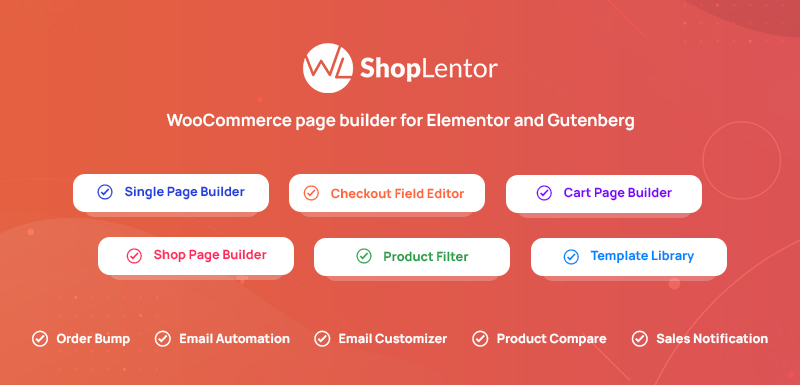
ShopLentor’s Checkout Field Manager for WooCommerce is a powerful, user-friendly module designed to streamline and customize your checkout process.
Optimizing the flow and removing friction points help ensure more customers complete their purchases, thereby enhancing your store’s performance. ShopLentor lets you add custom fields, modify existing ones, and align the checkout with your brand. This reduces cart abandonment and boosts conversion rates.
Must Read: How to Sell Digital Goods through your WooCommerce Store?
Why Use Checkout Field Manager by ShopLentor:
- Simplify and optimize the process by removing unnecessary fields to create a more user-friendly checkout experience, reducing friction points that may deter customers.
- Add custom fields to collect specific information relevant to your business needs. Easily rearrange, add, or remove fields to suit your store’s requirements and improve the checkout flow.
- A smoother, more efficient checkout process can lead to higher conversion rates and fewer abandoned carts.
- Modify existing fields to align with your brand’s identity, ensuring consistency throughout the checkout experience.
Pros:
- Intuitive user interface for easy customization.
- Simplifies the checkout process.
- Wide range of options for including custom fields and reordering fields.
- Regular updates and excellent customer support for ongoing help and optimization.
- Reduces cart abandonment.
Cons:
- Access to the Checkout Field Manager module requires the premium version of ShopLentor.
Key Features:
- Remove Unnecessary Fields
- Customize Checkout Fields
- Field Rearrangement
- Custom Field Addition
- Make fields required or optional
- Optimize the checkout process
- Change labels and placeholders
- Show in order details page
Pricing Structure:
The ShopLentor Plugin, which includes the Checkout Field Manager and other advanced features, starts at $59 per year for a single site license. For those needing more extensive usage, the pricing goes up to $299 per year for an unlimited site license. There is also a free version of the plugin available. The plugin provides flexibility for various business sizes and needs.
2. Checkout Field Manager
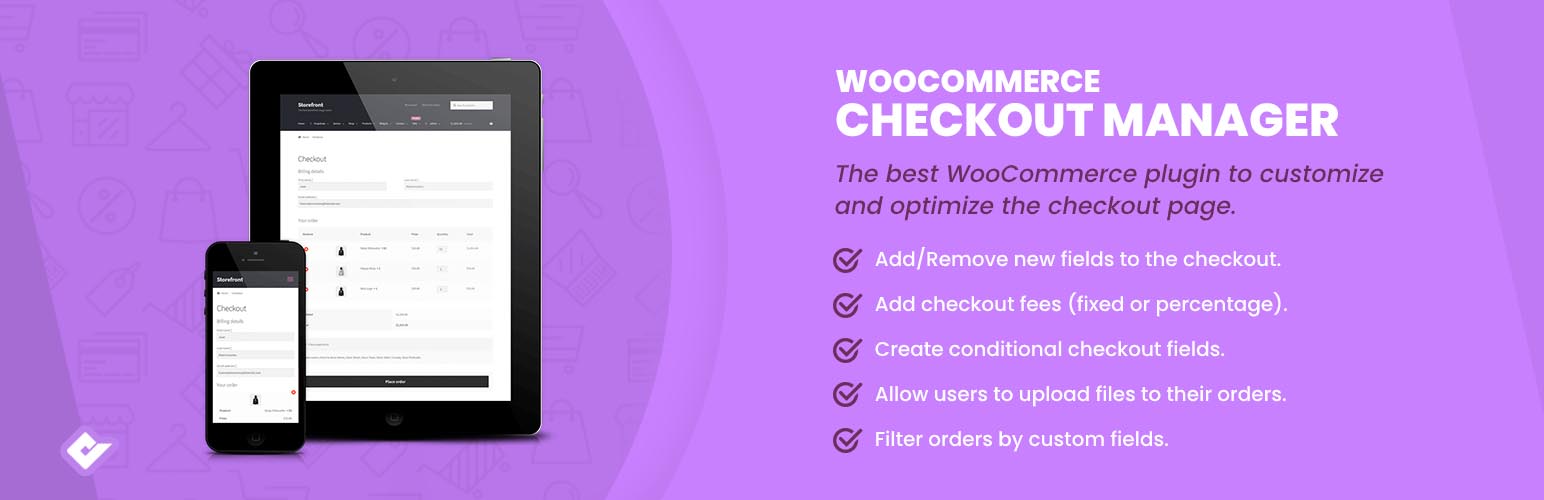
Checkout Field Manager (Checkout Manager) for WooCommerce by QuadLayers is a powerful plugin designed to customize and edit your WooCommerce checkout form. This WordPress Checkout field customizer plugin enables you to delete, modify, and reorder the checkout fields and also lets you create more than 20 custom fields within the billing or shipping checkout forms.
This WordPress Checkout field customizer plugin is useful in restructuring your WooCommerce checkout page according to your specific needs.
It allows you to add, remove, or change the field types, including Text, Textarea, Password, Radio, Checkbox, Select, Country, State, Multiselect, Multicheckbox, Heading, Colorpicker, File uploader and more. The plugin also supports conditional checkout fields, giving you the ability to show or hide fields based on the value of its parent fields.
Why use Checkout Field Manager
- Create a more efficient and user-friendly checkout process.
- Customize checkout fields to collect exactly the information you need from customers.
- Streamline the checkout experience, making it smoother and faster.
- Tailor the checkout process to gather specific data relevant to your business.
- Enhance overall customer satisfaction by simplifying the purchase journey.
Pros:
- Customizable checkout fields
- Supports a variety of field types
- Conditional field feature
- Supports file upload fields
- Allows removal of unnecessary fields
Cons:
- The premium version is necessary for access to all features
Key Features:
- Customize checkout fields
- Supports more than 20 field types
- Conditional checkout fields
- Supports file upload fields
- Reorder, remove or change field types
- Options to force shipping address and account creation
- Option to remove order notes
- Add custom messages before or after the checkout form
Pricing Structure
While the base version of this WordPress Checkout field customizer plugin is free, the premium version provides extra features such as filtering checkout fields based on cart subtotal, adding price to the checkout total based on checkout field value, displaying checkout fields in the orders admin table list, and more. The pricing for the premium version is not specified and may vary.
3. Checkout Field Editor

Checkout Field Editor Pro is a powerful WordPress plugin designed to streamline the checkout process for e-commerce websites. With this WordPress Checkout field customizer plugin, users can easily customize and manage checkout fields without the need for coding skills or technical expertise.
Whether you need to add, edit, or remove fields, this WordPress Checkout field customizer plugin provides a user-friendly interface that simplifies the entire process.
This WordPress Checkout field customizer plugin is invaluable for e-commerce store owners and administrators who want to optimize their checkout process to enhance user experience and increase conversions.
By tailoring checkout fields to suit specific business requirements and customer preferences, users can eliminate unnecessary steps, collect relevant information efficiently, and reduce checkout abandonment rates.
Why Use Checkout Field Editor Pro
- Effortlessly add, edit, or remove checkout fields with an intuitive interface, tailored to fit your needs.
- Enhance user experience to boost satisfaction and encourage repeat purchases by optimizing the checkout process.
- Streamline the checkout journey to reduce friction and simplify purchases, leading to higher conversion rates.
- Save time by avoiding manual coding and technical complexities with this straightforward approach to field customization.
Pros:
- Intuitive user interface for easy customization.
- A comprehensive range of customization options, including adding custom fields, reordering fields, and setting field properties.
- Compatibility with popular e-commerce plugins such as WooCommerce.
- Regular updates and excellent customer support for ongoing assistance and optimization.
Cons:
- Some advanced customization options may require familiarity with HTML/CSS.
Pricing Structure
Checkout Field Editor (Checkout Manager) for WooCommerce offers a free version with basic features. For advanced features, they offer a premium version priced at $49 for a single site, $79 for up to 5 sites, and $129 for up to 25 sites.
4. Flexible Checkout Fields
The Flexible Checkout Fields for WooCommerce is a WordPress Checkout field customizer plugin that enables you to customize your WooCommerce checkout fields with ease. It fills the gap left by WooCommerce’s inability to customize checkout fields in a user-friendly interface, allowing you to edit default fields or add your own conveniently and straightforwardly.
Why use Flexible Checkout Fields for WooCommerce
- Tailor checkout fields to meet specific business needs.
- Easily hide or show fields to streamline the checkout process.
- Add new fields, reorder existing ones, and validate entries for accuracy.
- Customize field labels and placeholders to create an intuitive experience.
- Simplify the checkout journey, enhancing usability for your customers.
Pros:
- User-friendly interface
- Ability to add and customize fields
- Supports a variety of field types
- Allows field validation
- Supports display of checkout fields on other pages
Cons:
- Might not be compatible with all themes and plugins
Key Features
- Show or hide fields
- Add new custom fields
- Reorder fields
- Validate fields
- Make fields required or optional
- Change labels and placeholders
- Display fields on the Thank You Page, My Account Page, and Emails
- Compatibility with other WP Desk plugins
Pricing Structure
The plugin offers a free version with basic features. The PRO version, which includes advanced features like more field types and priority email support, can be purchased from WP Desk. The pricing structure for the PRO version is not provided on the plugin’s page.
5. Checkout Field Editor for WooCommerce
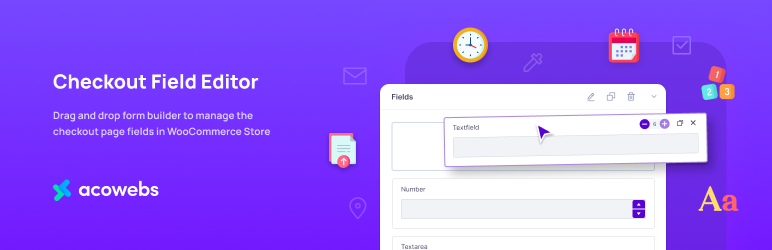
The WooCommerce Checkout Field Editor and Manager plugin is a comprehensive tool that allows you to manage and customize the checkout page fields in your WooCommerce store.
This WordPress Checkout field customizer plugin offers a drag-and-drop form builder to make editing checkout fields easier. You can add, modify, or hide default WooCommerce checkout fields, providing you with a high level of control over your checkout process.
The WordPress Checkout field customizer plugin is useful for store owners who want to create a checkout process that is specifically tailored to their needs. It can be used to add new fields, change the order of fields, and hide unnecessary fields, creating a smoother and more efficient checkout process for customers.
Why use Checkout Field Editor and Manager
- Improve the user experience on your WooCommerce store.
- Customize checkout fields to make the process more intuitive and user-friendly.
- Streamline the checkout experience for customers, encouraging smoother transactions.
- Boost conversions and drive more sales by simplifying the checkout process.
- Tailor the checkout flow to better meet customer expectations and needs.
Pros:
- Drag-and-drop interface makes it easy to use
- Ability to add, modify, or hide checkout fields
- Supports a wide range of field types
- Can enable or disable fields
Cons:
- Some features are only available in the pro version
Key Features:
- Drag-and-drop form builder
- Add, modify, or hide checkout fields
- Supports a wide range of field types including text, email, password, phone, select, textarea, radio, paragraph, header, checkbox, number, URL, and toggle switch
- Ability to change the order of fields
- Hide default WooCommerce checkout fields
- Enable or disable checkout fields
- Show fields on order details and email details
Pricing Structure
The plugin offers both a free and a pro version. The pro version includes additional features such as 24+ field types, conditional checkout fields and sections, and the ability to add fields to the checkout and my account page account registration.
6. Custom WooCommerce Checkout Fields Editor

Custom WooCommerce Checkout Fields Editor is a WordPress plugin that enables you to add, edit, delete, and rearrange custom fields in WooCommerce Checkout and Register pages. It’s a user-friendly tool perfect for WordPress beginners.
This WordPress Checkout field customizer plugin is useful for tailoring the WooCommerce Checkout and Register pages to suit your specific requirements. You can include additional information fields, reorder existing ones, and even disable unnecessary fields.
Why use Custom WooCommerce Checkout Fields Editor
- Customize your WooCommerce checkout to align with your business needs.
- Control the information you collect from customers at checkout.
- Enhance customer service by gathering relevant details during checkout.
- Boost marketing efforts with tailored customer data.
- Create a checkout experience that supports your unique business goals.
Pros:
- Easy to use
- High level of customization
- Includes both free and premium features
Cons:
- Premium features come at an additional cost
- May require some time to understand and use all features effectively
Key Features:
- Add, edit, delete, and rearrange custom fields on WooCommerce Checkout and Register pages
- Include different field types including text, number, password, email, select, checkbox, and more
- Reorder fields and change the arrangement order
- Display fields in the Orders Page and Emails
- Enable or disable WooCommerce Fields
- Reset checkout fields to the default option
Premium Features:
- Add, edit, delete custom fields on MyAccount page
- Display fields and sections conditionally based on various factors (Cart Contents, Cart Subtotal, User Roles, Product, etc.)
- Add price fields and choose the price type
- Premium fields including file upload, date picker, time picker, label
Pricing Structure
The plugin offers a range of features for free. However, for access to premium features, you can purchase the plugin for $29.
Why use WordPress Checkout Field Customizer Plugins?
WordPress Checkout Field Customizer Plugins are essential tools for e-commerce website owners and administrators for several reasons:
- Enhanced Flexibility: These WordPress Checkout field customizer plugins offer extensive customization options, allowing users to add, edit, or remove checkout fields according to their specific business requirements. This flexibility ensures that the checkout process can be tailored to match the unique needs of different industries, products, and target audiences.
- Streamlined Checkout Process: By customizing checkout fields, users can eliminate unnecessary steps and reduce friction in the checkout process. This streamlined experience improves usability and encourages customers to complete their purchases without abandonment, resulting in higher conversion rates and increased revenue for the business.
- Improved User Experience: Customized checkout fields contribute to a more user-friendly and intuitive checkout experience. By presenting customers with relevant and easy-to-understand fields, users can enhance customer satisfaction and foster positive impressions of their brand, leading to repeat purchases and higher customer loyalty.
- Personalization Opportunities: Checkout field customizer plugins enable users to collect additional information from customers, such as preferences, special instructions, or promotional offers. This data can be used to personalize future interactions and marketing efforts, resulting in more targeted and effective communication with customers.
- Compatibility with E-commerce Platforms: Many checkout field customizer plugins are designed to seamlessly integrate with popular e-commerce platforms like WooCommerce, making them easy to implement and manage for WordPress users. This compatibility ensures a smooth and hassle-free experience for website owners and administrators.
- Time and Cost Savings: Customizing checkout fields with WordPress Checkout field customizer plugins eliminates the need for manual coding or development work, saving users time and resources. Instead of hiring developers or relying on complex coding, users can quickly and efficiently customize checkout fields using intuitive interfaces and pre-built templates provided by these plugins.
Overall, WordPress Checkout Field Customizer Plugins offer users the tools and flexibility they need to optimize the checkout process, improve user experience, and drive conversions on their e-commerce websites.
By leveraging these WordPress Checkout field customizer plugins, website owners and administrators can create a seamless and personalized checkout experience that maximizes customer satisfaction and revenue potential.
Final Word
WordPress Checkout Field Customizer Plugins stand as indispensable tools for any e-commerce endeavor seeking to thrive in today’s competitive landscape. As we’ve explored, these WordPress Checkout field customizer plugins offer far more than mere customization; they represent the gateway to a seamless, personalized, and ultimately profitable checkout experience.
As you embark on your journey to optimize your e-commerce checkout, remember the potential that lies within these plugins. Embrace the flexibility, adaptability, and innovation that WordPress Checkout Field Customizer Plugins offer, and position your business for sustained success in the dynamic world of online retail.
FAQs
What are WordPress Checkout Field Customizer Plugins?
WordPress Checkout Field Customizer Plugins are tools that allow users to customize and manage the fields displayed during the checkout process on their e-commerce websites. These plugins offer features to add, edit, or remove fields to tailor the checkout experience according to specific business requirements.
Why should I customize checkout fields on my WordPress website?
Customizing checkout fields helps streamline the checkout process, reducing friction and improving user experience. By collecting relevant information efficiently and eliminating unnecessary steps, customized checkout fields can increase conversions and enhance overall customer satisfaction.
Are these plugins compatible with popular e-commerce platforms like WooCommerce?
Many WordPress Checkout Field Customizer Plugins are designed to seamlessly integrate with popular e-commerce platforms like WooCommerce. Users can easily install and activate these plugins to enhance the checkout experience on their WooCommerce-powered websites.
Do I need coding skills to use these plugins?
No, most WordPress Checkout Field Customizer Plugins are designed to be user-friendly and do not require coding skills. These plugins typically offer intuitive interfaces and drag-and-drop functionality, allowing users to customize checkout fields without any technical expertise.
Can I add custom fields to collect additional information from customers?
Yes, one of the main features of WordPress Checkout Field Customizer Plugins is the ability to add custom fields to collect specific information from customers. These plugins offer various field types, such as text fields, checkboxes, dropdowns, and more, to accommodate different data requirements.
Is it possible to set up conditional logic for displaying checkout fields?
Many WordPress Checkout Field Customizer Plugins offer conditional logic capabilities, allowing users to show or hide fields based on specific criteria. This feature enables dynamic and personalized checkout experiences tailored to individual customers or order characteristics.
Are there any limitations or drawbacks to using these plugins?
While WordPress Checkout Field Customizer Plugins offer significant benefits, some limitations or drawbacks may include the need for familiarity with plugin settings, potential conflicts with other plugins or themes, and occasional updates required for compatibility with new WordPress versions.
How much do WordPress Checkout Field Customizer Plugins cost?
Pricing for WordPress Checkout Field Customizer Plugins varies depending on the plugin provider and the features included. Some plugins offer free versions with limited features, while others may require a one-time purchase or subscription fee for access to advanced functionalities or premium support.


