Dive into the dynamic world of WordPress with our comprehensive listicle on the best pop-up maker alternatives for WordPress pop-up plugins. This article will elevate your understanding of the transformative power of these plugins, revealing how they can help you convert visitors into loyal customers, increase subscriptions, and boost lead generation.
WordPress Popup Plugins play a crucial role in enhancing your website’s functionality and user experience, ensuring your site isn’t just visually appealing but also highly engaging and effective.
This listicle will provide an in-depth look into various WordPress pop-up plugins, highlighting their unique features, benefits, and how they can help you achieve your online goals. By the end of this listicle, you will have gained valuable insights and handy tips on how to leverage these tools for your website’s success.
Table of Contents
WordPress Popup Plugins: Alternatives for Popup Maker
Here are some of the best WordPress pop-up plugins that you can use as Popup Maker alternatives.
PopupKit

PopupKit is a powerful WordPress popup builder that includes numerous popup templates and blocks to create custom popups with prebuilt designs or from scratch. Besides, the created popups will be device-responsive and highly effective for boosting conversions.
It promotes a drag-and-drop interface, so that anyone can create, customize, and run popups without coding skills or technical expertise. Moreover, popup triggers to campaign analytics, all advanced features are available in this popup builder.
Features and Benefits
- User-friendly interface: Create marketing campaigns in a drag-and-drop interface with blocks and prebuilt templates with ease.
- Pre-built popup templates: 180+ built-in popup templates are available in PopupKit for setting up different marketing campaigns in minutes.
- Popup triggers: Trigger your popup using various user actions such as exit intent, custom clicks, inactivity, etc.
- Schedule campaign: Let you schedule marketing campaigns by setting the date and time.
- IP blocking: Block a specific IP or IP range to prevent unwanted traffic.
- Frequency setting: Control the frequency of your popup display to avoid running an irritating marketing campaign.
- Device visibility: Enjoy complete freedom on which device you want to display your popups, such as desktop, tablet, and mobile.
- Geolocation target: Run your popups based on visitors’ location for a more personalized marketing campaign.
- Diverse campaign: From a floating bar to a gamified campaign, create any type of campaign with ease.
- Integration support: Comes with diverse integration support, such as Mailchimp, FluentCRM, Zapier, Active Campaign, etc.
- Campaign analytics: Track your campaign performance with detailed analytics, including total views, conversions, conversion rate, top campaigns, etc.
Pricing Structure
- Personal: $79/year with 5 site license.
- Professional: $199/year with 10 site license.
- Agency: $299/year with unlimited site license.
Depicter

If you are looking to maximize engagement and drive conversions on your WordPress site, then look no further than Depicter WordPress Popup Builder.
This powerful plugin offers a wide range of features designed to create attention-grabbing popups seamlessly. In this blog post, we’ll dive into the impressive features and benefits of Depicter’s Popup functionality that can help elevate your promotional efforts and boost user engagement.
Features and Benefits
- No-Code And Easy-To-Use Visual Editor: Depicter’s Popup functionality comes with a no-code, easy-to-use visual editor that allows you to design pixel-perfect slides effortlessly. With drag-and-drop functionality and alignment guidelines, you can create professional-looking popups without any coding expertise.
- Targeted Audience Control and Display Conditions: The plugin offers advanced display conditions, enabling you to target specific audience segments based on their behavior and the pages they visit. With audience targeting by device, browser, location, referral path, or custom cookie value, you can personalize the popup experience for different user groups. Additionally, the ability to schedule the start and end time for popup displays ensures that your message reaches the audience at the right moment.
- Intelligent Triggers for Visitor Behavior: Depicter’s Popup functionality includes a variety of triggers that can detect and respond to visitor behavior. From exit intent triggers to time-on-page triggers, you can capture user attention at the right moment and prompt them to engage with your content. By utilizing triggers effectively, you can significantly increase conversion rates and reduce bounce rates.
- Flexible Reopening Options: The plugin gives you control over when and how your popups should reopen. Whether it’s displaying the popup on every visit, targeting return visitors, or setting it to reappear after a defined time period, Depicter’s Popup functionality ensures consistent exposure and timely reminders for increased user interaction and conversion.
- Multi-Step Popup Creation: With Depicter Popup Builder, you can create popups with multiple steps, adding interactions to your content and ensuring high engagement rates. This feature allows you to guide users through a series of interactions, leading to a more immersive and compelling user experience.
- Mobile-Friendly and Responsive Design: Depicter’s Popup functionality offers full control over adjusting popup content responsively for different devices. Whether it’s different layouts or positioning options, you can ensure that your popups appear properly on all screens, providing a seamless user experience across various devices.
- Lightweight and Performance-Oriented: Depicter’s Popup functionality is designed to have minimal impact, with minimal script size and markup on page load. The plugin utilizes asset preload, image optimization, and WebP image format support to ensure optimal performance and fast loading times for your popups.
- Comprehensive Assets Library: Lastly, Depicter provides access to a comprehensive library of high-quality photos, shapes, videos, elements, typography sets, and all your WordPress media content within the Popup editor. This extensive collection allows you to create visually stunning and engaging popups without the need to search for external resources.
Pricing structure
Depicter offers a free version with access to all the basic functionalities of the Popup builder and the premium plans grant access to extra features, including advanced targeting conditions, exit intent, scheduling, advanced open triggers, after-close options, premium popup templates, and more.
- Pro 1 website subscription for $2.5 monthly
- Pro 3 websites subscription for $6.5 monthly
- Pro 10 websites subscription for $15.9 monthly
- Pro 50 websites subscription for $75 monthly
- Pro 100 websites subscription for $142 monthly
ConvertForce

ConvertForce is a WordPress popup plugin built entirely around the block editor, which makes it a natural fit for anyone who finds Popup Maker’s separate builder and shortcode workflow a detour. You design campaigns with the same blocks you already use for posts and pages, so headings, images, buttons, forms, and any block you have installed can go straight into a popup with no new interface to learn.
The plugin covers three campaign types: notification bars, lightbox popups, and slide-in popups. It ships with ready-made patterns for common use cases like Black Friday offers, product announcements, and support prompts, and it keeps things deliberately lightweight: no third-party scripts, no external tracking, and dismissal and frequency data stored on the visitor’s own browser rather than sent anywhere.
Features and Benefits
- Native block editor builder: Build campaigns with the standard WordPress editor, using core blocks and any third-party blocks already on your site, with no separate page builder or shortcode step.
- Three campaign types: Notification bars, lightbox popups, and slide-in popups cover announcements, offers, lead capture, and persistent floating calls to action.
- Pre-built patterns: Insert a ready-made design for sales, notices, new arrivals, or customer support, then edit the text and colours to match your brand.
- Position and backdrop controls: Place lightbox popups at the top, centre, or bottom of the screen with a pixel offset, and soften the page behind them with a backdrop blur.
- Exit intent (Pro): Trigger a campaign when a visitor moves to leave the page, a common way to recover abandoning traffic.
- Scroll depth triggers (Pro): Show a campaign only after someone has read a set percentage of the page, so the offer arrives after the visitor is engaged.
- Advanced targeting (Pro): 37 display conditions across 8 categories, covering pages, post types, user roles, devices, referrers, dates, and more.
- Frequency controls: Limit how often a campaign reappears after someone closes it, so repeat visitors are not shown the same message every session.
- Privacy friendly and self-hosted: No external scripts and no visitor data leaving your site, which keeps things simple for GDPR compliance.
Pricing Structure
ConvertForce is free on WordPress.org, with the Pro version adding exit intent, scroll depth triggers, and advanced targeting.
- Personal: $49/year or $149 one time, 10 sites
- Professional: $79/year or $249 one time, 1000 sites
Popup Builder by OptinMonster
The OptinMonster WordPress Popup Builder and Email Newsletter Popup Plugin is a cutting-edge tool designed for those looking to enhance their website’s lead generation and conversion capabilities.
Trusted by over 1.2 million sites worldwide, this plugin is the go-to for businesses looking to grow their email newsletter subscriptions and boost lead generation. With seamless integration with other products such as MailChimp and WPForms, this plugin makes it easy to gather data and generate leads.
Features and Benefits
- Easy-to-use pop-up maker: Create pop-ups, email subscription forms, sticky floating bars, spin-a-wheel campaigns, and interactive pop-ups easily, saving time and money without needing a coder or designer.
- Mobile popups: Ensure your marketing messages display perfectly across all devices.
- Integrations: Connect effortlessly with popular email marketing services, CRMs, and eCommerce platforms like MailChimp, HubSpot, ConvertKit, WooCommerce, and Google Analytics.
- No-Code Integrations: Use powerful Webhooks or connect to Zapier for integration with your marketing platforms, even if there’s no native support.
- OptinMonster Pro: Supercharge growth with advanced features like Exit-Intent technology, Campaign Scheduling, and Countdown Timers.
- Customer Support: Benefit from excellent customer support with a response time under an hour and optional live chat, ensuring help is always at hand.
Pricing Structure
- Basic Plan: $9/ month, for 1 site, with basic features
- Plus Plan: $19/ month, for 2 sites, with advanced features
- Pro Plan: $29/ month, for 3 sites, with pro features
- Growth Plan: $49/ month, for 5 sites, with growth features
Popup Builder
Popup Builder is a powerful and easy-to-use WordPress plugin that lets you create and customize a variety of popups for your website. It’s the perfect tool to increase conversion rates and boost sales.
Whether you need an image popup, countdown popup, exit intent, or GeoTargeting, Popup Builder has got you covered. With a user-friendly interface and custom JS/CSS coding options, you can create unique and highly effective promotional popups in just a few minutes.
Features and Benefits
- User-friendly and intuitive interface: The plugin is easy to use, with all popup types, events, and design changes clearly separated. No special coding is needed, saving you time and effort.
- Variety of popup types: From free types like image, HTML, Facebook, and subscription popups to premium features such as video, web push notification, exit intent, and more, there’s a popup for every occasion.
- Comprehensive solution: With Popup Builder, you can target your audience based on geographic segmentation, demographics, and user behavior, leading to higher conversion rates.
- Fully customizable design: Almost all elements of the popup are customizable, letting you create a personalized and branded popup that enhances your brand awareness.
- Integration with third-party plugins: Popup Builder is compatible with popular plugins like WooCommerce, MailChimp, Contact Form 7, WPML, Polylang, and more, expanding the potential and capabilities of your popups.
- Excellent support: The support team is always ready to help and satisfy your needs. If you have any questions or suggestions, you can easily reach out to them.
Pricing Structure
- Starter Plan: $49.95/ year, 2 websites, all extensions included
- Business Plan: $89.95/ year, 10 websites, all extensions included
- Agency Plan: $145.95/ year, unlimited websites, all extensions included
FooBox
FooBox is a revolutionary WordPress Plugin designed to enhance your website’s media viewing experience. It was the first plugin to consider responsive layouts seriously, with features specifically designed for mobile viewing. FooBox solves the problem of poorly optimized images and controls for mobile devices, guaranteeing a seamless experience across all devices.
Features and Benefits
- Responsive Lightbox Design: The plugin adapts to the screen size of the device, ensuring images look their best on both phones and computers, enhancing user engagement across different devices.
- Modern Lightbox Design: Features modern and sleek design elements, promising a visually pleasing user experience that enhances the aesthetic appeal of your website.
- Zero Configuration: Designed to work straight out of the box, this plugin saves you precious time as no configuration is needed, enabling quick and easy setup.
- Works with WordPress Galleries: FooBox seamlessly integrates with WordPress galleries, automatically adding modals to them, simplifying the process of creating interactive and engaging galleries.
- Works with WordPress Captioned Images: The plugin enhances the display of captioned images by showing captions in the modal popup, improving accessibility and context for users.
- Control when to Exclude/Include FooBox JS & CSS assets: Provides complete control over when to include or exclude FooBox assets, allowing you to optimize your website’s performance by managing resource loading efficiently.
Pricing Structure
- For 1 site: $4.99/ month, all pro features included
- For 5 sites: $9.99/ month, all pro features included
- For 25 sites: $25.99/ month, all pro features included
Hustle
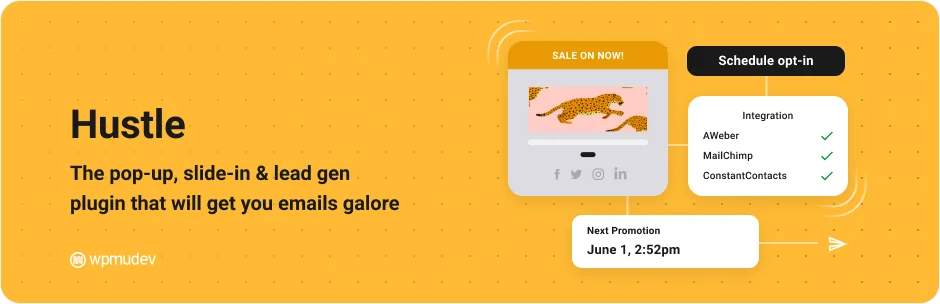
Hustle is a robust WordPress plugin designed to simplify and enhance your email marketing, lead generation, and social media engagement efforts. Developed by the creators of the popular Smush image optimization and Forminator form builder plugins, Hustle provides a range of features designed to help you grow your mailing list, convert site visitors, and build a social following.
This plugin allows you to deploy targeted marketing popups, optin forms, widgets, and shortcodes across your website, making it a must-have for any WordPress user looking to optimize their online marketing efforts.
Features and Benefits
- Instant Templates: Hustle provides ready-made templates for popups, slide-ins, and embeds suited for various events like Black Friday or COVID notices, saving time and aligning your marketing with campaign goals.
- Advanced Styling and Customization: Customize the appearance of your marketing modules in Hustle with options for colors, animations, and layouts. Fully mobile-responsive, allowing granular adjustments for a perfect display on all devices.
- Highly Targeted Display Settings: Target your visitors based on specific conditions such as page visits, device, browser, or country with Hustle’s display settings, increasing the relevance of content and likelihood of conversions.
- Email Outreach: Follow up with visitors who interact with your modules using automated or manual emails in Hustle to enhance engagement and improve conversion rates.
- Social Sharing: Hustle includes social network icons to enhance your social media presence, enabling sharing on platforms like Facebook, Twitter, LinkedIn, and more.
- Form Builder Integrations: Integrate with free form builders like Forminator using Hustle to embed forms, polls, and quizzes, helping capture more leads and grow your following.
- Mailing List Growth: Hustle supports integration with email services like MailChimp, Constant Contact, and AWeber, facilitating subscriber addition and mailing list expansion.
- Gutenberg Editor Support: Hustle is compatible with both Classic Editor and Gutenberg, simplifying content management.
- Exit-Intent Triggers: Detect when visitors are about to leave your site and trigger attention-grabbing popups or slide-ins with Hustle, potentially boosting your conversion rates.
- Spam Protection: Hustle integrates with Google’s ReCAPTCHA to shield your signup forms from bots, maintaining the integrity and relevance of your mailing lists.
- Adblocker Compatibility: Ensure your pop-ups and slide-ins reach your audience with Hustle’s ability to display content even when adblockers are used.
- Performance Tracking: Track module performance in Hustle using detailed tracking data, conversion statistics, and charts to measure and refine your marketing efforts effectively.
Pricing Structure
- Basic Plan: $3/ month, billed yearly, 1 site
- Standard: $5/ month, billed yearly, 3 sites
- Freelancer: $10/ month, billed yearly, 10 sites
- Agency: $20/ month, biller yearly, unlimited sites
Popups for Divi

Popups for Divi is an innovative WordPress plugin that transforms your ordinary section into an engaging popup. The plugin addresses the challenge of capturing user attention and offering interactive content on your WordPress site. With its effortless configuration and seamless integration with the Visual Builder, you can now create captivating popups without any coding skills.
Features and Benefits
- Easy Activation: With no configuration needed, you can easily activate the plugin and transform your section into a popup. This feature saves time and makes it user-friendly, even for those without technical expertise.
- Visual Builder Integration: The plugin integrates with the Visual Builder, displaying a new “Popup” tab in the Section Settings. This seamless integration makes it easier to navigate and create popups directly from the Visual Builder.
- Customizable Popup IDs: You can set the “Popup ID” to anything you like, enabling you to create and manage multiple popups. This feature allows for more customization and better organization of your popups.
- Button Module Addition: You can add a Button Module on any page and link it to your Popup ID. This feature enhances user interaction and engagement with your popups.
- Comprehensive Documentation: The plugin provides examples, CSS class options, JS API documentation, and WP filter documentation. These resources help users understand the plugin better and maximize its potential.
- All Browser Compatibility: The plugin is tested and compatible with all major browsers on Windows and Mac. This ensures that your popups will work perfectly across different platforms and devices.
- Divi Areas Pro: For advanced features, you can check out Divi Areas Pro that offers an admin UI, four Area Types, advanced triggers, and more. These additional features allow for more customization and control over your popups, enhancing your site’s functionality and user experience.
Pricing Structure
- Divi: $89/ year for Website owners and WordPress Professionals
- Divi Pro: $569/ year for WordPress Professionals who want to build unlimited websites
Popup Anything
Popup Anything is an essential WordPress plugin for every business that aims to increase its conversion rates. This plugin is designed to create attention-grabbing popups that can be loaded on a page or activated on a click.
It serves as a viable tool to communicate with your website visitors, encourage them to sign up for newsletters, respond to your product offerings, and ultimately boost your sales. It is currently the most popular popup builder plugin, designed to increase your email subscribers and help your business grow.
Features and Benefits
- Popup on Page Load: Create and manage as many page load popups as desired, customizing their look, feel, and animations such as Fade in, Slide, or Scale.
- Popup on Link Click: Offers the ability to launch popups through link interactions with customizable animations and a live preview feature.
- Popup on Image Click: Set up popups to appear when images are clicked, with adjustable width, height, and responsive design.
- Popup on Button Click: Utilize button clicks to trigger popups, which can be fully customized and previewed live.
- Element Click Popup: Trigger popups through various element interactions, featuring full-screen options and custom animations.
- Inactivity Popup: Engage users after periods of inactivity with popups that can be fully customized and responsive.
- Scroll Up & Down Popup: Activate popups based on scrolling behavior, with options for 9 popup positions and various animations.
- Exit Intent Popup: Convert exiting visitors by triggering popups with exit intent technology, customizable to full screen and various effects.
Pricing Structure
The plugin is free to use with the premium version starting from $159/ year.
Login/Signup Popup

Login/Signup Popup (Inline Form + Woocommerce) is a plugin that significantly streamlines the registration, login, and password reset process for your WordPress website.
This plugin is user-friendly, lightweight, and fully customizable, providing you with two design options – Popup and Inline forms. Moreover, it is equipped with a fields manager allowing you to decide which fields should be kept during the form creation process.
Features and Benefits
- Supports Woocommerce: Seamlessly integrates with your Woocommerce powered site, enhancing the e-commerce functionality of your website.
- Fully Ajaxed: The plugin operates without refreshing the page, providing a smooth user experience by maintaining seamless interactions.
- Login, Sign up, Lost Password & Reset Password Form: Offers a comprehensive solution for all authentication needs, improving user accessibility and security.
- Customizable Fields: Allows you to choose which fields to display on the forms, giving you control over the kind of information you collect from users and how you interact with them.
- Fully Customizable: The plugin can be tailored to meet the needs of your website and brand, ensuring consistency in your website’s look and feel.
- WPML Compatible: Supports multi-language websites, expanding your reach to a wider audience and improving user engagement across different regions.
Add-ons:
- Custom Registration Fields: This add-on lets you add extra fields to the registration form and display them on user profiles and the myaccount page, enhancing the customization and functionality of user management.
- Social Login: Provides a single-click login & registration feature through Google and Facebook, simplifying the authentication process for users and increasing registration rates.
- One Time Password (OTP) Login: Allows users to log in with OTP sent to their phone or email, eliminating the need to remember passwords and enhancing security.
- Google Recaptcha: Protects your forms from bots using Google Recaptcha (v2/v3), includes a password strength meter, and limits login attempts to safeguard your site.
- Email Verification: Sends a verification email on registration and restricts login access until the email is verified, reducing the risk of fake accounts or bots and improving the integrity of user data.
Pricing Structure
The plugin is free to use with the premium version starting from $39/ year.
Popup Box
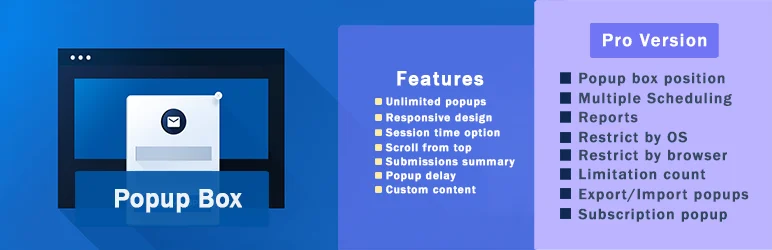
WordPress Popup plugin is a comprehensive solution designed to enhance user engagement on your website. This plugin helps you create visually appealing and high-converting popups that can significantly enhance your website’s user experience.
Whether you’re looking to boost subscription rates, provide downloadable content, or display interactive maps, WordPress Popup plugin is the perfect tool to meet your needs.
Features and Benefits
- Shortcode: This feature allows you to easily integrate content from other plugins by copying and pasting the shortcode into your popup, saving time and simplifying the process of content integration.
- Custom Content: This feature gives you the flexibility to create your preferred popup from scratch by adding HTML, enhancing customization.
- Subscriptions: This feature helps in building your email list by boosting subscription rates through strategic popups.
- Yes or No: This feature allows your website visitors to choose between options, enhancing user interaction.
- Video: This feature lets you add engaging videos to your popup, thereby enhancing the visual appeal.
- Iframe: Use the Iframe code to display an Iframe popup, thus increasing the diversity of your popup content.
- Contact Form: This feature enables you to collect feedback from your website visitors through a single popup.
- Subscribe and Get a File: This feature lets your website visitors receive files via email after subscription, thereby enhancing user experience.
- Coupon: This feature generates random coupons to boost sales on your website.
- Countdown: This feature creates a sense of urgency to grab your website visitors’ attention.
- Cookies: This feature helps you add privacy to your website and comply with GDPR requirements.
- Download: This feature allows users to download a file from your website inserted in the popup.
- Login: This feature lets your website visitors log in to the website right in the popup without being redirected.
- Google Maps: This feature allows you to display a map on your website by inserting your Google Maps API key into your popup.
- WooCommerce: This feature helps you build a WooCommerce popup to sell your products or services directly and increase your sales.
Pricing Structure
The plugin is free to use with the premium version starting from $59.
MailOptin

MailOptin is an innovative WordPress plugin designed to help you build popups, subscribe forms, user registration forms, and email newsletters. This plugin is your solution to increasing your email newsletter subscribers, leads, and sales.
MailOptin makes it easy to display signup forms, targeted messages, and call-to-actions across your website using various methods like popups, in-post subscription forms, notification bars, slide-ins, and sidebar widgets. It also allows you to automatically notify your subscribers every time you publish new content on your blog by sending blog posts as email newsletters.
Features and Benefits
- Lightbox Popups: Design custom popups that overlay above your content to grab your visitor’s attention, effectively increasing engagement and conversion rates.
- Before & After Post Optins: Perfect for converting your blog readers and website page viewers into subscribers by strategically placing opt-in forms.
- Sidebar/Widget Forms: The most popular method of building an email list, allowing easy integration into any part of your website.
- Calls to Actions: Display targeted messages with a call-to-action button urging website visitors to act, enhancing user interaction and conversion.
- Spam Protection: MailOptin uses the innovative Honeypot method to stop spam contact form submissions, ensuring cleaner and more reliable data collection.
- After Conversion Actions: Allows you to close the opt-in form after conversion, reload the page, or redirect to a custom URL, enhancing user experience post-engagement.
- Page-level Targeting: Display opt-in or email signup forms in specific posts and pages of your WordPress site, increasing relevance and effectiveness of campaigns.
- New Post Notification: Create automated email newsletters of new blog posts to all registered users or users of specific roles immediately after they are published, keeping your audience informed.
- Email Digest: Create automated daily, weekly, and monthly email newsletters of published posts, ensuring your content reaches subscribers regularly.
Pricing Structure
MailOptin offers a free Lite version with essential features to build your email list. The Premium version comes with more advanced features and it’s available in three pricing plans
Standard ($79/year), Pro ($179/year), and Agency ($279/year).
Video PopUp
Video Popup is the leading WordPress Video Lightbox Plugin that allows you to easily create video lightbox popups. Whether it’s YouTube, Vimeo, SoundCloud, or MP4 self-hosted videos, Video Popup supports all. One of its unique features is that you can display a Popup Video on page load, contributing to a captivating user experience.
Features and Benefits
- Support for YouTube, Vimeo, SoundCloud, and MP4 self-hosted video: You can display a variety of video types in your popups, increasing the range of content you can share with your audience.
- Visual Editor: The Video Popup Visual Builder comes with an Editor Style, offering you freedom and flexibility in designing your popups.
- Support for unlimited popups: There are no limits to the number of popups you can create, allowing you to engage your visitors in numerous ways.
- Popup Video on Page Load: This new feature enables a video to popup as soon as a page loads, immediately drawing the visitor’s attention.
- Alignment options: These new features let you decide where on the page your popup video loads, giving you greater control over your site’s layout.
- Flex Design: The new design feature ensures your popups look modern and appealing.
- Responsive Style: This feature makes sure your popups look great on any device, enhancing user experience.
- Retina Ready: Your popups will look sharp and vibrant on Retina displays, making for a visually stunning user experience.
- Autoplay Support: This feature automatically plays your videos as soon as the popup opens, capturing the visitor’s attention right away.
- Customizable Width and Height Size: You can adjust the dimensions of your videos to suit your site’s design and your personal preferences.
- Customizable Color of Overlay: This feature lets you change the color of the video overlay to match your site’s color scheme.
- Shortcode Support: This allows you to easily insert popups anywhere on your site.
- General Settings: This provides you with various options to customize your popups according to your needs.
- Easy to use: The plugin is designed to be user-friendly, so you don’t need advanced technical skills to create stunning popups.
Pricing Structure
Video PopUp is a free plugin available for download on the WordPress Plugin Repository.
Brave

The Brave Builder for WordPress is a versatile and powerful conversion widget builder that allows the creation of visually attractive popups, lead generation forms, sticky bars, and sidebars. It addresses the need to swiftly convert site visitors with engaging and customizable content that catches the eye.
Features and Benefits
- Intuitive Visual Editor: Create popups effortlessly with its drag-and-drop feature, no coding skills required.
- Advanced Forms: Quickly create a variety of forms like opt-in, feedback, and contact forms.
- Create Any Kind of Popup: From sticky headers to notification boxes, the plugin supports a wide array of popup types.
- Woocommerce Integration: Boost your Woocommerce store revenue with up-sell, cross-sell, and related products popups.
- Easy Targeting: Control who sees your popup, as well as where and when it appears.
- Custom Goal: Set a specific goal for your popup and receive instant notifications upon achievement.
- Customize Display Frequency: Adjust how often the popups display to avoid annoying your visitors.
- Animate Popups: Enhance your popups with ready-made animations to attract more attention.
- Insert Custom Code: Integrate content from other plugins using shortcodes or custom codes within a Code element.
- 15 Started Presets: Begin building your popups immediately using 15 free presets.
- 23 Newsletter Service Integrations: Connect your forms to various newsletter services like Mailchimp, SendGrid, Hubspot, and more.
- Great Performance: Experience a lightweight plugin that only loads assets once the page is fully loaded, ensuring faster performance.
- Analytics: Monitor your popups’ performance with detailed analytics on views, clicks, and form submissions.
Pricing Structure
The plugin is free to use with the premium version starting from $59/ year.
Poptin

Poptin is a versatile and effective WordPress plugin that allows businesses to enhance their online presence and drive more conversions. Poptin helps in creating captivating popups, contact forms, opt-ins, lightbox pop-ups, notification bar, and forms within two minutes.
The platform utilizes advanced targeting rules and exit intent pop-up technology to efficiently convert visitors into leads, subscribers, and ultimately, sales.
Features and Benefits
- Grow Your Email List: Poptin allows you to create enticing email pop-ups that capture users’ attention, encouraging them to sign up to your email list.
- Lead Capture: With Poptin’s lead capture pop-ups, you can effortlessly attract more leads and potential customers.
- Sales Boost: Poptin’s pop-up upsell feature can help drive more sales for your business.
- Cart Recovery: The platform enables you to recover cart abandonment with enticing exit offers.
- Increase Engagement: Poptin also helps increase visitors’ engagement with its pop-ups and inline forms.
- Notifications: With Poptin, you can create a notification bar to update your users about deals and promotions.
- A/B Testing: The platform offers A/B testing to help you understand what works best for your business.
- Integration: Poptin integrates with major emailing systems, CRM, or marketing automation platforms including MailChimp, Zapier, GetResponse, and more.
- Gamified Pop-ups: Poptin allows you to create gamified pop-ups like spin-to-win or scratch card, which can significantly increase engagement and sales.
Pricing Structure
The plugin is free to use with the premium version starting from $20.
Why You Need Popup Maker Alternatives for WordPress Popup Plugins
Popup Maker is a popular WordPress plugin used for creating customizable pop-up forms and windows on websites. While it offers a range of features that can help in lead generation, user engagement, and content promotion, there are several reasons why you might consider alternatives:
Feature Needs:
- Specific Functionality: Maybe Popup Maker lacks a particular feature you require, like A/B testing for popups, exit intent popups, or advanced analytics. Other plugins might cater to these specific needs.
- Integration Focus: If your workflow relies heavily on a particular marketing automation platform or email marketing service, there might be a dedicated plugin offering seamless integration with that platform.
Focus and Workflow:
- Learning Curve: Popup Maker offers a robust feature set, but if you find it overwhelming, a simpler plugin with a more intuitive interface might be easier to manage.
- Performance Optimization: Some plugins are known for being lightweight and having minimal impact on website loading speed. This could be crucial if you prioritize a fast user experience.
Budget Considerations:
- Freemium vs. Paid: Popup Maker has a free version with basic features, but advanced functionalities require upgrading. Freemium alternatives might suffice for your needs, or paid alternatives might offer a wider range of features at a competitive price point.
It’s all about finding the best fit!
Here are some additional factors to consider:
- User Reviews and Support: Researching user reviews and comparing support options offered by different plugins can be helpful.
- Active Development: Ensure the plugin is actively maintained and updated for compatibility with the latest WordPress versions.
Ultimately, the best popup maker for you depends on your specific needs and preferences. Don’t hesitate to explore alternatives to find the perfect solution for your WordPress site.
Final Word
The wide array of popup maker alternatives for WordPress offers exciting possibilities for enhancing your website. By leveraging these plugins, you can significantly boost your site’s engagement, grow your audience, and establish your brand as an authority in your niche.
Whether it’s lead generation, email marketing, or creating interactive content, these tools have got you covered. Don’t miss out on the opportunity to transform your website into a dynamic and high-converting platform. So take the next step, explore these plugins, and experience the difference they can make for your site’s success.
FAQs About WordPress Popup Plugins
- What is a WordPress popup plugin?
A WordPress popup plugin is a tool that allows website owners to create and manage pop-up windows that appear on their website. These popups can serve various purposes such as promoting offers, collecting email addresses, providing alerts, or engaging visitors with content. - Why should I use a popup plugin on my WordPress site?
Popup plugins can be used to increase engagement, generate leads, promote content, and increase conversion rates. They are an effective way to capture attention and encourage actions from your site visitors. - Are WordPress popup plugins mobile-friendly?
Many modern WordPress popup plugins are designed to be responsive and mobile-friendly. This means they will automatically adjust to fit the screen size of smartphones and tablets, ensuring a good user experience regardless of device. - Can I control when and where popups appear on my site?
Yes, most popup plugins offer extensive controls over the timing and location of popup displays. You can set popups to appear after a specific time delay, when a user scrolls to a certain part of the page, or when they are about to exit the site. Additionally, you can specify which pages, posts, or sections of your site should display popups. - Will popups affect the loading speed of my website?
If not optimized properly, popups can impact website loading speeds. However, many reputable popup plugins are optimized to minimize their impact on performance. It’s important to choose plugins that are well-coded and regularly updated. - How can I measure the effectiveness of my popups?
Most popup plugins come with built-in analytics tools or integrate with existing analytics solutions like Google Analytics. These tools can help you track the number of views, conversion rates, and other relevant metrics to assess the effectiveness of your popups. - Are there any SEO implications of using popups?
Google and other search engines may penalize sites that provide a poor user experience. Intrusive popups, especially those that appear immediately on mobile devices, can negatively affect your SEO if they hinder the user’s ability to access content easily. It’s best to configure popups in a way that is not disruptive to user experience. - Can I customize the design of popups?
Yes, customization is a key feature of popup plugins. You can often choose from pre-designed templates or create your own designs from scratch. Additionally, many plugins allow you to edit colors, fonts, and animations to match your site’s theme. - How do I prevent popups from being too intrusive?
To keep popups from being intrusive, you can:
- Use timing controls to delay the popup until the user has engaged with your content.
- Limit the frequency of popups so they don’t appear every time a page is visited.
- Provide clear and easy options for closing the popup.
- Ensure popups are relevant to the content of the page or the visitor’s behavior.


