

Enables the previous "classic" editor and the old-style Edit Post screen with TinyMCE, Meta Boxes, etc. Supports all…
About Video PopUp
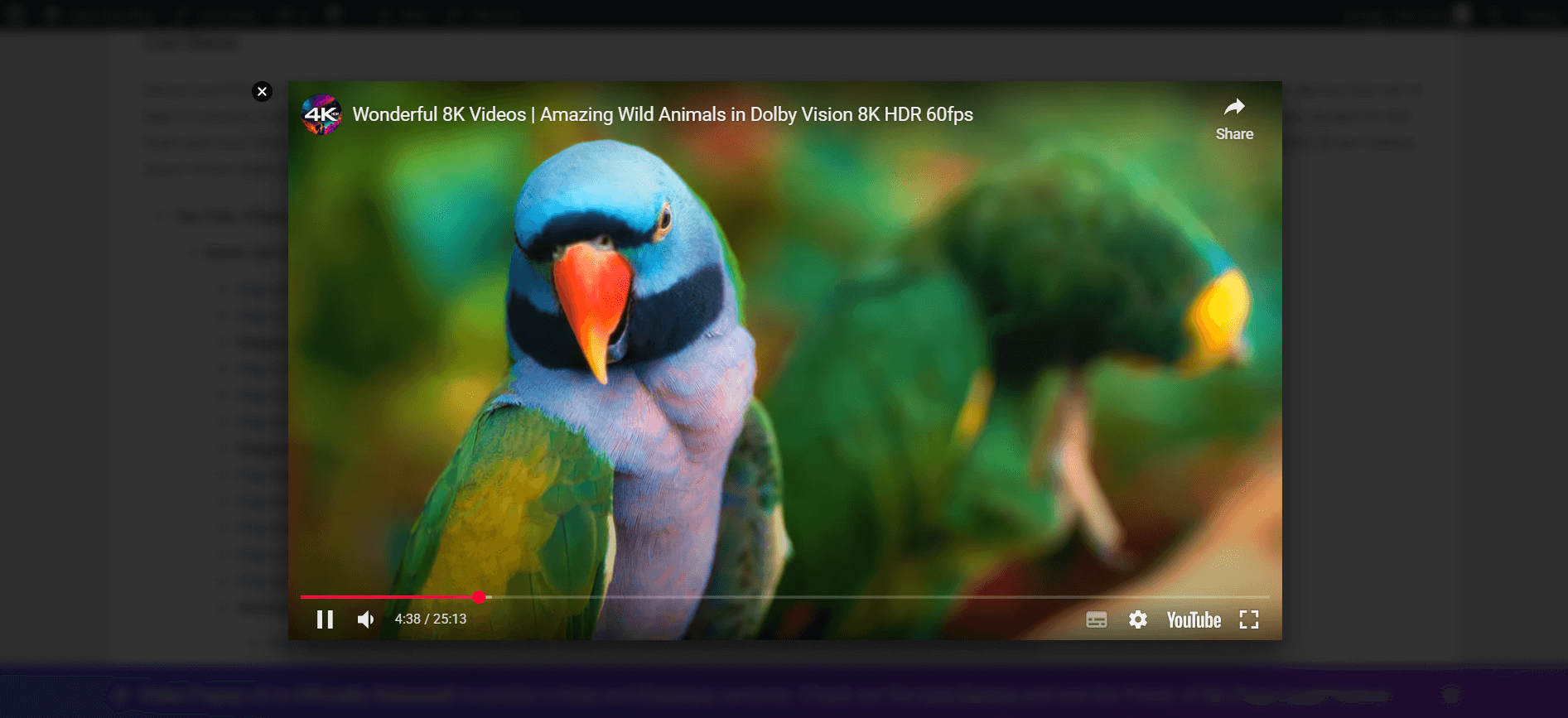
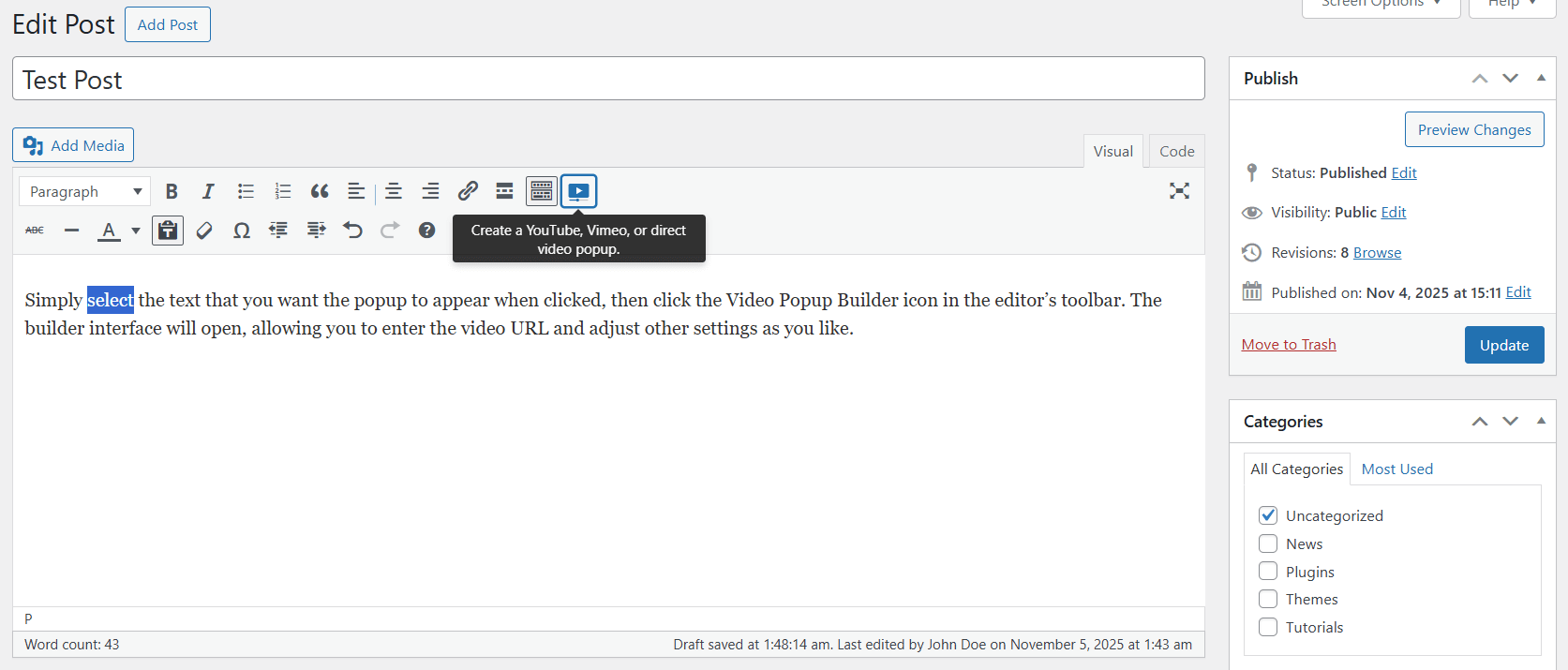
The Video Popup plugin is the #1 WordPress plugin for creating video lightbox popups. It supports YouTube, Vimeo, SoundCloud, and MP4 self-hosted videos, and you can even display a popup video on page load. The plugin also offers over 20 live demos and a range of features such as a visual lightbox builder, responsive design, and customization options for YouTube videos.Screenshots
Frequently asked questions
What is the purpose of the Video Popup plugin?
The Video Popup plugin allows you to easily create video lightbox popups. It supports YouTube, Vimeo, SoundCloud, and MP4 self-hosted videos and can display popup videos on page load.
Where can I find live demos of the popup video lightbox?
You can find live demos of the popup video lightbox by visiting the following links:n1. Popup video lightbox demos (on click): [https://wp-plugins.in/VP-Live-Demos](https://wp-plugins.in/VP-Live-Demos)n2. Explanation of Use: [https://wp-plugins.in/VideoPopUp-Usage](https://wp-plugins.in/VideoPopUp-Usage)
Is there documentation available for the Video Popup plugin?
Yes, there is documentation available for the Video Popup plugin. You can access it at [https://wp-plugins.in/video-popup](https://wp-plugins.in/video-popup).
Can I display popup videos on page load?
Yes, you can display popup videos on page load. There are live demos available to showcase this feature:n1. Popup video on Page Loading with the alignment options (live demo): [https://wp-plugins.in/VP-On-Page-Load-Align](https://wp-plugins.in/VP-On-Page-Load-Align)n2. Popup video on Page Loading without the alignment options (live demo): [https://wp-plugins.in/VP-On-Page-Load](https://wp-plugins.in/VP-On-Page-Load)
What are the features of the Video Popup plugin?
The Video Popup plugin offers several features, including:n- Support for YouTube, Vimeo, SoundCloud, and MP4 self-hosted videosn- Visual Editor (Video Popup Visual Builder)n- Unlimited popupsn- Popup video on page loadn- Alignment options for the popup video on page loading featuren- Flex Designn- Responsive Stylen- Retina Readyn- Various YouTube optionsn- Autoplay supportn- Display video in a lightboxn- Customizable width, height, and overlay colorn- Shortcode supportn- General settingsn- Easy to usen- And more!
Changelog
1.1.4
In this update, we’ve sanitized the output of Shortcode attributes.
1.1.3
With this update, all ads have been removed from the Settings page, and the Builder.
1.1.2
- A simple update that improves the design for the pop-up. Please clear all the cache files on your site, if you use a caching plugin such as “WP Super Cache”. Read more.
1.1.1
- We fixed an issue in JavaScript related to the “On Page Load” feature.
1.1.0
- In the version “1.1.0”, we fixed an issue in the “On Page Load” feature.
Note: If you are use a caching plugin on your site, such as “WP Super Cache Plugin”, please clear all the cache files (one time only) after updating the Video Popup plugin to the version “1.1.0”. Read how to clear the cache in your website.
1.0.9
- In the version “1.0.9”, we fixed an issue in the display options (for the popup video on page load).
Note: If you are use a caching plugin on your site, such as “WP Super Cache Plugin”, please clear all the cache files (one time only) after updating the Video Popup plugin to the version “1.0.9”. Read how to clear the cache in your website.
1.0.8
- Removing the download button for MP4 Video.
- allow=”autoplay” added for autoplay in Google Chrome (Autoplay currently works in Google Chrome browser, but maybe sometimes it will not work).
All of the above is supported for both Video Popup Builder and On Page Load feature. There are no new options, and all of the above will be applied automatically.
1.0.7
- Fixing an error in the language. You should update if you are using version 5.0 of WordPress.
1.0.6
- Improve Javascript.
- Fixing this error: plays two videos at the same time.
- Remove “Disable Info” option. This feature was deprecated by YouTube. Please read this announcement: https://developers.google.com/youtube/player_parameters#release_notes_08_23_2018
- The option of disable related videos has been changed by YouTube. Please read this announcement: https://developers.google.com/youtube/player_parameters#release_notes_08_23_2018
1.0.5
- Improving JavaScript for on page loading feature.
- Compatibility any caching plugin (such as WP Super Cache) with on page loading feature. Now on page loading feature is working with any WordPress caching plugin.
- Alignment options for on page loading feature. Now you can display Pop-up Video on page loading with the left or right video alignment. Live Demo of Popup Video on page loading with the Alignment options.
- Mute option. A new option for the on page loading feature. Now you can mute the sound of video. This option for YouTube only.
1.0.4
In the version 1.0.4, we added the following:
- New closing button icon (X icon).
- Popup Video on Page Load! We added it with many features! Display Pop-up Video on page loading. Take a look at the live demo of Popup Video on page loading.
- Other general improvements.
1.0.3
In the version number “1.0.3” we changed everything! Visual builder, change width and height size, a new design, support for MP4 Videos & SoundCloud, support all YouTube features, and many other features:
- YouTube, Vimeo, SoundCloud, and MP4 video support.
- Visual Editor (Visual Builder) with Editor Style.
- Unlimited Popup’s.
- Flex Design (a new design).
- Responsive Style.
- Retina Ready.
- All the YouTube Options:
- Disable: Related Videos, Controls (YouTube player), Info (video title), and video Annotations.
- Display YouTube video image automatically.
- Starting Time (playing the video at the time you specify).
- Ending Time (turning off the video at the time you specify).
- Autoplay Support for YouTube, Vimeo, SoundCloud, and MP4 Video.
- Image Support for YouTube, Vimeo, SoundCloud, and MP4 Video.
- Customizing the Width and Height Size for YouTube, Vimeo, SoundCloud, and MP4 Video.
- Customizing the Color of Overlay for YouTube, Vimeo, SoundCloud, and MP4 Video.
- Shortcode Support with all the Attributes.
- General Settings.
- Shortcode Usage Page.
- Translation Ready.
- RTL and Arabic Language Support.
- Easy to Use.
- And More!
1.0.2
- Fixing problem in Fullscreen mode for YouTube and Vimeo.
1.0.1
- Fixing a problem in auto=”” attribute.
- A new attribute n=”1″ to add rel nofollow to the video link.
- A new attribute p=”1″ to add the video link inside a paragraph.
- A new attribute rel=”1″ to disable YouTube related videos (premium).
1.0.0
- First version.

