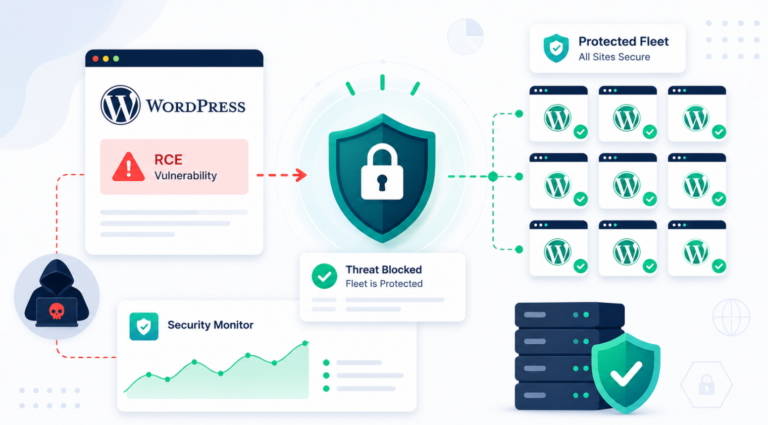
In the digital age, securing your WordPress website is not just important; it’s imperative. With the rise of cyber threats, particularly WordPress ransomware attacks, understanding how to protect your site is crucial for agencies and developers alike.
In this comprehensive WordPress security guide, we will delve into what ransomware is, how it targets WordPress sites, and effective strategies to safeguard your website against these malicious attacks.
Table of Contents
What is Ransomware?
Ransomware is a type of malicious software (malware) that encrypts a victim’s files, rendering them inaccessible until a ransom is paid to the attacker. Once the malware infiltrates a system, it locks away critical data, including website content, user databases, and even server settings.
The attackers then demand a ransom payment, often in cryptocurrency, in exchange for decryption keys that will restore access to the locked files.
How Ransomware Targets WordPress
WordPress and ransomware are becoming increasingly intertwined as cybercriminals exploit the platform’s vulnerabilities. WordPress is the world’s most popular content management system (CMS), powering over 41.5% of all websites.
Unfortunately, this popularity makes it an attractive target for cybercriminals. Ransomware can enter your WordPress site through several vectors:
- Vulnerable Plugins and Themes: Many WordPress sites utilize third-party plugins and themes, which can contain vulnerabilities that attackers exploit.
- Phishing Emails: Cybercriminals often use phishing emails to trick users into clicking malicious links or downloading infected attachments.
- Weak Credentials: Poor password practices can allow hackers to gain access to admin accounts and install ransomware WordPress directly.
The Consequences of a Ransomware Attack
The fallout from a ransomware WordPress attack can be devastating. Not only do you risk losing access to critical data, but you also face the possibility of prolonged downtime, loss of customer trust, and potential legal ramifications if sensitive data is compromised.
Moreover, paying the ransom does not guarantee that you will regain access to your files, as there is no assurance that attackers will honor their demands.
How to Protect Your WordPress Site from Ransomware
Securing your WordPress site against WordPress ransomware attacks involves a multifaceted approach. Below are essential techniques that every agency and developer should implement to protect their websites effectively.
1. Vet Your Third-Party Software
One of the most common entry points for ransomware WordPress is through malicious or vulnerable plugins and themes. As a best practice:
- Avoid Pirated Software: Downloading plugins or themes from pirate sites may seem cost-effective, but it poses a significant risk. These sites often harbor malicious code designed to exploit vulnerabilities in your site.
- Use Trusted Sources: Always source your plugins and themes from reputable developers or the official WordPress repository. Review user feedback and ratings before installation to ensure that the software is secure.
- Regularly Review Installed Software: Periodically audit your installed plugins and themes to remove any that are unnecessary or outdated.
2. Conduct Regular Site Maintenance
Regular maintenance is crucial for ensuring your WordPress security. Key maintenance tasks include:
- Timely Updates: WordPress, plugins, and themes frequently release updates to address security vulnerabilities. Set a routine to check for WordPress core/plugin/theme updates weekly, or enable automatic updates where possible.
- Backup Your Site: Regular backups are your safety net. In the event of a WordPress ransomware attack, having a recent backup can save you from paying a ransom. Consider automated backup solutions that store backups off-site or in the cloud for added security.
- Update PHP and Database: Ensure that your site’s PHP version is up to date, as outdated versions can contain security flaws. Keep your database optimized and secure from unauthorized access.
Bonus Read: How to Safely Update Your WordPress Site to PHP 8.x (8.0, 8.1, 8.2)
3. Implement Strong Password Policies
Weak passwords are a gateway for attackers. To fortify your site’s WordPress security:
- Enforce Strong Passwords: Use complex passwords for all user accounts, particularly admin accounts. A good password should include a mix of uppercase and lowercase letters, numbers, and symbols.
- Utilize Two-Factor Authentication (2FA): Implement 2FA on your WordPress site for an extra layer of security. This requires users to provide a second form of verification, such as a text message code, in addition to their password.
- Limit Login Attempts: Use login plugins that limit login attempts to prevent brute-force attacks. This makes it more difficult for attackers to gain access through repeated login attempts.
4. Secure Your Hosting Environment
The managed hosting provider you choose plays a significant role in your site’s WordPress security. When selecting a hosting provider, consider the following:
- Look for Security Features: Choose a hosting provider that offers built-in security measures such as firewalls, malware scanning, and automatic backups.
- Regular Server Updates: Ensure that your hosting provider regularly updates their server software and security protocols to mitigate vulnerabilities.
Watch this video to master the art and science of choosing the best hosting provider.
5. Use Security Plugins
Security plugins can help bolster your WordPress site against ransomware and other threats. Some popular security plugins include:
- Wordfence Security: Provides firewall protection, malware scanning, and login security features.
- Malcare: Offers website monitoring, malware removal, and security hardening features.
- All in One Security: Implements various security measures such as two-factor authentication, file change detection, and user activity logging.
6. Scan Your Site for Vulnerabilities
Regular vulnerability scans are essential for identifying and addressing potential security issues before they can be exploited. Utilize security tools such as:
- WPSec: This tool allows you to scan your WordPress site for vulnerabilities, malware, and potential exploits. Regular scans can help you stay ahead of threats.
- Sucuri SiteCheck: An online scanner that checks your site for malware and other security issues. It provides detailed reports on any vulnerabilities found.
Must Read: How to Run a WordPress Vulnerability Scan and Find Issues in a Site?
7. Educate Your Team and Clients
WordPress and ransomware are closely linked, and security is not just about technology; it’s also about awareness. Educate your team and clients on security best practices, including:
- Recognizing Phishing Attempts: Provide training on how to identify phishing emails and malicious links. Encourage skepticism about unsolicited communications, especially those requesting sensitive information.
- Safe Browsing Practices: Encourage using secure connections (HTTPS) and avoiding suspicious websites that may contain malware.
8. Develop an Incident Response Plan
Despite your best efforts, a ransomware WordPress attack could still occur. Having a solid incident response plan can minimize damage and restore your operations quickly. Your plan should include:
- Immediate Actions: Outline steps to take if a WordPress ransomware attack occurs, such as disconnecting affected systems from the network and notifying your hosting provider.
- Communication Plan: Develop a communication strategy for informing clients and stakeholders about the incident while maintaining transparency.
- Recovery Process: Detail how you will restore data from backups and ensure that the site is secure before going live again.
Conclusion
Ransomware WordPress attacks pose a significant threat to WordPress sites, particularly for agencies and developers managing multiple websites. By understanding the nature of these attacks and implementing robust security measures, you can protect your sites from potential breaches.
In this guide, we’ve covered essential strategies for safeguarding your WordPress site against WordPress ransomware, including vetting software, conducting regular maintenance, enforcing strong password policies, and utilizing security plugins. By adopting a proactive approach to WordPress security, you can minimize the risk of ransomware attacks and maintain the trust of your clients.
Take action today to secure your WordPress sites. The cost of prevention is far less than the price of recovery after an attack. If you have any questions or need assistance with your WordPress security guide, feel free to reach out!
FAQ Section
What should I do if my WordPress site is attacked by ransomware?
If your site is attacked by WordPress ransomware, immediately disconnect it from the internet to prevent further damage. Assess the situation by determining the extent of the attack, then contact your hosting provider for assistance.
Restore your site using the most recent backup you have, and run security scans to ensure that no remnants of the attack remain. Consider informing affected users and law enforcement if necessary.
Is paying the ransom a good idea?
Paying the ransom is generally discouraged, as there is no guarantee that attackers will provide the decryption key or that they won’t target you again in the future. It’s usually better to restore your site from a backup and seek professional assistance in securing your site against future attacks.
Can I prevent ransomware attacks on my WordPress site?
While there is no way to guarantee complete security, you can significantly reduce the risk of ransomware WordPress attacks by implementing best practices such as keeping your WordPress core, plugins, and themes updated, using strong passwords, enabling two-factor authentication, regularly backing up your site, and using security plugins.
How often should I back up my WordPress site?
You should back up your WordPress site at least once a week, but for sites with frequent updates, daily backups are advisable. Automate the backup process using reliable backup plugins to ensure that your data is consistently protected.