

Just another contact form plugin. Simple but flexible.
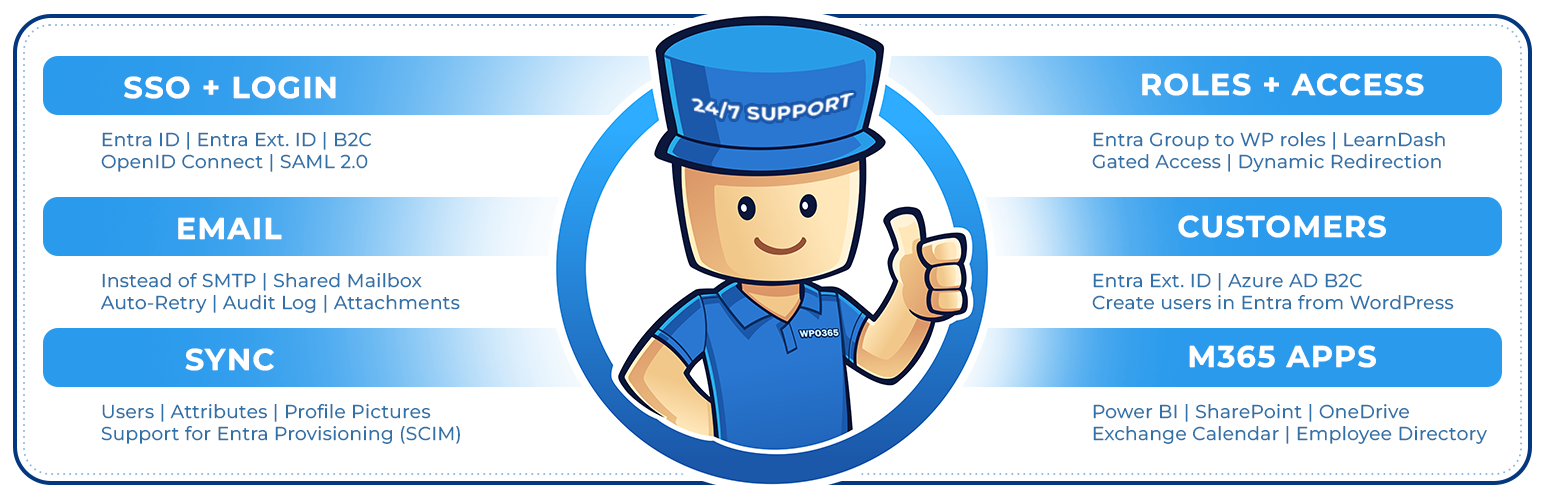
About WordPress + Microsoft Office 365 / Azure AD | LOGIN
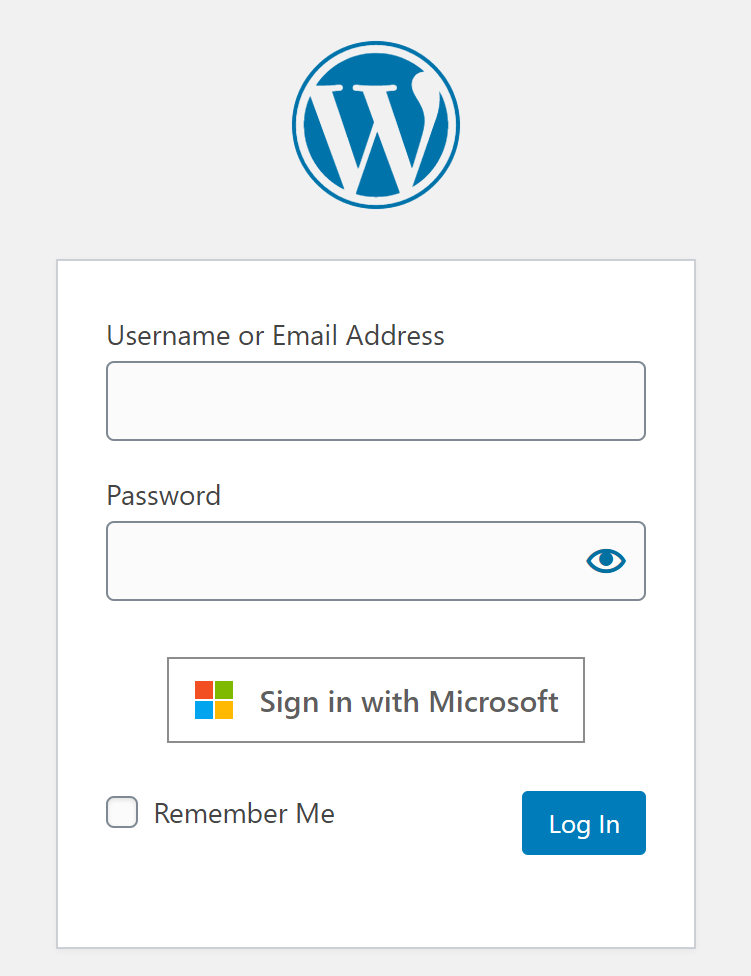
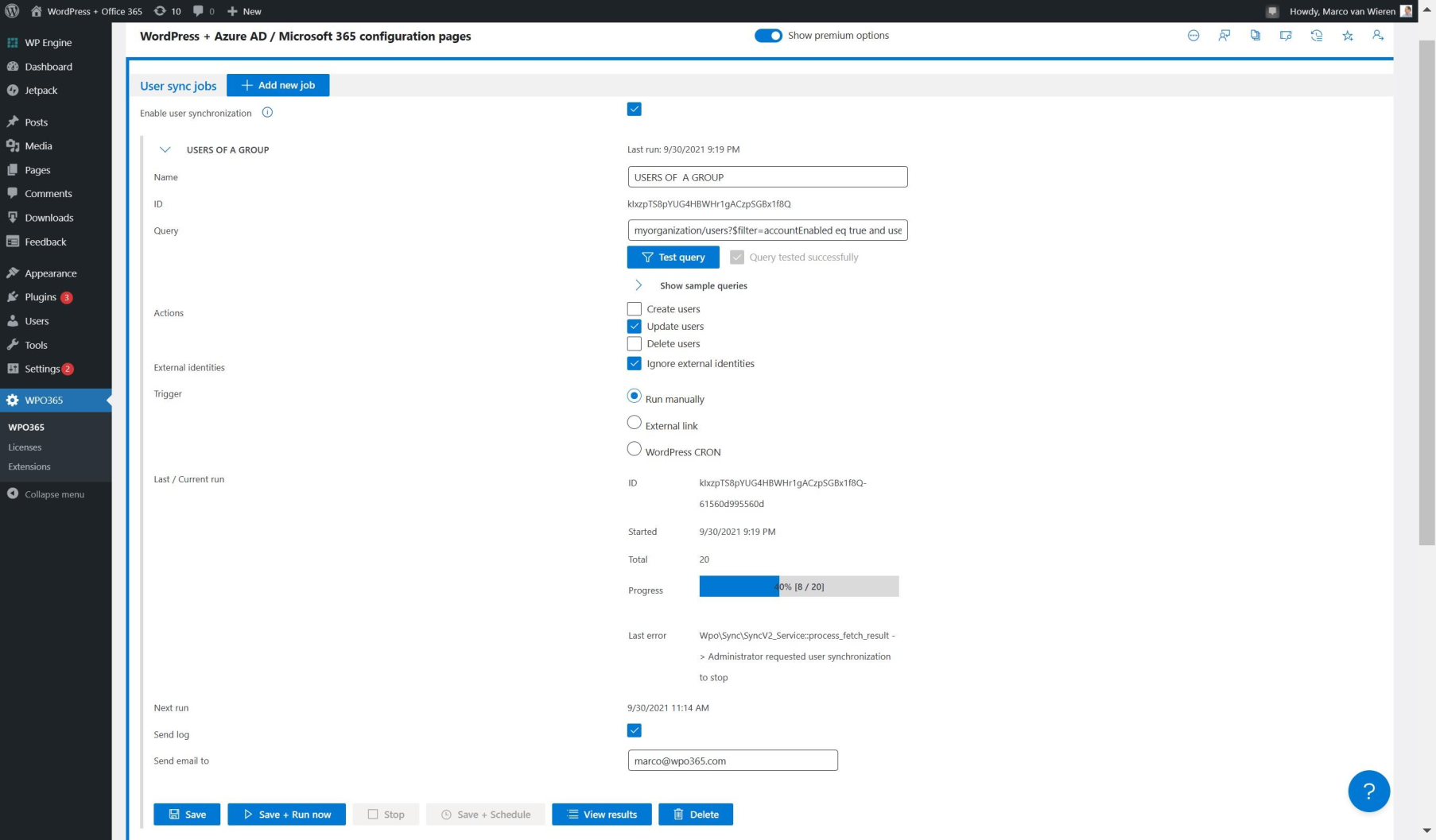
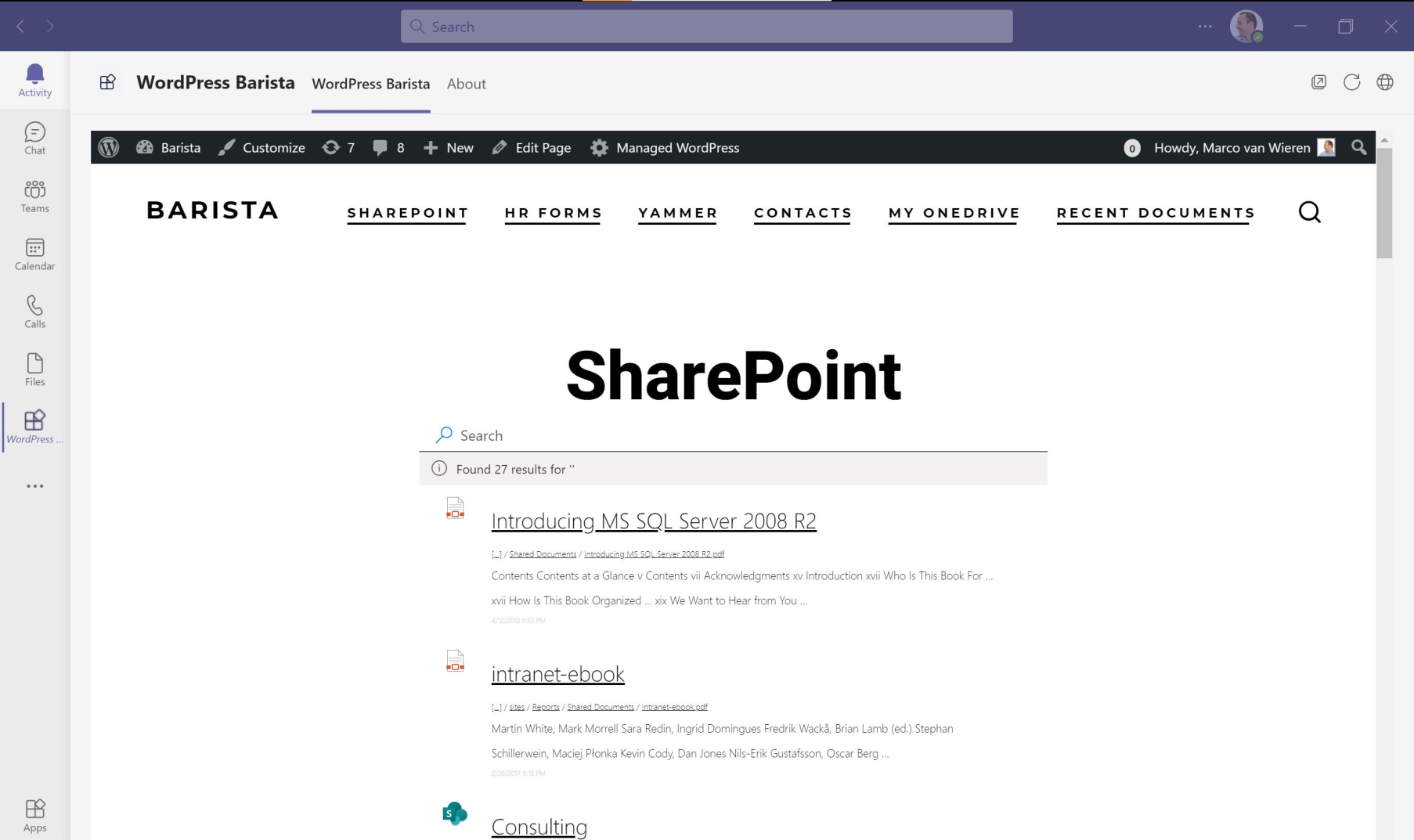
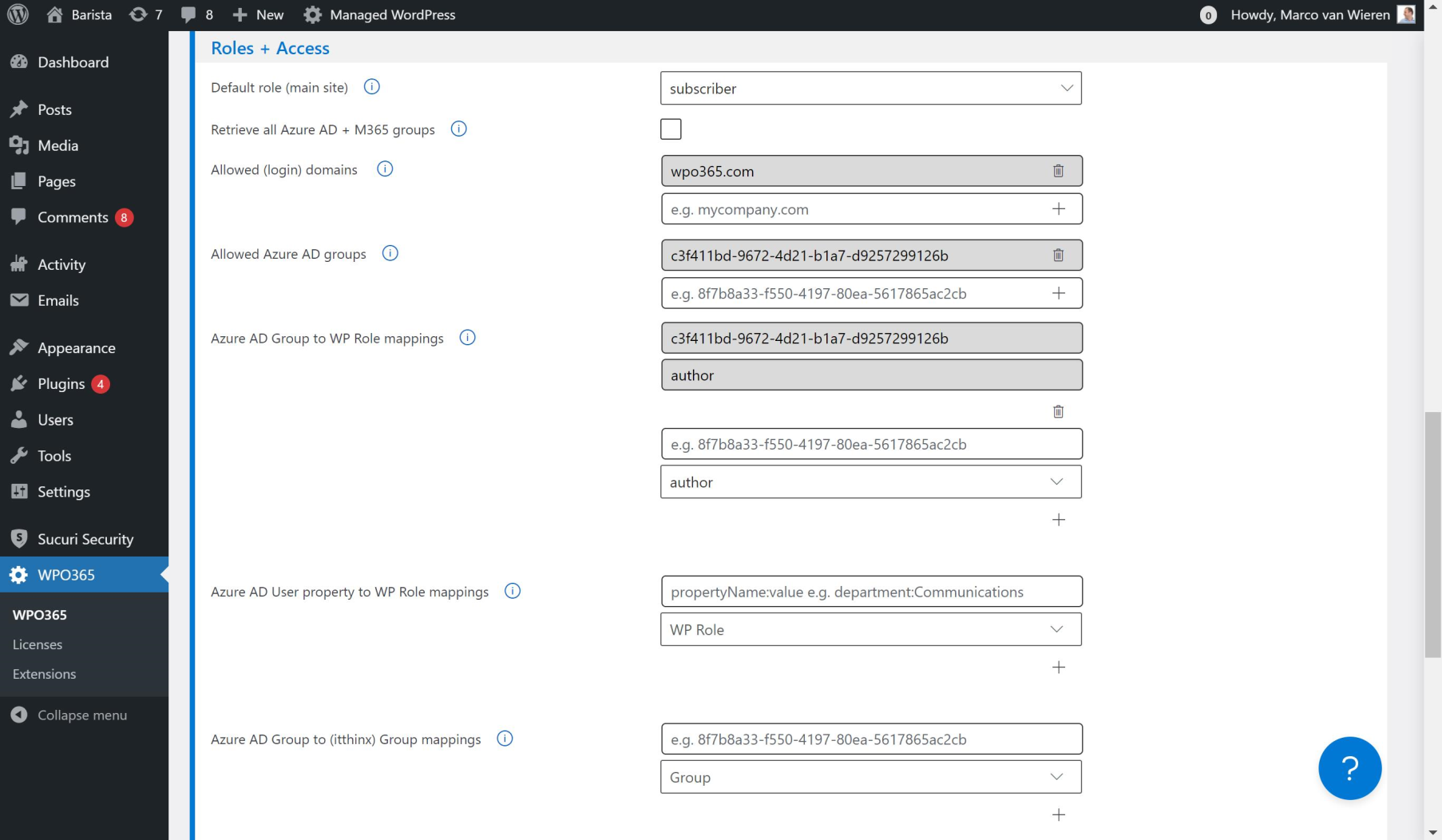
This WordPress plugin allows users to sign in to your website using their Microsoft account, without needing a separate username or password. It also offers additional features such as single sign-on, integration with Microsoft Teams, and the ability to send emails using Microsoft Graph. There are also premium add-ons available for more advanced functionality.Screenshots
Frequently asked questions
What identity providers are supported for single sign-on?
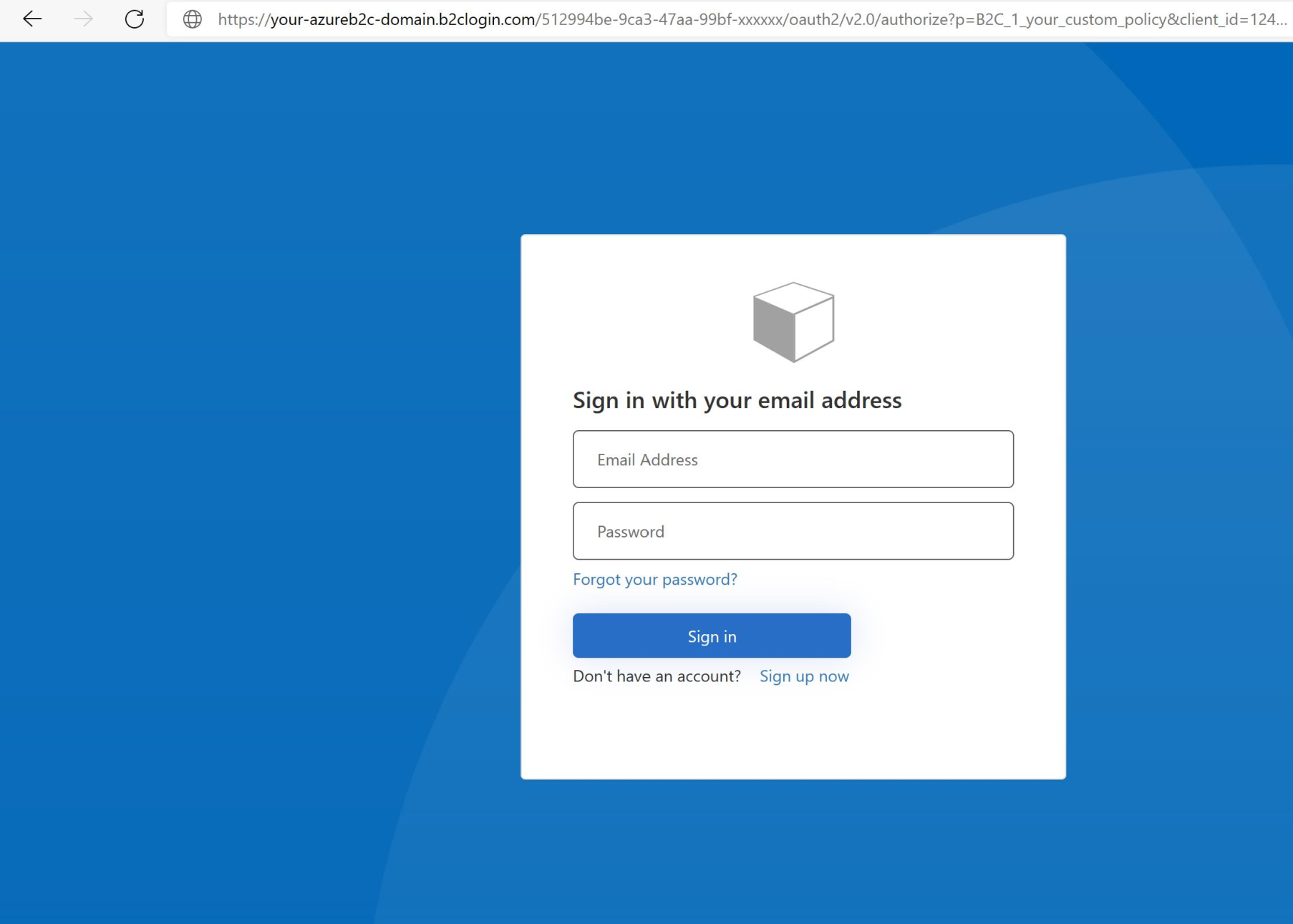
WPO365 | LOGIN supports Azure Active Directory, Azure AD B2C, and Entra External ID (Azure AD for Customers) as identity providers. It supports OpenID Connect and SAML 2.0 protocols for SSO.
Can new users automatically become WordPress users?
Yes, new users who sign in with Microsoft are automatically created as WordPress users.
What email functionalities does the plugin offer?
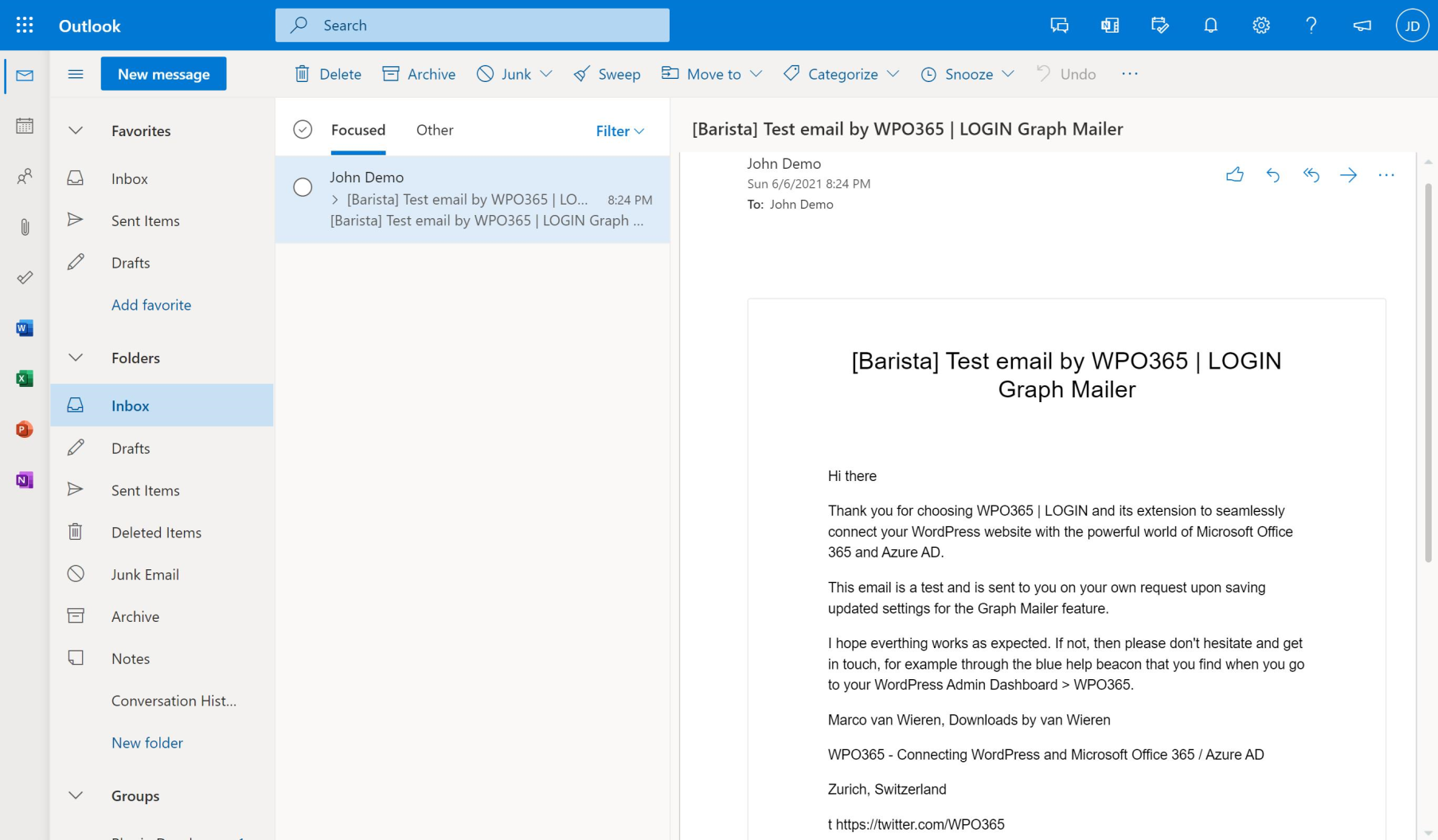
The plugin allows sending emails using Microsoft Graph instead of SMTP. Users can choose between a Microsoft 365 account or a personal Microsoft account for sending emails, with options for HTML format, saving to Sent Items, and file attachments.
Does the plugin support WordPress Multisite?
Yes, WPO365 | LOGIN provides support for WordPress Multisite installations.
What Microsoft services can be embedded with this plugin?
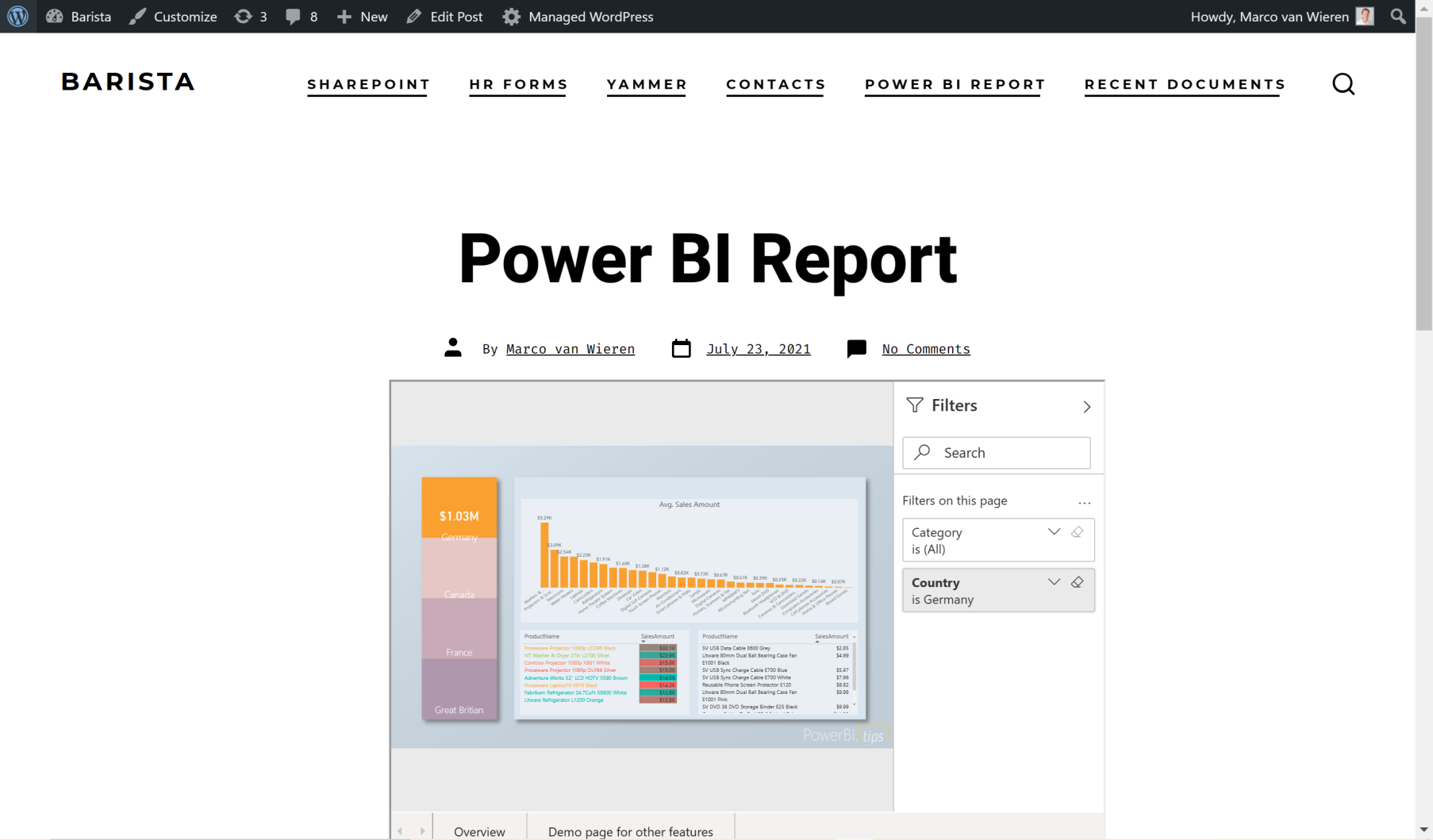
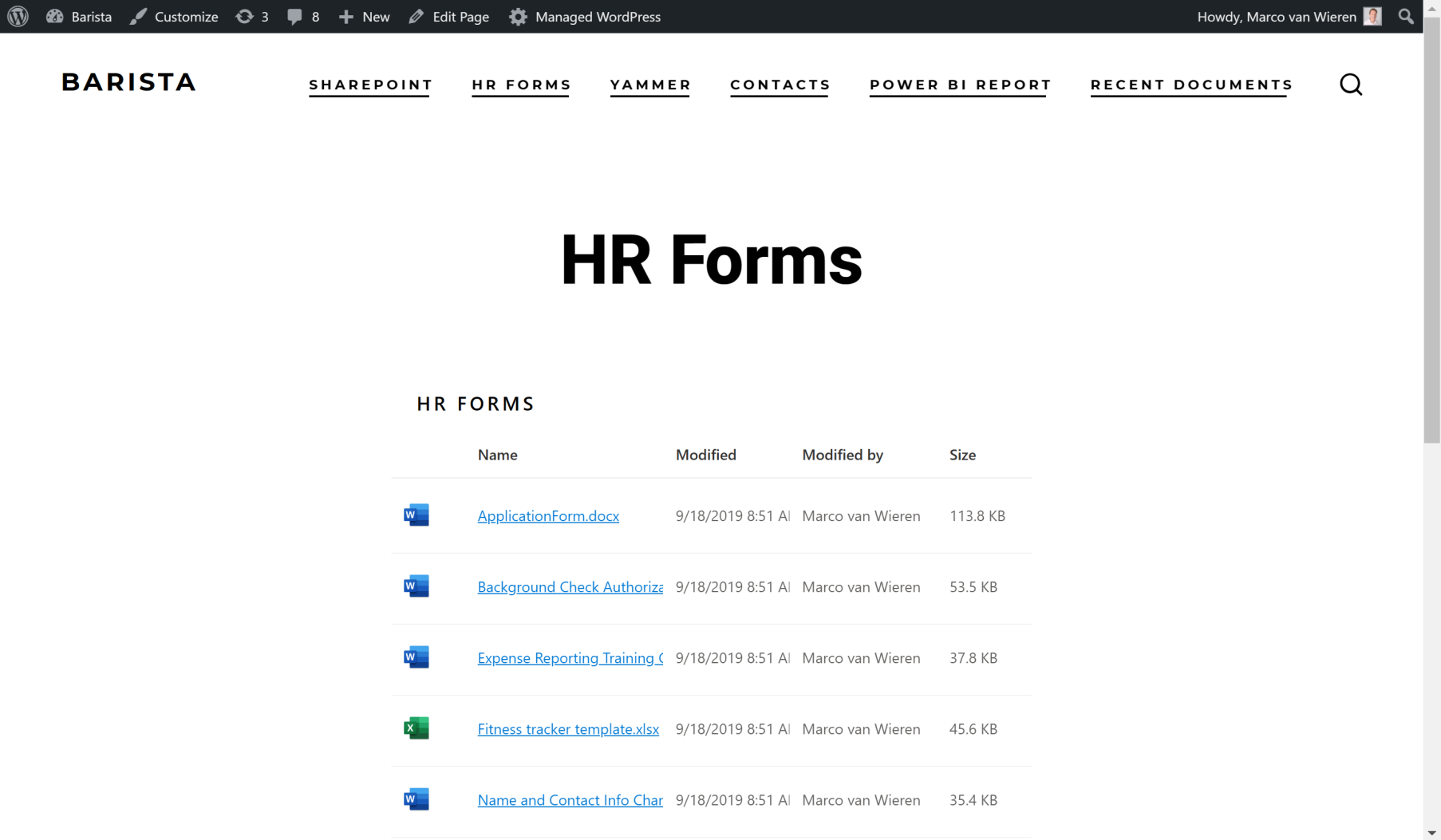
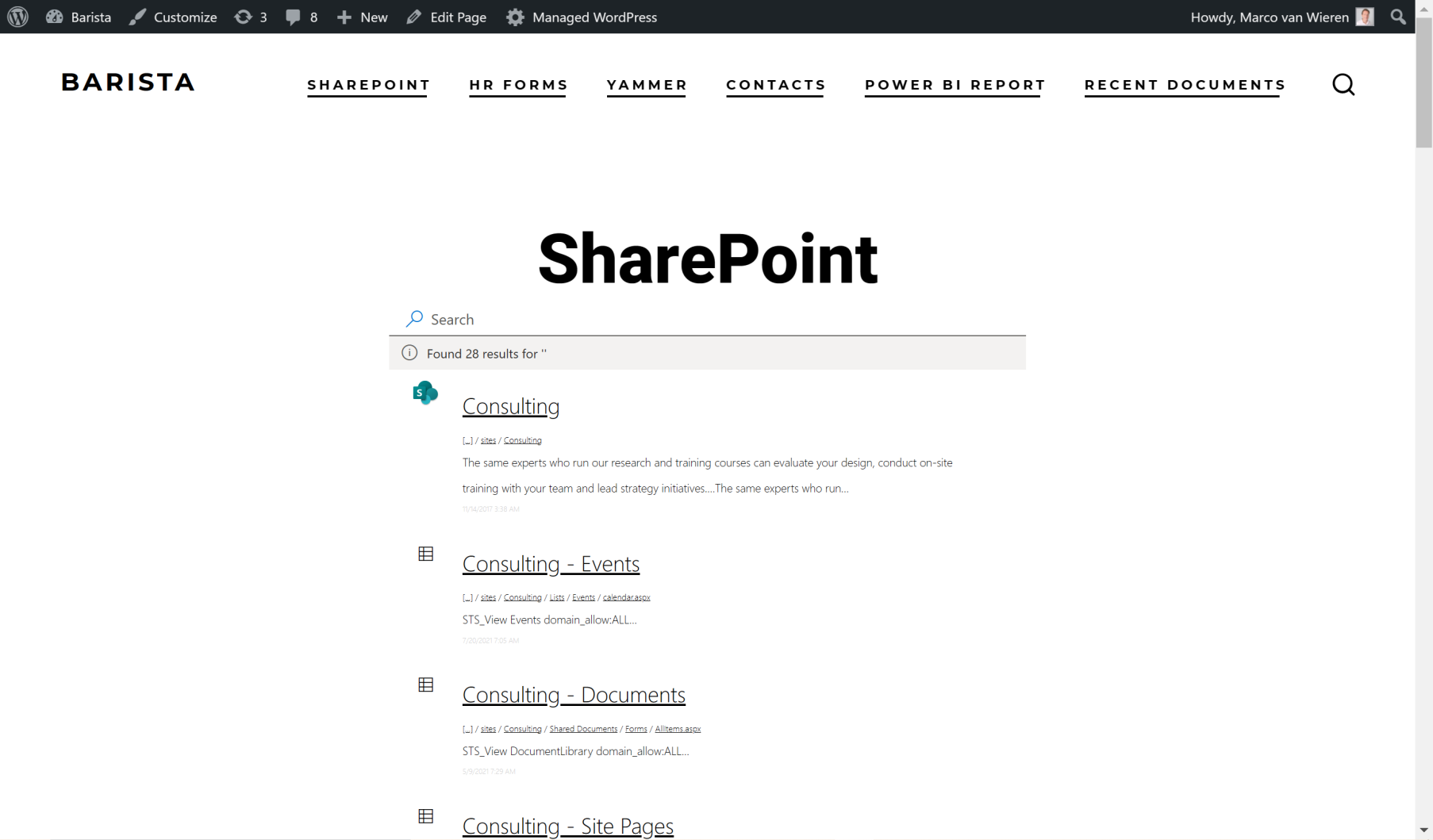
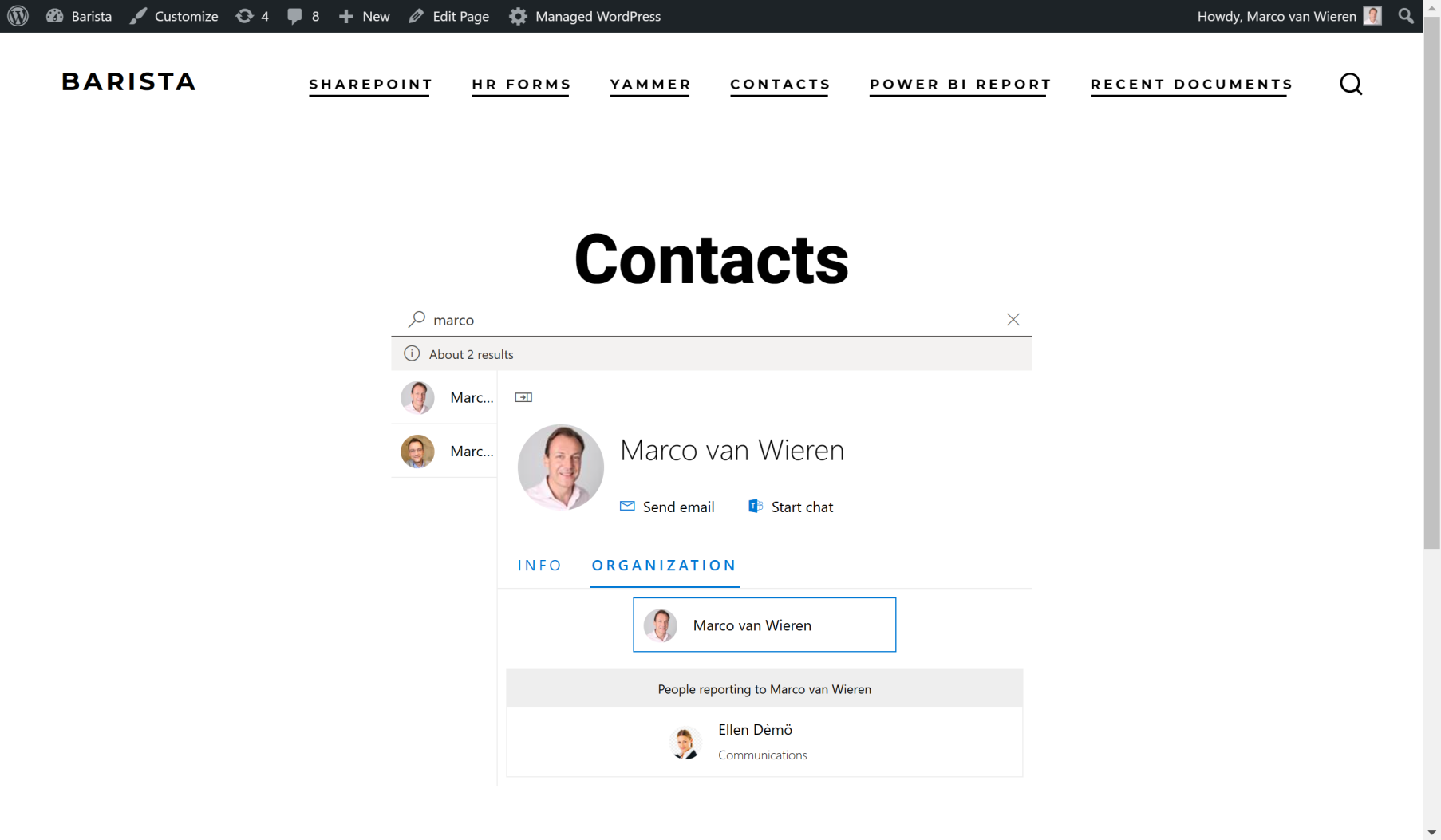
You can embed Microsoft Power BI content, SharePoint Online libraries and lists, an Outlook/Exchange calendar, and SharePoint Online search. It also allows embedding an Azure AD/Microsoft Graph-based Employee Directory.
Changelog
Also available online.
v35.0
- Feature: Create a new (WordPress Network / Multisite) blog for a user when they sign in with Microsoft for the first time. Consult the online documentation for details. [ESSENTIALS, PRO, INTEGRATE, CUSTOMERS (LOGIN+, SYNC, INTRANET)]
- Improvement: A WordPress Network Multisite super admin can now switch between “shared” and “dedicated” mode when they go to My Sites > Network Admin > WPO365 > User Registration. The entry in wp-config.php will also still be honoured. See the updated documentation [LOGIN]
- Improvement: All source-code is now constantly reviewed for violations of coding standards (using phpcs) and if possible corrected to adhere to the WordPress Coding Standards.
- Improvment: An administrator of a blog that is a subsite of a WordPress Network / Multisite can now also administer the WPO365 configuration. [LOGIN]
- Improvement: Support for the (Entra ID) App Roles SAML 2.0 claim “http://schemas.microsoft.com/ws/2008/06/identity/claims/role” has been added. [ROLES + ACCESS, PRO, INTEGRATE (SYNC, INTRANET)]
- Fix: Functionality to save the state before the user is sent to Microsoft to authenticate and to read that state when the user returns has been refactored, to ensure redirection back to the “intended” location before WPO365 sent the user to Microsoft is working as expected. [LOGIN]
- Fix: Improved matching algorithm so that WPO365 correctly identifies Entra ID users with an apostrophe in their username. [LOGIN]
- Fix: Show a warning on the “Login / Logout” configuration pages, when the “Custom login URL” and the “Logged out / Error page” are the same. [ESSENTIALS, PRO, INTEGRATE, CUSTOMERS (LOGIN+, SYNC, INTRANET)]
- Fix: Recycle SAML certificate cache when WPO365 | LOGIN plugin is deactivated. [LOGIN]
- Fix: WPO365 will no longer show a “doing_it_wrong” warning when installed for the very first time. [LOGIN]
- Fix: License keys (for premium plugins) as now included in the JSON export (when you navigate to WP Admin > WPO365 > … > Import / Export). [ESSENTIALS, PRO, INTEGRATE, CUSTOMERS (LOGIN+, SYNC, INTRANET)]
- Fix: WPO365 tries to prevent updating an email address when the only difference is in capitalization. [ESSENTIALS, PRO, INTEGRATE, CUSTOMERS (LOGIN+, SYNC, INTRANET)]
- Fix: During the previous release, premium plugins were not zipped correctly, causing issues with folder-naming when installing. [ALL PREMIUM]
v34.2
- Fix: (Composer) Dependencies have been updated to remove the requirement for PHP >= 8.0.0.
v34.1
- Improvement: You can now choose between a Microsoft 365 account or a personal Microsoft account, like Hotmail.com or Outlook.com, to send WordPress emails. See the updated tutorial for details. [LOGIN, MICROSOFT GRAPH MAILER]
- Fix: Plugin no longer (falsely) reports an error when enabling the auto-retry mail-send functionality fails. Instead, it generates a warning with a more verbose description. [MAIL, PROFESSIONAL, INTEGRATE (SYNC, INTRANET)]
- Fix: Allowlisting domains does now correctly denies access to domains not in the list. [ROLES + ACCESS, PROFESSIONAL, INTEGRATE (SYNC, INTRANET)]
- Fix: Detection of the redirect_to parameter – for example added to the (default) login URL by other solutions – has been improved. [LOGIN]
- Fix: The plugin now properly URL encodes a user’s UPN when checking for existing users in AAD B2C / Entra Ext. ID. [CUSTOMERS]
- Fix: The plugin now properly URL encodes a user’s UPN when trying to submit email messages to Microsoft Graph. [LOGIN, MICROSOFT GRAPH MAILER]
v34.0
- Breaking Change: Excluding a WP role from “WPO365 Audiences” (e.g. to ensure that the role in question sees all content without “WPO365 Audiences”-based restrictions) now takes the post type as an extra configuration parameter (so that – for example – a user with custom WP role “Wiki-Editor” can see all posts of custom post type “Wiki” but for all other post types configured restrictions will apply). The setting can only be changed if the version of the premium plugin providing the “WPO365 Audiences” logic is equal or higher than 34.0. Without updating the configuration, WPO365 will assume that the role-exclusion applies to all post types. Refer to the new tutorial for further details. [ROLES + ACCESS, PRO, INTEGRATE (SYNC, INTRANET)]
- Change: The PHPSECLIB v3 library has been updated to the latest version 3.0.43 and any customizations have been abandonned. [LOGIN, MICROSOFT GRAPH MAILER]
- Change: The “WPO365 Audiences” Block Editor has been withdrawn and the only option to configure “WPO365 Audiences” at page-level is the Metabox, which is now always enabled. See updated documentation for guidance. [ROLES + ACCESS, PRO, INTEGRATE (SYNC, INTRANET)]
- Improvement: You can now define a splash screen image URL as part of your Power BI Embed configuration and if defined, the app will show the image when Power BI is loading, effectively providing a white label experience. See the updated documentation for details. [M365 APPS, INTEGRATE (INTRANET)]
- Improvement: A user’s primary blog is set (to the contextual subsite) when WPO365 creates a new user when WordPress Multisite is enabled. [LOGIN]
- Improvement: Developers can now use the hook ‘wpo365/oidc/params’ to filter the parameters used to build the authorization URL. See the updated documentation for details. [LOGIN, MICROSOFT GRAPH MAILER]
- Fix: The auto-retry functionality has been reworked to prevent emails from being sent twice. [MAIL, PRO, INTEGRATE (SYNC, INTEGRATE)]
- Fix: WPO365 will no longer send an out-of-the-box “new user email notification” if a new user is created by WPO365 during WPO365 User Synchronization. [INTEGRATE (SYNC, INTRANET)]
- Fix: Sending a test email from the “Mail” configuration page will no longer delete all cached (user) access tokens. [LOGIN, MICROSOFT GRAPH MAILER]
- Fix: The “Default role” setting is now also unlocked when the WPO365 | MAIL premium plugin is detected. [MAIL]
- Fix: Various issues when using SharePoint Online Search to search for employees have been fixed. [M365 APPS, INTEGRATE (INTRANET)]
- Fix: WPO365 now requires Microsoft Graph > Delegated Permissions > Calendar.Read permissions to test the configuration to embed an Exchange / Outlook calendar in WordPress (instead of Users.Read.All). [LOGIN, M365 APPS, INTEGRATE (INTRANET)]
- Fix: When using a complex query to retrieve – for example – a user’s manager’s Display Name from Microsoft Graph as follows “::graph:manager.displayName”, WPO365 no longer incorrectly populates it with the current user’s display name if the current user does not have a manager defined. [INTEGRATE (SYNC, INTRANET)]
v33.3
- Fix: After updating to WordPress 6.7 an error “Notice: Function _load_textdomain_just_in_time was called incorrectly” would be thrown. [LOGIN, MICROSOFT GRAPH MAILER]
- Fix: A CSS “button” selector affected the global styling of button elements. [LOGIN, APPS, INTEGRATE (INTRANET)]
- Improvement: Developers can now use the hook ‘wpo365/aad/params’ to filter the parameters used to build the token request URL. See the updated documentation for details. [LOGIN, MICROSOFT GRAPH MAILER]
v33.2
- Improvement: A new filter “wpo365/user/user_login” to customize a user’s WP username has been added to allow developers to apply their custom logic. Consult the updated online documentation. [LOGIN]
- Fix: Token expiration in Power BI has been improved and – among other things – in the instance of an “TokenExpired” client error, WPO365 will reload the window. [LOGIN]
- Fix: WPO365 is now better able to handle a situation where multiple apps to embed various Microsoft 365 services – e.g. a SharePoint Library, a Viva Engage Feed and an Exchnage Calendar – have been placed on the same page. [APPS, INTEGRATE (INTRANET)]
- Fix: When the calendar does not detect the start date column it will render an error message. [APPS, INTEGRATE (INTRANET)]
- Fix: For new installations, WPO365 will audiences will automatically enable the use of metaboxes (as opposed to using a Gutenberg Block). [ROLES + ACCESS, PROFESSIONAL, INTEGRATE, CUSTOMERS (SYNC, INTRANET)]
- Fix: The version number of the SCIM addon (plugin) has been fixed. [SCIM]
- Fix: When a new user is created by any other solution than WPO365, the default WordPress email(s) to the user and the administrator will not be blocked. [LOGIN]
- Fix: When a WPO365 User Synchronization Job has fisnished, it will show a green “stopped” badge to indicate success. [INTEGRATE (SYNC)]
- Fix: Copying a shortcode to embed “Power BI” content in the free version WPO365 | LOGIN has been fixed. [LOGIN]
- Fix: The WPO365 | DOCUMENTS Gutenberg block is now backward compatible with older configurations that do not specify the “Name” column as sortable. [DOCUMENTS, APPS, INTEGRATE (INTRANET)]
v33.1
- Fix: WPO365 will now consistently redirect users (again) to their final destination URL, preventing them from being sent back to the login page. [LOGIN]
- Fix: WPO365 now checks (again) whether the user’s final destination URL matches the scheme of the registered application’s Redirect URI in Entra and if needed corrects this. [LOGIN]
v33.0
- Breaking Change: Previously users (of a WordPress Multisite / WPO365 “Shared” WPMU Mode) attempting to access a (sub) site that they are not a member of, would be denied access. Starting with this version, those users will either be sent to their “primary” site instead, or – if a primary site cannot be determined – to their global user dashboard URL. [LOGIN]
- Breaking Change: Starting with version 33.0, WPO365 | LOGIN can redirect users to Microsoft faster (using a server-side redirect). This is generally recommended to avoid issues with server-side / external caching services. The JavaScript file “pintra-redirect.js” will therefore no longer be automatically enqueued on every page request. To mitigate the impact of this change on existing configurations, administators must manually update the WPO365 configuration and uncheck the option “Use client-side redirect” on the plugin’s “Login / Logout” configuration page, unless the WordPress site is integrated in Microsoft Teams, uses a custom “Sign in with Microsoft” login button or the administrator wishes to briefly display a “loading” icon when the user is redirected. See the online documentation for details. [LOGIN]
- New Feature: The “Sign in with Microsoft” button that is displayed on the (default) WordPress login page can now be customized on the plugin’s “Login / Logout” configuration page. That same button can also be placed on any WordPress post or page using the new shortcode “wpo365-sso-button”. See the online documentation for instructions. [LOGIN, ESSENTIALS, PROFESSIONAL, INTEGRATE, CUSTOMERS (LOGIN+, SYNC, INTRANET)]
- Improvement: WPO365 now uses built-in WordPress logic to help ensure that the URL where users are being redirected to – after they successfully signed in with Microsoft – is safe. [LOGIN]
- Fix: Fixed an issue whereby WPO365 would require a user to sign in with Microsoft when that user attempted to access a password-protected page when the administrator enforced SSO for the default / custom login page. [ESSENTIALS, PROFESSIONAL, INTEGRATE, CUSTOMERS (LOGIN+, SYNC, INTRANET)]
v32.0
- Breaking Change: This version of WPO365 adds support for WordPress’ built-in “login_redirect” filter. This means that the URL where users are redirected after they successfully sign in to your WordPress website, can be set by a third-party plugin e.g. “LoginWP”. Please note that rules defined in WPO365 to redirect a user (e.g. “Welcome page for first-time users”, “Always send user to default / custom landing page” and “Azure AD group-based redirect after successful login”) will be applied after the “login_redirect” has been applied and therefore overrule the filtered result. [LOGIN]
- Breaking Change: If an administrator activated the option to “Force SSO for the default / custom login page”, WPO365 will now redirect all requests to Microsoft for authentication, unless a unique cookie is presented. This cookie will be set by WPO365 when a user requests the default / custom landing page with the correct “Secret key to bypass SSO” added to the URL. Brute-force password-guessing bots should now be blocked from submitting login attempts to your website’s login endpoint. [ESSENTIALS, PROFESSIONAL, INTEGRATE (LOGIN+, SYNC, INTRANET)]
- Improvement: The built-in license and update manager has been greatly simplified and algined with WordPress’ plugin managent. [ALL PREMIUM]
- Fix: WPO365’s shutdown routine will now run at the very last possible moment to ensure that the built-in Microsoft Graph Mailer can still access its configuration and send emails, e.g. third-party plugins such as “WP Job Manager” sending out alerts. [MAIL, PROFESSIONAL, INTEGRATE (SYNC, INTRANET)]
- Fix: Administrators can now still change a user’s local WordPress password, even if the option “User cannot change password” (on the plugin’s “User Registration” configuration page) has been activated. [ESSENTIALS, PROFESSIONAL, INTEGRATE (LOGIN+, SYNC INTRANET)]
- Fix: The “Plugin self-test” no longer fails when an administrator has configured multiple SAML 2.0 Identity Providers. [ALL PREMIUM]
- Fix: WPO365 has restored the ability to save user attributes from a user’s manager e.g. the manager’s email address as WordPress metadata for the user in question. [PROFESSIONAL, INTEGRATE (SYNC, INTRANET)]
- Fix: The ability to define a default sorting of a column (ascending or descending) of an embedded SharePoint Library or List has been restored. [DOCUMENTS, APPS, INTEGRATE (INTRANET)]
- Fix: Direct reports of users listed in the Employee Directory app are filtered to ensure that disabled users are not selected. [APPS, INTEGRATE (INTRANET)]
v31.1
- Improvement: The SCIM messages sent by Entra’s User Provisioning Service are now logged and can be viewed via WP Admin > WPO365 > Dashboard > Insights > Users. See the new tutorial step for details. [SCIM, INTEGRATE]
- Fix: Undefined variable $custom_field_not_found [ALL PREMIUM]
v31.0
- Breaking Change: WPO365 is now able to save user attributes from any source (claims in an ID token and SAML 2.0 response, properties received from Microsoft Graph and Entra Provisioning (SCIM)) but the administrator needs to update the corresponding mappings with a prefix, or else WPO365 will not update the WP user meta record when the attribute is updated with an empty value. Refer to the updated online documentation for details. [CUSTOM USER FIELDS, PROFESSIONAL, INTEGRATE (LOGIN+, SYNC, INTRANET)]
- Improvement: WPO365 is now able to process the SAML 2.0 groups claim and apply all ROLES + ACCESS functionality e.g. WPO365 Audiences, restrict access, dynamically assign WordPress roles based on Entra Group Memberships. [ROLES + ACCESS, PROFESSIONAL, INTEGRATE, CUSTOMERS (SYNC, INTRANET)]
- Improvement: WPO365 will now also check if it needs to update a user’s WP role(s) based on user attributes it receives from Entra’s SCIM based User Provisioning Service. [ROLES + ACCESS, PROFESSIONAL, INTEGRATE (SYNC, INTRANET)]
- Improvement: An administrator can now configure WPO365 to redirect the user the website’s backend when initiating the “Sign in with Microsoft” flow. See online documentation for details. [LOGIN]
- Improvement: Once Entra (User) Provisioning via SCIM is enabled, administrators can specify a SCIM attribute for WPO365 to use as the WordPress username for new users. [SCIM, INTEGRATE (INTRANET)]
- Improvement: An administrator can specify one or more IP addresses that WPO365 should bypass for authentication. [ROLES + ACCESS, SCIM, ESSENTIALS, PROFESSIONAL, CUSTOMERS, INTEGRATE (LOGIN+, SYNC, INTRANET)]
- Fix: WPO365 will not try to retrieve a user’s Entra Group Memberships if this information has already been included in the ID token or SAML response. [ROLES + ACCESS, PROFESSIONAL, CUSTOMERS, INTEGRATE (SYNC, INTRANET)]
- Fix: Added a “Close” button to the config-test apps when embedding a SharePoint list / library or Outlook / Exchange calendar in WordPress. [LOGIN]
- Fix: The “Recent documents” view stopped working after column-sorting had been implemented for the apps that embed a SharePoint Library and List. [LOGIN, APPS, INTEGRATE (INTRANET)]
- Fix: “Logout from Microsoft” is able to deal with multiple Identity Providers of different tenant types. [ALL PREMIUM]
- Fix: Column definition for apps that embed a SharePoint Library and List now require “isSortable” (instead of “sortable”) set as true (following the documentation). [APPS, INTEGRATE (INTRANET)]
- Fix: Features unlocked by the CUSTOMERS bundle now include ROLES + ACCESS and AVATAR. [CUSTOMERS]
- Fix: Features unlocked by the PROFESSIONAL bundle now include AVATAR. [PROFESSIONAL]
- Fix: Special characters – for example ö and é – in SAML claim values are no longer encoded as HTML entities (e.g. ö). [LOGIN]
- Fix: The option to skip authentication for REST API requests when a BASIC auth header is present has been removed. Instead an administrator should add REST API’s endpoint to the “List of pages freed from authentication” on the plugin’s “Single Sign-on” page. [ESSENTIALS, LOGIN+, PROFESSIONAL, CUSTOMERS, INTEGRATE, (SYNC, INTRANET)]
- Fix: A warning is shown when the secret key to bypass SSO contains non-alphnumeric characters. [ESSENTIALS, PROFESSIONAL, CUSTOMERS, INTEGRATE (LOGIN+, SYNC, INTRANET)]
- Fix: WPO365 is now be able to handle a site relative URL for the redirect_to parameter upon login. [LOGIN]
v30.2
- Fix: When the SAML 2.0 certificate is invalid or expired, the plugin will now attempt to read the X.509 certificate from the “IDPSSODescriptor” XML node (provided that the administrator has entered a valid “App Metadata Federation” URL). [LOGIN]
v30.1
- Fix: The login_hint parameter for the URL created by WPO365 to send a user to Microsoft to authenticate in case of (Entra) External ID and Azure AD B2C will now be correctly set. [LOGIN]
- Fix: A regression that caused WPO365 to send a user always to the custom error page (instead of the default one) – even if that option was not configuration – has now been fixed. [ESSENTIALS, ALL BUNDLES]
v30.0
- BREAKING CHANGE: It is now possible to configure support for multiple Identity Providers for different tenant types (regular Entra ID, Azure AD B2C and Entra External ID). (read more)[https://www.wpo365.com/news/breaking-change-affecting-wp-config-php-based-identity-provider-idp-configurations/] and (more)[https://docs.wpo365.com/article/137-use-wp-config-for-aad-secrets] [ALL PREMIUM]
- Improvement: An SharePoint Library or List that is embedded in WordPress can now be sorted beforehand or when the user clicks on the column header. [DOCUMENTS, M365 APPS, INTEGRATE (INTRANET)]
- Improvement: The HelpScout beacon on the plugin’s configuration pages would be blocked from loading – for example when using Microsoft Edge – and has therefore been replaced with a new help button that opens the WPO365 Contact Form instead. [LOGIN, MICROSOFT GRAPH MAILER]
- Fix: The new bundles PROFESSIONAL and INTEGRATE no longer cause a critical error if WPO365 | LOGIN has not been installed / activated prior to activation. [PROFESSIONAL, INTEGRATE]
- Fix: The default value for the redirect URL now again corresponds to the site’s home URL. [LOGIN, MICROSOFT GRAPH MAILER]
- Fix: Some WP Cron Jobs that rely on a custom cron schedule “wpo-every-minute” e.g. Auto-Retry for sending emails and User Sync Monitor to ensure user synchronization keeps running, should no longer be removed when the custom schedule is not found. [MAIL, PROFESSIONAL, INTEGRATE (SYNC, INTRANET)]
- Fix: Mail Log Viewer will show no results if a filter e.g. Errors returns no results. [MAIL, PROFESSIONAL, CUSTOMERS, INTEGRATE (SYNC, INTRANET)]
- Fix: Changed the log level of a number of avatar related issues e.g. when a profile picture for a user was not found from warning to debug. [PROFESSIONAL, INTEGRATE (SYNC, INTRANET)]
- Fix: The login-message shortcode and the login-button shortcode are now correctly initialized for the new PROFESSIONAL and INTEGRATE bundles. [PROFESSIONAL, INTEGRATE]
- Fix: If the administrator has configured a custom error / logged-out page then WPO365 will also ensure user is redirected to that page when they sign out of WordPress using the default sign-out option(s). [PROFESSIONAL, INTEGRATE (LOGIN+, SYNC, INTRANET)]
v29.0
- Support for new WPO365 feature bundles.
v28.2
- Fix: WPO365 will now correctly “ignore” a SAML response when the Relay State is not a properly formatted URL. [LOGIN]
v28.1
- Improvement: The Mail Audit Log Viewer has been updated to show nr. of attempts and time of last attempt for a better general understanding of the send-status of the email in question. [MAIL, CUSTOMERS, SYNC, INTRANET]
- Improvement: The Debug Log entries now display timestamps in the WordPress timezone (see WP Admin > Settings > General > Timezone). [LOGIN, MICROSOFT GRAPH MAILER]
- Improvement: The Mail Audit Log entries now display timestamps in the WordPress timezone (see WP Admin > Settings > General > Timezone). [LOGIN, MICROSOFT GRAPH MAILER]
- Improvement: The WPO365 Insights entries now display timestamps in the WordPress timezone (see WP Admin > Settings > General > Timezone). [LOGIN, MICROSOFT GRAPH MAILER]
- Improvement: A small icon on the plugin’s Mail configuration page will show the status of the “Resending failed emails automatically” feature. [MAIL, CUSTOMERS, SYNC, INTRANET]
- Improvement: The default WP role update scenario has been updated from “Add” to “Skip” and the plugin’s “User Registration” configuration has been update accordingly. [LOGIN]
- Improvement: The Microsoft Graph Mailer for WordPress will not be instantiated if no authorization information can be found. [LOGIN, MICROSOFT GRAPH MAILER]
- Improvement: The Mail Authorization Status Popup will now appear only after 4 seconds and will no longer show if authorization is under way. [LOGIN, MICROSOFT GRAPH MAILER]
- Improvement: Administrators can now also auto-enroll users into LearnDash courses and auto-assign users to LearnDash Groups based on (login) domains. [ROLES + ACCESS, SYNC, INTRANET]
- Improvement: Administrators can now disable SSO for WP Admin. A warning will show if this new option conflicts with other options such as “Dual Login” and “Force SSO for the login page”. [LOGIN+, CUSTOMERS, SYNC, INTRANET]
- Fix: WordPress no longer shows that an update for a premium addon or bundle is available when the latest version is already installed. [ALL PREMIUM]
- Fix: WPO365 now correctly replaces the WP Avatar with the user’s Entra / Microsoft 365 Profile Picture when BuddyBoss has been installed / enabled. [AVATAR, SYNC, INTRANET]
- Fix: The self-test would fail if the administrator had enabled the Proof Key for Code Exchange. [LOGIN+, CUSTOMERS, SYNC, INTRANET]
- Fix: The recently added Mail Audit Log Retention Policy (to clean up entries older than 90 days) no longer fails if an older version of WPO365 | MICROSOFT GRAPH MAILER or WPO365 | LOGIN would be installed in combination with the latest version of the WPO365 | MAIL addon. [MAIL, CUSTOMERS, SYNC, INTRANET]
- Fix: WPO365 no longer tries to process an OpenID Connect response if SAML 2.0 based SSO is configured. [LOGIN]
- Fix: The shortcode configurator to embed a SharePoint List or Library now warns if the wrong Microsoft Graph version is selected on the plugin’s “Integration” configuration page. [LOGIN, M365 APPS]
- Fix: WPO365 User Sync will now include the low-level DB error message if an error occurs when logging the results to the database. [CUSTOMERS, SYNC, INTRANET]
- Fix: The WPO365 configuration pages will now show the correct values for Entra ID / AAD related options retrieved from wp-config.php (instead of from the database). [ALL PREMIUM]
- Fix: The Mail Audit Log will now create a new table at the correct “level” in case WordPress Multisite would be activated and WPO365’s default support mode for WPMU (= Shared) is configured. [MAIL, CUSTOMERS, SYNC, INTRANET]
- Fix: WPO365 will now only attempt to retrieve a User Resource from Microsoft Graph when the administrator explicitly configured “Microsoft Graph” as the desired “Source for custom user fields” on the plugin’s “User Sync” configuration page. [LOGIN+, CUSTOMERS, SYNC, INTRANET]
- Fix: The Redirect URI for the WPO365 Microsoft Graph Mailer no longer indicates an error for the Redirect URI migrated from “Mail Integration for Office 365 / Outlook” plugin. [LOGIN, MICROSOFT GRAPH MAILER]
- Fix: The WP Avatar no longer shows a broken picture link when the Avatar feature is enabled but WPO365 fails to retrieve the user’s profile photo from Microsoft Graph. [AVATAR, SYNC, INTRANET]
v28.0
- Patched vulnerability (CVE-2024-4706): Validation of the script URL – used to embed Microsoft 365 services in WordPress – is now validated to ensure it points to a resource on the local WordPress server. [ALL]
- Breaking Change (Microsoft Graph Mailer): WPO365 retains mail log entries that are less than approximately 90 days old and deletes entries that exceed the configured number of days. [MAIL]
- Breaking Change (WordPress Multisite): Profile pictures for WordPress Avatars and downloaded from Microsoft Graph will always be saved in /wp-content/uploads/wpo365/profile-images instead of /wp-content/uploads/sites/[blog_id]/wpo365/profile-images. [AVATAR, SYNC, INTRANET]
- Improvement: In an attempt to better understand errors that involve cURL, administrators can now enable verbose logging for cURL. [ALL]
- Improvement: The Allowed (login) domains list can now be changed into a list of domains that are not allowed to sign in. This is especially useful for administrators that allow users from any Microsoft Entra ID / AAD tenant to sign in to their WordPress website. [LOGIN+, SYNC, INTRANET]
- Improvement: Administrators can now configure WPO365 to add new or existing users to all subsites in a WordPress Multisite Network when they sign in with Microsoft or when their data is synchronized. Additionally, all existing users can be added a new subsite, when it is first initialized. [LOGIN+, SYNC, INTRANET]
- Improvement: A monitor (in the form of a WP Cron Job) for WPO365 User Synchronization will be started automatically (each time a new user synchronization starts) and will check every 5 minutes for unfinished synchronization jobs for which no WP Cron Job (to process the next batch of users) exists and re-create this job if needed. [SYNC, INTRANET]
- Improvement: If WPO365 is used to integrate WordPress with Azure AD B2C and the administrator has configured WPO365 to create users in Azure AD B2C from WordPress, the status of this upstream-synchronization will now also show on a user’s profile page. [CUSTOMERS, SYNC, INTRANET]
- Improvement: If enabled, WPO365 Audiences will now be shown for each post and / or page on WordPress pages, listing all posts and pages. [ROLES + ACCESS, SYNC, INTRANET]
- Improvement: The response – when a non-logged-in user requests a post or a page that is restricted by a WPO365 Audience – is now streamlined with the option Response for visitors requesting a page that requires a logged-in user. [ROLES + ACCESS, SYNC, INTRANET]
- Improvement: The Admin Credential > Secret Token that is used for Entra ID (AAD) User provisioning (SCIM) for WordPress can now be administered on the plugin’s User Sync configuration page. [SCIM, INTRANET]
- Improvement: WPO365 now supports Custom URL Domains for Microsoft Entra (Ext.) ID. [LOGIN+, SYNC, INTRANET]
- Improvement: If activated, WPO365 will terminate the loading of WordPress, whenever it identifies a login attempt (with local WordPress credentials) by a user whose username is not included in the WPO_ADMINS list. See the online documentation for details. [ALL]
- Improvement: The title for the Office 365 Profile Information section on a user’s profile (only visible if the administrator enabled the option to Show Azure AD user attributes in a WordPress user profile) can now be translated (go to WP Admin > WPO365 > … > Translations). [CUSTOM USER FIELDS, LOGIN+, SYNC, PREMIUM]
- Improvement: Administrators of a WordPress Multisite installation with dedicated mode enabled (so that subsites can be configured independently of each other) can now go to the plugins Import / Export configuration for a subsite to replace the (empty) configuration of the subsite with a copy of the central WPO365 configuration template. See the updated documentation for details. [ALL]
- Preview: Administrators of GCCH tenants can now select this type of tenant from the list of Identity Providers, in order to change the TLD for all relevant Microsoft endpoints to “.us” (instead of “.com”). [ALL]
- Fix: Translations for the Employee Directory app now correctly handle special characters (however, it may be necessary to recreate the shortcode). [ALL]
- Fix: The premium WPO365 | MAIL option to resend failed emails automatically can now be started when the premium addon is used in combination with WPO365 | MICROSOFT GRAPH MAILER. [MICROSOFT GRAPH MAILER]
v27.2
- Improvement: The lis of “Optional SCIM attribute mappings” on the plugin’s “User Sync” configuration page has been deprecated. Administrators that have support for SCIM based Azure AD User provisioning enabled, are urged to migrate these mappings to the list “SCIM attribute to WordPress user meta mappings” in the section “Custom User Fields” using the corresponding “Migrate optional SCIM attribute mappings” button. [SCIM, INTRANET]
- Fix: Some “SCIM attribute to WordPress user meta mappings” e.g. “emails[type eq “work”].value” were only processed by WPO365 internally e.g. to update a user’s WordPress profile. With this change, these attributes can now also be mapped to WordPress user meta. [SCIM, INTRANET]
- Fix: An administrator now can (and should) – besides the ID token claim – also specify the corresponding AAD user property (and SCIM claim, if support for SCIM based Azure AD User provisioning has been enabled) that WPO365 should use for a new WordPress user’s username. This only concerns those administrators, who configured a custom claim as the username of a new WordPress user (on the plugin’s “User registraton” configuration page). [(LOGIN+), CUSTOMERS, SCIM, SYNC, SCIM]
- Fix: By fixing a caching issue, WPO365 should – after this update – no longer show a notification that “There is a new version of […] available […]” for WPO365 premium addons and bundles, after those were updated to the lastest version. [ALL PREMIUM ADDONS / BUNDLES]
v27.1
- Fix: “Strict Mode” for the Redirect URI can now also be enabled for the WPO365 | MICROSOFT GRAPH MAILER plugin (so it will only try process an Oauth response / payload detected at the exact URL which must be a path below the site’s home address e.g. /oidc-auth/). [MICROSOFT GRAPH MAILER]
- Fix: The plugin will not try and process an Oauth response / payload if both features SSO and MICROSOFT GRAPH MAILER are disabled or if SSO is disabled but MICROSOFT GRAPH MAILER is enabled and but the administrator did not start an attempt to authorize an account to send emails from. [LOGIN, MICROSOFT GRAPH MAILER]
- Fix: WPO365 Health Messages are now correctly displayed on the corresponding panel for the MICROSOFT GRAPH MAILER plugin.
- Fix: A cached Authorization Code will now be correctly removed from cache after it has been redeemed. [LOGIN]
- Fix: A user’s UPN is now correctly escaped before inserting it into the WPO365 User Synchronization database table (to support UPNs with single quotes). [SYNC, INTRANET]
v27.0
- Breaking Change: HTML and CSS for the default login-button has changed slightly and the wrapper is now a flex-box, to allow for an additional …

