
Just another contact form plugin. Simple but flexible.

About reCAPTCHA in WP comments form
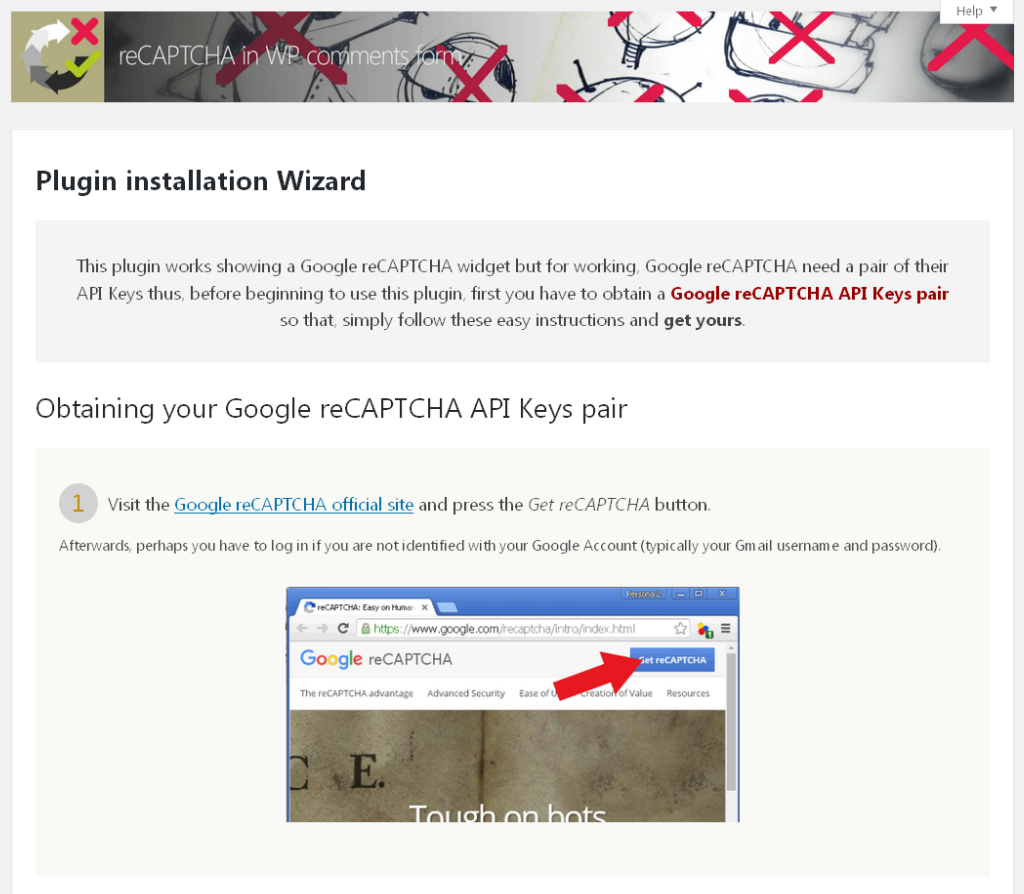
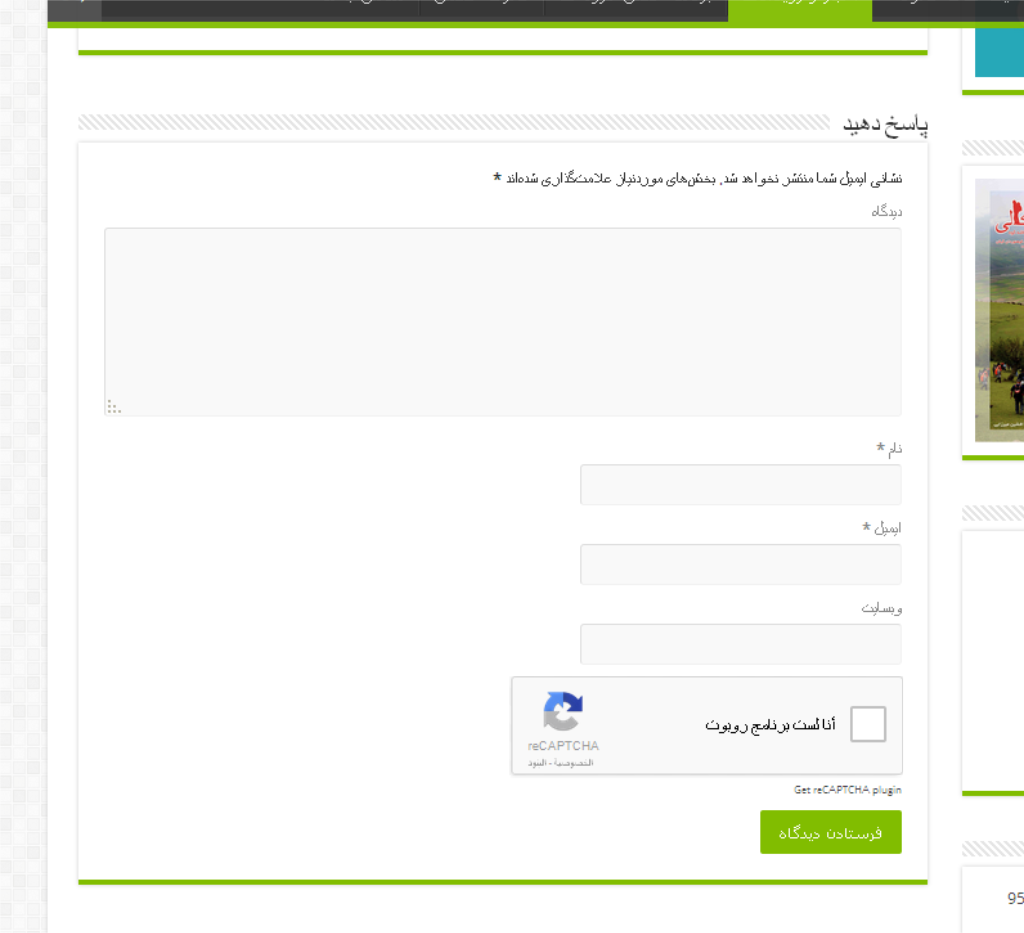
The reCAPTCHA in WP comments form plugin is a tool that helps prevent spam comments on your WordPress website. It adds a visible Google reCAPTCHA field to the comments form for users who are not logged in. The plugin also has additional security measures to detect and handle spam robot accesses to the comments system.Screenshots


Frequently asked questions
What is the primary function of the reCAPTCHA in WP comments form plugin?
The plugin is an ANTISPAM tool that adds a visible Google reCAPTCHA field inside the comments form of your WordPress theme to prevent fraudulent or deceptive comments when the user is not logged in.
How does the plugin handle spam robots?
It includes a second verification process that detects unauthorized direct accesses by spam robots to the WordPress comments system. Users can configure the plugin to SPAM, TRASH, DELETE, or DIE in response to these threats.
Does the plugin support older WordPress themes?
Yes, the plugin has an optional forced JavaScript output mode. This allows a reCAPTCHA field to be added even in older WordPress themes that do not use the new WP form comments functions but directly output their own comments form.
What are some of the basic configuration options available?
Users can configure settings for the plugin, ANTISPAM operation, and visual aspects of Google reCAPTCHA such as theme, size, type, align, and language. It also supports RTL languages and adapts to the admin color scheme.
Can the plugin prevent malicious automatic form submissions?
Yes, the plugin blocks the submit button while the reCAPTCHA field is not verified. It also changes the HTML structure of the comments form to prevent malicious automatic sendings during this period.
Changelog
9.1.2
- Update error correction
9.1.1
- Correction admin URL in ajax calls for non standard wp installations
- Tested up wp 5.1.1
- Also tested with theme Twenty Nineteen
9.1.0
- New plugin settings for supporting different WP comments form HTML structure types
- Adding javascript methods based on HTML queries (instead of just ID attributes) for inserting reCAPTCHA plugin
- Improving dynamic comments form sample configuration settings changes detection
- Improving the Google Keys Pair error checking detecting typing errors
- Forced load of the Amharic (Ethiopean) font in admin environment for non amharic interfaces
- Native name corrected for Portuguesse
- Improving JavaScript interactive notifications
- Converting the plugin default values inserted inside the code into an independent and rewritable .ini file for storing the default configuration
- Modifying installation Wizard instructions and Help tabs
- jQuery UI CSS updated
9.0.3
- Adapt the plugin to new google error messages contents to avoid fake falses because of Google adds a new error for any “duplicated test”
- Change the plugin versioning schema to 0.0.x.y.z to x.y.z for improving Composer or other automattic installations
- Correct the SQOD constant name
- Improve documentation
0.0.9.0.2
- Minor function changes for compatibility with hosting servers with PHP versions minor than 5.4.0
- Improving compatibility module for WP themes with sophisticated HTML struct comments form
- RTL full language support.
- CSS correction for screen
(min-width:: 783px)in RTL WP admin plugin interfaces - Update screenshots in WordPress plugin documentation page
- Translations changes
0.0.9.0.1
- Upload error correction
0.0.9
- New installation Wizard when you install the plugin from scratch
- Also automatic Installation Wizard launch when no reCAPTCHA API keys detected
- New visual dinamic interface for Google reCAPTCHA settings configuration
- New align reCAPTCHA option
- New reCAPTCHA forced language selector field with native and english languages names
- Add a new method
directly DELETE commentfor treating the comments in case of breaking reCAPTCHA - New admin notices in case of Google reCAPTCHA API Keys pair error
- Now, plugin incorpores the WordPress Admin Color Schemes in its admin interface
- Improve all help pages including images of all installation steps, configuration screen options, etc.
- Adding two new Help pages for reCAPTCHA Security level and Accessibility issues
- Installation and Updating plugin routines moved to Tools class
- New Installation Wizard class
- New class for plugin messages and Help screens
- New class for options and settings control
- Change the credit link to
rel=nofollow - New restore default values buttons in plugin configuration section
- Improving documentation
- Change reCAPTCHA initialization to ‘option=explicit’ via javascript function
0.0.8.2.1
- Minor translations and help pages modifications
0.0.8.2
- Adding new compatibility mode for all
[type=submit]elements inside the form - Forcing blocked mode for all
<input>,<button>or<a>submit HTML elements, even without ID attribute - Trackbacks and Ping messages tested
- Extending help plugin with two more help tabs
- Address links correction
- Optional plugin credits link output
- Your CSS changes are also reflected in the sample form of the settings page
- Some minor text corrections
0.0.8.1
- Correction: logged users are not spammers
- Translations system correction
0.0.8
- Add forced javascript output mode
- Add CSS for reCAPTCHA field
0.0.7
- Update to 1.1.2 version for the Google reCAPTCHA PHP module
0.0.6
- Introduce metaboxes structure
0.0.5
- Introduce plugin stats panel
0.0.4
- Change render mode to data defined instead of explicit
- Introduce Forced language support
- Introduce ”in case of error” module
0.0.3
- Test reCAPTCHA modes
- Creating enqueuing script modules
0.0.2
- Accordion Interface
- Back-End form example sample interface
0.0.1
- Test version

