

Import your demo content, widgets and theme settings with one click. Theme authors! Enable simple theme demo import…
About Wonder Slider Lite
WonderPlugin Slider is a user-friendly plugin that allows you to create image and video sliders for your website. It is fully responsive and compatible with mobile devices, and includes stunning 3D transition effects and a built-in Lightbox gallery. The commercial version offers additional features such as professional skins and technical support.Screenshots
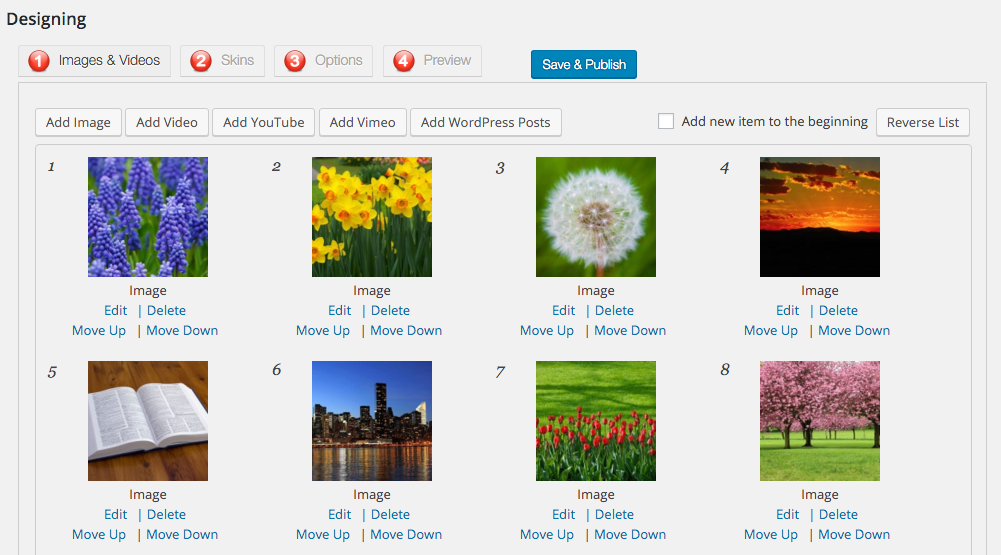
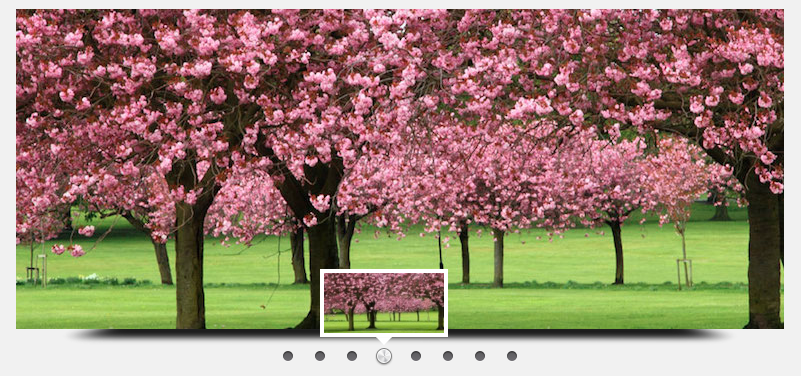
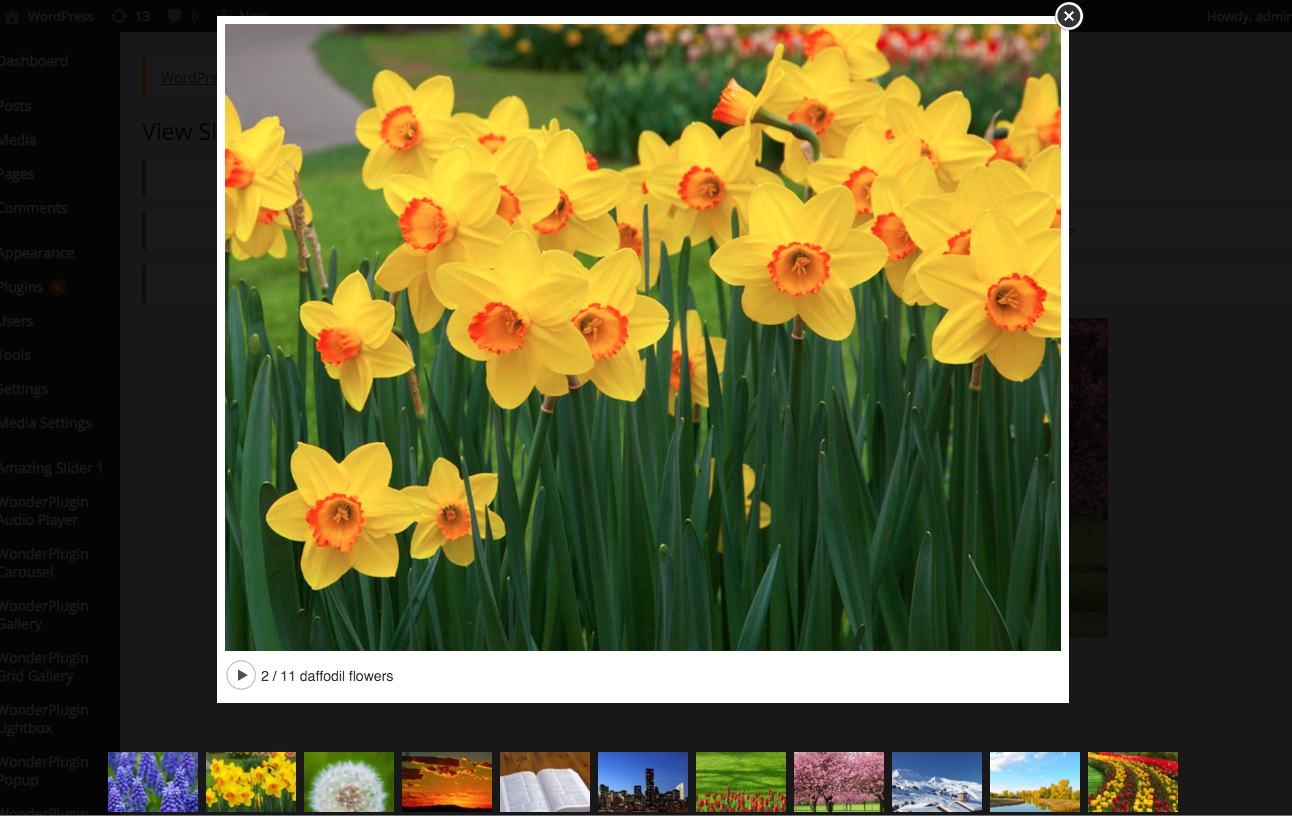
Frequently asked questions
What types of content does Wonder Slider Lite support?
Wonder Slider Lite supports images, MP4/WebM videos, YouTube, Vimeo, and WordPress posts.
Is Wonder Slider Lite responsive?
Yes, Wonder Slider Lite is fully responsive and mobile-friendly, compatible with iPhone, iPad, and Android.
Does Wonder Slider Lite include a Lightbox gallery?
Yes, Wonder Slider Lite includes a built-in Lightbox gallery.
Can I display multiple sliders on one page?
Yes, you can display multiple sliders on one web page with Wonder Slider Lite.
What is the user interface like for Wonder Slider Lite?
Wonder Slider Lite features a step-by-step wizard-style user interface.
Changelog
14.0
- Fix a compatibility issue with PHP 8.2
- Fix a security issue
13.9
- Fix compatibility issues with PHP 8.2
13.6
- Fix an issue with PHP 8.1
- Fix a URL parameter issue
13.5
- Remove Google fonts from the default Skin CSS for GDPR
- Remove the legacy Flash video player SWF file from the installation package
- Hide the lightbox slideshow play button by default
13.4
- Support Google Analytics 4 to track lightbox events
- Add options to disable initialising YouTube and Vimeo API for GDPR
- Fix a compatibility issue with the plugin Imagify
- Fix a compatibility issue with PHP 8.1
- Fix a mobile responsive issue of the skin FeatureList and StyleList
12.8
- Fix a compatibility issues with WordPress 5.6
12.7
- Fix compatibility issues with WordPress 5.5
11.3
- HTML5 video player: volume changed by user for one video will apply to following videos
11.2
- Text SEO: add options to define HTML tags for title and description text
11.1
- Fix a bug when working with multilingual plugin WPML
11.0
- Fix a bug on multilingual website
10.9
- Support multilingual plugin WPML
- Support displaying custom fields (meta-data) in post slider title and description
- Support macro variable %post_link% for post slider and custom post type slider
10.8
- Fix a compatibility issue with lazy load plugin when playing video
- Add block for WordPress Gutenberg editor
10.7
- Add an option to play muted video when autoplay on page load
10.6
- Use CSS Slide as default transition effect
- Add an option to add extra attributes to img elements in the slideshow
10.5
- Add a transition effect: CSS Slide. The effect uses CSS to animate the slideshow and is smoother than jQuery based slide effect.
10.4
- Fix minor bugs
10.3
- In the Settings menu, add an option to specify the default image size for slider thumbnails
- Add an option to use thumbnail URL or image URL for slideshow thumbnail images
10.2
- Support the following macro variables in the post slider title and description: %post_title%, %post_excerpt%, %post_link%, %categoryid%, %categoryname%, %categoryslug%, %categorylink%
- Add a transition effect: crossfade
- Add a skin “Left Side Vertical Slider” which places the thumbnails on the left side of the slider (commercial version only)
- Fix the bug of loop playing not working when there is only one video
10.1
- Stop loading thumbnail images when they are not required
10.0
- Use advanced options to customise the slideshow transition effect parameters
9.9
- Fix the bug of the option “Pause the slideshow on mouse over”
9.8
- Strip HTML tags when the title text is used for img alt attributes
9.7
- Add alt attributes to the dynamically created img elements
- Fix the compatibility warnings with PHP 7 when checking with the plugin PHP Compatibility Checker
9.6
- Add a function “Search and Replace” in the “Import/Export” menu. This function can be used to search and replace domain names in the sliders when you move your WordPress site to a new domain or change to HTTPS secure site.
9.5
- Escape the text of title and description when they contain HTML code
- Create WooCommerce slideshow
9.4
- Add an advanced option data-navthumbtitlehovercss to customise the text color of the highlighted tab when creating a WordPress text navigation slider
9.3
- Add a new skin: Media Gallery
- Support responsive thumbnails
9.2
- Fix a problem of Ken Burns effect
9.1
- Fix the “Invalid xml file” bug when importing a slider configuration xml file
- In the plugin, step 1, Images & Videos tab, “Add Image” dialog, when adding multiple images with the button “Upload”, apply the lightbox option to all images
9.0
- Fix a problem of adding custom JavaScript code
8.9
- Change lightbox fullscreen mode default to false on small screen devices
8.8
- Add a button to modify and save pre-defined text effect
8.7
- Add an option to add custom JavaScript code
- Enable native HTML5 video control bar for fullscreen video under Firefox and Internet Explorer 11
- Add the attribute allowfullscreen to lightbox iframe
- Add a lightbox advanced option maxheight: when data-maxheight=”true” is added to the Lightbox Advanced Options input box, the lightbox will use the height of the web browser to calculate the maximum height of the lightbox.
8.6
- Add an option to remove inline CSS code
- Add an option to add an extra backslash to double quotes when saving the slider options
8.5
- Compatible with jQuery 3.0 and above
8.4
- Import/export sliders
8.3
- Continue playing the slideshow when the current slide image does not exist
8.2
- Fix the problem of the menu Manage Sliders not working in version 7.9 on some WordPress installations
7.9
- Add a class name to the slider to specify the current slide
7.8
- Specify different text effect for each slide
- Save a pre-made text effect as a new custom effect
- Fix the bug of resizing images
7.7
- Support social media share buttons on the slideshow: Facebook, Twitter and Pinterest
- Fix the bug of icon class name conflict
7.6
- Support social media share buttons in lightbox popup: Facebook, Twitter and Pinterest
- Rearrange lightbox options to tabs
7.5
- Add a new text effect: Left Box
7.4
- Add an option to open the web link in lightbox when clicking on the slider
7.3
- Add a new Image resize mode “Same width, flexible height”. When the images have different aspect ratio, the option will create a WordPress slideshow of same width and flexible height.
7.2
- Support displaying a different slider on mobile and tablet devices. For example, the following shortcode will display slider ID 1 on desktop and display slider ID 2 on mobile and tablet devides: [wonderplugin_slider id=1 mobileid=2]
7.1
- Add an option to save sliders with Post method
- Support specifying advanced options data-navbuttonbgimage, data-navarrowimage and data-navplaypauseimage with absolute URLs
7.0
- Make WordPress Ken Burns slideshow fully responsive during transitioning
6.9
- Add an option to pause the slideshow on mouse over
- Only display videos in the Media Library Selection Dialog when selecting a video file
6.8
- Add a new skin: Bottom Carousel
- Enter data tag data-navplayvideoimage=”play-24-24-0.png” to the Advanced Options to specify a smaller video play icon on thumbnails
- Use data tag data-navthumbnavigationarrowimage to specify your own custom-made thumbnail carousel arrows
6.7
- Fix a bug in the skin Header
6.6
- Allow HTML5 source tags in title and description
6.5
- Fix a bug of playing HTML5 videos on Google Chrome when there are more than 6 videos in a slider
6.4
- Fix the bug when there are uppercase letters in WordPress database prefix
6.3
- Add an advanced option to trigger window resize event
6.2
- Lite version released on WordPress Plugin Directory
- Display the plugin version type in WordPress backend Plugins -> Installed Plugins page

