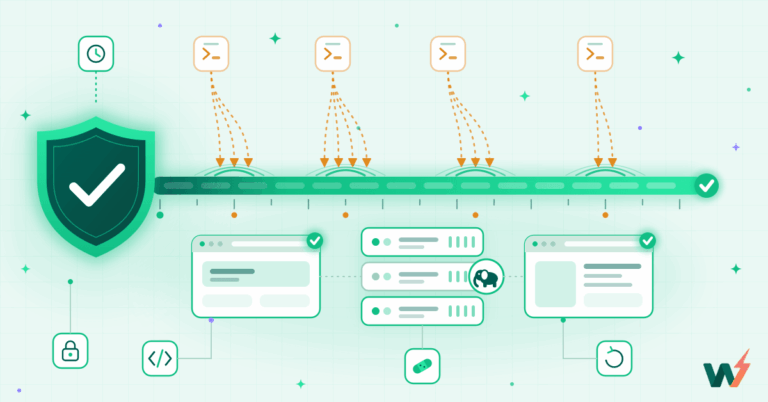
Virtual patching is a rule at the web server that refuses requests matching a known exploit, so a WordPress site is protected before its plugin is updated. It does not change your site, and it does not need the vendor’s fix to exist yet. On 19 August 2026, InstaWP used one to shut down a critical unauthenticated remote code execution flaw in Elementor Pro across its entire hosting fleet in under two hours, while every affected site was still running the vulnerable plugin.
Key takeaways
- Virtual patching blocks the exploit, not the bug. A rule on the web server refuses requests that match a known exploit, so a site is protected while it still runs the unpatched plugin.
- The window is the enemy. Sites are not usually taken by unknown bugs. They are taken in the gap between a public advisory and the day somebody clicks update.
- Licensed plugins are the hard case. Elementor Pro updates need the customer’s own licence key, so no host can push the fix. A server-level rule is the only control that works there.
- Where the rule runs decides what it costs you. InstaWP evaluates it in nginx, before PHP starts. A plugin firewall has to boot WordPress before it can decide to block anything.
- An unverified protection is not a protection. Every InstaWP rule ships with a positive test and negative controls, and every server carries a permanent self-test that fails loudly.
- Readiness, not clairvoyance. InstaWP cannot predict the next vulnerability. The pipeline that responds to it already exists, which is why protection lands the same day instead of next quarter.
Table of Contents
This post is about the machinery behind that, not the incident. The next critical WordPress vulnerability has not been disclosed yet. Nobody knows what it is, including us. The question that decides whether your sites survive it is not whether they are secure today. It is what happens in the first 24 hours after the flaw becomes public knowledge.
What is virtual patching in WordPress?
Virtual patching is the practice of blocking a vulnerability’s exploit path at a layer in front of the application, instead of fixing the vulnerable code itself. It is a long-established security practice with its own OWASP guidance, not a hosting invention. For WordPress that usually means a rule on the web server that inspects an incoming request and refuses it if it matches the shape of a known attack. The vulnerable plugin stays exactly where it is, at exactly the version it was. The attack simply never reaches it.
If the plugin is a door with a broken lock, a virtual patch is a guard in the corridor who turns away anyone carrying the one tool that opens it. The lock is still broken. Nobody gets to reach it. When the locksmith finally arrives with the vendor’s fix, you replace the lock, and the guard stays on anyway.
It is worth being precise about the distinction, because it is the whole basis for trusting one. A vendor patch removes the bug. A protection rule removes the attacker’s route to the bug. They are different things and you want both. What a protection rule buys you is time: it holds the line during the days or weeks when the real fix exists but has not been applied to your sites yet.
Why is the gap between disclosure and update the real risk?
Most WordPress sites are not compromised by vulnerabilities nobody knows about. They are compromised by vulnerabilities everybody knows about, on sites that had not been updated yet. That is not a WordPress quirk either: CISA maintains an entire catalogue of known exploited vulnerabilities precisely because published flaws, not secret ones, are what gets used.
Disclosure is the starting gun: the moment an advisory is published, the exploit details are public, and automated scanning for vulnerable installs begins almost immediately. That scanning is indiscriminate. It does not care whether your site is a Fortune 500 storefront or a dentist’s brochure page.
For an agency, the window has a very specific, very unglamorous shape. An advisory lands at 7pm. You manage multiple client sites, say forty of them. Some are on retainers that cover updates and some are not. Three of them broke last time a major plugin was updated, so they need testing first. Two clients have to approve any change. One site has not been logged into since it launched in 2023 and nobody remembers who owns the licence.
That is the window. It is measured in days, sometimes weeks, and it is where sites actually get taken. Every serious managed host is really selling you one thing: how short that window is, and whether closing it requires you to do anything. InstaWP’s answer is to close it at the server, on every site, before anyone has been told there is a problem.
What happened with the Elementor Pro RCE, CVE-2026-32475?
On 19 August 2026 Patchstack published an advisory for an unauthenticated file upload leading to remote code execution in Elementor Pro’s Forms module, tracked as CVE-2026-32475 and rated 9.0 by Patchstack and 9.8 by Wordfence. Every version up to and including 4.2.1 was affected. Elementor fixed it in 4.2.2 the same day. InstaWP had server-level protection live and verified across the entire hosting fleet within two hours of the advisory going public, and customers did not have to do anything.
We picked this one as the worked example because it is the hard case, not the easy one. Three things stack up:
The exploit pays off at the moment the uploaded file gets executed, so that is what InstaWP denied. A malicious upload has nowhere useful to land and nothing to run when it gets there. The rule sits underneath the plugin rather than inside it, which means it never had to know or care which version of Elementor Pro any given site was on. It held before customers updated, and it still holds afterwards.
You were protected on day one, while still running the unpatched plugin, because the fix lives on our server, not inside your site.
InstaWP published a full technical breakdown of the flaw itself, including the root cause and the response timeline, in our write-up of the Elementor Pro RCE. The rest of this post is about the standing machinery that made a two-hour response possible, because that is the part that applies to the vulnerability that has not been disclosed yet.
How does a host find out a new vulnerability affects your sites?
InstaWP runs an automated sweep every day that pulls the authoritative advisory feeds, including the Patchstack vulnerability database, and cross-references every affected plugin slug against a live inventory of what is actually installed across the fleet. The output is not “here is today’s security news”. It is “here are the advisories that landed on a site we host”. On one day in August 2026 that sweep narrowed 55 critical advisories down to the 11 that actually touched us, and it took about two minutes.
The difference between those two outputs is the whole point. A feed of critical WordPress advisories is genuinely alarming and almost entirely irrelevant to any individual fleet, because most of the affected plugins are not installed anywhere on it. Reading the feed as a to-do list produces panic and wasted nights. Cross-referencing it against real inventory produces a short, honest list you can act on before the scanners arrive.
One honest caveat about that inventory, because it is the sort of thing a vendor usually leaves out. Only a minority of sites report their plugin list back to us, so the number the sweep returns is a measured floor, not a total. InstaWP treats it that way internally: a low count is never read as “we are fine”, it is read as “these are the ones we can see”. The server-level rule is applied fleet-wide regardless, which is precisely why the reporting gap does not become an exposure gap.
How do you avoid over-reacting to an inflated advisory?
By reading the source code before believing the score. A CVSS rating describes how bad a flaw would be if you were exposed to it, which is a different question from whether you are. Advisory feeds systematically over-claim, because writing “every version before the fix” is easier than establishing when the vulnerable feature was actually introduced. InstaWP runs three checks before calling any site affected, and each one exists because a naive version comparison got it wrong in a way that mattered.
That last example is the one worth sitting with. A 9.8 rating on every version ever shipped is about as loud as an advisory gets, and the correct response to it was to do nothing except record why. The discipline is not scepticism for its own sake: poisoned releases are real, which is what happens when legitimate plugins turn into malware, and telling the two situations apart is exactly what reading the source buys you. The discipline cuts both ways: InstaWP does not panic-patch on a headline, and it does not miss a real one because the version arithmetic looked reassuring.
Where does the protection rule actually run?
In nginx, at the web server, before PHP starts. That is the single most consequential design decision in the whole system, and it is the one most security products cannot match. A request that matches a protection rule on InstaWP is refused in microseconds by the web server itself. WordPress is never loaded, PHP never boots, the database is never touched, and the plugin that carries the vulnerability never sees the request.
Compare that to a WordPress security plugin. A plugin firewall is itself a WordPress plugin, so before it can decide whether to block a malicious request, it first has to do all the work of starting WordPress: boot PHP, load the core, connect to the database, and load the plugin stack far enough to reach the firewall’s own code. The block still works. It just costs a full application boot on every single request, malicious or not.
There is a second, less obvious benefit to living below the application. A rule that sits underneath WordPress keeps working when WordPress does not. It holds on a site whose plugin stack is broken, on a site mid-update, and on a site running a version of the plugin nobody anticipated. It has no opinion about your plugin list at all. The same logic is why filtering keeps moving outward, which is the subject of our explainer on edge security in WordPress.
How does a rule reach the whole fleet without breaking anything?
In stages, with an automatic rollback if the configuration does not validate. A new InstaWP protection rule is proven on a staging environment first, then goes to a single canary server, then soaks there while the rule is probed, and only then reaches the rest of the fleet. Every step validates the web server configuration before applying it, and a configuration that fails validation is rolled back rather than loaded.
That caution is not theatre. A bad rule shipped to every production server is an outage on every site at once, which is a considerably worse day than the vulnerability. Two rules that we live by, both learned expensively: never block /.well-known/acme-challenge/, or SSL renewals fail silently and the failure only surfaces ninety days later; and never write a rule that assumes WordPress lives at the document root, because multisite and subdirectory installs do not.
How do you know the protection is still working?
Because InstaWP re-probes it on a schedule and treats a result it cannot attribute as a failure. This is the part that separates a protection layer from a claim about one, and it is the question almost nobody in this category answers. A rule that was deployed six months ago and has never been tested since is not a control. It is a belief.
Every InstaWP rule ships with a positive test and at least two negative controls. Taking the Elementor rule as the worked example, here is what a real verification looked like when it was re-probed on 24 August 2026, five days after it shipped:
The negative control is the row that makes the other two mean anything. Without it, a probe that returns “blocked” everywhere might just be a server that blocks everything, and a monitor that cannot fail is not a monitor. Because the harmless request came back unblocked from the same path on the same servers, the blocked result is attributable to the rule rather than to something else.
The third row is a permanent fixture. Every InstaWP server carries a self-test rule whose only job is to be blocked. If that self-test ever comes back unblocked on a server, the entire protection layer on that machine is treated as broken and every rule on it is considered absent until proven otherwise. It collapses a complicated question into one continuously checkable assertion.
The same instinct runs through the rest of the platform, which is why you can also watch a WordPress site’s health in real time rather than find out from a client.
We will also be straight about a limit here, because it is the kind of thing that quietly turns a monitoring dashboard into fiction. Not every rule can be verified from outside. Rules that key on the raw encoding of a request cannot be read accurately through a CDN, because the edge normalises the request before it reaches the origin, and the probe then returns the same response as a server with no rule at all. InstaWP classifies every rule by whether an external probe can see it, and a reading that cannot be attributed is recorded as inconclusive rather than as a pass.
How can you test whether your own host does any of this?
Ask for a positive and a negative result on the same path, and refuse to accept either one on its own. You do not need access to your host’s configuration to reason about this. The test that matters is whether a request matching a known exploit shape is refused before WordPress renders anything, while an ordinary request to a comparable path behaves normally.
# The signal is the PAIR, never a single reading.
# Compare a request that should be refused against a harmless
# one on the same path, and look at the body size too.

$ curl -s -o /dev/null -w '%{http_code} %{size_download}\n' \
    https://your-site.example/some/guarded/path
403 0        # refused by the web server, tiny body, no WordPress

$ curl -s -o /dev/null -w '%{http_code} %{size_download}\n' \
    https://your-site.example/some/ordinary/path
404 58880    # a full themed WordPress 404, so PHP clearly ran

# Both refused? Inconclusive: the server may block everything.
# Both large? The block is happening inside WordPress, if at all.
The body size is the tell that most people miss. A tiny, byte-identical response means the web server answered by itself. A large response that varies from site to site means WordPress was loaded, rendered a themed error page, and only then decided what to do. Same status code, completely different story about where your protection lives. This pair is the same discriminator InstaWP uses internally when a rule returns a status code that would otherwise be ambiguous.
Which vulnerabilities can be virtually patched, and which cannot?
A vulnerability can be virtually patched when the attack has a recognisable shape in the request itself. It cannot when identifying the attack needs information only WordPress has, such as who is logged in or what state the site is in. That distinction decides everything else, and it is the honest answer to “so why do you still tell me to update?”
InstaWP classifies every advisory this way before writing anything, because a rule written for a class that resists server-level matching is worse than no rule: it produces a dashboard that says protected while the site is not. OWASP’s virtual patching guidance makes the same split, and it predates WordPress-specific tooling by a decade.
Read the bottom two rows as the reason this post keeps saying “and you should still update”. For those classes the vendor’s fix is the only real control, and the useful thing a host can do is tell you clearly and early rather than imply coverage it does not have. It is also the question worth putting to any host that claims it blocked something on your behalf: which class was it, and was the rule verified afterwards?
What about the plugins InstaWP can actually update for you?
Those get the real fix, not just the rule. When a vulnerable plugin is freely updatable from the WordPress.org repository, and therefore reachable by WordPress’s own update mechanism, InstaWP rolls the actual update across affected sites in batches, taking a snapshot of every site first and running an HTTP health check on each one afterwards. The server-level rule still goes out, because the update and the rule protect against different failure modes, but the durable resolution is the vendor’s code.
Splitting a vulnerability response into “fixable by us” and “needs the site owner” is the single most decision-useful line in any security report, and getting it wrong sends everyone down a dead end. Here is how InstaWP divides it.
One detail in that table is a genuine trap that catches automated tooling regularly. Some premium plugins share a slug with a free edition in the WordPress.org repository. A naive “is it in the repo? then update it” check will happily replace a customer’s licensed build with the free version, destroying their paid features and configuration in the name of security.
InstaWP checks which edition line a site is actually on before it touches anything. The same care applies when you are choosing what to install in the first place, which is the subject of our notes on WordPress plugin security best practices.
What else is running underneath all of this?
Protection rules are the response to a specific disclosed vulnerability. Underneath them, InstaWP runs several always-on layers that do not need a CVE to exist, and most attack traffic never reaches the rule layer at all because one of these caught it first.
- Behavioural bot and brute-force blocking. Detection based on what a client is doing across many requests, not on a signature, which is what catches credential stuffing and scanner sweeps. This is part of InstaWP Shield.
- A fleet-wide shared blocklist. An address caught attacking one site on the platform is blocked across the platform, so the fleet learns as a unit rather than site by site.
- Edge WAF on CDN-fronted sites. Filtering that happens before traffic reaches the origin server at all, via InstaWP’s CDN layer. If you are weighing up where filtering belongs in general, our guide to WordPress firewalls for agencies covers the trade-offs.
- Exposed credential and backup-file blocking. Server-level refusal of requests for environment files, configuration backups and leftover migration archives. These are boring and they matter: a forgotten database export sitting in a public directory hands over credentials with no exploit required.
Together these refuse thousands of exploit attempts at the server every week. We are deliberately not publishing a single headline number for that, and it is worth explaining why, because the reasoning is the point. Block volume is dominated by a small number of rules, and a single aggressive scanner pointed at one site can inflate a fleet-wide total by an order of magnitude in a week.
A number like that is easy to publish and impossible to defend, so InstaWP reports block metrics per rule internally and does not put a headline figure in marketing copy.
How does this compare to a security plugin or a DIY VPS?
The three approaches differ most in where the protection runs and in how much of the work lands on you. A security plugin gives you real coverage but charges every visitor a PHP boot for it. A self-managed VPS gives you total control and, by default, nothing at all. Managed hosting with server-level rules puts the protection below the application and takes the operational work off your plate.
None of this means you should uninstall your security plugin. A good one does things a server rule does not: file integrity monitoring, login hardening, two-factor, malware scanning inside the WordPress installation. The argument here is narrower and it is about placement. The exploit-blocking job specifically belongs below the application, because that is where it is both cheaper and harder to bypass. If you want the detail of what sits at that layer on InstaWP, we have broken down Security Shield basic against premium feature by feature.
What does virtual patching not do?
It does not make a site immune, and it cannot block a vulnerability nobody has discovered yet. This is the honest boundary of the claim, and any host that blurs it is selling you something. A protection rule is written against a known exploit path. Until a flaw is found and described, there is no path to write a rule against.
So what does readiness actually mean, if not prediction? It means the detection pipeline, the patching lane, the staged rollout, the verification probes and the rollback machinery all exist before the next CVE does. When an unknown vulnerability becomes a known one, none of that has to be built, staffed, argued about or scheduled. It runs. That is why protection lands the same day instead of next quarter, and it is a more useful property than clairvoyance would be.
Three other honest limits worth stating plainly. A rule blocks new attempts, so InstaWP also sweeps affected sites for evidence a flaw was exploited before anyone knew about it, and the signs a WordPress site has been hacked are worth recognising yourself. A rule is not a substitute for the vendor’s fix, which is why InstaWP still tells you to update.
And a rule protects against the exploit path it was written for, not against a site that was already compromised last year, which is what automatic backups and malware scanning are for.
What should you do in the first 24 hours after an advisory drops?
Confirm you are actually affected, close the entry point, then update, in that order. Most people do it in the opposite order and lose the first few hours to panic-updating plugins that were never involved. This list works whoever you host with, and steps 3 and 4 are the ones that matter most if you are not on a managed platform.
- Check the version you actually run, not the one you remember. In the dashboard it is Plugins, then read the version column. From the command line it is one line, and our note on checking whether WordPress plugins are up to date using WP-CLI covers doing it across several sites at once. Half the advisories that frighten people turn out not to apply.
- Check whether the vulnerable feature is in use. Advisories usually name a precondition, and it is often specific. In the Elementor Pro case only sites with a published page carrying a form with a file upload field could be exploited. A precondition narrows your list, but treat it as today’s answer rather than a permanent one, because someone can add that field next month.
- Ask your host one question, and listen for a specific answer. Is protection live at the web server for this CVE, and can you name it? “We have a firewall” is not an answer to that question. If you want to check for yourself instead of asking, the pair of curl requests above tells you where the block happens without needing access to anything.
- Update, in the right order for the plugin type. If it is free on WordPress.org and the jump is a patch release, update now. If it is licensed, find the licence key first: hunting for it during an incident is how sites stay vulnerable for three weeks. If it is a major version jump, treat it as a deployment rather than an update and test it on a staging site before it touches production.
- Take the backup before you update, not after. A backup taken after a bad update preserves the bad update. If you are unsure what you actually have, our breakdown of full, incremental and differential backups explains what each one will and will not get you back.
- Then look backwards. A rule and an update both stop what happens next, and neither undoes what already happened. Scan for new admin users, unexpected files in the uploads directory and scheduled tasks you did not create. The signs a WordPress site has been hacked are worth knowing before you need them, and AI-assisted security workflows make the sweep across a portfolio considerably less tedious.
If you run a store, add one step at the front: check whether the vulnerable plugin touches checkout, because the testing burden and the cost of getting it wrong are both higher there. Our guide to building a secure WooCommerce store covers what changes when money is involved.
The next critical WordPress vulnerability is unknown today and will be public knowledge on some ordinary Tuesday evening. What decides the outcome is not whether your sites are secure right now, but whether the platform underneath them can detect, size, block, roll out and verify a response while you are asleep. On InstaWP that machinery already exists and is already running, which is why the Elementor Pro RCE was closed fleet-wide in under two hours and customers did not have to do a thing.
Frequently asked
Does virtual patching protect against zero-day vulnerabilities?
Do I still need to update the plugin if my host has blocked the exploit?
Can any host push an update to a licensed plugin like Elementor Pro?
Does a server-level protection rule slow my site down?
Will a protection rule break legitimate functionality on my site?
How do I find out whether my current host does any of this?
Is virtual patching the same as a web application firewall?
I only have one WordPress site. Does any of this matter to me?
Can I set up virtual patching myself on my own server?
How long does a protection rule stay in place?
References
- Critical unauthenticated file upload to RCE in Elementor Pro (Patchstack), the original advisory, published 19 August 2026. The flaw was reported by Tin Pham (TF1T) through the Patchstack Bug Bounty Program.
- CVE-2026-32475 (NVD), the CVE record.
- Elementor Pro changelog, for the 4.2.2 release.
- Hardening WordPress (WordPress.org), the official guidance on site-level hardening, which complements everything described here.
- Elementor Pro Critical RCE (CVE-2026-32475): what it means and what we did, InstaWP’s full technical breakdown of the flaw and the response timeline.
- Virtual Patching Best Practices (OWASP), the vendor-neutral description of the practice and of which vulnerability classes suit it.
- Known Exploited Vulnerabilities Catalog (CISA), the authoritative record of which disclosed flaws are actually being exploited in the wild.
- How nginx processes a request (nginx documentation), for what happens before an application is reached.
- CVSS v3.1 specification (FIRST.org), on what a severity score does and does not claim.
- Patchstack vulnerability database, one of the advisory feeds the daily sweep reads.
- Configuring automatic background updates (WordPress.org), on what WordPress will and will not update on its own.
- Sucuri website threat research reports, for the wider picture of how compromised sites are actually being compromised.
- Inside our wp2shell response, how InstaWP handled a WordPress core RCE in July 2026.