
Just another contact form plugin. Simple but flexible.

About WP Custom Admin Interface
WP Custom Admin Interface is a free plugin that allows you to customize the WordPress admin menu, toolbar, and login interface. It also provides additional features such as customizing the login screen, changing link and button colors, adding custom CSS and JavaScript, and more. For even more customization options, you can upgrade to Custom Admin Interface Pro.Screenshots



Frequently asked questions
What is WP Custom Admin Interface?
WP Custom Admin Interface is a plugin that allows you to easily customize the WordPress admin menu and toolbar.
What features does WP Custom Admin Interface offer for customizing the admin menu?
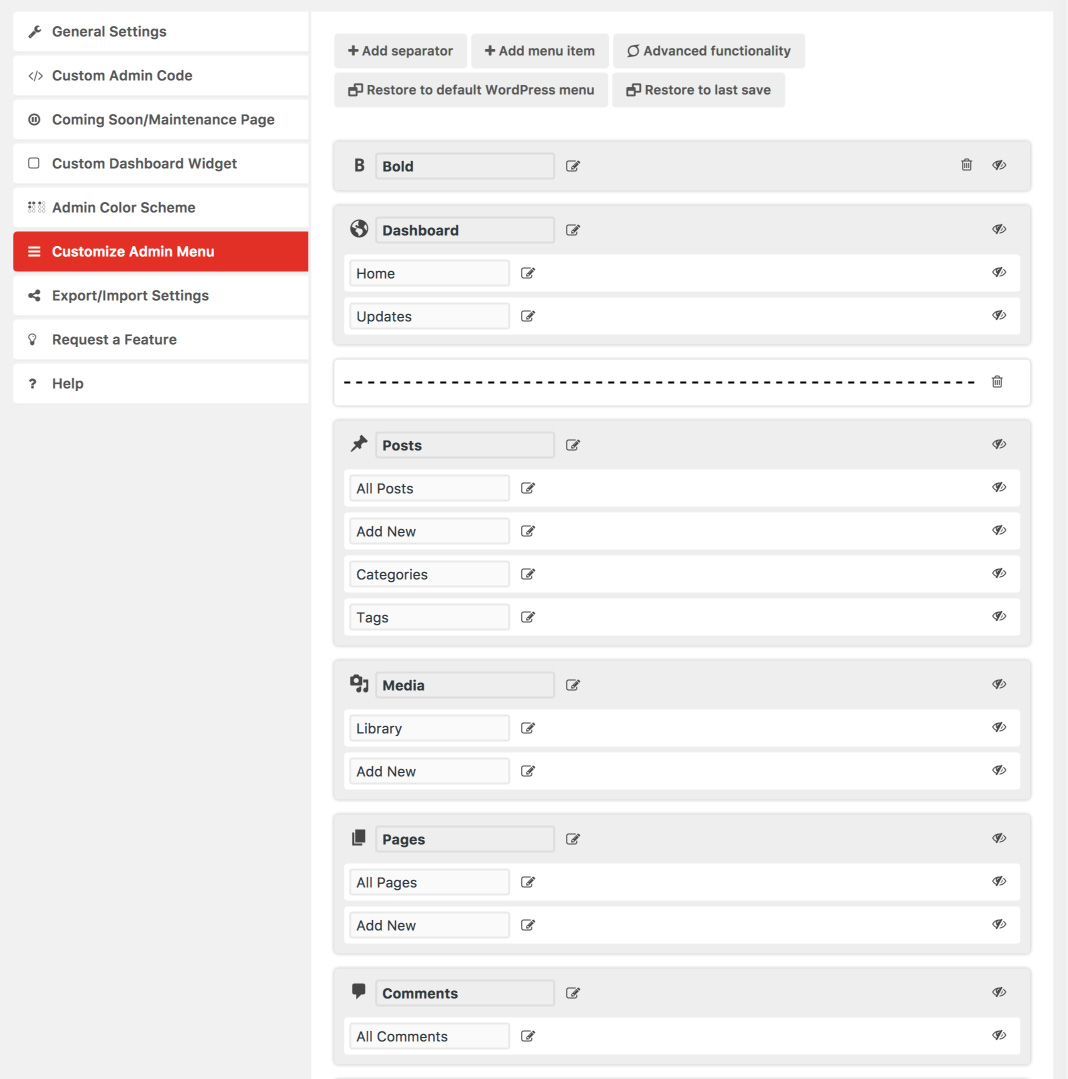
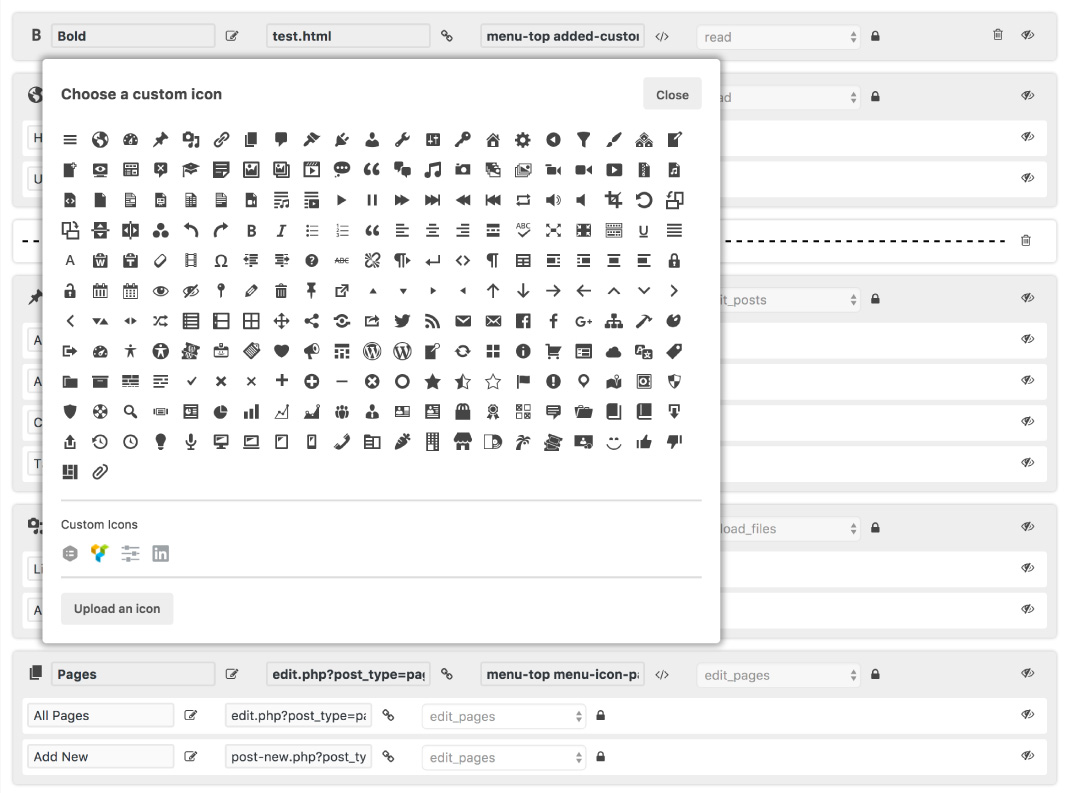
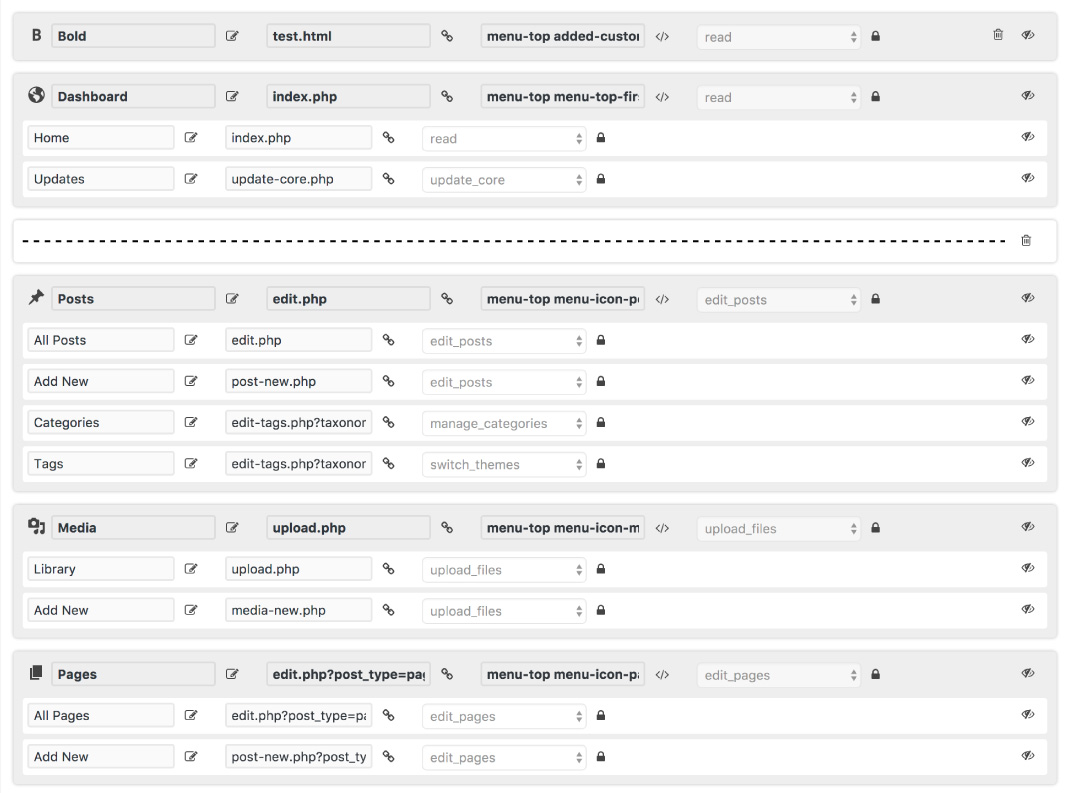
WP Custom Admin Interface allows you to seamlessly re-arrange menu items, rename menu items, create new menu items, change menu item icons, modify advanced properties of menu items, add separators, and apply custom menus to select roles or users.
What features does WP Custom Admin Interface offer for customizing the toolbar?
WP Custom Admin Interface allows you to add new menu items to the toolbar, remove existing items from the toolbar, re-order toolbar items, move toolbar items to any level of the menu, rename toolbar titles and links, and apply custom toolbars to select roles or users.
What other customization features does WP Custom Admin Interface provide?
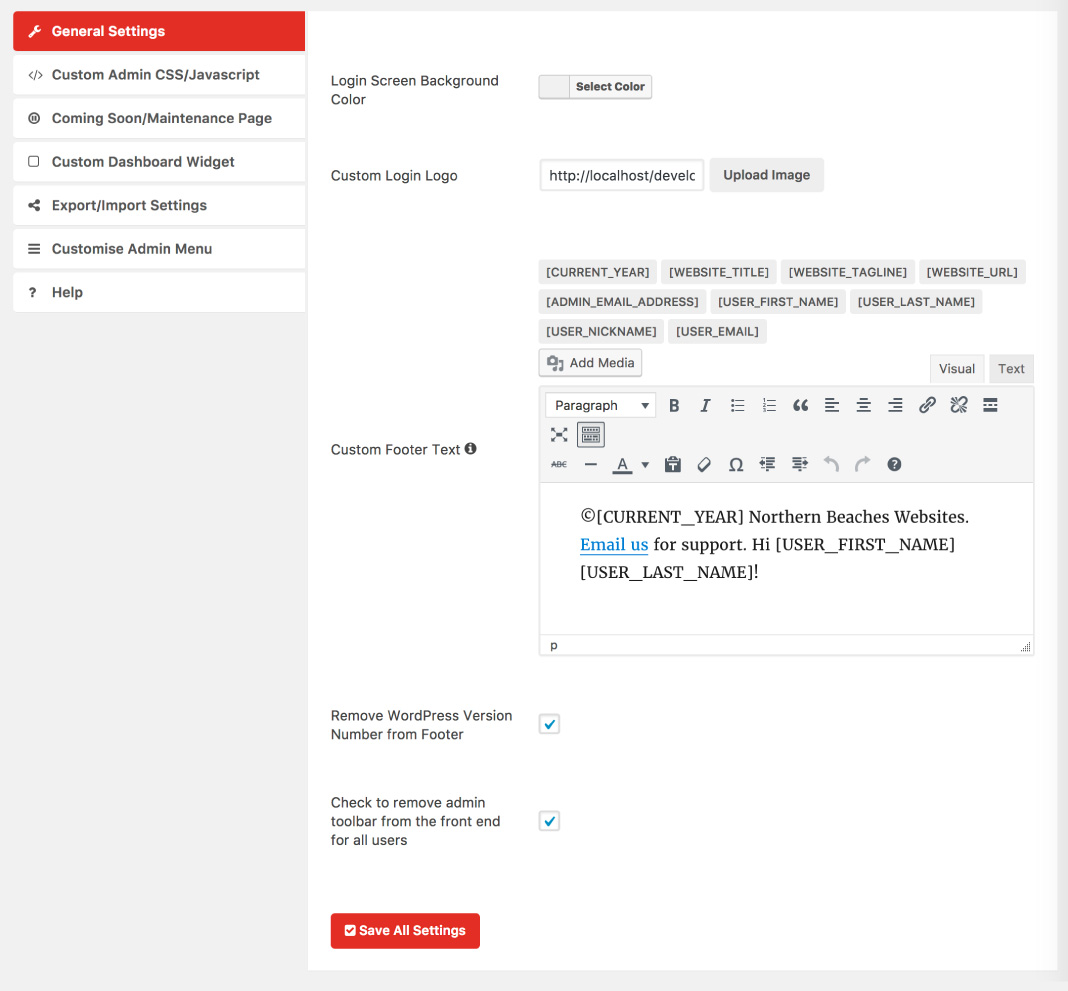
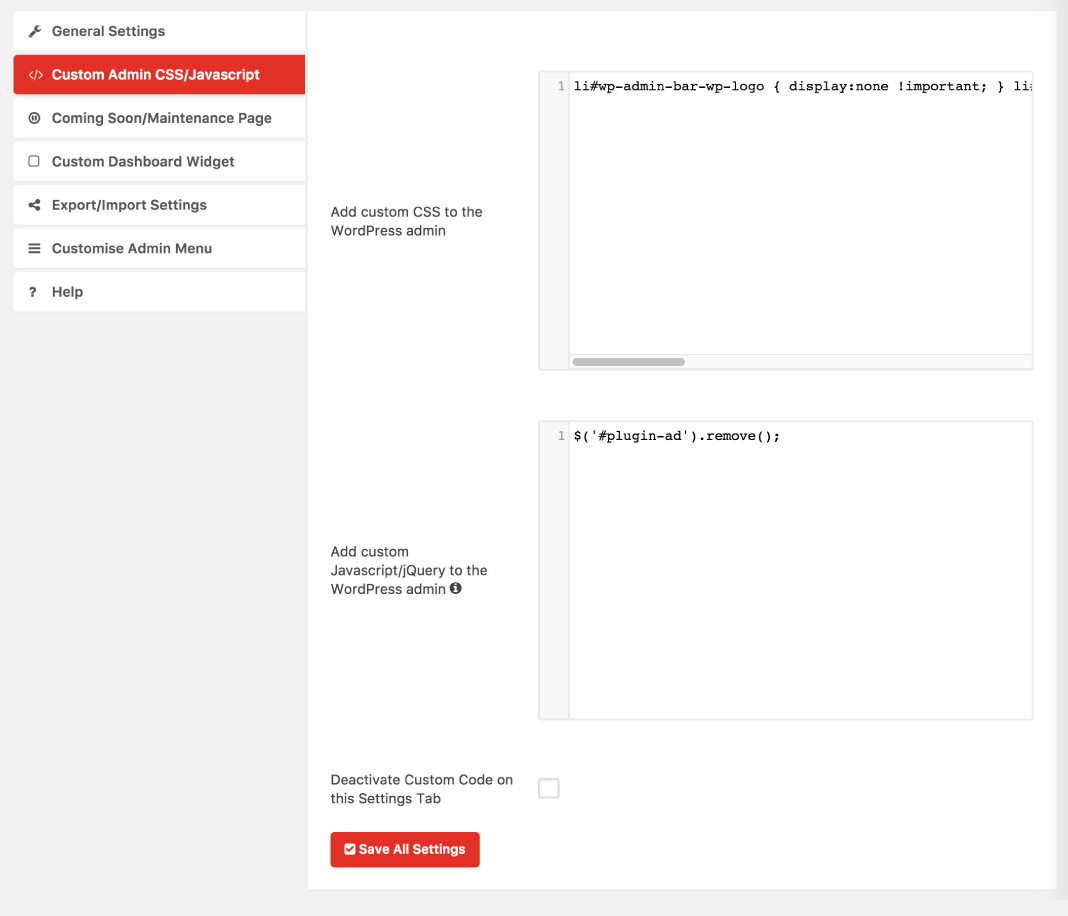
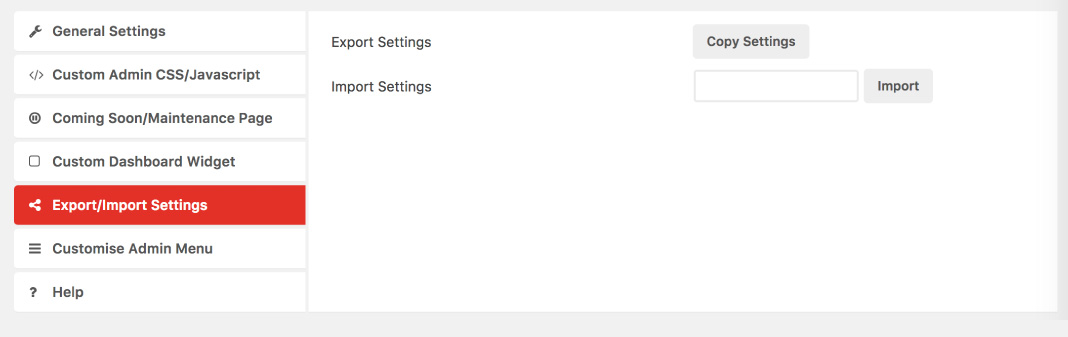
WP Custom Admin Interface allows you to change the login screen background color, login screen logo, favicon, link and button colors, footer text, remove WordPress version number from the footer, remove admin toolbar from the frontend, add custom admin CSS, login CSS, Javascript/jQuery, PHP, CSS and Javascript/jQuery to the frontend, create a coming soon/maintenance page, hide plugins, users, sidebars, meta boxes, create custom admin notices and dashboard widgets, disable automatic updates, plugin updates, and the Gutenberg block editor, and export/import settings.
What are the additional features offered in Custom Admin Interface Pro?
Custom Admin Interface Pro offers multiple menus, toolbars, notices, admin/frontend code, dashboard widgets, hidden plugins, hidden metaboxes, hidden sidebars, and hidden users. It also allows you to export settings, rollback revisions, and provides a new intuitive design.
Changelog
7.37
- Javascript bug fixes
7.36
- Javascript bug fixes
7.35
- Fix for metabox page
7.34
- Change how shortcode data is returned
7.33
- Security fix
7.32
- Security fix
7.31
- Security fix
7.30
- Small PHP error fix on initialisation
7.29
- Security improvements of serialized data
7.28
- Compatibility Update
7.27
- Compatibility with WordPress version 5.9
7.26
- Additional translation for settings
7.25
- Minor bug fixes and compatibility updates
7.24
- Logout link support for toolbar
7.23
- Better compatibility with php 7.4
7.22
- Better compatibility with php 7.4
7.21
- Updating of support terms to deal with people who are ungrateful
7.20
- Improvements to reliability of import/export feature
7.19
- Removal of testing message
7.18
- Fix to conditional logic rules
7.17
- Simplification of conditional logic
7.16
- Styling updates for WordPress 5.3
- Improvements to conditional logic
7.15
- Announcement of Custom Admin Interface Pro!!!
- Admin notices are now dismissable
7.14
- Minor bug fixes
7.13
- You can now disable all plugin updates
7.12
- Minor update to fix clipboard functionality in WordPress 5.2
7.11
- Complete revamp of the support rules so I can have a life and expectations are made clear
7.10
- You can now disable the Gutenberg editor from the general settings menu
7.9
- Fixed admin toolbar saving issue
7.8
- Custom login CSS applies to everyone as this makes sense
7.7
- Fix for the addition of newly added menu items with custom icons
7.6
- Fix to gap caused by no login image
7.5
- Now you can conditionally apply CSS, Javascript, PHP on the “Custom Code” settings page instead of just having an on/off switch. It is advised to revisit your existing settings for this as this on/off switch setting has now been removed.
7.4
- Fixed firefox bug when saving settings
7.3
- Added a colour option to change the colour of the text on the login screen
7.2
- The export and import settings now works again
7.1
- You can now make toolbar customisations not apply to the frontend of your website
7.0
- Now you can add newly added menu items (perhaps created by other plugins) to the menu with the new “Add newly added menu items” button. This has been our number 1 requested feature!
6.13
- Fixed issue with restore to last save functionality on menu
6.12
- Further fixes relating to version 6.9 – hopefully all done!
6.11
- The update transition from versions previous to 6.9 now should be smooth so disregard previous statement
6.10
- Warning version 6.9 and 6.10 could be a breaking update. To restore your menu and toolbar back to normal please visit this help article: https://wordpress.org/plugins/wp-custom-admin-interface/#the%20custom%20admin%20menu%20has%20stuffed%20my%20site%20how%20can%20i%20get%20it%20back%20to%20normal
6.9
- Now supports special characters which should solve a lot of issues people who use languages that have non-latin characters were having.
6.8
- Support for PHP version 7.2.0
6.7
- Further fixes to get around betheme
6.6
- Fixes to get around betheme
- added select/deselect all to hide settings pages
6.5
- Added search functionality to custom code
6.4
- Added help/note about moving child menu items into the top level menu which can cause the menu item to not be accessible.
6.3
- Small change to priority of function which gets the current toolbar, this would cause toolbar menu items added by plugins to not show in the toolbar.
6.2
- Bug fix, if you made particular users hidden, it would hide these users in the exception list dropdown throughout the plugin.
6.1
- You can now add a custom admin notice to the WordPress backend. Please see the new menu option ‘Admin Notice’.
- Added a new information section which tells you more about each option page.
6.0
- Now you can hide meta boxes from all post types including custom post types as well as the dashboard page. Check out the new hide meta item in the main menu.
5.2
- Improvements to how custom CSS is output
- Line wrapping for custom code text areas
5.1
- You can now add custom frontend css and javascript, please check out the settings page ‘custom code frontend’
- Improvements to the copy/export settings function
5.0
- NOTICE! PLEASE READ! This version of the plugin is a breaking update of the plugin. If you update to this version of the plugin your existing settings will be lost and you’ll need to re-enter the settings again. If you are new to the plugin there’s nothing to be converned about. Let me explain what’s going on. This plugin started small with a couple of nice features. But the single plugin settings page had become so large and complex that the loading time took a significant strain on low-medium powered websites. I needed to take the inevitable action of splitting up the settings into separate pages so the loading time was far more efficient and the plugin was actually usable. I know this is going to be a real pain for existing users but I tried everything to prevent your existing settings from being lost however I couldn’t find a good solution to resolve this. On the bright side this new settings platform will enable more advanced exporting and importing of settings which is really valuable to website administrators. In this version you can selectively export and delete specific settings and this is something that wouldn’t have been achievable with the older approach to the settings.
4.2
- You can now delete all plugin settings from the import/export/delete settings tab
- In the custom code tab there have been a few nice improvements including a new dark code interface, syntax highlighting and some auto completion tasks to make coding faster!
4.1
- You can now change the login logo URL in the plugin settings, thanks @paulo-paulino
4.0
- New toolbar management system
- New ajax save function so no page reloading
- New changelog on update page
3.14
- Fixed issue where users weren’t being displayed on the hide users page
- Now it displays user names better when they haven’t entered a first and last name in their user profile
3.13
- Minor update to fix error caused in help page
3.12
- You can now hide sidebars from certain users and roles. Please check out the new hide sidebar tab
- Now when you press the save all settings button on any tab a full save process will occur
3.11
- Fixed duplicate script code for managing the hidden plugins
- Added diagnostic information to the help page
3.10
- Fixed minor bug caused by 3.9 updates which would change the page title to include encoded html components. To reset the page titles please restore your menu to the default WordPress menu.
3.9
- Now you can hide users and plugins from specific users. Please check out the new ‘Hide Users’ and ‘Hide Plugins’ tabs in the plugin settings
- Fixes issue with save routine not working due to strange characters which can be put in menu items from other plugin developers
3.8
- You can now hide plugins from certain users using the new ‘Hide Plugins’ menu option
3.7
- Now menu notifications will show next to custom menu items and you have the option of turning off these notifications as well
3.6
- Made plugin translatable and added translations
3.5
- Created transients for user check to make things faster
3.4
- Stripped starting and closing tags from PHP output
- Created a new video showing the plugin which is available on the help page
- Minified scripts and css to make things faster
3.3
- If you find yourself in some kind of emergency you can now delete the custom menu with a special URL – please see plugin FAQ for details
- Fixed emergency URL when going to advanced mode
3.2
- Fixed performance issue
3.1
- Fixed restoration of default WordPress Menu functionality
3.0
- This version is the biggest release yet of the plugin. More work, time and effort have gone into this update than the whole plugin so far. With version 3.0 we are showcasing our new admin menu manager. We think this new admin menu manager raises the bar in terms of functionality and ease of use compared to other admin menu managers available. I could yabber on for hours about this new feature but perhaps checkout the main plugin information page and explore the new feature yourself
2.8
- Added the option to add custom login style
- Added new custom admin color scheme designer
- Tested with WordPress 4.7.5
- Added ability to turn off automatic WordPress updates
- Added new feature request section
- Fixed import bug
2.7
- Moved custom CSS to the head so custom styles are implemented immidiately
- Improved security of CSS output
2.6
- Added automatic HTML tags when using the editor in the plugin settings
- Added the ability to change the favicon on the frontend and backend
- Added the ability to change the link and button colours in the admin area
2.5
- Added custom PHP option
2.4
- Readme update
2.3
- Fixed support link
2.2
- Further enhancements to setting import security
- Improved styling
2.1
- Fixed setting import security issue
- Added new custom dashboard widget section
- Added new shortcodes to use with text editor in the plugin
2.0
- Fixed export settings saving in settings
- Added new maintenance mode management
- Implemented settings tab memory feature
1.2
- Minor styling changes
- Fixed donation link
1.1
- Minor styling changes
- Made external styles and scripts load locally
1.0
- Initial launch of the plugin

