

Just another contact form plugin. Simple but flexible.

About Big File Uploads – Increase Maximum File Upload Size
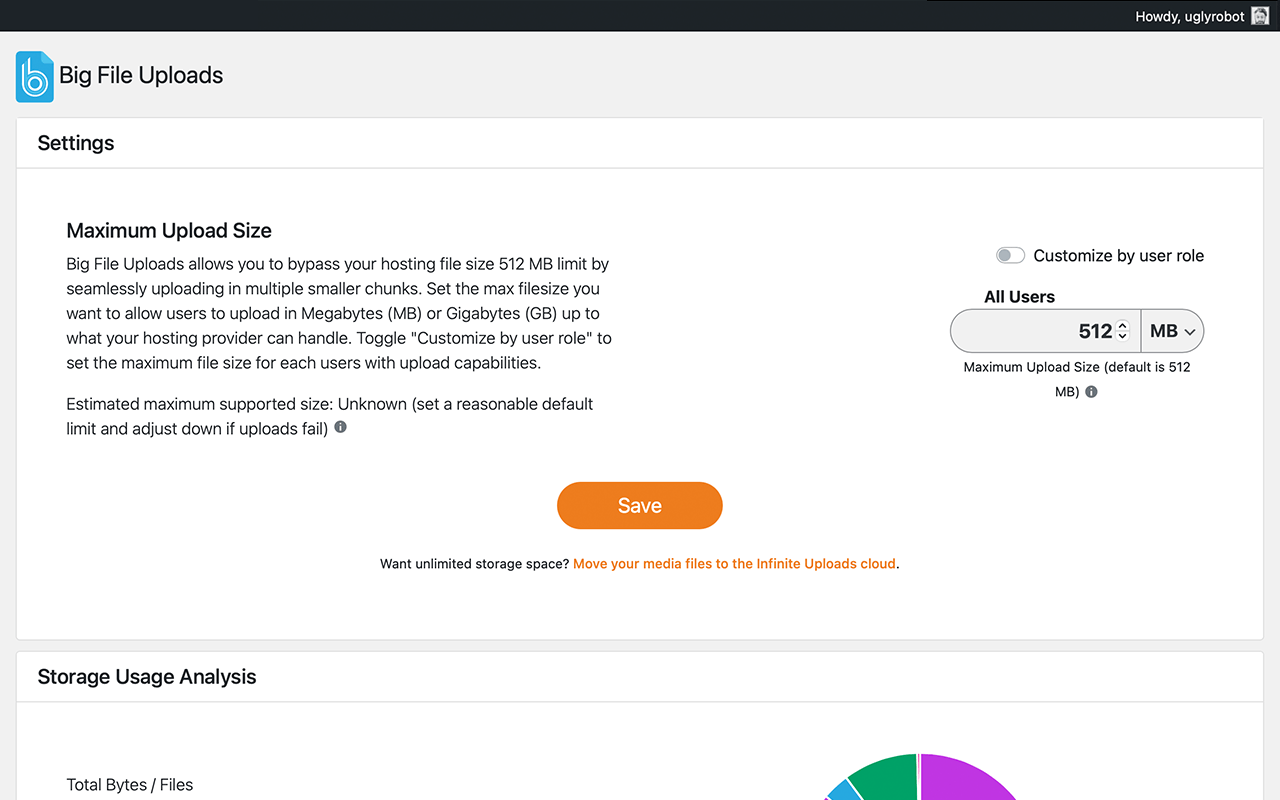
Big File Uploads is a WordPress plugin that allows you to upload large media files directly to your media library. You can increase your maximum upload size and prevent server timeout errors by uploading files in chunks. The plugin is easy to use and does not require any changes to your server settings.Screenshots
Frequently asked questions
What does the Big File Uploads plugin do?
Big File Uploads lets you upload large media files directly to the media library with the WordPress media uploader. It increases your maximum upload size and adds file chunking to avoid server timeout errors.
How does Big File Uploads work?
Big File Uploads automatically detects upload limits set by your server or hosting provider, allows you to increase the maximum upload size, and prevents timeout errors by uploading files in chunks.
Do I need to modify server settings to use Big File Uploads?
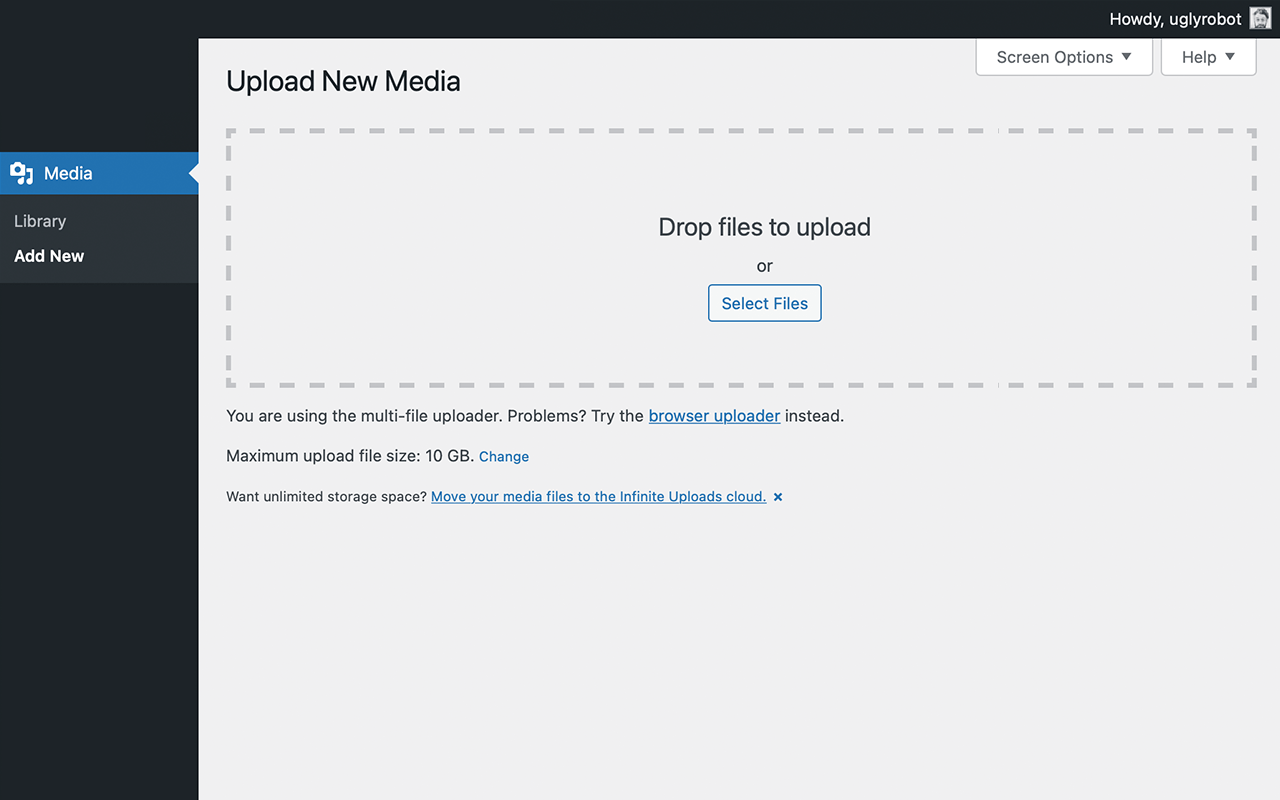
No, you don't need to modify Apache/PHP initialization files or settings. Just activate the plugin, set the upload size, and use the media uploader as usual.
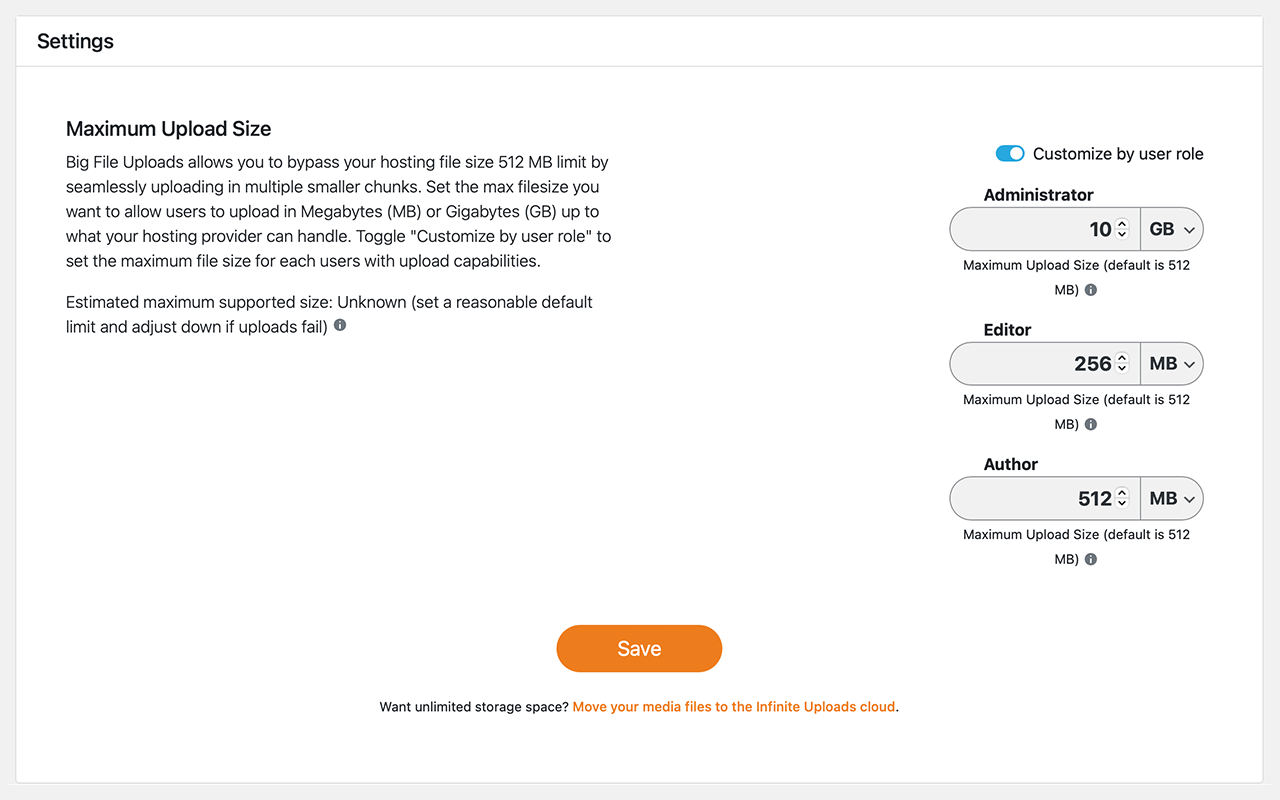
Can I set custom upload limits for different user roles?
Yes, you can set the maximum file size for each user role with upload capabilities, including Administrator, Editor, and Author.
Is Big File Uploads compatible with all hosting providers?
Yes, Big File Uploads works with any server or hosting provider.
Changelog
2.1.6 – 2025-1-7
- 2025 update
2.1.5 – 2025-1-7
- Copyright update
2.1.4 – 2025-1-6
- FAQ update for security bug reporting
2.1.3 – 2024-9-6
- Fix for Authenticated (Author+) Full Path Disclosure vulnerability in error messages. Props @netc4t
2.1.2 – 2023-10-25
- Minor security improvement for dismissing the review notice (CSRF).
2.1.1 – 2022-8-17
- Compatibility with Easy Digital Downloads plugin.
- Protect the temp directory from direct access.
2.1 – 2022-8-14
- Can now handle files of any size, limited only by your disk space, not system temp directory size.
2.0.3 – 2022-7-03
- Security fix: Prevent OS command injection in rare hosting configurations. props Marco Nappi.
2.0.2 – 2022-2-03
- Fix: Conflicts with some theme builders like Themify.
- Fix: Fail with error message instead of showing success with partially uploaded big files missing chunks.
- Optimize default chunk size to limit requests.
- Add a review on wordpress.org timed notice
- Smoother Gutenberg editor support with a custom error message directing to use the media library uploader.
2.0.1 – 2021-6-30
- Bug fix: Sometimes the upgrade notice showed in wrong places in the admin area. props Nick H.
2.0 – 2021-6-20
- Development and support now managed by Infinite Uploads
- Adds the ability to set maximum upload size by user role
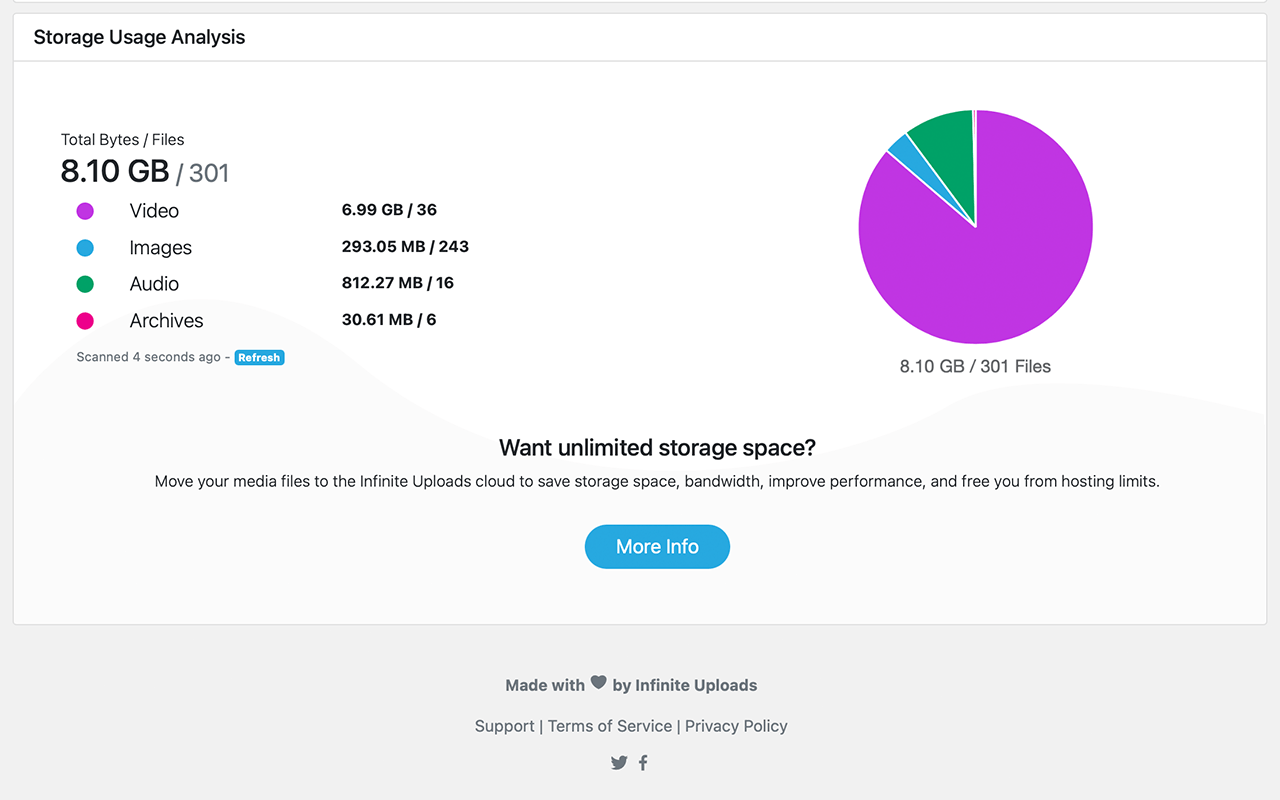
- Adds Disk Utility module for analyzing storage usage
- Moves setting into new Big File Uploads tab under the WordPress Settings menu
- Updated UX design
- Replaces the confusing maximum retries and chunk size options with sane defaults that can be overridden via define
- Install Infinite Uploads and upload large files directly to your cloud account
- Improve notifications
1.2 – 04/09/2016
- Added maximum upload size limit setting.
- Stronger security: uploads now go through admin-ajax and check_admin_referer is called before any chunks are touched.
1.1 – 01/12/2016
- WordPress Multisite support (subdir, subdomain, and pre-WP3.5 networks)
1.0.1 – 01/09/2016
- Added fallback if the file info extension is missing
1.0 – 12/20/2015
- Initial release

