

Just another contact form plugin. Simple but flexible.

About Statify
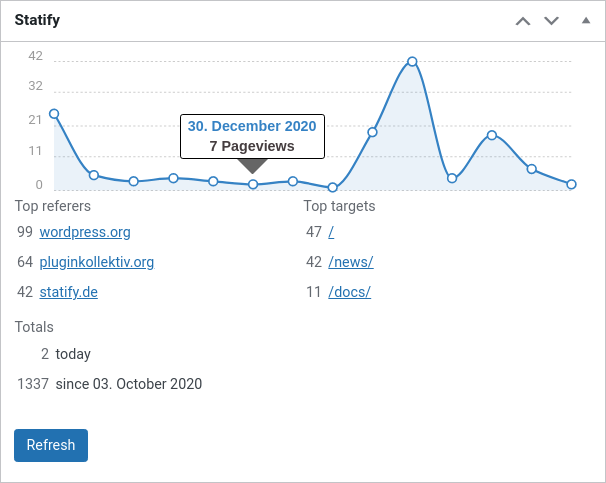
Statify is a privacy-friendly plugin that provides access to site views without using cookies or third parties. It offers an interactive chart, lists of reference sources and target pages, and can be customized to fit your preferences. It is also compliant with GDPR regulations and can be used as a lightweight alternative to other tracking services.Screenshots
Frequently asked questions
What does Statify provide?
Statify provides a straightforward and compact access to the number of site views. It is privacy-friendly as it uses neither cookies nor a third party.
How does Statify handle data privacy?
In direct comparison to statistics services such as Google Analytics, WordPress.com Stats and Matomo (Piwik) Statify doesn't process and store personal data as e.g. IP addresses – Statify counts site views, not visitors. Absolute privacy compliance coupled with transparent procedures: A locally in WordPress created database table consists of only four fields (ID, date, source, target) and can be viewed at any time, cleaned up and cleared by the administrator. Due to this tracking approach, Statify is 100% compliant with GDPR and serves as an lightweight alternative to other tracking services.
How can the Statify widget be configured?
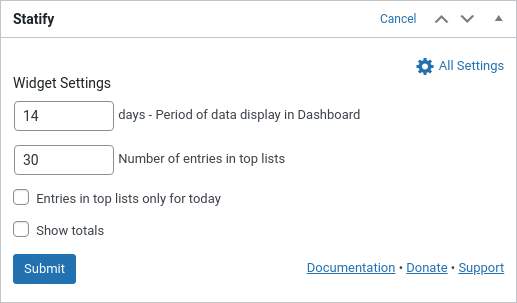
The plugin configuration can be changed directly in the Statify Widget on the dashboard by clicking the Configure link. The amount of links shown in the Statify Widget can be set as well as the option to only count views from today. Of course, older entries are not deleted when changing this setting. The statistics for the dashboard widget are cached for four minutes.
How long does Statify store data?
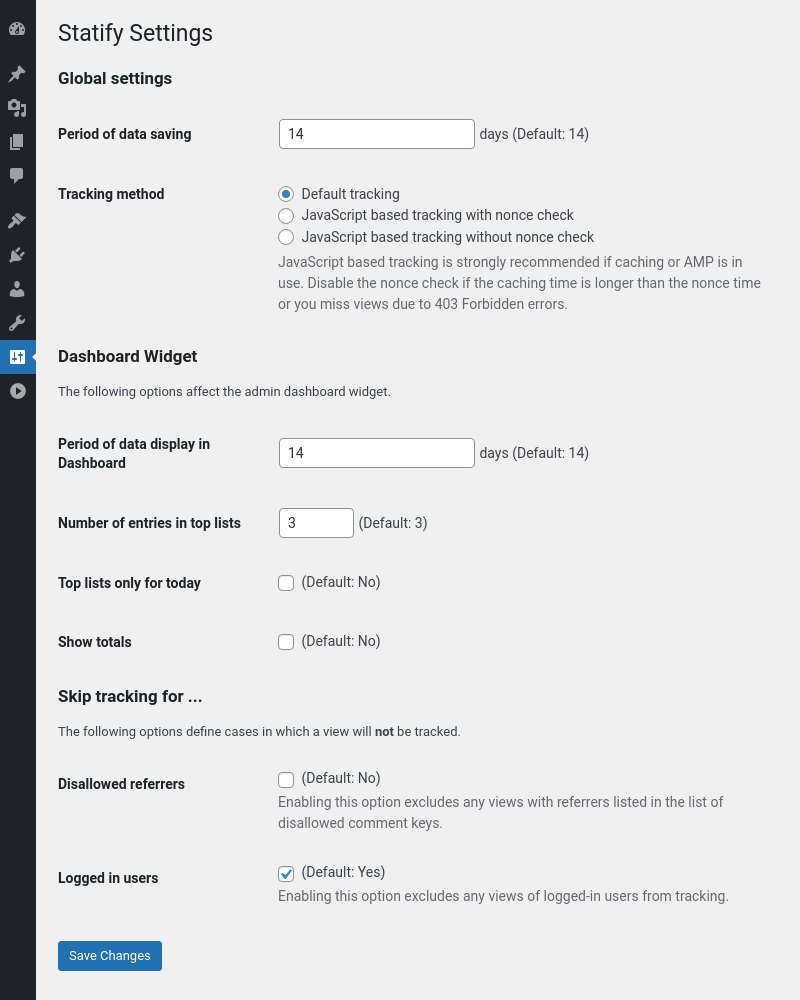
Statify stores the data only for a limited period (default: two weeks), longer intervals can be selected as option in the widget. Data which is older than the selected period is deleted by a daily cron job. An increase in the database volume can be expected because all statistic values are collected and managed in the local WordPress database (especially if you increase the period of data saving).
Does Statify offer JavaScript tracking for caching compatibility?
For compatibility with caching plugins like Cachify Statify offers an optional switchable tracking via JavaScript. This function allows reliable count of cached blog pages. For this to work correctly, the active theme has to call wp_footer(), typically in a file named footer.php.
Changelog
You can find the full changelog in our GitHub repository.
1.8.5
- Updated build environment
- Minor code style corrections
- Tested up to WordPress 6.7
1.8.4
- Use same date retrieval for tracking and analysis (#227) (#232)
- Replace input filtering for PHP 8.1 compatibility (#237)
- Minor markup corrections in dashboard widget (#235)
- Tested up to WordPress 6.1
1.8.3
- Update documentation links (#204)
- Minor markup fix on settings page (#206)
- Dashboard widget is closeable again (#208) (#209)
- Fix static initialization on multisite with PHP 8 (#210, props @walterebert)
- Tested up to WordPress 5.8
1.8.2
- Minor adjustments for the dashboard widget (#197) (#199)
- Tested up to WordPress 5.7
1.8.1
- Fix AMP compatibility for Standard and Transitional mode (#181) (#182)
- JavaScript is no longer embedded if request is served by AMP (#181) (#182)
- Always register the action for the cleanup (#184)
- Exclude sitemap calls (WP 5.5+) from tracking (#185) (#186)
- Tested up to WordPress 5.6
1.8.0
- Fix date offset in dashboard widget in WP 5.3+ environments with mixed timezones (#167)
- Allow to deactivate the nonce check during JavaScript tracking (#168)
- Add support for “disallowed_keys” option instead of “blacklist_keys” in WordPress 5.5 (#174)
- Add refresh button in the dashboard, increase caching time (#157)
1.7.2
- Prevent JavaScript tracking from raising 400 for logged-in users, if tracking is disabled (#159)
- Use
wp_die()instead of header and exit for AJAX requests (#160) - Fix 1 day offset between display range and number of days evaluated in top lists (#162)
1.7.1
- Fix refresh of the dashboard widget when settings have been changed through the settings page (#147)
- Fix Cachify cache not being flushed after changing JavaScript settings (#152)
- Fix date inconsistency for number of total visits (#150)
- Extend user agent filter for bot detection (#149) (#151)
- Update tooltip library (containing a bugfix in IE 11) (#156)
1.7.0
- Fix JavaScript embedding when bots visit before caching (#84) (#86)
- Fix offset in visitor reporting due to different timezones between PHP and database (#117, props @sophiehuiberts)
- Fix untranslatable support link (#122) (#126, props @arkonisus)
- Add separate settings page and reduced widget backview to widget settings only (#111)
- Add options to track logged in users (#103) (#111)
- Add option to show total visits (#134, props @yurihs)
- Refactored JavaScript tracking to use WP AJAX (#109) (#142)
- Introduced new option to separate display from storage range (#72)
- Automatically add AMP analytics trigger if official AMP PlugIn is installed (#110) (#116, props @tthemann)
- Dashboard widget is now scrollable with dynamic point radius to keep long-term statistics readable (#71) (#101, props @manumeter)
- Improved bot detection (#112) (#125, props @mahype)
- Updated Chartist JS library for dashboard widget (#132)
- Skip tracking for favicon.ico redirects (since WP 5.4) (#144)
- Tested up to WordPress 5.4
For the complete changelog, check out our GitHub repository.

