

Import your demo content, widgets and theme settings with one click. Theme authors! Enable simple theme demo import…
About Category Order and Taxonomy Terms Order
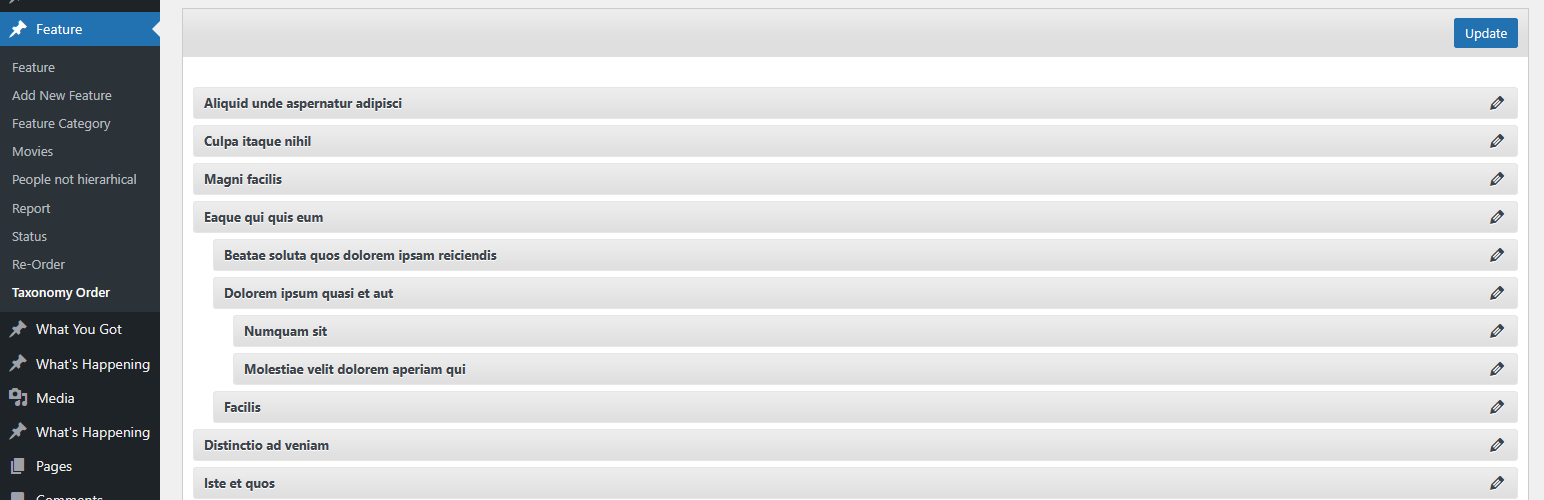
The Advanced Taxonomy Terms Order plugin allows you to easily sort order categories and custom taxonomies terms using a drag and drop interface without requiring any theme or plugin updates. You can choose which taxonomy to sort for custom post types and even order child categories. The plugin is available in multiple languages and offers the ability for users to contribute translations.Screenshots
Frequently asked questions
What does this plugin do?
This plugin allows you to order categories and custom taxonomies terms using a drag and drop sortable JavaScript capability. No theme or plugin update is required as the code applies the customized sorting to the front queries on the fly.
Can I sort multiple taxonomies for a custom post type?
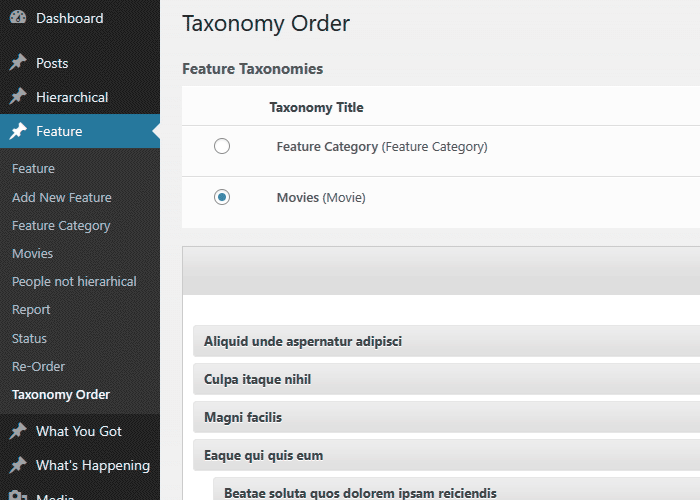
Yes, if multiple taxonomies are created for a custom post type, you can choose the one you want to sort using the provided menu.
Can I order child categories (terms) as well?
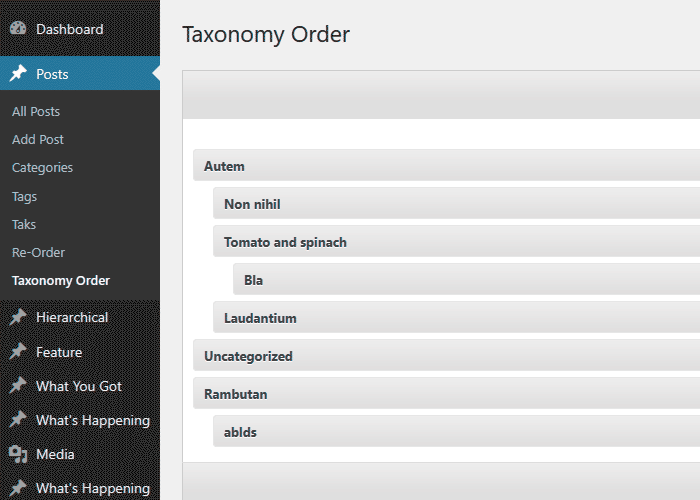
Yes, you can order child categories using the same drag and drop interface.
Can the admin terms interface be sorted too?
Yes, the plugin allows you to sort the admin terms interface according to your new sort.
Who developed this plugin?
This plugin is developed by Nsp-Code.
Changelog
1.9
- Style and layout updates for the re-order interface.
- Add version to the CSS/JavaScript files to ensure latest data is loaded instead cached.
- WordPress 6.8.2 compatibility tag
1.8.8
- PHP 8.3.4 compatibility check
- Slight CSS and layout adjustments.
- WordPress 6.8 compatibility tag
1.8.7
- CSS adjustments for span action section.
- Option for term edit link.
- Include the term edit link on the ReOrder interface.
- WordPress 6.7 compatibility check and tag update.
1.8.6
- Fix: TTO_addons class not loaded which makes the compatibility routines not triggering.
1.8.5
- Temporary placeholder function to prevent fatal errors when using the Uncode theme.
1.8.4
- Code structure improvements.
- New option “Show / Hide re-order interface” – Display the Taxonomy Order interface for the specified post types
- WordPress 6.6.1 compatibility check and tag update
1.8.2
- Polylang fix – Ignore the ‘language’ to avoid unnecessarily sorting.
- Set-up the Live Preview for the plugin.
- WordPress 6.5.4 compatibility check and tag update
1.8.1
- WordPress 6.5 compatibility check and tag update
1.8
- Check if the terms table still includ the custom column, to avoid errors ( mainly when upgrading WordPress )
- Code improvements
- WordPress 6.4.2 compatibility check and tag update
1.7.9
- Trigger wp_cache_flush when saving the order to clear the internal caches
- WordPress 6.3 compatibility tag
1.7.7
- Use term name for admin queries, when the admin sort is active, to avoid “random” returns on certain servers, when term order are empty.
- WordPress 6.2.2 compatibility tag
1.7.5
- New filter tto/admin/plugin_options/capability to add custom roles and capabilities.
- Compatibility tag update for WordPress 6.2
1.7.4
- Compatibility tag update for WordPress 6.1.1
1.7.3
- Use esc_html to escape the ajax response message, to avoid single quotes which will break the code.
1.7.1
- Add the required column when create a new site, when running under MultiSite environment.
1.7
- Create the required columns for all sites, when running under MultiSite environment.
- Compatibility tag update for WordPress 6.0.1
1.6.1
- Compatibility tag update for WordPress 6.0
1.6
- Readme file updates, typos fixes.
- Compatibility tag update for WordPress 5.9.1
1.5.9
- Remove Twitter button
- Compatibility tag update for WordPress 5.8.2
1.5.7.7
- Minor code updates
- Code cleanup
- Compatibility tag update for WordPress 5.8.1
1.5.7.6
- Clear the term cache to ensure the updated order reflect for certain caches
1.5.7.5
- Apply the order within admin if ignore_term_order argument is set and not true
- Compatibility tag update for WordPress 5.7
1.5.7.4
- Fix: Call to undefined function wc_get_attribute_taxonomies()
- Compatibility tag update for WordPress 5.6
1.5.7.3
- Compatibility tag update for WordPress 5.5
1.5.7.2
- Compatibility tag update for WordPress 5.4
1.5.7.1
- Compatibility tag update for WordPress 5.3
1.5.7
- Ignore WooCOmmerce Attributes order as being changed through default interface
1.5.6
- Rely on ‘terms_clauses’ filter than ‘get_terms_orderby’ as producing issues with the $maybe_orderby_meta backward compatibility.
- Fix WooCommerce category order apply
1.5.5
- Ignore admin sort when using columns order within Taxonomy interface
1.5.4
- Replaced serialize with JSON when saving terms order
- New filter to/get_terms_orderby/ignore to allow sort ignore when Autosort is turned On
- Addon code to ignore term_order sorting when Co-Authors plugin term query
1.5.3.2
- Add nonce field for AJAX sort update
1.5.3.1
- Removed Google Plus share button which triggered some JavaScript errors
1.5.3
- Use JSON instead serialize method when sending order through AJAX
- Updated PO language file
1.5.2.2
- Default admin capability changed from install_plugins to manage_options to prevent DISALLOW_FILE_MODS issue. https://wordpress.org/support/topic/plugin-breaks-when-disallow_file_mods-is-set-to-true/
- Prepare plugin for Composer package
- Interface table th elements titles left align
- Interface Taxonomy terms count fix
1.5
- Included ‘ignore_term_order’ to force menu_order ignore when autosort active.
- Translations issues update
1.4.9
- Remove translations from the package
- Removed donate banner
- PHP 7 fix
- Unused action remove
1.4.8
- textdomain folder fix
- Translation fix for user roles
- the_title filter replaced with terms_walker
- Add Nonce for admin settings
1.4.7
- Texdomain change to taxonomy-terms-order to allow translations through translate.wordpress.org
- WordPress 4.4 compatibility update
- Css updates
1.4.6.1
- Security bug fix
1.4.5
- Translation textdomain fix – thanks to Pedro Mendonça
- Portuguese localization update – Pedro Mendonça
1.4.4
- User role switch from deprecated user_level to capabilities
- Taxonomy sort for media
- Admin Options update
1.4.2
- Iranian Language (eydaaad@gmail.com)
- Admin css updates.
1.4.1
- Polish Language(Pozdrawiam – www.difreo.pl/ ; Mateusz – www.czar-net.com )
1.4.0
- Hungarian Language(Adam Laki – http://codeguide.hu/)
- Ukrainian translation (Michael Yunat – http://getvoip.com)
- Czech translation
1.3.7
- Brazilian Portuguese Language (Rafael Forcadell – www.rafaelforcadell.com.br)
1.3.6
- Traditional Chinese Language (Danny – http://sofree.cc)
- Minor admin styling
1.3.4
- Menu walker update
- Translations load fix
- Japanese language
1.3.0
- Headers already sent bug fix
- Slovak Language (Branco Slovak http://webhostinggeeks.com/user-reviews/)
1.2.9
- Small updates
- German and French languages.
1.2.7
- Localization implement, Dutch and Romanian.
- Many thanks to Anja Fokker http://www.werkgroepen.net/

