

Just another contact form plugin. Simple but flexible.
About Disable Gutenberg
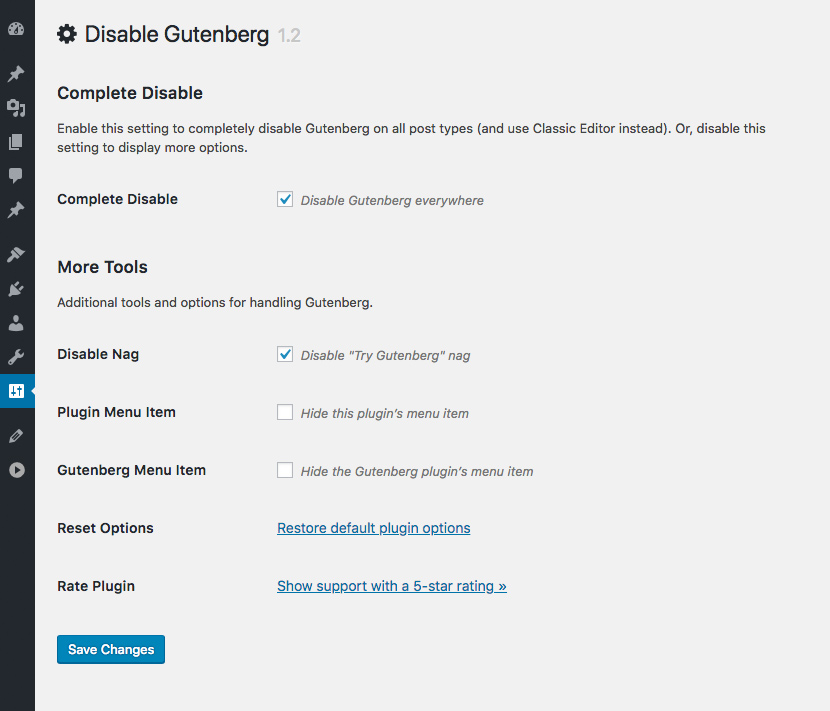
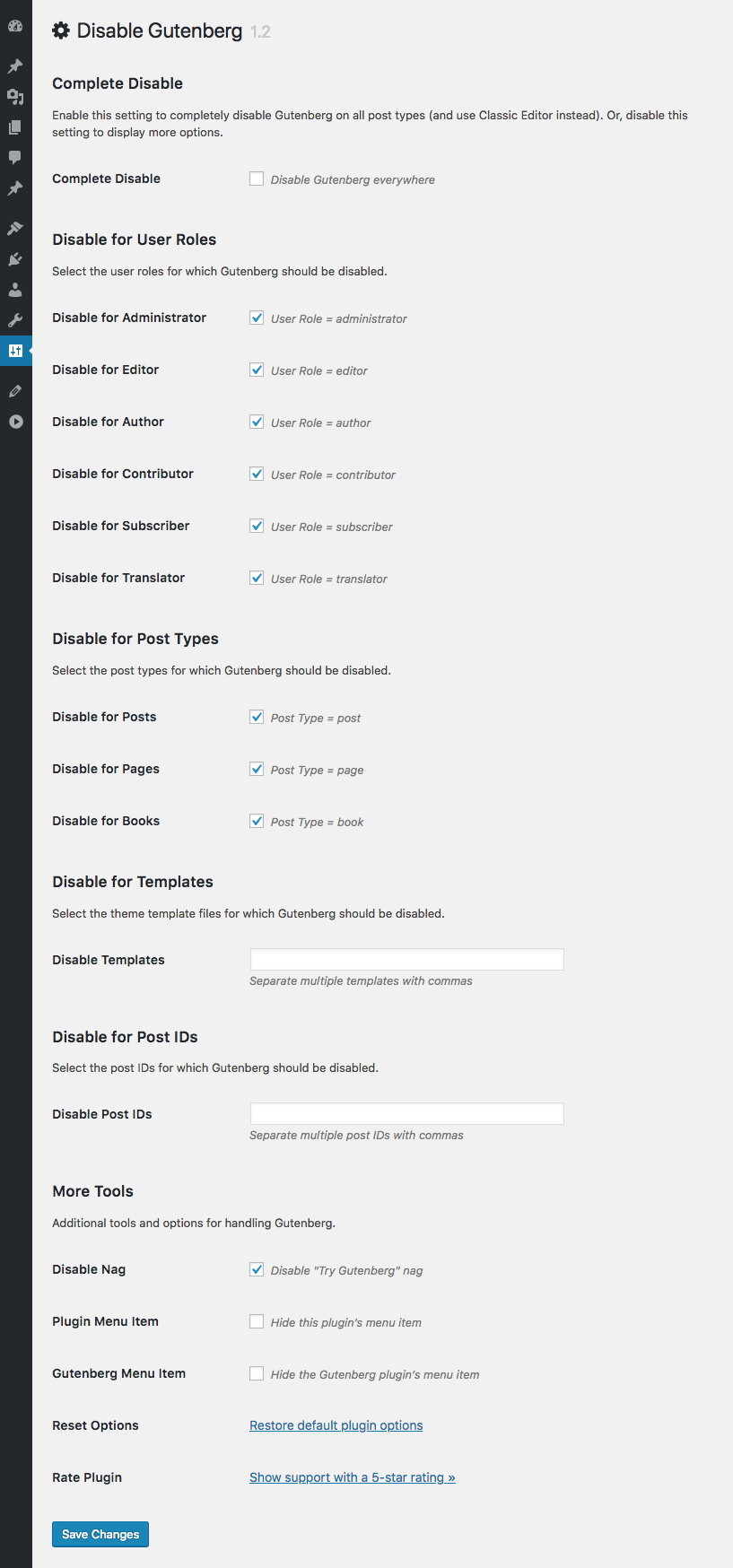
The Disable Gutenberg plugin allows you to replace the new Gutenberg Editor with the Classic Editor in WordPress. You can disable Gutenberg completely or selectively for posts, pages, user roles, post types, and theme templates, as well as hide the Gutenberg nag and menu item. Developed by a 15-year WordPress developer, it is lightweight, fast, and customizable, with options to restore Classic Widgets and other features.Screenshots
Frequently asked questions
What does the Disable Gutenberg plugin do?
This plugin disables the new Gutenberg Editor (aka Block Editor) and replaces it with the Classic Editor. It restores the original WordPress editor and the "Edit Post" screen, allowing continued use of plugins and theme functions that extend the Classic Editor.
How can I disable Gutenberg with this plugin?
You can disable Gutenberg completely, or selectively disable it for posts, pages, roles, post types, and theme templates. The plugin also provides options to hide the Gutenberg nag and menu item.
Does this plugin support Classic Widgets?
Yes, the plugin includes an option to restore Classic Widgets and disable Block Widgets.
What features does the restored Classic Editor support?
The restored Classic Editor supports features like Meta Boxes, Quicktags, Custom Fields, and other functionalities available in the original Classic Editor.
Is the Disable Gutenberg plugin easy to use?
Yes, just activate the plugin and it's done. The default settings hide all traces of the Gutenberg Block Editor and fully restore the original Classic Editor. Further customization options are available in the plugin settings.
Changelog
Thank you to everyone for using Disable Gutenberg and for all the awesome 5-star reviews!
If you have any feedback or suggestions to make this plugin the absolute best it can be, and/or would like to help with development, please reach me via the contact form at Plugin Planet.
3.2.3 (2025/03/24)
- Removes
load_i18n()function - Adds uninstall option
disable-gutenberg-dismiss-notice - Generates new language template
- Tests on WordPress 6.8
Full changelog @ https://plugin-planet.com/wp/changelog/disable-gutenberg.txt

