

Just another contact form plugin. Simple but flexible.
About Security Optimizer – The All-In-One WordPress Protection Plugin
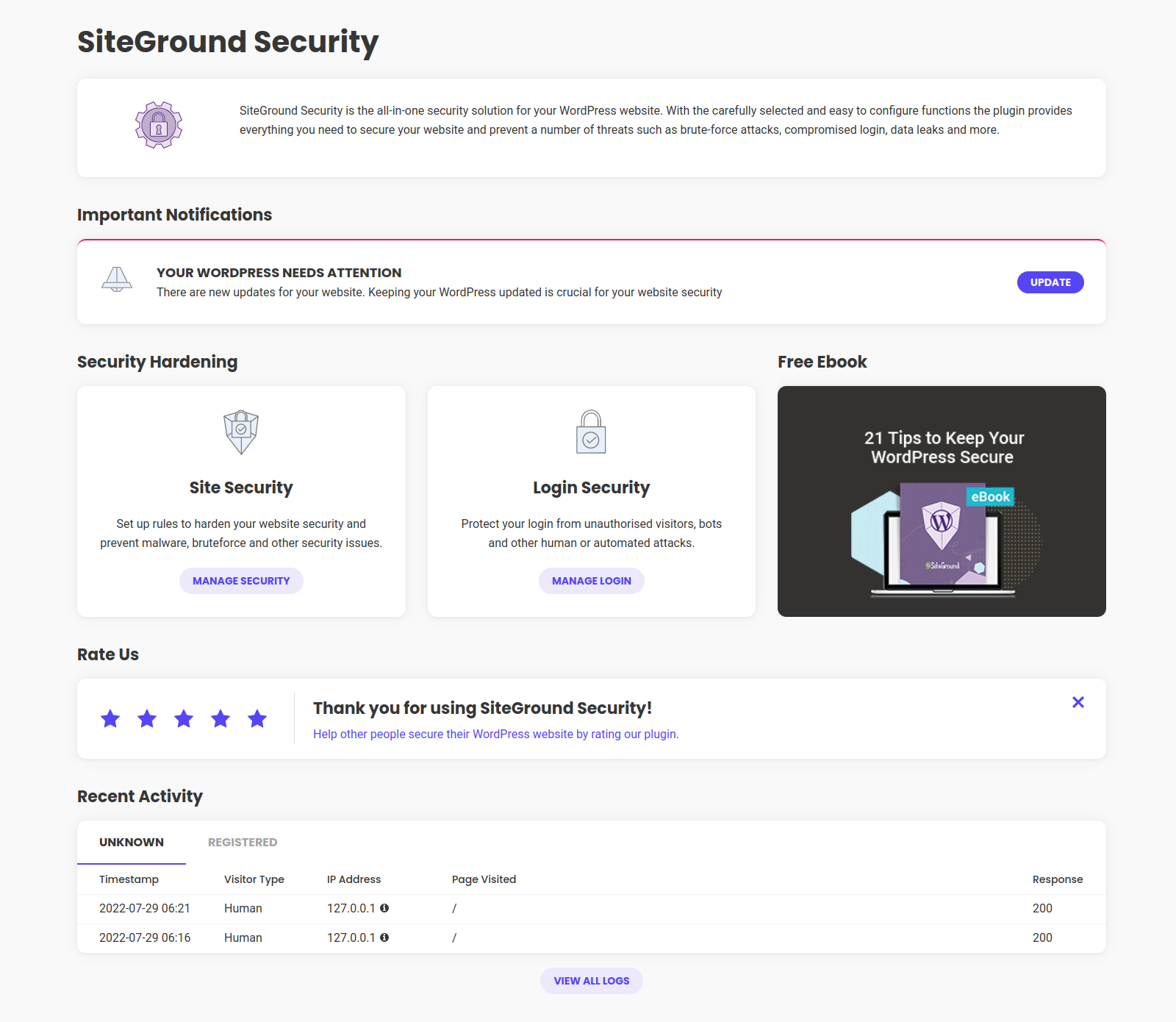
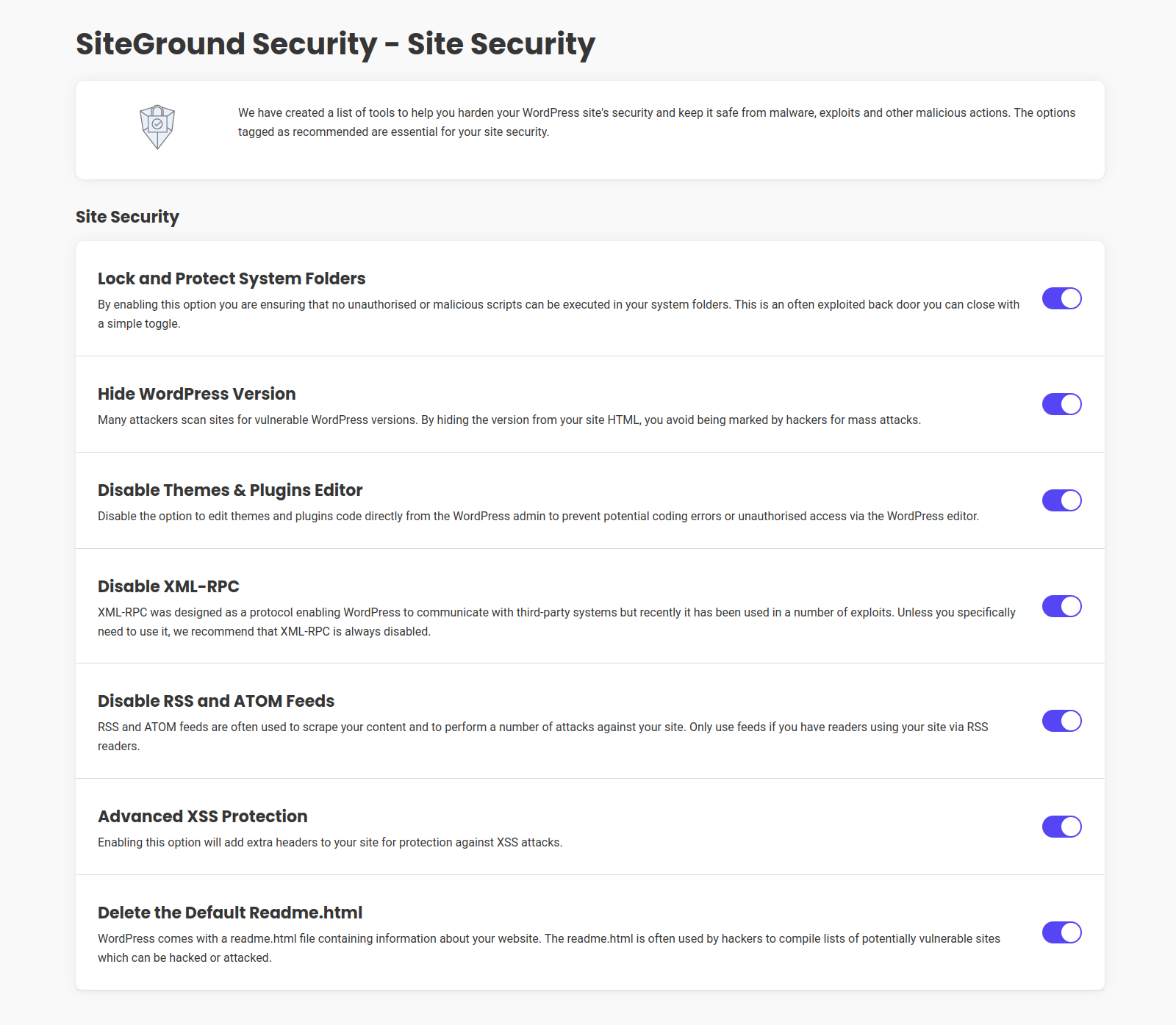
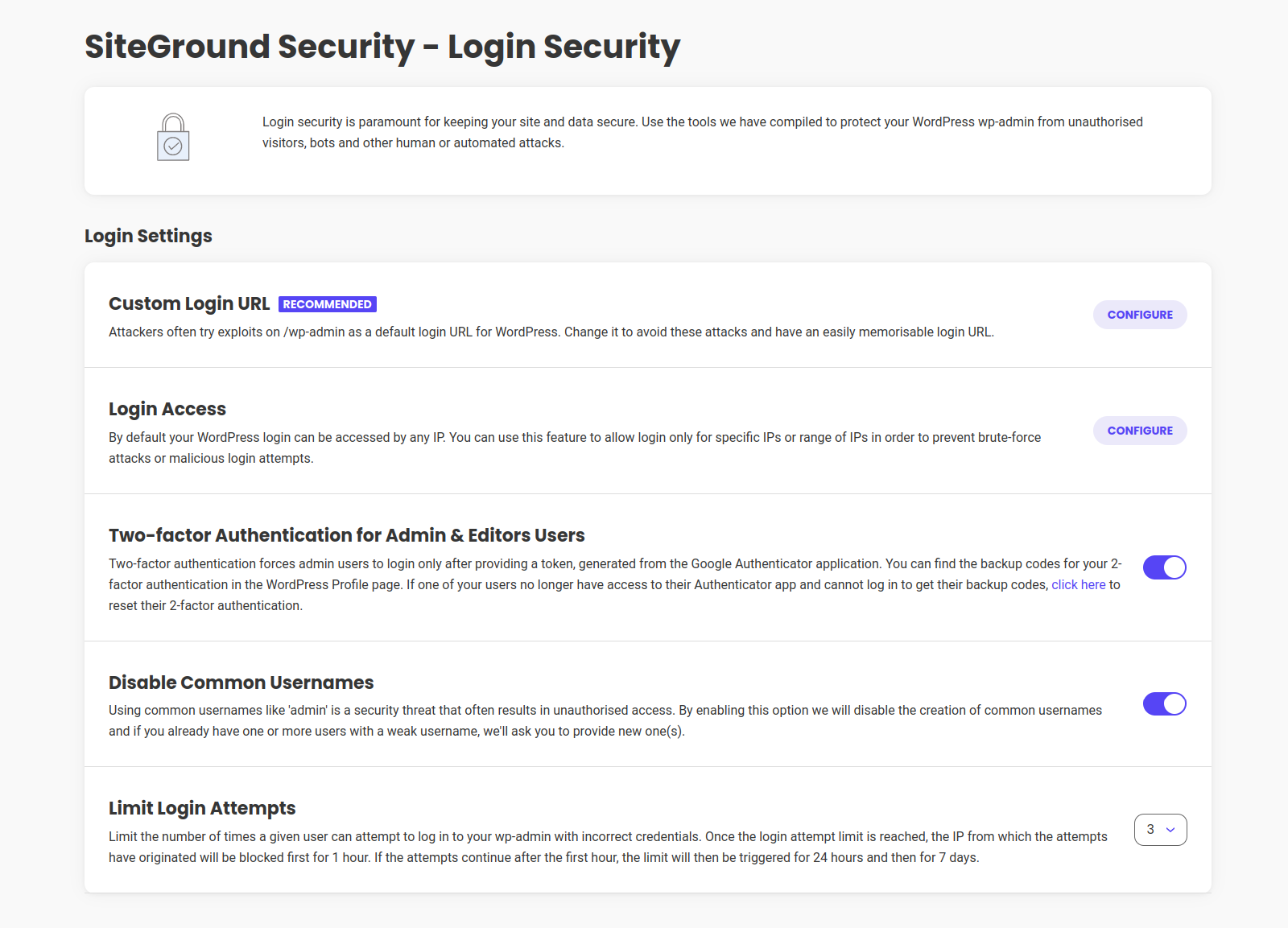
Security Optimizer is a free WordPress security plugin that helps protect your website against various security breaches. It offers features like two-factor authentication, limiting login attempts, changing login URLs, advanced XSS protection, and more. Developed by SiteGround, it is trusted by over 900,000 webmasters for its robust security shield and ease of use.Screenshots
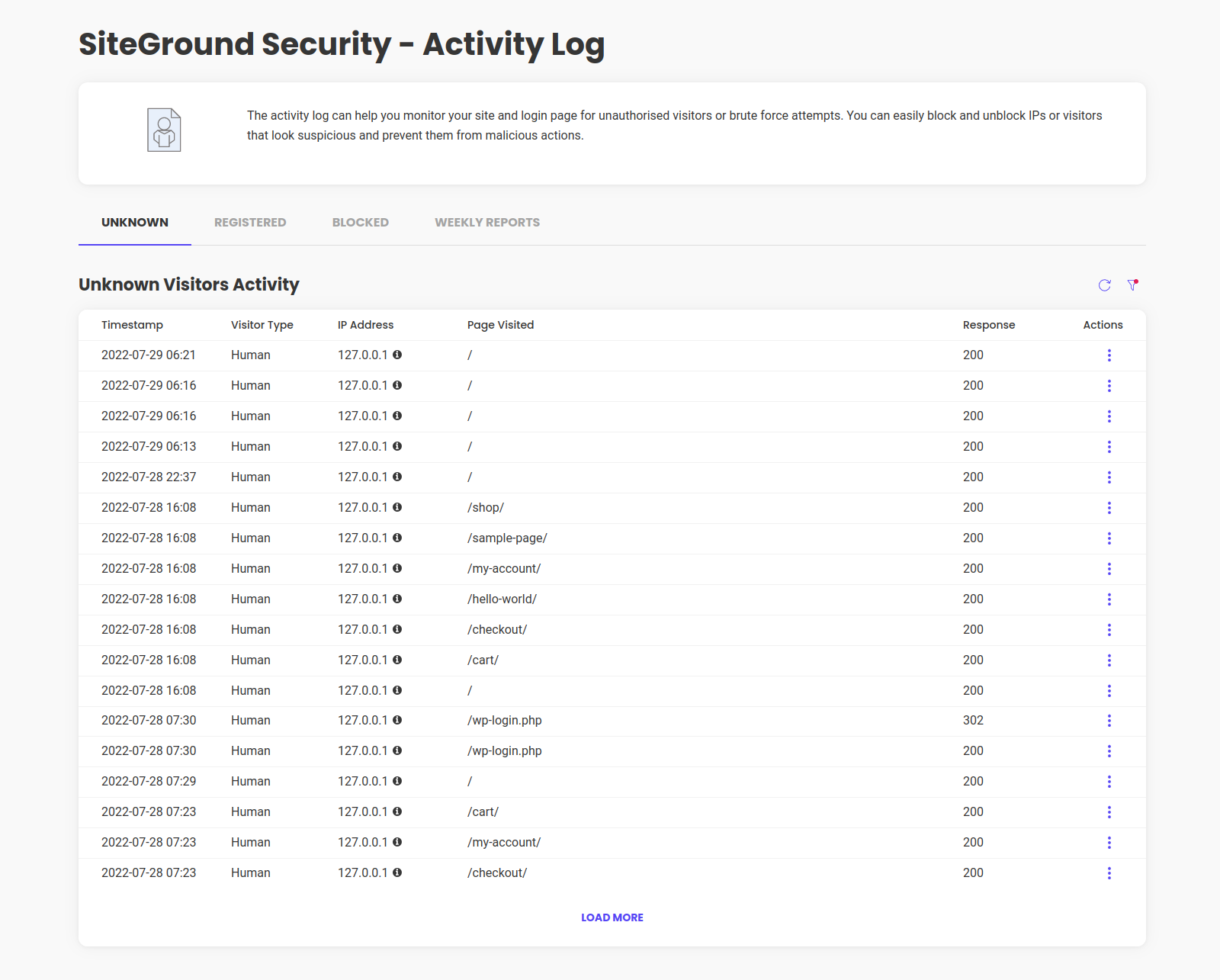
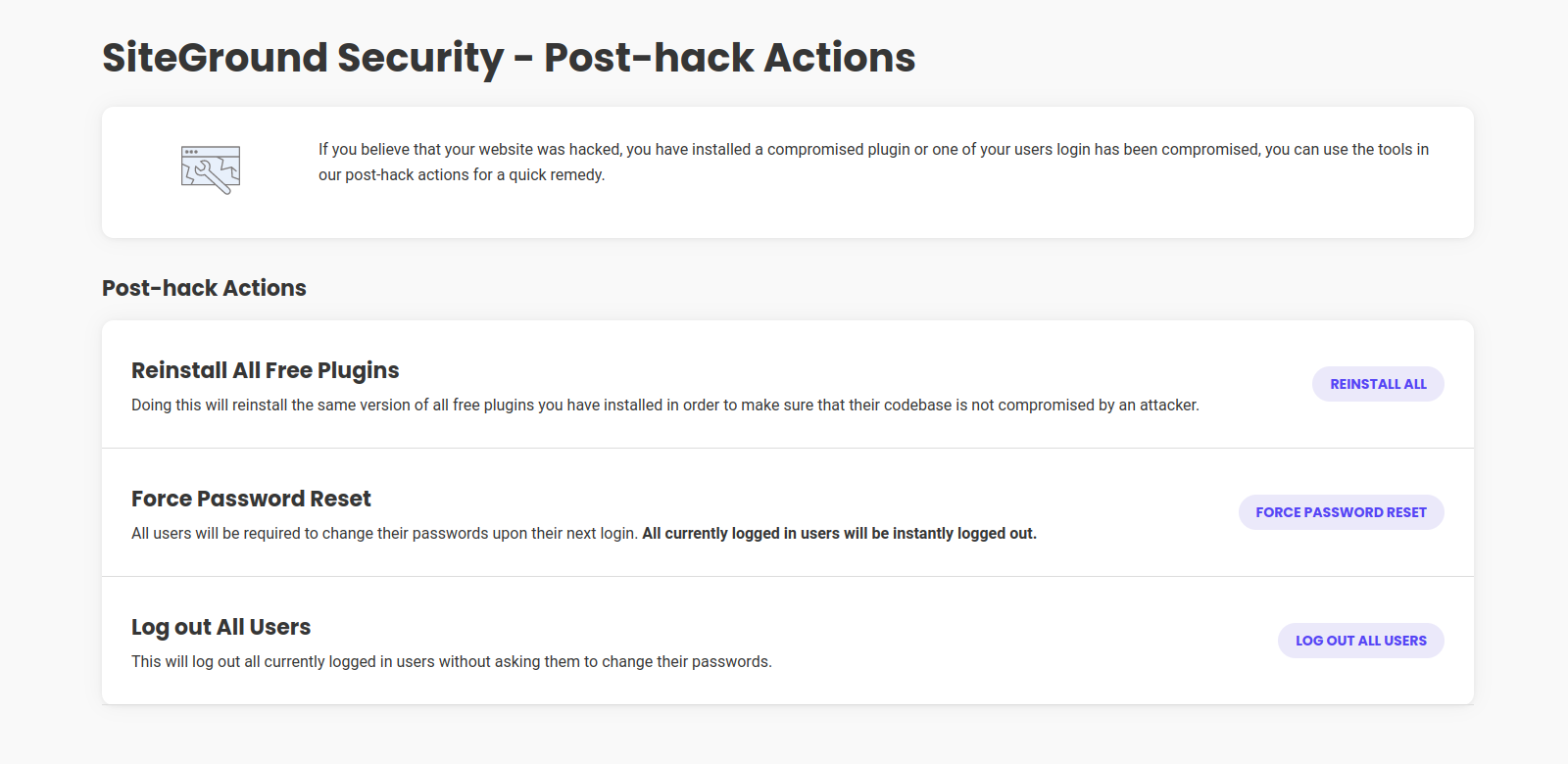
Frequently asked questions
How can I secure my WordPress site from attacks?
You can secure your WordPress site from attacks by using our security plugin. It provides features such as Two-Factor Authentication, Limit Login Attempts, Custom Login URL, Advanced XSS Protection, and more.
What is Two-Factor Authentication?
Two-Factor Authentication is an extra layer of security that requires admin users to provide a unique token generated through the Google Authentication application during the login process.
How can I change the default login URL?
You can change the default login URL to a custom login URL using our security plugin. This helps avoid attacks on the login page.
What is Advanced XSS Protection?
Advanced XSS Protection is a feature that adds an extra layer of security against cross-site scripting (XSS) attacks on your website.
How can I lock and protect system folders?
You can lock and protect system folders in your WordPress application to ensure that no unauthorized or malicious scripts can be executed in those folders.
Changelog
Version 1.5.7
Release Date Nov 21st, 2024
- Translation loading improvements
Version 1.5.6
Release Date: Oct 9th, 2024
- Custom Login URL improvements
- 2FA improvements
- Activity Log improvements
Version 1.5.5
Release Date: Sep 18th, 2024
- Options improvements.
- Block Service improvements.
Version 1.5.4
Release Date: Sep 10th, 2024
- Activity log code improvements.
- Salt Shaker code improvements.
Version 1.5.3
Release Date: Aug 27th, 2024
- Code Improvements.
Version 1.5.2
Release Date: Aug 1st, 2024
- Improved Custom Login Url handling
- Improved Plugins Reinstall actions
- Improved Translations
- Improved plugin config
- Fixed deprecated warnings in custom WP-CLI commands
Version 1.5.1
Release Date: July 17th, 2024
- Improved Activity log bot detection
- Improved Activity log logout handling
- Improved 2FA with third-party custom logins
- Improved compatibility with third-party plugins
- Security improvements related to plugin notices
Version 1.5.0
Release Date: May 23rd, 2024
- Improved support for PHP 8.2 and 8.3.
- Improved plugin configuration.
Version 1.4.13
Release Date: Mar 27th, 2024
- Plugin optimization.
Version 1.4.12
Release Date: Feb 20th, 2024
- Bugfixes related to cookies and 2FA
Version 1.4.11
Release Date: Feb 14th, 2024
- Security improvements related to cookies
- Performance improvements
Version 1.4.10
Release Date: Jan 11th, 2024
- Static assets are now part of the plugin package and load locally.
- New users will be prompted to give their consent for the collection of technical data upon their initial use of the plugin.
Version 1.4.9
Release Date: Dec 12th, 2023
- Improved detection of bots in activity log
- Improved feature “Reinstall All Free Plugins” – deactivated plugins no longer get activated after the reinstall.
Version 1.4.8
Release Date: Nov 22nd, 2023
- Dashboard visuals improvements
- Readme file improvements
- Weekly Security Report improved translations
Version 1.4.7
Release Date: Oct 24th, 2023
- Data collection opt out option
- Readme file formatting improvements
- Plugin name formatting improvements
- Weekly Activity Report Sending Schedule Randomisation
Version 1.4.6
Release Date: Sept 26th, 2023
- Changing the name we use inside the plugin from SiteGround Security to Security Optimizer
- Updating data collection process and Introducing a link in the plugin interface to the Plugin Privacy notice
Version 1.4.5
Release Date: May 4th, 2023
- Improved log cleanup
Version 1.4.4
Release Date: May 3rd, 2023
- Improved Visitors DB table indexing
- Block service restored
Version 1.4.3
Release Date: Apr 27th, 2023
- Block service temporally disabled
Version 1.4.2
Release Date: Apr 27th, 2023
- Improved Activity Log process and filters
- Improved restricted login response code
- Improved PHP 8.2 compatibility
- Alternative constant added for non-standard cron job usage
Version 1.4.1
Release Date: Feb 23rd, 2023
- Internal configuration improvements
Version 1.4.0
Release Date: Feb 1st, 2023
- Internal configuration changes
Version 1.3.9
Release Date: Jan 25th, 2023
- Improved Foogra Theme support
Version 1.3.8
Release Date: Dec 6th, 2022
- Improved Rest response
- Improved Settings Page checks
- Improved Disable Themes & Plugins Editor
Version 1.3.7
Release Date: Nov 15th, 2022
- SG Security Dashboard bugfix
- Improved 2FA Encryption key validation
- Improved Custom Login/Register URL validation
- Improved LiteSpeed Cache support
- Option to use custom 2FA encryption key filepath
Version 1.3.6
Release Date: Nov 8th, 2022
- Improved 2FA security with encryption
- Improved Access Log filters
- New WP-CLI command: reset all users 2FA setup
Version 1.3.5
Release Date: Oct 18th, 2022
- Improved Custom Login URL
- Improved Activity log
Version 1.3.4
Release Date: Oct 10th, 2022
- Install service fix
Version 1.3.3
Release Date: Oct 10th, 2022
- New Manage Activity Log option
- New filter – Disable activity log
- Improved Custom login url
- Improved WP-CLI support
- Improved Jetpack plugin support
- Improved error handling
- Minor bug fixes
- Legacy code removed
Version 1.3.2
Release Date: Sept 21st, 2022
- 2FA Backup codes security strengthening
Version 1.3.1
Release Date: Sept 13th, 2022
- 2FA Authentication Security Strengthening
- IP Address detection Security Strengthening
Version 1.3.0
Release Date: July 14th, 2022
- Brand New Design
- Improved 2FA Authentication compatibility with Elementor custom login pages
- Improved data collection
- Minor fixes
Version 1.2.9
Release Date: June 20th, 2022
- NEW Filters for “Lock and Protect System Folders” excludes
- Improved IP Ranges support
- Improved Blocked IP addresses list
- Improved Delete the Default Readme.html
- Improved 2FA Authentication validation
- Improved 2FA Authentication support for “My Account” login
- Improved Data Collection
- Minor fixes
Version 1.2.8
Release Date: May 18th, 2022
- Improved plugin security
Version 1.2.7
Release Date: April 8th, 2022
- Minor bug fixes
Version 1.2.6
Release Date: April 7th, 2022
- 2FA Refactoring
Version 1.2.5
Release Date: April 6th, 2022
- 2FA Authentication refactoring
- Improved Weekly Emails
- HTST service deprecated
Version 1.2.4
Release Date: March 16th, 2022
- Improved Weekly Emails
- Improved Woocommerce Payments plugin support
- 2FA Authentication Security Strengthening
Version 1.2.3
Release Date: March 11th, 2022
- 2FA Authentication Security Strengthening
Version 1.2.2
Release Date: March 11th, 2022
- 2FA Authentication Security Strengthening
Version 1.2.1
Release Date: March 9th, 2022
- Improved Weekly reports
- Improved HTTP Headers service
- Code Refactoring
Version 1.2.0
Release Date: February 28th, 2022
- NEW – Weekly Reports
- Code Refactoring and General Improvements
- Improved 2FA user role support
- Improved error handling
- Improved Limit Login IP Range support
- Improved Event log
- Improved Phlox theme support
- Minor fixes
- Improved WP-CLI support
- Environment data collection consent added
Version 1.1.3
Release Date: October 1st, 2021
* Improved Hide WP version functionality
Version 1.1.2
Release Date: August 20th, 2021
* Improved Custom Login URL functionality
* Improved 2FA
* Improved success/error messages
Version 1.1.1
Release Date: August 12th, 2021
* Improved 2FA
* Improved logout functionality
Version 1.1.0
Release Date: July 27th, 2021
* NEW! Added 2FA backup codes to the profile edit page
* NEW! Custom login and registration URLs
* NEW! Added automatic HSTS headers generation
* Improved Disable common usernames functionality
* Improved Mass Logout Service
* Improved Activity Logging and added custom labeling
* Improved Password Reset functionality
Version 1.0.4
- Improved Limit Login Attempts
Version 1.0.3
- Fixed rating box bug on safari
- Improved RSS & ATOM Feed Disabler service
Version 1.0.2
- Added filter to configure log lifetime
- Added WP CLI support
- Improved strings
Version 1.0.1
- Added defaults on install
- Improved translation support
- Added cleanup on uninstall
Version 1.0.0
- First stable release.
Version 0.1
- Initial release.

