Looking for ways to optimize your WordPress website’s social media presence? Look no further! This article will introduce you to some of the best Facebook plugins that can enhance your website’s interaction with the popular social media platform.
From sharing your content to integrating comments, these plugins provide a wide range of features and benefits that can significantly boost your online presence and engagement.
As the world of digital marketing continues to evolve, having a robust social media strategy is more important than ever. We have already covered how Instagram and Twitter impact your social media presence.
In this listicle, you’ll discover how to streamline your social media efforts using WordPress Facebook Plugins. These plugins not only aid in connecting your website with your Facebook account but also simplify various processes like user registration, content sharing, and even online marketing. Dive in to explore the exciting world of Facebook plugins for WordPress that can take your website to new heights.
Facebook for WooCommerce
The Facebook for WooCommerce plugin is the official tool developed by Facebook that integrates your WooCommerce website with the social media platform.
This plugin is designed to streamline your business’s online marketing efforts by connecting your product catalog with Facebook and installing a Facebook pixel on your website. This enables you to run dynamic ads and track their performance across devices, which can greatly enhance your ability to reach and engage with your target audience.
Features and Benefits
- Maximizing Campaign Performance: By setting up the Facebook pixel and building your audience, you can optimize your ads for individuals who are most likely to purchase your products. This also enables you to follow up with people by showing them relevant ads on Facebook after they’ve visited your website. Utilizing Facebook ads reporting software allows you to track and analyze the performance of your campaigns, helping you make data-driven decisions.
- Finding More Customers: This plugin makes it easy to connect your product catalog to Facebook, which automatically creates carousel ads that display your products and draw more shoppers to your website.
- Generating Sales: The Facebook for WooCommerce plugin is designed to help you boost your sales by reaching out to shoppers when they are on Facebook with ads for products they viewed on your website. This feature is set to be included in a future release of the plugin.
Pricing Structure
The plugin is free to use.
Nextend Social Login and Register

Nextend Social Login and Register is a versatile and user-friendly WordPress plugin that simplifies the registration and login process for visitors on your website.
This plugin allows users to register and log in using their social profiles, such as Facebook, Google, and X (formerly Twitter), eliminating the need for filling out lengthy registration forms, waiting for validation emails, or remembering numerous usernames and passwords.
Features and Benefits
- One-click registration and login via Facebook, Google, and X (formerly Twitter): This feature streamlines the process of registration and login, saving visitors’ time and enhancing their user experience.
- Users can link their social profiles to their accounts: This allows users to access their accounts either with or without their social profiles, providing them with flexibility and convenience.
- Customizable redirects: You can specify custom redirect URLs after registration or login. This can be used to guide users to specific pages, such as a welcome page or a special offer page, enhancing user engagement.
- Display profile pictures as avatars: This feature personalizes the user experience by displaying the user’s social media profile picture as their avatar.
- Login widget and shortcodes: These tools make it easy to integrate the login feature into your website’s design.
- Editable and translatable texts on the login buttons: This allows you to customize the text on the login buttons, making it possible to personalize the buttons or translate them into different languages.
- Additional features with the Pro Addon: This includes compatibility with various other plugins such as WooCommerce, BuddyPress, and Easy Digital Downloads, as well as the ability to restrict specific user roles from using the social logins.
Pricing Structure
In terms of pricing, Nextend Social Login and Register offers a free version with the basic features. For advanced features, they offer a Pro Addon.
Smash Balloon Social Post Feed

The Smash Balloon Social Post Feed is a dynamic Facebook plugin designed for WordPress websites.
It serves to display Facebook posts on your website in a completely customizable, responsive, search engine crawlable, and GDPR-compliant manner. The plugin allows you to display unlimited Facebook feeds from your Facebook page or group, matching the aesthetic of your site with countless customization options.
Features and Benefits
- Supports Facebook embeds: The plugin automatically powers Facebook embeds on your site preventing them from breaking.
- Simple Setup: The plugin is designed for easy setup and use without the need for a Facebook Developer App.
- Customizable: The Facebook feed adopts the styles of your WordPress theme by default, but can be fully customized to match your website style.
- Compatibility: The plugin is compatible with Elementor and Divi for easy page building.
- SEO Friendly: The Facebook feed content is crawlable by search engines, adding SEO value to your site.
- Like Box Widget and Visual Header: The plugin includes the official Facebook Like Box widget and a visual header with your Facebook page or group cover photo, profile picture, bio, and number of likes.
- In addition to these features, Smash Balloon Social Post Feed offers a Pro version that allows you to display photos, videos, the number of likes, shares, reactions and comments for each Facebook post, choose from multiple layout options, filter Facebook posts by type or #hashtag/string, load more Facebook posts into your feed, and more.
Pricing Structure
The plugin is free to use with pro version available at additional cost.
Widget for Social Page Feeds

The Widget for Social Page Feeds, formerly known as the “Facebook Page Like Widget” is a highly recommended WordPress Facebook Plugin that has gained immense popularity due to its simplicity and effectiveness.
With over 1.5 million downloads and 80,000+ active installs, this plugin offers a convenient and lightweight solution for showcasing Facebook page feeds on your WordPress sidebar. This plugin not only enhances the aesthetic appeal but also increases user engagement on your website.
Features and Benefits
- Light weight & easy to configure: This plugin is not heavy on resources and offers an easy-to-use interface for quick setup.
- Add application ID: You can add an application id from your created Facebook application or use the default application id, adding it into the widget & the URL of your Facebook page.
- Configuration options: The plugin provides various customization options like show/hide posts from the timeline, show/hide cover, show/hide profile photos, show small header, width options, language selection, and custom CSS.
- Shortcode support: It supports shortcode, allowing you to quickly add the widget to your Post or Page by simply adding [fb_widget] into the content.
Pricing Structure
The Widget for Social Page Feeds Plugin is free to download and use.
Simple Share Buttons Adder

The Simple Share Buttons Adder is a practical and user-friendly WordPress Facebook plugin that is designed to simplify the process of adding share buttons to your posts and pages. It is designed to address the common challenge of promoting content across various social media platforms by providing you with an easy way to integrate share buttons on your website.
Features and Benefits
- Simple and Easy to Use: This plugin is straightforward and user-friendly, making the process of adding share buttons to your posts and pages as simple as possible. This saves you time and effort, allowing you to focus on creating quality content.
- Modern Share Buttons: The plugin comes with a Modern Share Buttons tab that offers CSS-based settings for utmost flexibility. This allows you to customize your share buttons, including the icon and icon hover colors to match your brand’s aesthetics.
- Customizable Themes: The Simple Share Buttons Adder offers predefined CSS themes that you can use. Alternatively, you can use your own custom CSS, providing you with extensive control over the appearance of your share buttons.
Pricing Structure
The Simple Share Buttons Adder is a free WordPress plugin. However, it also offers premium features that come at a cost.
Social Media Widget

The Social Media Widget is a WordPress plugin that caters to all your social media needs.
It’s a simple and effective sidebar widget that allows users to connect and link their various social media profiles, increasing their online presence and boosting their social media engagement. This plugin solves the problem of having to manually insert links to your social media profiles, saving you time and effort.
Features and Benefits
- Supports a variety of social media sites: With this plugin, you can link almost any social media profile to your WordPress site. From Facebook, Twitter, LinkedIn, Instagram, Pinterest, YouTube, to lesser-known platforms like Hyves, aSmallWorld, and PlanCast, you have a wide array of options. This feature allows you to increase your reach by connecting with users across different social media platforms.
- Customizable icon sizes: You can select from four icon sizes (16×16, 24×24, 32×32, 64×64) or even set a custom size according to your preference. This allows you to maintain the aesthetic of your website by ensuring the icons fit seamlessly into your design.
- Multiple icon packages: The plugin offers several icon packages including Web 2.0, Sketch, Heart, Cutout, and Custom. This provides you with a wide range of visual options to choose from, enhancing the visual appeal of your website.
- Customizable alt/title tags: You can create your own image alt/title tags for hover-over text. This can improve your website’s SEO and accessibility, making it more user-friendly.
Pricing Structure
The Social Media Widget is a free plugin available for download on the WordPress plugin directory.
Feed Them Social – Page, Post, Video, and Photo Galleries

The Feed Them Social is a powerful WordPress Facebook plugin that allows you to create and display customizable social feeds from Instagram, Facebook, TikTok, or YouTube. This plugin fills the need for sharing social media content seamlessly on your website, facilitating increased user engagement, and keeping visitors on your site longer.
Features
- Display social feeds on any post, page, or sidebar.
- Saved Feed options for easy editing.
- View your Feed while editing the options.
- Simple Access Token fetching.
- Customize Font colors.
- Convert old shortcodes to saved feed options.
- Share buttons for Instagram, Facebook, Twitter, and YouTube Feeds.
- Add Like and/or Follow Buttons above or below any feeds.
Pricing Structure
The plugin is free to use with premium version starting from $50.
Social Media Feather

WordPress Social Media Feather is a user-friendly, lightweight plugin that enables effortless social sharing and following for all your posts, pages, and custom post types.
This plugin supports all major social networks and provides customizable features to enhance your social media presence. With an emphasis on simplicity, performance, and social sharing impact, this plugin is perfect for businesses and individuals who want to extend their reach on social platforms.
Features and Benefits:
- Integrated WordPress social sharing: You can easily add social sharing buttons to all your posts, enhancing visibility and encouraging user interaction.
- Widgets for social sharing and following: Widgets allow you to add social buttons in any widgetized area on your site, further increasing their visibility.
- Support for all major social networks: With support for Facebook, Twitter, Pinterest, LinkedIn, and more, you can reach your audience wherever they are.
- Shortcodes for easy integration: Shortcodes allow you to easily add share and follow buttons anywhere on your site.
Pricing Structure
The WordPress Social Media Feather plugin is free to use. Additional features and customization options are available through several paid add-ons, including Extra Social Icons Skins and Light Prompt, which add counts for social shares.
WP2Social Auto Publish
WP2Social Auto Publish is an effective WordPress Facebook Plugin designed to bring convenience and efficiency to your blogging experience. The plugin is designed to automatically publish posts from your blog directly to your Facebook page. This saves time and ensures consistency in your social media posting, thereby helping to improve your online presence and increase your blog’s visibility.
Features and Benefits
- Publish Message to Facebook with Image: This feature allows you to publish your blog posts on Facebook along with an image. This adds visual appeal and can help to draw more attention to your posts.
- Attach Post or Share Link to Facebook: You have the option to either attach the entire blog post or simply share the link on your Facebook page.
- Filter Items Based on Categories: This feature enables you to filter the posts you want to publish based on their categories. This can be useful for ensuring that only relevant content is shared on your Facebook page.
- Filter Items Based on Custom Post Types: You can also filter posts based on custom post types, offering even more control over what content is shared.
- Enable or Disable WordPress Page Publishing: This feature gives you the ability to either enable or disable the automatic publishing of your WordPress pages.
- Customizable Message Formats for Facebook: The plugin allows you to customize the format of the messages that are published on Facebook, ensuring that they meet your specific needs and preferences.
Pricing Structure
The WP2Social Auto Publish plugin is free to use.
Fancy Comments WordPress
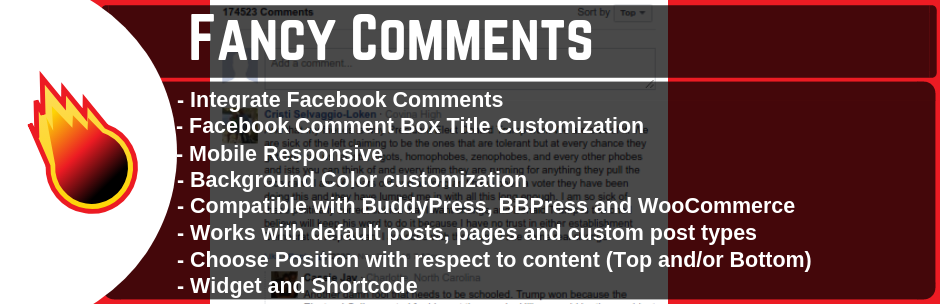
Fancy Facebook Comments is a powerful WordPress plugin that allows website visitors to leave comments using their Facebook accounts. This eradicates the need for them to create an account on your website, promoting engagement and interaction. In addition to this, it also aids in driving traffic to your website from Facebook, making it a key tool for social optimization.
Features and Benefits
- Recover Comments: You can recover comments lost after installing SSL, ensuring no feedback is lost.
- Compatibility: The plugin is compatible with Gutenberg editor, PHP 8, BuddyPress, BBPress, and WooCommerce.
- Sorting and Ordering: Visitors can sort comments by time or social ranking, with an option to set default comment ordering.
- Language Change: The plugin enables you to change the language of Facebook comments.
- Enable/Disable Comments: You can choose to enable or disable comments on default posts, pages, custom posts, WooCommerce products, BuddyPress activities and groups, and BBPress topics and forums.
- Customization: Free options are available to customize the look and design of the Facebook comments interface.
Pricing Structure
Fancy Facebook Comments is a free plugin. However, users can upgrade to the Pro version at for access to additional features and benefits.
Why You Need Facebook Plugins for WordPress
Facebook plugins in WordPress are tools or extensions that integrate various Facebook features and functionalities into a WordPress website. These plugins allow website owners to leverage the power of Facebook for social sharing, engagement, marketing, and more.
Facebook plugins for WordPress are useful for several reasons:
- Social Sharing: They allow users to easily share your WordPress content on Facebook. This can help increase the visibility of your content and drive more traffic to your website.
- Integration: Plugins enable seamless integration of Facebook features into your WordPress site. This includes features such as embedding Facebook posts, videos, or comments directly into your content.
- Audience Engagement: Plugins can facilitate interaction with your website visitors through Facebook. For example, you can display a Facebook Like Box or a Facebook Page Plugin to encourage visitors to like your Facebook page and stay updated with your latest posts.
- Marketing: Facebook plugins can be valuable marketing tools. For instance, you can integrate a Facebook Pixel into your website using a plugin to track conversions, optimize ads, and retarget users who have interacted with your site.
- Customization: Many Facebook plugins offer customization options, allowing you to tailor them to fit the design and functionality of your WordPress site. This ensures a seamless user experience for your visitors.
Overall, Facebook plugins for WordPress help enhance your website’s social media presence, improve engagement with your audience, and potentially boost your marketing efforts.
Final Word
Utilizing the right WordPress Facebook plugins can greatly enhance your website’s social media interaction, user engagement, and online visibility. From Facebook for WooCommerce, which connects your product catalog with Facebook, to the Fancy Comments WordPress plugin that simplifies the comments process, each offers unique features to empower your website.
We highly recommend trying out these plugins to discover which ones best suit your needs. Don’t hesitate to comment, share this blog, or explore our detailed reviews for more insights. Your path to an optimized and engaging website starts here.
FAQs
- What are Facebook plugins in WordPress?
Facebook plugins in WordPress are extensions or tools that allow website owners to integrate various Facebook features and functionalities into their WordPress websites. These plugins enable social sharing, engagement, and marketing leveraging Facebook’s platform. - How do Facebook plugins benefit WordPress websites?
Facebook plugins offer several benefits to WordPress websites, including enhanced social sharing capabilities, increased audience engagement through Facebook comments and likes, seamless integration of Facebook features into website content, and improved marketing efforts with tools like the Facebook Pixel. - Are Facebook plugins easy to install and use on WordPress?
Yes, most Facebook plugins for WordPress are easy to install and use. They typically involve simple installation steps, and many offer intuitive settings and customization options within the WordPress dashboard. Additionally, plugin developers often provide documentation and support to assist users with any issues. - What types of Facebook plugins are available for WordPress?
There are various types of Facebook plugins available for WordPress, including social sharing buttons, Facebook like boxes, Facebook page plugins, Facebook comments integration, Facebook feed display plugins, Facebook Messenger chat plugins, and plugins for integrating the Facebook Pixel. - Do Facebook plugins affect website performance on WordPress?
While adding Facebook plugins may slightly impact website performance due to additional scripts and resources being loaded, most plugins are optimized to minimize any negative effects. Users can further optimize performance by selecting lightweight plugins, limiting the number of plugins installed, and caching content where appropriate. - Are there any security considerations when using Facebook plugins on WordPress?
It’s essential to choose reputable and regularly updated Facebook plugins from trusted sources to minimize security risks. Additionally, users should review plugin permissions and settings to ensure that only necessary data is shared with Facebook and that user privacy is respected. - Can Facebook plugins help with social media marketing on WordPress?
Yes, Facebook plugins can be valuable tools for social media marketing on WordPress. They enable website owners to promote their content through social sharing, engage with audiences directly through Facebook comments and likes, track conversions, and optimize ad campaigns with the Facebook Pixel, and more.


