Your website is only as good as the database behind it, and when it comes to WordPress, having the right plugins to manage and optimize your database can make a world of difference.
In this article, we’re going to take a deep dive into the best WordPress Database Plugins you can use to enhance your website’s performance and security. These plugins, beyond WP Optimize, offer features to clean, repair, and optimize your database, greatly improving your website’s speed and efficiency.
Imagine a world where your website performs seamlessly, where cluttered and unoptimized databases are a thing of the past. This is the transformative power of WordPress Database Plugins that we’ll be exploring.
We’ll be laying out the features, benefits, and pricing structures of each plugin, giving you a comprehensive overview of the tools available to you. By the end of this listicle, you’ll have a clear understanding of which plugin is best suited to your needs, and the confidence to make your website’s database a powerhouse of efficiency and performance.
Table of Contents
WOrdPress Database Plugins
Optimize Database after Deleting Revisions

The Optimize Database after Deleting Revisions is a powerful WordPress plugin, now maintained by NerdPress, that efficiently cleans and optimizes your WordPress database. It is a one-click solution to a cluttered database, capable of deleting revisions of posts, pages, or custom post types, trashed posts, pages, and comments, and much more.
It’s an essential plugin for anyone seeking to streamline their WordPress experience and boost their website’s performance.
Features and Benefits
- Deletes revisions of posts, pages, and/or custom post types: This feature keeps your database lean by removing unnecessary data, improving website performance.
- Deletes trashed posts, pages, and comments: It helps you remove all the unnecessary items in your database, freeing up valuable storage space.
- Deletes unused tags: Prevent your website from becoming cluttered with a multitude of unused tags, enhancing organization and usability.
- Deletes ‘expired or all transients’: This can save significant database space and contribute to better website performance by removing temporary data.
- Deletes ‘pingbacks’ and ‘trackbacks’: Helps to maintain a clean and optimized database, reducing clutter and potential security risks.
- Clears the ‘OEMBED cache’: Caching can cause outdated data to be stored. Clearing it can keep your website running smoothly, ensuring visitors receive up-to-date information.
- Deletes ‘orphan postmeta items’: These can clutter your database, slowing down your website. Removing them enhances database efficiency and improves site speed.
- Optimizes database tables: This can greatly increase the speed and efficiency of your website, providing a smoother user experience.
- Creates a log of optimizations: For users who wish to keep track of what has been optimized, providing transparency and accountability.
- Scheduler feature: Allows for automation of database optimization at preferred intervals, saving time and ensuring regular maintenance.
- Multisite compatible: Optimizes all sites in the network with one click, providing a comprehensive solution for multi-site WordPress installations, streamlining management and maintenance efforts.
Pricing Structure
As of the current update, the Optimize Database after Deleting Revisions plugin is free to use and does not offer any premium plans. Given the wealth of features it provides, this makes it an excellent value for all WordPress users.
Advanced Database Cleaner
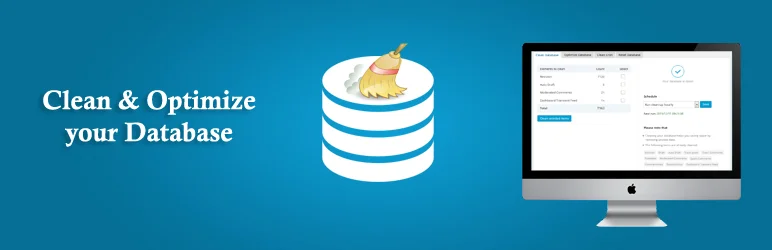
The Advanced Database Cleaner is an essential WordPress plugin that focuses on optimizing your website’s performance by cleaning up your database. Over time, your database can accumulate unnecessary data such as old revisions, spam comments, and orphaned post metadata, significantly slowing down your website.
The Advanced Database Cleaner helps in decluttering your database by removing these unnecessary data, thus reducing the database size and enhancing your website’s speed and performance.
Features and Benefits
- Deleting old revisions of posts and pages: This helps in maintaining only the relevant and latest version of your content, streamlining content management and improving site performance.
- Deleting spam and trash comments: Helps to keep your website professional and clean, enhancing user experience and reducing clutter.
- Displaying orphaned information before cleanup: This allows you to review what data will be cleaned, ensuring you don’t accidentally remove anything important, providing peace of mind during maintenance tasks.
- Scheduling database cleanup to run automatically: Saves you time and ensures regular maintenance of your database, improving efficiency and reliability of database management.
- Displaying database tables information: Helps you manage your database more effectively, providing insights into your database structure for better organization and optimization.
- Repairing corrupted or damaged database tables: Ensures the smooth running of your website by fixing issues that could potentially disrupt site functionality or performance, maintaining site integrity.
- Multisite support: The plugin is compatible with Multisite installations, allowing you to manage multiple sites effortlessly, streamlining administration tasks and improving scalability.
- Provides an overview of your database: Keeps you informed about your database’s status and health, enabling proactive maintenance and troubleshooting to prevent potential issues.
Pricing Structure
The plugin is free to use with the premium version starting from $39.
WP-Sweep

WP-Sweep is an efficient WordPress database plugin that offers comprehensive cleanup options for your website. It is an effective alternative to WP Optimize and is designed to manage and optimize your WordPress database effortlessly.
The plugin addresses the cluttered and unorganized database issues which can slow down your website and affect its performance. WP-Sweep uses proper WordPress delete functions as much as possible instead of running direct delete MySQL queries, ensuring a safe and reliable cleanup process.
Features and Benefits
- Cleans up Revisions: The plugin removes outdated and unnecessary post revisions, freeing up valuable space and improving database performance.
- Manages Auto Drafts and Deleted Posts: WP-Sweep eliminates auto drafts and deleted posts that clog your database, ensuring it stays organized and efficient.
- Handles Comments: The plugin can delete unapproved, spammed, and deleted comments, keeping your comment section clean and organized, enhancing user experience.
- Removes Orphaned and Duplicated Meta: WP-Sweep gets rid of orphaned and duplicated post, comment, user, and term meta, helping to improve your database efficiency by reducing clutter.
- Deals with Unused Terms and Orphan Term Relationships: The plugin clears out unused terms and orphan term relationships, optimizing your tag and category usage, and streamlining your website’s taxonomy.
- Optimizes Database Tables: WP-Sweep helps to optimize your database tables for better performance, ensuring smoother operation of your WordPress site.
- Supports REST API Endpoints and WP-CLI Commands: The plugin allows you to make HTTP requests to specific endpoints or run WP-CLI commands for sweeping certain items, providing flexibility in managing your website.
- Incompatible with Some Plugins: Please note that WP-Sweep is not compatible with certain plugins like Custom Fonts, Elementor Popup Builder, MailPress, Meta Slider, Polylang, Slider Revolution, Viba Portfolio, and WPML. Be cautious when using these plugins alongside WP-Sweep.
Pricing Structure
WP-Sweep is a free plugin available in the WordPress plugin repository.
Database Cleaner: Clean, Optimize & Repair

Database Cleaner is a robust WordPress plugin designed to streamline the management of substantial databases. With an array of features and a user-friendly interface, it is the perfect solution for those struggling with large, unruly databases.
It is compatible with the latest versions of WP and PHP and employs asynchronous requests for gradual and stable processing, significantly reducing errors and timeouts.
Features and Benefits
- Dual Mode Functionality: The plugin offers an ‘Easy’ mode for beginners and an ‘Expert’ mode for advanced users, catering to different skill levels and enhancing usability. Benefit: Enhanced usability for users of all skill levels.
- Auto Clean Feature: Save time and effort with the auto clean feature. Simply select items for automatic cleaning, and the plugin efficiently takes care of the rest. Benefit: Streamlined maintenance process.
- Intelligent Data Analysis: The plugin uniquely identifies how your data is utilized by different plugins or themes. This feature is enhanced in the Pro Version. Benefit: Enhanced insights into data usage.
- Comprehensive Statistics: Keep track of the size of your database with detailed statistics and historical data, enabling informed decision-making. Benefit: Informed decision-making based on database insights.
- Data Browsing Capability: Delve into your database to gain a deeper understanding and effectively categorize your data, making management simpler. Benefit: Simplified data management through effective categorization.
- Efficient Handling of Large Databases: The plugin tackles oversized databases with ease, using asynchronous requests that are sized just right to ensure smooth processing. Benefit: Smooth processing of large databases without performance issues.
- Evolutionary User Interface: The user-friendly UI is designed to evolve and adapt over time, staying current with user needs and technological advances. Benefit: Up-to-date and user-centric interface for improved user experience.
- Database Cleaner also provides specialized tools for in-depth analysis and monitoring of how your data is utilized across different areas
Pricing Structure
The plugin is free to use with the premium version starting from $39.
Database Reset
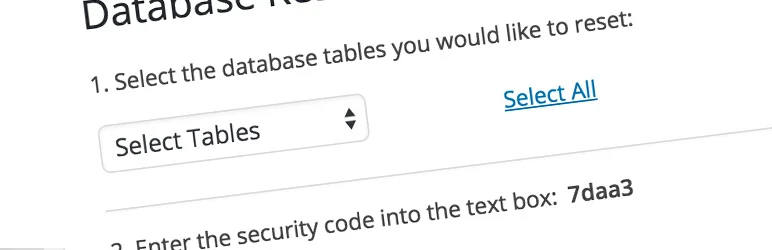
The WordPress Database Reset is an incredibly useful tool for those who need to reset their database to its default settings without having to go through the tedious process of reinstalling WordPress or modifying files.
This plugin is particularly beneficial for theme and plugin developers who need to clear their database of unnecessary content.
Features and Benefits
- One-click process: The plugin allows you to reset your WordPress database tables quickly and easily with just one click, saving you time and effort.
- Customizable reset: Choose to reset your entire database or select specific database tables, giving you control over what data you want to refresh. This flexibility ensures efficient database management.
- Safe and easy to use: The plugin is designed with security and user-friendliness in mind, ensuring that you can’t accidentally reset your database. This provides peace of mind while managing your WordPress site.
- Command line compatibility: For advanced users who prefer using the command line, the plugin allows you to reset your database with a single command. This feature grants more control and efficiency in database management tasks.
- Theme and plugin developer-friendly: This plugin serves as an excellent tool for developers who regularly need to clean their database of unnecessary content, streamlining development processes and enhancing productivity.
- Support and community: The plugin offers a support forum where users can post queries and get help, fostering a supportive community. Additionally, users can contribute to the plugin by providing new language translations or offering assistance on the support forum, ensuring ongoing improvement and support.
Pricing Structure
The WordPress Database Reset plugin is free to download and use. There are no premium versions or plans, making it accessible for all users.
WP Database Backup
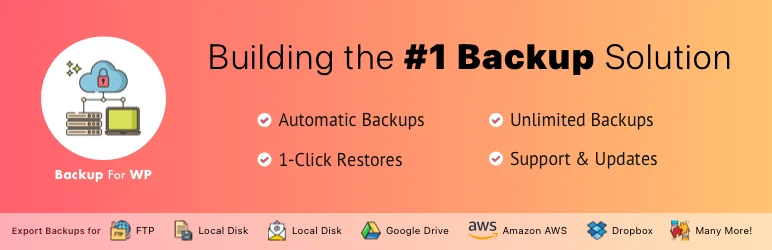
The WP Database Backup plugin is a comprehensive tool for managing your WordPress database backups. This powerful plugin allows users to create, restore, and automate their database backups with just a single click.
It also provides the added convenience of storing your backups in secure locations such as Dropbox, Google Drive, Amazon S3, FTP, or via Email. This plugin is designed to give users peace of mind, knowing that their valuable data is safely backed up and can be easily restored when needed.
Features and Benefits
- Create Database Backups: The plugin allows users to create database backups effortlessly with a single click, thus saving time and eliminating the complexity involved in manual backups.
- Auto Backup: The plugin facilitates automatic backups on a set schedule, ensuring that your data is always up-to-date and safeguarded.
- Easy Installation: The WP Database Backup plugin is straightforward to install and requires minimal configuration, making it user-friendly.
- Restore Database Backup: With a single click, users can restore their database from a backup, making data recovery quick and easy.
- Multiple Storage Destinations: Users can securely store their database backups in various locations including Dropbox, Google drive, Amazon S3, FTP, and Email, ensuring flexibility and redundancy in data storage.
- Reporting: The plugin sends backup reports and email backups to specified email addresses, keeping users informed about their backup status, thereby enhancing transparency and accountability.
- Exclude Table: This feature allows users to exclude certain tables from their backups, providing greater control over what data is backed up and reducing storage space usage.
- Search and Replace: Users can search and replace specific items in their database backup file, facilitating efficient data management and customization.
- Database Backup List Pagination: This feature keeps your backup list organized and manageable, improving navigation and usability.
Pricing Structure
The plugin is free to use with the premium version starting from $149.
Contact Form 7 Database Addon – CFDB7

The Contact Form 7 Database Addon (CFDB7) is a powerful WordPress plugin designed to enhance the functionality of your Contact Form 7. It saves all submissions from your contact forms directly into your WordPress database, providing a seamless and organized way to manage and access your form data.
This plugin eliminates the hassle of having to manually track form submissions, which can be time-consuming and prone to errors.
Features and Benefits
- No configuration needed: CFDB7 is designed to be user-friendly; it requires no additional setup or configuration after installation. This simplicity streamlines the user experience.
- Saves form data to the database: This feature ensures that all your form submissions are automatically saved in one place for easy access and management, enhancing organization and data accessibility.
- Single database table: CFDB7 uses a single database table for all Contact Form 7 forms, making it simple to manage multiple forms efficiently and reducing database clutter.
- Easy to use and lightweight: The plugin does not slow down your website performance and is user-friendly, making it an ideal choice for beginners and experts alike. Its lightweight nature ensures smooth operation without compromising performance.
- Developer-friendly and customizable: Developers can easily modify the plugin according to their needs, providing flexibility and customization options for advanced users.
- Displays all form lists: You can view all your created forms in one place, facilitating easy monitoring and management of form submissions.
- Exports data in CSV: The plugin allows you to export your data in a CSV file for further analysis or backup purposes, enabling seamless data transfer and analysis.
Pricing Structure
The plugin is free to use. The pricing for addons depends on what you choose.
Better Search Replace
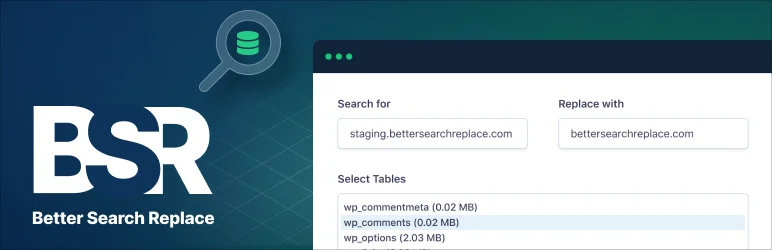
Better Search Replace is a powerful WordPress plugin that fulfills a critical need when migrating your WordPress site to a new domain or server. It provides a comprehensive solution to the often challenging task of running a search/replace on the database to ensure everything works correctly post-migration.
The plugin consolidates the best features from similar plugins into one robust tool, making it an essential tool for anyone in the process of website migration.
Features and Benefits
- Serialization Support for All Tables: This feature ensures the integrity and coherency of your data during the migration process. It provides flexibility by letting you choose the specific tables you want to include in the search/replace operation.
- Dry Run Option: This feature allows you to preview how many fields will be updated before you finalize the operation, reducing the chances of errors.
- No Server Requirements: The plugin only needs a running installation of WordPress to work, simplifying the setup process.
- WordPress Multisite Support: It supports WordPress Multisite, allowing easier management of multiple sites from a single dashboard.
- Better Search Replace Pro Premium Features:
- View Changes: See exactly what changed during a search/replace operation.
- Backup and Import Database: Enhance your data security by backing up and importing the database while running a search/replace.
- Priority Email Support: Get immediate assistance from the developer of the plugin.
- Save or Load Custom Profiles: Speed up future search/replace tasks by saving or loading custom profiles.
- Updates for 1 Year: Enjoy regular updates and improvements to the plugin for one year.
Pricing Structure
The plugin is free to use with the premium version starting from $59.
Participants Database

The Participants Database is a comprehensive WordPress plugin designed to offer all the functionality required to build and maintain a database of people or anything of your choice.
Conceived for an organization that needed to create a database of voters, supporters, and volunteers, this plugin offers a fully configurable database where you can define all the fields of information you want to store for each record.
It’s ideal for any organization that needs to maintain lists of members, volunteers, etc., or even for creating indexes, directories, or catalogs.
Features and Benefits
- Customizable database: You can define any fields you want and organize them into groups for easier navigation and record keeping. This flexibility allows you to tailor the database to your specific needs.
- Plugin enhancements: A growing list of free and premium downloads are available to enhance the plugin’s functionality, providing continuous improvements and additional features to meet evolving needs.
- Shortcodes: You can insert a configurable sign-up short form into WordPress pages, posts, etc., making it convenient for users to sign up and interact with your website without navigating away.
- Email notification: Receive email notifications when a user edits a record or when a new signup occurs, ensuring timely communication and awareness of user activity.
- Searchable record listings: Quickly find records using the search feature in the WordPress admin area, streamlining the process of locating specific information within the database.
- Import/Export feature: Import CSV files to add large numbers of records from spreadsheets such as Open Office or Google Docs or export CSV files for interacting with other databases, mass email, print records. This feature facilitates seamless data transfer and integration with external systems.
- GDPR Compliance: Ensures your data collection and storage practices adhere to EU regulations, safeguarding user privacy and maintaining legal compliance. This provides peace of mind for both you and your users regarding data protection.
Pricing Structure
The plugin is free to use. The pricing depends on the addons that you choose.
Why You Need WP Optimize Alternatives for WordPress Database Plugins
While WP-Optimize is a popular choice for WordPress database optimization, there are situations where you might consider alternatives. Here’s a breakdown of reasons to explore other options:
- Feature Set: While WP Optimize offers a range of features like database cleanup, optimization, and scheduling, you might need more advanced features such as better automation, compatibility with specific setups, or more granular control over optimization processes. Alternatives for WP Rocket might offer a different mix of features that better suit your needs.
- Performance: Depending on your website’s size and traffic, the performance impact of database optimization can vary. If you find that WP Optimize slows down your site during optimization processes or doesn’t scale well with your traffic, you might look for alternatives that are more lightweight or optimized for larger databases. Plugins like WP Sweep or Advanced Database Cleaner could be worth considering.
- Compatibility: WordPress is a diverse ecosystem, and not all plugins play well together. If you experience conflicts with other plugins or themes while using WP Optimize, it might be beneficial to explore alternatives that are known to have better compatibility with your specific setup.
- Support and Updates: Regular updates and responsive support are crucial for maintaining the security and performance of your website. If you find that WP Optimize lacks in this aspect, or if you prefer a plugin with more active development and community support, switching to alternatives like WP-Optimize by xTraffic or WP Clean Up Optimizer could be a good move.
- Cost: While WP Optimize offers a free version with basic features, you might find that you need to upgrade to a premium version or purchase add-ons for access to advanced functionalities. If you’re looking for a more cost-effective solution without sacrificing features, exploring alternatives like WP-DB Spring Clean or Optimize Database after Deleting Revisions could be worthwhile.
Ultimately, the decision to switch to alternatives depends on your specific needs, preferences, and experiences with WP Optimize. It’s essential to research and test different plugins to find the one that best fits your requirements and enhances the performance and maintenance of your WordPress website.
Final Word
WordPress database plugins offer an exciting array of possibilities for your website. From enhancing your site’s performance, decluttering and optimizing your database, to facilitating efficient backups, these plugins can help you achieve your goals such as boosting audience engagement and establishing authority in your niche
So, why wait? Take the next step to optimize your website’s performance and efficiency. Start exploring the benefits of these powerful plugins today and see the difference they can make for your site.
FAQs About WordPress Database Plugins
- What are WordPress database plugins, and why are they important?
WordPress database plugins are tools designed to optimize and maintain the WordPress database, which stores crucial website data. They are essential for improving site performance, reducing load times, and ensuring the overall health and efficiency of your WordPress site. - Why consider alternatives to WP Optimize for database optimization?
While WP Optimize is a popular choice, exploring alternatives can provide different feature sets, better performance, improved compatibility, and potentially more cost-effective solutions tailored to specific needs. - What features should I look for in WordPress database plugins?
Look for features such as database cleanup, optimization, scheduling, automatic backups, revision control, and compatibility with other plugins and themes. Consider your specific requirements and choose a plugin that offers the functionalities you need. - How do I decide which alternative plugin is right for me?
Assess your website’s size, traffic, performance needs, and compatibility requirements. Research each plugin’s features, user reviews, support options, and pricing to determine which one aligns best with your goals and preferences. - Are there any free alternatives to WP Optimize?
Yes, several free alternatives offer robust database optimization features without the need for a premium version. Plugins like WP Sweep, Advanced Database Cleaner, and Optimize Database after Deleting Revisions are popular choices among WordPress users. - Do WordPress database plugins affect website speed?
While database optimization plugins are designed to improve website speed by cleaning up and optimizing the database, poorly coded or resource-intensive plugins can sometimes have a negative impact. It’s essential to choose a well-maintained plugin that doesn’t significantly impact site performance. - Can I use multiple database optimization plugins simultaneously?
It’s generally not recommended to use multiple database optimization plugins simultaneously, as they may conflict with each other and cause unexpected issues. Stick to one reliable plugin that meets your needs and avoid unnecessary complexity.


