Are you looking to amplify the functionality and aesthetics of your WordPress website? The use of WordPress Sidebar Plugins can be a game-changer. These tools help create custom, dynamic sidebars, enhancing your site’s navigation and overall appeal.
Whether your goal is to increase on-site SEO, optimize conversion rates, or simply improve the user experience, the right sidebar plugin can make all the difference.
In this blog, we delve into the top WordPress Sidebar Plugins that can revolutionize your website’s functionality and design. The list includes Content Aware Sidebars, SMK Sidebar Generator, WP Sticky Sidebar, and Ocean Custom Sidebar.
Each of these plugins has unique features and benefits, offering solutions to cater to different needs. Read on to discover which one is the perfect fit for your website.
Content Aware Sidebars

Content Aware Sidebars (CAS) is a dynamic, lightweight, and user-friendly WordPress Sidebar Plugin that enables you to create tailored widget areas effortlessly and rapidly. It is an optimal solution for your growing website as it helps to enhance on-site SEO, optimize conversion rates, and promote products by displaying different widget areas based on different conditions.
Features and Benefits
- Show or Hide Widgets on Any Page: CAS allows you to replace your theme sidebars on various conditions or insert widget areas using shortcodes. It offers a wide range of display conditions like posts, pages, content with tags, content written by selected authors, and many more.
- Add Unlimited Sidebars & Widget Areas: With CAS, you can create any custom sidebar you need without any coding requirement. It ensures your site’s speed remains unaffected, even if you create numerous custom sidebars and conditions.
- Schedule & Disable Custom Sidebars: The all-in-one sidebar manager allows you to pick a start and end date for when widget areas should be displayed, making it easy to schedule your sidebars.
- User-friendly Widget Manager: Adding new widgets to sidebars is made easy with the live search feature, and the smart split-screen makes managing numerous widgets and sidebars a breeze.
- Sidebar Plugin Integrations & Support: CAS automatically detects Custom Post Types and Taxonomies created by any plugin or theme.
- Customize Your Widget Areas: CAS offers you full control over the look and feel of your sidebars and widget areas. You can modify the HTML and CSS classes of widget areas, widgets, and widget titles without writing any code.
Pricing Structure
The Content Aware Sidebars Pro offers complete control for your widget areas with highlighted premium features like Totem, Sticky Sidebars & Widget Areas, Widget Area Designer, and many more. The pricing starts from $49 per year.
SMK Sidebar Generator
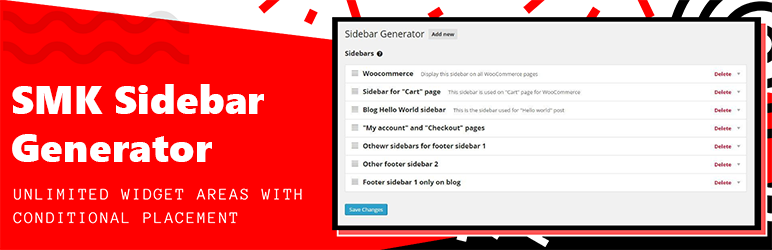
SMK Sidebar Generator is a dynamic WordPress plugin that offers an easy and effective way to create and manage unlimited sidebars on your website. This tool is an excellent solution to the traditional limitations of sidebar customization, allowing users to revamp their website’s layout without any coding knowledge.
Features and Benefits
- Unlimited Sidebars: This feature lets you create and manage as many sidebars as you need, offering you maximum flexibility when organizing your website content.
- Replace Theme Sidebars: With SMK Sidebar Generator, you can effortlessly replace existing sidebars created by themes or other plugins. This feature provides seamless integration and customization options.
- Conditional Sidebar Replacement: Customize your sidebars based on post types or specific posts. This feature allows you to control precisely how your sidebars appear on different content, enhancing your website’s user experience.
- Compatibility with Page Builders and Themes: This plugin is fully compatible with any page builder and theme, ensuring a seamless integration experience without any conflicts.
Pricing Structure
As of now, SMK Sidebar Generator is free.
WP Sticky Sidebar
The WP Sticky Sidebar is a plugin designed for WordPress websites with the sole objective of enhancing navigation through your website. The plugin solves the problem of disappearing sidebars when navigating away from the viewport where the sidebar is located. This issue often leads to increased bounce rates as visitors struggle to find what they are looking for.
Features and Benefits
- Permanent Sidebar Visibility: With the WP Sticky Sidebar plugin, your sidebar menu remains visible at all times, even when scrolling. This feature enhances user experience by providing easy navigation throughout your site.
- Reduced Bounce Rate: By making the sidebar menu permanently visible, visitors can easily find the pages they are looking for, reducing the likelihood of them leaving the site out of frustration.
- Easy Installation: The plugin is super easy to install and often works out of the box.
- Customization: The Pro version of the plugin allows for a customized CSS style, disabling on scroll down, or disabling on specific pages.
Pricing Structure
The plugin offers a free version with basic features. For more advanced features, you can upgrade to the Pro version.
Ocean Custom Sidebar
The Ocean Custom Sidebar is an indispensable plugin for WordPress users who want complete control over their website layout.
It provides the functionality to generate and place an infinite number of sidebars on any page, offering unmatched customization options. It’s an excellent solution for those looking to enhance their site’s navigation and improve the user experience. Note that this plugin requires the OceanWP theme to be installed.
Features and Benefits
- Unlimited Sidebar Creation: With Ocean Custom Sidebar, you can create as many sidebars as you want. This feature allows for maximum customization and flexibility, ensuring that each page can be designed to meet specific needs.
- Custom Placement: Not only can you create numerous sidebars, but you can also place them on any page you desire. This feature allows you to enhance the user experience by making navigation more intuitive and content more accessible.
- Easy Management: The sidebars can be easily managed from the Theme Panel. This feature ensures that even those with limited technical knowledge can effectively use this plugin.
Pricing Structure
As an open-source plugin, Ocean Custom Sidebar is free to use. However, it requires the OceanWP theme to be installed, which offers both free and premium versions. The premium version of OceanWP offers additional features and starts at $39 for a single site license.
What are WordPress Sidebar Plugins and Why You Need Them
WordPress sidebar plugins are extensions or add-ons that enhance the functionality of the sidebar section in a WordPress website. The sidebar is a common feature in WordPress themes, typically located either on the left or right side of the main content area. Sidebar plugins provide various tools, widgets, or customization options to optimize this space according to the website owner’s needs.
These plugins are used to:
- Enhance User Experience: By adding useful widgets and features to the sidebar, such as social media feeds, recent posts, categories, search bars, etc., users can easily navigate through the website and access relevant content.
- Promote Content: Sidebar plugins allow website owners to showcase their important content, promotions, advertisements, or calls-to-action (CTAs) effectively. This can help increase user engagement and conversions.
- Customize Layout: With sidebar plugins, users can customize the layout and design of the sidebar to match their website’s overall aesthetic and branding. This includes adjusting the width, position, colors, fonts, and other styling options.
- Improve Navigation: Sidebar plugins often include navigation menus or links to help users explore different sections of the website easily. This can improve overall site navigation and user satisfaction.
- Monetize the Website: Website owners can use sidebar plugins to integrate advertisements or affiliate links, generating revenue from their WordPress site.
Benefits of using WordPress sidebar plugins include:
- Flexibility: These plugins offer a wide range of customization options, allowing users to tailor the sidebar to their specific needs without requiring coding knowledge.
- Time-Saving: Instead of manually coding and designing the sidebar, users can quickly add functionality and features using pre-built widgets and tools provided by the plugins.
- Improved User Engagement: By making it easier for users to discover relevant content and navigate the website, sidebar plugins can increase user engagement and reduce bounce rates.
- Enhanced Functionality: Sidebar plugins extend the core functionality of WordPress, adding new features and capabilities to the sidebar section that may not be available by default.
- Compatibility: Most sidebar plugins are designed to work seamlessly with popular WordPress themes and plugins, ensuring compatibility and preventing conflicts.
Overall, WordPress sidebar plugins are valuable tools for optimizing and enhancing the sidebar section of a WordPress website, improving user experience, and achieving specific website goals.
Final Word
In conclusion, choosing the right sidebar plugin can significantly enhance your WordPress website’s functionality and user experience. Content Aware Sidebars, SMK Sidebar Generator, WP Sticky Sidebar, and Ocean Custom Sidebar each offer unique features that cater to different needs, from conditional display to unlimited sidebar creation.
Whether you’re looking to improve on-site SEO, optimize conversion rates, or boost navigation, these plugins offer effective solutions. Don’t hesitate to try them out, delve deeper into their features through detailed reviews, or share your experiences with them in the comments. Your website could benefit greatly from these powerful sidebar tools.
FAQs
- What are WordPress sidebar plugins?
WordPress sidebar plugins are extensions or add-ons that enhance the functionality of the sidebar section in a WordPress website. They offer various widgets, tools, and customization options to optimize the sidebar according to the website owner’s preferences. - Why should I use WordPress sidebar plugins?
WordPress sidebar plugins are used to enhance user experience, promote content effectively, customize layout and design, improve navigation, and even monetize the website through advertisements or affiliate links. - How do WordPress sidebar plugins improve user experience?
By adding useful widgets and features such as recent posts, social media feeds, navigation menus, search bars, etc., WordPress sidebar plugins make it easier for users to navigate through the website and access relevant content, thus improving overall user experience. - Can I customize the appearance of the sidebar with these plugins?
Yes, most WordPress sidebar plugins offer extensive customization options including adjusting the width, position, colors, fonts, and other styling elements to match your website’s aesthetic and branding. - Are WordPress sidebar plugins compatible with all WordPress themes?
While most sidebar plugins are designed to work seamlessly with popular WordPress themes, it’s important to check compatibility before installation. Generally, they are compatible with a wide range of themes, but some customization may be required for certain themes. - Do WordPress sidebar plugins impact website performance?
In most cases, WordPress sidebar plugins have negligible impact on website performance. However, using too many plugins or poorly coded ones can potentially slow down your site. It’s essential to choose reputable plugins from trusted sources and regularly monitor website performance. - Can WordPress sidebar plugins help in monetizing my website?
Yes, many WordPress sidebar plugins offer features to integrate advertisements or affiliate links, allowing website owners to generate revenue from their WordPress site. These plugins provide options for displaying ads or promoting affiliate products in the sidebar section. - Are there any free WordPress sidebar plugins available?
Yes, there are numerous free WordPress sidebar plugins available in the official WordPress plugin repository. These plugins offer basic functionality and features to enhance your sidebar without any cost. However, premium (paid) plugins often provide more advanced features and dedicated support. - How do I install and activate WordPress sidebar plugins?
Installing and activating WordPress sidebar plugins is straightforward. Simply navigate to the “Plugins” section in your WordPress dashboard, click on “Add New,” search for your desired sidebar plugin, install it, and then activate it. After activation, configure the plugin settings according to your preferences. - Can I use multiple WordPress sidebar plugins simultaneously?
Yes, you can use multiple WordPress sidebar plugins simultaneously to add different functionalities to your sidebar. However, it’s essential to ensure that these plugins are compatible with each other and do not conflict. It’s also advisable to keep the number of plugins to a minimum to maintain website performance.


