

Enables the previous "classic" editor and the old-style Edit Post screen with TinyMCE, Meta Boxes, etc. Supports all…

About SMK Sidebar Generator
This plugin allows you to create unlimited sidebars and place them on any page you want. You can easily replace default theme sidebars or show the generated sidebars without touching any code. Installation is simple and the plugin can be managed fully from the WordPress admin area.Screenshots
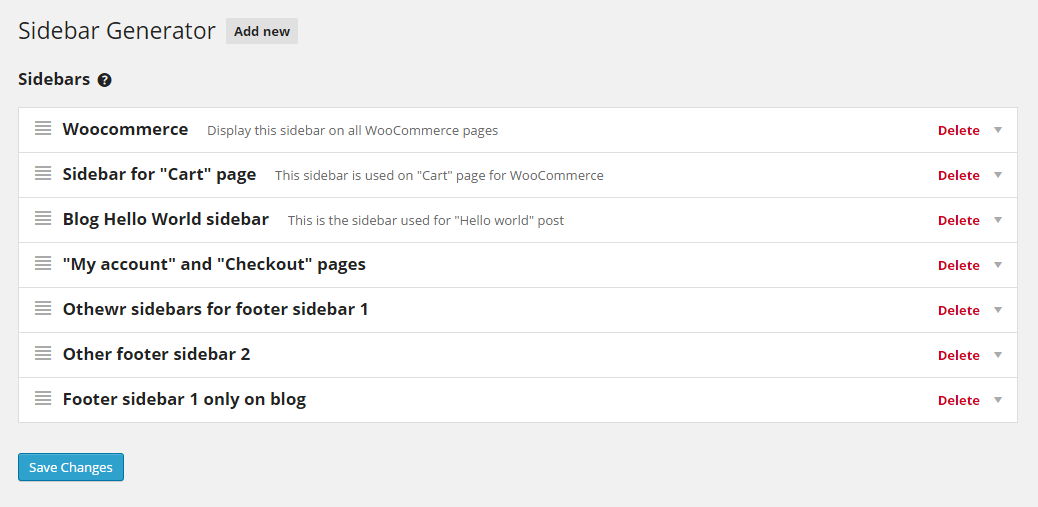


Frequently asked questions
Does this plugin support conditional sidebar replacement?
Yes, you can customize the display of sidebars by conditionally replacing them based on post types or specific posts. This feature provides precise control over the appearance of sidebars on different content.
Changelog
3.5.2
- Compatibility with the latest WordPress version 6.4
3.5.0
- PHP 8+ Compatibility
- Various code improvements
3.4.3
- Bug fix: Individual taxonomy conditional fix
3.4.2
- Bug fix: WP 5.7 compatibility
3.4.0
- Fix: Incorrect conditional replacement.
- Compatibility with WordPress 5.5
3.1
- Added localization support(if you want to translate it in your language, create a pull requests on Github).
- Added shortcode with ID to each sidebar.
3.0
- Complete rewrite from scratch. The plugin now allows to create an unlimited number of sidebars without the need to touch a single line of code in your theme.
- Now you can use conditions to apply the sidebar on any page, post ar CPT you wish. Soon will be added support for taxonomies, 404 page and other(please suggest).
- The widgets now use the theme style and tags. That means the newly generated sidebars will look good on any theme, no need for additional styling.
- Modular code. You can create and register your own conditions. That’s mainly not required but can be handy for some developers.
2.3.2
- Quick fix UI. When a new sidebar is created, it display an incorrect info and it was fixed only after page refresh.
- Removed unused files, since version 3.0 is on development
smk_sidebar_metabox.phpwas removed, as it was never used and is not required for the next versions.
2.3.1
- Quick fix for shortcode smk_sidebar ID. Shortcode did not work because the ID was not set correctly.
- Added new tab “How to use?” and links to docs.
2.3
- Added import/export functions.
- Changes to
smk_sidebarshortcode. Previously to get a sidebar required only an integer number, now you can get any sidebar using the shortcode just giving the id, even if the sidebar is not generated using Sidebar Generator plugin. - Added plugin version to enqueued scripts and style.
2.2
- Confirm sidebar remove.
- Bug fix: Sidebars could not be added when all previous sidebars were removed.
- Bug fix: Fixed ajax name validation.
2.1.1
- enqueue styles and scripts only on plugin page, not on all WP dashboard pages.
admin_enqueue_scriptsmake use ofSMK_SBG_URIconstant.
2.1
smk_get_all_sidebars()function is included in plugin. Anyways, you must include it in your themefunctions.php, because if you’ll deactivate the plugin it will return a fatal error.
2.0
- Initial release
