

Just another contact form plugin. Simple but flexible.
About WPtouch – Make your WordPress Website Mobile-Friendly
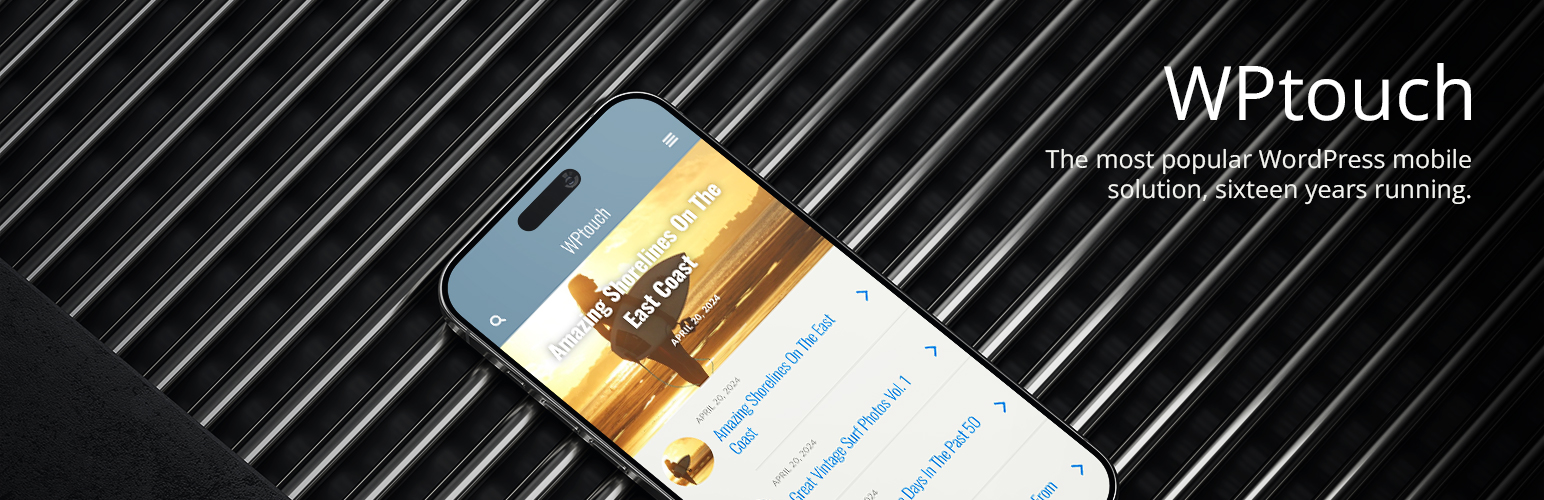
WPtouch is a mobile plugin for WordPress that automatically creates a mobile-friendly version of your website, recommended by Google to maintain your SEO rankings. The plugin is easy to customize and does not require any coding, and there is also a Pro version available with enhanced themes, features, and support. Visit WPtouch.com for more information.Screenshots


Frequently asked questions
What does WPtouch do?
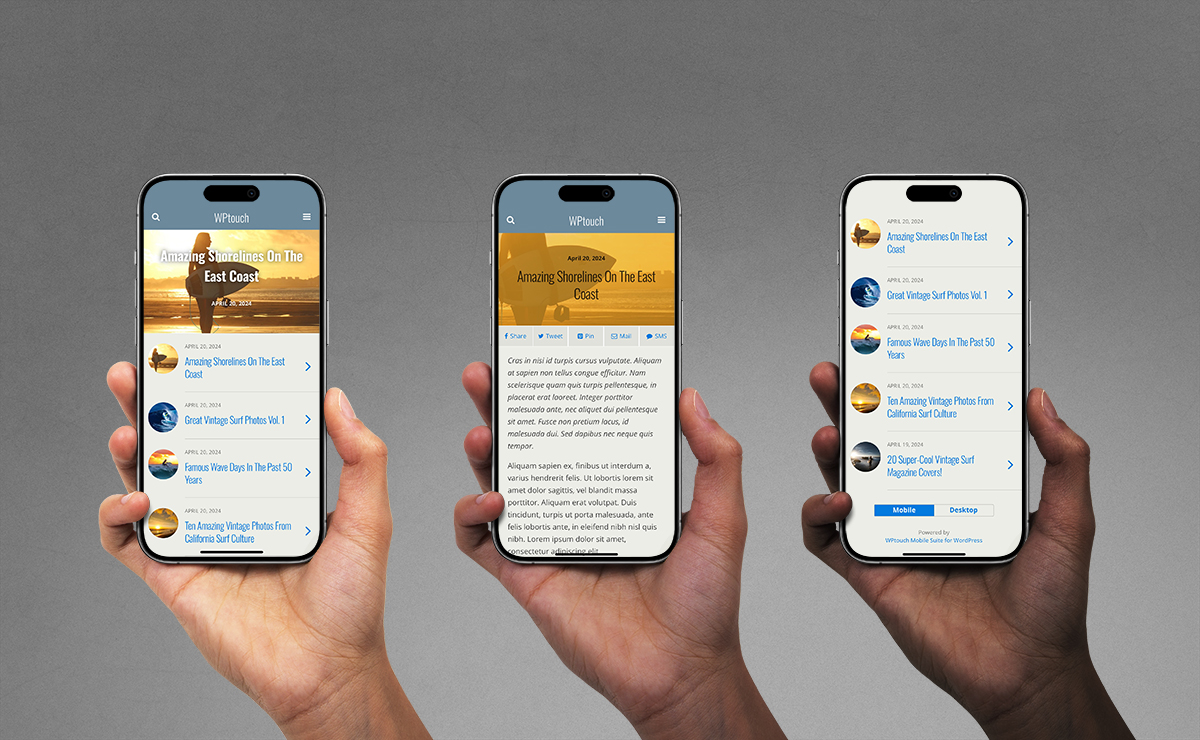
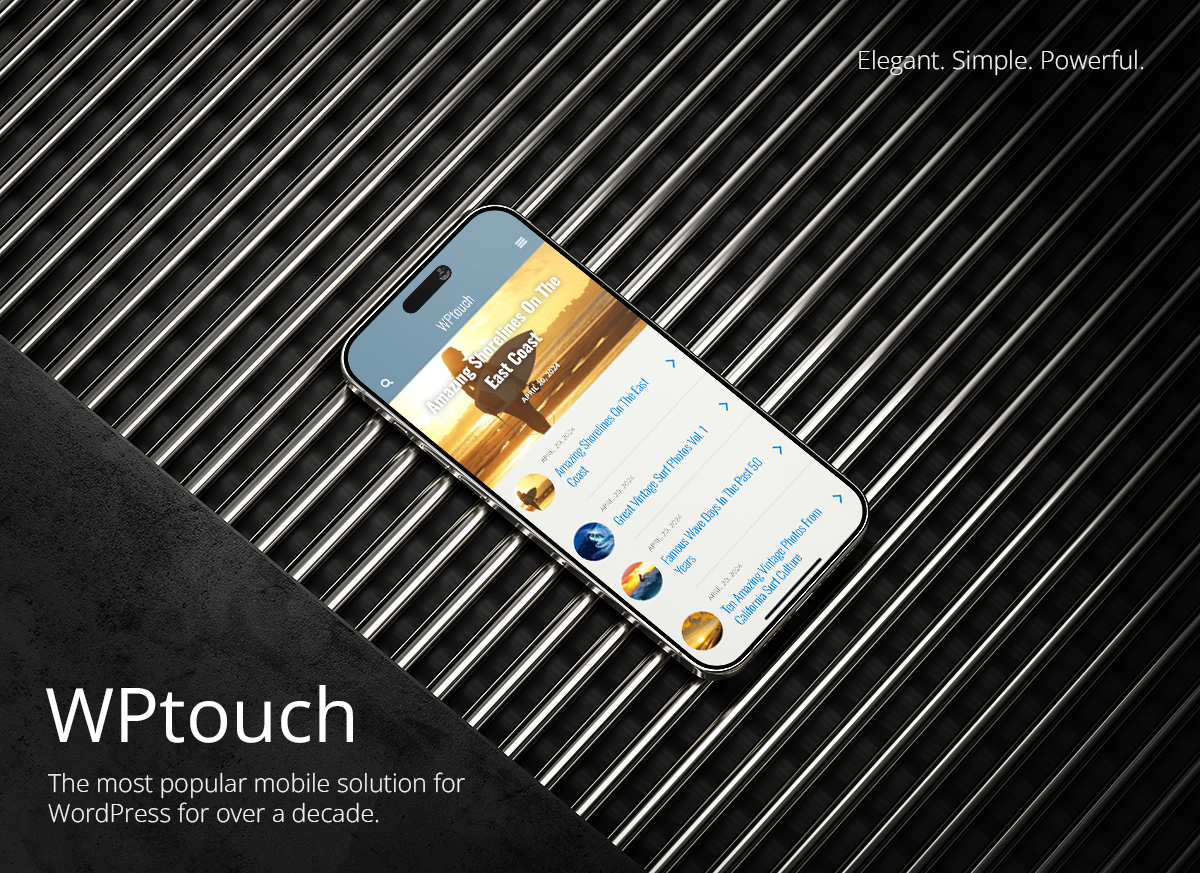
WPtouch is a mobile plugin for WordPress that automatically adds a simple and elegant mobile theme for mobile visitors to your WordPress website. It instantly enables a mobile-friendly version of your website that passes the Google Mobile test. Your regular desktop theme is left intact, and will continue to show for your non-mobile visitors.
How can WPtouch help with SEO?
Recommended by Google, WPtouch will ensure your SEO rankings do not drop due to not having a mobile-friendly website. It helps achieve Google mobile-friendly status.
Can I customize the mobile theme?
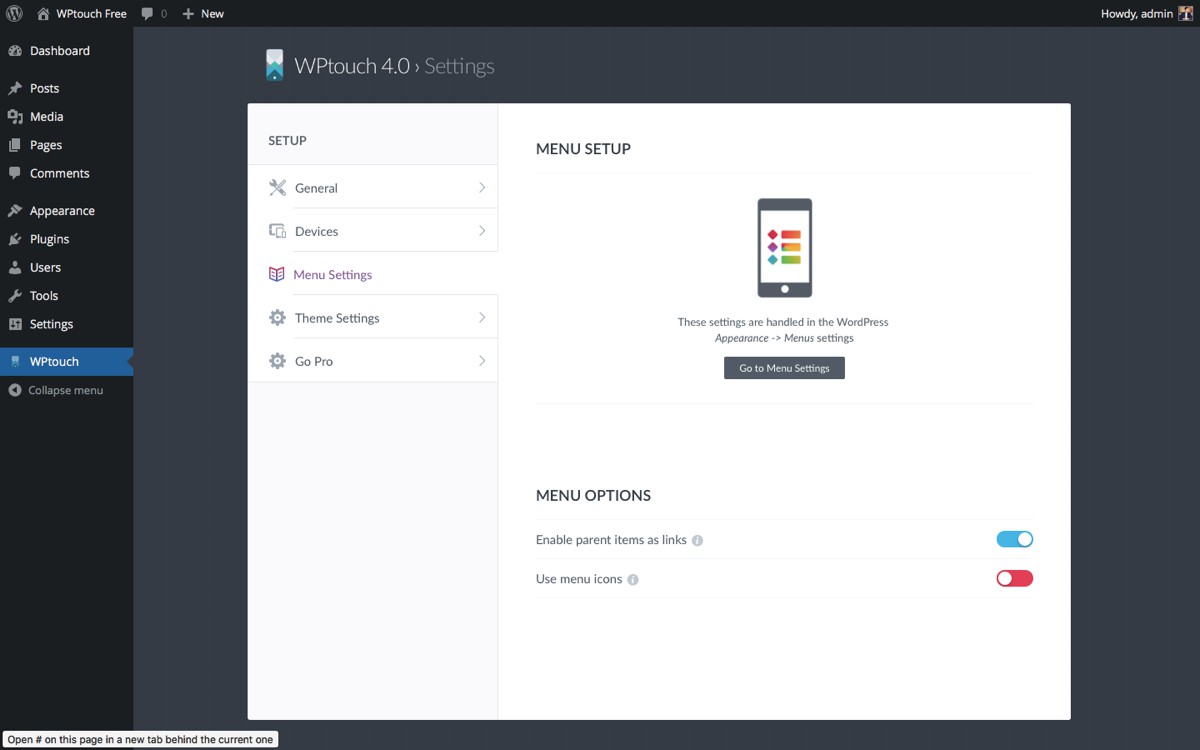
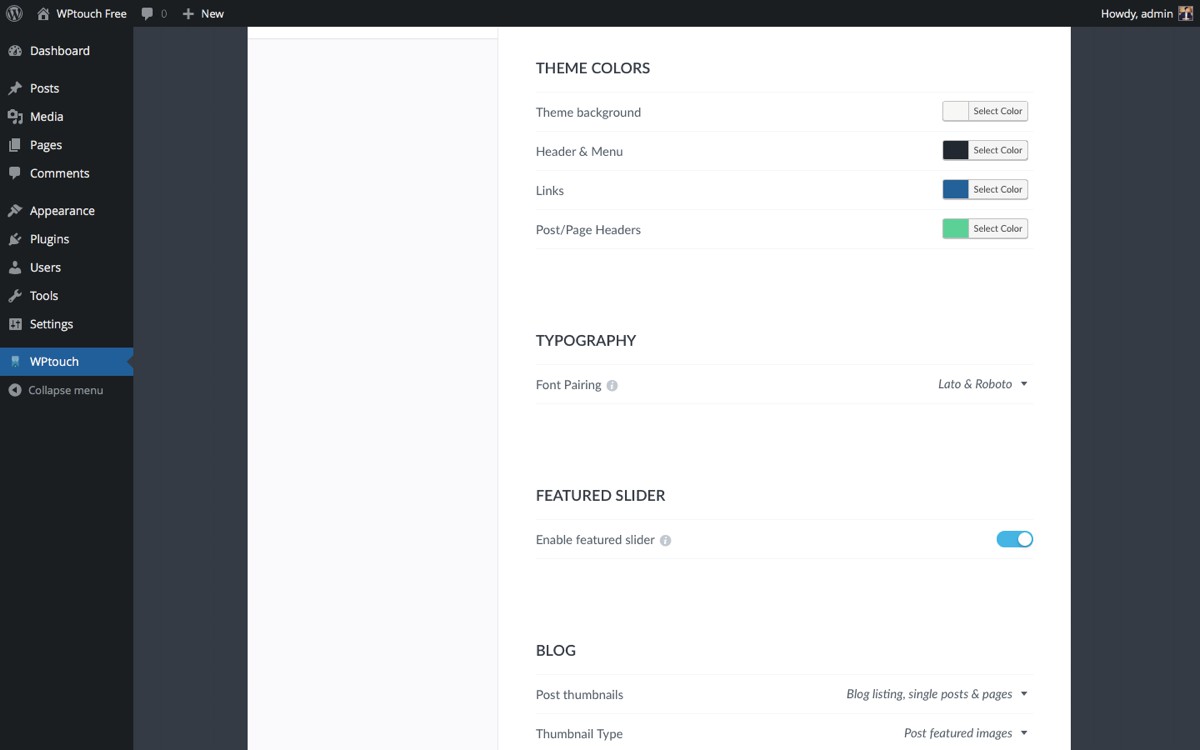
Yes, the WPtouch administration panel and WordPress Customizer allow you to customize many aspects of its appearance. You can deliver a fast, user-friendly and stylish version of your site to your mobile visitors without modifying any code.
What are the benefits of WPtouch Pro?
WPtouch Pro offers enhanced themes for blogs, businesses, and WooCommerce retailers. It also includes extensions for rich advertising options, advanced web font controls, caching, and top-notch one-on-one support.
Who developed WPtouch?
WPtouch is developed by WPtouch. 'WPtouch' and 'WPtouch Pro' are trademarks of BraveNewCode Inc.
Changelog
Version 4.3.60 (November 13th, 2024)
- Minor fixes.
- WordPress 6.7 compatibility.
Version 4.3.59 (May 13th, 2024)
- Minor fixes.
- Added: Reddit social sharing.
Version 4.3.58 (April 19th, 2024)
- Bug fixes.
Version 4.3.57 (April 11th, 2024)
- Minor fixes; WordPress 6.5.2 compatibility
Version 4.3.55 (October 24th, 2023)
- Bug fixes.
Version 4.3.54 (September 28th, 2023)
- Minor fixes; WordPress 6.3.1 compatibility
Version 4.3.53 (May 23rd, 2023)
- PHP 8 compatibility
Version 4.3.52 (March 23rd, 2023)
- License display issue corrected.
Version 4.3.51 (March 13th, 2023)
- 3rd party plugin compatibility fixes.
Version 4.3.50 (February 15th, 2023)
- Jetpack media compatibility fixes.
Version 4.3.49 (February 6th, 2023)
- Bug fixes.
Version 4.3.48 (February 2nd, 2023)
- Bug fixes.
Version 4.3.47 (January 12th, 2023)
- Security tightening.
Version 4.3.46 (December 12th, 2022)
- Versioning.
Version 4.3.45 (December 12th, 2022)
- Security fixes.
Version 4.3.44 (August 25th, 2022)
- Minor security tightening. Versioning.
Version 4.3.42 (July 25th, 2022)
- Minor menu fix.
Version 4.3.41 (May 5th, 2021)
- Fixed subsequent icon jQuery error.
Version 4.3.40 (May 4th, 2021)
- Fixed menu icon jQuery error.
Version 4.3.39 (November 11th, 2020)
- Fixed more CSS issues that disrupted usability.
Version 4.3.38 (August 26th, 2020)
- Fixed CSS issues that disrupted usability.
-
Fixed redirect that would cause screen error after upgrade.
-
Added: SMS sharing option to base Foundation theme.
Version 4.3.37 (April 13th, 2019)
- Added: SMS sharing option to base Foundation theme.
Version 4.3.36 (March 26th, 2019)
- Added: kinsta.com check so they can optimize WPtouch plugin caching on their hosting platform.
- Updated: Tested up to date.
Version 4.3.35 (February 11th, 2019)
- Fixed: Issue where links with sms protocols would get stripped from content.
Version 4.3.34 (November 21st, 2018)
- Fixed: Issue where iframe height might be cut off + additional Gutenberg/block related styling changes.
Version 4.3.33 (November 6th, 2018)
- Fixed: Bauhaus version bump.
Version 4.3.32 (November 6th, 2018)
- Fixed: Gutenberg/blocks compatibility.
- Fixed: Fixed issue with YouTube embeds and AdSense code could white screen page.
- Fixed: PHP7+ warning.
Version 4.3.31 (October 29th, 2018)
- Fixed: Prevent CDATA tags being stripped from custom analytics text area entries.
Version 4.3.30 (October 19th, 2018)
- Fixed: Script tag attributes being stripped from custom analytics text area entries.
Version 4.3.29 (October 16th, 2018)
- Fixed: Add helper file to output WordPress comment form cookie checkbox field for child themes that contain custom comment form layouts.
- Fixed: Potential XSS vulnerability relating to saving plugin settings in the WordPress admin.
Version 4.3.28 (May 10th, 2018)
- Fixed: TypeError on setSelectionRange JavaScript error for email field on checkout page.
Version 4.3.27 (March 8th, 2018)
- Fixed: Issue where html would be output for social media links when none are set.
Version 4.3.26 (Feb 8th, 2018)
- Added: Additional escaping for JS output.
- Added: Additional core theme support items.
Version 4.3.25 (Feb 2nd, 2018)
- Fixed: Double escaping on post content which caused certain shortcodes not to work properly.
Version 4.3.24 (Feb 1st, 2018)
- Fixed: Added additional sanitization and escaping to data pulled saved to and pulled from the database.
Version 4.3.23 (Dec 27, 2017)
- Fixed: URL typo.
- Updated: Logic for script output in customizer custom footer content.
Version 4.3.22 (Nov 16, 2017)
- New Feature: Live view of customizer additional CSS field content.
Version 4.3.21 (October 6, 2017)
- Fixed: Output of script tags within the customizer custom footer content area.
Version 4.3.20 (October 5, 2017)
- Fixed: Prevent stripping of form input elements from the additional footer html content entered in the customizer.
Version 4.3.19 (August 21, 2017)
- Security: Added escaping to untrusted output.
Version 4.3.18 (May 29, 2017)
- WPML Compatibility: Allows posts to display for chosen language in mobile blog index.
- Fixed: Bug where password protected pages would not display properly with ‘process desktop shortcodes’ option enabled.
Version 4.3.17 (May 10, 2017)
- New Feature: Adds default functionality to send no cache request headers when mobile theme is showing. Also adds option in admin to disable this functionality.
Version 4.3.16 (April 25, 2017)
- Fixed: Bug where backslashes were being stripped from shortcode display.
Version 4.3.15 (April 10, 2017)
- Fixed: PHP 7.1.2 error regarding “Process desktop theme shortcodes” option.
Version 4.3.14 (March 20, 2017)
- Fixed: Updated functionality for theme incompatibility notice to be permanently dismissed.
- Fixed: Updated functionality for plugin incompatibility notice to be permanently dismissed.
- Fixed: Bug where automatically-chosen font colors were wrong.
Version 4.3.13.1 (March 8, 2017)
- Fixed: Bug where if you dismissed the newsletter signup outside of the WPtouch settings area it would continue to show the notice.
Version 4.3.13 (March 6, 2017)
- Fixed: Bug that didn’t allow mobile / desktop switching in specific W3TC configuration.
- Fixed: Warning that appeared for sites running PHP 7.1+.
- Speed Improvement: Minimize Bauhaus CSS & JavaScript.
- New: Added Newsletter Signup option in settings.
Version 4.3.12 (February 21, 2017)
- Speed Improvement: Minimize foundation CSS & JavaScript.
- Speed Improvement: Reduce HTTP requests by inlining small stylesheets.
- Speed Improvement: Minimize internal module CSS & JavaScript.
Version 4.3.11 (February 9, 2017)
- Fixed: Better support for SSL in the WPtouch settings page
Version 4.3.10 (December 22, 2016)
- Fixed: Bug that sometimes prevented the customizer from showing the mobile theme
Version 4.3.9 (December 12, 2016)
- Fixed: Error message that appeared when running the latest version of Wordfence
Version 4.3.8 (December 8, 2016)
- Fixed: Minor bugs and issues reported by customers and users
- Added: Compatibility with WordPress 4.7
Version 4.3.7 (November 23, 2016)
- Changed: Now using the standard WordPress comment form, for better compatibility with plugins that use or modify comments.
- Fixed: Minor bugs and issues reported by customers and users
Version 4.3.6 (November 10, 2016)
- Fixed: Featured slider now won’t show if no posts have a featured image
- Fixed: Minor bugs and issues reported by customers and users
Version 4.3.5 (October 27, 2016)
- Fixed: Warnings that appeared for sites running PHP 7
- Fixed: Minor bugs and issues reported by customers and users
Version 4.3.4 (October 13, 2016)
- Added: Support for adding the featured post slider to a page
- Fixed: Missing translations for number of comments in the blog listing
Version 4.3.3 (October 3, 2016)
- Fixed: An issue in the admin panel which made it appear that other plugins were disabled while WPtouch is running. No plugins are disabled by default when WPtouch is active.
Version 4.3.2 (September 28, 2016)
- Fixed: Better compatibility with W3TC and PHP 5.2
Version 4.3.1 (September 27, 2016)
- Fixed: Issue in Bauhaus theme related to old versions of PHP
Version 4.3 (September 26, 2016)
- Added: Bauhaus 2. Updated Featured slider, may require you to set up your preferred settings again
- Fixed: Minor issues and a settings bug which could cause settings to appear unsaved in the Customizer
Version 4.2.6 (September 16, 2016)
- Modified: Newsletter sign-up information
Version 4.2.5 (September 2, 2016)
- Fixed: An issue which causes the switch link setting to be hidden
- Fixed: An issue which prevented category filtering from working correctly
Version 4.2.4 (August 25, 2016)
- Added: New display option for Bauhaus featured slider
- Fixed: Minor plugin compatibility improvements
Version 4.2.3 (August 8, 2016)
- Fixed: Made notices banner only show for administrators
- Updated: Enhanced the ability to upgrade free version
Version 4.2.1 (August 5, 2016)
- Fixed: An issue which could prevent the Customizer from switching between desktop and mobile
Version 4.2 (August 3, 2016)
- Added: NEW! Change theme settings in the WordPress Customizer!
- Fixed: Minor bugs and issues
Version 4.1.8 (July 19, 2016)
- Updated: Spanish translations
- Fixed: Search behaviour in some languages
Version 4.1.7 (July 5, 2016)
- Fixed: Display issues with RTL menus and some themes
Version 4.1.6 (June 30, 2016)
- Updated: Autosave in admin panel is now a little more robust and optimized.
- Changed: Replaced library used for off-canvas menu in some themes (now using Slideout)
Version 4.1.5 (June 17, 2016)
- Added: Option to choose which page the featured slider is shown on (Bauhaus, certain configurations)
- Added: For sites that redirect mobile visitors to a landing page other than their latest posts page, added option to select on which page the featured slider is shown.
- Changed: Auto-expand menu section if on a page within that section
- Changed: Reduced frequency of API calls in admin
- Changed: Cache warning is no longer displayed for sites running W3 Total Cache if a user agent group has been enabled to pass through mobile requests. As it is incompatible with this cache configuration, the desktop/mobile theme switch is disabled for sites using this cache configuration.
- Changed: Custom field-based thumbnails are now displayed in post listings, related posts, featured slider, and at top of posts.
- Changed: Featured slider no longer shows zero comment count
- Fixed: Incorrect XML sitemap output when Featured Slider was enabled
- Updated: Italian, Portuguese, Spanish translations
Version 4.1.4 (May 26, 2016)
- Added: Support for new setting types in admin
- Added: Improved RTL support for featured slider
- Changed: Only display icon selection tool on items already saved to the menu (WordPress limitation)
- Changed: Replaced library used for featured slider (now using Owl Carousel)
- Changed: No icon selection shown for pending items (cannot select icons until item saved in menu)
- Fixed: Icon selector not fully overlaying other menu items when they’ve been expanded
- Fixed: Warnings when featured slider finds no content to display
- Fixed: Menu fields showing through icon picker
- Fixed: Display of long (non-breaking) titles in next/previous links
- Fixed: ‘Save settings’ spinner triggered when non-saving actions were taken
Version 4.1.3 (May 6, 2016)
- Fixed: Auto-upgrade from WPtouch to WPtouch Pro when license is activated
- Updated: Hebrew translation (partial)
Version 4.1.2 (May 3, 2016)
- Fixed: Auto-disable free plugin when WPtouch Pro is active
- Fixed: Ensure correct theme is active when downgrading from WPtouch Pro
- Fixed: Pinterest sharing link
- Fixed: Search forms now allow searching while in preview mode
- Updated: Translations for Arabic, French, Indonesian, Japanese, Portuguese
Version 4.1.1 (April 12, 2016)
- Added: Compatibility with WordPress 4.5
- Added: Setting to control which side the Bauhaus menu is shown on
- Changed: Adjusted colour conversion for Luma-based colouring, ensuring true value is used
- Changed: Re-added ‘show login’ setting for sites that require users to be registered to comment.
- Fixed: Bug with custom latest posts page when not set to the same as WordPress homepage
- Fixed: Search forms now allow searching while in preview mode
- Fixed: Eliminated PHP warnings
- Fixed: Display of featured slider settings when slider is first enabled
Version 4.1 (March 24, 2016)
- Added: New filters to support AMP extension in WPtouch Pro
- Changed: Streamlined wizard experience
- Fixed: Case where featured posts would always be repeated in listing if featured slider was set to show only 1 post
- Fixed: Error when page was not found
Version 4.0.4 (February 29, 2016)
- Added: Featured slider settings to control display of # of comments
- Added: Featured slider option for more minimal slider appearance
- Changed: Added styling for some rarer html elements, and updated others (ol, code, pre etc.)
- Changed: Minor styling enhancements and fixes
- Updated: Opera users agents to better specify supported opera versions and platforms
- Fixed: Load more posts on custom posts page did not load posts in certain configurations
- Fixed: Retain WPML language parameter when redirecting to mobile landing page
- Fixed: Minor styling issues
- Fixed: Toggle fields not saving on some server configurations
Version 4.0.3 (January 19, 2016)
- Changed: Restored homepage redirect setting – thanks for your feedback!
- Fixed: Menu icon selection when using relative-protocol media URLs
- Fixed: Black field on blog index when featured slider is disabled.
Version 4.0.2 (December 29, 2015)
- Added: On upgrade, migrate sites using the old “WordPress Pages” menu option to a custom WordPress menu
- Fixed: Custom Latest Posts Page handling
Version 4.0.1 (December 22, 2015)
- Added: Reset settings buttons
- Added: Restored preview theme capability
Version 4.0 (December 22, 2015)
- A whole new WPtouch that makes getting your WordPress website mobile-friendly easier than ever before
- Added: Settings panel has been re-written and simplified into a single page, now much faster
- Added: Settings auto-save— no need to click a settings save button (how 2013 of us)
- Added: Settings types are easier to control, with toggles and elegant drop-downs to switch settings
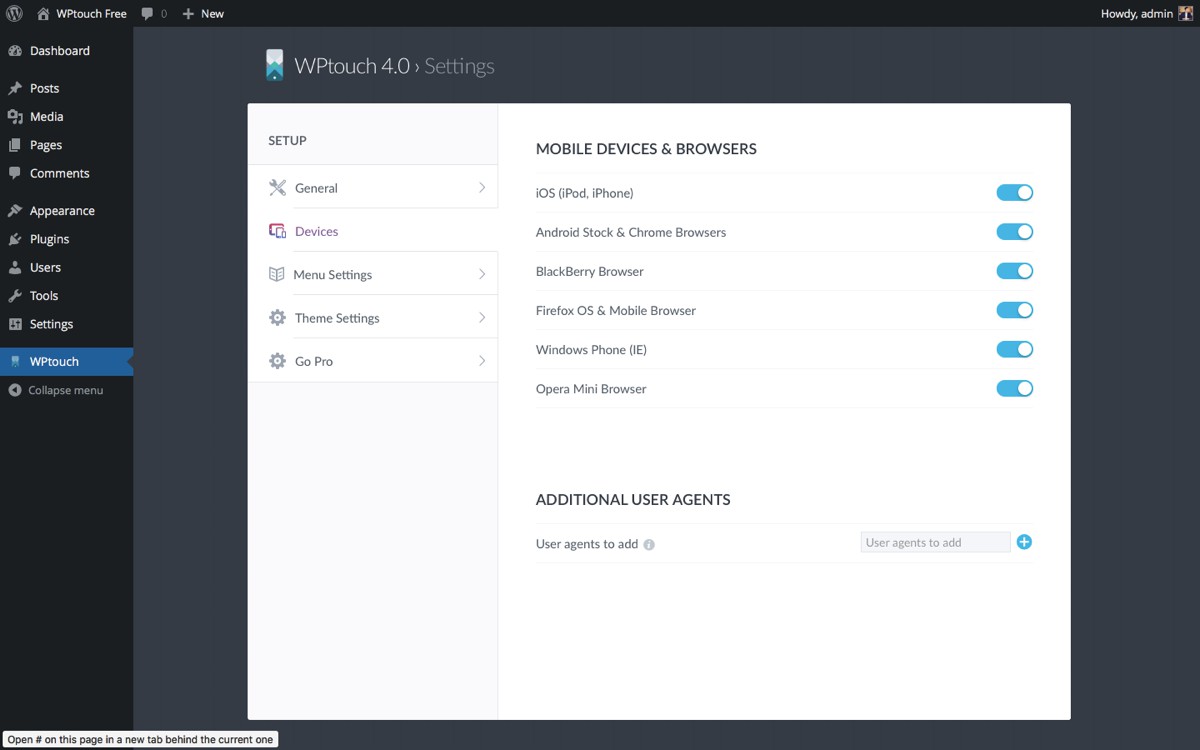
- Added: Added new options and controls (like controlling the devices WPtouch is active for)
- Changed: Removed visible but inactive Pro settings
- Changed: Simplified a few settings, you’ll probably be mad at us but we really want this plugin to be easy to use for everyone!
- Changed: Now using the WP color picker
- Changed: Updated core plugin assets and optimized theme & admin speed
WordPress 4.0+
You can install WPtouch directly from the WordPress admin. Visit the Plugins – > Add New page and search for ‘WPtouch’. Click to install.
Once you have installed and activated WPtouch, visit the admin page via the sidebar menu to customize your WPtouch installation’s appearance.
User Manual
You can download the user manual from within the WPtouch administration panel, or download the WPtouch manual here. It contains information on how to configure WPtouch. Please note that if you are using a caching plugin, you will need to perform additional steps for WPtouch to work as expected.
For more information visit WPtouch.com.

