

Improve your WordPress SEO: Write better content and have a fully optimized WordPress site using the Yoast SEO…
About WPFront Scroll Top
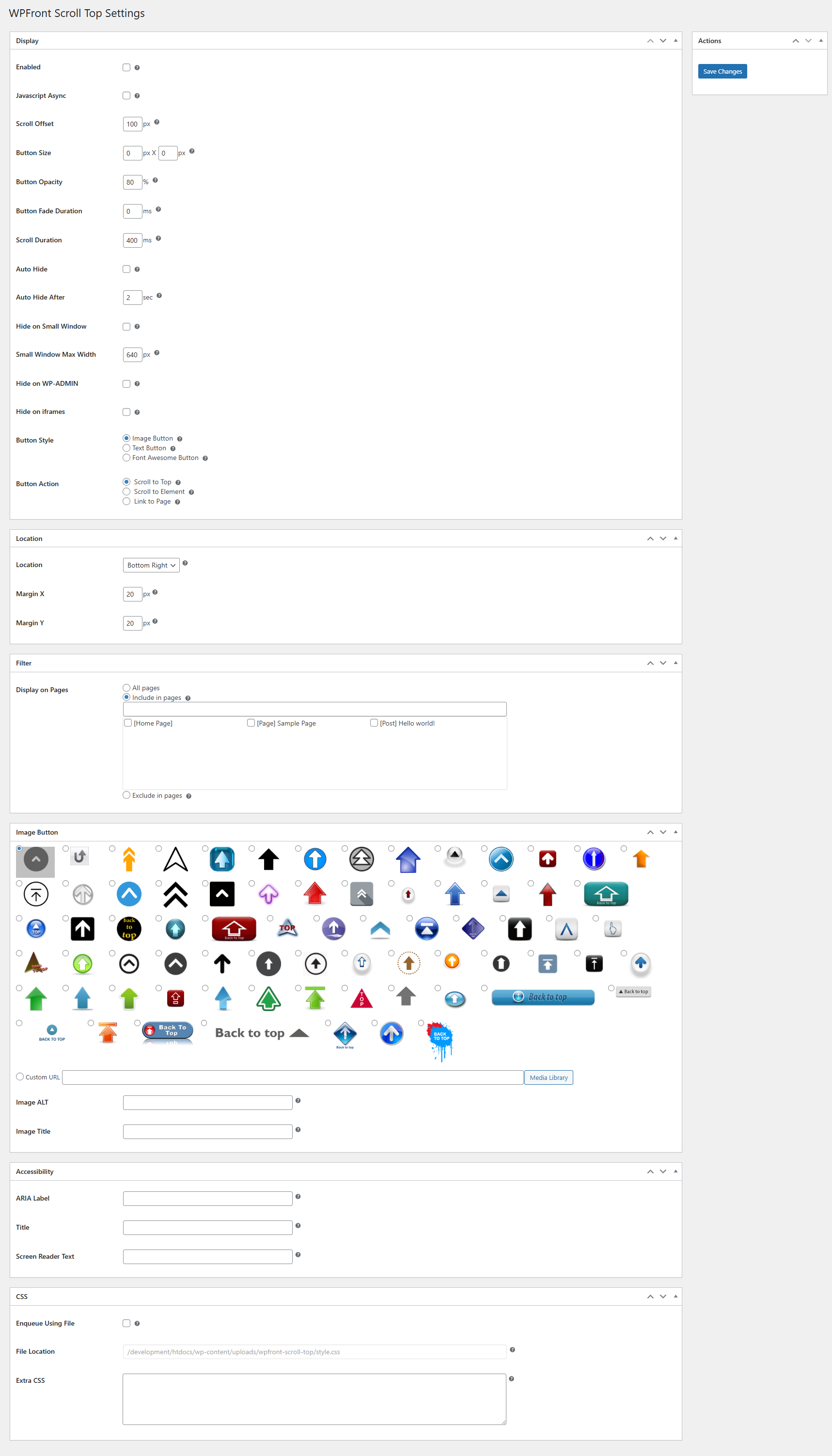
The WPFront Scroll Top plugin allows users to easily scroll back to the top of a webpage. It has customizable options and supports different types of buttons, including text, image, and Font Awesome. Additional features include the ability to link to specific elements within a page, hide on small devices, and auto hide. For more information, visit the WPFront Scroll Top Settings page.Screenshots
Frequently asked questions
What does the WPFront Scroll Top plugin do?
The WPFront Scroll Top plugin adds a customizable "Scroll to Top" button to your WordPress site. This button appears as users scroll down and disappears when they return to the top, allowing visitors to easily scroll back to the top of the page.
Is the WPFront Scroll Top plugin customizable?
Yes, the plugin offers extensive customization options. You can choose custom icons, button position, color, and animation, and set intelligent display rules without any coding.
Does the WPFront Scroll Top plugin affect website performance?
No, the plugin is designed for speed and optimized performance. It utilizes Async JavaScript to ensure fast page loading.
Is the WPFront Scroll Top plugin mobile-friendly?
Yes, the plugin includes responsive controls. It has an option to hide the button on smaller devices or windows for a better mobile user experience.
Can I use my own images for the scroll-to-top button?
Yes, you can use any image URL for complete branding control. The plugin allows you to choose between text, custom images (PNG/SVG), or Font Awesome icons for the button design.
Changelog
3.0.1
- Defect fix.
3.0.0
- Breaking changes are introduced. Please verify the display after the upgrade.
- These breaking changes are needed for accessibility and SEO friendly markup.
- The container will either be a button or an anchor element.
- There could be multiple span inside the container depending on your configuration.
- Minimum PHP version required is 7.2.
- Accessibility and more CSS settings are available.
- Deprecated settings are removed.
2.2
- Compatibility fixes.
2.1.1
- Bug fix.
2.1
- [Deprecated] Small device settings.
- New UI.
- Title HTML attibute.
- PHP compatibility fixes.
- HTML validation fixes.
- Performance improvements.
2.0.7
- XSS fix. Thanks to ‘Vlad Visse’.
2.0.6
- XSS fix. Thanks to ‘Asif Nawaz Minhas’.
2.0.5
- XSS fix.
2.0.4
- WP compatibility fix.
2.0.3
- jQuery deprecation fixes.
- Compatibility fixes.
- SiteGround conflict fix.
2.0.2
- Fixes WordPress 5.2 site health, wp_version_check, conflict.
2.0.1
- Link to element.
- Link to page.
- Select image from media library easily.
- Performance improvements.
1.6.2
- Requires minimum PHP 5.3.
- Bug fixes.
- Moved menu under ‘Settings’ menu.
- PHP 7.2 compatibility fixes.
1.6.1
- Undefined variable fix.
1.6
- Font Awesome icons support.
- New image icons.
- Setting for moving menu under ‘Settings’.
- Performance improvement.
- UI improvement.
- PHP 7 compatibility fixes.
1.5
- JavaScript async.
- Minified files.
- Language files removed.
1.4.5
- Ukrainian translation added. Thanks to Ivanka Skakun.
1.4.4
- Zerif theme compatibility fix.
1.4.3
- Media upload bug fix.
1.4.2
- Bug fixes.
- German language added.
1.4.1
- Bug fixes
- Russian language added
1.4
- Image ALT attribute
- Language translations
1.3
- Auto hide
- Hide on wp-admin
- Hide on iframes
- Pages/posts filter
1.2
- Text button option
- Bug fixes
1.1.1
- Stability improvements
- New menu structure
1.1
- New option to hide on mobile devices
- Fixed conflicts with other plugins
1.0.1
- Bug fixes
1.0
- Initial release

