

Just another contact form plugin. Simple but flexible.
About Wp Social Login and Register Social Counter
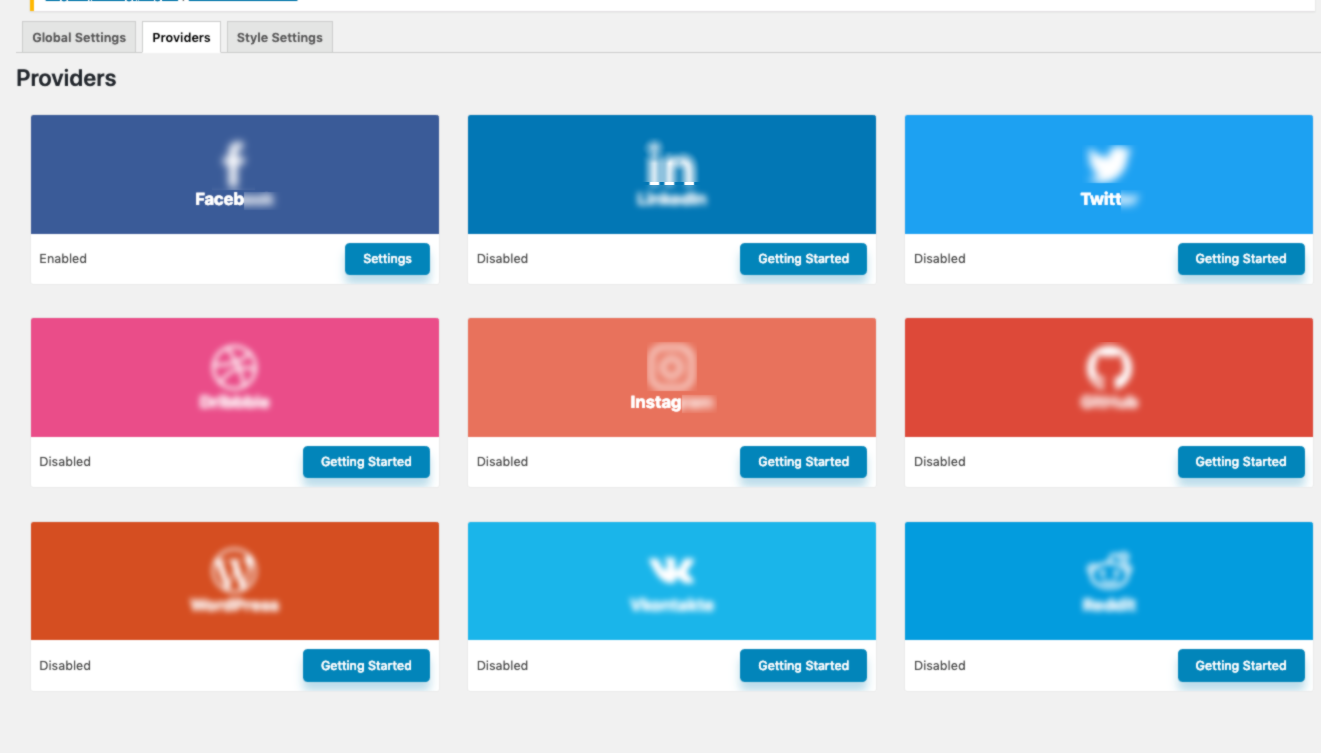
WP Social is a powerful social media plugin that allows you to add social login, social counter, and social share buttons to your WordPress website. It integrates with popular social media platforms and offers customizable designs and features. With WP Social, you can easily manage social media integration and increase engagement on your website.Screenshots
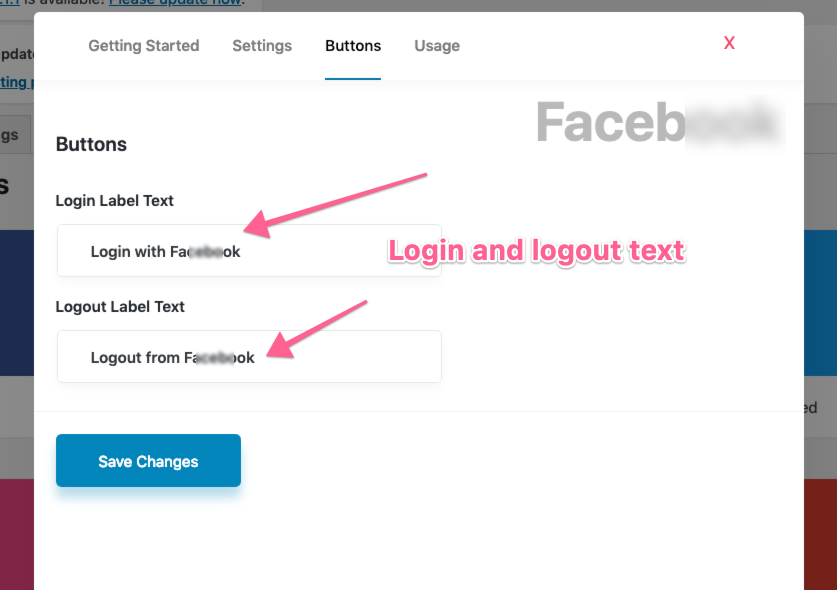
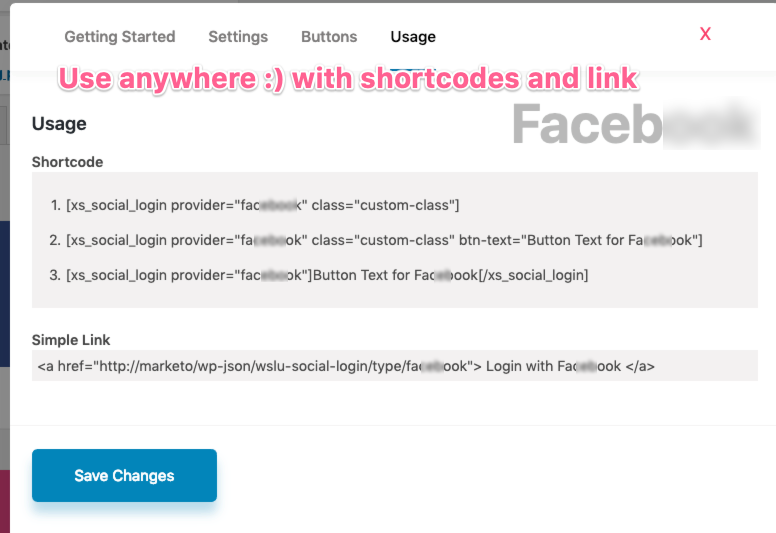
Frequently asked questions
What is WP Social?
WP Social is a WordPress plugin that adds social login, social counter, and social share buttons to your website. It aims to simplify social media integration for WordPress users.
What features does WP Social offer?
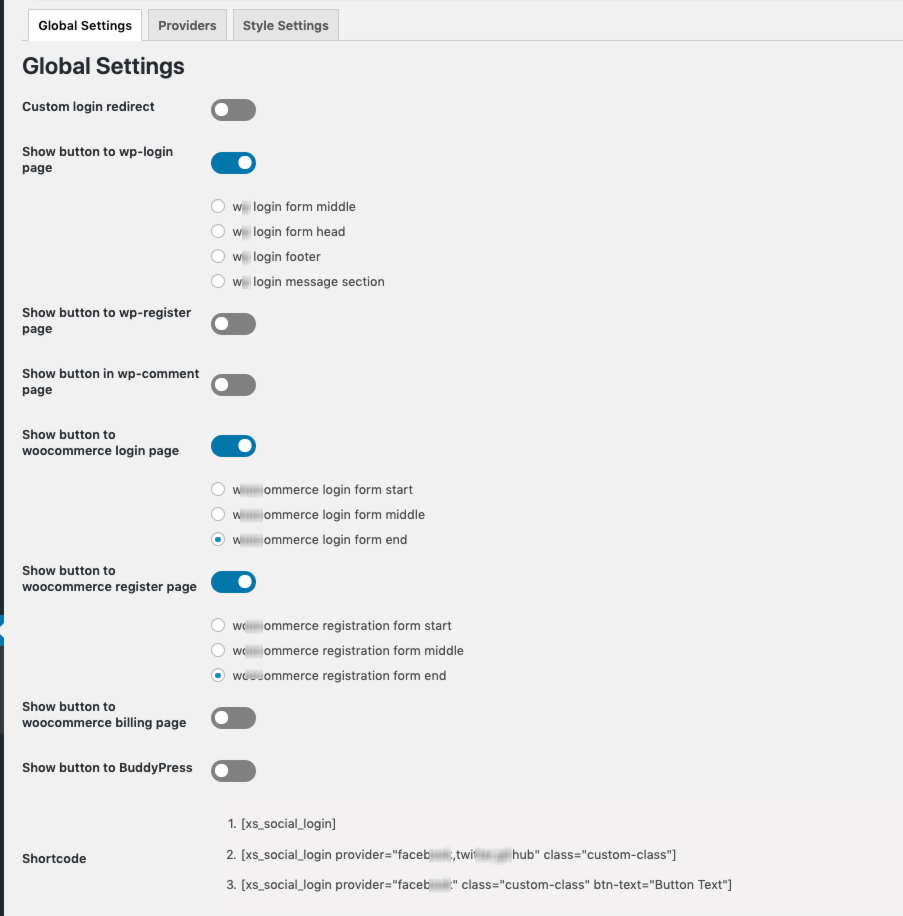
WP Social offers social login/registration, social counter displays, and social sharing functionalities. Users can configure these features from the WordPress admin panel.
How does WP Social help website visitors?
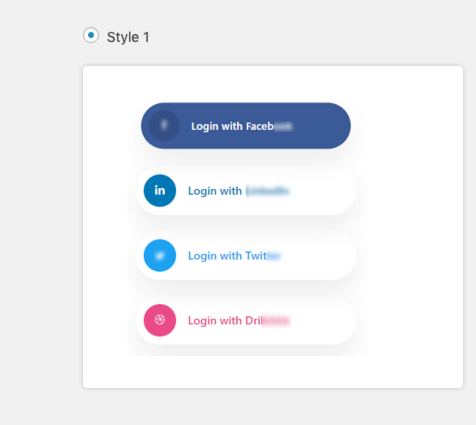
WP Social allows visitors to log in to your site using their social accounts and share your content on various social media platforms. It also displays the number of fans and followers for your social media channels.
Can I control which features are active?
Yes, you can enable or disable any of the features within WP Social to suit your specific website needs. This allows for customized social media integration.
Changelog
Version 3.1.1 // 2025-02-24
Fixed: XSS vulnerability in the Social Counter.
Version 3.1.0 // 2025-02-09
Fixed: Rest api base url issue.
Fixed: Show button to wp-login page switch enable/disable issue.
Version 3.0.9 // 2024-12-02
Fixed: Youtube subscribers counter redirect URL issue
Fixed: Twitter followers counter issue
Fixed: Social counter configuration settings modal issue
Version 3.0.8 // 2024-10-20
Improved: Social login security.
Version 3.0.7 // 2024-10-07
Fixed: Login with Vkontakte is not working.
Fixed: Profile photo is re-uploading after social login.
Version 3.0.6 // 2024-09-17
-Fixed: Minimum PHP required version issue.
Version 3.0.5 // 2024-09-15
-Updated: Hybridauth and phpseclib libraries.
Version 3.0.4 // 2024-07-25
-Fixed: Warning notice on block editor.
Version 3.0.3 // 2024-06-23
-Added: Option to disable promotional content.
-Improved: Admin UI.
Version 3.0.2 // 2024-05-13
-Added: Action hooks before social login user creation.
-Improved: Admin UI.
-Fixed: X (Twitter) logo issue.
Version 3.0.1 // 2024-02-27
-Fixed: Conflict with Advanced Custom Fields (ACF) plugin.
-Fixed: Enable provider vulnerability.
-Fixed: Not going to the accurate account while click on the Pinterest icon.
Version 3.0.0 // 2023-12-26
-New: LinkedInOpenId support
Version 2.2.9 // 2023-11-27
-Fixed: Login provider ordering issue
Version 2.2.8 // 2023-11-21
-Fixed: Pinterest counter not working
-Fixed: Sign In with Linkedin issue
Version 2.2.6 // 2023-09-19
-Improved: User experience
Version 2.2.5 // 2023-09-14
-Fixed: Line app login issue.
-Fixed: Login redirect is not working with the Line App.
Version 2.2.4 // 2023-09-04
-Fixed: Admin notice display for not admin users issue.
Version 2.2.3 // 2023-06-04
-Fixed: Share settings not working for single page and post page
Version 2.2.2 // 2023-03-09
-Fixed: Some translation issues.
-Fixed: Share label and default share counter.
Version 2.2.1 // 2022-12-12
-Fixed: Facebook Messenger sharing is not working
-Fixed: The user profile image has been synced (while login) even it is disabled from setting
-Fixed: Instagram not redirecting to the right URL for counter
Version 2.2.0 // 2022-11-15
– Fixed : Provider not saving issue at backend
– Fixed : Share, counter, login widgets design issue
– Compatibility: compatible with WordPress 6.1
Version 2.1.0 // 2022-11-10
– Improved: Security
Version 2.0.1 // 2022-11-01
– Improved: Coding standard
Version 2.0.0 // 2022-10-30
– Improved: Security
– Improved: CSS & JS
Version 1.9.0 // 2022-08-31
– Fixed: Facebook counter issue
– Fixed: Counter providers ordering issue
– Fixed: Social counter showing wrong text issue
– Fixed: Login link visible issue on hover
– Tweaked: Security improved
– Compatibility: compatible with WordPress 6.0
Version 1.8.6 // 2022-04-19
– Tweaked: Global Settings.
– Tweaked: Minor issues reguarding no-follow attribute.
– Tweaked: JS & CSS.
Version 1.8.5 // 2022-03-29
– Added: Oxizen builder compatibility support.
– Fixed: Some minor issues.
– Tweaked: CSS and JS improved.
Version 1.8.4 // 2022-01-22
-Improved: Rating asking alert for better user experience.
-Tweaked: CSS and JS improved.
Version 1.8.3 // 2022-01-09
-Fixed: Share widget responsive issue
-Fixed: Mailchimp counter cached time issue
-Fixed: Missing dependency issue
-Tweaked: CSS and JS improved
Version 1.8.2 // 2021-11-23
– Fixed: onboard screen conflict with other wpmet plugin
– Tweaked: CSS and JS improved
Version 1.8.1 // 2021-11-14
– Fixed: onboard screen does not get completed
Version 1.8.0 // 2021-11-10
– added: Added: Onboard Integration
– fixed: Share button widget style not changing issue
– Tweaked: CSS and JS improved
Version 1.7.4 // 2021-08-10
– fix: Provider select does not work from widget issue is resolved
– fix: LINE app email conflict is resolved
– fix: PHP 8 notices is resolved
– Tweak: CSS and JS improved
– Compatibility: compatible with WordPress 5.8
– Compatibility: compatible with PHP 8
Version 1.7.3 // 2021-07-19
– fix: Some minor issues
– Tweak: CSS and JS improved
Version 1.7.2 // 2021-07-15
– fix: Error is shown when try to login with social provider except LINE app
Version 1.7.1 // 2021-07-12
– Add: New login provider added “LINE” app
– Add: New option added ‘Email new registered user’
– fix: Bold tag in login button issue is resolved
– fix: Global css issue
– Fix: Some minor issues
– Tweak: Icon updated
– Tweak: CSS and JS improved
– Required PHP version updated to 7.0
Version 1.7.0 // 2021-05-19
– Add: Drag & drop to sort the providers
– Add: Manual cache clear mechanism in social counter
– Add: Suggestion for custom login redirect implemented
– Fix: User reauth issue after deleting the user
– Fix: Linkedin login issue is resolved
– Fix: Dismiss button does not work issue
– Fix: Some minor issues
– Tweak: CSS and JS improved
– Compatibility: compatible with WordPress 5.7.2
Version 1.6.1 // 2021-02-03
– Fix: Headers already sent warning issue is fixed
Version 1.6.0
– Add: New option added for individual post/page to override the global social share button appearance
– Tweak: style parameter added for login shortcode
– Tweak: social share style settings page layout re-designed
– Fix: Counter not showing from API call issue is fixed
– Fix: Documentation & support links are updated
– Tweak: CSS and JS improved
Version 1.5.0
– Add: License key activation field added
– Fix: Provider is not coming in widget dropdown
– Fix: Some spelling corrected
– Fix: Notice on elementor editor issue
– Tweak: CSS and JS improved
Version 1.4.9
– Fix: Some minor bug fix
– Fix: Some spelling corrected
– Tweak: CSS and JS improved
– Compatibility: Compatible with WordPress 5.6
Version 1.4.8
– Fix: Conflict with brizy editor issue resolved
– Fix: Some other minor bug fix
– Tweak: CSS and JS improved
Version 1.4.7
Fix: Social share content is not appending or prepending issue is resolved
– Fix: Some other minor bug fix
– Tweak: Code improved
– Tweak: CSS and JS improved
Version 1.4.6
– Fix: Instagram count checking request will be fired only if the Instagram count is turned on
– Tweak: Social login providers activation button redesigned
Version 1.4.5
– Fix: Some php notice resolved for new installation
Version 1.4.4
– Fix: Style dropdown values are not coming in elementor editor for share widget
– Fix: Pinterest actual count is not showing in social counter issue is resolved
– Fix: Elementor editor is not loading issue is resolved
– Fix: Shortcode is not working issue is resolved
– Tweak: Improved youtube social count
– Tweak: Improved dribbble social count
– Tweak: Improved twitter social count
– Tweak: Social share providers activation button redesigned
– Tweak: Social count providers activation button redesigned
– Tweak: Post & comments counts shows actual count if default count is not given in social count
– Tweak: Global cache time now can be decimal too
– Tweak: Code improved
– Tweak: CSS and JS improved
Version 1.4.3
– Fix: WordPress compatibility issues
Version 1.4.2
– Fix: WordPress compatibility issues
– Tweak: change the default value priority with actual values
Version 1.4.1
– Fix: app creation doc updated
– Fix: Instagram social counter not working issue
– Tweak: CSS and JS improved
Version 1.4.0
– fix: user data issues
– Tweak: Improved design
Version 1.3.11
– Tweak: username generation logic updated. Instead of a unique identifier sent from the social provider, now username will be first_name+last_name and all space removed and lower-cased.
Version 1.3.10
– Fix: A fatal error occurring in some environment
Version 1.3.9
– Fix: Default role issue fixed
– Fix: A fatal error due to conflict
– Add: Sending email notification to admin and users on registration
Version 1.3.8
– Fix: Page redirection issue with custom url
– Fix: Page redirection issue with default redirect_to param
– Fix: A fatal error conflict with another plugin
– Fix: Some minor PHP notices
– Tweak: Social media profile picture
– Tweak: Username generation from social media identifier
– Tweak: Improved login security
Version 1.3.7
Login restriction without password
Version 1.3.6
Fixed login security issue
Version 1.3.5
Fixed Facebook login issue
Fixed #hover style name appearing in widget for counter and share
Fixed google login
Tweaks
Version 1.3.3
Counter issue fixed
Version 1.3.2
fixed Woocommerce edit issue
Fixed Counter widget
Version 1.3.1
Route issue fixed
Version 1.3.0
Fixed Mac backslash issue
Version 1.2.9
Translation issue fixed
Version1.2.8
Share button issue fixed
Version 1.2.7
Admin UI updated
1.0.10
Donate form second style checkout
Fixed Reward title field type
- initial release

