

Enables the previous "classic" editor and the old-style Edit Post screen with TinyMCE, Meta Boxes, etc. Supports all…

About WP Mega Menu
The WP Mega Menu plugin allows you to create stunning and customizable navigation menus for your WordPress site. With features like drag-and-drop menu builder, widgets in menu, multiple themes, and branding options, you can build a navigation menu beyond imagination. It is a powerful tool to enhance the design and functionality of your website.Screenshots
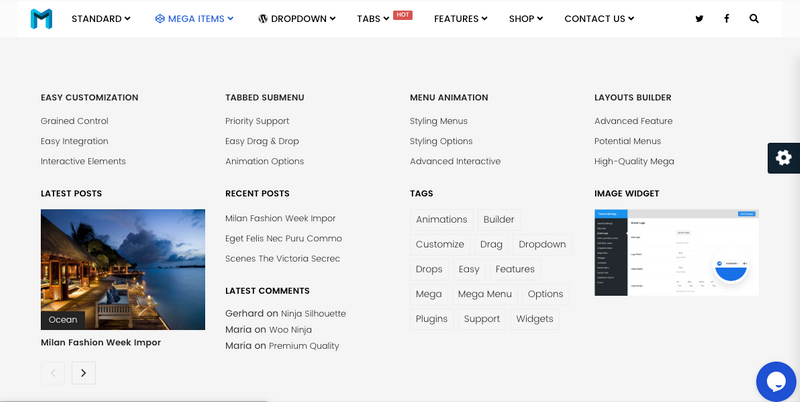
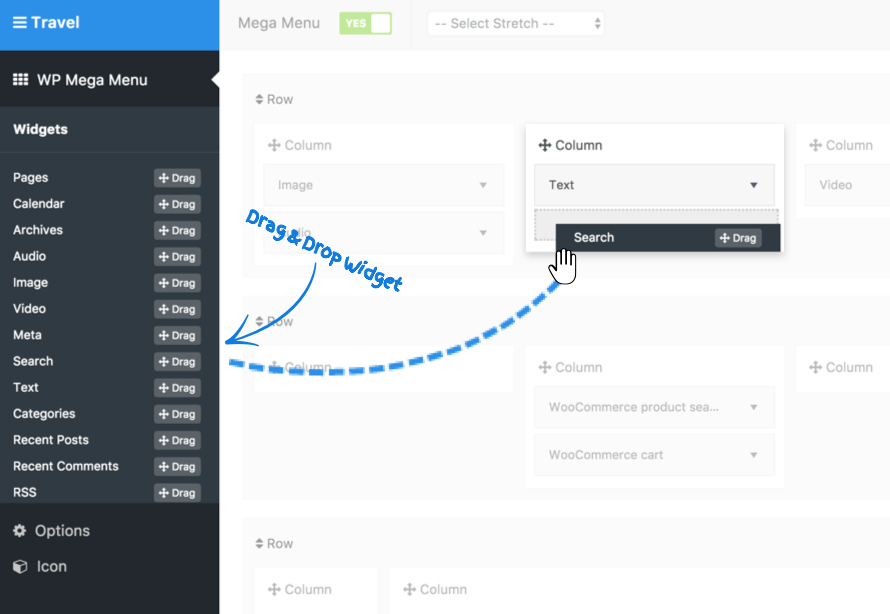
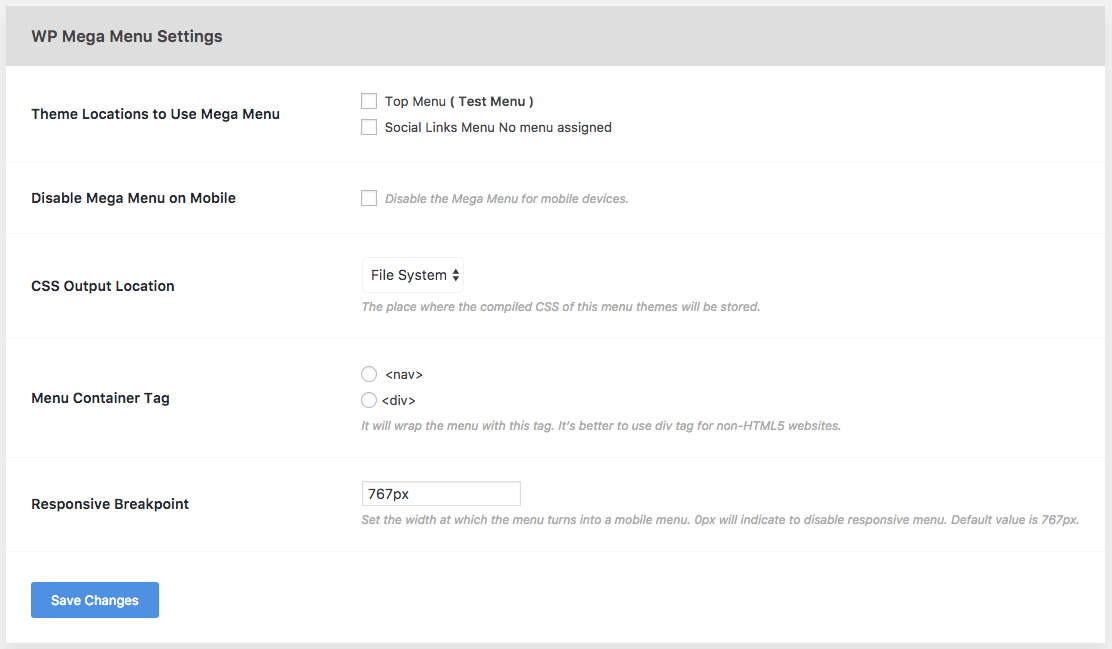
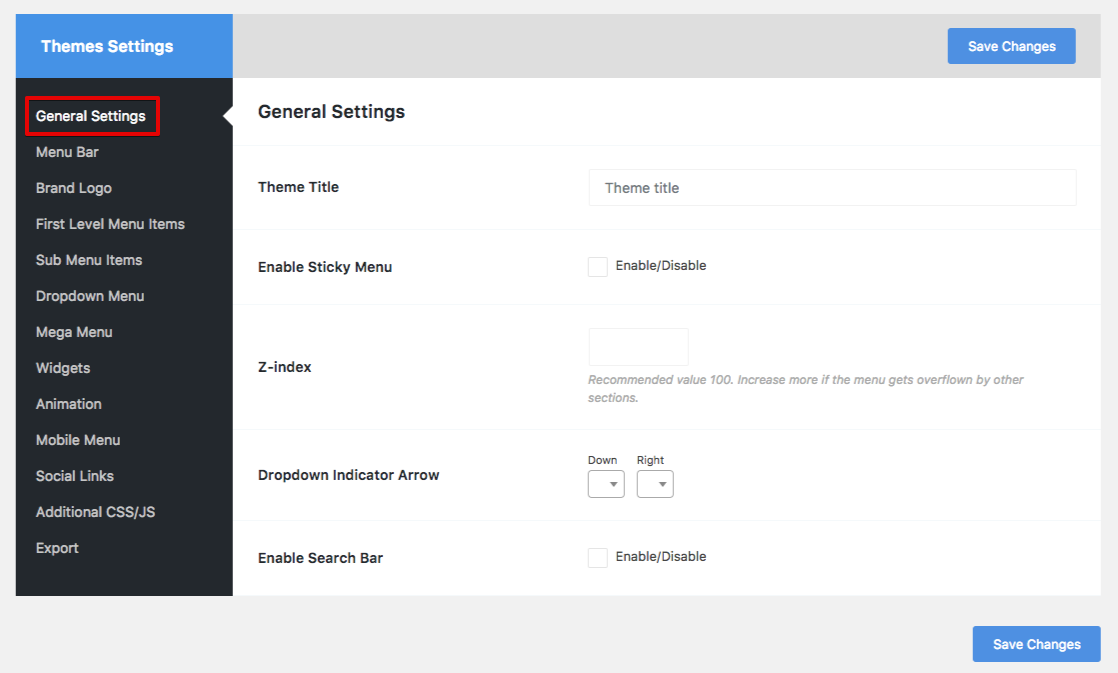
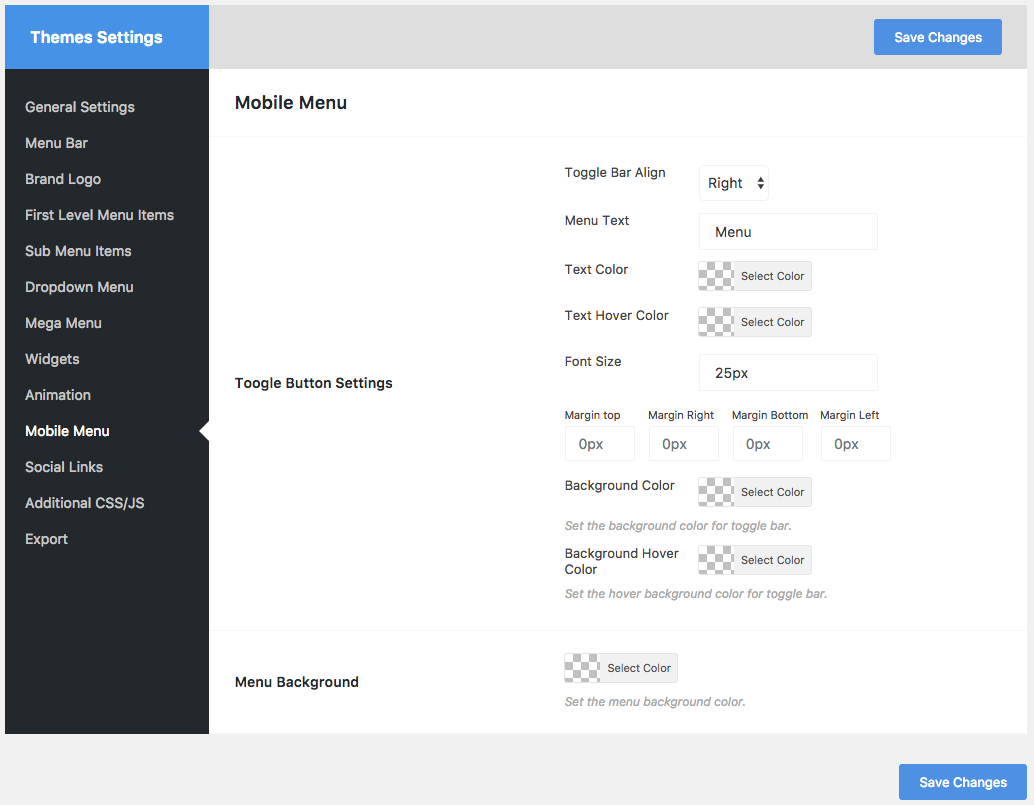
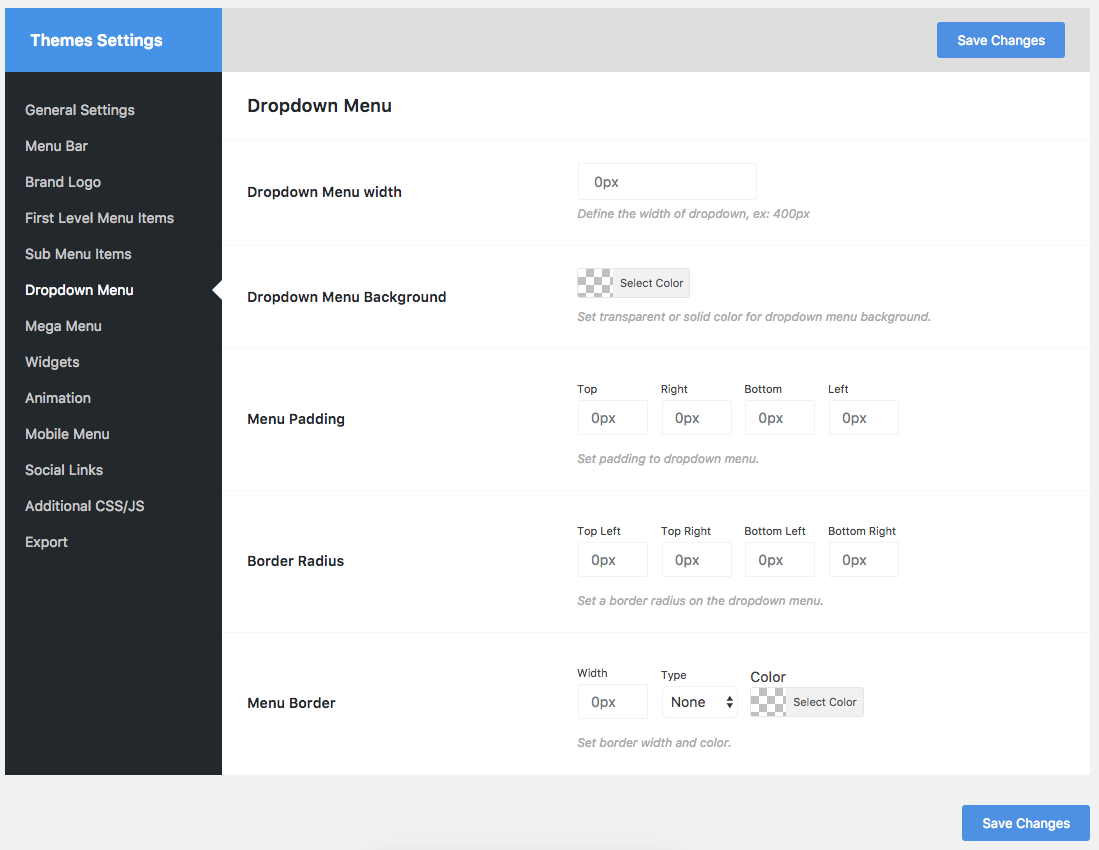
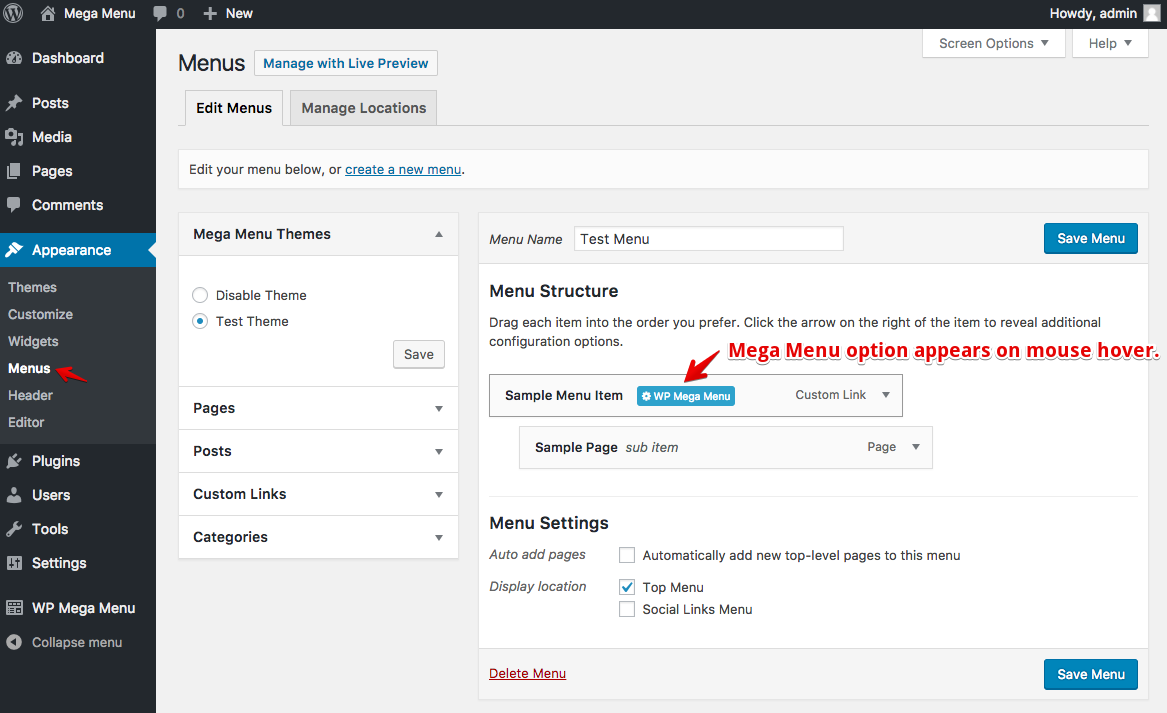
Frequently asked questions
What is WP Mega Menu?
WP Mega Menu is a responsive, highly customizable drag and drop menu builder plugin for WordPress. It allows users to create rich and stunning navigation menus for their website.
What are some key features of WP Mega Menu?
Key features include a drag and drop menu builder, widgets in the menu, multiple themes/skins, and support for social icons and a search bar. It also offers menu labelling, Dashicons and Font Awesome icon support, and responsive design.
Can I customize the appearance of my menus?
Yes, you can customize menu themes and styles using drag-and-drop tools. You can also beautify menu items with custom colors, fonts, and attributes, and use a menu background image.
Who developed WP Mega Menu?
WP Mega Menu was developed by Themeum.
Is there a demo available?
Yes, a plugin demo is available.
Changelog
1.4.2
Fix: Theme export empty file issue
Update: Security update
1.4.1
Security Update
= 1.4.0 [June 25, 2021]
Update: Updated the Import and Export features
Update: Security Update
= 1.3.9 [June 23, 2021]
Update: Security Update
= 1.3.8
Fixed: PHP Error fix undefined index container_aria_label
= 1.3.7 [April 17, 2020]
Update: Security Update
= 1.3.6 [March 20, 2020]
Added: Compatibility with 10 more themes ( Astra, Divi, OceanWP, Storefront, GeneratePress, OnePress, StudioPress, Hestia, Heuman, Hello Elementor)
Update: Optimized the plugin’s code
Fixed: Localhost to live server mega menu static URL issue
Fixed: WPMM Theme hide issue
Fixed: Megamenu custom width input field issue
Fixed: “Unexpected output” or “headers already sent” warning during plugin activation
= 1.3.5 [March 3, 2020]
Update: Added prefix before classes
Fixed: WPMM version issue
Fixed: Login console issue
= 1.3.4 [February 27, 2020]
Update: WP Mega Menu search in full screen
Update: Custom image/icon upload option in a single menu
Added: WPMM Woo Product Widget
Added: WPMM Product Category Widget for WooCommerce
Added: WPMM Pricing Table Widget
Added: WPMM Video Widget
Added: WPMM Woo Cart integration
Added: Login/Signup options in menu
Added: Single menu description (theme support required)
Added: Single menu customization options in the theme settings
= 1.3.3 [January 24, 2020]
Updated: Classic blue and Modern dark theme update.
Fixed: Auto increase Inactive Widget problem.
Fixed: Background image delete icon not visible.
Fixed: Grid post and Woocommerce grid post widgets issue.
Fixed: Sticky menu width problem.
Fixed: Customizer dropdown issue.
Fixed: Icon issue in Megamenu Option.
Fixed: Open in new tab issue.
Fixed: CSS issue.
= 1.3.2 [September 9, 2019]
Added: Conditional menu item (if logged in)
Added: Search field placeholder text change option
Added: Option to change search placeholder (Pro)
Fixed: WooCommerce Shipping zone overlaps
Fixed: Menu disappear after resize
Fixed: Can’t upload brand logo (Avada theme)
Fixed: Grid Post & Grid WooCommerce category link is not working properly
= 1.3.1 [August 29, 2019]
Fixed: Known issues
= 1.3.0 [July 11, 2019]
Fixed: Problem with media uploading url
= 1.2.9 [July 9, 2019]
Added: SSL Support
= 1.2.8 [June 26, 2019]
Added: Now post category menu is clickable
Added: Close icon on mobile menu button
Added: Background option for sticky menu
Fixed: 3rd level Dropdown indicator issue is not showing
Fixed: Stretch Row issue is not working properly
Fixed: Mobile menu dropdown is not working (FontAwesome SVG issue)
Fixed: W3C Validation issue
Fixed: Stretch Row background image is not working
Fixed: Storefront mobile menu is not working.
Fixed: Grid post & Products widget post count issue
Fixed: Grid Woocommmerce widget category issue
Fixed: PHP error on Grid post & product widget.
= 1.2.7 [March 12, 2019]
Updated: Improved UX for enabling mega menu
Fixed: Some minor bugs
= 1.2.6 [March 04, 2019]
Fixed: Mega Menu theme was not uploading due to ext check issue
Fixed: Some known issue and bugs
= 1.2.5 [18/12/18]
Fixed: A small bug, website link was printed to plugins page
= 1.2.4 [23/10/18]
Added: Logo center menu ( Text/Image logo)
Added: Call To Action Button
Added: Gradient Background Option
Fixed: Stretch row left offset issue
Fixed: Stretch row border is not working
Fixed: Box Shadow is not working on stretch row
Fixed: Sticky menu issue
= 1.2.3 [27/09/18]
- Added: Gradient background option for menubar & first level menu item.
- Added: Specific border option for first level menu item.
- Fixed: Sticky menu issue.
- Fixed: Menu bar border radius issue.
- Fixed: Vertical menu z-index issue.
1.2.2 [25/09/18]
- Hotfix Update to fix a css build issue
1.2.1 [24/09/18]
- Added: Custom social icon support.
- Added: Two new predefined theme.
- Added: IcoFont Icon
- Added: Widget Search Option
- Added: Text Transform ‘none’ & ‘inherit’ option.
- Fixed: Cannot save dropdown menu option.
- Fixed: Cannot add multi-level dropdown menu icon.
- Fixed: Multi-level dropdown indicator is not showing properly
- Fixed: Some PHP warning.
- Fixed: Mobile menu animation issue.
- Fixed: Icon & Badge spacing & Alignment Issue.
- Fixed: FontAwesome 4 & FontAwesome 5 conflict issue
- Fixed: Multiple menu theme is not working properly
1.2.0 [10/09/18]
- Added : IcoFont Icon
- Added : Widget Search Option
-
Added : Text Transform ‘none’ & ‘inherit’ option.
-
Fixed : Cannot save dropdown menu option.
- Fixed : Cannot add multi-level dropdown menu icon.
- Fixed : Multi-level dropdown indicator is not showing properly
- Fixed : Some PHP warning.
- Fixed : Mobile menu animation issue.
- Fixed : Icon & Badge spacing & Alignment Issue.
1.1.9 [10/07/18]
- Added : Manual Menu Implementation Code Generator
- Added : Manual Menu Implementation ShortCode Generator
- Added : Manual Menu Implementation Code by Theme Location
- Fixed : Widget Item Displaced by Menu, col displaced issue
- Improved : Performance Improved
1.1.8 [02/07/18]
- Added : Menu Import and Export Feature
1.1.7 [10/04/18]
- Fixed : Disable the Mega Menu for mobile devices.
1.1.6 [29/03/18]
- Fixed : Hamburger Mobile Button Fixed
1.1.5 [28/03/18]
- Fixed : a bug in mobile menu on off
1.1.4 [15/03/18]
- Fixed : Option settings panel, checkmark issue, it was’t worked when uncheck option
- Fixed : some known bugs
1.1.3 [07/03/18]
- Fixed : WP MegaMenu Settings saving issue
- Fixed : some known bugs
1.1.2 [14/12/17]
- Added : menu active facilities from wordpress menu manager page
- Added : css minifier, WP MegaMenu theme css will be minified from now
- Removed : select location in settings page
- Fixed : an issue in issue in activating menu theme
- Improved : accessibility for activating menu
- Improved : speed and performance
- Fixed : a issue in widget gird post
- Fixed : dropdown arrow initially
- Fixed : some known bugs
1.1.1 [16/11/17]
- Fixed: Fix color picker issue
1.1.0 [16/11/17]
- Added: Mobile menu options
- Added: Now megamenu theme will show in nav page by default as meta box
- Fixed: Dropdown issue
- Fixed: Grid Addons issue
- Fixed: Search icon issue
- Fixed: Some known bugs
1.0.9 [20/10/17]
- Fixed: a bug, assigning mobile menu.
- Fixed: a bug during activating mobile menu
- Fixed: Some known bugs
1.0.8 [15/09/17]
- Fixed: a bug, assigning toggle_btn_open_text variable value
1.0.7 [14/09/17]
- Fixed: Twenty Sixteen theme compatible
- Fixed: Mobile Menu button text on off
1.0.6 [17/08/17]
- Fixed: Warning: implode(): Invalid arguments passed in rootwp-contentpluginswp-megamenuaddonswpmm-gridpostwpmm-gridpost.php on line 199
- Fixed: Warning: implode(): Invalid arguments passed in rootwp-contentpluginswp-megamenuaddonswpmm-gridpostwpmm-gridpost.php on line 201
- Fixed: First level menu item bottom padding options
- Fixed: Select chooser css issue
- Fixed: Stretch row issue
- Fixed: Social color and hover color added
- Fixed: Fixed select chooser css issue
- Fixed: Dropdown Arrow issue
- Fixed: Responsive width issue
- Added: Mobile menu item colour
- Added: Mobile menu item hover color
- Added: Mobile menu item padding
- Added: Added mobile menu item margin
- Added: widget heading margin
- Added: Active menu colour
- Added: Mega menu fixed width
1.0.5 [31/07/17]
- Fixed: Header css query reset
- Added: Dropdown menu left or right alignment
- Fixed: Mobile menu toggle fixed
- Fixed: some known bugs
1.0.4 [24/07/17]
- Mobile menu disable issue fixed
- Few bug fixed
1.0.3 [21/07/17]
- Default theme is now working right after plugin installation
- Few bug fixed
1.0.2 [20/07/17]
- Responsive menu item link clicking issue fixed for megamenu and dropdown.
- Mobile menu padding reduced
1.0.1 [20/07/17]
- Responsive mobile menu toggle issue fixed
- Sticky menu issue fixed
1.0.0 [19/07/17]
- Initial version released

