

Enables the previous "classic" editor and the old-style Edit Post screen with TinyMCE, Meta Boxes, etc. Supports all…
About WP Debugging
This plugin helps with debugging in WordPress by setting debug constants in the wp-config.php file. It also allows you to customize the debug settings and provides options for reading the debug.log file and installing additional debugging plugins. If you have a non-standard location for your wp-config.php file, you can use filters to specify the file path and add custom constants. Development contributions are welcome on GitHub.Screenshots
Frequently asked questions
What does WP Debugging do?
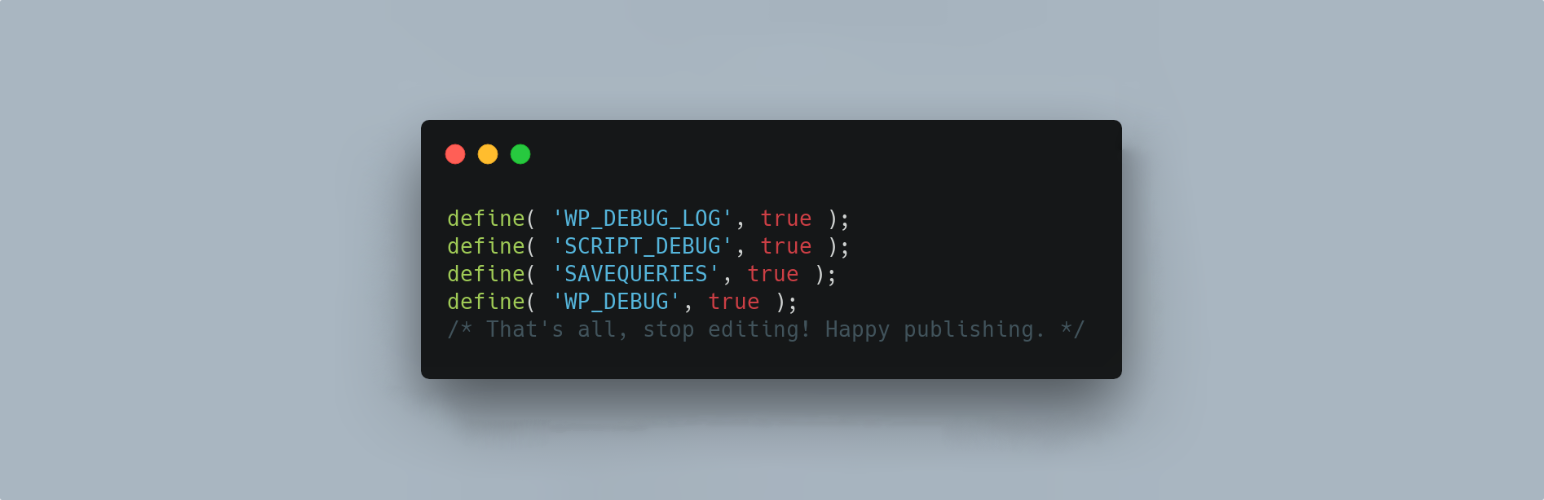
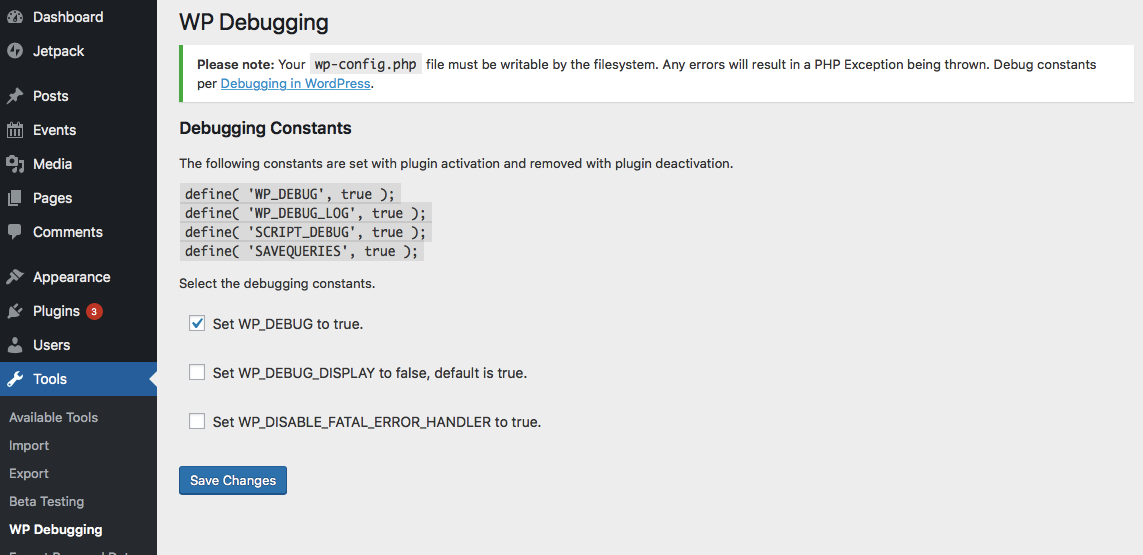
This plugin sets and removes debug constants in wp-config.php upon activation and deactivation. It helps with troubleshooting by enabling various debugging features and logging errors. Any errors encountered will result in a PHP Exception being thrown.
What are the default settings when the plugin is activated?
Upon activation, the plugin defaults to setting 'WP_DEBUG_LOG' to true, 'SCRIPT_DEBUG' to true, and 'SAVEQUERIES' to true. It also sets '@ini_set( ‘display_errors’, 1 );' and initially sets 'WP_DEBUG' to true, which can be changed later in settings.
How does WP Debugging handle wp-config.php?
The plugin uses the wp-cli/wp-config-transformer command to write constants to wp-config.php. When deactivated, it attempts to restore pre-existing constants to their former state. Upon reactivation, default and saved settings are restored.
Are there any included or recommended tools for debugging?
Yes, Debug Quick Look from Andrew Norcross is included to assist in reading the debug.log file. Additionally, Query Monitor and Debug Bar plugins are optional dependencies that can aid in debugging and troubleshooting.
Can I customize the plugin's behavior for wp-config.php?
Yes, you can use the filter wp_debugging_config_path to specify a non-standard location for your wp-config.php file. The filter wp_debugging_add_constants allows users to add custom constants to wp-config.php.
Changelog
2.12.2 / 2024-12-02
- add GA to generate POT
- update for PCP
2.12.1 / 2024-11-08
- move
register_activation_hookandregister_deactivation_hookup the chain
2.12.0 / 2024-11-01
- exit early(ish) if not on WP Debugging settings page
- composer update
- remove
load_plugin_textdomain()
2.11.24 / 2024-04-29
- update link to Debugging in WordPress, thanks @tobifjellner
- cast variable to array in
Bootstrap::deactivate()fix for PHP 8.3
2.11.23 / 2024-03-04
- composer update
- WPCS updates
2.11.22 / 2023-05-31 ?
- update
afragen/wp-dismiss-notice
2.11.21 / 2023-04-29
- update
afragen/wp-dismiss-notice - update Debug Quick Look
2.11.18, 2.11.19, 2.11.20 / 2023-02-07
- composer update
2.11.17 / 2023-01-27
- updated link to Debugging in WordPress and improved text for translators
- composer update
2.11.16 / 2023-01-19
- composer update
2.11.15 / 2023-01-02
- composer update
2.11.14 / 2022-07-15
- composer update
2.11.13 / 2022-06-23
- make anchor
preg_matchmore greedy
2.11.12 / 2022-05-29
- update to latest
afragen/debug-quick-look
2.11.11 / 2022–5-16
- update
wp-dismiss-noticewith transient and only pollwp_remote_get()weekly
2.11.10 / 2022-05-10
- use
sanitize_key()for nonces - composer update
2.11.9 / 2022-02-05
- composer update
2.11.8 / 2022-01-24
- load call to
WP_Dependency_Installer()inplugins_loadedhook to avoid loadingpluggable.php. - update
WP_Dependency_Installer
2.11.7 / 2022-01-18
- fix logic in verify nonce conditional
2.11.6 /2022-01-18
- proper nonce verification
- composer updates
2.11.5 / 2022-01-11
- I messed up the release ?♂️
2.11.4 / 2022-01-10
- composer updates
2.11.3 / 2021-12-19
- more fixes via composer update
2.11.2 / 2021-09-24
- composer update, cause of course I needed to fix something
2.11.1 / 2021-09-24
- init in
plugins_loadedhook - composer update
2.11.0 / 2021-09-23
- fix security issue for capabilities check, possible CSRF, and nonce checks.
2.10.2 / 2021-09-04
- only use
esc_attr_efor translating strings
2.10.1 / 2021-07-23
- fix PHP Notice,
Settings:line 68 - update Debug Quick Look admin bar menu for mobile
2.10.0 / 2021-06-30
- update Debug Quick Look to show menu on mobile
2.9.3 / 2021-06-22
- update WPConfigTransformer to use alternate anchor if default not present
- add @10up GitHub Actions for WordPress svn integration
2.9.1 / 2020-11-17
- update
wp-dependency-installerlibrary - update
wp-cli/wp-config-transformer - comment out quote normalization in
set_pre_activation_constants(), not sure why I did that but it can cause problems #10
2.9.0 / 2020-08-15
- use try/catch around use of
WPConfigTransformerobject
2.8.0 / 2020-08-01
- exit if called directly
- NB: I have seen the
WPConfigTransformerException error live. The issue seems to be that afile_get_contents()on thewp-config.phpfile path, at random times, returns an empty value. I’m done chasing this random error inwp-cli/wp-config-transformer. Modified version ofwp-cli/wp-config-transformerpresent
2.7.2 / 2020-06-01
- test
wp-config.phpeverywhere, still occasional WSOD reports.
2.7.1 / 2020-5-15
- return early if
wp-config.phpis empty before callingWPConfigTransformer
2.7.0 / 2020-04-30
- start loading in
inithook - run
process_filter_constants()as chained method inBootstrap
2.6.1 / 2020-03-28
- move
Settingsaction link to front - change test for
wp-config.phpfile empty
2.6.0 / 2020-02-28
- load autoloader in main file
- update composer dependencies
2.5.8 / 2019-12-23
- badly messed up check for empty
wp-config.php
2.5.7 / 2019-12-20
- check and exit early if
wp-config.phpis empty - return empty array for the above exit
2.5.6 / 2019-11-02
- early exit if
wp-config.phpnot set in specific functions
2.5.5 / 2019-09-17
- update composer.json for wp-dependency-installer update, now requires at least PHP 5.6 for spread operator
- composer update
2.5.4 / 2019-04-25
- added check for writable
wp-config.php, exit with notice if not found
2.5.3 / 2019-04-01
- update
Debug Quick Lookto display error log file path
2.5.1 / 2019-04-01
- updated version of wp-cli/wp-config-transformer
2.5.0 / 2019-03-25
- added
wp_debugging_add_constantsfilter for users to add their own constants
2.4.3 / 2019-03-09
- missed an output escape
2.4.2 / 2019-02-26
- add
Domain Pathheader
2.4.1 / 2019-02-10
- refactor set/restore pre-activation constants
2.4.0 / 2019-02-06
- save pre-activation constants for re-installation on deactivation ( say that 5x fast )
2.3.0 / 2019-02-04
- look for
wp-config.phpin directory aboveABSPATH - add filter
wp_debugging_config_pathto set non-standard path towp-config.php
2.2.0 / 2019-02-02 ?
- initial release on dot org
2.1.1 / 2019-02-01
- only show WSOD bypass when appropriate
- update dependencies
2.1.0 / 2019-01-26
- update Debug Quick Look, minor CSS changes
- Improve messaging
- add setting for WP_DISABLE_FATAL_ERROR_HANDLER constant (WSOD)
- add default setting of WP_DEBUG to true, can be changed
2.0.0 / 2019-01-18
- total re-write
- add settings page
- use
wp-cli/wp-config-transformerto changewp-config.php - include
norcross/debug-quick-lookas dependency via composer but use my fork - update POT via
composer.jsonand wp-cli - add image assets

