

Improve your WordPress SEO: Write better content and have a fully optimized WordPress site using the Yoast SEO…

About Uncanny Automator – Automate everything with the #1 no-code Automation tool for WordPress
Uncanny Automator is a powerful WordPress plugin that allows you to automate your website without any coding. With its wide range of integrations and easy-to-use interface, you can automate tasks such as sending emails, posting on social media, and updating Google Sheets based on user actions on your site. The plugin also offers a Pro version with even more features and integrations for advanced automation.Screenshots



Frequently asked questions
What is Uncanny Automator?
Uncanny Automator is the easiest and most powerful way to automate your WordPress site with no code. Build automations in minutes that connect your WordPress plugins, sites and apps together using billions of recipe combinations.
How does Uncanny Automator work?
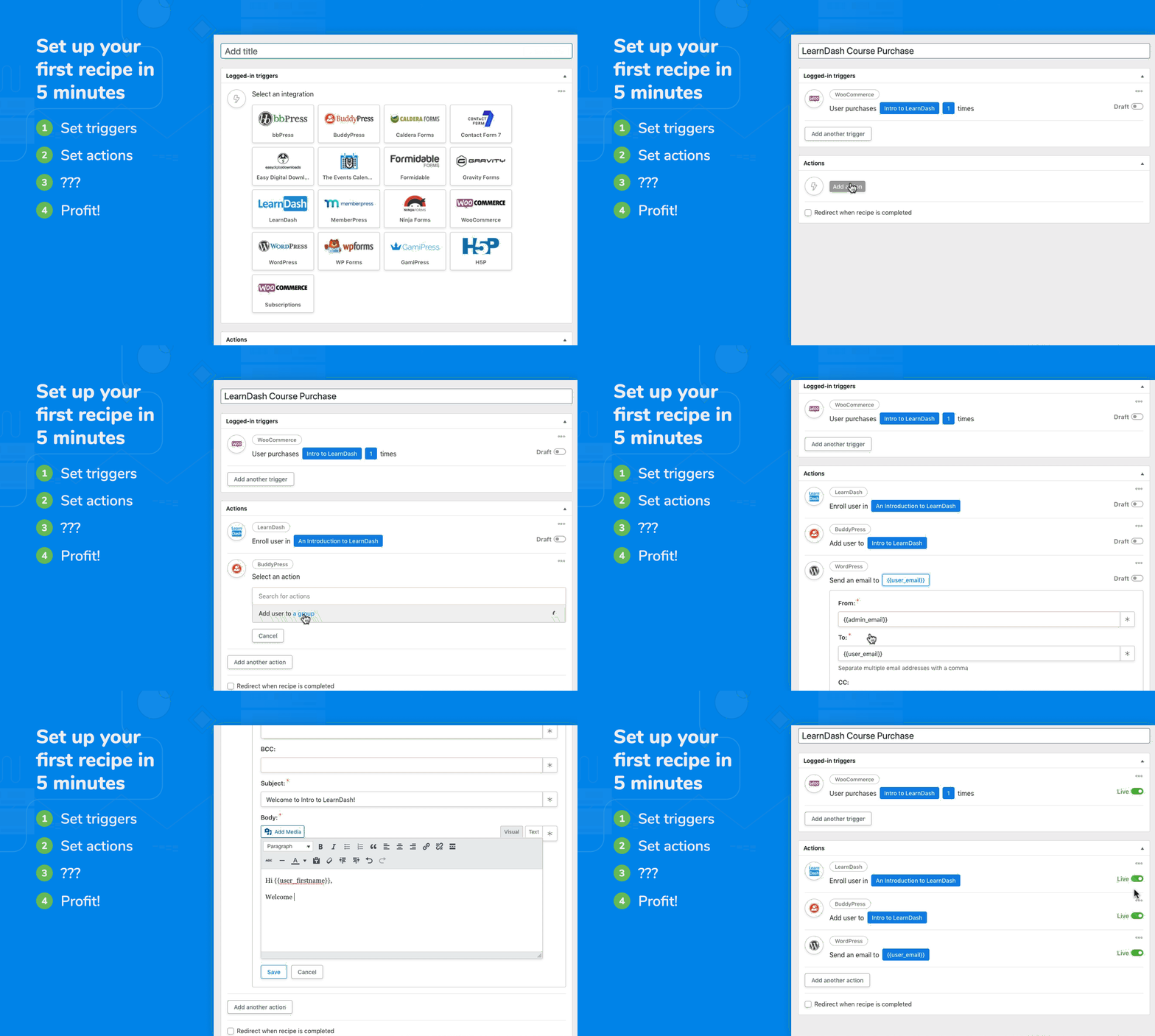
When something happens, Automator can make other things happen. For example, when a user buys a product, Automator can add them to a membership level, enroll them in a course, and pass their information to Google Sheets.
What are some examples of automations with Uncanny Automator?
With Uncanny Automator, you can automate e-commerce processes, integrate with Google Sheets, connect your WordPress site to other apps using webhooks, automate e-learning experiences with LearnDash, and automate social media posting. You can also use Uncanny Automator with OpenAI for tasks like generating article summaries, social media posts, and more. Additionally, you can integrate your favorite CRM with your WordPress plugins for full marketing automation.
What integrations are supported by Uncanny Automator?
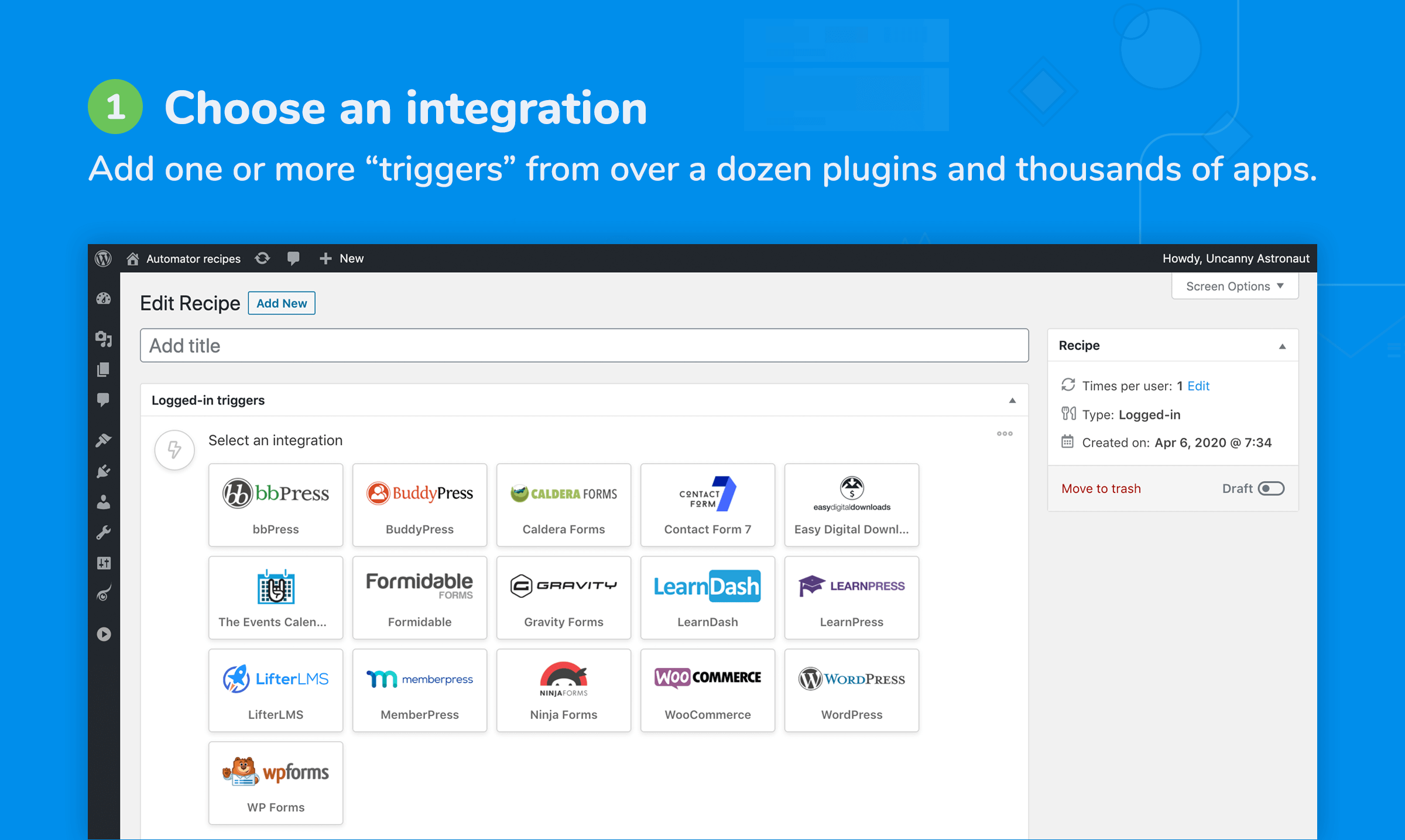
Uncanny Automator supports a wide range of popular apps and WordPress plugins including ActiveCampaign, ClickUp, ConvertKit, Facebook Groups, Google Sheets, Mailchimp, WooCommerce, LearnDash, and many more. For a full list of supported integrations, please refer to the documentation.
Is there a free version of Uncanny Automator?
Yes, there is a free version of Uncanny Automator available. The free version includes built-in automation support for popular apps and WordPress plugins, as well as common WordPress triggers and actions. By creating a free Automator account, you can unlock 250 credits to try out app integrations. You can use credits to perform actions like posting to social media, sending emails, and more.
Changelog
6.2 [2025-01-22]
New App Integration:
- Threads #5154
New Plugin Integrations:
- Duplicator #5155
- Everest Forms #4890
- Thrive Theme Builder #4277
New Triggers:
- Duplicator – A backup completes with a specific status #4848
- Everest Forms – A form is submitted #5094
- Everest Forms – A user submits a form #5095
- SeedProd – Maintenance mode is set to a status #4557
- Stripe – A subscription is cancelled #5228
- Stripe – A subscription is created #5291
- Stripe – A subscription is paid #5307
- Stripe – A subscription payment fails #5308
- Stripe – One-time payment for a product is completed #5229
- Stripe – Payment for a product is refunded #5230
- Thrive Theme Builder – A form is submitted #4280
- Thrive Theme Builder – A user submits a form #4279
New Actions:
- Duplicator – Initiate a backup #4849
- Threads – Create a Threads post #4982
- WordPress Core – Log the user out #4981
New Token:
- LearnDash – A user completes a course – Course points #4479
- LearnDash – A user completes a group’s courses – Course points #4479
Added:
- Core – Added token selector to multiselect fields in some actions – Because who doesn’t love a fancy selector? #5103
- Recipe templates – Filter to show Automator Pro only templates – Automator Pro templates now have their own exclusive VIP section. #5271
- Recipe templates – Filter to show ready-to-use templates – Ready-to-use templates are officially ready to impress. #5264
- WordPress – Create a post – Added toggle: Title must be unique – We’re enforcing originality; no more twinsies in post titles! #5205
Updated:
- FluentCRM – Add/Update a Contact – Default Status Issue – Status is no longer confused—it knows exactly what to do now. #5333
- Improved recipe UI messaging when Automator Pro is not active – Clearer messages to remind you that Automator Pro took a coffee break. #3233
- Stripe – Updated the available list of triggers/actions on the settings page – Fresh triggers and actions, straight off the development grill. #5355
- WPForms – Split “Address” token into separate tokens – Address tokens have found their individuality—they’re thriving on their own now! #4840
Fixed:
- Elementor – A Post is Published with Elementor – Trigger not firing – This trigger is back to work—no more snoozing on the job. #5334
- MailChimp – Add Contact to Audience – Now completes with an error if any required default address subfield is left empty – We’ve taught MailChimp not to pretend everything’s fine when it isn’t. Honesty is key. #5287
- Recipe UI – Removed Author dropdown from the UI – We’ve banished the unnecessary Author dropdown—it wasn’t contributing to the meeting anyway. #3834
- Token Parser – Additional validation that the value is text and not an array – Validation has been disciplined; no more rogue conditions. #5368
Under the hood:
- Core –
SENTENCE_NOT_FOUNDissue in logs – We found the missing sentences and brought them back. They were hiding in plain sight! #5293

