

Just another contact form plugin. Simple but flexible.

About Unbloater
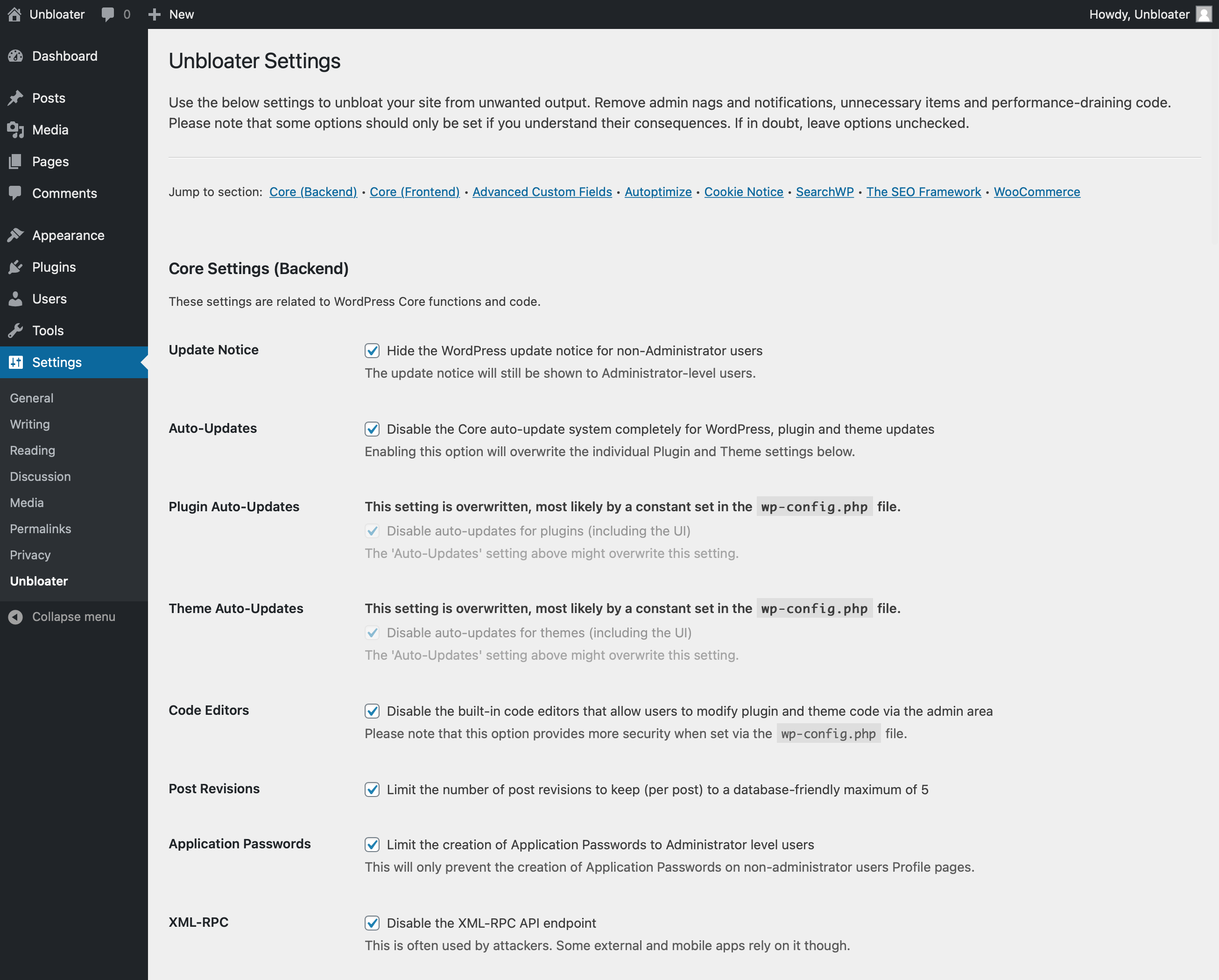
Unbloater is a plugin that helps clean up your WordPress admin dashboard and site code by removing unnecessary items. It offers over 50 options, including hiding update notices, disabling auto-updates, removing scripts and styles, and more. The plugin is designed to be minimalist and developer-focused, making it easier for non-technical users to maintain a clean site.Screenshots
Changelog
1.6.3
- Tested up to WP 6.7
1.6.2
- Tested up to WP 6.5
- Tested up to PHP 8.3
1.6.1
- Tested up to WP 6.2
1.6.0
- Added: Disable the installation of bundled items (e.g. default themes) during Core upgrades
- Added: Disable the admin email confirmation screen that gets displayed every 6 months by default
1.5.5
- Tested up to WP 6.1
1.5.4
- Added: Empty Trash option to reduce the number of days until posts are permanently deleted to 7
- Improved: Add Block Editor scripts as inline scripts to prevent
headers already senterrors
1.5.3
- Tested up to WP 6.0.2
- Improved: Remove script version parameters on frontend only to prevent conflicts
- Improved: Hide Block Editor options when the Classic Editor plugin is active
- Improved: Enqueue Block Editor scripts only in Block Editor context, remove jQuery dependency
1.5.2
- Fix: Broken detection of overwritten option state
1.5.1
- Added: Option to actually disable the RSS feeds (redirect to frontpage)
- Added: SearchWP – Option to move the top-level menu item to the bottom (position 98)
- Added: SearchWP – Option to hide the top-level menu item
1.5.0
- Tested up to WP 5.9
- Added: Frontend – Disable login language selector
- Added: Block Editor – Auto-close Welcome Guide
- Added: Block Editor – Auto-exit Fullscreen Mode
1.4.1
- Fix: Accidental trailing comma causing error on PHP < 7.3
- Removed: Unused legacy code
1.4.0
- Added: Remove jQuery Migrate script
- Added: Yoast SEO – Remove admin bar item
- Added: Yoast SEO – Remove plugin indicator
1.3.1
- Changed: Database option will now only be removed on plugin uninstall, not plugin deactivation
1.3.0
- Tested up to WP 5.8
- Added: RankMath – Remove admin bar item
- Added: RankMath – Whitelabel (Removes head comments and admin footer credit)
- Added: RankMath – Remove sitemap credit
- Added: RankMath – Remove link class
- Added: Block Editor – Deactivate block directory
- Added: Block Editor – Deactivate core block patterns
- Added: Block Editor – Deactivate template editor
1.2.0
- Added: Multisite support (global settings if network-activated)
- Removed: Support for Cookie Notice
1.1.4
- Added: Properly clean up / delete options on plugin deactivation
- Fixed: Hopefully finally fixed translations / text domain
1.1.3
- Tested up to WP 5.7
- Improved: Optimized/reduced translation strings
- Improved: Replaced deprecated
login_headertitlefilter withlogin_headertext
1.1.2
- Fixed: Translations / text domain for WP 4.6 and earlier
1.1.1
- Fixed: Call of non-static functions (fixes PHP 8 fatal error)
- Changed: WP version comparisons (moved to helper function)
1.1.0
- Added: Option to disable Application Passwords completely
- Added: Option to remove shortlink from head
- Fixed: Conditional logic of comment reply script
- Changed: Hardened deactivation of XML-RPC
1.0.0
- Initial release.

