

Just another contact form plugin. Simple but flexible.
About Tracking Code Manager
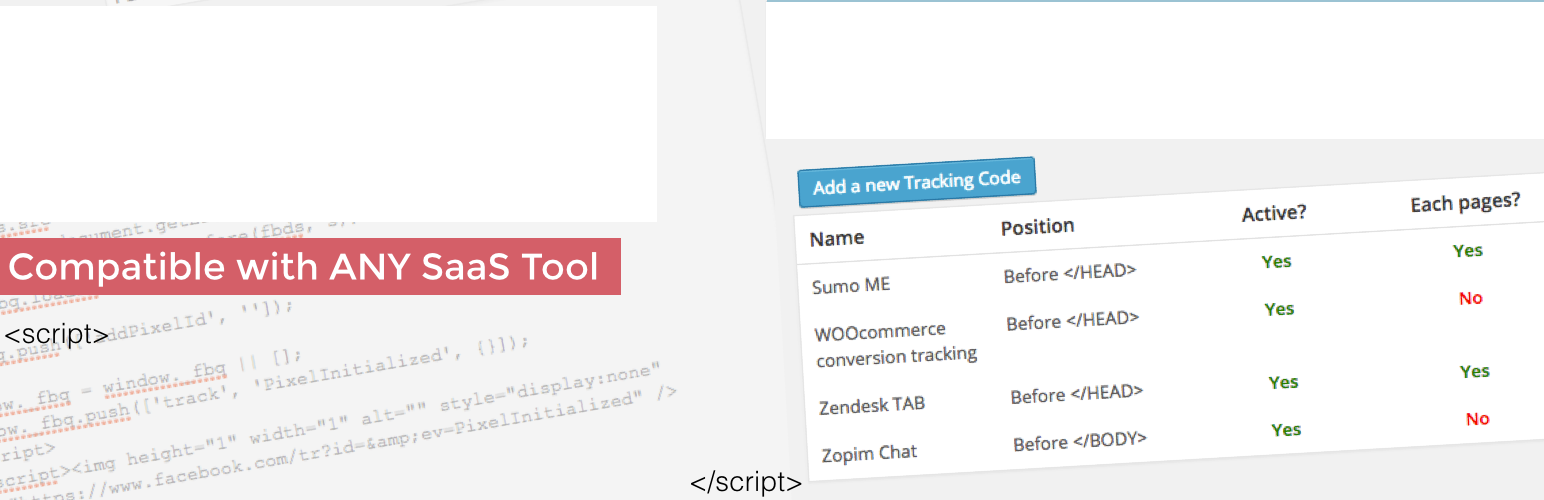
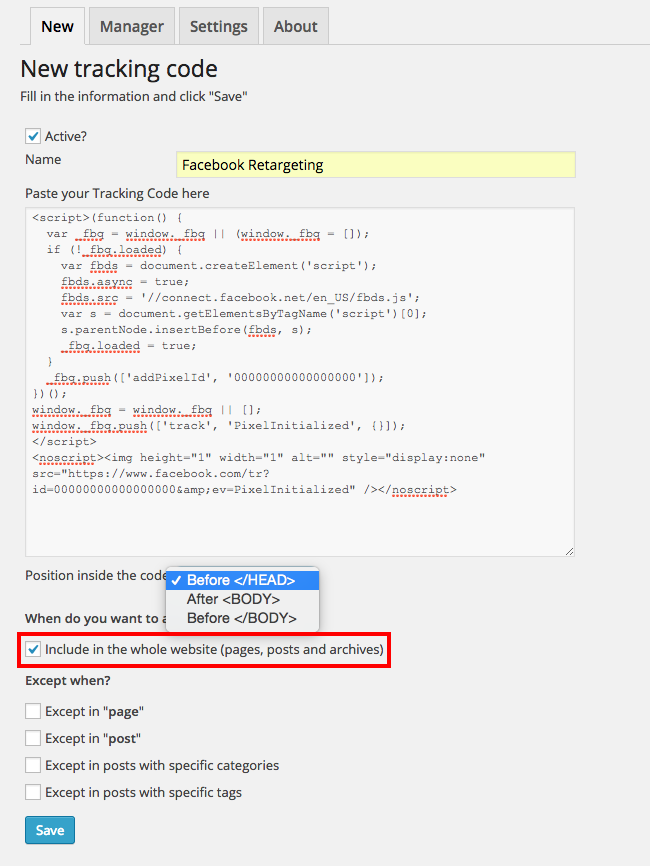
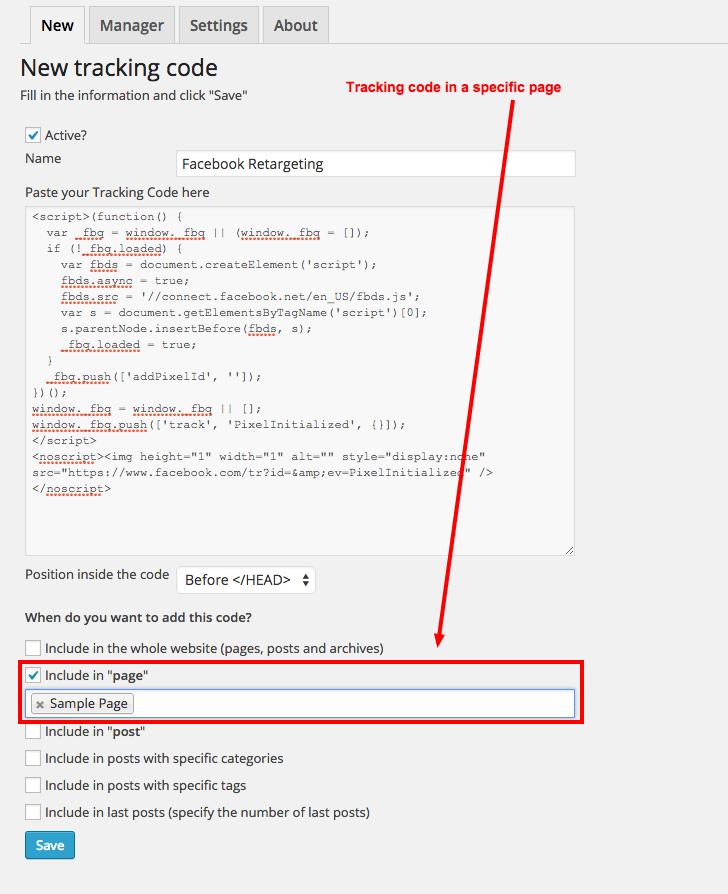
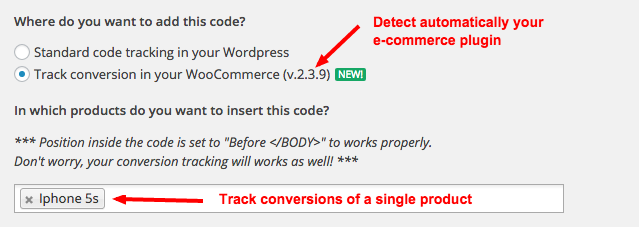
Tracking Code Manager is a plugin that allows you to manage all third party tracking codes and scripts in one interface. You can easily add and remove tracking codes, maintain privacy compliance, and track conversions on your e-commerce plugin. There is also a premium version available with more advanced features and full support.Screenshots
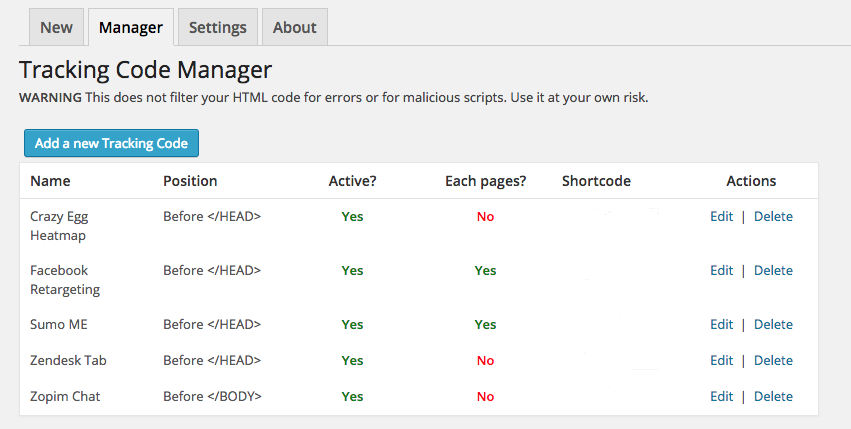
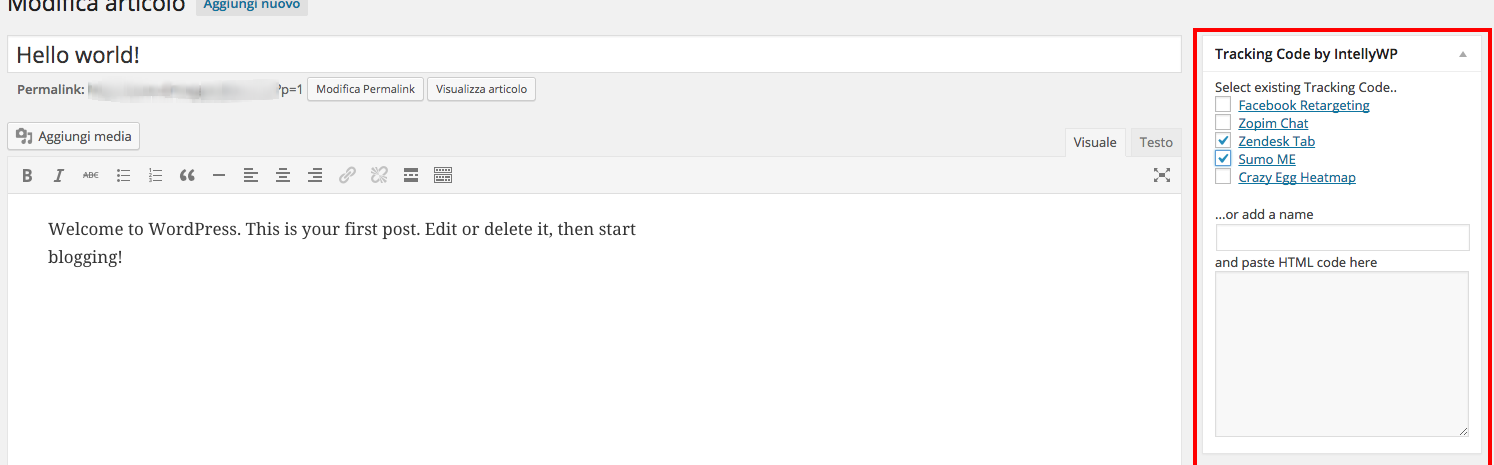
Frequently asked questions
What is the Tracking Code Manager plugin?
Tracking Code Manager is a WordPress plugin that allows you to manage all third-party tracking codes and scripts from a single interface. It enables you to place codes on any page or location with complete freedom. The plugin is a service of Data443.com.
What kind of tracking codes can I manage with this plugin?
You can add custom codes for platforms like Google Analytics, Facebook Custom Audiences, Facebook Retargeting, Google Remarketing, Zendesk, Live Chat tools, eye tracking analytics, popups, and affiliate tracking pixels. It supports placing scripts or tracking pixels in the <head> or <body> tag of your WordPress site or specific pages.
How does Tracking Code Manager help with privacy compliance?
The plugin helps maintain compliance with worldwide privacy laws by allowing you to segment pixel tracking and block by country or location. You can remove or update pixels quickly and make advanced decisions based on privacy laws applicable to your region. It allows you to remove tags for certain locations, pages, or types of content.
Changelog
For detailed release notes, see our documentation here: https://intellywp.com/docs/category/tracking-code-manager/.
2.4.0
Release Date – 2024-12-22
- Require untiltered_html to add codes in the post editor.
2.3.0
Release Date – 2024-7-3
- In a multisite configuration, the unfiltered_html capability is required to change plugin settings (the Super-Admin role has this by default).
2.2.0
Release Date – 2024-3-7
- RDU-1121 Fix a potential vulnerability
2.1.0
Release Date – 2024-2-22
- Fix a potential vulnerability
- Fix PHP warnings
2.0.16
Release Date – 2022-12-8
- Validate plugin with WordPress 6.1
- IWP-486 Add new feature to the premium promotion
- IWP-501 Fix possible exception error
- IWP-508 Fix an activation conflict with the premium plugin
2.0.15
Release Date – 2022-8-25
- IWP-499 Fix conflict with Jetpack
2.0.14
Release Date – 2022-8-18
- IWP-487 Update the html tag list used to sanitize codes
2.0.13
Release Date – 2022-7-26
- IWP-477 Fix bug that created html entities in JavaScript code
- IWP-478 Fix bug that split a code between the head and body
2.0.12
Release Date – 2022-7-15
- IWP-466 Update contact email
- IWP-467 Provide input fields to modify the code tag and attribute whitelist
2.0.11
Release Date – 2022-7-13
- IWP-465 Fix issue with sanitizing image/video objects
2.0.10
Release Date – 2022-7-12
- IWP-462 – Update select2 library
- IWP-464 – Fix encoding of JavaScript operators after sanitization
2.0.9
Release Date – 2022-7-11
- IWP-458 – Fix improper removal of an html tag
- IWP-459 – Recognize the presence of the noscript tag
- IWP-460 – Fix a bug that modified the displaying of posts and pages
2.0.8
Release Date – 2022-7-8
- IWP-435 Include the Ace editor in the plugin
2.0.7
Release Date – 2022-6-28
- IWP-435 Expanded input sanitization to user’s request headers
2.0.6
Release Date – 2022-4-7
- IWP-419 Fix conflict with WP Super Cache
- IWP-420 & IWP-421 Add documentation links
- Reduce PHP requirement to 5.6
2.0.5
Release Date – 2022-2-14
- IWP-319 Update plugin author
- IWP-320 Update twitter and facebook links
- IWP-321 Update welcome message
- IWP-375 Spelling and link corrections
- IWP-376 Fix incorrect title on classic editor widget
2.0.4
Release Date – 2021-08-19
- IWP-309 Fixed duplicate code insertion when WooCommerce conversion was selected.
2.0.3
Release Date – 2021-07-22
- IWP-50 Enable change of priority in placement of scripts. Add priority setting to admin settings page.
- IWP-273 Position code at the beginning of the body instead of the end.
2.0.2
Release Date – 2021-06-17
- IWP-225 Fix PHP 8 Warning
2.0.1
Release Date – 2021-03-10
- Links Update
- Tested with WP 5.7 Plugin updated and supported.
2.0.0
Release Date – 2021-01-19
- Tested with WP 5.6 Plugin updated and supported.
=1.8.2 =
Release Date – 10/17/2020
- Branding Update Only
1.8.1
Release Date – 13/09/2015
- [Bugfixes] Fix bugs with “metabox” integration
1.8.0
Release Date – 27/08/2015
- [Improvements] Not the TCM menu is accessible only at user with “manager_options” permission
- [Bugfixes] Minor bugfixes
1.7.2
Release Date – 23/08/2015
- [Improvement] Various fixes
1.7.1
Release Date – 16/08/2015
- [Bugfix] Corrected warning in EDD conversion
- [Improvement] Improvement in License authentication
1.6.8
Release Date – 12/06/2015
- [Bugfix] Corrected errors in categories filter
1.6.6
Release Date – 03/06/2015
- [Bugfix, thanks Jose] Wrong inclusion on EDD_SL_Plugin_Updater class
1.6.5
Release Date – 30/05/2015
- Added Conversion Tracking for WooCommerce, Easy Digital Download and WP eCommerce
- Added Whats new page
- Added videos for a better explanation
- Minor bugfixes
1.5.5
Release Date – 18/05/2015
- Some translations corrected
- Added Tab “FAQ” with some FAQ
- Removed Feedback from Manager Tab, now only in About Tab
- Minor bugfixes
1.5.4
Release Date – 09/05/2015
- [Bugfix, thanks Bradon] Tracking code with “+” (plus) symbol will be changed without this symbol so they don’t works properly
- [Bugfix, thanks JS,Dale] Now we are compatible with wpMandrill and all other plugins that needs to redefine the wp_mail function
- Minor bugfixes
1.5.3
Release Date – 25/04/2015
- [Bugfix, thanks AlfonsBerger] Undefined index: post_type in metabox.php on line 92
- [Bugfix, thanks Stefan,Eldi] {PREMIUM} Corrected a bug that can cause script missing into HTML using some configuration
- Minor bugfixes
1.5.2
Release Date – 24/04/2015
- FULLY COMPATIBLE WITH WORDPRESS 4.2
- [Bugfix, thanks boz71] compatible with multisite installation (Network Activation)
- [Bugfix, thanks AlfonsBerger] Fixed Trying to get property of non-object in ..core.php on line 8
- [Bugfix, thanks AlfonsBerger] Undefined index: includePostsOfType_product_Active in ..Manager.php on line 155
1.5.1
Release Date – 19/04/2015
- FULLY COMPATIBLE WITH WORDPRESS 4.2 RC1 ?
- [Bugfix] in metabox widget
- [Bugfix] in redirect function causing temporary “header already sent” error
- [Bugfix] rate us now load from https:// its star image
- Some translations corrected
- Minor bugfixes
1.5
Release Date – 13/04/2015
- Insert a non-intrusive rate-us button (top-right of the screen)
- Bugfix in metabox widget
- Some translations corrected
- Minor bugfixes
1.4
Release Date – 06/04/2015
- Created the FREE version following WordPress specs. Branching the PRO version available to buy using website http://www.intellywp.com/tracking-code-manager
1.3
Release Date – 02/04/2015
- Fixed a bug that caused the hidden of “Save” button when the license if FREE
1.2
- Introduced new “Except” feature
1.1
- Introduced new “Custom Post type” feature
1.0
- First release

