

Site Kit is a one-stop solution for WordPress users to use everything Google has to offer to make…
About Super Progressive Web Apps
Super Progressive Web Apps is a plugin for WordPress that helps you convert your website into a Progressive Web App (PWA). With a PWA, users can install your website on their home screen, providing a fast and app-like experience. The plugin is easy to configure and offers features such as aggressive caching, custom offline pages, and support for push notifications.Screenshots
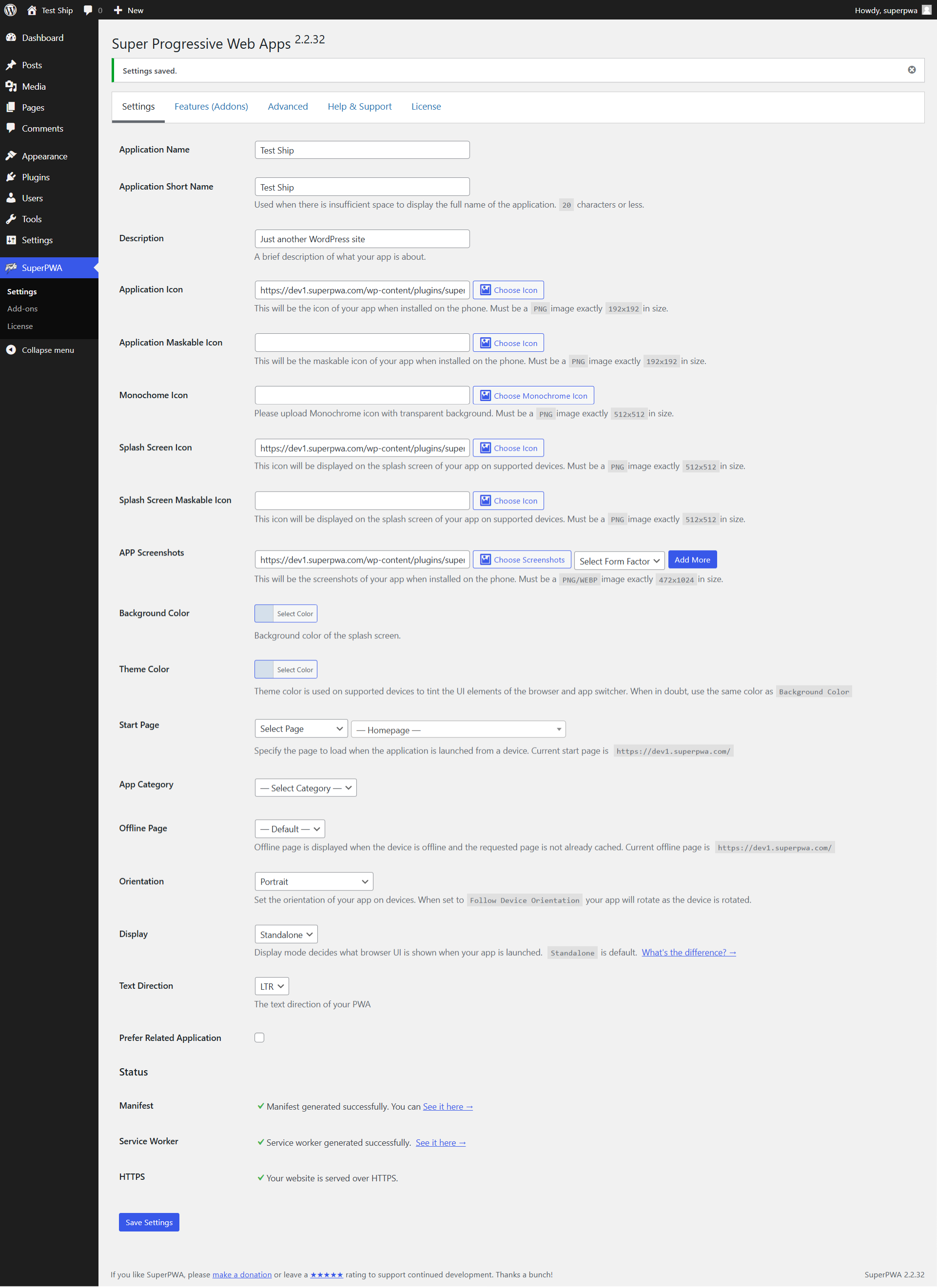
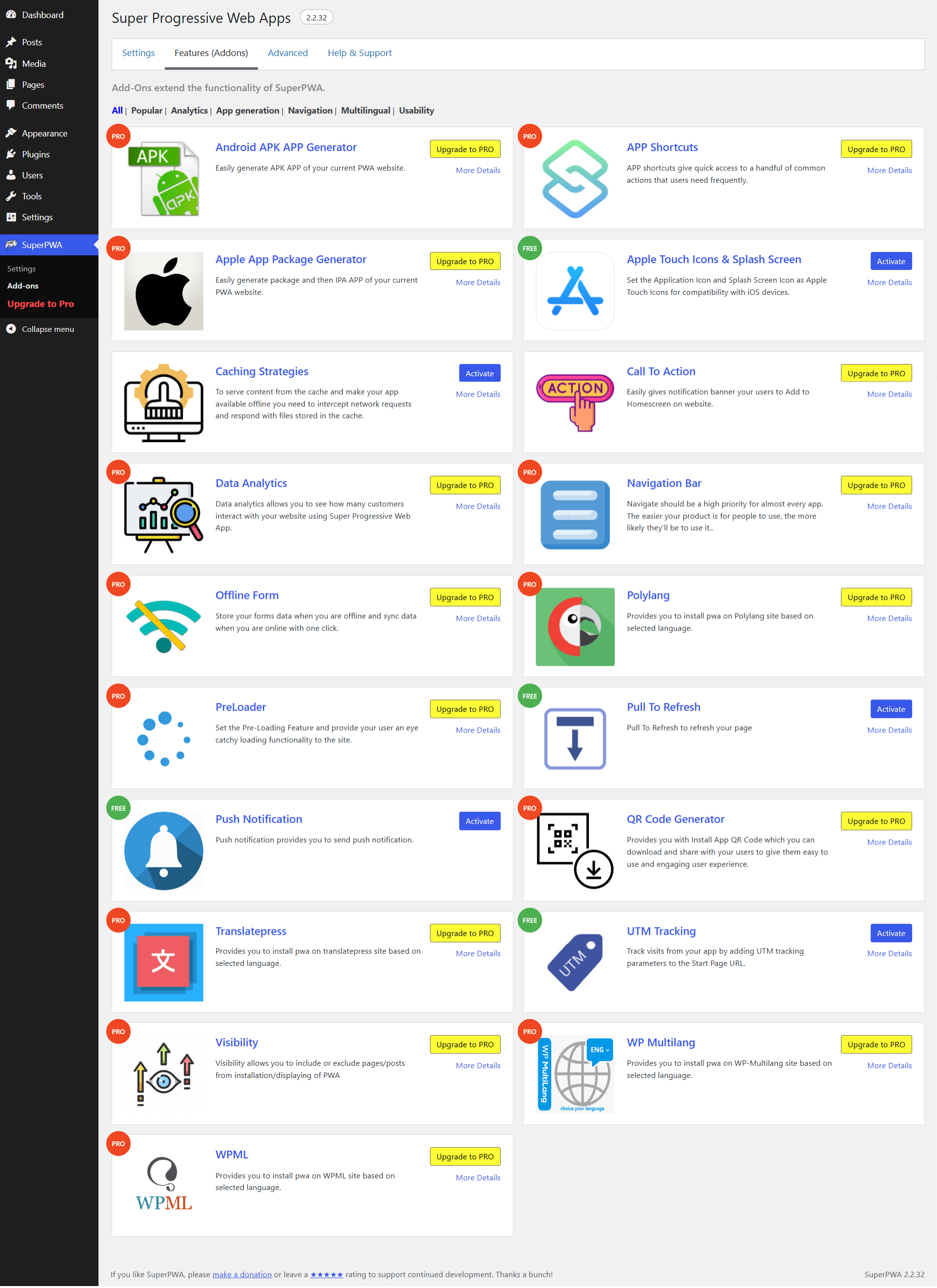
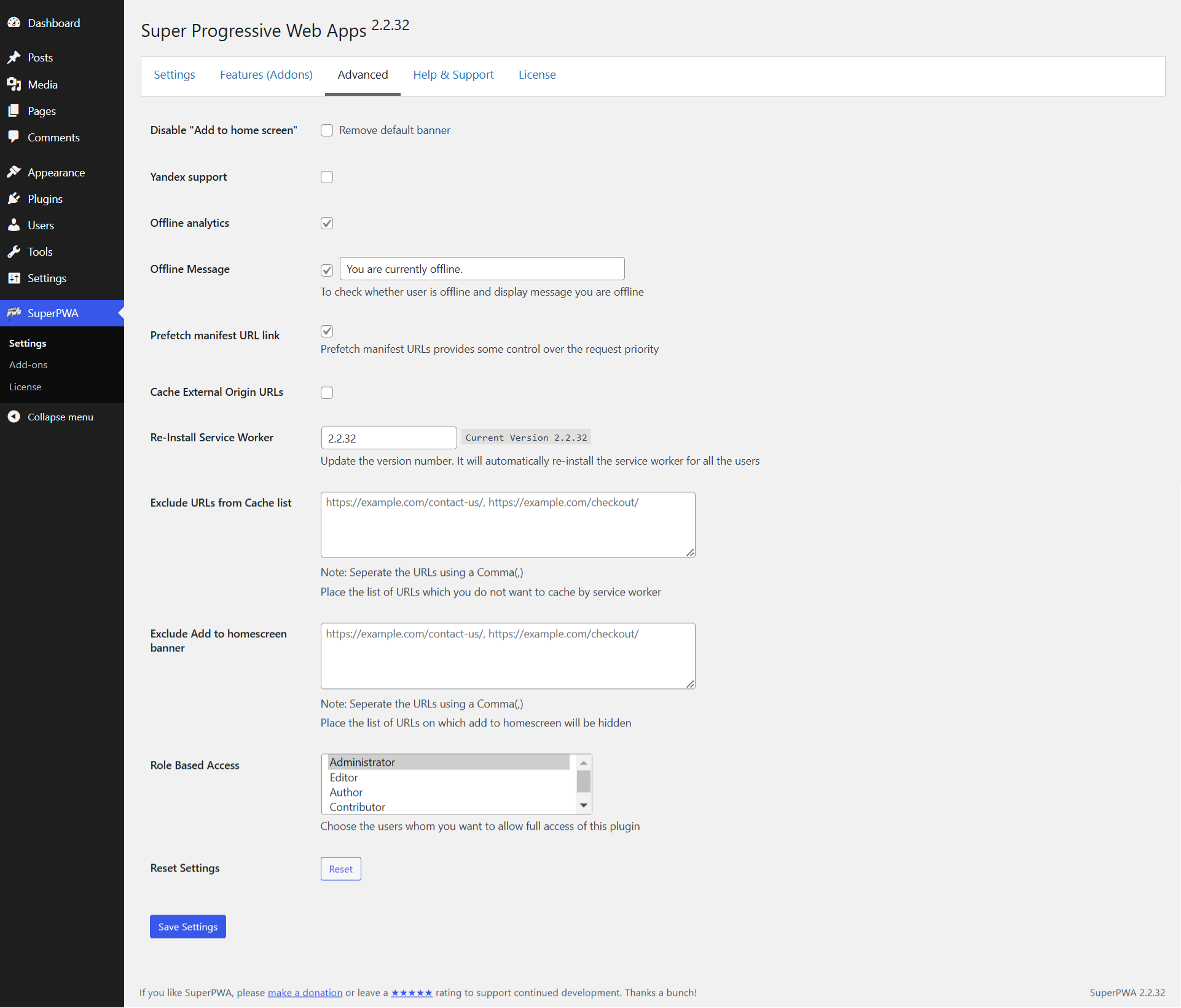
Frequently asked questions
What is Progressive Web Apps (PWA)?
Progressive Web Apps (PWA) is a new technology that combines the best of mobile web and the best of mobile apps to create a superior mobile web experience. They are installed on the phone like a normal app (web app) and can be accessed from the home screen.
How do users access a PWA?
Users can access a PWA by launching the app from their home screen on their mobile device.
What are the benefits of using a PWA?
The benefits of using a PWA include almost-instant loading times, great performance, and the ability to access the app even when offline.
How do I convert my WordPress website into a PWA?
To convert your WordPress website into a PWA, you can use the Super Progressive Web Apps plugin. Install and activate the plugin, then customize the settings to personalize your PWA.
What are the minimum requirements for a PWA?
A PWA requires that your WordPress website is served from a secure origin, meaning it should be HTTPS and not HTTP. If your website is not HTTPS, contact your host for assistance.
Changelog
2.2.34
- Date: 06.February.2025
- BugFixed: While using the navigation bar in Superpwa, the hamburger menu should not show. #509
- BugFixed: Issue persist in IOS new package version. #580
- Feature: Added an Option to Delete Generated APK Files #577
- Feature: Added compatibility with the plugin litespeed cache #573
- Feature: Added the Nav bar support in IOS package. #578
2.2.33
- Date: 20.December.2024
- BugFixed: WP 6.7.0: Translations loaded too early #572
- BugFixed: Start_url not getting updated in manifest and when multilingual option enabled and directly deactivated addon #570
- BugFixed: Function _load_textdomain_just_in_time was called incorrectly. #571
- BugFixed: If the option to display the CTA banner on IOS is unchecked, the CTA install button added using shortcode also stops working on IOS devices. #569
- BugFixed: Conflict issue with Visibility extension #566
- Improvement: Change screenshots on plugin details page #546
- Feature: Need to added the feature in Nav Bar extension. #567
2.2.32
- Date: 26.November.2024
- Feature: Added feature of Offline form. #297
- BugFixed: Exclude Add to home screen banner option is not working. #556
- BugFixed: SuperPWA Non-AMP install page’s instruction 1st step is showing a tag and 2nd is not translating #559
- BugFixed: CTA banner not working properly. #562
- Improvement: correct contact link #558
- Improvement: Manifest generation cause 503 on settings page save when superpwa_file_exists returns false #564
- Test: Test with WordPress version 6.7 #561
2.2.31
- Date: 09.October.2024
- Feature: Added feature to add APKs to the iOS App Store. #516
- BugFixed: Conflict issue with Show On Scroll feature in CTA #545
- BugFixed: When the Pre-cache Automatic option is enabled, then there is an issue in the console. working fine in 2.0.28 #555
- Improvement: compatibility with nginx server #549
- Improvement: Changes title from ‘Splash Screen Image’ to ‘Touch Icons’ #550
- Improvement: superpwa-frontend-cta.js file is running on Mac book even if the option “Desktop” is not selected #551
2.2.30
- Date: 23.August.2024
- Feature: Added an option to change the colour of the navigation bar icon. #536
- BugFixed: The App Icon is getting replaced by Splash screen Icon on some Android devices #540
- Improvement: Improved in the Navigation bar code. #541
- Improvement: Few Improvements require #542
2.2.29
- Date: 02.August.2024
- Feature: Added compatibility with Translatepress #535
- Compatibility: Tested with WordPress 6.6 #543
2.2.28
- Date: 09.May.2024
- Feature: Need to make feature with form_factor in SuperPWA #526
- Feature: Need to create an option to edit the text in the iOS QR code. #529
- Improvement: Preloader issue after recent recent updates #530
- BugFixed: While clicking on the install button on CTA, the Google search appears for the word Install (Android only) #527
2.2.27
- Date: 09.May.2024
- Feature: Added compatibility with wp-multilang #514
- Feature: Added compatibility with Polylang #437
- Improvement: Apple touch Icons are not getting updated #521
- BugFixed: The CTA cancel button is not working on both Desktop and Android devices. #523
2.2.26
- Date: 25.April.2024
- Feature: Added an option where users can exclude a particular page from the PWA. #429
- Feature: Added all missing translation in SuperPwa pro extension #518
- BugFixed: Pre-caching offline URLs is not working when we add the URLs one by one in next line. #505
- Improvement: Change upgrade plan details page #513
- BugFixed: CTA is not working on the iOS devices. #517
2.2.25
- Date: 29.March.2024
- Feature: Option to change this Text “You’re currently offline.” #493
- Compatibility: Tested with WordPress 6.5 #510
- Feature: Option to hide the navigation bar on certain pages (PRO) #511
- Feature: Dynamic Start URL (PRO) #502
- Feature: Option to generate PWA install QR code for any website link (PRO) #502
- Improvement: Load CTA in body if footer is not present (PRO) #506
- Enhancement: Improve the error message while creating an APK.(PRO) #494
- BugFixed: APK logo and the splash screen icon logo are not showing properly.(PRO) #508
2.2.24.1
- Date: 05.March.2024
- BugFixed: Activating Pro version throwing Fatal error #501
2.2.24
- Date: 17.February.2024
- BugFixed: CTA on the frontpage is not showing. #499
- Feature: Make the offline message “You are offline” as an option #482
- Feature: Make the feature Prefetch manifest URL link as an option #496
- Enhancement: Improvements to the app screenshot option. #495
2.2.23.1
- Date: 24.December.2023
- BugFixed: Parse error: syntax error, unexpected “)” in PHP 7.2 and below
2.2.23
- Date: 22.December.2023
- Feature: Proper sorting of features #314
- Enhancement: Compatibility with loco translate #426
- Enhancement: Updated manifest as per the pwabuilder recommendation. #440
- Enhancement: Code Improvement checklist #486
- Enhancement: Update readme.txt and add all pro feature list #488
- BugFixed: Warning appearing in manifest #487
- BugFixed: On Uninstall few data still remain inside db. #485
Full changelog available at changelog.txt

