

Securely accept credit and debit cards on your WooCommerce store. Manage payments without leaving your WordPress dashboard. Only…
About Remove & Disable XML-RPC Pingback
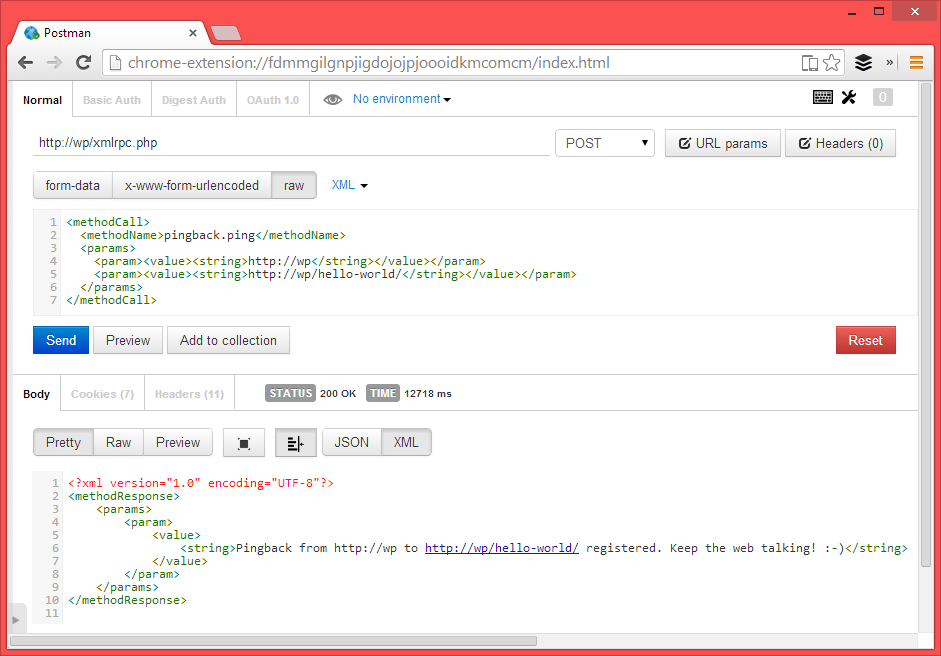
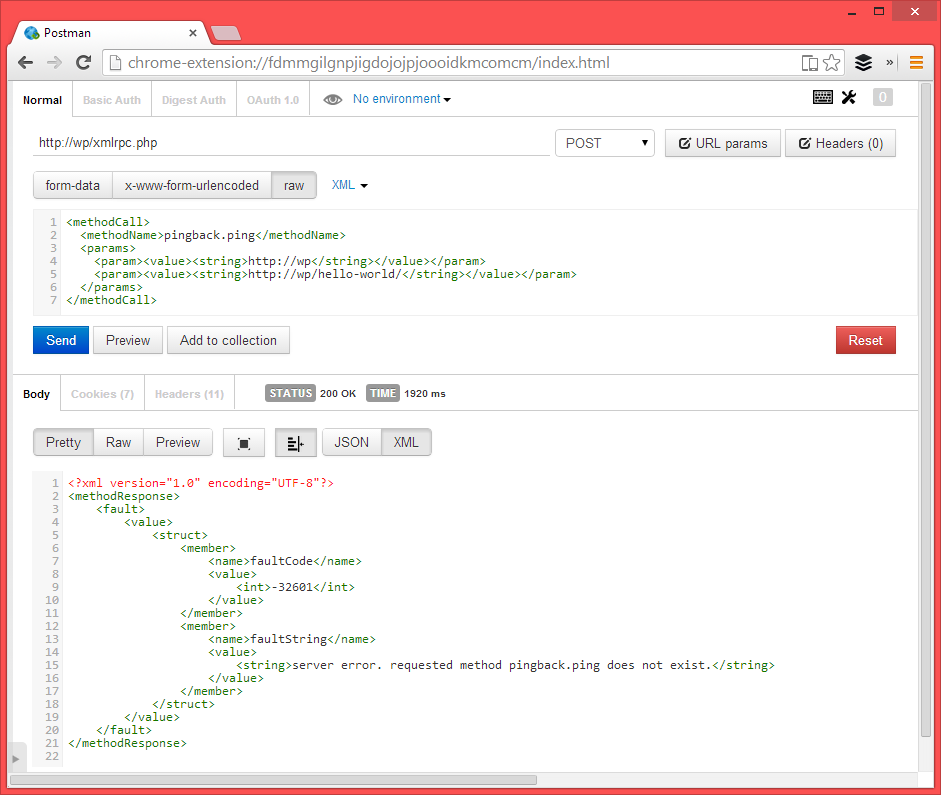
This plugin automatically disables XML-RPC on your WordPress site, preventing it from participating in and being a victim of pingback denial of service attacks. By doing this, you can reduce server CPU usage and prevent malicious scripts from using your site for attacks. It is a simple solution that does not require any configuration.Screenshots
Frequently asked questions
What does this plugin do?
This plugin prevents your WordPress site from participating in and being a victim of pingback denial of service attacks. It automatically disables XML-RPC upon activation.
How does disabling XML-RPC pingback benefit my site?
Disabling XML-RPC pingback can lower your server CPU usage and prevent malicious scripts from using your site for denial of service attacks.
Why not disable XML-RPC entirely?
Disabling XML-RPC entirely would cause popular plugins like JetPack, which use XML-RPC, to stop working. This plugin specifically targets and disables only the XML-RPC pingback functionality.
Changelog
1.6
- 2023/07/24
- Added filter to check for and remove ‘X-Pingback’ header if necessary.
- Added settings page
- Tested up to WP 6.2
1.5
- Code hardening.
- Verified compatibility with WP 5.9.3
1.4
- New: Added a count under “Settings -> General” to see number of blocked attempts.
- Tested up to WP 5.8
- Added newsletter admin notice.
- Code hardening.
1.3
- 2020/09/21
- Cleaned up code
- Added counter for number of times the pingback method was blocked.
- Tested with WP 5.5.1
- 28,595 downloads
1.1
- 2019/04/09
- version bump
1.0.0
- First release