

Advanced Custom Fields (ACF) helps you easily customize WordPress with powerful, professional and intuitive fields. Proudly powering over…

About 301 Redirects & 404 Error Log
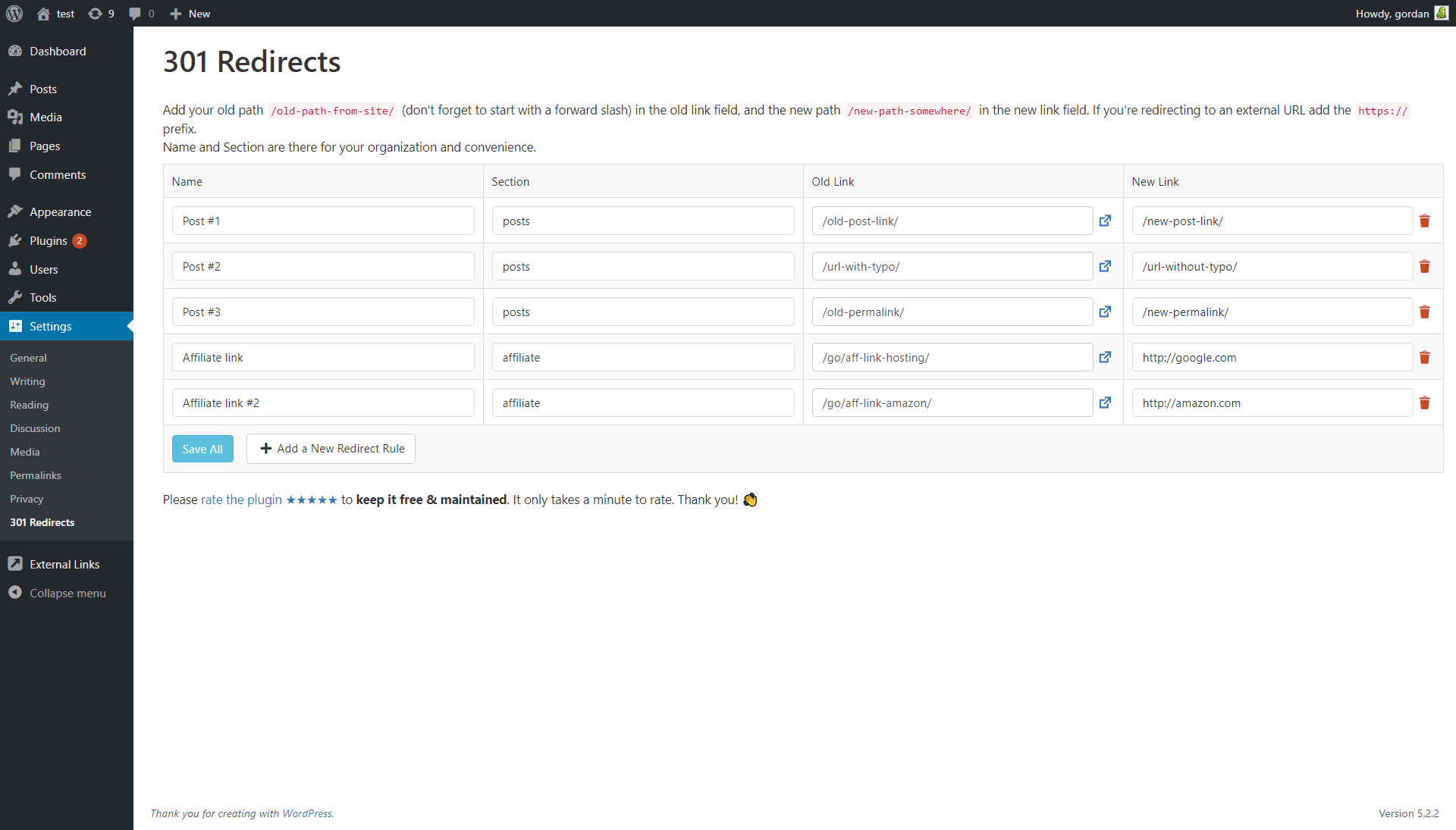
The 301 Redirects plugin is perfect for creating a new site from an old site or changing the domain name. It helps manage all the redirects and broken URLs. The plugin also has a 404 error log feature, which can be found in the main Settings menu or on the admin dashboard. The log is limited to the last 50 errors by default, but this limit can be changed if needed. The plugin is GDPR compatible as it does not save any IP related data or identifiable user data.Screenshots
Frequently asked questions
Where can I find the 301 Redirects plugin settings?
The link to 301 Redirects can be found in the main WordPress Settings menu. The 404 error log is located on the same page and on the admin dashboard.
How does the plugin store redirect rules?
The 301 Redirects plugin creates a new table in the WP database called 'WP_PREFIX_ts_redirects' to store all redirect rules. This table is not deleted upon plugin deactivation but is deleted when the plugin is uninstalled.
Why is the 404 error log limited to 50 errors?
The 404 error log is limited to the last 50 errors by default because it uses an array saved in WP options, not a custom database table. This limit ensures compatibility across sites, manages database space, and prevents site slowdowns.
Can I change the limit of the 404 error log?
Yes, you can overwrite the default 404 error log limit using the '301_redirects_max_404_logs' filter. For example, you can use a code snippet to raise the limit to 200.
Is the plugin GDPR compatible?
The plugin does not use third-party services or CDNs. It saves a 404 error log with timestamp, 404 URL, and user agent, but no IP or identifiable user data. Based on this, the developers believe it is GDPR compatible.
Changelog
v1.04
- 2024/06/30
- minor security fixes
v1.03
- 2024/03/25
- WordPress 6.5 and PHP 8.2 compatibility
v1.02
- 2022/11/20
- minor security fixes
v1.01
- 2021/04/26
- added Delete all redirect rules button
- fixed privilege error for 404 Error dashboard widget
v1.0
- 2021/02/25
- added 404 error log
- added 404 error log dashboard widget
- bug fixes
- security fixes
v0.5
- 2020/09/30
- 10,000 installations; 62,660 downloads
- minor bug fixes
- added promo for WP 301 Redirects PRO
v0.4
- 2019/06/20
- 10,000 installations; 40,940 downloads
- bug fixes
v0.1
- 2015/04/06
- first release

