

The Elementor Website Builder has it all: drag and drop page builder, pixel perfect design, mobile responsive editing,…
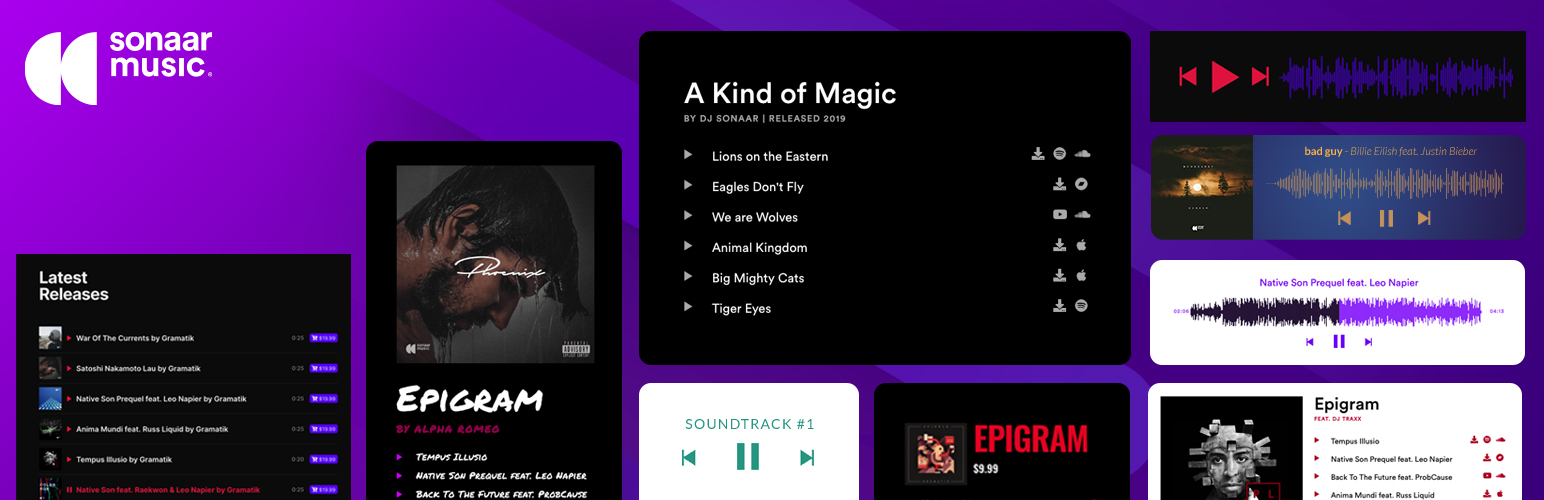
About MP3 Audio Player for Music, Radio & Podcast by Sonaar
MP3 Audio Player is a versatile and easy-to-use audio player plugin for WordPress. It allows you to add unlimited playlists, albums, and podcasts to your website using various methods such as Elementor, Gutenberg, or shortcodes. Whether you're a musician, podcaster, or audio enthusiast, this plugin has all the features you need to showcase and sell your audio content.Screenshots
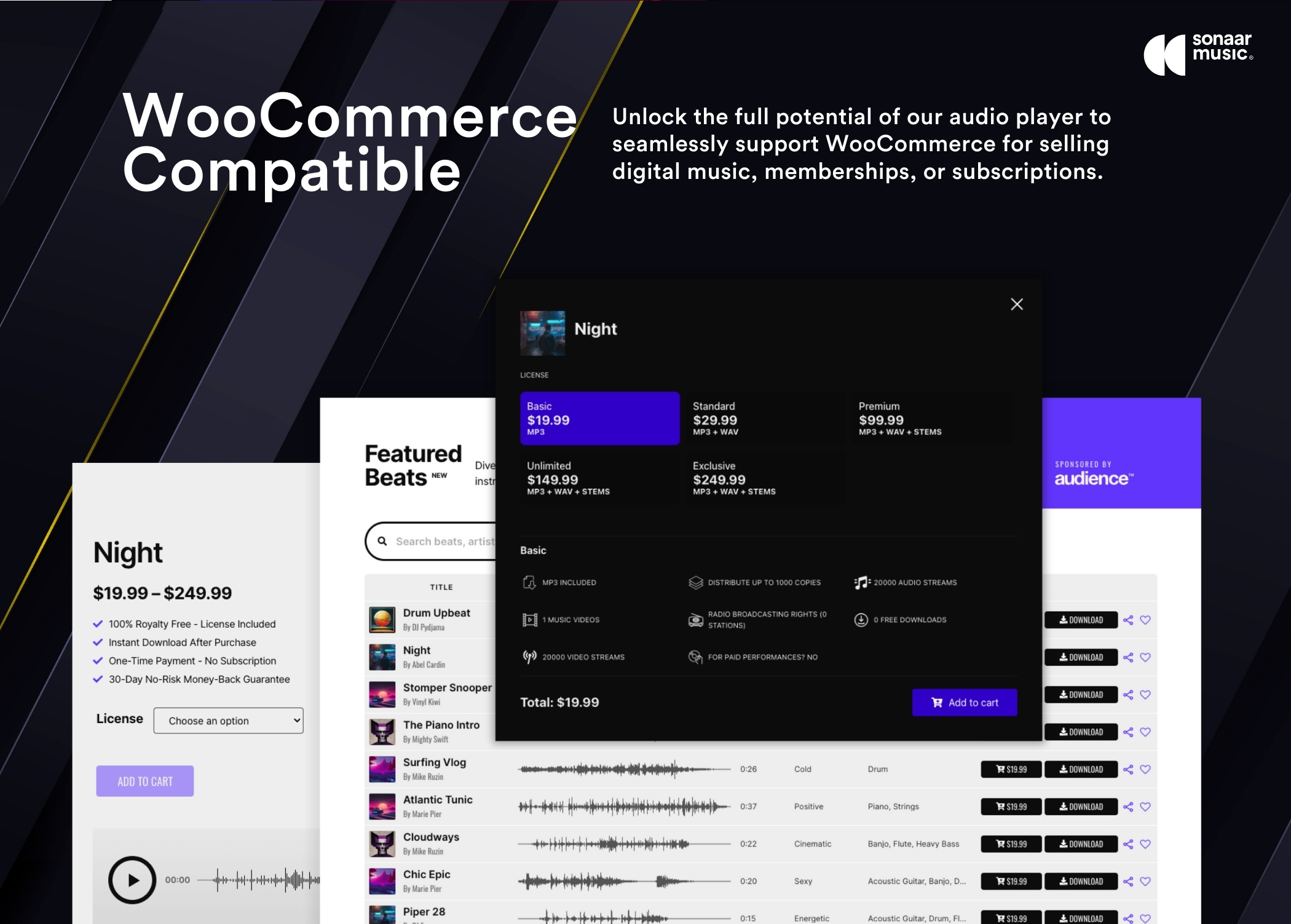
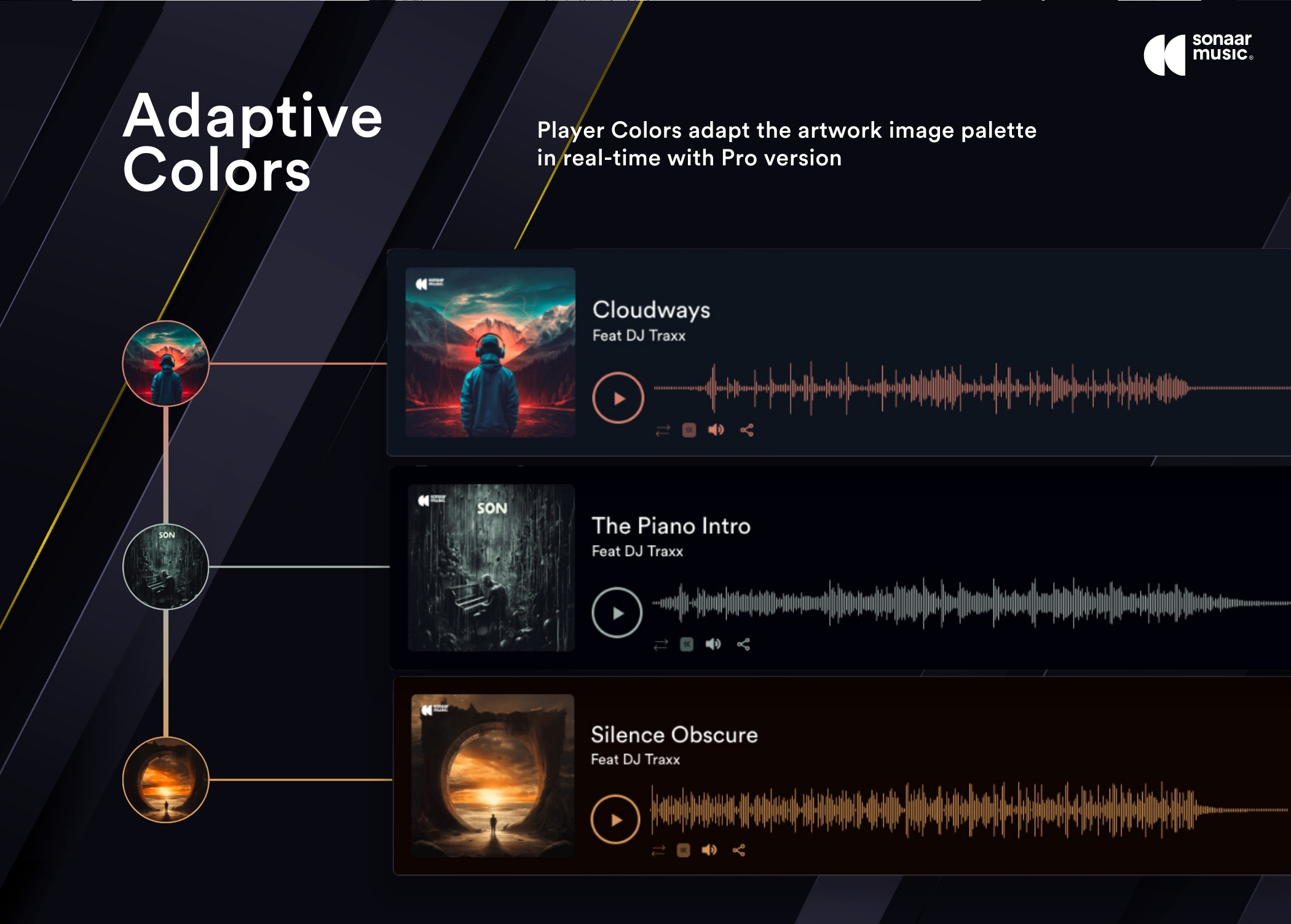
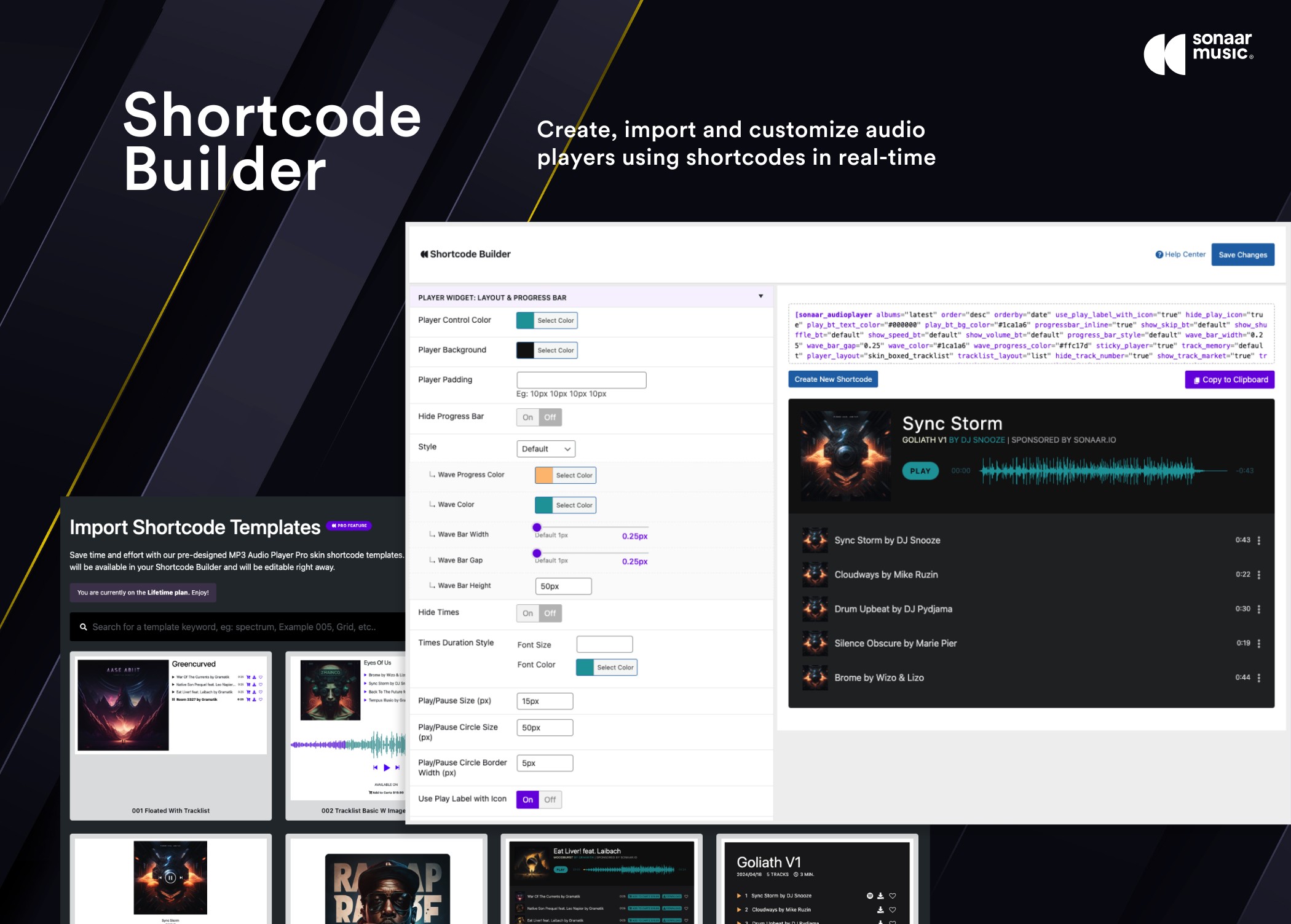
Frequently asked questions
What is MP3 Audio Player for Music, Radio & Podcast by Sonaar?
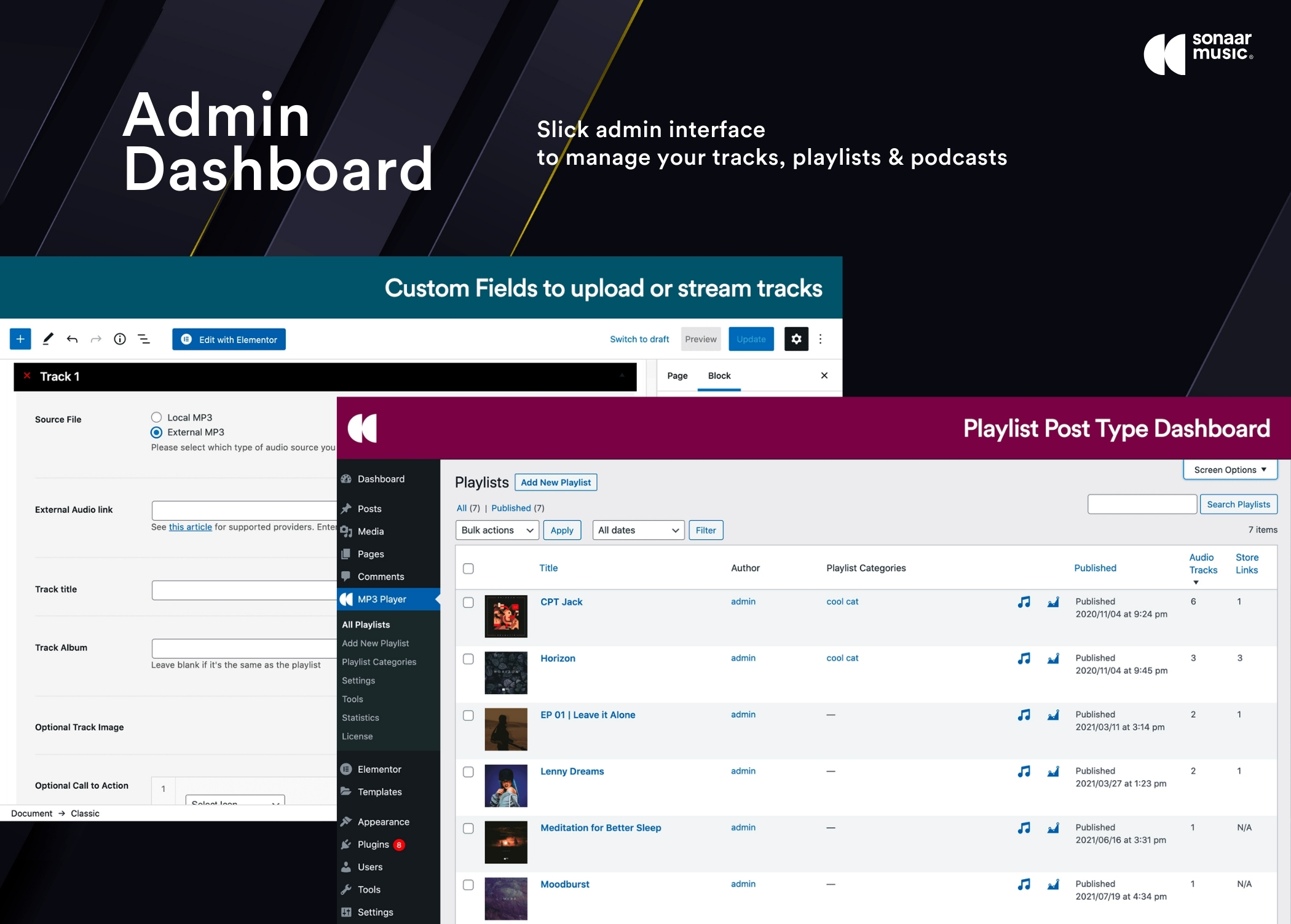
MP3 Audio Player for Music, Radio & Podcast by Sonaar is a WordPress plugin designed for music, beat makers, and podcasters. It allows users to add unlimited playlists, albums, and podcasts to various WordPress content types.
How can I add audio players to my WordPress site with this plugin?
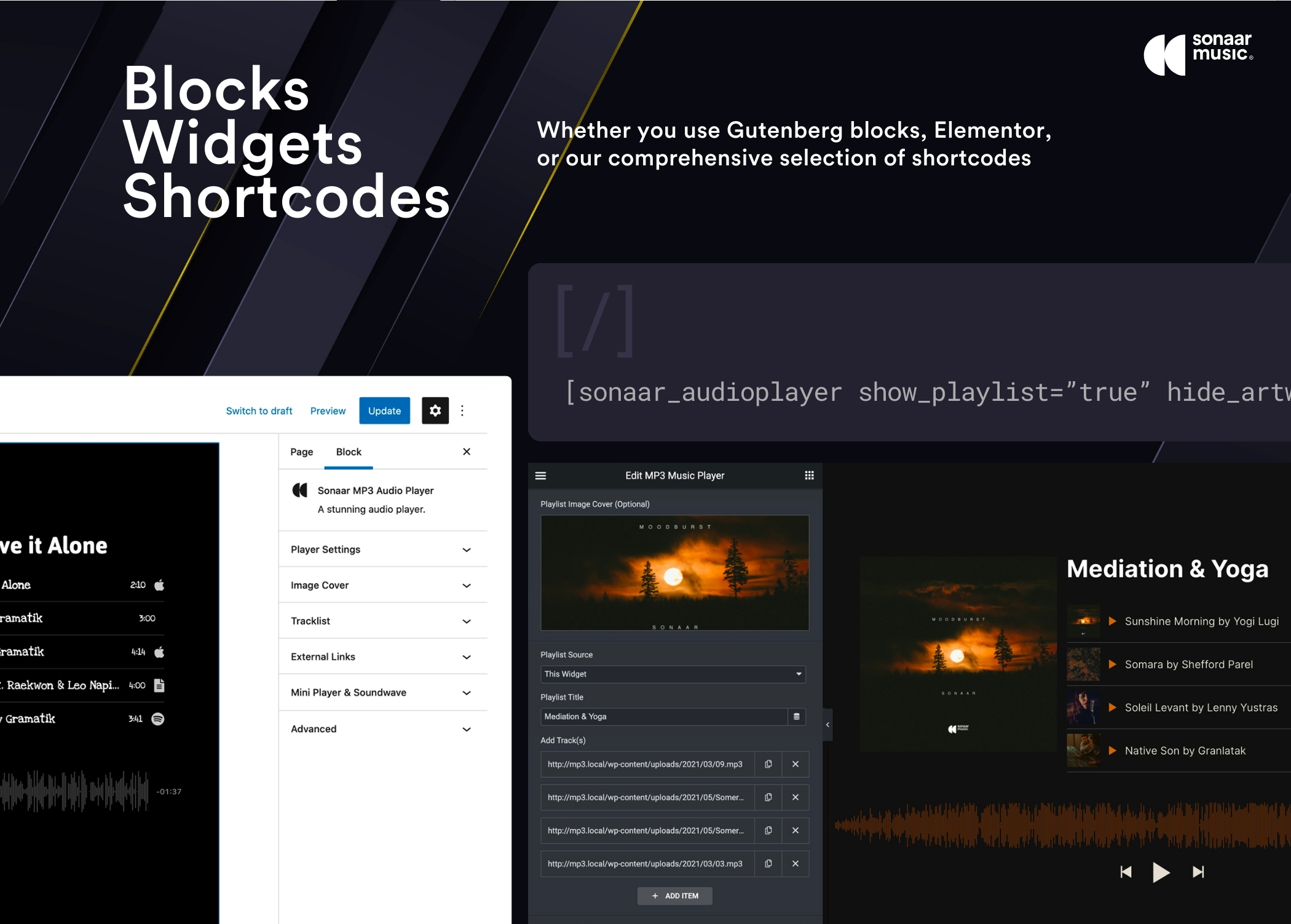
You can add audio players using the Elementor Widget, the Gutenberg block editor, or a shortcode generated by the Shortcode Player Builder. There is also a Javascript API for advanced actions.
What design options are available for the audio player?
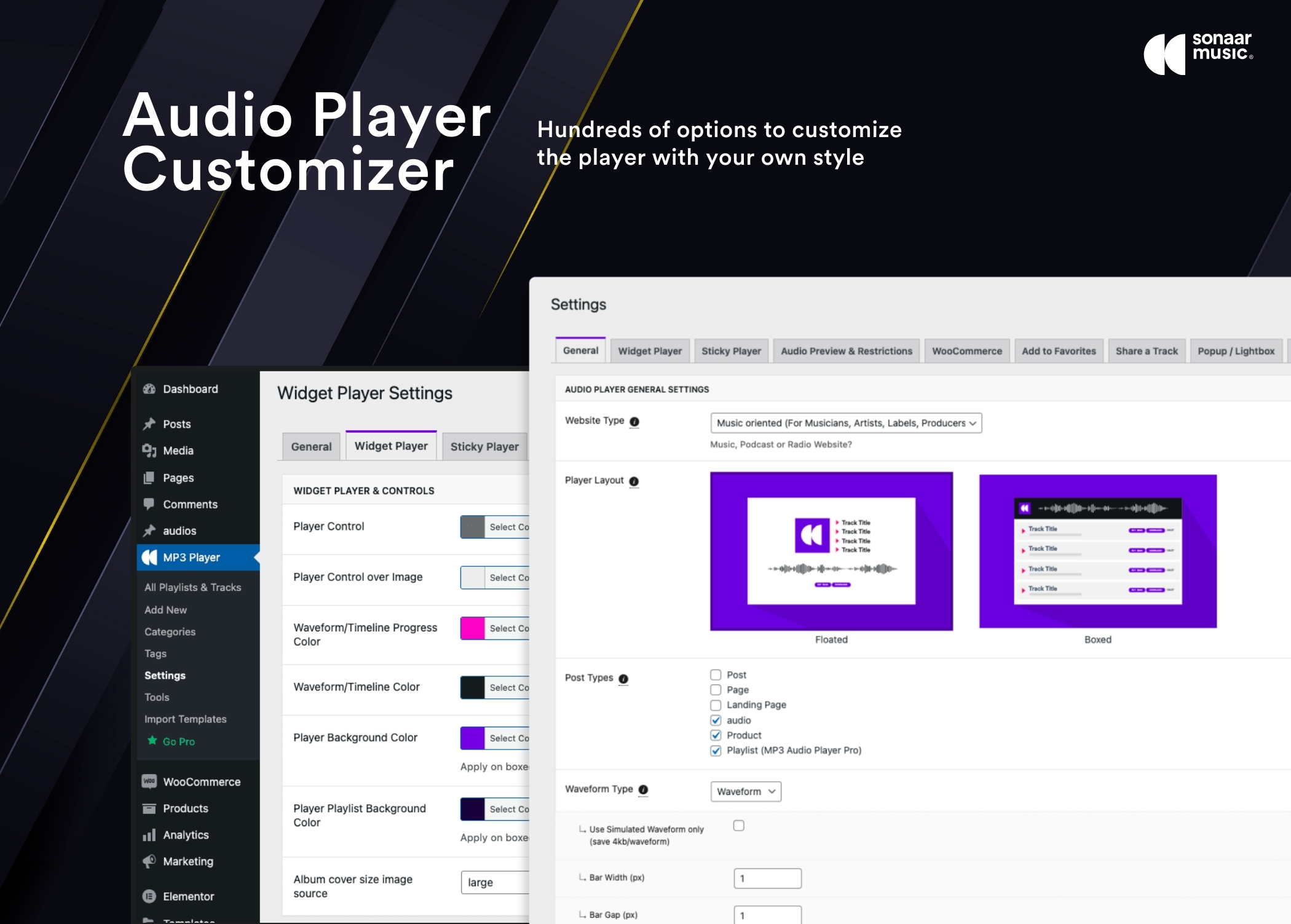
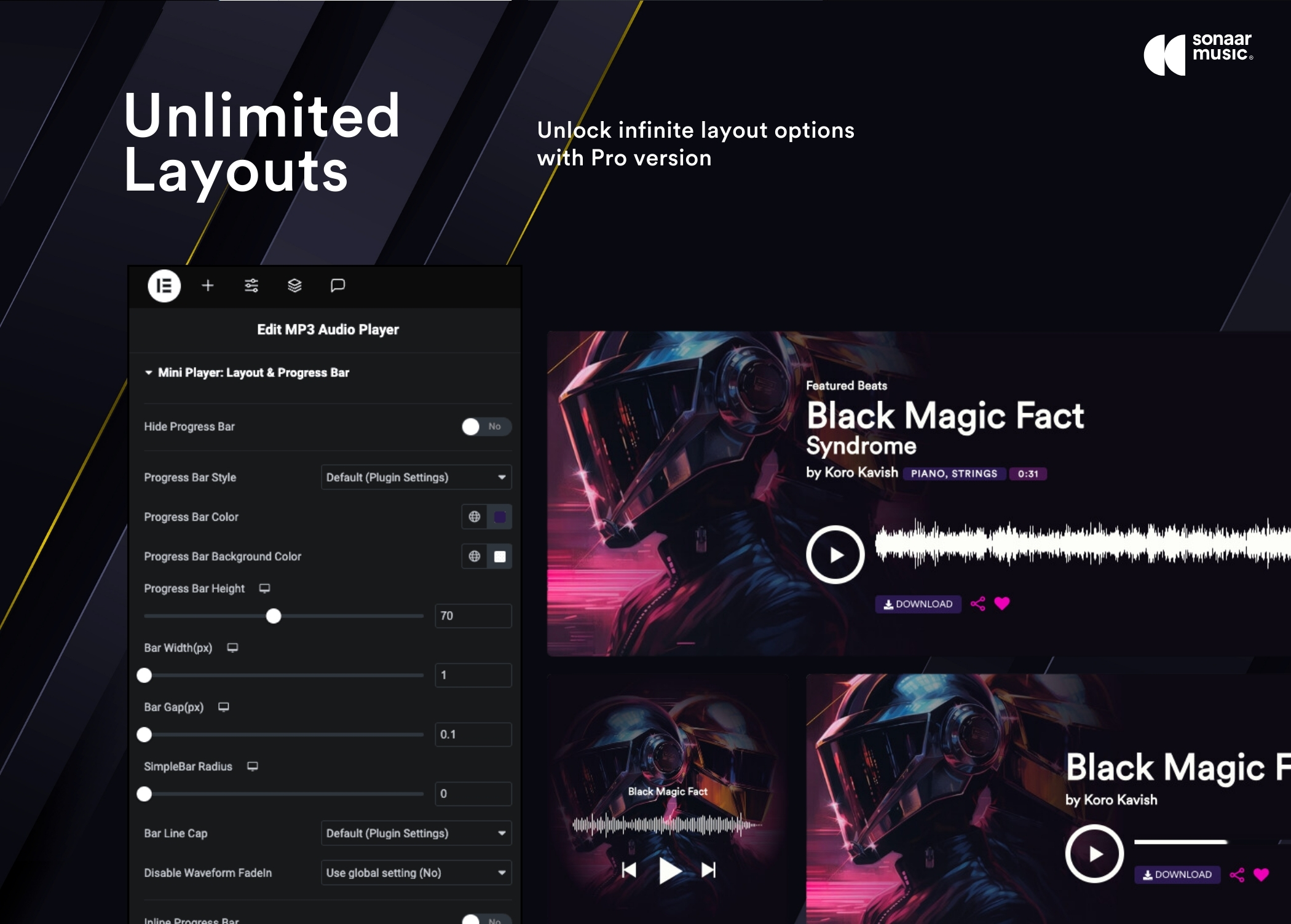
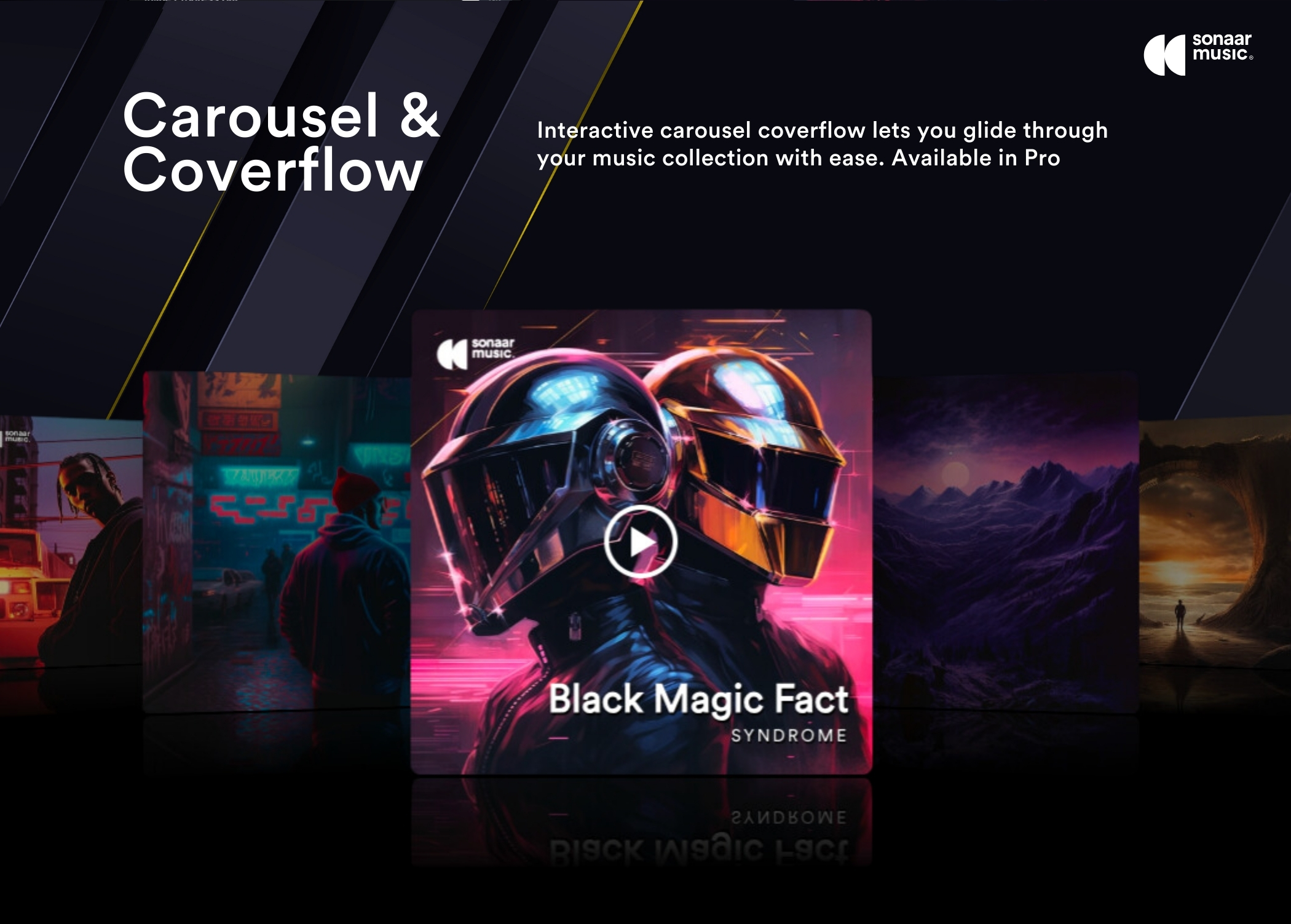
The audio player offers an optional waveform bar, a simple progress bar design, coverflow mode, or slider mode. It is described as having a professional design and user experience.
Changelog
5.9.4
- Fix: Caroussel Slider with Favorites
- Fix: PHP warning in the classic Widget interface in some case
- Fix: Special characters issue with post title when using ACF as source
- Fix: Sticky player float layout progress bar visibility
- Fix: Three dots clicking issue on the CTAs
- Fix: Resolved a security vulnerability
5.9.3
- Fix: Compatiblity issue with Elementor 3.26. Elementor new update caused the plugin not loading/crash on Elementor pages. https://github.com/elementor/elementor/issues/29425
- New: Fetch playlist based on authors names https://drops.sonaar.io/i/8F4UB1
- New: Added ‘srmp3_disable_wc_player’ filter hook to disable player on the WC product thumbnails
- Fix: Anchor RSS feed importation issue
- Fix: CSV Import issue when CSV uses commas as delimiter
- Fix: Mobile issue with the Download & Buy buttons in some case
- Fix: Improved admin UI to make sure the user can click only 1 time on Activate my License
- Fix: Admin column order for Music Licenses CPT
- Fix: Broken Access Control vulnerability
- Tweak: Allow to list tracks based on tags, not only on categories
- Tweak: Advanced Triggers – Audio was muted when using advanced rules in some case
- Tweak: Track Memory. Add a status “completed” in the json storage when the track has been completed
- Tweak: Improved UI of the Import Template Admin Area
- Tweak: Optimized the speed of the backend
5.9.2
- Skipped version to match free/pro version numbers.
5.9.1
- Hotfix: Carousel Slider not working since last update
- Hotfix: Artist Names not displaying in the tracklist since last update
5.9
- New: Introducing Advanced Triggers. Engage listeners with playback actions and download buttons, including previews, watermarks, ads, popups, redirects, scrolling, and role-based interactive enhancements. Learn More
- New: Add PHP filters for developers to filter track title, album title, artist name and album covers with their own custom fields
- Tweak: Improved the loading speed in both frontend and backend
- Tweak: Updated the Twitter icon to the new X logo
- Tweak: The previous button now resets the track to the beginning if over 2 seconds have played, or skips to the previous track
- Tweak: The single template shortcode in the settings is now effective for the taxonomy template as well
- Tweak: Merged v5.8 Collected Emails to its own CPT
- Tweak: Sticky Player Metabox now display only on public CPT
- Fix: Excluded Categories now working with Post Categories
- Fix: issue when using barbaJS and the share/favorite buttons
- Fix: Issue with Search Widget and WooCommerce Archive when using a block theme
- Fix: Remember Track Progress option now working from global settings
- Fix: Display Artist Name below Track Title option since last Elementor update
- Fix: User Recently Played Track when we start track from the player widget
- Fix: Audio Preview not working in some special cases
- Fix: Multiplayer Soundwaves issue
- Fix: Minor Admin Tweaks and JS optimization
- Fix: Resolved a security vulnerability
5.8
- New: Introducing Ask for Email to Access Download for Business Plan users. Turn your download buttons into a powerful lead generation tool. By enabling dynamic visibility on your download button, you can easily configure it to prompt users for their email, after which the file will be delivered automatically. Learn More
- New: Introducing Make an Offer / Negotiate Button for Business Plan users. You can give your audience the flexibility to negotiate the price. Say goodbye to rigid pricing structures and hello to customer-driven sales. Learn More
- New: Option to display Next/Previous/Tracklist button directly in the mobile sticky bar
- New: Option to support artwork background image with the shortcode builder
- New: Collected Emails tab in the plugin settings to export emails collected from the Ask For Email feature
- New: Option to display the track artwork as a blurred background image in the lightbox (Product Variations, Ask For Emails, Make an Offer)
- Tweak: Ability to play the related audio file from the popup modal
- Tweak: Moved Download Button settings into its own tab in the plugin settings
- Tweak: You can now add a next/previous button on the boxed layout
- Tweak: When disabling the continuous player, it was still displaying on the frontend until cookies were cleared
- Fix: Audio Previews generating a Content-Length header not set in some case
- Fix: Prevent JS error with the sticky CTA when playing another player widget
- Fix: Matomo Plugin not collecting player statistic since their last update
- Fix: Display issues with some themes that use the .content class
- Fix: Sticky Player not showing in some conditions caused by jQuery
- Fix: PHP notice with the Elementor Editor in some conditions
- Fix: Track Ordering when ordered by total sales
- Fix: Excluding continuous player on the product pages with custom slugs is now working
5.7.1
- New: Setup Wizard to get started when you activate the plugin a first time
- Tweak: Improved translation strings so they can be much easier to translate
- Tweak: Display notice to admin user when max_input_vars is not enough
- Fix: Issue when removing Favorites if you are not using the sticky player
- Fix: Issue with Most Recent Played Track in some conditions
- Fix: Issue with pagination if you are not using the sticky player
- Fix: Issue with Preview Generation when using .dev domain
- Fix: PHP 8.2 Warning – Creation of dynamic property is deprecated
- Fix: Security Patch
5.7.0.1
- Fix: Audio Preview not generating with WooCommerce or Classic Editor Post
- Fix: Warning: Undefined array key “show_miniplayer_note_bt”
5.7
- New: Audio Previews, Audio Watermarks, Audio Ads, Fade-in and Fade-out audio generation in 1-click are now available for ALL our Business Plan (or higher) users without the needs to have FFMPEG installed! All audio processing is done off-site via our external API server, ensuring your audio files remain hosted on your own server while leveraging our external processing capabilities.
- New: Option to set an info icon button on the mini player widget to display the track description
- Tweak: You can now set an external URL for the audio preview
- Tweak: Unified the Repeat Icon size with the other control buttons
- Fix: JS error related to srp_var in edit post area
- Fix: Prevent PHP error with third party plugins using CMB2 conditionals
- Fix: Shuffle button not highlighted if Enable Shuffle is set on the player widget
- Fix: Avoid scrolling to top when using pagination. Add the class srp-scrolltotracklisttop-disable to the player to disable the auto scroll
- Removed sonaar_events table creation on plugin activation. Built-in stats are officially deprecated
- Code Optimization
5.6
- New: Add Repeat Control Buttons in the widget players. You can enable it site-wide from WP-Admin > MP3 Player > Widget/Sticky Player > Display Repeat Button. Additionally, you can enable it for individual widget instances.
- New: Azuracast radio support to display whats currently playing
- Tweak: Shuffle Icon design
- Tweak: Added title attribute for player controls. You can translate them in MP3 Player > Settings > Widget Player
- Tweak: New action hook srmp3_pre_get_playlist for get_playlist function
- Fix: Issue with Elementor DB Update cause a fatal error in some case
- Fix: Track color titles in shortcode builder in darkmode.
- Fix: Duplicate search value with single quote, with the Right Single Quotation Mark Hexo code. Eg : Search for “O’Brien” and “O’Brien”
- Fix: Compatibility issue with Icecast Player Plugin.
- Fix: Sticky Player download button: redirection issue when condition is not Met
- Fix: Security patch related with XSS in some case
5.5
- New: Dark mode for the admin settings and shortcode builder
- New: Shortcode Builder. Add option to set a preview background color in the builder
- New: Option to set filename as tracktitle in the main admin page
- Tweak: Optimized admin speed and prevent useless API Check
- Tweak: Shortcode Builder UI. No admin notice + Use scrollbars in the builder for better UI
- Tweak: Admin CSS now use SCSS
- Fix: When using audio spectrum, the browser memory pilled up even if the track was not playing
- Fix: PHP error when “this widget” is selected as source and no artwork is set
- Fix: Set the carousel to Track when current post is used in the player source
- Fix: Shortcode Builder. The category multicheck was always visible when no category is available
5.4.0.2
- Fix: Shortcode builder not loading under certain conditions
- Fix: Elementor Updater causing error under certain conditions
- Fix: Playlists not showing up in admin under very specific conditions
5.4.0.1
- HotFix: Remove shortcode Output on frontend for Elementor Users.
5.4
- New: Introducing our new visual Shortcode Player Builder that allows you to create and customize audio players using shortcodes in real-time. The old shortcode generator has been removed. Screenshot
- New: Introducing a Shortcode Template library where you can import pre-designed shortcodes (Pro version)
- New: Remember Track Progress. Enable this feature on your player widget to have tracks resume from where the user last stopped listening. Useful for Audio Books, Podcasts and eLearning.
- New: User Recently Player Track feed type. This feature offers a personalized experience for your site visitors by displaying a player with their most recently played tracks. Documentation
- Tweak: Improved the loading speed in the admin area
- Tweak: Admin UI
- Fix: Call to action in the mobile sticky were not displayed under certain conditions.
- Fix: Icecast player that has a cover set in the json will now display
- Fix: Issue with Waveform peak generation in admin area not working
- Fix: Prevent sticky player to start if the page has access restriction with WC Membership plugin
- Fix: Allow target=”_blank” into track description
- Fix: PHP Warning displayed with specific condition
- Code Optimization
5.3
- New: UI redesign of the admin settings
- New: Support for the new Text to Speech AI Plugin for MP3 Audio Player by Sonaar which is currently under review.
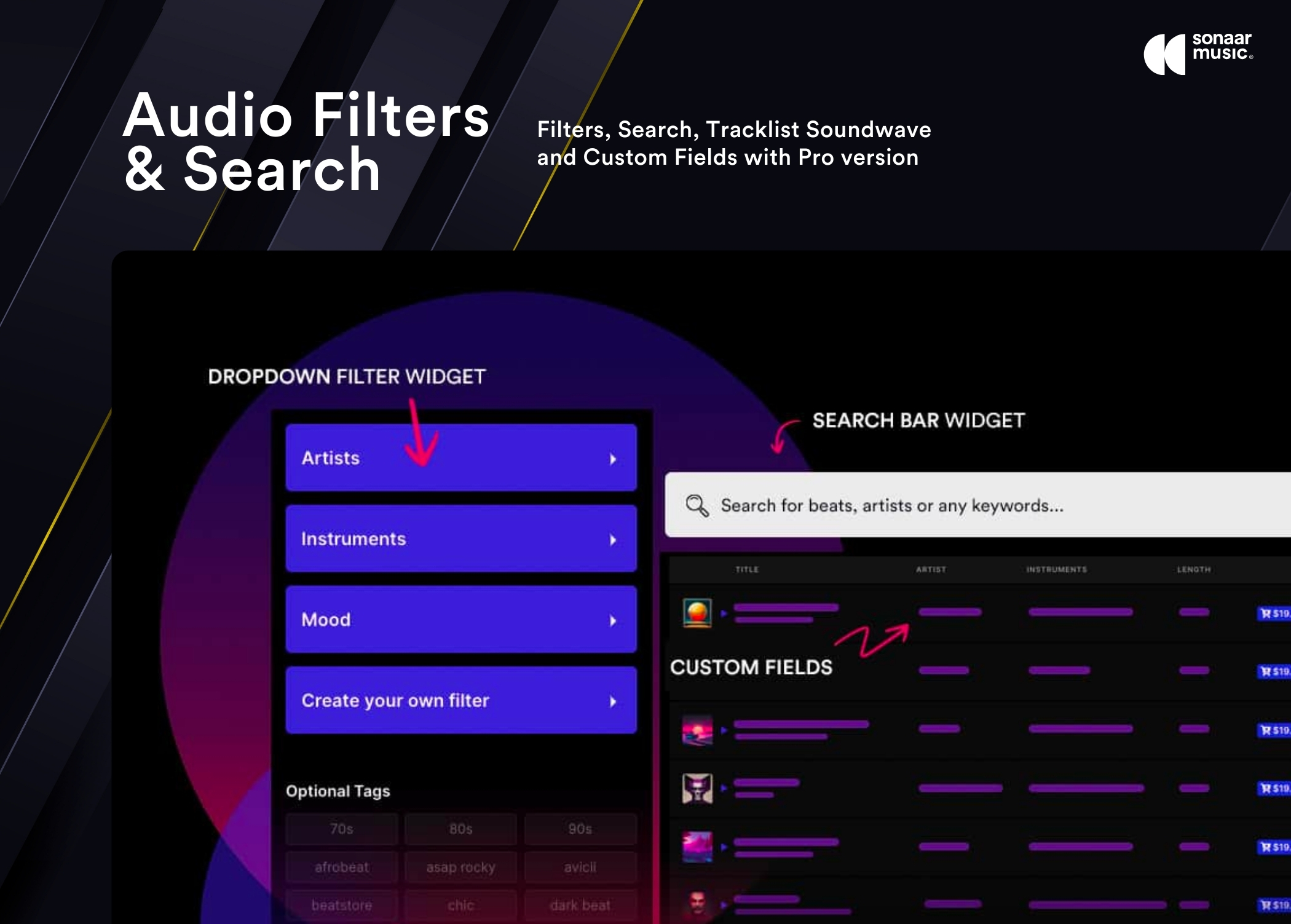
- New: The filter widget and tracklist columns now support all post and custom post type (CPT) taxonomies. Previously, only the sr_playlist CPT and the Product CPT were compatible.
- New: Added an option to hide album title in the sticky player.
- New: Added the ability to display track description in the mini player metas
- Tweak: Mobile Sticky Player extender panel when no artwork is set. The sticky player extender panel was full height.
- Tweak: Ability to remove our custom post type (eg: All Tracks & Playlists) from the admin menu
- Tweak: Set default settings when installing the plugin for the first time
- Tweak: Improved the admin hooks
- Fix: Pause button bug in the elementor editor when lazyload is enable
- Fix: Issue with player not working when track title was only a number.
- Fix: Prevent displaying ‘Track 1’ on the frontend if no MP3 set.
- Fix: Sticky player tracklist background color no appearing with specific condition
- Fix: Offset alignment with track title and an empty artist title
- Fix: PHP warning if player has a taxonomy term set but user removes the taxonomy term.
5.2
- New: Option to enable search bar in the filter dropdowns
- New: Tool to Export Playlist & Epsiodes created with the Sonaar Theme into MP3 Audio Player
- New: Allow to import a CSV file and create multiple posts for each audio
- Fix: iOS Lock Screen : audio stop when using Audio Spectrum
- Fix: iOS Lock Screen : next track wont start in some conditions
- Fix: Issue with tracks indexation tools in admin not working since last update
- Fix: When using RSS feed, track title was not displaying in player widget
- Fix: Tracklist waves width issue when we navigate through pagination (without lazyload enabled)
- Fix: Popover Background Color in Elementor Editor
- Fix: Soundwaves did not appear on players coming from tabs, accordions, and other hidden elements in some conditions
- Tweak: Set default BG for sticky player as it fix an issue when sticky option no saved a first time
- Tweak: Lyrics not appearing in some conditions
- Tweak: Replace json_encore and unlink php functions by their native WP functions
5.1.1
- New: Add Clear All button on the chip filter
- Add support to use player inside archive tags template
- Tweak: FFMPEG was not detected on some Linux server
- Tweak: display full width bar with inline option + flexwrap on CTA
- Fix: i icon button not appearing with grid tracklist and waveform
- Fix: JS notice in some condition when using Icecast
- Fix: track store in mobile sticky player to be formatted like the other CTA
- Fix: JS error in edit page when sticky is set to load on all pages
- Fix: Waveform is resized on scrolling on mobile caused by address bar
- Fix: Vulnerabiity with Broken Access Control
- Fix: Vulnerability with Cross Site Scripting
5.1
- New: Option to set custom titles & metas in the mini player widget. Users can now include any fields, including custom ones, in the player widget, enhancing both design versatility and functional capabilities. Screenshot
- New: Option to display track artwork image as player background. This option enables the track’s artwork image to serve as the background for the player, adding a visual element that enhances the user experience. Screenshot
- New: Add support for playlist and product categories when importing CSV files
- New: Support live streams from radio.co. We also display what is currently playing and album artwork.
- Tweak: Display the track title instead of the album title by default in the boxed player widget. Prior this update, only the album/playlist title was displayed
- Tweak: Waveform resize correctly when resizing the browser window
- Tweak: Add player radius control in Elementor
- Tweak: Renamed WP Menu : All Tracks is now called All Playlists & Tracks
- Tweak: Add option to set an expirationto the continuous player
- Tweak: Add support for author tags when importing podcasts RSS feed
- Tweak: If using our Sonaar theme, we now display a deprecated notice in the menu to prevent confusion
- Tweak: Create filter hook to get empty terms in the term dropdown of Elementor.
- Tweak: Issues with radio stations and broken image artwork in some condition
- Tweak: Mobile sticky player: remove three dots when not required
- Tweak: Slider filter: Set the initial range values when its filter chip is reset
- Fix: Prevent sticky player to update when using icecast in an inactive player in the same page.
- Fix: Set default tracklist title width when cf columns is enabled
- Fix: The track download button not appearing in the sticky player in some condition
- Fix: Prevent fatal error when using CSV file with columns missmatch=
- Fix: Issue where tracks were not displaying as expected when using Lazyload with specific categories
- Fix: Dates in the tracklist were not displayed according to the language sets in WordPress
- Fix: Tag filters button needed 2 clicks to activate in some condition
- Fix: Issue with “Do not skip tracklist” option when shuffle is enable in some condition
- Fix: Suppress PHP warning regarding file_exists and the ffmpeg path
- Fix: Issue with sticky player and WeGlot plugin
- Fix: PHP 8.2 warning in some condition
5.0.3
- Fix: Audio not playing since last version in some case
- Fix: Plugin could not be activated in some case when using PHP 7.3 or earlier
- Fix: Since WordPress 6.4.3, pro plugin could not be installed
- Fix: Dates in the tracklist were not displayed according to the language sets in WordPress.
5.0.2
- Tweak: Add Watermark Loop Control to set how often watermark will be looped
- Fix: Player not displaying (when using Adaptive Color)
- Fix: PHP Notice in PHP 8.1+
- Fix: Skip Backward Button in sticky player not visible
- Fix: Responsive sticky player Extend panel background color
- Fix: Compatiblity issue with PHP 7.3 or earlier
- Fix: Firefox with URL containing a # cause the player not start
5.0.1
- Fix: Empty column gap when using Custom Fields Columns
- Fix: Mobile Sticky Player Gap in the extender when using Sonaar Theme
5.0
- New! Our latest update introduces authentic soundwave and waveform displays for your audio, moving away from the fake (‘synthetic’) waveform. The previous “Dynamic Waveform” option, which relied on Wavesurfer.js, has been phased out due to its impact on website performance and plugin size. We’ve optimized the waveform rendering by generating compact but very slick peaks, ensuring that both your audio and its visual representation load with exceptional speed. This improvement eliminates the need for Wavesurfer.js, streamlining the overall user experience. we’ve introduced an efficient server-side peak generation for audio tracks, with each peak file being a mere 4KB in size. This feature enhances the audio visualization while maintaining a minimal footprint. However, we understand the importance of flexibility, so we’ve included an option to opt-out of peak generation. Users preferring the previous version’s placeholder soundwave can easily continue using it. Additionally, soundwaves are now dynamically generated upon the initial play of each track by a user. For bulk processing, users can generate peaks for all their tracks conveniently through the WP-Admin panel by navigating to MP3 Player > Tools > WAVEFORM & PEAKS GENERATION
- New! [Pro Feature]: Option to add soundwaves for each track in your tracklist
- New! [Pro Feature]: We’ve undertaken a full-scale redesign of our mobile sticky player, focusing on enhancing both its aesthetic appeal and functionality. This revamp addresses user experience on mobile devices, ensuring that the player is not only more visually appealing but also more intuitive and responsive
- New! [Pro Feature]: Option to add Icons for the column values
- New! Add option to disable adaptive colors in the sticky
- Tweak: Option to disable sticky player is now working when using our Sonaar Theme
- Tweak: New Share Icon to be more actual
- Tweak: Allow Shortcodes in track description
- Tweak: Uniformize AJAX Calls/Nonce
- Tweak: Add ‘alt’ attribute on the img tags in the tracklist
- Tweak: We now hide the license key in the admin
- Fix: “Do not skip tracklist” not working when shuffle is enable and sticky disabled
- Fix: Pro Version could not be automatically updated in some case
- Fix: “Select Playlist IDs to play in Sticky Player when site loads” issue when Shuffle is enable
- Fix: Issue with a data variable to conflict with other plugins
- Fix: Keep speedrate when changing track
- Fix: Issue with Wordfence scan which failed in some case
- Fix: The carousel option was not visbible with the starter plan
- Fix: Issue with multi-currency websites. Apply the correct price currency in the tracklist
- Fix: The download file name was always “true” (the download attribute value) since v4.10
- Fix: PHP warning with this->shortcodeParams[‘orderby’] in some case
- Security Fix: Remove download script file from old commit. Not being used
- Code Optimization for faster loading
4.10.1
- Fix Security issue with AJAX request by Implementing Nonce Verification
- Add support for Matomo Analytics
- Add option for mousewheel control in the carousel
- Fix minor issue with reverse tracklist option when used with Lazyload in some case
4.10
- New! [Pro Feature]: Audio Preview! This feature is engineered not only to provide users with a sneak peek of the audio content (eg: 30 seconds clips), but also to manipulate the audio by outputting pre-roll or post-roll advertising or watermark to the audio. Whether you run an online music stores on WooCommerce, podcast platforms, or any audio-centric website, the Audio Preview protect and enhances content presentation and user interaction. Learn More
- New! [Pro Feature]: Option to change order of the tracks in the tracklist
- New! Gutenberg/block: Add a Shortcode parameters field to extend our gutenberg player with extra shortcode parameters
- New! Option to exclude post IDs and term IDs in the player
- Fix: Filter Widgets now working inside an Elementor Popup
- Fix: Issue with list js pagination when we are going back on the first page
- Fix: Mini Player with Lazy load mode
- Fix: No Loop Tracklist option when sticky is enable
- Fix: Filter Widget issue with sticky: some special character as “+ or :” breaks parameters in the json file url
- Tweak: Rename MP3 Player > Playlists for MP3 Player > Tracks in the admin
- Tweak: Merged the admin JS files into one single file.
- Code Optimization for faster loading
4.9
- New! [Pro Feature]: Lazyload Playlist (Beta). Designed specifically for website who manage extensive tracks in their audio player playlists. Learn More
- New! [Pro Feature]: Range Slider option in the Filter Widget. You can use a range selector type to filters min/max BPM, Duration or Number type custom fields. Available only when using Lazyload pagination.
- New! [Pro Feature]: Option to display a Show More button below the tags filter to gain more space. Usefull if you have many tags to filter.
- New! [Pro Feature]: Add Download Button Support when using the feed parameter in the shortcode.
- New! [Pro Feature]: Add option for the dropdown filter to display the filter always open. It acts as a Filtering “list” option.
- New! [Pro Feature]: Add option for the dropdown filter to set a dropdown height.
- New! Add option on setPlayerAndPlay() to pass notrackskip and nolooptracklist parameters.
- Tweak: Display correct tracks when selecting a parent category with children category.
- Tweak: Show only associated terms in the filter dropdown based on the terms selected in the player.
- Tweak: Refactored the tags widget in vueJS.
- Fix: Filter dropdown not working in some case since version 4.8.1
- Fix: Player not working when using pagination in the tracklist in some case since version 4.8.1
- Fix: Favorite Icon displaying wrong label in the sticky player. Created new label option in the settings.
- Fix: Favorite Icon in the sticky player when using Continuous Player
- Fix: Sticky Favorite Button in product archive page
- Fix: Unwanted three dot for call-to-action buttons when Custom fields column was enabled
- Fix: JS error observed with feed_rss shortcode parameter
- Fix: Duplicated license values were displayed in license lightbox in some case
- Code optimization
4.8.1
- Add option to enabled HTML Text Editor for track description – wysiwyg. Disabled by default.
- Add Product Thumbnail in the checkout page order summary
- Fix: When using ‘All Posts’ as source in the widget, it brokes the sticky player in some case
- Fix: Reverse tracklist option is now working correctly.
- Fix: Artist name field not saving correctly since 4.8
- Fix: Issue with Polyang & Album Store List
- Fix: track length not showing in the sticky tracklist
- Optimized the loading time when having many tracks in a player. We process the cf-data through server-side instead of JS
4.8
- Now compatible with WordPress 6.3.x
- Now compatible with PHP 8.2.x
- New! [Pro Feature]: Add to Favorites. Visitor and logged-in users can now add tracks to their favorites. You can create a page with a player that will contains a list of the user’s favorites. Check the settings in WP-Admin > MP3 Player > Settings > Add to Favorites
- New! [Pro Feature]: Dynamic Visibility: Set visibility rules for the Downloads, Favorites, and Share buttons based on user roles, like administrators or subscribers, or non-logged users. A use case would be to to show the download button exclusively to logged-in users, while directing non-logged users to a sign-up page.
- New! [Pro Feature]: Choose between 1000 different icons for the call-to-actions. This must be enabled in WP-Admin > MP3 Player > Settings > Widget Player > Optional Call-to-Action Buttons
- New! Order your tracks simply by using drag and drop in the admin page! We have also added a Collapse/Expand tracks in your tracklist in the admin area.
- New! Added a visual icon picker for call-to-action icons.
- New! RSS Feed: Added an option to disable the plugin’s RSS Feed. This is usefull if you want to use another RSS feed from another plugin such as Seriously Simple Podcasting (SPP).
- New! Add custom link for the lightbox variation popup. A custom link may be added beside the Add to Cart button in the lightbox panel. This can be useful for directing users to a license comparison page or to the individual product page for more details.
- New! Support ACF fields from WooCommerce Produce in the Music & Contract License
- Tweak: Now it runs faster! We have optimized many queries.
- Tweak: Support for Sharing Tracks using the navigator.share() method of the Web Share API.
- Tweak: Replace TinyMCE by a simple HTML text area for track description. TinyMCE was very heavy. If you have many tracks (eg: 50+), you should see a faster loading time when you edit your playlist.
- Tweak: Improved the UI in the plugin settings.
- Fix: Gutenberg block was showing blank in some occasion. A page reload was needed.
- Fix: Filter by post tag is now working
- Fix: Share a track: button and other icon from srp_track_cta was invisble on boxed player from single post when the tracklist only have one track.
- Fix: WooCommerce: Make the Preview License button translatable.
- Fix: WooCommerce: Issue with related WC Product and the license popup not showing up
- Code optimization
4.7
- New! [Pro Feature]: Share your track on Facebook, Twitter, WhatsApp, SMS, Emails! You have now the option to add a share button to share a specific track from your tracklist. Customize it in WP-Admin > MP3 Player > Settings > Share a Track
- New! [Pro Feature]: Improved the Bulk Importer by adding an Order by Name button to sort the list.
- Tweak: Add image cover in the product variation license popup.
- Fix: Prevent PHP warning in the WP dashboard.
- Fix: Play Button not showing the Play Icon since last update.
- Fix: Elementor Player not playing in some case when used in Elementor Popup and Archives.
- Update FontAwesome Library to 5.15.4
4.6.2
- Fix: Shortcode Generator button was not showing in the classic editor since last update.
- Fix: Player failed to load on new installation when setting were not saved first.
- Fix: Player was not working when using Elementor’s theme builder on dynamic template
- Fix: PHP 8.0 compatibility when using feed attributes without images or track title.
- Fix: Player Elementor Widget: When source is set to This Widget > External Audio URL and a local media has previously been set, it fallbacks on the previous local media, and not the external Audio URL.
- Tweak: Show more info for the admin when their RSS feed not loading correctly.
4.6.1
- Hot Fix: fatal error in some case
4.6
- New! Slider & Coverflow Player! Create dynamic, customizable sliders of music album or podcast covers, enhancing audience engagement across all devices. Many customization options such as slide shadows, reflection FX, and control over dimensions, this feature brings a new level of interactivity to your site. Enjoy seamless transitions, keyboard control, infinite loops and more. Learn More
- New! Display tracklist dynamically from the current term taxonomy. Usefull to create dynamic category archive templates
- New! Add PDF Icon in the CTA Store
- Tweak: Moved the store-list DOM ouput into a reusable function
- Tweak: If you use your own custom fields (ag: ACF) to pulls your audio source (using audio_meta_field), you can now enjoy the continuous audio playback functionality. Continuous Playback was not working when using your own custom fields.
- Tweak: Add Elementor control to customize track description in the tracklist
- Tweak: Set the Force download CTA to target “_blank”
- Tweak: WordPress_audio_meta function to make it works on wp.com hosting
- Tweak: Add force dl button option when using the audio meta field source
- Tweak: Make the lyrics works with ttml file with multiple times formats.
- Fix: display issue when using Music Player for Elementor by SmartWPress.
- Fix: Set Add to Cart button to true automatically when bulk import from media
- Fix: Adaptive Color issues in some case
- Fix: Fix Mini player behavior when we are using Filter and Search – No sticky
- Fix: Minifying JS with cache plugins should now works.
- Fix: Error on use_play_label_with_icon=”true” && use_play_label not set.
- Fix: Issue with Paypal redirection. We now init the initCPT function with the init hook instead of shortcode_button_load hook.
- Fix: Issue with time duration when using RSS feed in some case
- Fix: Hide cover option was not working when using RSS feed as source
- Fix: CSV Template link was not working
- Fix: Issue with CTA Popup when using CSV file
- Fix: Fix PHP error when $metakey_value has array inside the array
- Fix: Fix sticky player issue when using gutenberg block in some case
- Fix: Prevent php 8.1 deprecated error with null $feed
- Fix: Gutenberg – Fix the ADDITIONAL CSS CLASS option and the playlist background option
4.5.1
- Fix: Issue with audio_meta_field attribute not working in some case
- Fix: PHP Warning Undefined array key 0 on class-sonaar-music-widget.php at line 221
- Fix: PHP Error E_PARSE. Error message: syntax error, …

