
Enables the previous "classic" editor and the old-style Edit Post screen with TinyMCE, Meta Boxes, etc. Supports all…
About Central Color Palette
This plugin allows you to manage a central color palette for your WordPress site, giving it a uniform look and feel. It supports the new block editor, Theme Customizer, and classic editor, and can be used with other plugins that use WordPress' color picker. It also supports multi-site setups and offers an easy way to export and import your palette settings.Screenshots

Frequently asked questions
What does this plugin do?
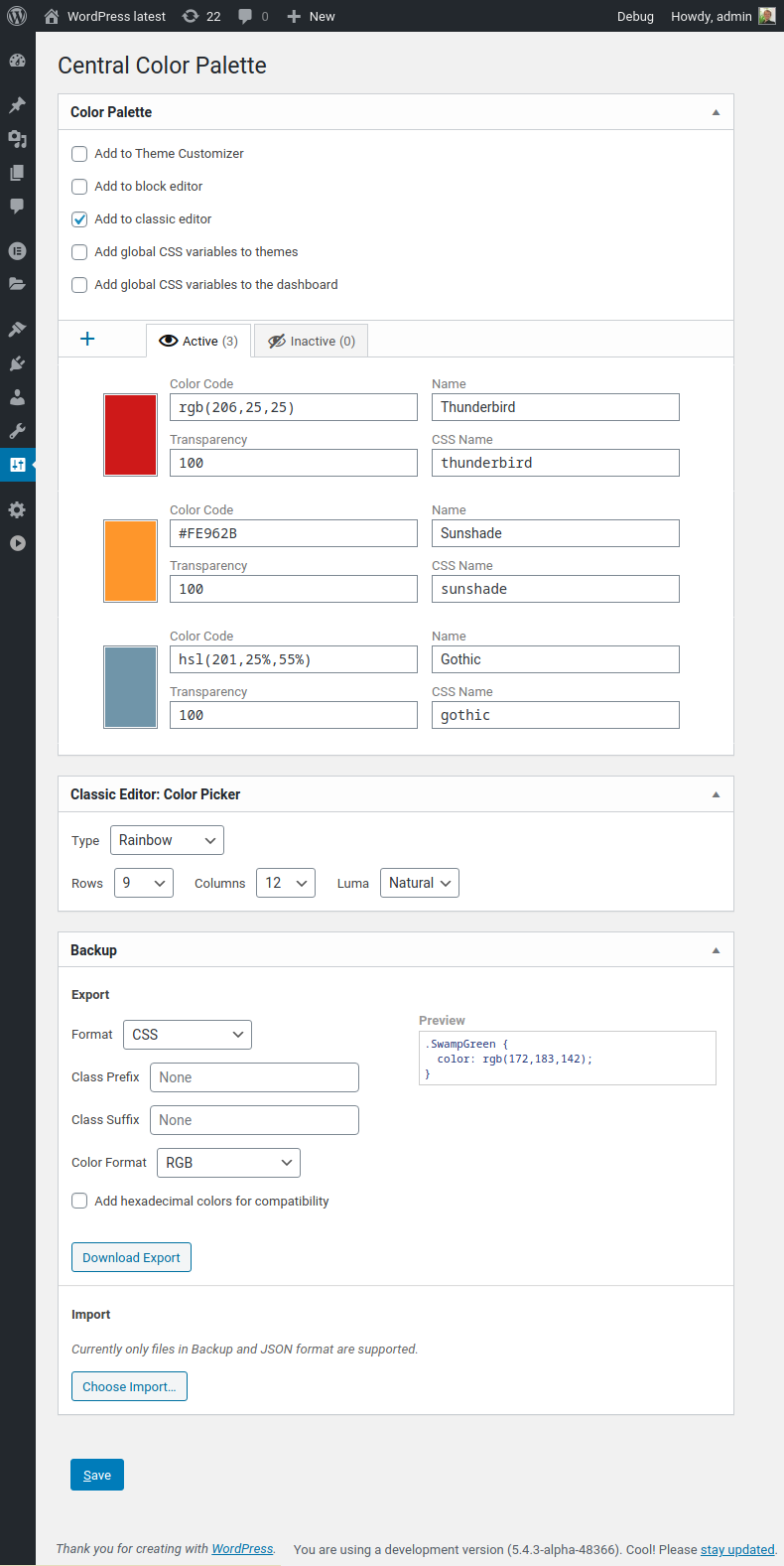
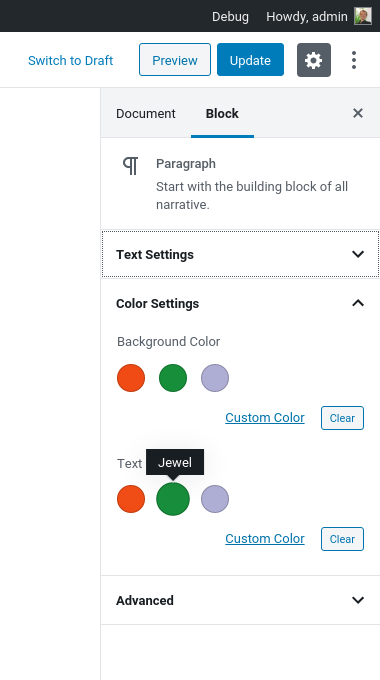
This plugin allows you to manage a site-wide central color palette for an uniform look'n'feel. The palette of the new block editor and the Theme Customizer are supported, as well as the classic editor. You can define this central color palette through the settings menu. All plugins that make use of WordPress' color picker can benefit from this plugin as well.
Does this plugin support multi-site setup?
Yes, this plugin supports a multi-site setup of WordPress.
What does this plugin replace in the classic editor?
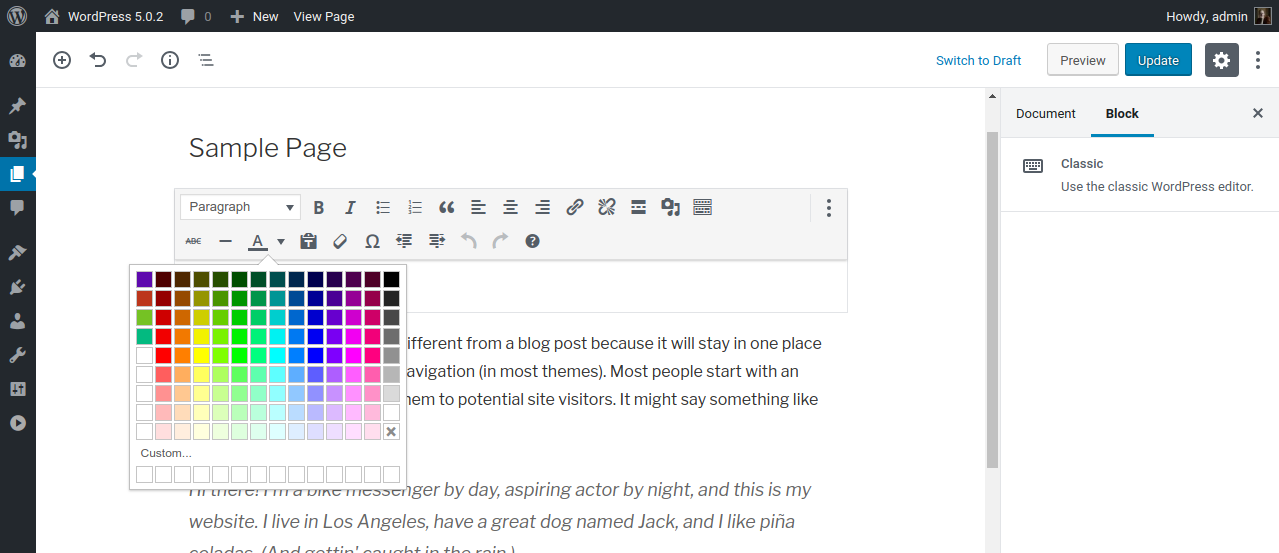
This plugin replaces the color picker for choosing a text or background color found inside the classic editor with a bigger and customizable color grid.
Can I migrate my palette settings and colors between WordPress installations?
Yes, for an easy migration between WordPress installations you can export and import your palette settings and colors.
Which plugins and themes are supported by Central Color Palette?
Central Color Palette supports these plugins and themes: Advanced Custom Fields, Astra Theme, Beaver Builder, Elementor 2, FontPress, GeneratePress Premium, Hestia Theme, Neve Theme, Mega Max Menu, OceanWP, Oxygen, Page Builder Framework.
Changelog
1.15.5
Fix: broken Astra 2.6 integration
1.15.4
Fix: wrong CSS class/variable names for CSS/SCSS exports
1.15.3
Fix: Broken palette integration for GeneratePress
1.15.2
Fix: per blog options overwrite each other in multisite setup
1.15.1
Fix: Broken version check for Elementor 2
1.15
- Added: WordPress multisite support
- Added: CSS variable names can now be set for each color
- Added: Color names as hover/title to OceanWP, Astra and GeneratePress color pickers
- Added: Selector to scope CSS variables can now be set for exports
- Added: Support for Oxygen Site Builder
- Fix: Untranslatable string
1.14.7
Added option to add global variables to the dashboard
1.14.6
- Added: Transparency to Astra Theme
- Fix: Broken integration for Astra Theme
- Fix: broken integration for GeneratePress
1.14.5
Fix: Broken integration for Advanced Custom Fields (thanks to @webprom and @stk_jj)
1.14.4
Fix: Broken integration for Elementor 2.9 (thanks to @blackeye0013)
1.14.3
Fix: Missing percentage characters for HSL exports
1.14.2
- Added: Support for Suki Theme
- Fixed: Support for Elementor’s new color picker
- Fixed: Broken sprintf for alpha checkboxes
1.14.1
Added: Color formats to CSS/SCSS based exports
1.14
- Added: Support for Advanced Custom Fields
- Added: Support for Mega Max Menu
- Added: Option for global CSS variables
- Added: Export type for CSS variables
- Added: Color types
- Fix: CSS to match WP 5.3
1.13.11
Added: Support for FontPress
1.13.10
- Added: “Clear Color” cell to the picker of the classic editor when only using the palette
- Fix: Unset variable warning when saving an empty palette (thanks to @cadiz)
- Fix: Syntax error for older PHP versions
1.13.9
Classic Editor: Added an option to add a missing “Clear Color” cell to the picker when only using the palette
1.13.8
- Elementor: Fixes broken alpha channel
- Elementor: Adds color names as mouse-over
- Fixes bug which can cause a fatal error on page loads without a WP_Screen instance
1.13.7
- Gutenberg: Fixed overwritten color classes on front-end (thanks to @t0b1hh)
- Elementor: Fixed palette size and row display for many colors (thanks to @stevewoody82)
1.13.6
Fixed broken palette upload/import
1.13.5
Fixed broken download for JSON and Backup formats
1.13.4
Fixed bug: new palette color are not save due to logic error
1.13.3
- Added support for Hestia Theme
- Added public method to manually set the central palette (suggested by @mrhasbean)
- Fixed bug in color sanitation method
1.13.2
- Fixed incompatibility with Elementor Pro
- Added support for Neve Theme
1.13.1
- Fixed broken Import
- Fixed JavaScript bug
1.13
- Added Gutenberg/block editor support
- Transparency channel is now always visible inside the palette editor
- Transparency can now be toggled individually for those integrations that use it
- Colors can be deactivated to hide them inside the block editor but retain their assignment on a block level
- Imports try to reuse existing colors to reduce chaos inside the block editor
- Added more export formats
- Added JSON import
1.12.6
Customizer palette breaks into rows of 8 colors
1.12.5
Fixed faulty output on palette save (thanks to @cavalierlife)
1.12.4
Fixed unstable integration with Elementor (thanks to @eplanet)
1.12.3
- Fixed dynamic styles interfering with other parts of TinyMCE (thanks to @jb2386)
- Added credits to changelog of all those who contributed
- Added GDPR notice to readme
1.12.2
- Clarified what “Add to Customizer” does
- Added support for Astra Theme
- Added support for Page Builder Framework
1.12.1
Fixed a bug where opacity values are displayed instead of color names
1.12
- Added support for Beaver Builder
- Fixed some bugs and typos
1.11
- Added support for OceanWP
- Fixed alpha picker for Chrome
- Removed palette import, it’s to buggy.
1.10
- Added support for Elementor (thanks to @blackeye0013)
- Added support for GeneratePress Premium (thanks to @eplanet)
1.9.3
- Fixed fatal error when updating from an older version than 1.6 (thanks to @flixflix)
- Removed dependancy on farbtastic; now the color picker ships self-contained
1.9.2
Corrected some palette import bugs
1.9.1
Fixed fatal error due to missing wp_is_mobile on network installations of WordPress (thanks to @kzeni)
1.9
- Import third party palettes
- Automatic color names thanks to Chirag Mehta’s Name that Color and @flixflix
- Improved backup
1.8
- All settings and the palette can now be exported and imported (suggested by @sigersmit)
- Added new grid type: only central palette for TinyMCE (suggested by @jhned)
- Added CSS for right-to-left locales
1.7.2
- Fixes JavaSript bug (thanks to @hrohh)
- Fixes conflict with Poedit (thanks to @hrohh)
1.7.1
Corrected typos and some translation strings
1.7
- Theme Customizer support added (thanks to @kzeni)
- Color grid is now adjustable in type and size
1.6.1
Fixed hidden colors after defining more than 13 colors (thanks to @wlashack)
1.6
- Useability improvements
- Faster grid generation by using pre-calculated colors
- Namespaced CSS IDs and HTML form variables to avoid name collisions
- Fixed CSS errors
1.5
Added clean uninstall routine
1.4.4
- Fixed possible JavaScript error
- Reduced overhead
- Removed language files; now handled by GlotPress
1.4.3
Update for WordPress 4.4
1.4.2
- Repaired headers already send error
- Preparation for GlotPress
1.4.1
Fixed a broken script
1.4
- Improved settings page
- Improved accessibility
- Fixed security leaks
- Fixed translation bugs
1.3.1
Changed HTML to conform with WordPress 4.3
1.3
Added support for custom persistent colors (thanks to @cash3p)
1.2
Fixes an error when using more than one TinyMCE
1.1
- Stylesheet gets enqueued only on pages with a TinyMCE
- Reduced overhead
1.0
Initial release.

