

Just another contact form plugin. Simple but flexible.
About If Menu – Visibility control for Menus
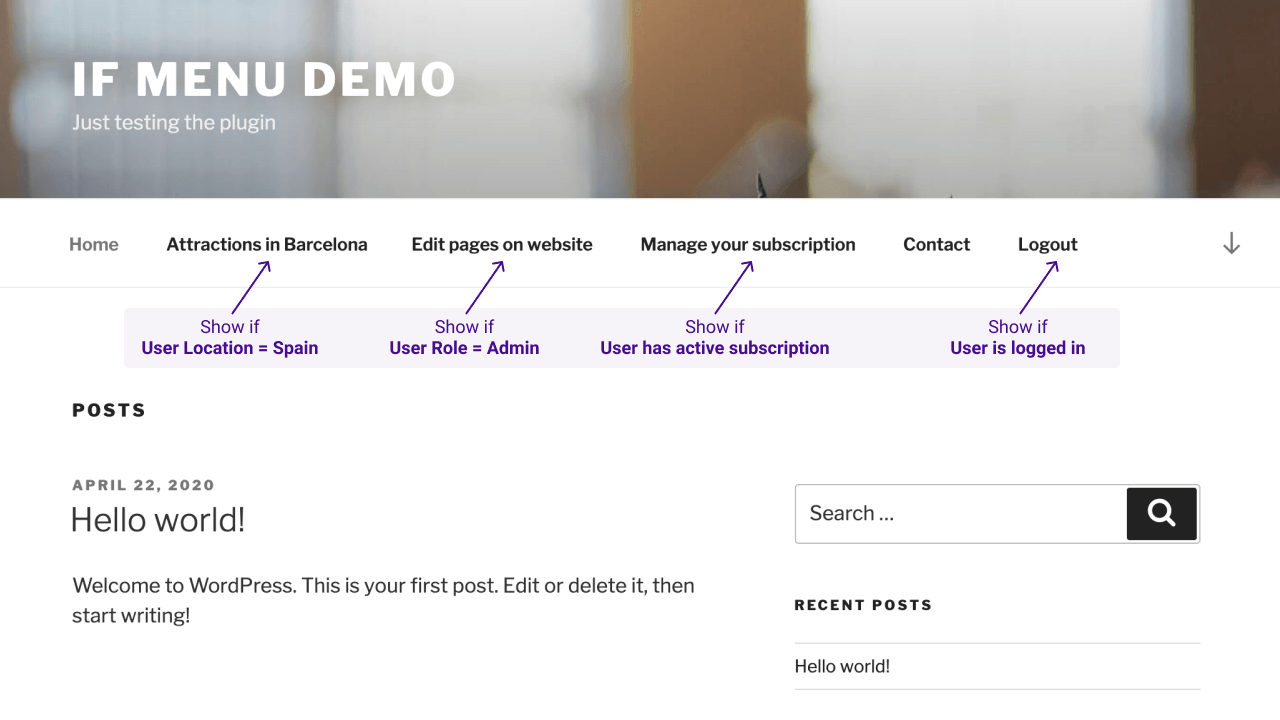
The Menu Item Visibility Control plugin allows you to control which menu items your website visitors see based on various visibility rules. You can display or hide menu items depending on factors such as user login status, device type, user roles, location, language, and more. The plugin also supports adding custom visibility rules if needed.Screenshots

Frequently asked questions
What are some examples of visibility rules for menu items?
Here are a few examples:n- Display a menu item only if User is logged inn- Hide menus if Device is mobilen- Display menus for Admins and Editorsn- Hide Login or Register links for Logged in Usersn- Display menus for Users from US or UKn- Display menus only for Customers with active membershipn- Display menus for visitors browsing with Language English or Spanish
What options does each menu item have after the plugin is enabled?
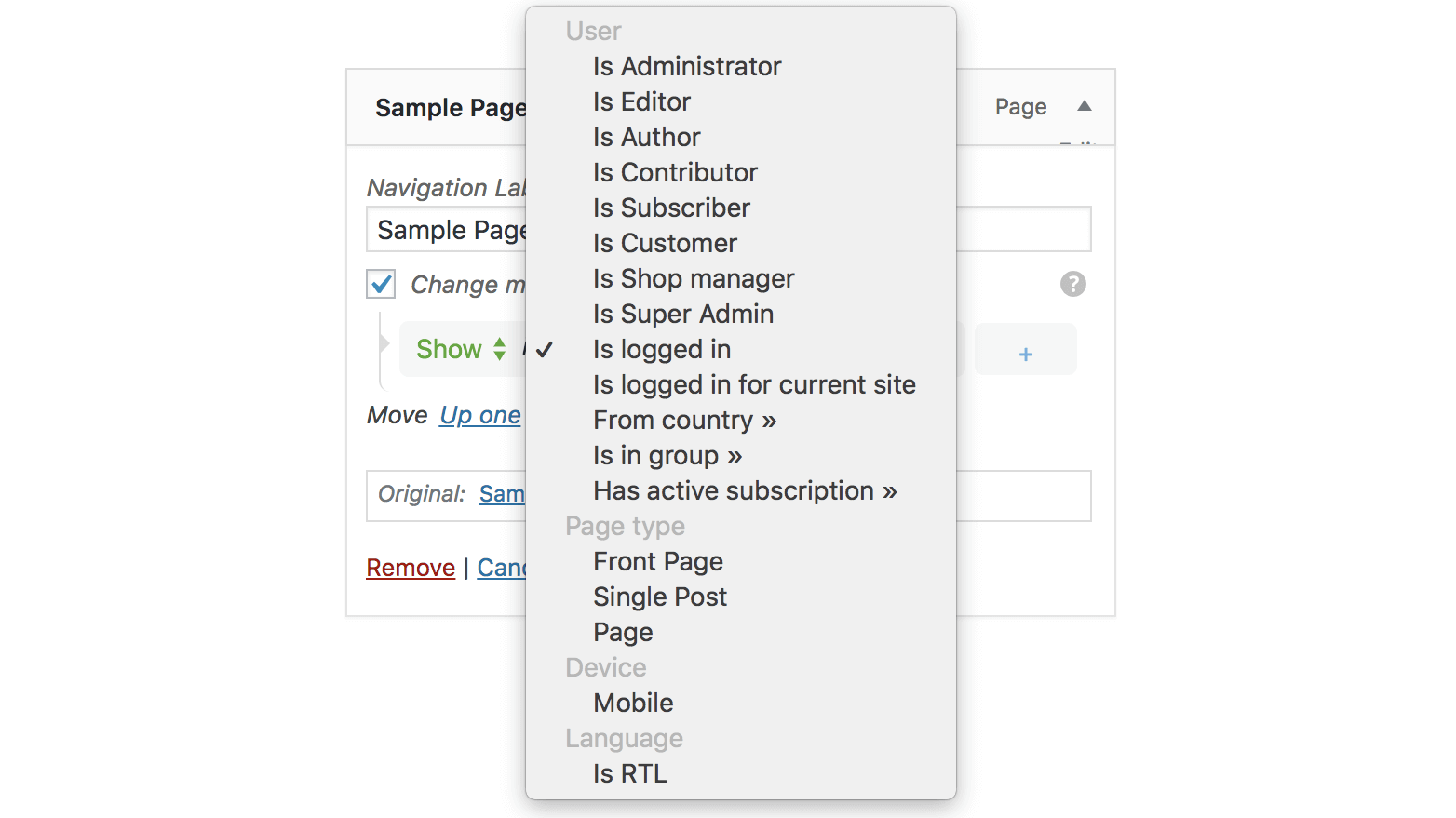
After the plugin is enabled, each menu item will have a new option “Change menu item visibility” which will enable the selection of visibility rules.
What are the basic set of visibility rules?
The basic set of visibility rules include:n- User state User is logged inn- User roles Admin, Editor, Author, etcn- Page type Front page, Single page, Single postn- Is Archive page (year, category, search results, etc)n- Visitor device Is Mobile
What are the advanced visibility rules?
The advanced visibility rules include:n- Visitor location - detect visitor's Countryn- Visitor language - detect visitor's selected Languagen- WooCommerce Subscriptions - Display menus for users with active subscriptionn- WooCommerce Memberships - Display menus for customers with active membership plansn- Groups - Detect if users are in specific groupsn- WishList Member - Detect the users' membership leveln- Restrict Content Pro - Detect the users' subscription level
Can I mix multiple rules for a menu item visibility?
Yes, you can mix multiple rules for a menu item visibility. For example:n- show if User is logged in AND Device is mobilen- show if User is Admin AND Is front page
Changelog
0.19.2 – 5 Dec 2024
- Updated – Improved WordPress v6.7 compatibility
0.19.0 – 4 Mar 2024
- Updated – Improved WordPress v6.6 compatibility
- Fixed – Integration with Restrict Content Pro plugin
0.18.0 – 4 Mar 2024
- Updated – WordPress v6.4 compatibility
- Updated – Improved check for IP geolocation
0.17.0 – 26 Mar 2023
- Fixed – Broken Access Control
- Fixed – Check if callbacks are valid for Conditions
0.16.3 – 26 June 2022
- Added – More usage examples in plugin FAQs section
- Updated – WordPress v6 compatibility
- Updated – Integration with Restrict Content Pro plugin is improved
0.16.2 – 17 January 2020
- Fixed – Error shown about the registered REST Api endpoint
- Updated – Ensure compatibility with WordPress 5.6
0.16.1 – 11 April 2020
- Fixed – Improved compatibility with other plugins that extend menu items
0.16 – 1 April 2020
- Added – Visibility rule – Is Archive page
- Updated – Ensure compatibility with WordPress 5.4
- Updated – Improved compatibility with WooCommerce Membership/Subscription plugins

