Life Time Extra Credits Offer Extended

Validity: Dec 05 - Dec 12, 2025

Heroic Table of Contents

Heroic Table of Contents

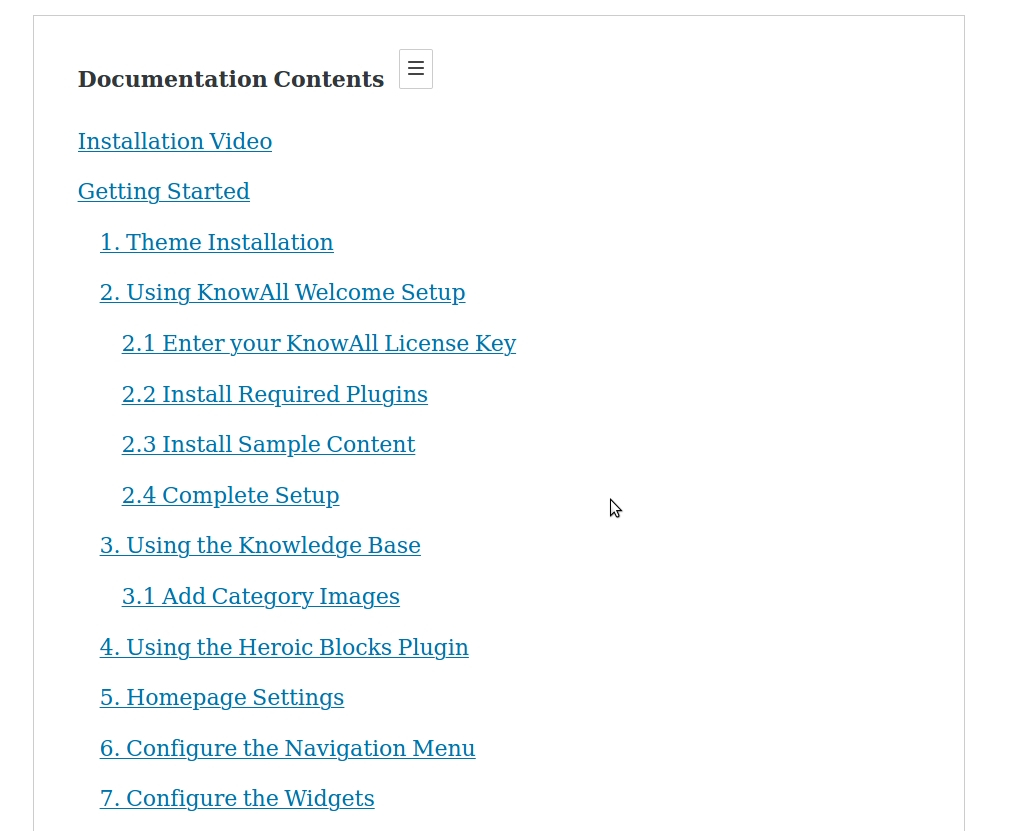
Heroic Table of Contents is the easiest way to add a table of contents to your site.
Rating:
4.6
star-rating-1star-rating-2star-rating-3star-rating-4star-rating-5
Active Installations:
6000+
Last Updated:
May 22, 2024
WordPress Version:
6.1 or higher
Tested up to:
6.5.5

Easy Navigation

Add a Table of Contents to your site in seconds.

Multiple Styles

Choose from 4 pre-made Table of Contents styles.

Customization Options

Hide, relabel, and choose which headings to display.

Flexible Placement

Place the contents section anywhere on your site.

1.2.2

(22 May 2024)

(Improved) Tweaks and compatibility checking for WordPress 6.5

1.2.1

(19 May 2022)

(Improved) Tweaks and compatibility checking for WordPress 6.0
(Improved) Removed block from non-editor screens where it is not relevant
(Improved) Now supports Reusable blocks

1.2.0

(14 Jul 2021)

(Updated) Improvements and testing for WordPress 5.8

1.1.2

(8 Feb 2021)

(Fixed) Readme.txt formatting

1.1.1

(29 Jan 2021)

(Fixed) Adding missing script.min.js file

1.1.0

(28 Jan 2021)

(Fixed) Semantic HTML markup of the Table of Contents output
(Improved) Optimized scripts and removed jQuery dependencies
(Improved) Math Rank support, SEO for Table of Contents
(Improved) H1 headings are now ignored

1.0.2

(26 Aug 2020)

(Fixed) React warnings in editor
(Improved) Editor styling

1.0.1

(14 Apr 2020)

(Improved) Styling improvements

1.0

(16 Mar 2020)

(New) Initial release

Fantastico!

By recensionivere on October 4, 2022

Index created in seconds with extreme ease.

Perfect

By kamcza on February 1, 2022

Wonderful block for Gutenberg.

Great, lightweight plugin

By Hans-Gerd Gerhards (hage) on August 10, 2021

a great, lightweight plugin that we use on some websites and does what it's supposed to do without any problems. Thanks a lot.

Anchor Titles Behind the Top NavBar

By kingdonkeykong on August 10, 2021

Hi. Would you create a fixing (and put it as an option on the plugin options) to fix the problem of the anchor going to very top of the viewport, but when the page has a top floating navbar, the anchors are hidden by the navbar. I´ve tried to fix it using css, but got no success. May you update it on the next plugin update?

TOC plugin of 2021, hope it supports page breaks

By skillsharejp on May 4, 2021

I needed a Gutenberg friendly TOC plugin for my elearning site, and this is working almost perfectly. One more feature I need is, support for multiple pages using WP's page break feature. Designs are way better than TOC+ and other major TOC plugins.

Gets the job done

By Injabie3 on March 14, 2021

Works as intended if a blog post is a single page. If it's split across multiple pages, the anchors on subsequent pages don't work because they expect them all to be in the same page as opposed to a single page.

Easy to use and configure

By Deborah Edwards-Onoro (redcrew) on February 24, 2021

For my academic client, I needed to find an easy-to-use and customizable table of contents plugin with automatic table of contents creation based on headings. Heroic Table of Contents worked wonderfully, allowing me to quickly add a TOC and customize the layout. I love that the plugin automatically updates the TOC when the headings change.

The best TOC of plugins

By takuced on November 19, 2020

Very good, simple to use without issue. Can you improve to make it more modern? Here is a small list: - Choice of title position - Choice of anchor style (example: 1 | H2 instead of 1. H2) 1 in black and bold, | in blue then finally H2 in normal, it looks more modern it's just an idea and I saw that in another extension. - Floating pop-up in compact form if we go down the page Thanks for this extension, I hope to see an improvement and I will give you one more star;)

The TOC we've been waiting for.

By Brian Jackson (brianleejackson) on May 29, 2020

I've tried every TOC plugin out there, and none of them get everything perfect. In fact, I just resorted back to doing it manually with the WordPress Block Editor. This takes a little more time but is also the fastest in terms of performance. I'm usually always for getting rid of plugins when possible. However, there are times to weigh the pros and cons. If you are adding a TOC to a majority of posts, this plugin hits the mark in terms of utilizing the Block Editor to its fullest! Click to hide headings you don't want, toggle between styles, open or closed. JS file is 500 B, and the CSS file is only 1KB. Now that's what I'm talking about. With GenerateBlocks, Iceberg, and now this, I'm excited about the future of WordPress and new block plugins. Already a long-time customer of Heroic KB. Keep up the great work guys!
Try other plugins too!

Flexy Breadcrumb

Flexy Breadcrumb is a super light weight plugin that is easy to navigate through current page hierarchy.

Try Demo More Details

Bing URL Submissions Plugin

Bing URL Submission Plugin for WordPress enables site owners to instantly and automatically submit their new/updated
pages to the Bing index.

Try Demo More Details

Media File Renamer: Rename Files (Manual, Auto & AI)

Rename and move files directly from the dashboard, either individually or in bulk. You can even set it to automatically rename your files for you! Nic …

Try Demo More Details
Screenshots
Author Site Author Site

Try Heroic Table of Contents With InstaWP

Contact Sales

Reach out to us to explore how InstaWP can benefit your business.