

Just another contact form plugin. Simple but flexible.
About ShareThis Dashboard for Google Analytics
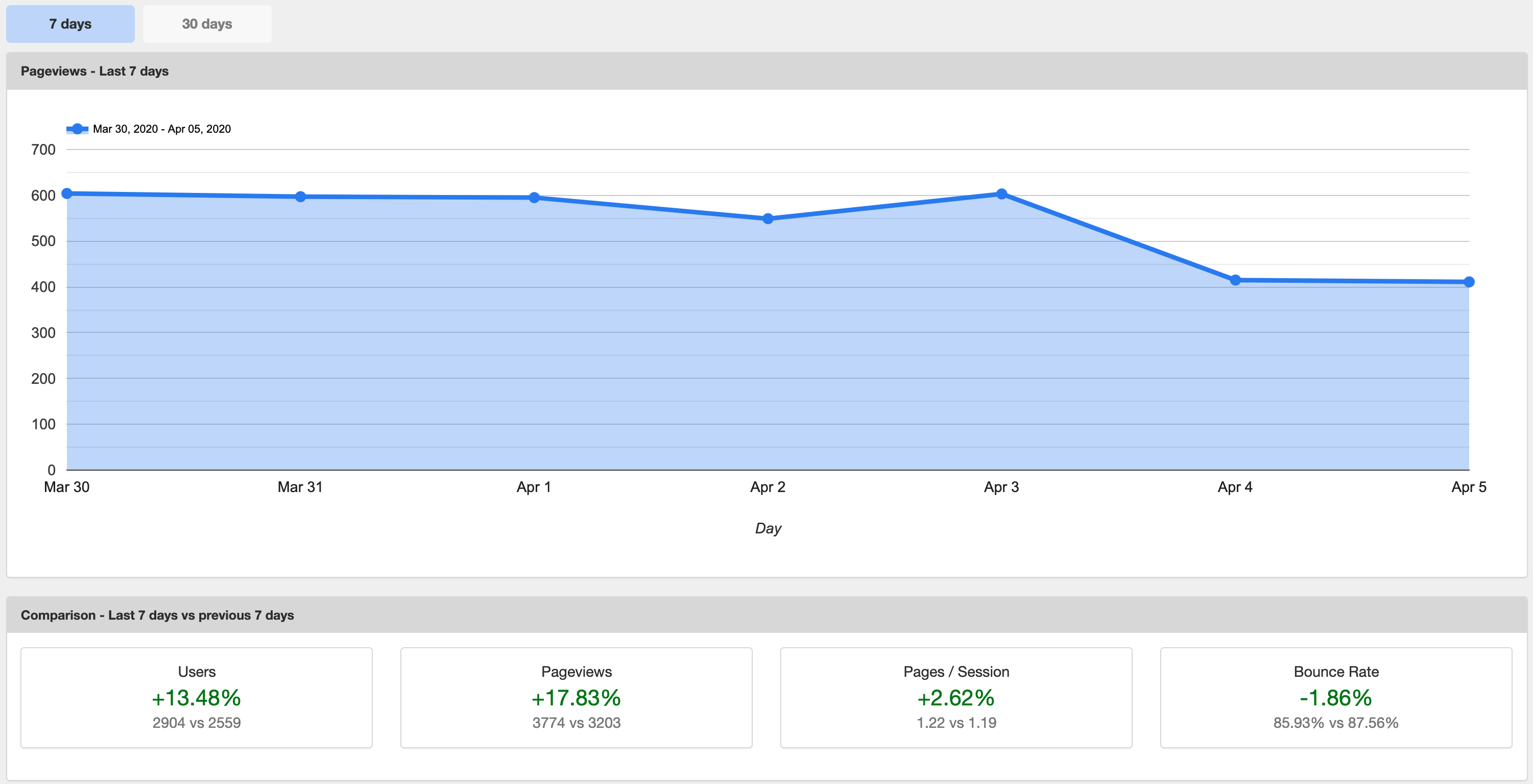
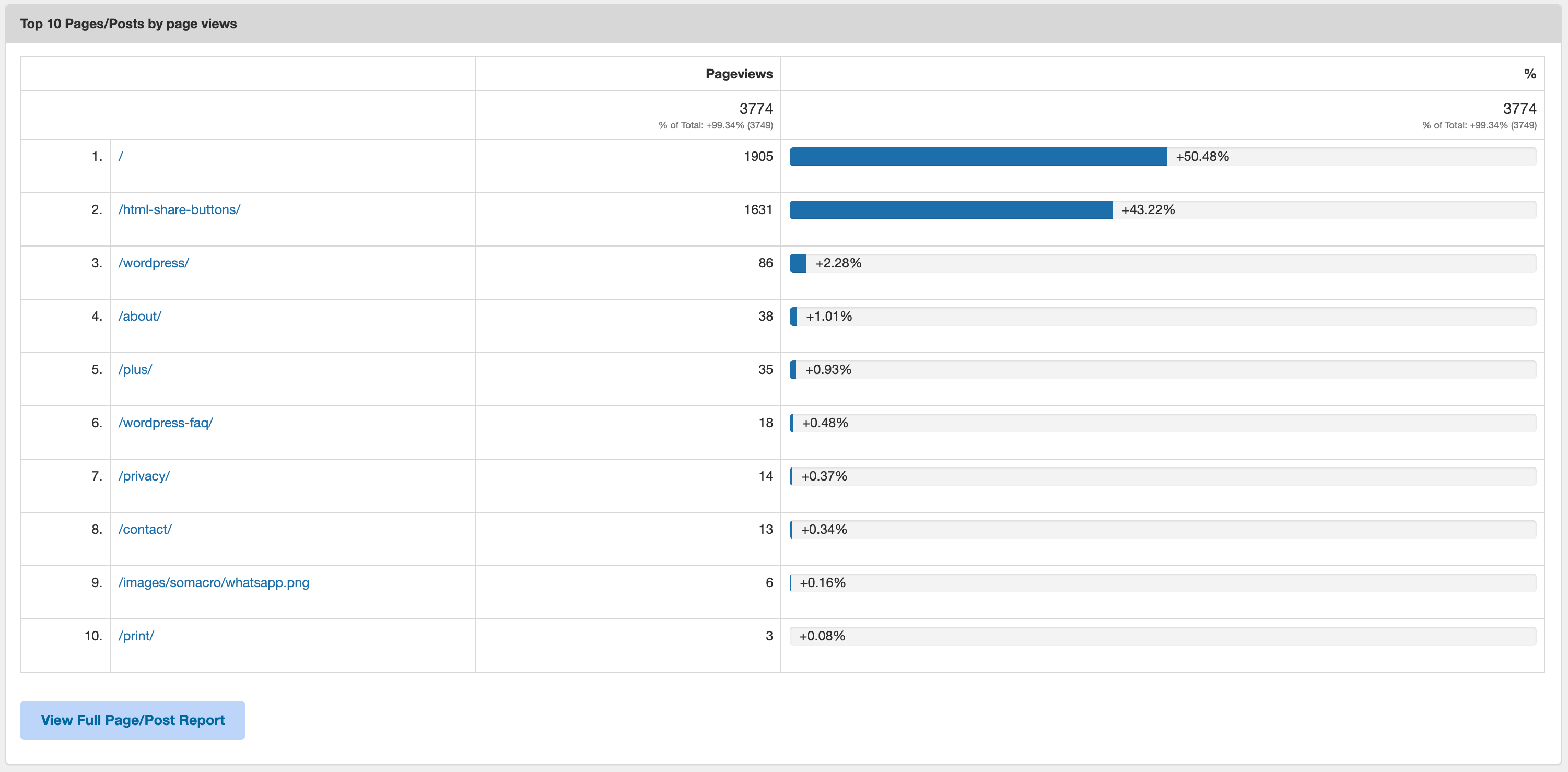
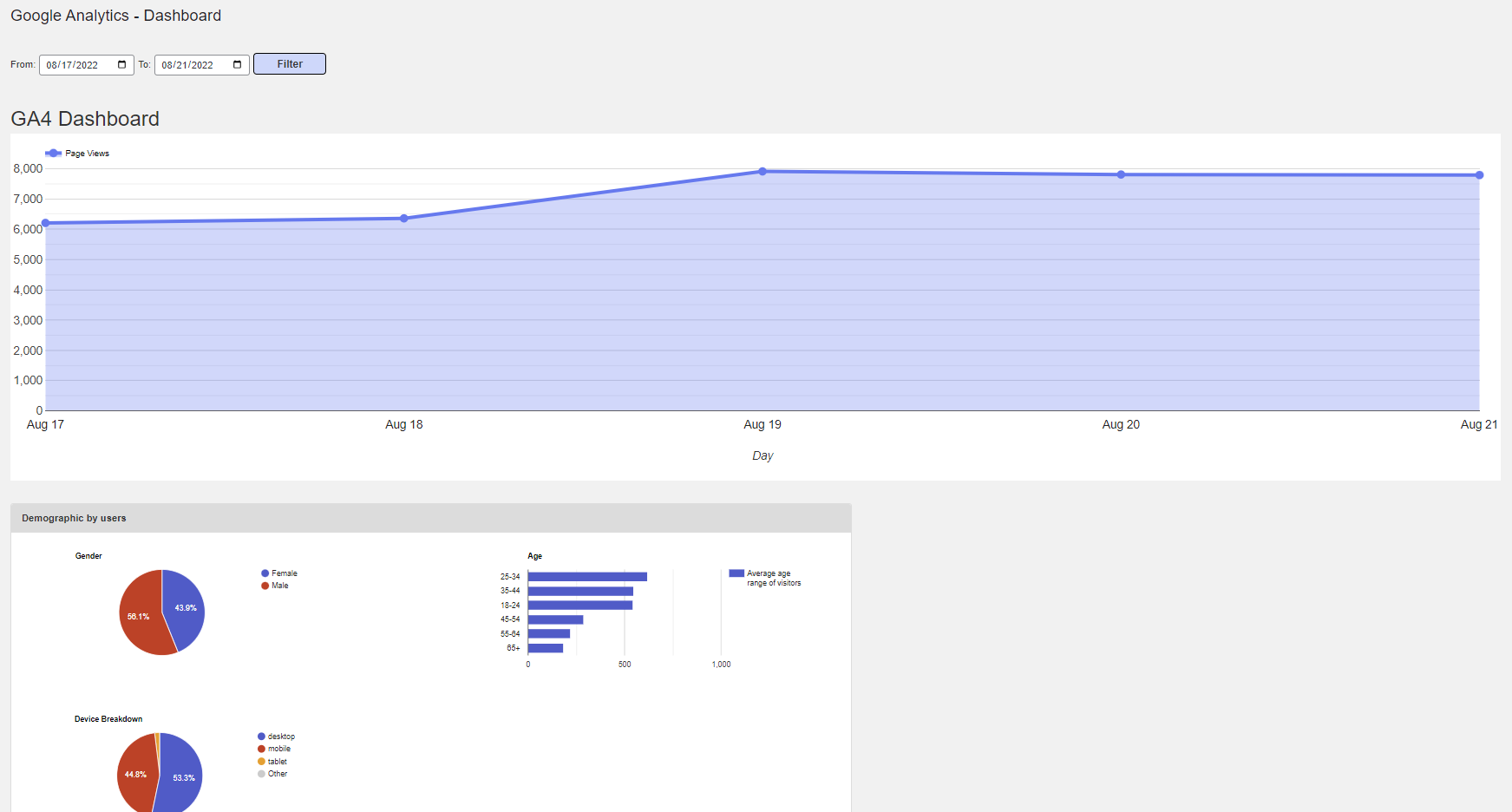
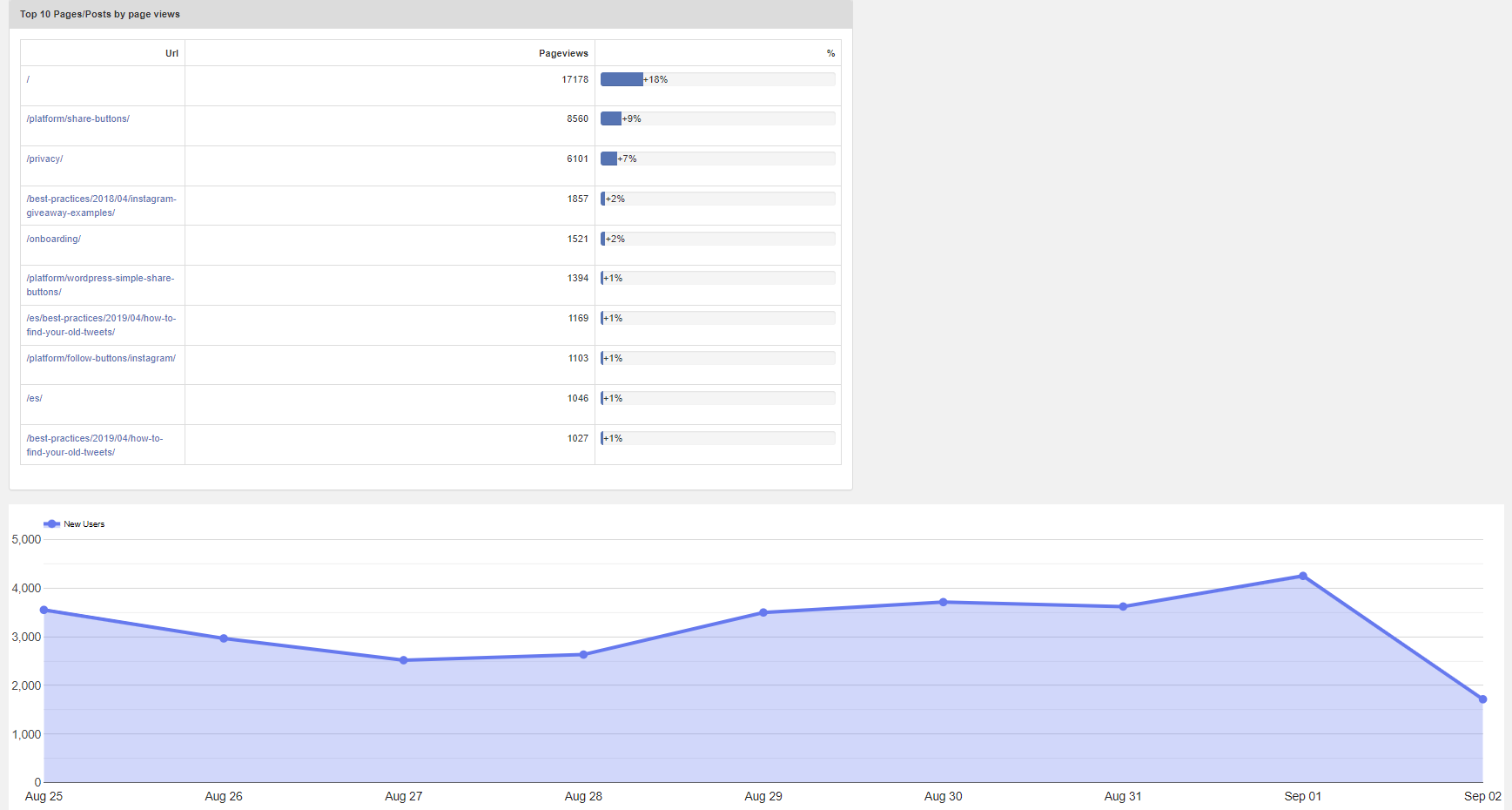
This Google Analytics plugin allows you to monitor and analyze visitor engagement on your WordPress site directly from your dashboard. It is easy to set up and provides real-time stats on visitor trends, traffic sources, top pages, demographics, and more. Best of all, it's free to use with no monthly fees or paid upgrades.Screenshots
Frequently asked questions
What does the Google Analytics plugin do?
The Google Analytics plugin allows you to monitor, analyze, and measure visitor engagement for your site directly from your WordPress dashboard.
Are there any fees or paid upgrades for this plugin?
No, all of the features of the Google Analytics plugin are 100% free, and there are no monthly fees or paid upgrades.
How long does it take to set up Google Analytics with this plugin?
You can get started in less than 10 minutes. The installation is quick and easy, and no developers are required.
What information does the Google Analytics dashboard provide?
The Google Analytics dashboard provides real-time stats on visitor trends, traffic sources, top pages, demographics, and includes a GDPR Compliance Tool.
Can I track analytics on mobile devices?
Yes, the Google Analytics plugin is mobile-optimized, so you can stay informed and get actionable insights on any device.
Changelog
3.2.1
- Test with wp ver 6.7.1
3.2.0
- Fix PHP 8.2 depreactions
- Upgrade google/protobuf
- Upgrade guzzle
- Test with wp ver 6.5.2
3.1.7
- Enable UA properties for new auth.
3.1.6
- Remove UA tab option if users aren’t already using it.
3.1.5
- Fix security issue with ajax endpoints.
3.1.4
- Add upgrade vs activate check.
3.1.3
- Test with WordPress 6.1.1.
3.1.2
- Add source.
3.1.1
- Fix php error notice issue.
3.1.0
- Fix chart starting at 0.
- Enable GA4 for public use.
3.0.0
- Add GA4 property auth.
- Add GA4 specific dashboard graphs.
- Fix GDPR vendor search.
2.5.5
- Add code improvements.
- Improve sanitization and localization.
- Test with WordPress 6.0.
- Test with PHP 8.0.
- Fix privacy policy link.
2.5.4
- Fix dashboard widget.
- Test plugin with WordPress 5.8.3.
2.5.3
- Fix sending of demographic data once per month.
- Test plugin with WordPress 5.8.1.
2.5.2
- Add custom date range selector instead of 7/30-day selector.
- Add device breakdown under demographics section.
- Fix security issue for URL in admin.
- Fix vendors list URL.
2.5.1
- Revert array syntax for back compat.
- Update plugin name for trademark infringement.
2.5.0
- Fix enable button on disable all features.
- Add demographic ad in settings.
- Add jump link to demographics in dashboard.
- Add error message for no-demo data.
2.4.1
- Fix admin error.
2.4.0
- Add GDPR compliance tool integration.
- Add Demographic data chart option.
- Fix ST terms agreement.
2.3.8
- Fix compatibility with WPML.
2.3.7
- Fix property creation structure.
- Remove terms blocker.
2.3.6
- Add onboarding product to property creation.
2.3.5
- Updated analytics feature.
- Add filter to show 30 days worth of data.
- Add “Top 10 Pages/Posts” by Pageviews.
- For all charts, add a link that allows user to go to Google Analytics page where the data is from.
- Improved debug messaging.
- Removed “Trending Contents” feature.
- Removed comparison line in chart.
2.2.5
- WP ver 5+ compatibility tests.
- Code quality clean up.
- Fix setting save.
2.1.5
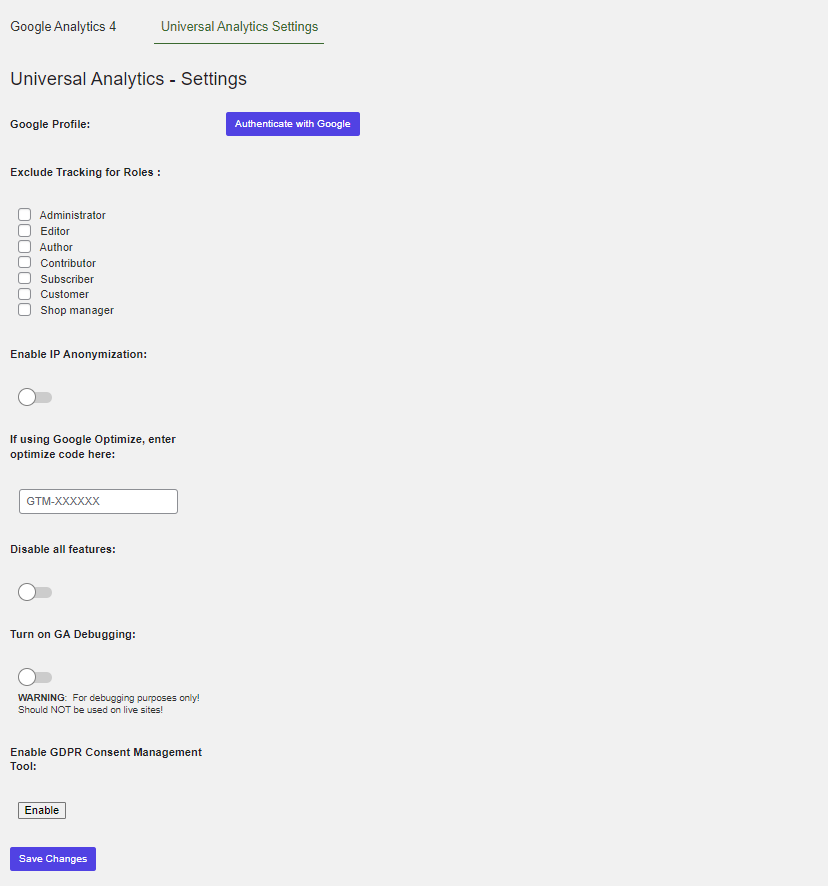
- Added IP Anonymization Option.
- Added Google Optimization field.
- Updated GA code posting method.
2.1.4
- Updated SSL cert reference.
- Fixed Trending Content connection issue.
- Updated copy for better user understanding.
- Removed auto sending function from debug / added copy function.
2.1.2
- Fixed authentication error issue experienced by some users.
- Added re-authentication button for easier changing or relinking of Google Analytics accounts.
- Added “Send Debug” button for faster technical troubleshooting.
- Added refresh button for Google Analytics within dashboard.
- Included new alert for missing Google Analytics account.
- Included new alert for unsupported PHP version.
2.1.1
- Reduced requests to Google API to help with Google Analytics quotas
2.1
- NEW: Trending Content – trending content shows you a list of content that is performing better than average
- NEW: Alerts – option to sign up for alerts via email or Slack when your content is taking off
- Additional caching to always show Google Analytics dashboards
- User interface improvements
2.0.5
- Better compatibility with the Google API quotas
- Undefined variable fix, thanks to charlesstpierre
2.0.4
- Replaced Bootstrap with own scripts
2.0.3
- Reliability improvements for Google Analytics access
- Better connection to Google Analytics API
- Fixed the save settings issue, thanks @biologix @tanshaydar
- Minor bug fixes
2.0.2
- Fixed issues related to older versions of PHP
- Fixed terms of service notice
- Added better support for HTTP proxy, thanks @usrlocaldick for the suggestion
- Added better support when WP_PLUGIN_DIR are already set, thanks @heiglandreas for the tip
- Added support for PHP version 5.2.17
2.0.1
- Fix for old versions of PHP
2.0.0
- Completely redesigned with new features!
- Updated with the latest Google Analytics code
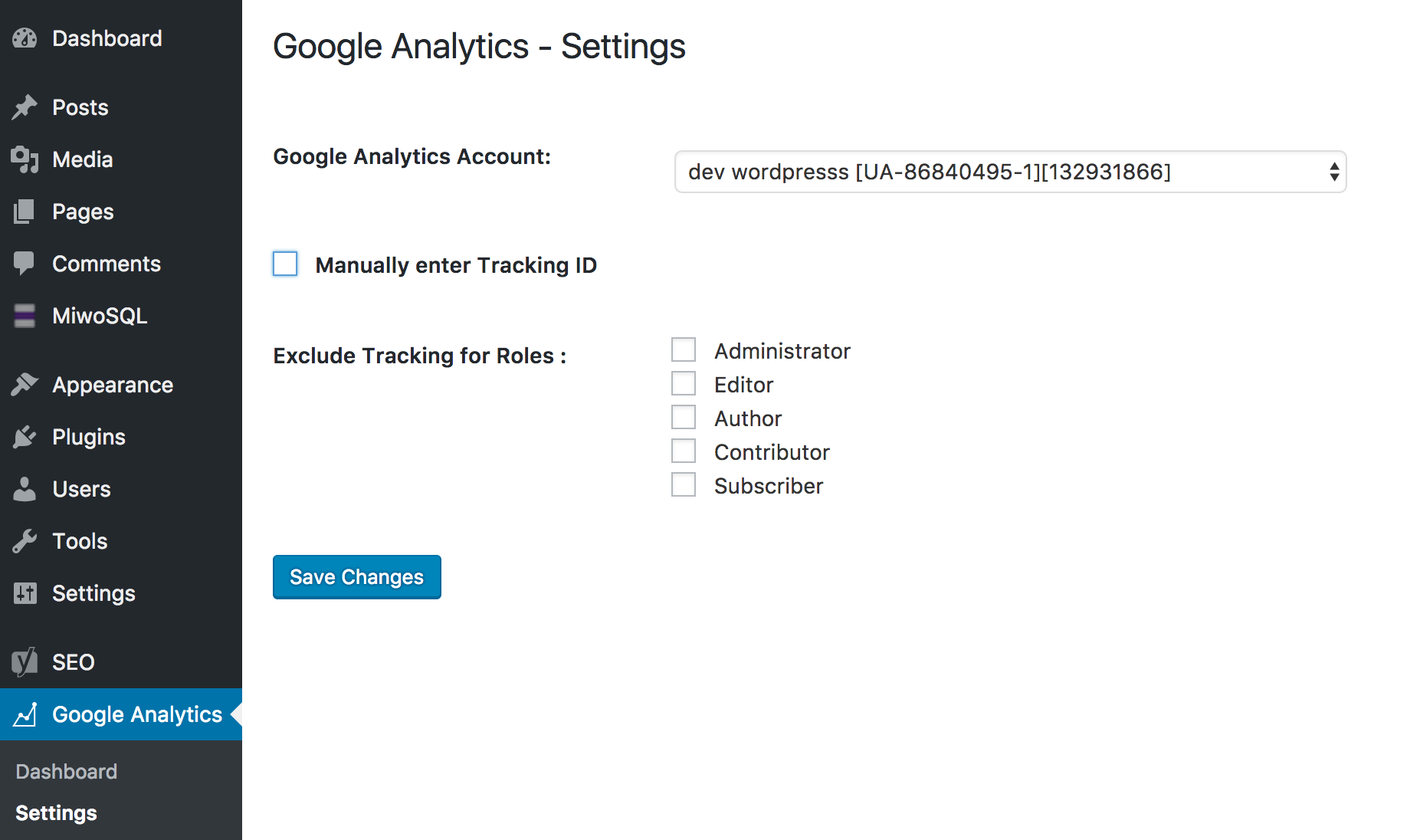
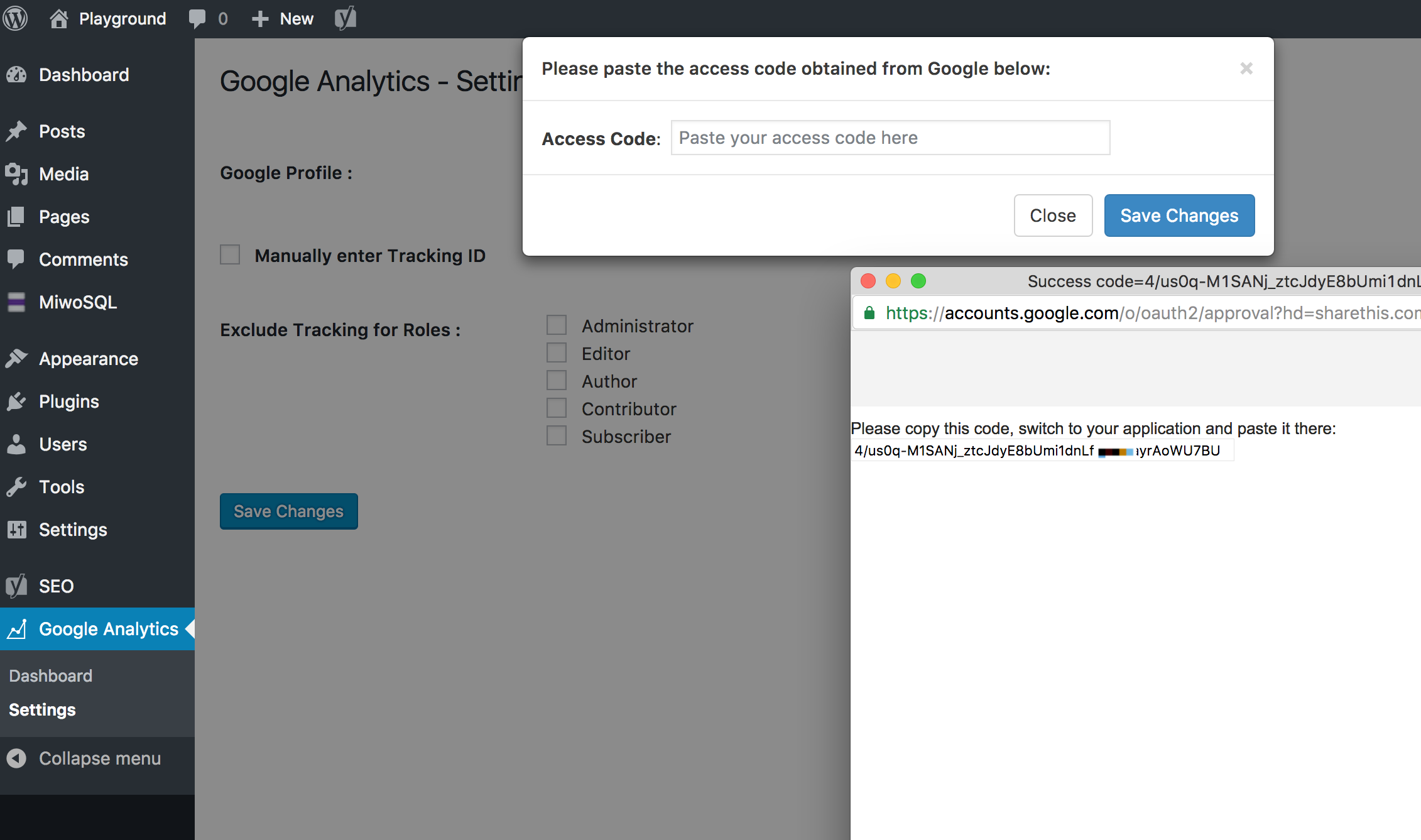
- No need to find your GA property ID and copy it over, just sign in with Google and choose your site
- See analytics right inside the plugin, the past 7 days vs your previous 7 days
- Shows pageviews, users, pages per session and bounce rate + top 5 traffic referrals
- WordPress Dashboard widget for 7, 30 or 90 days graph and top site usage stats
- Disable tracking for logged in users like admins or editors for more reliable analytics
1.0.7
- Added ability to include Google Analytics tracking code on every WordPress page

