

Just another contact form plugin. Simple but flexible.

About Disable Bloat for WordPress & WooCommerce
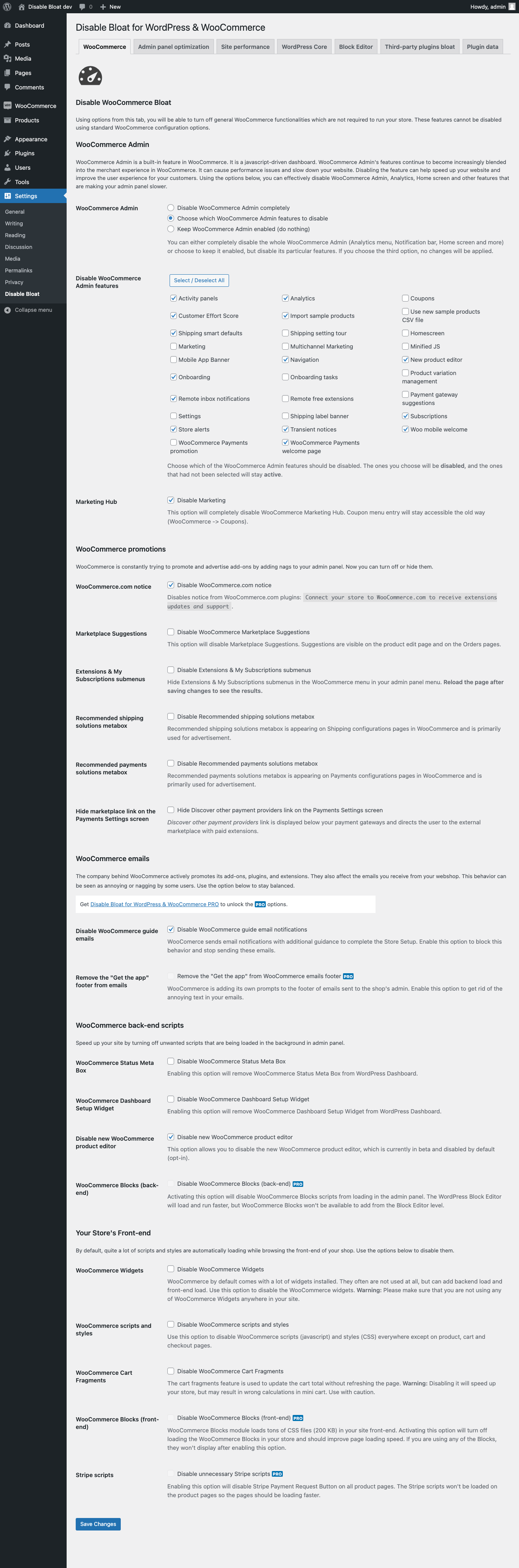
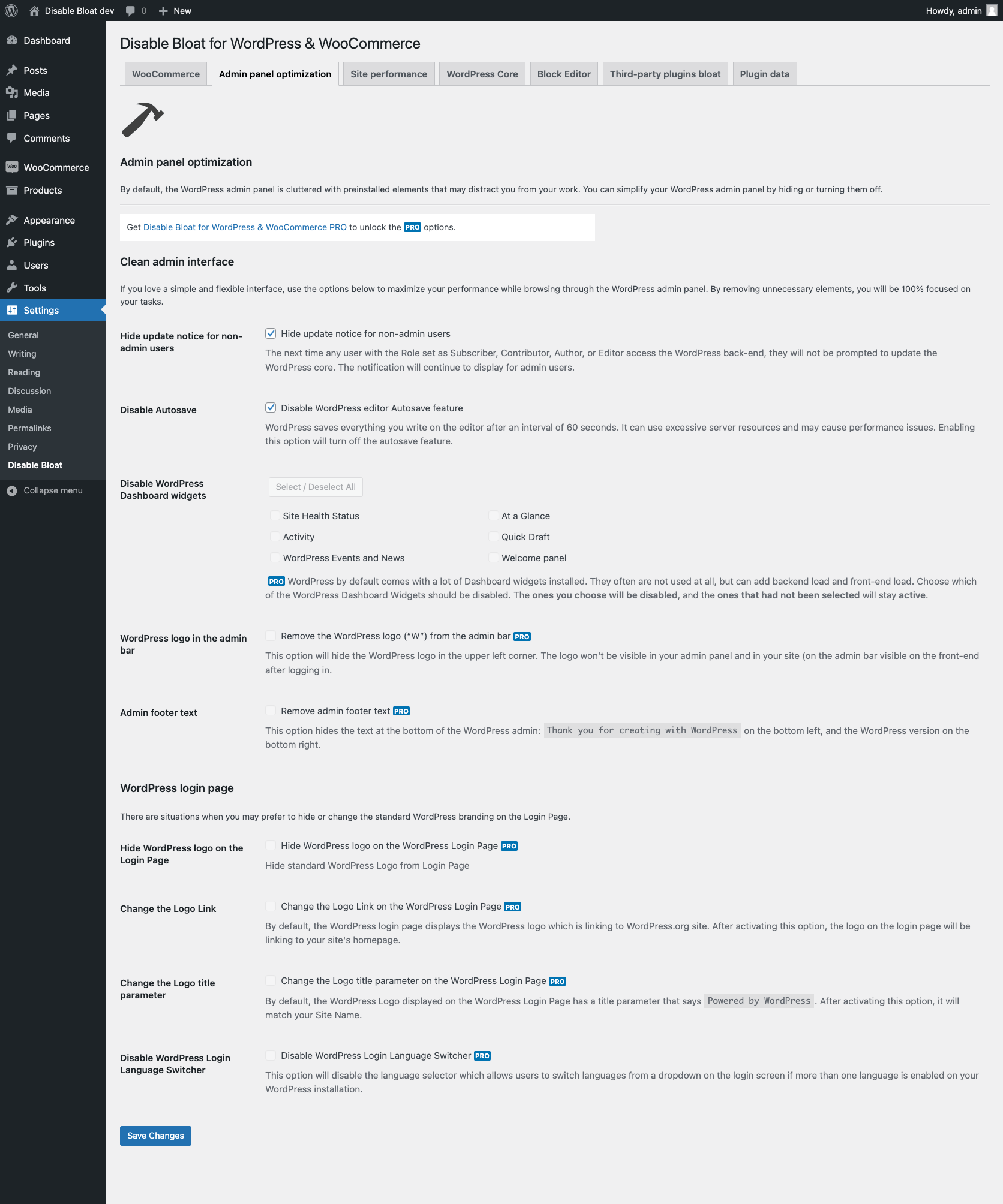
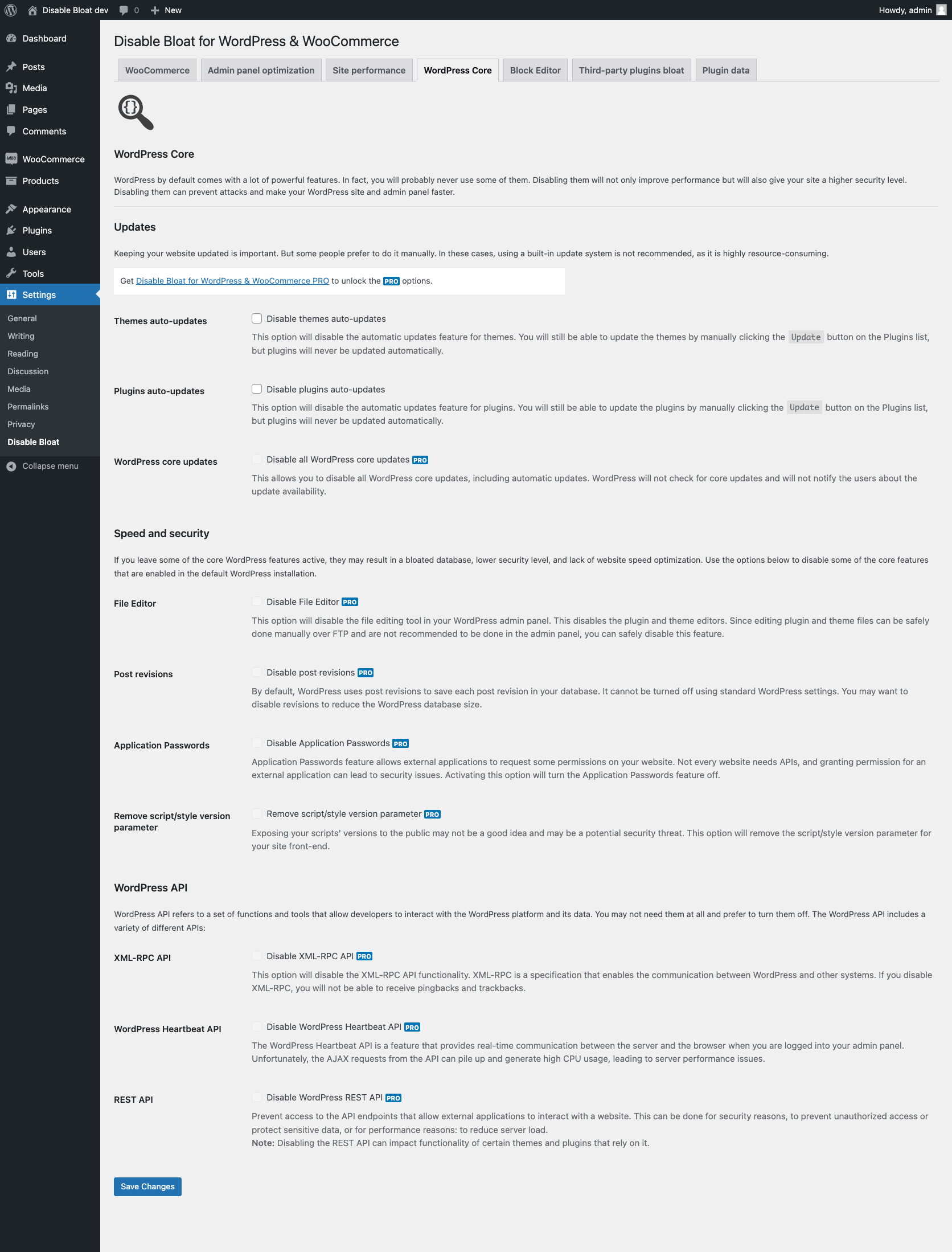
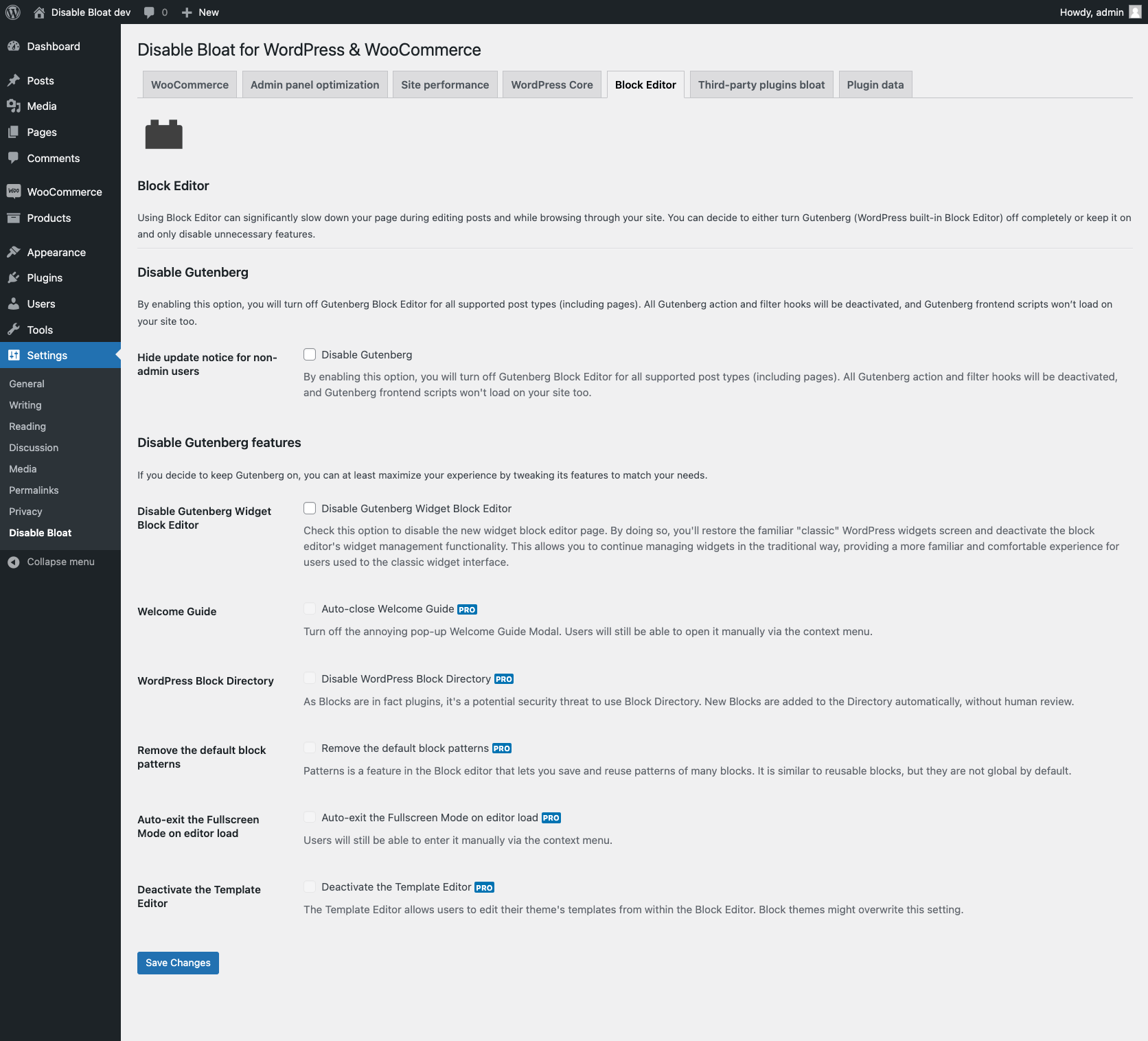
Disable Bloat is a plugin that helps improve the speed and cleanliness of your website by disabling unnecessary features that slow it down. It has over 400k downloads, 20k+ active installs, and many 5-star reviews. It also offers a premium version with additional features for WooCommerce and other plugins.Screenshots

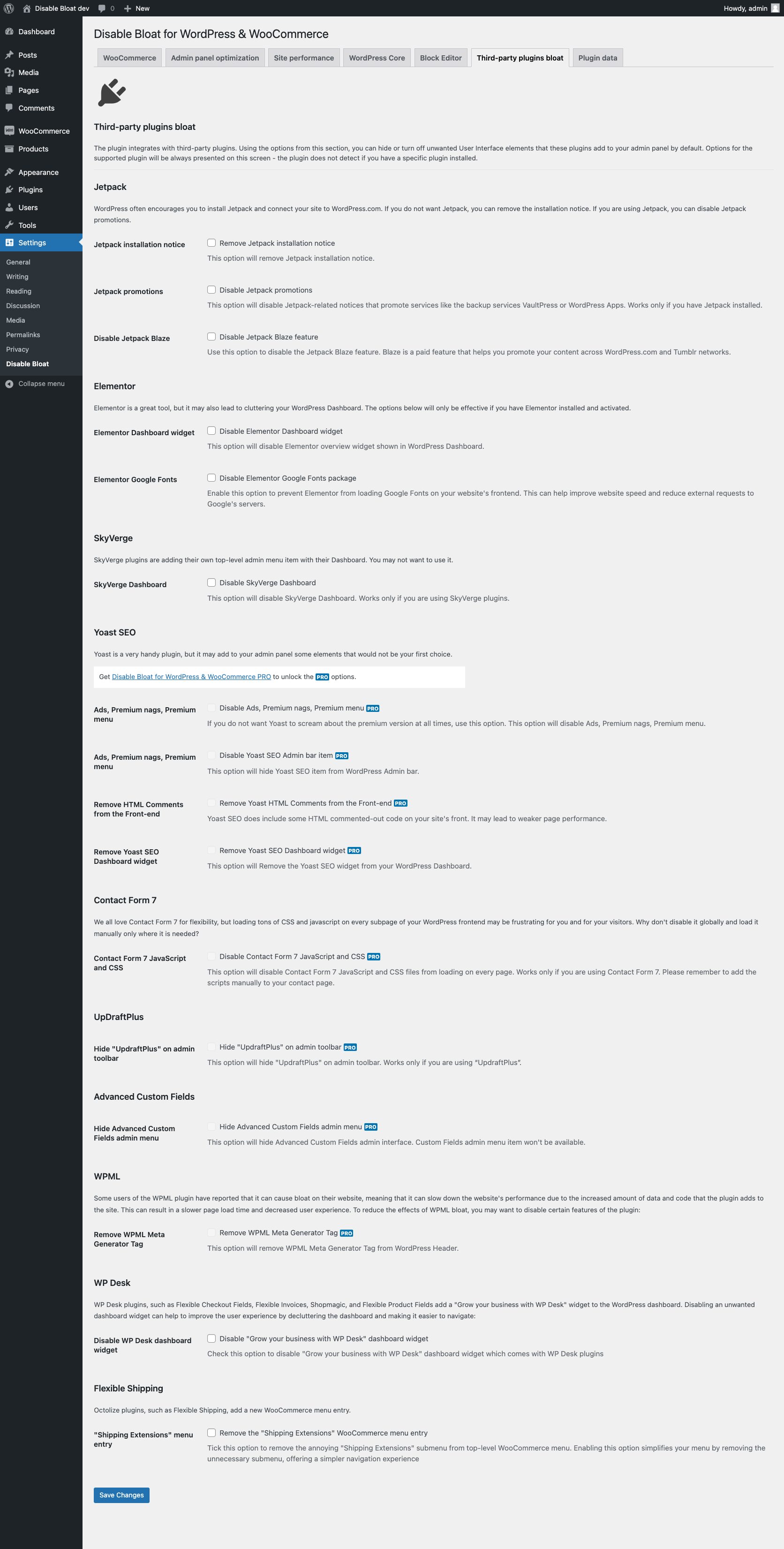
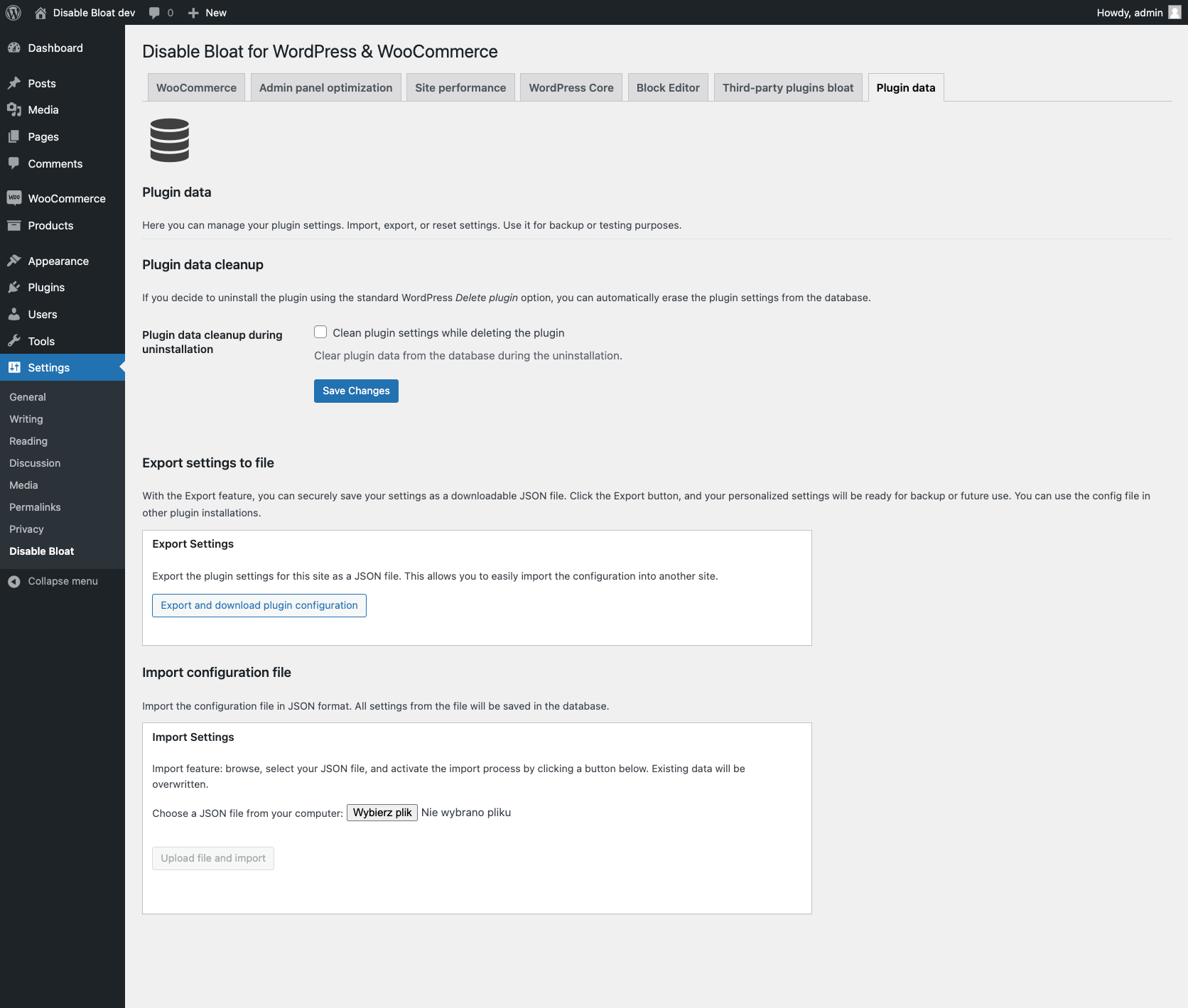
Frequently asked questions
What does Disable Bloat for WordPress & WooCommerce do?
Disable Bloat for WordPress & WooCommerce is an all-in-one solution designed to speed up your WordPress and WooCommerce sites. It removes unnecessary features to make your site faster and cleaner. The plugin helps eliminate bloat that can slow down your website's performance.
How does Disable Bloat improve the WordPress admin panel?
Disable Bloat smooths and cleans the WordPress admin panel by removing preinstalled, unnecessary elements. It allows you to disable unwanted features, making your admin panel fast and clean. This helps reduce clutter and distractions.
What are the benefits of using Disable Bloat?
Choosing Disable Bloat can accelerate your WordPress website, enhance user experience, and boost security by turning off unused features. It also helps eliminate third-party plugin bloat to keep your site lean and fast-loading. The plugin aims to provide a fast, clean WordPress admin panel.
Is there a premium version of Disable Bloat?
Yes, there is a premium version called Disable Bloat for WordPress & WooCommerce PRO. This version unlocks additional features, including options to disable WooCommerce bloat. It can turn off WooCommerce Admin and remove WooCommerce promotions.
How does the premium version help with WooCommerce?
The premium version allows you to turn off WooCommerce Admin to lighten your back-end and remove WooCommerce Promotions that clutter your admin panel. It can also reduce CSS and JavaScript load for a faster front-end and back-end. Disabling WooCommerce Admin, which is a JavaScript-driven dashboard, can help speed up your site.
Changelog
[3.5.0] – 2025-02-05
- Security updates
[3.4.8] – 2024-04-13
- Fixed: “Disable Extensions & My Subscriptions submenus” option
- Fixed: License white-labeling and minor improvements and bug fixes (Freemius SDK updated to 2.7.0)
[3.4.7] – 2024-03-09
- Fixed: Issue with third-party plugins while detecting if the current user is admin while Disable jQuery Migrate option was enabled (PRO)
[3.4.6] – 2024-02-20
- Fixed: Fatal error which may occur when “Disable WordPress Heartbeat API” option is activated (PRO)
[3.4.5] – 2024-01-16
- Added: Compatibility with WCFM Marketplace
- Fixed: Performance issues and minor bugs (Freemius SDK updated to 2.6.2)
[3.4.4] – 2023-10-29
- Fixed: Missing WooCommerce CSS variable for “Choose which WooCommerce Admin features to disable” and “Marketing Hub”
- Fixed: Disable WooCommerce Blocks front-end (PRO)
- Fixed: Phrases appearing in the notice message shown after upgrading/activating license (PRO)
- Added: Pricing and Upgrade links to My Account admin page (PRO)
[3.4.2] – 2023-09-19
- Fixed: Resolved a WooCommerce Select2 issue causing items on the dropdown list to disappear (compatibility with WooCommerce 8.1.0)
- Fixed: Compatibility with Rank Math SEO
[3.4.1] – 2023-09-11
- Fixed: Hide “UpdraftPlus” on admin toolbar (PRO)
[3.4.0] – 2023-09-09
- Added: Disable Elementor Google Fonts
- Added: Remove the “Shipping Extensions” WooCommerce menu entry (Flexible Shipping)
- Added: Disable Jetpack Blaze
- Added: Disable Autosave
- Added: Disable Gutenberg Widget Block Editor
- Added: Disable new WooCommerce product editor
- Fixed: Export configuration to JSON file
- Fixed: i18n phrases for translation
- Fixed: Hide update notice for non-admin users
- Fixed: Update notice (Freemius SDK upgraded to 2.5.12)
- Removed: Unused files
[3.3.1] – 2023-09-02
- Added: Import and Export settings
- Added: Compatibility with Oxygen Builder
- Fixed: i18n phrases for translation
- Fixed: Integration with WordPress multisite (Freemius SDK upgraded to 2.5.11)
- Fixed: Disable WooCommerce Blocks – front-end (PRO)
- Removed: Plugin deactivation feedback form
- Removed: Pricing and Upgrade links from My Account admin page (PRO)
[3.2.11] – 2023-07-27
- Fixed: i18n phrases for translation
[3.2.10] – 2023-07-26
- Added: Compatibility with Dokan
[3.2.9] – 2023-07-05
- Fixed: Freemius SDK update to 2.5.10
[3.2.8] – 2023-06-25
- Fixed: Fatal error
[3.2.6] – 2023-06-15
- Fixed: Options regarding WooCommerce bloat: promotions, emails, back-end and front-end scripts
[3.2.5] – 2023-06-14
- Added: Notice on WooCommerce Stripe payment gateway configuration screen informing about WooCommerce Admin requirement during setting API keys
[3.2.4] – 2023-05-08
- Fixed: PHP warning message that was generated in version 3.2.3
[3.2.3] – 2023-05-06
- Fixed: Removed empty top-level admin menu on multisite
[3.2.2] – 2023-04-02
- Fixed: Fatal error that occurs when the “Disable wp-embeds” option is active (PRO)
- Fixed: Fatal error related to communication with the API (Freemius SDK upgraded to 2.5.6)
[3.2.1] – 2023-03-21
- Fixed: Option to hide the “Discover other payment providers” link on the WooCommerce Payments configuration screen
- Fixed: Fatal error related to incompatibility with some plugins (Freemius SDK upgraded to 2.5.5)
- Changed: PHP, JS and CSS code refactor to make the plugin faster and more flexible
- Changed: Plugin settings page title visible on the top of the settings screen
[3.2.0] – 2023-03-01
- Added: Choose which WooCommerce Admin features to disable
- Added: Remove the “Get the app” from WooCommerce emails
- Added: Hide the “Discover other payment providers” link on the WooCommerce Payments configuration screen
- Added: Disable WooCommerce email notifications
- Added: Disable WordPress Dashicons on the front-end
- Added: Disable WP Desk Dashboard widget
- Added: Disable WordPress REST API (PRO)
- Added: Disable jQuery Migrate (PRO)
- Added: Disable wp-embeds (PRO)
- Fixed: API connectivity test during activation (Freemius SDK upgraded to 2.5.4 RC1)
- Fixed: Compatibility with Rank Math SEO
- Fixed: Minor compatibility issues
- Changed: Phrases and descriptions
- Changed: Location of “Select / Deselect All” button
[3.1.16] – 2023-02-06
- Fixed: readded missing PRO functions (PRO)
[3.1.15] – 2023-01-31
- Fixed: Warning related to WooCommerce HPOS compatibility
[3.1.14] – 2023-01-30
- Fixed: Compatibility with WordPress multisite in sub-domains mode
- Removed: Legacy settings page (WooCommerce -> Settings -> Disable Bloat)
[3.1.13] – 2023-01-20
- Fixed: Fatal error WooCommerce HPOS – might occur if WooCommerce version is lower than 7.1.0
[3.1.12] – 2023-01-18
- Added: Compatibility with WooCommerce HPOS (Custom order tables)
- Fixed: Redirect after activating the plugin
- Fixed: Plugins options cleanup during uninstallation
- Fixed: javascript browser alert during activation
- Fixed: Minor security issues
- Fixed: Plugin icon
[3.1.11] – 2022-12-15
- Fixed: Fatal error which might occur during upgrade
[3.1.0] – 2022-11-22
- Added: New higher level WordPress settings menu: Settings -> Disable Bloat
- Added: Option to remove plugin database options during uninstallation
- Fixed: Readded missing Disable WooCommerce Dashboard Setup Widget setting
- Fixed: WooCommerce is not required to run the plugin anymore
- Removed: Legacy settings page (WooCommerce -> Settings -> Advanced -> Disable Bloat)
[3.0.4] –
- Removed: Billing & Payments sections from Account page
- Removed: Freemius tab from Account & Upgrade pages
- Fixed: Deactivation feedback is now sent annonymously
[3.0.3] – 2022-06-07
- Fixed: PHP warning when option “Remove WPML Meta Generator Tag” is active
- Fixed: PHP warnings on PHP 8.1 (Freemius SDK upgraded to 2.5.0)
- Fixed: plugin icon on activation screen
[3.0.2] – 2022-06-01
- Changed: Enhanced multisite network integration
- Changed: Plugin icon on activation screen
[3.0.1] – 2022-05-16
- Fixed: Disable Yoast SEO Admin bar item
- Fixed: Remove Yoast SEO Dashboard widget
- Fixed: Hide “UpdraftPlus” on admin toolbar
[3.0.0] – 2022-05-16
- Added: New higher level WooCommerce settings menu: WooCommerce -> Settings -> Disable Bloat
- Added: Six new settings tabs: Main settings, Admin panel optimization, Site performance, WordPress Core, Block Editor, Third-party plugins bloat
- Added: New options
- Added: Integration with Freemius for handling PRO licenses

