

Just another contact form plugin. Simple but flexible.

About Dash Notifier
This plugin allows developers and system administrators to add a notification banner to their clients' WordPress Dashboard, which can be used for important messages or suggesting useful plugins. You can easily add a new banner by defining a PHP constant and including a message, plugin slug, and plugin name (optional). It's important to note that clients must have this plugin installed for the notification banner to appear.Screenshots
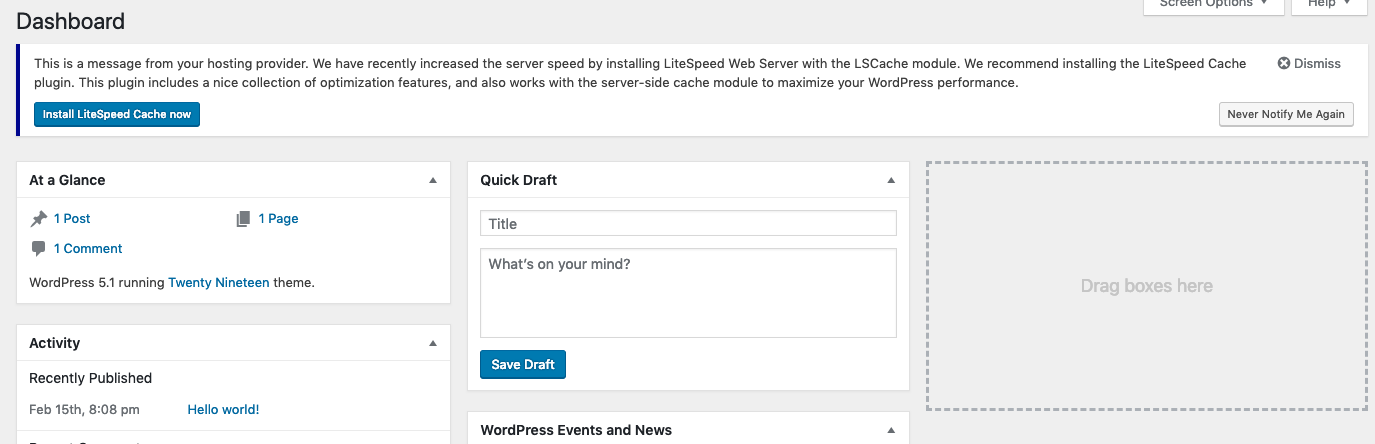
Frequently asked questions
What is Dash Notifier?
Dash Notifier is a WordPress plugin for developers and system administrators. It allows them to add a notification banner to their clients' WordPress Dashboards via an API.
How do I add a new notification banner?
To add a new banner, you must predefine a PHP constant called DASH_NOTIFIER_MSG before the setup_theme hook. This can be done in your own plugin or in functions.php.
Can I suggest plugins to my clients using Dash Notifier?
Yes, you can suggest plugins. If you provide a plugin slug, an install button will be included with the message, allowing clients to install the plugin in one click.
What happens if I don't provide a plugin name when suggesting a plugin?
If the 'plugin' parameter is provided but 'plugin_name' is not, the name will default to the official name found in the WordPress Plugin Directory.
Changelog
1.2 – Mar 26 2021
- Potential PHP notice fix.
1.1.2 – Apr 11 2019
- [Update] Fixed a potential PHP notice in certain PHP environment.
1.1.1 – Mar 20 2019
- ? Deactivate notifier before uninstalling to avoid warning in plugin list.
1.1 – Mar 12 2019
- [Tweak] Able to save message when using short init.
1.0 – Feb 28 2019
- ? Initial Release.

