

Just another contact form plugin. Simple but flexible.
About Duplicate Post
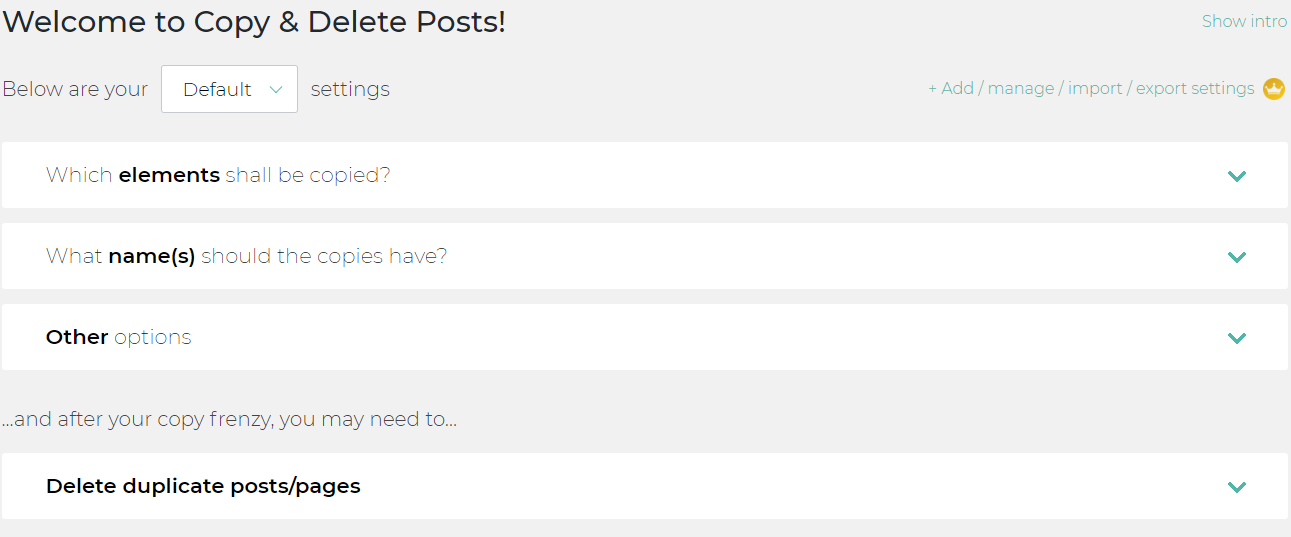
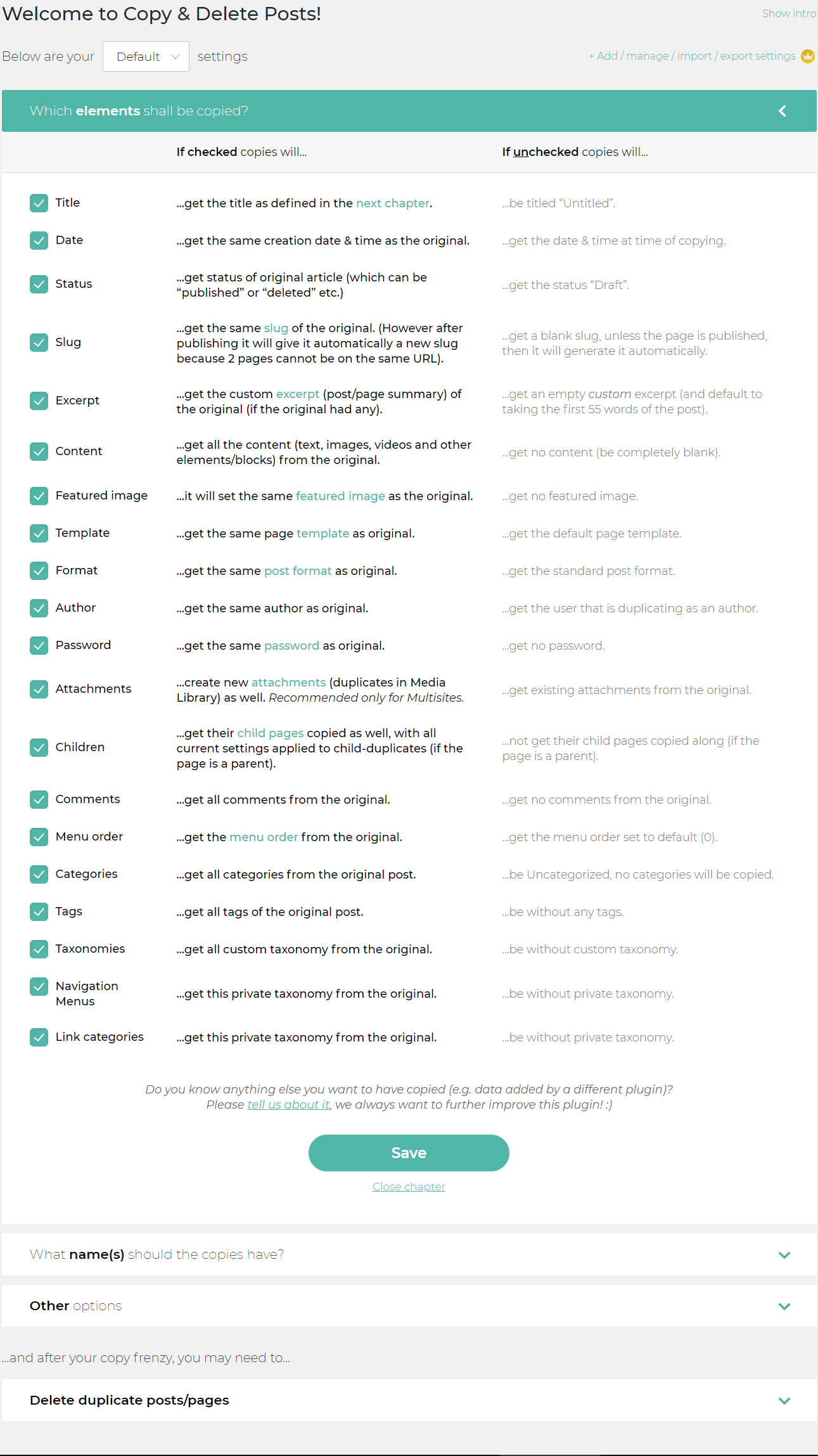
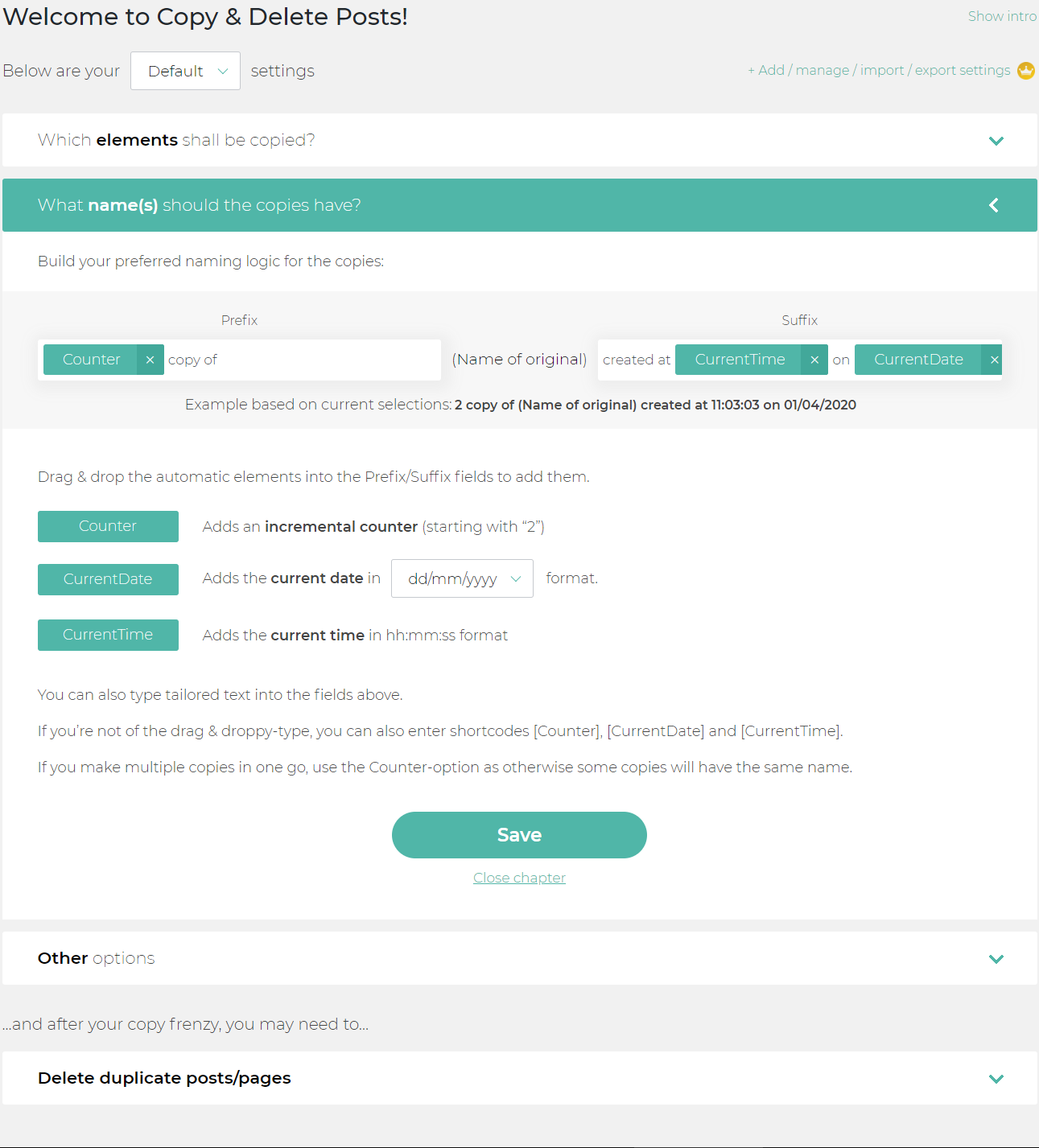
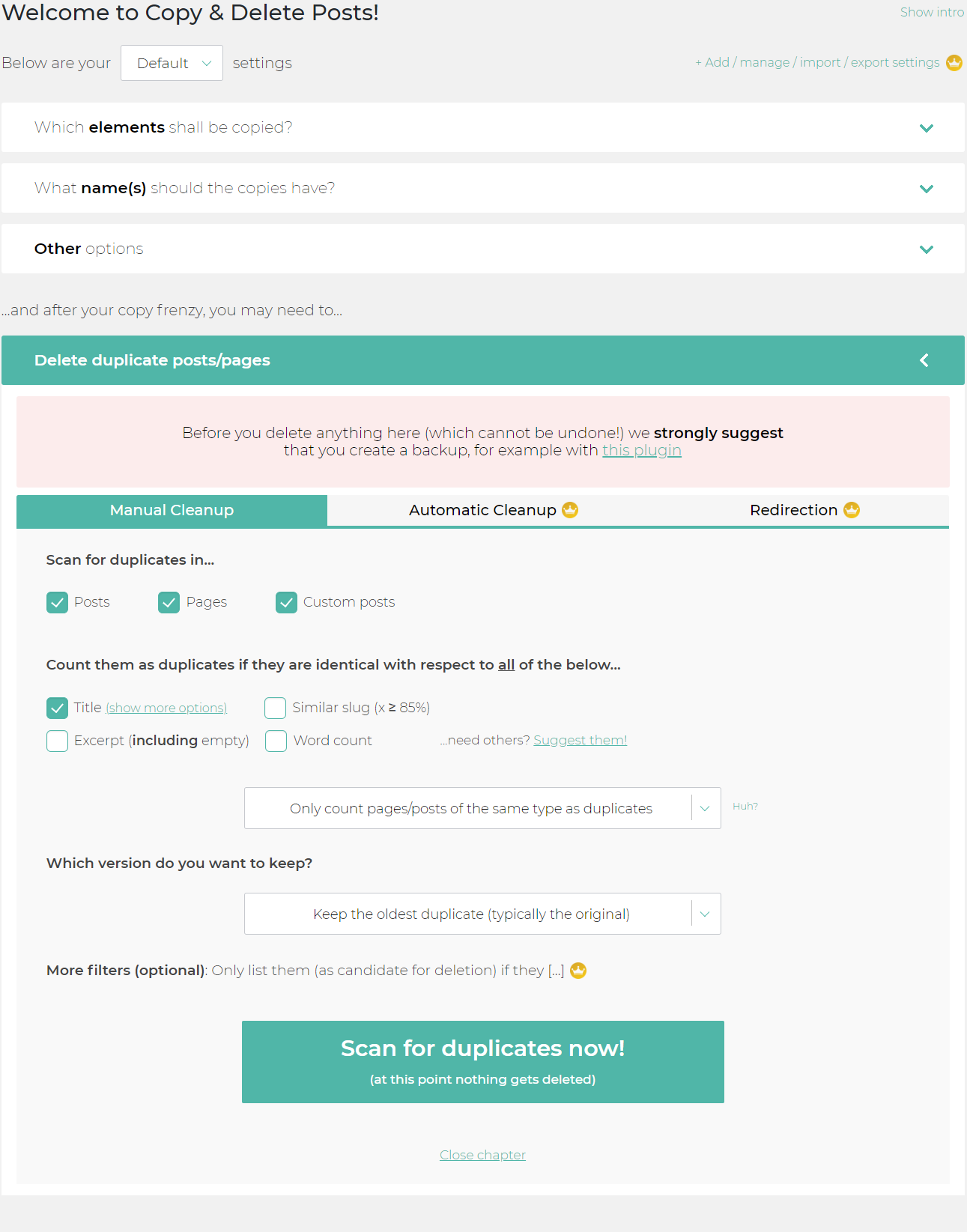
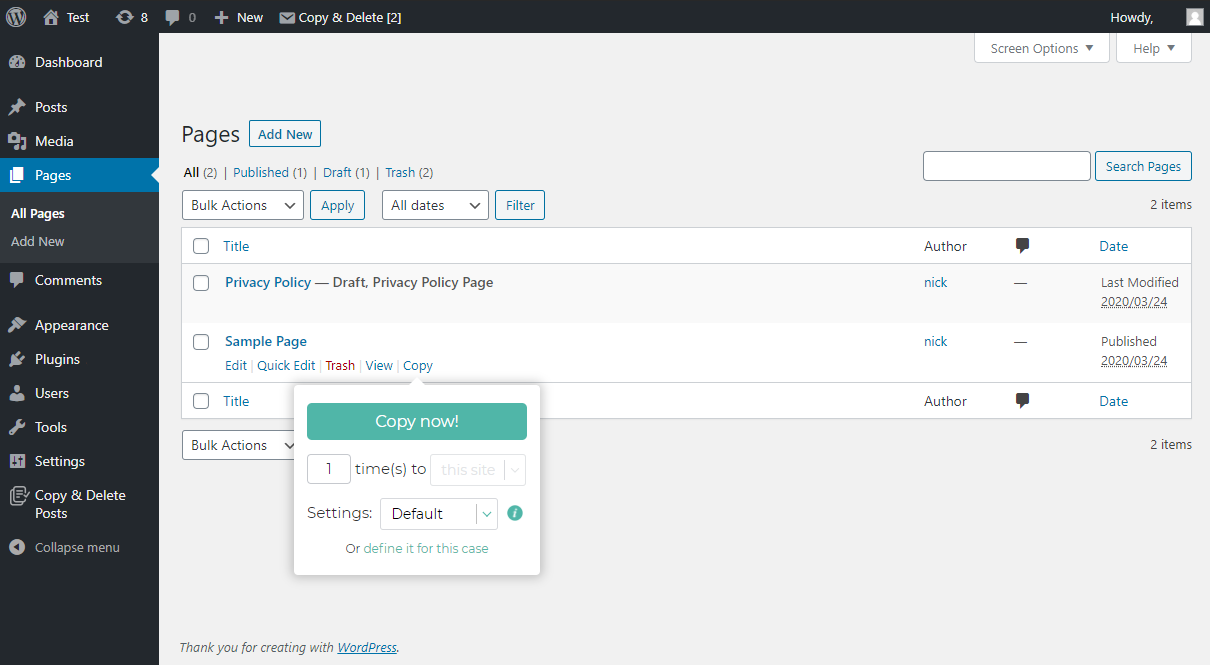
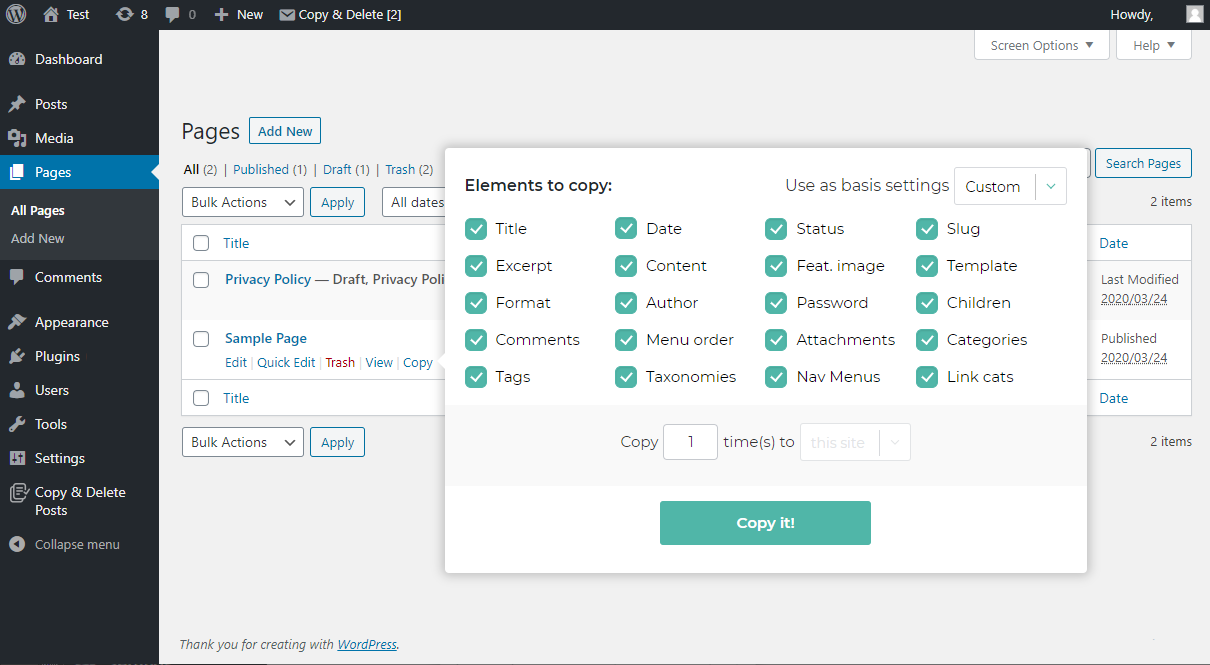
The Copy Page plugin for WordPress allows you to easily duplicate pages or copy posts, and then delete them if needed. It's perfect for increasing your productivity and can be used for various purposes, such as reusing elements, creating variations of pages, or making page templates for different projects. The plugin also offers additional features in the premium version, such as multiple configuration sets, exporting and importing sets, and replicating pages across multisite.Screenshots

Frequently asked questions
What is the purpose of the Copy Page plugin?
The Copy Page plugin allows users to duplicate pages or copy posts, making it easier to reuse elements, create variations, and apply facelifts to specific pages.
Where can I find the Copy Page button?
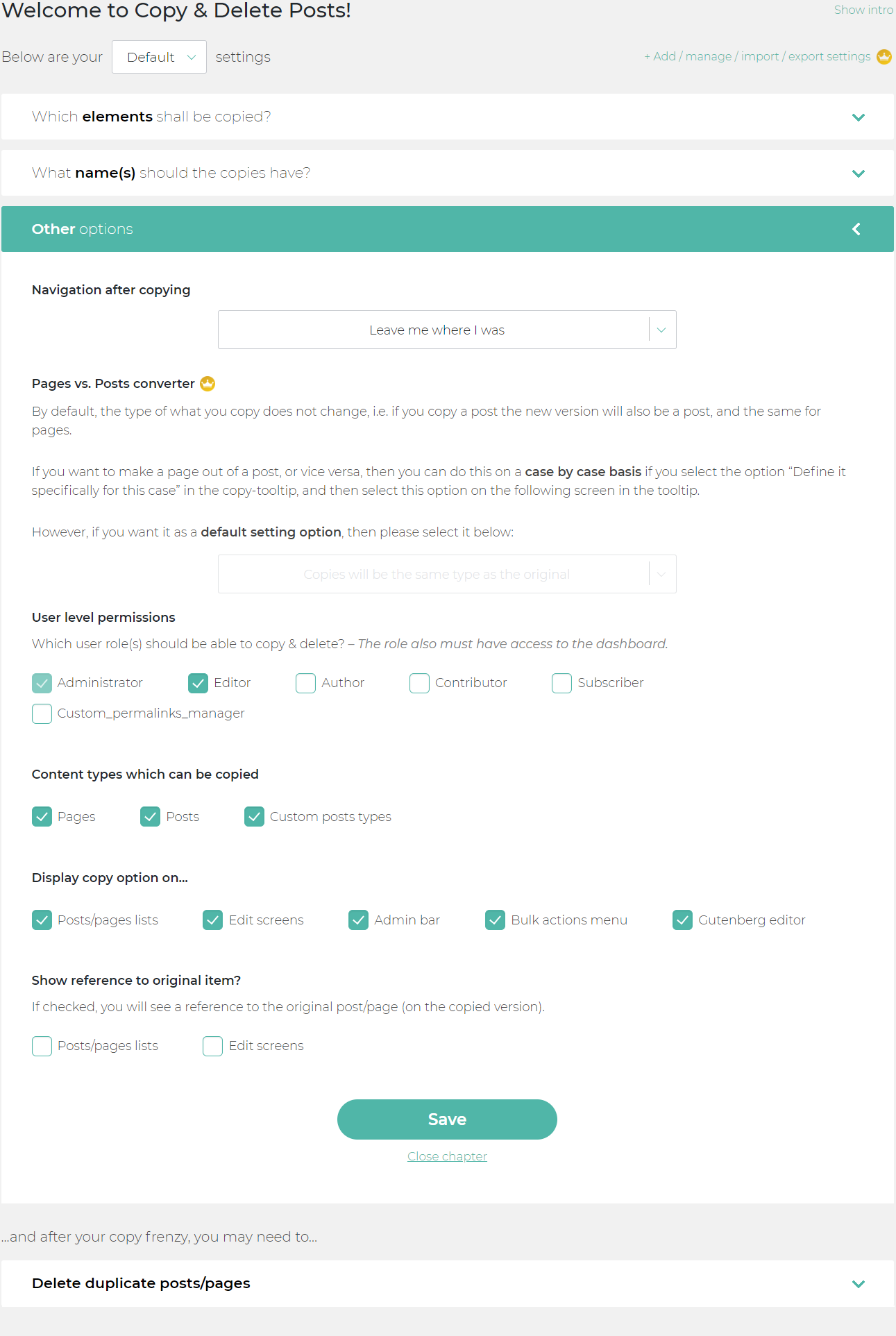
The Copy Page button can be found on All Pages and All Posts screens, edit screens, the admin bar, the Gutenberg editor, and the bulk-option screens.
Can I hide the copy page button?
Yes, you can hide the copy page or copy post button on any of the available locations from the Copy Page plugin menu.
What options are available when copying pages?
When copying pages, you can specify the destination after copying, the users who can copy pages, the content types that can be copied, and whether to display a reference to the original page.
What additional features are available in the premium version of the Copy Page plugin?
The premium version of the Copy Page plugin offers features such as multiple configuration sets, exporting and importing configuration sets, replicating pages across multisite, automatic deletion of pages or posts, and automatic redirects for deleted pages or posts.
Changelog
1.5.0
- Fixed issues with mailpoet
- Tested with WP 6.8
1.4.9
- Removed optimization logs for users to prevent performance optimizations of the plugin in future
- [PRO] Improved cross-site duplication of posts
1.4.8
- Replace the super admin check with a verification of CDP permission for the current user.
- Implement a check to ensure the current user has appropriate access rights to the target site before allowing cross-site post copying. This prevents unauthorized users from copying posts to sites they don’t have access to.
1.4.7
- Tested with WordPress 6.6
- Minor performance improvements
- Improvements for PHP 8 utilization
- Fixed taxonomy field when editing with quick edit
1.4.6
- [NOTE] Changed plugin’s author to our company name
- [NOTE] Tested up with WordPress v6.4.3
- [NOTE] Thank you so much for 300,000+ active installs ? (12.02.2024)
1.4.5
- [PRO/CHANGE] Default type conversion will be now post not page (custom type -> post type by default)
- [PRO/FIX] Adjusted category duplication/assign method (useful for cross site duplication)
- [FIX] Resolved issues with custom type category/tags duplication
- [FIX] Review banner won’t show up on post edit pages now
- [NEW] Added smart taxonomy handler which can assign custom taxonomy to core fields
- [NOTE] Upgraded analyst module to latest version
- [NOTE] Tested with WordPress v6.4.2
- [NOTE] Tested up to PHP v8.3
1.4.4
- [Pro] Improved domain replacement
- [Pro] Fixed profiles and other modals center position
- [Pro] Increased stability of the plugin and improved load time
- [Pro] Fixed cross-subsite taxonomy duplication (categories, tags, etc.)
- [Pro] Now our plugin won’t create new taxonomy if there is existing one by name
- [Pro] Improved ACF duplication, tested with latest version
- [Pro] Resolved known bugs with ACF plugin and added support for domain auto-replacement
- [Pro] Improved featured image and attachment duplication between subsites
- Tested up with WordPress 6.4.1
- Added improvements for PHP 8.2
- Fixed gutenberg copy button, now it will be displayed properly.
- Updated “Try it out” module which gives each user individual decition about this module
- Fixed issues with selecting profile, custom rules during bulk duplication
- Fixed issues within copy modal with incorrect size of fields
- Adjusted look of sections to make it more “popping off”
- Front end duplication visually improved
1.4.3
- Forced “Try it out” module to be disabled by default, user can still enable it by manually.
1.4.2
- Added additional nonce verification
1.4.1
- Tested with WP 6.3 RC
- Added possibility for automatic Elementor Cache clearing after duplication
- Fixed localization issues, when plugin hanged on previously selected language
- Updated all shared modules to their latest versions
1.4.0
- Fixed tooltip attribute in Manual Cleanup section
- Tested with PHP 8.2 and WordPress 6.2.2
- Added support for WooCommerce Price per User options
- Prepared for further expand of supported extensions
- Fixed incorrect ID naming in sidebar menu
- Upgraded carrousel banner module version
1.3.9
- Tested up with WordPress 6.2
- Removed two unused modules
- Updated carrousel module
- Fixed old database version compatibility
- Extended TIF module for everyone
1.3.8
- Tested up WordPress 6.2-Beta1
- [Premium] Added full ACF duplication support
- Adjusted proper duplication of WooCommerce products
- Fixed duplication of WooCommerce variations
- Resolved issues with child-post custom types
- Extended new module
- Minimized styling conflicts in custom post type pages
1.3.7
- Included new module
- Fixed issues with deactivation feedback
- Corrected display of arrow
1.3.6
- Adjusted PHP compatibility
1.3.5
- Added black-friday theme (only for that period)
- Tested up to WordPress 6.1.1
1.3.4
- Improved premium plugin performance
- Tested with final WordPress 6.1 version
1.3.3
- Tested with WordPress 6.1-RC5 + Multisite
- Fully tested on PHP 7.4, 8.0, 8.1
- Removed function that could cause conflicts
1.3.2
- NEW: Added automatic creation of non-existing categories for subsite duplication
- Fixed issues with assigning taxonomy on new posts
- Resolved issues with featured image duplication between sites
- Tested with WordPress 6.0.2 + Multisite (PHP 8)
1.3.1
- Version fully tested with WordPress 6.0.1 + Multisite
- Removed unnecessary debug code
- Fixed issues with falsive attachment duplication
- Fixed issue inside tooltip while redirect to edit screen option was enabled
- Fixed issue while during duplication notice “Please select settings” appeared
- Fixed issue with multi-post duplication to different subsite
- Fixed post type restrictions, copy option won’t appear in dropdown while copying is forbidden
- Fixed corner cases where copy action button was not displayed in subsites
- Fixed issues with backslashes and unicode characters – they should copied correctly now
- Default WordPress Posts and Pages are not longer treated as custom posts
[AND MORE]

