

Just another contact form plugin. Simple but flexible.
About Content Views – Post Grid Gutenberg Blocks and Shortcode
Content Views is a popular plugin that allows you to create attractive grids, lists, sliders, and more for your blog or website. It offers various layouts and filters to easily display posts, pages, custom post types, and taxonomy terms. It is compatible with the Classic editor, Gutenberg block editor, and Elementor page builder.Screenshots
Frequently asked questions
What is Content Views?
Content Views is the most popular grid shortcode & block plugin to create stunning Blogs, News, Personal, Portfolio, and Business sites. Easy to display posts, pages, custom post types, taxonomy terms in attractive grid, list, slider, accordion, pinterest, timeline, and more. Classic editor friendly & Gutenberg block editor ready!
How does Content Views work with the Classic editor?
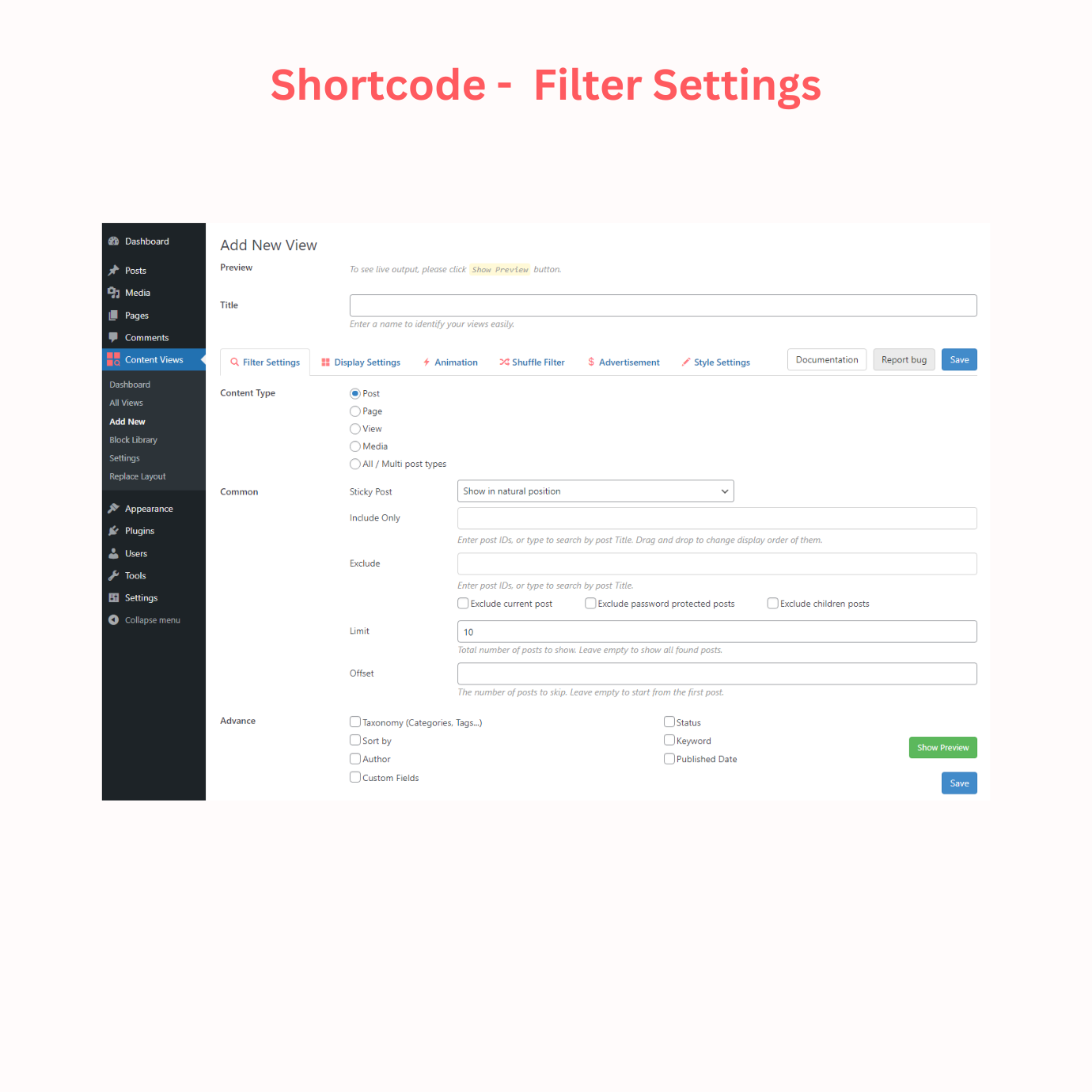
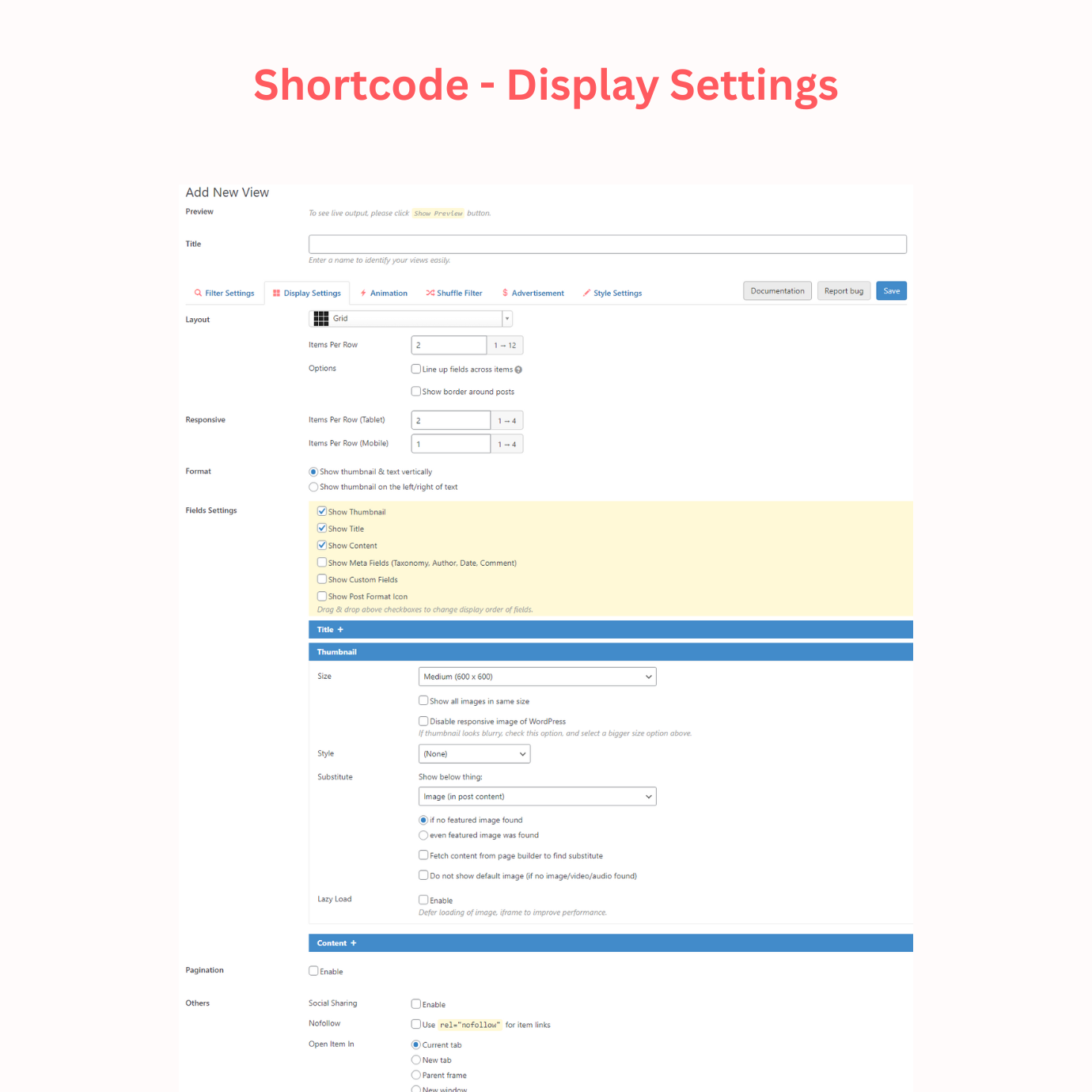
Content Views provides a dedicated module to work with the Classic editor in 2 simple steps: Step 1: Create a View where you can query and sort any posts, pages, custom post types by category, tag, taxonomy, custom field, post ID, post title, date, author, etc. Select a layout that fits your needs, customize and style it with a lot of options. Step 2: Add the created view shortcode to the Classic editor, page builder, widget, or anywhere you want to display your post grid.
Is Content Views compatible with the Gutenberg block editor?
Yes, Content Views is Gutenberg block editor ready.
What are the features of Content Views Gutenberg blocks?
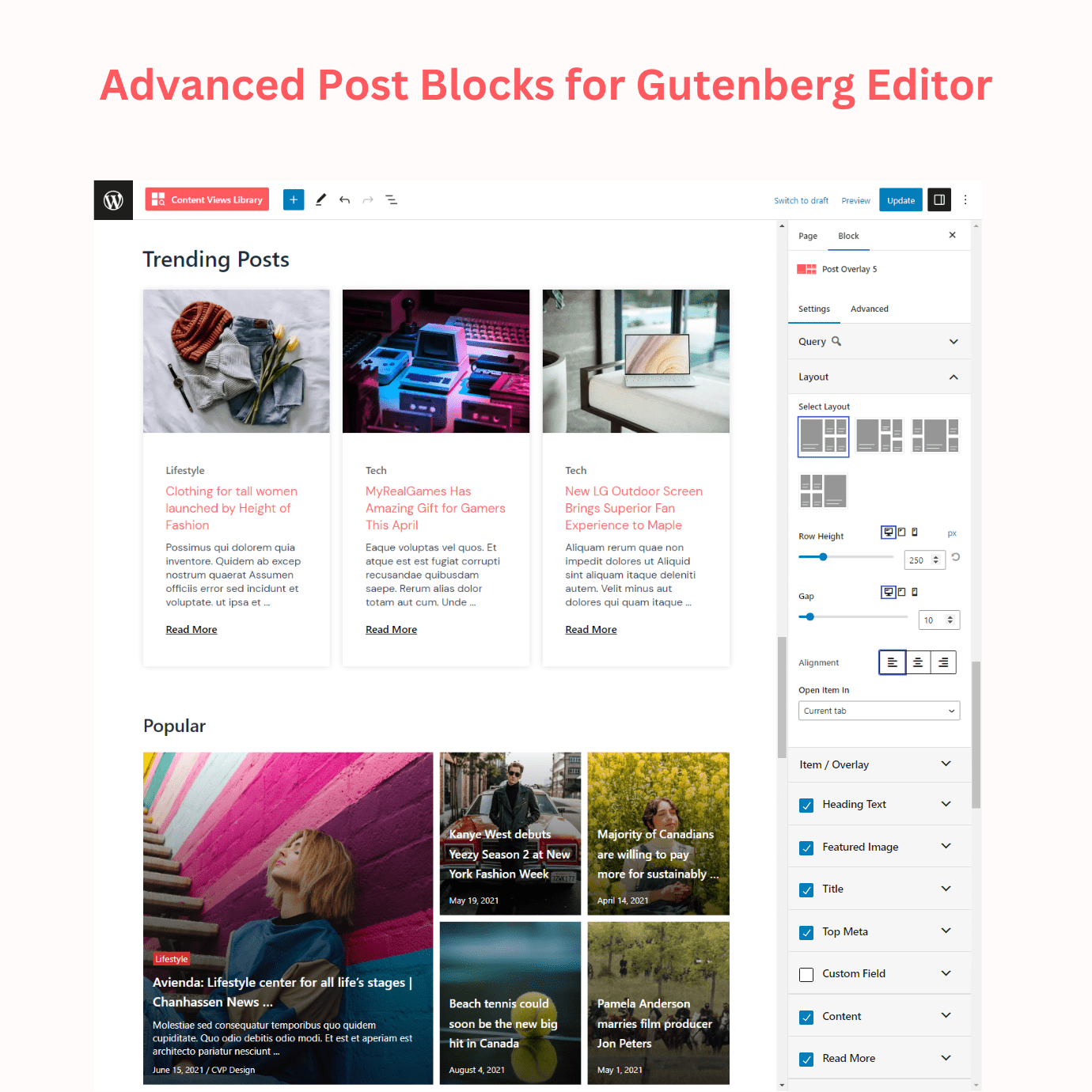
Content Views adds 15 amazing and feature-rich blocks to help you display WordPress posts, pages, custom post types stunningly. Using our awesome Gutenberg blocks plugin, you can build and show website content with endless customization options.
What are the query filters available in Content Views?
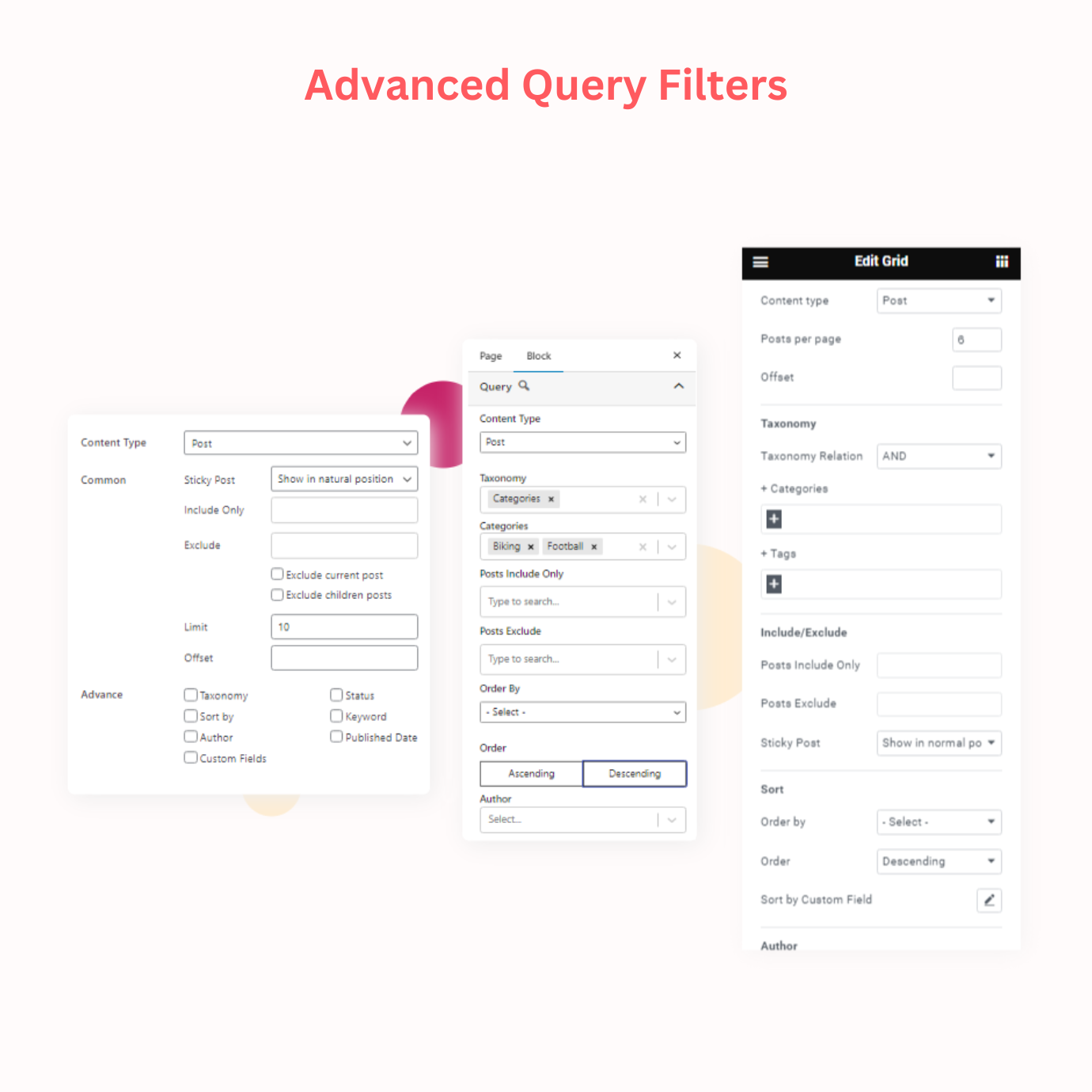
Content Views provides a lot of options to help you query, filter, search and sort any posts, pages, custom post types easily. Some of the query filters include post type, taxonomy, common (include, exclude, offset, etc.), sort/order, filter posts by keyword, author, status, published date, sticky post, membership, custom field, and more.
Changelog
4.1
- Fix: pagination url issue when activating Polylang plugin and setting language from subdomain
- Fix: update Bootstrap library to fix issues
- Fix: issue with thumbnail border & border radius when enabling “Hover Effect”
- Fix: [Block] prevent “Error loading block: Invalid parameter(s): attributes” caused by another plugin
- Update: [Elementor] show Widget ID in the editor output (which can be used as VIEW_ID in custom CSS/PHP code)
- Update: [Block] Add search function to the “Select…” dropdown of Categories, Tags
- Other improvements
4.0.2
- Fix: warning about loading translations too early in WordPress 6.7
4.0.1
- Fix: [Shortcode] Remove unwanted CSS of another plugin (that causes issue to preview output) from the Add/Edit View page
- Fix: [ElementorWidget] “Manual excerpt” and “HTML in excerpt” options not updated in output
- Fix: [ElementorWidget] Undefined array key “columns” in some edge cases
4.0
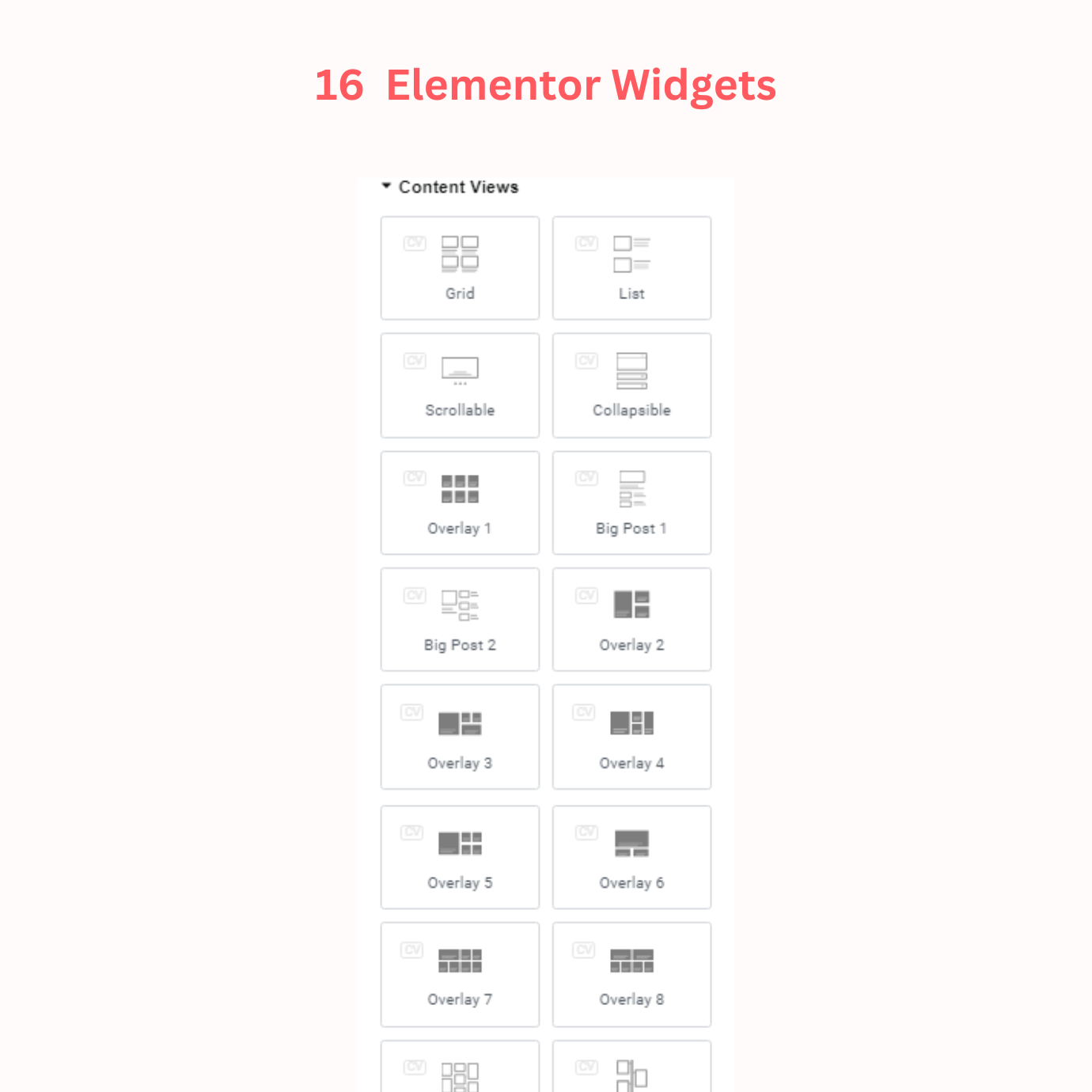
- New: [ElementorWidget] Add 16 grid, list and other post layout widgets for the Elementor page builder.
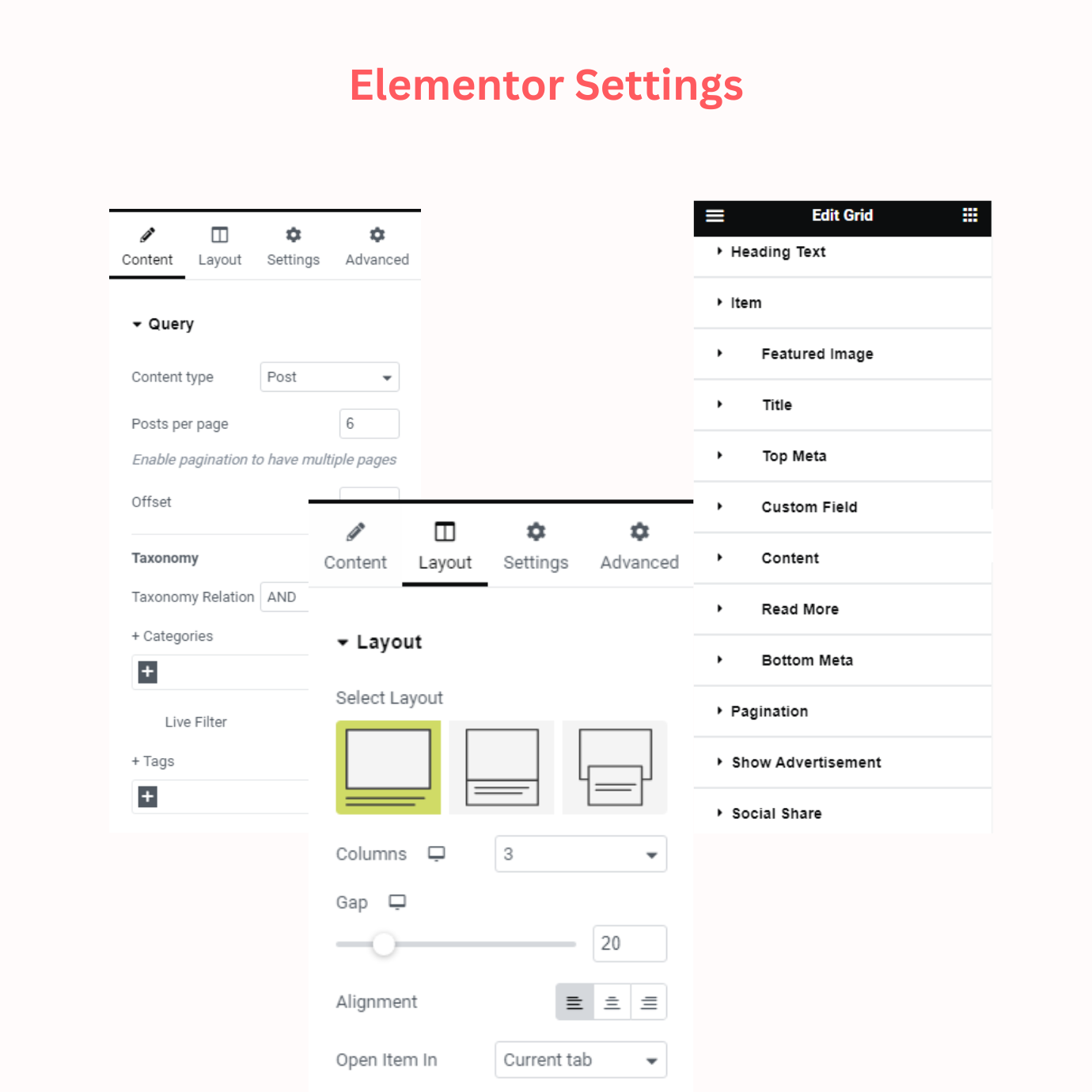
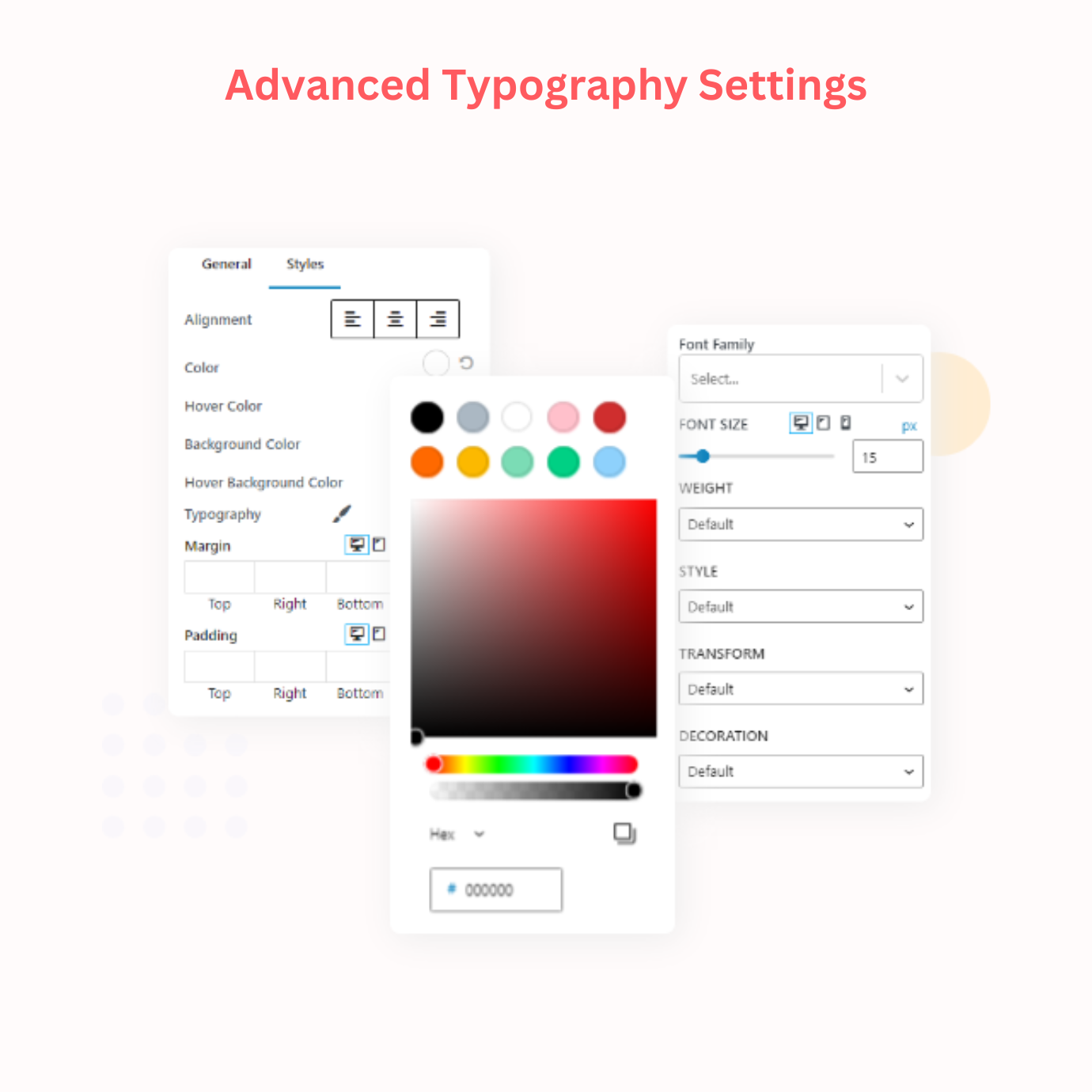
Each widget has powerful query controls, layout controls, and a lot of style controls to customize your output. - Fix: [Block] Layout > Alignment issue in the frontend
- Fix: [Shortcode] Style issues of new layouts (“Grid 2” to “Big Post 2”) when adding to the Divi page builder
- Fix: compatible issue with WordPress 6.6
3.8.0
- Fix: [Shortcode] Correct the checked/unchecked status of some checkboxes after saving when using new layouts (Grid 2…Big Post 2)
- Fix: [Block] Fix error when removing selected option of “Parent Page” control
- Update: [Ajax Pagination] Improve the show/hide status of the First, Prev, Next, Last buttons
- Update: [Block] Set default value when “Posts Per Page” is empty
- Other fixes and improvements
3.7.2
- Fix: prevent issue in a multisite network when getting blog ids
- Improve: Escaping pagination output for security enhancement
3.7.1
- Improve: Data escaping for security enhancement
3.7.0
- New: [Block] Add the Alignment option to “Read More”
- New: [Shortcode] Add option “Show the default image” to Thumbnail settings
- New: [Shortcode] Add “Heading Text” feature
- New: Add option to hide, modify the “No Posts Found” text in blocks and shortcode
- Fix: [Shortcode] Top Meta text is not clearly visible in Overlay layouts
- Fix: [Block] Unexpected block errors caused by another block plugin
- Fix: [Block] ReactDOM.render is no longer supported in React 18
- Fix: [Block] Text is invisible in Overlay blocks when not showing thumbnail
- Update: Sort layout names in Library popup/page
- Update: Tweak CSS of the “Top Meta”
- Update: Add default bottom margin to fields
- Update: [Shortcode] Add instruction when showing full content in the Elementor page builder
3.6.4
- Fix: [Shortcode] fix CSS output in some edge cases
- Fix: [Block] fix issue when click & move cursor in the ColorPicker area
- Fix: [Block] fix issue when set empty value for “Border Radius”
- Update: [Block] disable click on links in the Block Editor
- Other tweaks and improvements
3.6.3
- Update: Revert to the Green background color for Readmore button in View shortcode (for Free version only. The selected blue/custom color in Pro version is unaffected)
- Improve: Security Enhancement
- Other tweaks and improvements
3.6.2
- New: Introduce the “Overlay Clickable” option for Overlay blocks/layouts
- New: [Block] add Border, Border Radius, Box Shadow styles to the Title field
- New: [Block] add option to allow HTML tags in excerpt
- Fix: [Block] prevent blank row below blocks
- Other improvements for blocks
3.6.1.1
- Update: [Block] Show the Block ID in the “Extra” tab of the Block settings, which can be used as VIEW_ID value in custom codes mentioned on our documentation site
- Other tweaks and improvements
3.6.1
- New: [Block] Add a Toolbar button to each block to open Block settings
- Fix: [Block] Prevent responsive issue when using with page builder plugin
- Fix: [Shortcode] It doesn’t scroll to top of View after changing page, when enable pagination with the new layouts
- Dev: [Block] Fix React warnings about “class”, and unique “key” prop
- Update: Add more instructions to the Library page, also rename it to ‘Layout Library’
3.6.0
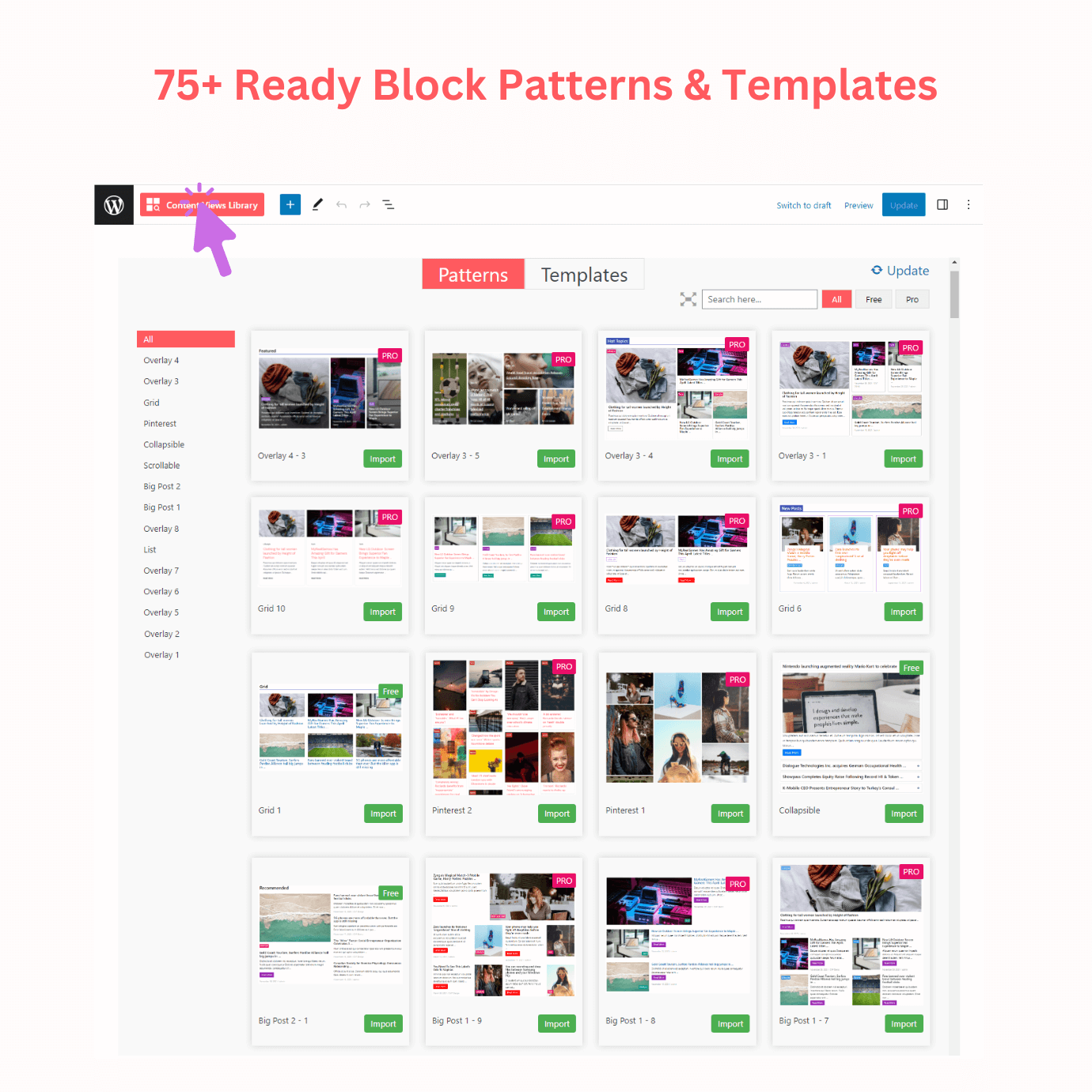
- New: Add 3 NEW FREE layouts (Grid 2, List, Overlay 1) to View shortcode
- New: Add ‘Library’ to View shortcode to import ready-to-use patterns/layouts to new/existing View easily
- New: Add ‘Top Meta’ field to View shortcode
- Fix: Text Alignment of Scrollable block
- Other tweaks and improvements
3.5.0
- New: [Block] Add ‘Author Not In’, ‘Parent Page’ options to blocks
- New: [Block] Introduce ‘Substitute’ option for Featured Image in blocks
- New: [Block] Introduce ‘WooCommerce Hot Pick’ to show Sale, Best selling, Featured, Top rated … products in one click
- New: [Block] Introduce the Timeline Block
- Update: [Block] Add ‘Theme’ colors to the Color Picker
- Update: [Block] Move ‘Posts per page’, ‘Offset’ to top of the Query panel to easy use
- Update: [Block] Show default options for Include, Exclude fields
3.4.0 – 2023/28/08
- New: [Block] add “Live Filter” feature to blocks to show taxonomies, custom fields, text search as filtering options in front-end (see demo)
- New: [Block] add “Filter by Published Date” feature to blocks
- New: [Block] add “Show Advertisement” feature to blocks
- Fix: color of meta fields in overlay blocks
- Fix: position of author prefix text in blocks
3.3.0.2 – 2023/08/08
- Fix: [Block Settings] Some dropdown options (for example: Categories, Posts Include) are shown under Sort panel
3.3.0 – 2023/08/03
- New: [Block] add “Filter by Custom Field” feature to query posts by custom fields in blocks
- Update: [Block] able to sort by multiple custom fields
- Tweak CSS of the Scrollable block and view
- Other tweaks and improvements
3.2.0 – 2023/07/25
- New: [Block] add “Custom Field” panel and settings to show custom fields in blocks. Support any custom field plugins: ACF, Meta Box, Pods…
- New: [Block] add Margin, Padding to Featured Image Styles
- Fix: [Block] changing Featured image Styles not working with some blocks
- Update: [Block] adjust padding/margin of Pinterest, Collapsible blocks
- Other fixes and improvements
3.1.0 – 2023/07/17
- New: [Block] add Operator IN, NOT IN, AND for each taxonomy in Block > Query
- New: [Block] add “Fields Position” to Block > Layout to change fields position by drag & drop
- Fix: [Block] icon for taxonomies in Bottom Meta
- Fix PHP Deprecated in PHP 8.2
- Other tweaks & improvements for Blocks
3.0.4 – 2023/07/07
- Fix: Readmore button is duplicated in the Pro shortcode layout ‘One & Others’
- Fix: ‘Block Library’ menu link when enabled ‘Hide Content Views sub-menus’ in the Settings page
- Update: revert some small CSS updates since version 3.0 to ensure every tiny detail in view shortcode output is the same as before version 3.0
- Update: add some texts to clarify on the Settings page, Block Library page
3.0.3 – 2023/07/05
- Update: toggle block checkbox of Heading Text, Title, Content, etc. will take immediately effect, without waiting for re-render
- Update: add slug, menu order to sorting options on blocks and View (shortcode)
- Update: add option to show/hide Read More button in View (shortcode)
- Update: set default ‘Full size’ image for the ‘Big Post 1’ block
- Fix compatible issue with custom taxonomy of Pods plugin
3.0.2 – 2023/06/30
- Fix uncaught error in block editor on a multisite network
3.0.1 – 2023/06/30
- New: add the option “Use the manual excerpt” to both shortcode & block modules
- Fix: do not set the new blue background color to ‘Read More’ of existing view shortcode if it was shown as text link instead of button
3.0 – 2023/06/29
- Introduce the Block version with 15 blocks and 76+ stunning patterns ready to import
- The shortcode version still works normally
2.5.0.1 – 2022/11/23
- Prevent potential conflict in the block editor
2.5.0 – 2022/11/08
- Create “Content Views” block in the Block editor. Now you can add a view as block or shortcode.
- Prevent a compatible issue caused by another plugin
- Tweak some texts
2.4.0.7 – 2022/06/20
- Fix some layout issues in Add/Edit view page in RTL languages
2.4.0.6 – 2022/05/18
- Tested up to WordPress 6.0
- Some improvements
2.4.0.5 – 2022/01/26
- Updated for WordPress 5.9
2.4.0.4 – 2022/01/26
- Fix error and deprecation with PHP 8.0 and 8.1
2.4.0.3 – 2022/01/17
- Fix a bug with PHP 8.0
2.4.0.2 – 2021/07/19
- Tested up to WordPress 5.8
- Remove blank “GitHub Plugin URI” in plugin header
2.4.0.1 – 2021/03/11
- Remove “Content Views” block as it caused unexpected issues
2.4.0 – 2021/03/10
- Add “Content Views” block to the Block editor
- Fix AJAX pagination changes URL incorrectly in non-Latin languages
- Fix logged warnings with jQuery 3.5
- Other fixes and tweaks
2.3.4 – 2020/12/07
- Compatible with the upcoming WordPress 5.6
- Update: remove non-authors in the backend author filter
- Other fixes
2.3.3.1 – 2020/10/14
- Prevent text of another plugin from showing in generated excerpt
- Fix content visibility issue on Safari browser when using the option “Do not wrap text around image” in Display Settings
- Some small improvements
2.3.3 – 2020/08/10
- Compatible with WordPress 5.5
- Some fixes and improvements
2.3.2 – 2020/02/21
- Update: Better solutions to fix compatibility issues
2.3.1 – 2020/01/21
- Compatibility: Avoid issue caused by a hide post plugin (which modifies query without proper checking)
- Fix: Fix text output issue in a layout
2.3.0 – 2020/01/13
- Update: Improve SEO for Ajax pagination: relace the format
/pages/(as it caused some issues) by_page=; make each component pages accessible individually. - Update: Add link to title in the Collapsible list
- Update: Show original post title in Collapsible list without stripping HTML tags as previous versions
- New: Add option to show original full content without attempt to balance HTML tags
- Some minor updates and fixes
2.2.0 – 2019/05/31
- Enhancement: upgrade bootstrap framework to latest secure version 3.4.1
2.1.3.3 – 2019/05/07
- Tested up to WordPress 5.2
- Prevent grid layout issues caused by grid/flexbox styles of some themes
2.1.3.2 – 2019/02/22
- Tested up to WordPress 5.1
- Some minor fixes
2.1.3.1 – 2019/01/31
- Fix: Showing full post content issue caused by last version
2.1.3 – 2019/01/29
- Security improvement: Prevent direct access to plugin files
- Compatibility: Ensure the full post content (created by “Beaver Builder” plugin) in View is as same as in single post page
- Fix: PHP notice when listing authors
2.1.2 – 2018/10/19
- Fix: Non-Ajax pagination in custom taxonomy archives causes 404 error
2.1.1 – 2018/09/22
- Fix: No line-break in Text widget caused by a change in version 2.1
2.1 – 2018/09/21
- Update: SEO friendly URL for non-Ajax pagination (change from /?_page=N to /pages/N)
- Update: Prevent private taxonomies from being shown in meta fields
- Update: Adjust color of the Content Views icon in Dashboard menu, only highlight on open/click
- Update: Prevent empty p tag from being added to View output in Text widget
- Update: Some other updates & improvements
2.0.2 – 2018/04/09
- Update: Redirect /?vpage=NUMBER to new URL depending on which page the pagination is showing on
- Compatible Fix: Excerpt of posts created by the Cornerstone Page Builder plugin is incorrect
- Tweak: Update content of the Settings page and description of some settings
1.9.9.6 – 2018/01/19
- Fix: Embedded URLs (that are on their own line) in post content shows in the excerpt
- Update: Remove dependence of “Show Thumbnail” to “Format” setting, of “Show Taxonomies” to “Content Type” setting
- Dev: Prevent the global $post to be changed while processing the View shortcode in content of a post
- Tweak: Small CSS update
1.9.9.5 – 2017/11/16
- Update: Only
do_shortcode()in the post content, text widget if the View shortcode was not done - Update: Small CSS update for the Collapsible list
1.9.9.4 – 2017/11/01
- Fix incompatibility with WordPress 4.8.3: No posts found in non-English languages sites
- Tweak: Update and add some texts in Add/Edit View page, Settings page
- Tweak: remove .mo file, rename .po file to .pot file
1.9.9.3 – 2017/09/25
- Compatible Fix: “Sort by” feature always returns a same order, when the “Intuitive Custom Post Order” plugin is in used
- Compatible Fix: Resolve conflict with Slider Revolution plugin
1.9.9.2 – 2017/08/19
- Fix: Text is invisible in some cases when select “Do not wrap text around image” setting
- Improvement: Update pages list of ajax pagination more dynamically
- Dev: Add filter “comments_count” to customize comment output
- Dev: Add filter “hierarchical_post_type” to enable “Parent Page” settings for other post types
1.9.9.1 – 2017/06/09
- Compatible Fix: Posts of excluded categories in “Ultimate category excluder” plugin don’t show in View output
- Update: Remove SESSION usage & relative functions
- Improvement: Cleanup View transients from database
- Tested up to 4.8
1.9.8.21 – 2017/05/24
- New: Add setting to not wrap text around image (when show thumbnail on the left/right of text)
- Tweak: Add class to each pagination item
- Tweak: Change class of scrollable carousel element
- Tweak: Update README.txt
- Dev: Add some filters
1.9.8.1 – 2017/04/26
- Fix: Compatible with latest version 2.5.2 of Page Builder by SiteOrigin plugin (excerpt of posts built with that plugin is invalid after update)
- Tweak: Add
pt_cv_taxonomy_settingsfilter to modify taxonomy settings
1.9.8 – 2017/04/17
- Update: Remove default font-size of Title
- Fix: “Sort by” feature always returns a same order, when the “Simple Custom Post Order” plugin is in used
- Fix: View output doesn’t appear correctly in page created by OptimizePress plugin
1.9.7 – 2017/03/28
- New: Add setting to change HTML tag for Title
- Update: Show message in Preview panel when enabled Pagination but there is only 1 page
- Tweak: More useful information in Content Views >> Settings page
- Improvement: Refactor some code to improve performance
1.9.6 – 2017/03/08
- Fix: Shortcode of “Visual Composer” plugin is visible in content of posts loaded by Ajax pagination
- Fix: “Sort by” feature always returns a same order, when the “Post Types Order” plugin is in used
- Update: Add Romania translation, thanks to “Dan Caragea”
- Update: Add Dutch translation, thanks to “At Voogt”
- Update: Add Chinese translation, thanks to “JIGE-HNM (iojpe dot com)”
- Update: Add Russian translation, thanks to @snakecom
- Tweak: Add some filters to customize authors list, thumbnail, excerpt
1.9.5 – 2017/02/08
- Fix: In some cases, HTML output of excerpt is broken when allows HTML tags in excerpt
- Improvement: More clear and simple label, text for some settings
- Update: Remove
<!-- [et_pb_line_break_holder] -->of Divi theme from excerpt - Update: Hide empty
<p>tag from excerpt (which can add unnecessary blank space to content area) - Update: Add default font-style normal for link & button
1.9.4 – 2017/01/25
- New: Show link to add new View from Admin bar
1.9.3.3 – 2017/01/21
- Fix: Correct output of Scrollable list in Tablet devices
1.9.3.2 – 2017/01/11
- Update: simplify label of some settings in Add/Edit View page
- Improvement: simplify code base and improve performance of Grid, Collapsible List
- Improvement: some style adjustments for Scrollable List
1.9.3.1 – 2016/12/27
- Update: Save temporary View data to WordPress transient if SESSION is not available
- Improvement: Show all content of Collapsible list when printing
1.9.3 – 2016/11/22
- Improvement: Remove prefix “by”, “in” (before taxonomy, author) to save translation effort
- Improvement: More accurate, time-saving mechanism to remove raw shortcodes text of other plugins in post content
- Fix: “View maybe not exist” error, caused by custom filter hook (which modifies
post_typein WordPress query) of another plugin
1.9.2.1 – 2016/11/05
- Tweak: Update message when something went wrong, show exact error in Preview panel
- Tweak: Update description for keyword setting
- Tweak: Introduce filter “pt_cv_link_html” to modify HTML output of title, thumbnail, read-more button
1.9.2 – 2016/10/24
- Revert force_balance_tags() for item HTML wrapper, to prevent broken output
- Tweak: Remove unused functions
- Tweak: Introduce filter “pt_cv_pagination_text” to customize pagination text
1.9.1 – 2016/10/10
- Fix: XSS security flaw (a big thank to Tristan Madani)
- Tweak: Improve logic/coding in settings processing, view output functions
- Tweak: Update some descriptions in View dashboard
1.9.0 – 2016/09/19
- Update: Make excerpt length works with languages which don’t use spaces between words
- Update: Validate session ID before using to prevent session hijacking
1.8.9 – August 19 2016
- New: Add wrapper for Grid items, to facilitate adding custom style (background color, border, padding, margin)
- Fix: W3C validator (duplicate ID “pt-cv-page-1”)
- Update: Remove text of
[caption]shortcode from excerpt - Update: Clear
view_countpost meta & related functions - Tweak: Change sort by option “Created date” to “Published date”
- Tweak: Remove filter “excerpt_clean_tags”, add filter “tag_to_remove” to exclude content of any HTML tags from excerpt
1.8.8 – August 03 2016
- New: Able to edit Read More text
- Improvement: Minify and combine styles, scripts to save bandwidth and improve performance
- Fix: Excerpt (of content was built with Page Builder by SiteOrigin plugin) is not updated
- Fix: [Scrollable List] Indicators don’t change active status
- Update: [Collapsible List] Allow HTML tags (
<b>, <br>, <code>, <em>, <i>, <img>, <big>, <small>, <span>, <strong>, <sub>, <sup>, <label>, <cite>) in heading
1.8.7 – July 25 2016
- Fix: Broken View output when put View shortcode in Text element of Divi Builder plugin
- Fix: Shortcode of another plugin is visible in Preview panel
- Tweak: Add filter to show all collapsible items at page load
1.8.6 – June 27 2016
- Fix: Conflict with Autoptimize plugin (when enabled
forced JS in HEAD) - Fix: Incorrect number of words in excerpt when uses
xC2xA0or as space - Improvement: Able to resize Preview box
- Tweak: Add filter hook to create custom output completely
1.8.5 – May 27 2016
- New: Add setting to configure responsive output for Mobile, Tablet devices easily
- Update: Hide all notices of other plugins in Add/Edit View page
- Improvement: Faster performance with optimized core filter “item_col_class”
1.8.4.1 – May 11 2016
- Fix: [View dashboard] Term boxes under “Select taxonomy” panel are not shown after saving View
1.8.4 – May 09 2016
- New: Add option to enable/disable “Open first item by default” for Collapsible List
- Update: Leverage WordPress core translations (for “Read More”, “No posts found.” …) to minimize user translation effort
- Update: Update setting text in View dashboard to improve usability
1.8.3 – April 15 2016
- New: [Collapsible list] Show first item by default
- Fix: Blank excerpt when post content was made all by shortcodes
- Fix: Little style issue of numeric text field in WordPress 4.5
- Fix: Remove unwanted styles (uniform.aristo …) of another plugin in View page (it caused setting options are overlapping each others)
- Update: Uncheck “Show Author”, “Show Comment” by default
1.8.2 – April 01 2016
- Update: Remove default font-size 14 pixels for post content in View
- Tweak: Show post id as data for item (facilitate to customize individual post style)
- Tweak: Add some filters to customizing View elements by PHP code
1.8.1 – March 21 2016
- Improvement: Equal column width in grid of 5,7,8,9,10,11 columns (in prior versions, last column was biggest)
- Fix: Conflict with theme/plugin which uses Bootstrap library
1.8.0.2 – March 12 2016
- Update: Remove notice message (when there is Javascript errors in active theme/another plugin). It caused confusion.
1.8.0.1 – March 02 2016
- Tweak: Update Notice message at front-end (when Javascript error occurs) to avoid misunderstand
1.8.0.0 – March 01 2016
- Improvement: Detect Javascript errors (which can stop Content Views from working properly), show guide to try to solve it automatically
- Improvement: Prevent error “Permission denied” by session_start() in some hostings
- Improvement: Prevent conflicts with dropdown Menu in theme
- Improvement: Clearer shortcode information in View edit page
- Improvement: Add 2 clear notices in View dashboard about term, thumbnail
- Improvement: Increase performance by optimizing styles, scripts
- Improvement: Print friendly (remove plain text URL after each link in Print mode)
- Update: Disable option “Don’t load Bootstrap 3 style & script”
1.7.8 – February 06 2016
- Improvement: [supports qTranslate-X plugin] Generate valid excerpt of post in current language
- Fixed: Some bugs of pagination in special cases
- Update: Drop support for “vpage” parameter in (Ajax) Numbered pagination to prevent ambiguous logic
1.7.7 – January 12 2016
- Bug fixed: Content floats after View output
- Tweak: Code relates to grid system
- Tweak: Update filter “page_attr”
1.7.6 – January 11 2016
- Update: Set Administrator (instead of Editor) as default user role who can add, edit, delete View
- Update: Do not wrap items in output to rows anymore
- Update: Disable sub View by default
- Improvement: Better View dashboard (simplified text & description, improved styles & scripts, improved display in Tablet)
- Improvement: Better performance by better solution

