

Improve your WordPress SEO: Write better content and have a fully optimized WordPress site using the Yoast SEO…
About Captcha Them All
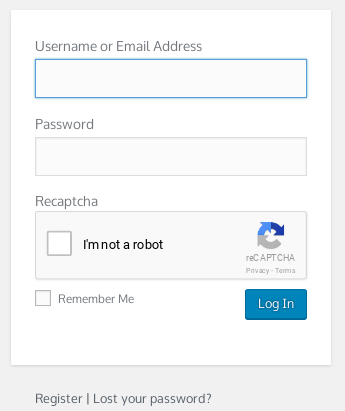
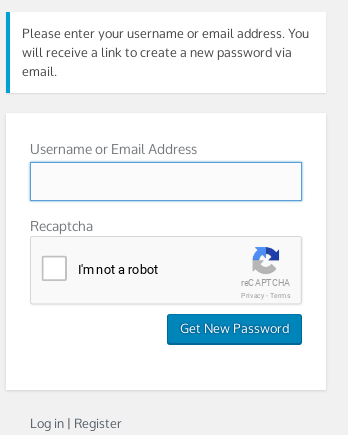
This plugin offers multiple captcha services to protect your WordPress site from hackers and unscrupulous users. It supports various WordPress core components, as well as the WooCommerce Core Plugin and Theme My Login plugin. It also provides protection for contact forms and supports multiple languages for Google Recaptcha.Screenshots






Changelog
1.4.2
- Fixed issue where Math or String could not be chosen from the Secure Image (Built-In Captcha)
- Changed Placeholder text from “Enter Code Above…” to “Answer” when using Math option in Secure Image (Built-In Captcha)
1.4.1
- Fixed CSS height issue for Google Captcha Verification Image popup. iFrame will now sit at 100% of the proper height instead of 580px. This was causing issues for websites with Languages other than English.
1.4
- Fixed issue with XSS (Vunerability discovered by Yuki Haruma – Patched v1.4)
- Fixed PHP 8.2 compatibility (string{i} to substr($string, $i, 1) – Fix provided by [email protected] – Patched v1.4)
- Added settings link to plugin page
1.3.3
- Fixed issue when uninstalling plugin
1.3.2
- Fixed potential security issue identified by Alexander Svechkaryov from 86com for SecurImage captcha type
1.3.1
- Fixed file paths
1.3
- NEW CAPTCHA TYPE ADDED: [Visual Captcha] (https://visualcaptcha.net/)
- Moved generation of SecurImage image file from PHP file to wordpress function. Conforms better to wordpress standards
- Removed .htaccess file from captcha-them-all/securimage/ as the SecurImage is not generated by PHP wordpress function.
- Added in securImage ‘word’ generation. So options for captcha now are: Random String (Default), Math challenge, or Word challenge
- Added honeypot protection for captcha on all submits. Compliments captcha protection on all protected forms.
- Added in ability to see IP addresses that have had failed attempts. This DB will not be filled up if you use “Show on every login” option. Will also only show failed addresses from the last 15 days.
- Added in ability to clear the IP addresses from the log.
- Fixed issue from [Wordpress.org] (https://wordpress.org/support/topic/notices-17/)
- Added in new [WooCommerce version check] (https://woocommerce.wordpress.com/2017/08/28/new-version-check-in-woocommerce-3-2/) and tested plugin with WooCommerce version 3.3.2
- Fixed woocommerce registration form to make sure captcha check is done before email exists check
- Fixed woocommerce registration on checkout where the captcha them all form would not display
1.2
- Fixed issue with CF7 not displaying on ‘[cta_recaptcha* cta_recaptcha]’ shortcode
- Fixed validation for captcha code when Contact Form 7 is displayed.
- Fixed response codes for Contact Form 7 responses – Removed HTML tags
- Changed WooCommerce Hook ‘allow_password_reset’ to ‘lostpassword_post’ as WooCommerce added my suggestion to respect same format for ‘lostpassword_post’ as WP Core does. See on [GitHub] (https://github.com/woocommerce/woocommerce/pull/13558)
- Split WooCommerce registration form hook to ‘woocommerce_register_form’ instead of ‘register_form’ as this conforms more correctly to WooCommerce Documentation.
- Added code to check for ‘Google Captcha (reCAPTCHA) by BestWebSoft’ plugin and give warning notice as plugins can conflict.
1.1.1
- Updated admin menu options to properly run ‘activate_options’ function when plugin is updated. Not just on initial activation of plugin
1.1
- Changed filter line from “add_filter( ‘wp_authenticate_user’, array($CTA, ‘CTA_validate_captcha_login’), 10, 2 );” to “add_filter( ‘authenticate’, array($CTA, ‘CTA_validate_captcha_login’), 10, 3 );” to validate captcha response BEFORE password and username are checked (Better Security)
- Changed “add_action( ‘register_post’, array($CTA, ‘CTA_validate_captcha_register’), 10, 3 );” to “add_filter( ‘registration_errors’, array($CTA, ‘CTA_validate_captcha_register’), 10, 3 );” (More correct check for validation errors for registrations page)
- Changed “$errors->add( ‘denied’, __( ‘ERROR: Captcha validation failed.’ ) );” to “$errors = new WP_Error( ‘denied’, __( ‘ERROR: Captcha validation failed.’ ) );” so the errors returned to the user for registrations are overwritten unless captcha is validated (Better Security – Malicious users cannot hit website to discover valid email addresses or usernames) – DOES NOT WORK FOR WOOCOMMERCE. DUE TO WAY THEY VALIDATE EMAIL ADDRESSES
- Added in support to show login captcha on every login, or only on 1-5 failed attempts – New option added to settings page. Default option is ‘every login’
- Added DB table %prefix%_CTA_ip_failed_atts to track failed IP logins
- Added check to clear the failed login attempts per IP from DB after 15 days since last failed attempt (Keeps DB cleaner)
1.0.2
- Theme My Login support
- Removed static support for Contact Form 7. Use shortcode [cta_recaptcha* cta_recaptcha] in contact form.
- Removed protection option call “Contact Form 7” in admin area. Made reference to [cta_recaptcha* cta_recaptcha] shortcode.
- Added option for changing SecurImage Captcha type for either Text or Math Problem Captcha
1.0.1
- Added in support for Contact Form 7. Does not use NATIVE Contact Form 7 reCAPTCHA code, but uses Captcha Them All code.
- Added another protection option call “Contact Form 7” in admin area. Default state is OFF
- Changed “Phonetic spelling (mp3)” link to use target=”_BLANK” so it opens in a new window.
- Added .htaccess file to captcha-them-all/securimage/ to allow access to captcha-them-all/securimage/securimage_show.php as SUCURI and other security plugins blocked access to this file.
- Added check for securimage signature colour. If this was not set the plugin would fail to load.
1.0
- Gold release

