

Enables the previous "classic" editor and the old-style Edit Post screen with TinyMCE, Meta Boxes, etc. Supports all…

About Gutenberg Block Editor Toolkit – EditorsKit
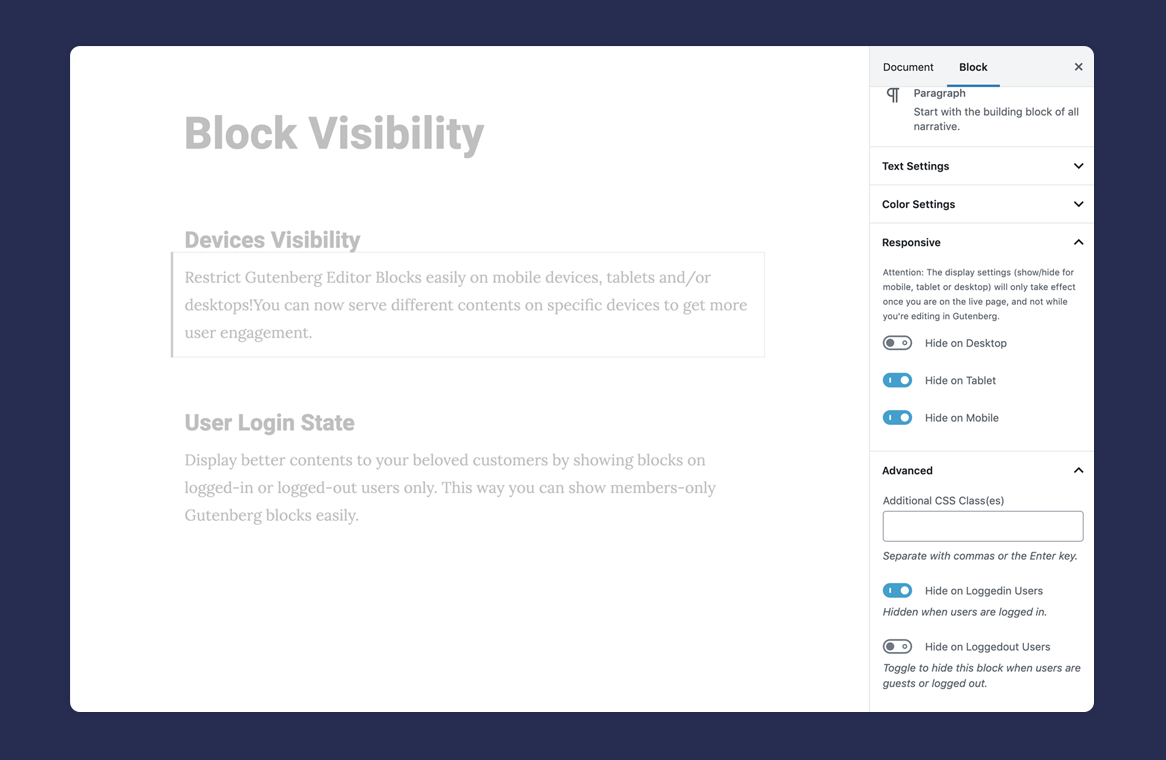
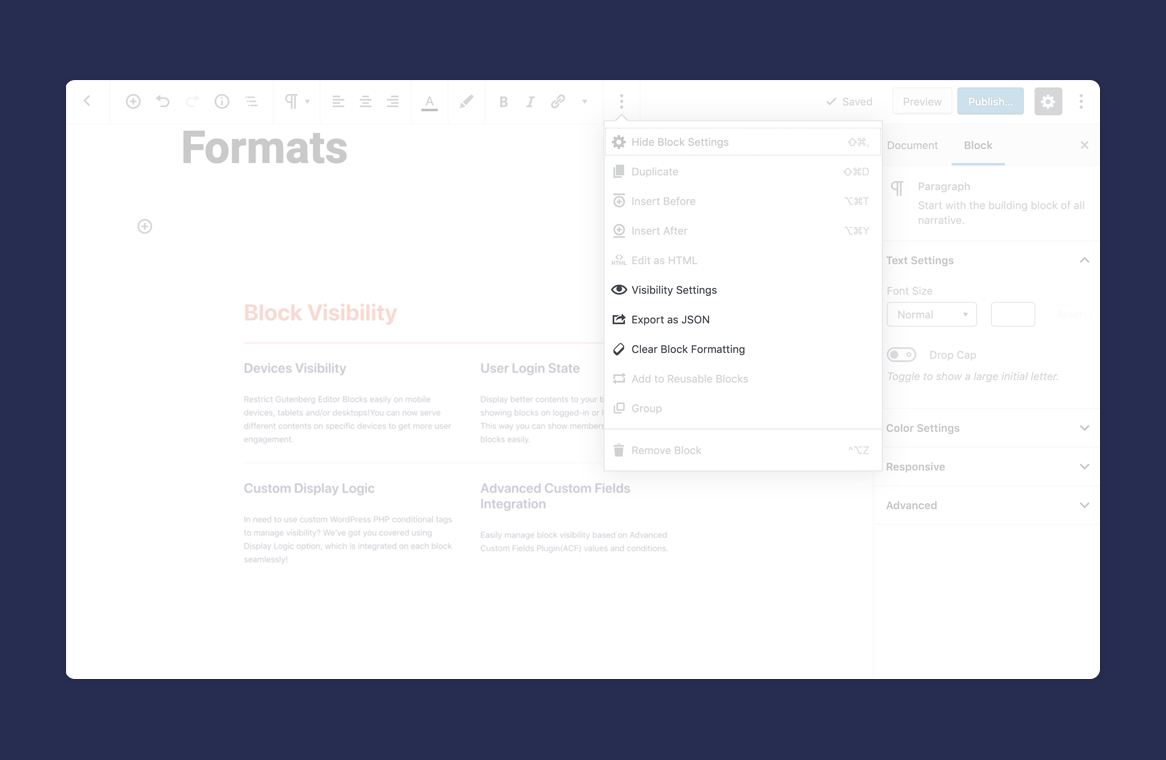
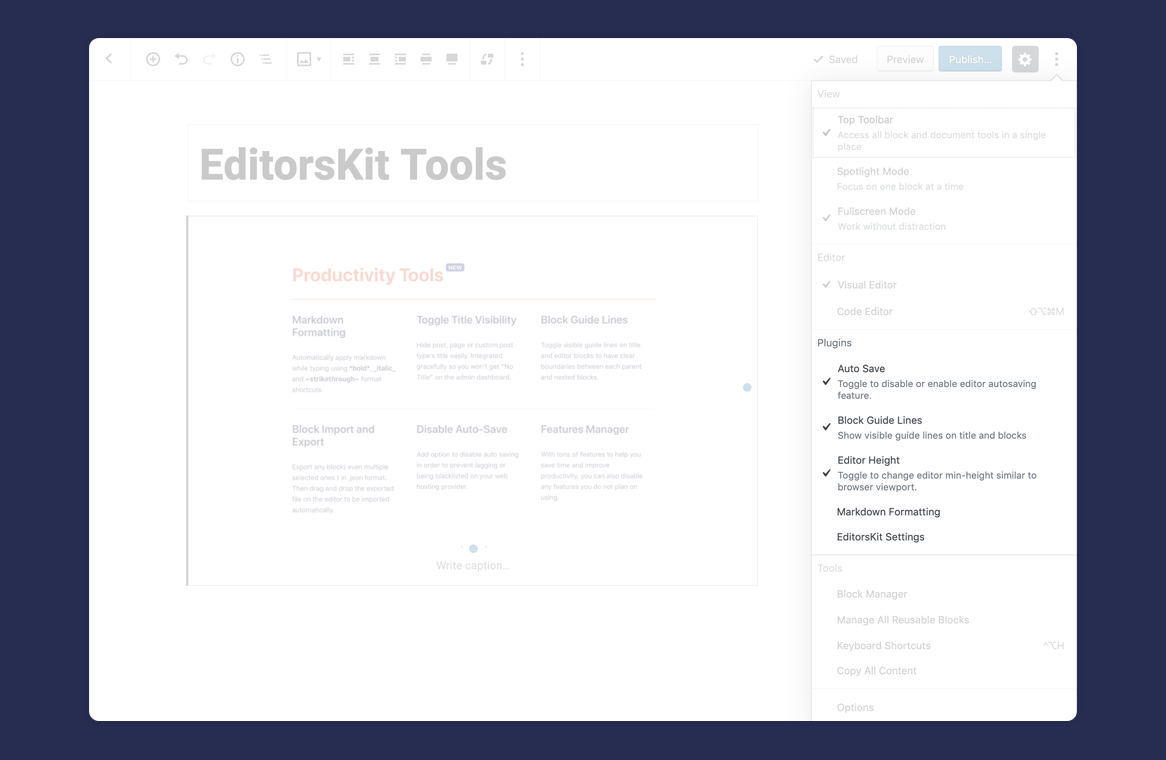
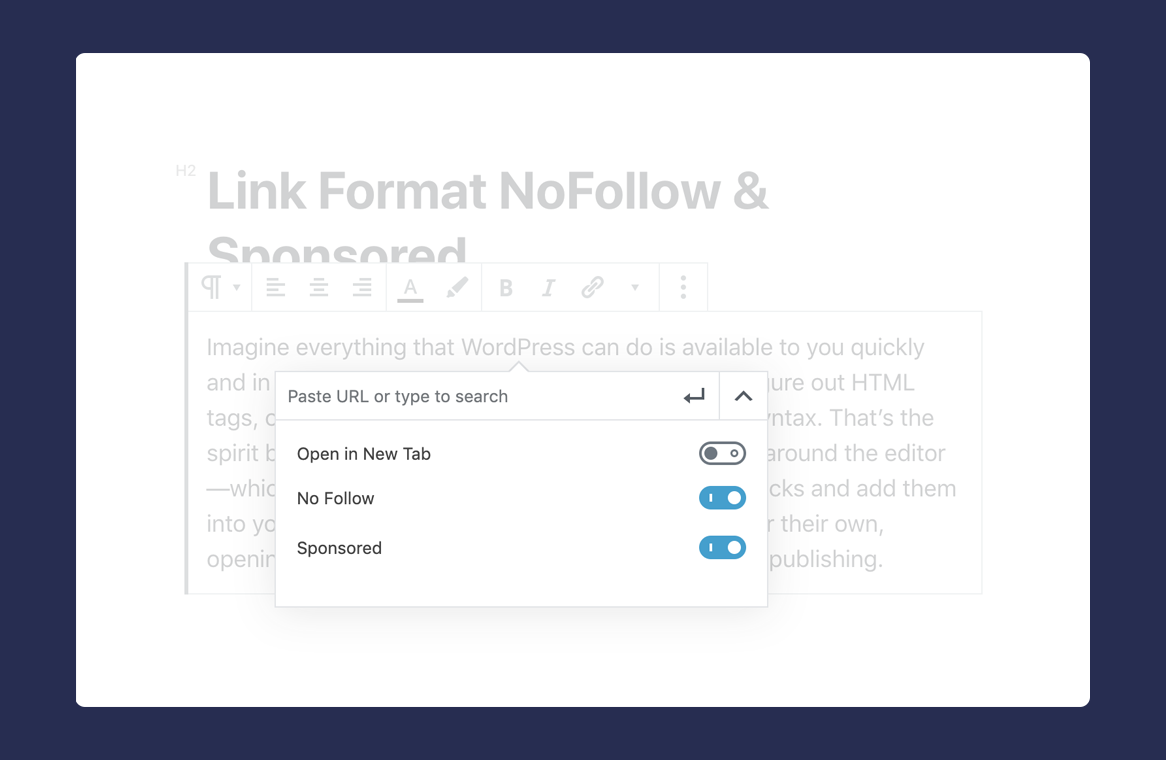
EditorsKit is a plugin for the WordPress Gutenberg editor that provides various block options and tools to enhance your page building experience. It offers features such as block styles manager, rich text formats, block visibility control, estimated reading time display, keyboard shortcuts, and more. The plugin aims to make the new editor more convenient and user-friendly.Screenshots

Frequently asked questions
What does EditorsKit provide?
EditorsKit provides set of page building block options and toolkit for the new WordPress Gutenberg editor.
What are the rich text formats available?
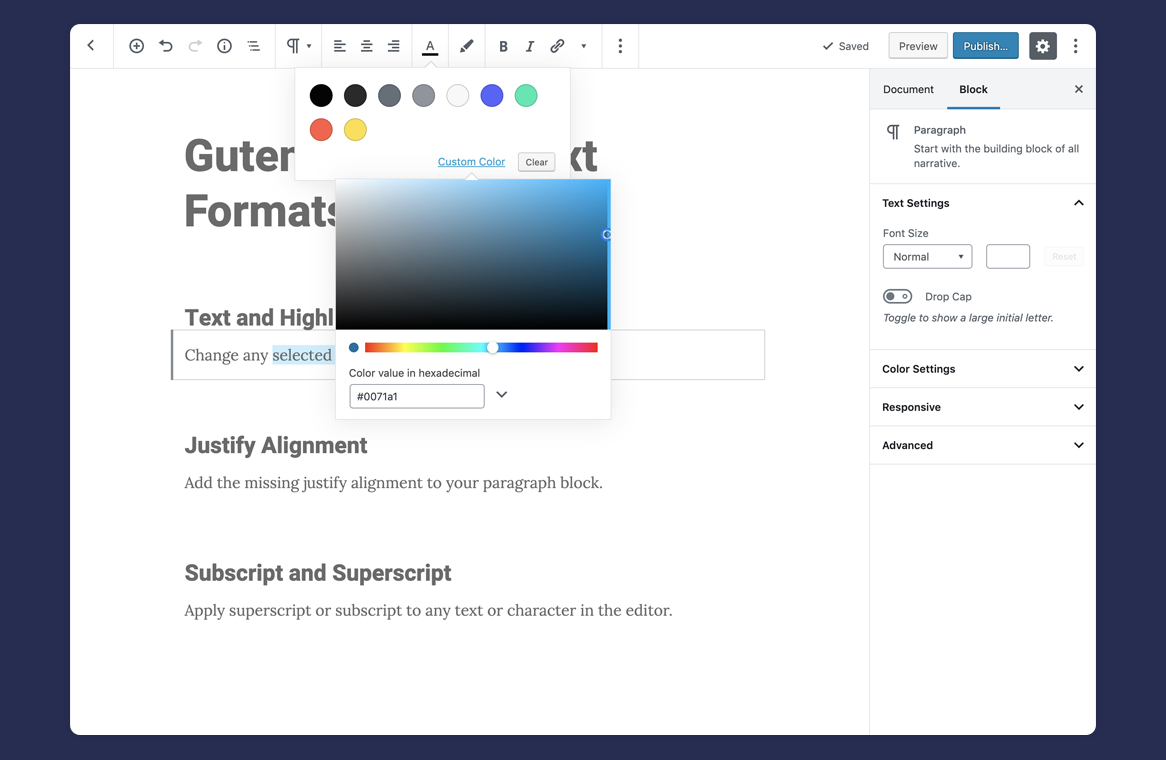
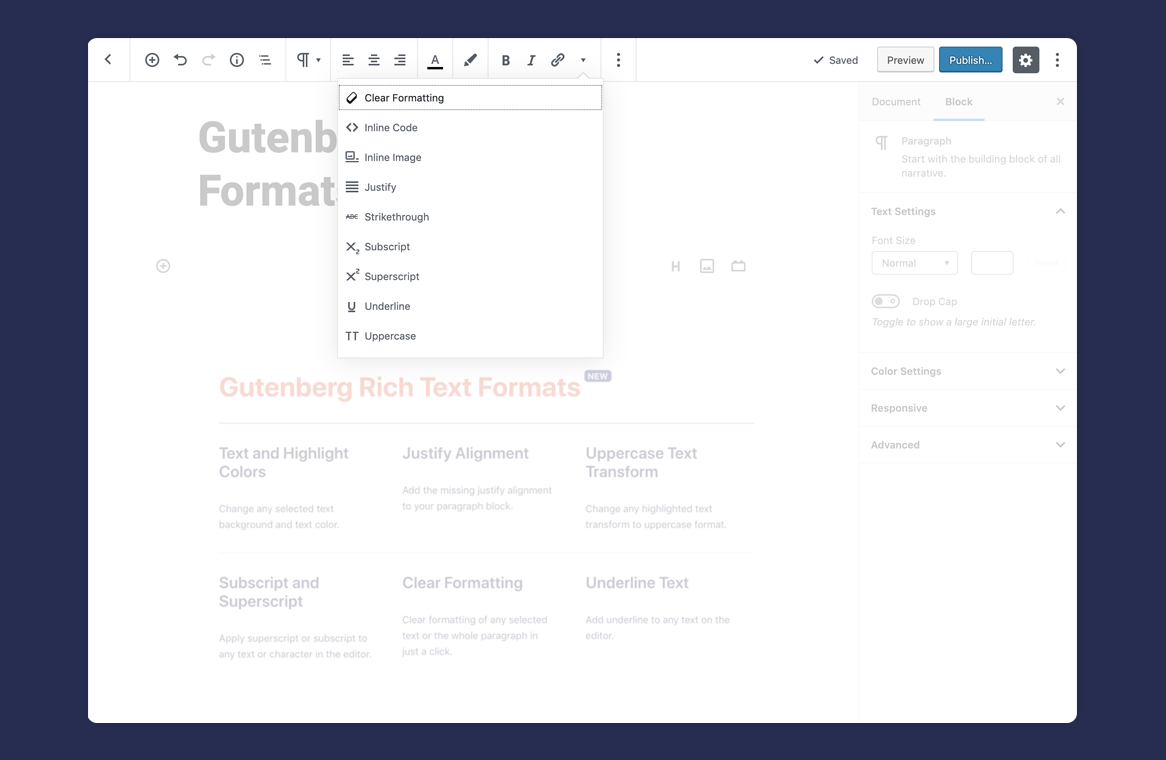
The following rich text formats are available upon plugin activation: Links with 'rel' nofollow and sponsored attribute option, Highlighted Text or Heading Colors, Highlighted Text Background Color, Clear Formatting Options, Paragraph Justify Alignment, Underline Text Format, Superscript, Subscript, Indent Paragraph, Heading or List Block, Uppercase Text Transform, Images and Embeds Caption Alignment, Nonbreaking Space, Abbreviation for acronyms, Insert Special Characters.
What is the estimated reading time feature?
The estimated reading time feature extends the word count on Gutenberg editor and displays an estimated count as well. You can display the estimated reading time on your content using a shortcode.
What are the keyboard shortcuts added by EditorsKit?
The following keyboard shortcuts are added: CTRL + ALT + 1 : Heading 1, CTRL + ALT + 2 : Heading 2, CTRL + ALT + 3 : Heading 3, CTRL + ALT + 4 : Heading 4, CTRL + ALT + 5 : Heading 5, CTRL + ALT + 6 : Heading 6, CTRL + ALT + c : Align center, CTRL + ALT + r : Align right, CTRL + ALT + l : Align left, CTRL + ALT + j : Justify, CMD + SHIFT + . : Select Parent Block
What is the Block Navigator feature?
The Block Navigator feature is displayed on blocks that can contain multiple child blocks. It is available on Columns Block and Group Block.
Changelog
= 1.40.6
* Fix: Consecutive 3 paragraph space issue.
= 1.40.5
* Fix: Add allowed tags restriction in editorskit shortcode.
= 1.40.4
* Fix: Added a check for file type in styles importer to improve security.
= 1.40.3
* Fix: Styles manager conflicting with other post types.
1.40.2
- Improve: Added instruction video for styles manager.
- Improve: Added redirection to the admin page in the editor.
- Improve: Fix Bundling.
- Fix: Conflicts with page templates.
1.40.1
- New: Styles Manager for blocks
1.40.0
- New: Gutenberghub Template Library
- Fix: Bugs
1.34.9
- Fix: Query loop issue with the archive pages
1.34.8
- Fix: Issue with the site search
1.34.7
- Fix: Critical bug that prevents the page from updating.
1.34.6
- Fix: Show Support link on other plugins.
- Fix: PHP Errors on older WP versions.
1.34.5
- Fix: Settings page breaking issue.
1.34.4
- Fix: Hide title extension conflict with themes.
1.34.3
- Fix: Highlighting jump issue.
- Fix: Warnings in console.
- Fix: Conflict with other plugins.
- Fix: Hide title metadata not updating.
- Fix: Bugs.
1.34.2
- Fix: Bugs and Warnings
- Remove: Editorskit Deprecated typography addon warning.
1.34.1
- Deprecate: Remove Extendify Templates Library
1.34.0
- Fix: Image block breaking issue when inserted.
1.33.9
- Fix: Trailing comma fatal error on earlier PHP versions.
1.33.8
- Deprecate: Editorskit Typography Addon.
1.33.7
- Fix: Dynamic blocks breaking in gutenberg editor.
- Fix: Toolbar locking issues.
1.33.6
- New: Extended WordPress 6.0 block locking functionality to include options to disable block settings and toolbar.
1.33.5
- Deprecate: Live Preview with Responsive Controls feature.
1.33.4
- Updated: Template library update
1.33.3
- Fix: Conflict with gutenberg plugin
1.33.2
- Fix: Bug in the last release
1.33.1
- Improve: Handling of Typography add-on and disabled typography addon by default
1.33.0
- New: You can now make settings sidebar work as a moveable modal.
- Fixes: Character encoding issues
1.32.2
- New: Moveable block options feature
- Fixes: Character encoding issues
1.32.1
- Fixes: Bug in the last release
1.32.0
- New: Added Live Preview with Responsive Toggles
- Deprecate: Old Responsive Previewer
- Updated: Template library SDK
1.31.9
- Fixes: Bugs.
- Tweaks: Sidebar Options menu item
- Tweaks: Template library utility CSS.
- Deprecate: Copy Selected Block(s) extension as it has been added to the core.
1.31.8
- Fixes: Bugs
- Tweaks: Template library improvements
1.31.7
- Fixes: Removes conflict with Gutenberg plugin causing errors on the settings page.
- Fixes: Removes empty rel attribute.
- Fixes: Updates alignment class.
- Fixes: Adds fix where incorrect classes were being added to blocks.
- Fixes: Fixes gapless setting for core columns block.
- Tweaks: Updated template library
1.31.6
- Remove: Auto save toggle feature was removed due to a conflict with Gutenberg
- Security: Fixes an issue where authenticated users with medium level privledges could add arbitrary PHP code.
- Fixes: Updates deprecated WP filters
- Fixes: Fixes a bug in the Gutenberg plugin.
1.31.5
- Fixes: Prevent editor error when using Page Break block ?
1.31.4
- Fixes: WordPress 5.8 compatibility fixes ?
- Fixes: Solve potential security vulnerabilities ?
1.31.3
- Tweaks: Add option to easily enable or disable Typography features
- Fixes: Fix custom post type compatibility issue with Rank Math plugin ?
1.31.2
- Fixes: Fix custom typography meta issue on custom post types ?
- Fixes: Fix PHP debug log for versions 7.4.0 above ?
- Fixes: Add missing shortcode display ?
1.31.1
- Fixes: Use the correct defined constant to prevent PHP log ?
1.31
- New: Add Typography and Google Fonts add-on ?
- New: Toggle to enable/disable Extendify library ?
- Tweaks: Updates to the pattern and template library
- Fixes: Display Responsive Alignment feature properly
- Fixes: Make sure Indention format adds proper spacing
- Fixes: Fix “H4” display
1.30
- New: Add access to the Extendify pattern and template library
1.29.4
- Update readme
1.29.3
- Compatibility fixes for WordPress 5.5
1.29.2
- Update readme “Tested Up to” WordPress version
1.29.1
- New: Add ndash and mdash
- Fixes and compatibility with Gutenberg Plugin
- Fixes and compatibility with thirdy party plugin
1.29
- New: Add new preview mode with shortcut using
CMD/CTRL + SHIFT + P. #264 ? - Fixes: Compatibility fixes for upcoming WordPress 5.4 ?
1.28
- New: Gradient picker copy and paste controls. #264 ?
- Fixes: Compatibility with new Gutenberg plugin UI and block guide lines. #265
1.27
- New: Special Characters Inserter Format. #254 ?
- New: Heading and alignment keyboard shortcuts. #262?
- Tweaks: Add more compatibility changes for Gutenberg plugin
- Fixes: Prevent error when switching to Code Editor using keyboard shortcut. #255
1.26
- New: New ShareABlock block. #251?
- New: New ‘dashed’ list block style. #252
- Tweaks: Use three empty paragraph to show shortcut for spacer block transform instead of four.
- Tweaks: Few more compatibility with Gutenberg plugin
1.25
- New: Link Toolbar Option for Cover, Column and Group Blocks ?
- New: Indent format for paragraph, heading and list block ?
- Tweaks: Apply more compatibility improvements and fixes for Gutenberg Plugin
- Tweaks: Better onboarding after activation w/o redirect
- Tweaks: Add Extensions tab on Settings Page
- Fixes: Prevent issue with BuddyBoss them when hiding title
1.24.1
- Fixes: Prevent compatibility error with plugin using REST API block preview. ?
- Fixes: Block Guide Lines compatibility with Gutenberg 7.3 ?
- Tweaks: Improvement for utility classes and settings styling
1.24
- New: “Responsive Text Alignment” for Tablet and Mobile ?
- New: Add Gapless Columns Block Style ?
- Tweaks: Make EditorsKit settings page more extensible
- Fixes: Prevent title from being removed on breadcrumbs
- Fixes: Compatibility fixes for Gutenberg plugin
1.23.1
- Fixes: Text Color toolbar styling issue with latest Gutenberg Plugin ?
- Fixes: Prevent error and conflict with lifterlms plugin activated ?
1.23
- New:
List Block Stylessuch as Arrow, Checked, Crossed, Connected and Starred ? - New: Add caption alignment option for Table Block
- Tweaks: Re-enable underline format
- Fixes: Prevent error when activating via WP CLI
1.22.1
- Tweaks: Add new features to Features Manager
1.22
- New: Make Reusable Block easily convertible to regular blocks ?
- New: Add toggle to Buttons Block full width display ?
- New: Add Cover Block vertical alignment ?
- Fixes: Fix issue with link rel nofollow and sponsored toggle not saving
- Tweaks: Typo fixes on welcome page
1.21
- New: Abbreviation Format for acronyms ?
- New: Add option to Transform Group Block to Cover Block ?
- New: Add Background Color Settings to Columns Block ?
- Tweaks: Fix and add more EditorsKit CSS classes
- Tweaks: Blocks Unit Testing only feature to disable selected block
- Fixes: Few other ? cleanup for errors and Gutenberg compatibility
1.20
- New: Add Gutenberg Block Manager directly on EditorsKit > Settings page.
- New: Create developer tools for shortcuts that can be enabled using theme support.
- New: Add
add_theme_support( 'editorskit-color-palette-classnames' )in order to use theme color palette specific classnames for color formats. - Tweaks: Improve Image and Gallery Blocks DropZone styling
- Fixes: Prevent error and conflicts with third party plugins that is relying on Classic Editor.
1.19
- New: Better user onboarding and welcome page with docs & tutorials
- New: List Block Font Size and Text Color Settings ?
- New: Add HTML Anchor support to Spacer and Separator blocks
- Tweaks: WPCS cleanup and improvements
- Fixes: Few other ? cleanup for errors and Gutenberg compatibility
1.18.3
- Fixes: Resolve issue with Code Editor mode changes not reflecting when switching to to Visual Editor mode
1.18.2
- Fixes: Fix error with Reusable block and hide title post meta
1.18.1
- Fixes: Fix sudden conflict with CoBlocks – Use domReady when registering formats
1.18
- New: Create keyboard shortcut to easily select parent block ?
- New : Add nonbreaking space format with
CTRL/CMD + SHIFT + SPACEkeyboard shortcut - New: Add “About” button to check the running Gutenberg block editor version
- Tweaks: Move Hide Title Toggle on Status and Post Visibility Panel
- Tweaks: Remove unwanted block supports on Import Block
- Tweaks: Set Highlights Color to Default Theme Colors
- Fixes: Fix issue with old links added before EditorsKit
- Fixes: Fix Media Card Block Toolbars when using Fixed Toolbar Mode
1.17
- New: Add accessible Help, tips and tricks button ?
- New: Add new shortcut option to automatically transform 4 consecutive empty paragraphs into Spacer Block ?
- Tweaks: Remove Freemius insight integration
- Fixes: Few other ? cleanup for errors and Gutenberg compatibility
1.16
- New:
Copysingle or muliple selected blocks and paste anywhere ? - New: Caption Alignment for images, galleries and embed blocks ?
1.15
- New: Estimated Reading Time ?
- New: Media and Text Block card layout option ?
- New: Block Navigator on Columns and Group Block ?
- Improvement: Add ‘sponsored’ rel attributes option on Media and Text Block link
- Improvement: Prevent menu and tools link overlap when there are lots of menu
- Fixes: Few other ? cleanup for errors and Gutenberg compatibility
1.14
- New: Link format noFollow rel attribute option ?
- New: Link format sponsored rel attribute option ?
- Improvement: Helper filter for Block Lab plugin support
- Fixes: Fix Chrome overlapping metabox issue
- Fixes: Few other ? cleanup
1.13
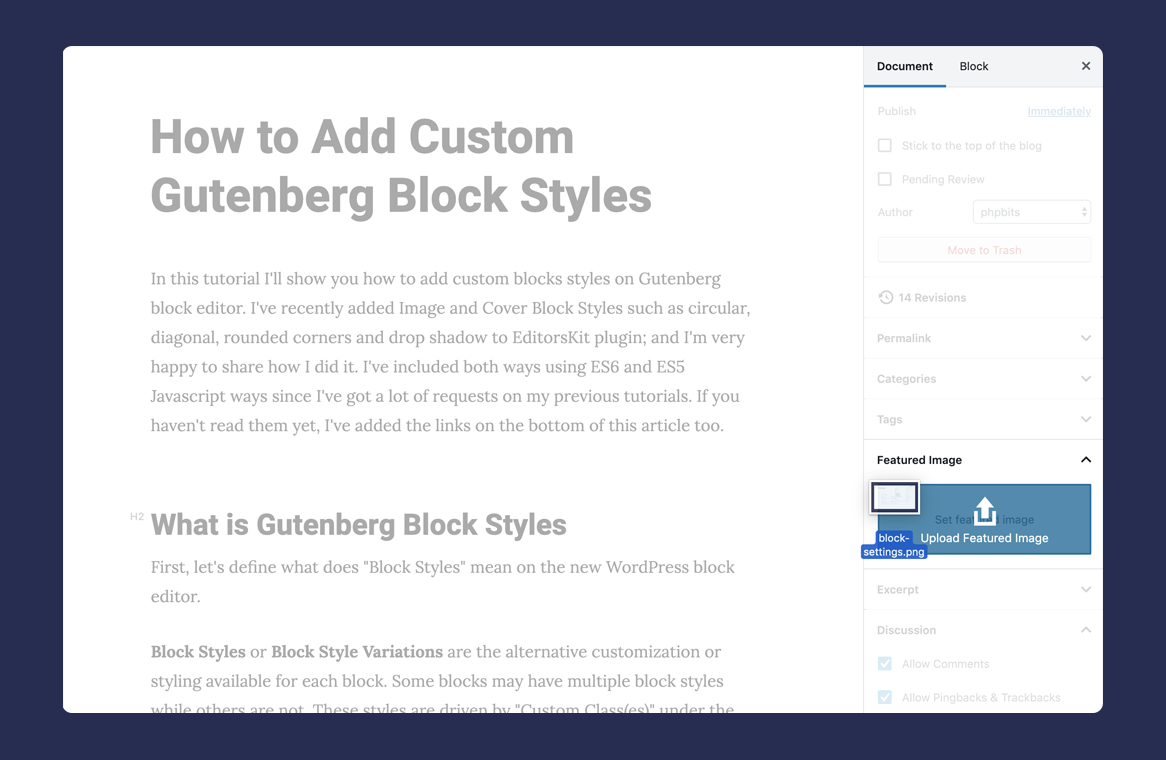
- New: Drag and Drop Featured Image Upload ?
- New: Add Toolbar to Media and Text Block to Add Custom Link to Image or Whole Block ?
- New: Media and Text Block Link no follow and open to new tab toggle ?
- Improvement: Add background on block drag and drop for better UI
- Fixes: Clean up ?
1.12
- New: Add option to set Image Block as Featured Image ?
- New: View Heading Block label for better content writing ?
- Improvement: Change URL Popover “Open in New Tab” alignment for lesser mouse movement
- Improvement: Add POT string translations for both PHP and JS text
- Fixes: Improve performance and clean up ?
- Fixes: Compatibility and fixes for Gutenberg version 6.4.0
1.11
- Improvement: Convert process to
wp-scriptsfor WordPress Gutenberg standard - Improvement: Ability to hide “Responsive Panel”
- Fixes: Prevent issues with third party plugin’s settings page
- Fixes: Compatibility and fixes for Gutenberg version 6.3.0
1.10
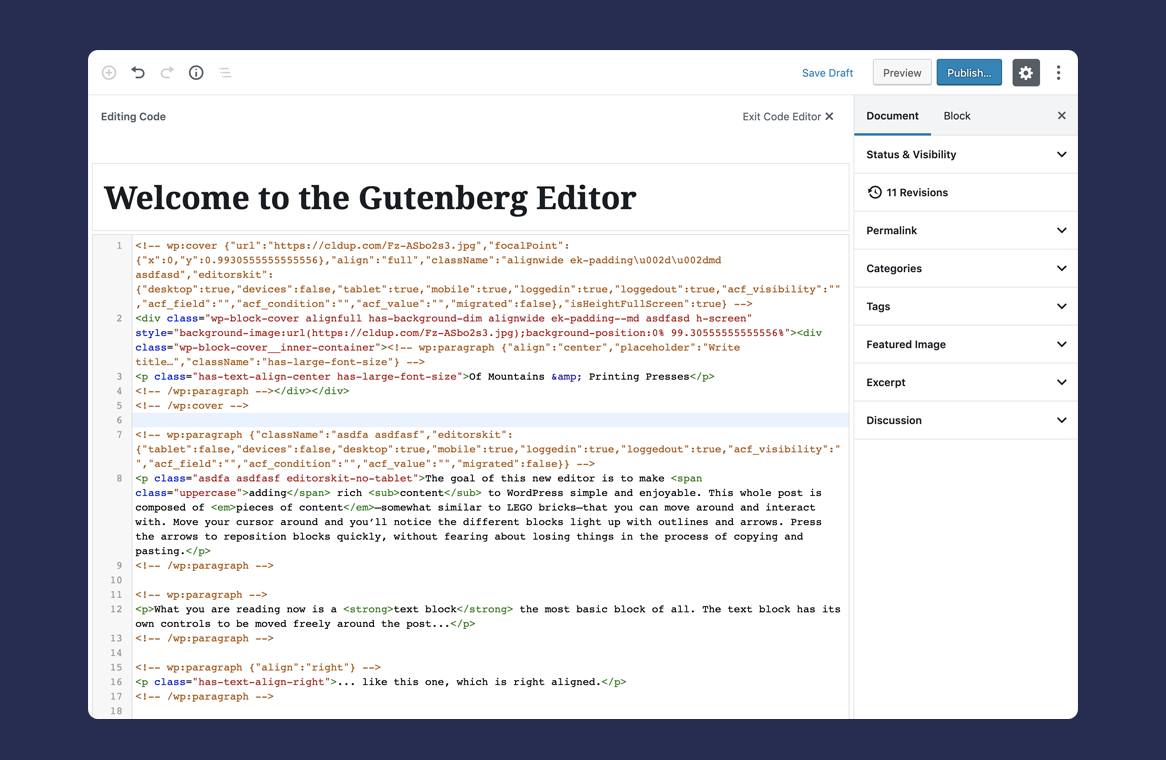
- New: Add Code Syntax Highlighting when on Code Editor Mode ?
- New: Add “View Custom Fields” option to easily scroll down to Custom Fields area ?
- Fixes: Prevent display bug when Editor Height is toggled on
- Fixes: More compatibility fixes for the latest Gutenberg plugin
1.9.2
- New: Editor Height Option to set editor min-height to 100% of the viewport ?
- Improvement: Only load editorskit scripts on admin pages that are running Gutenberg
- Improvement: Do not automatically disable Auto Saving after plugin activation
- Improvement: Extended support for Block Lab Plugin with editorskit_blocklab_classname() helper function
- Fixes: Prevent error from third-party plugins for REST API missing attributes
- Fixes: More compatibility fixes for the latest Gutenberg plugin
1.9.1
- Improvement: Add
ek-identifier for custom Utility Classnames - Improvement: Extended support for Block Lab attributes
- Fixes: Prevent issues on REST API from blocks added via PHP
register_block_type
1.9
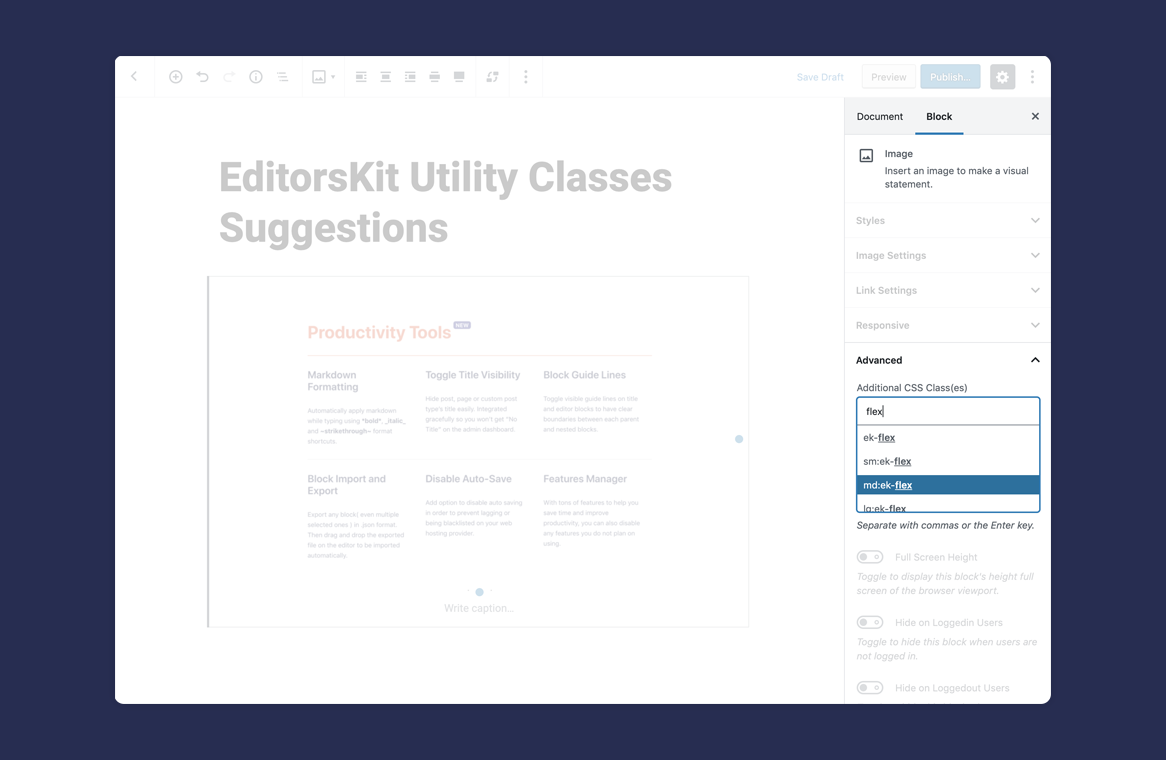
- New: Custom Utility Classes and Class(es) Suggestions ?
- Improvement: Add
editorskit-title-hiddenbody class when title is hidden - Improvement: Add Text and Highlight Colors to Features Manager
- Fixes: Exclude ‘core/nextpage’ block to visibility option ( https://wordpress.org/support/topic/nextpage-feature-broken/ )
- Fixes: Compatibility fixes for new Gutenberg plugin version
1.8
- New: Image and Cover Block Styles ( circular, diagonal, rounded corners and shadow ) ?
- New: Full Screen Height toggle option ?
- Improvement: Add responsive panel with display settings to show/hide blocks on desktop, tablet and mobile
- Improvement: Change logged-in user state to toggle options with descriptions
- Improvement: Show title on search and menu item even hidden toggle is active
- Fixes: Compatibility fixes for new Gutenberg plugin version
1.7
- New: Block Import and Export ( https://twitter.com/phpbits/status/1138412218721026049 ) ?
- Improvement: Better UI for Text Color and Highlighter
- Fixes: Gutenberg 5.9+ compatibility fixes
- Fixes: Fix ACF on advanced visibility tab issue
1.6.2
- Fixes: Bug fix for new reusable block name “core/template” and block options
1.6.1
- Fixes: Conflict with custom post type and hidden title feature : https://wordpress.org/support/topic/error-with-custom-post-type-registration-after-plugin-update/
1.6
- New: Gutenberg Editor Markdown Support ?
- New: Clear Formatting Options ?
- New: Subscript, Superscript and Uppercase Text Formats ?
- New: Toggle Title Visibility Option ?
- New: EditorsKit Features Manager ?
- Add: Freemius Insights
- Compatibility: Disable duplicate formats when JetPack or CoBlocks is active
- Fixes: Shortcode Block Compatibility Bugs
- Fixes: Remove EditorsKit id instance for other plugin’s compatibility
- Fixes: Conflict with Thrive Comments plugin( https://github.com/phpbits/block-options/issues/49 )
1.5
- New: Highlighted Text or Heading Colors ?
- New: Highlighted Text Background Color ?
- New: Paragraph Justify Alignment ?
- New: Enable or Disable Auto Save ?
- New:
editorskit-template-block-sizesandeditorskit-genesis-layout-block-sizestheme supports ?
1.4.3
- Add new Underline Text Format ?
- Fix issue with Classic Block Conversion to Blocks
1.4.2
- Fix button CSS issue on modal popup for older Gutenberg version
1.4.1
- Block Guide Lines Compatibility for old version
1.4
- Rebranded to EditorsKit
- Improve UI and UX
- Add new Block Guide Lines feature
- Fix issue with Advance Custom Fields Plugin visibility
- Rewrite for better Gutenberg support
1.3.3
- Fix issue with latest Gutenberg version
1.3.2
- Fix issue with column styling
1.3.1
- Fix classes duplicate
1.3
- Add fixes for Gutenberg 3.7 issue and deprecated functions
1.2.1
- Add fixes for ACF Pro integration
- Fixes for deprecated variables
1.2
- Add ACF Support for managing visibilities based on specific field value and conditions
1.1.1
- Upgrade API and fix issues with Gutenberg 3.1
1.1
- Fix issues with other Gutenberg plugins, options not saving
- Add support for inner column blocks
- Add option to hide descriptions for adept users to minimize section content
1.0
- Initial Block Options for Gutenberg Plugin release

