
Enables the previous "classic" editor and the old-style Edit Post screen with TinyMCE, Meta Boxes, etc. Supports all…

About Audio Album
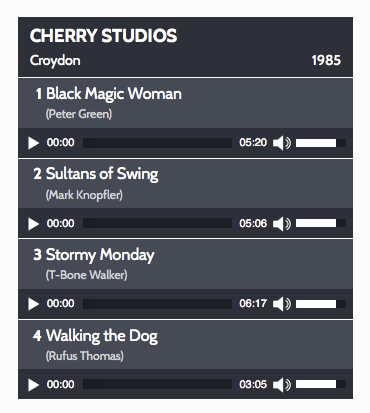
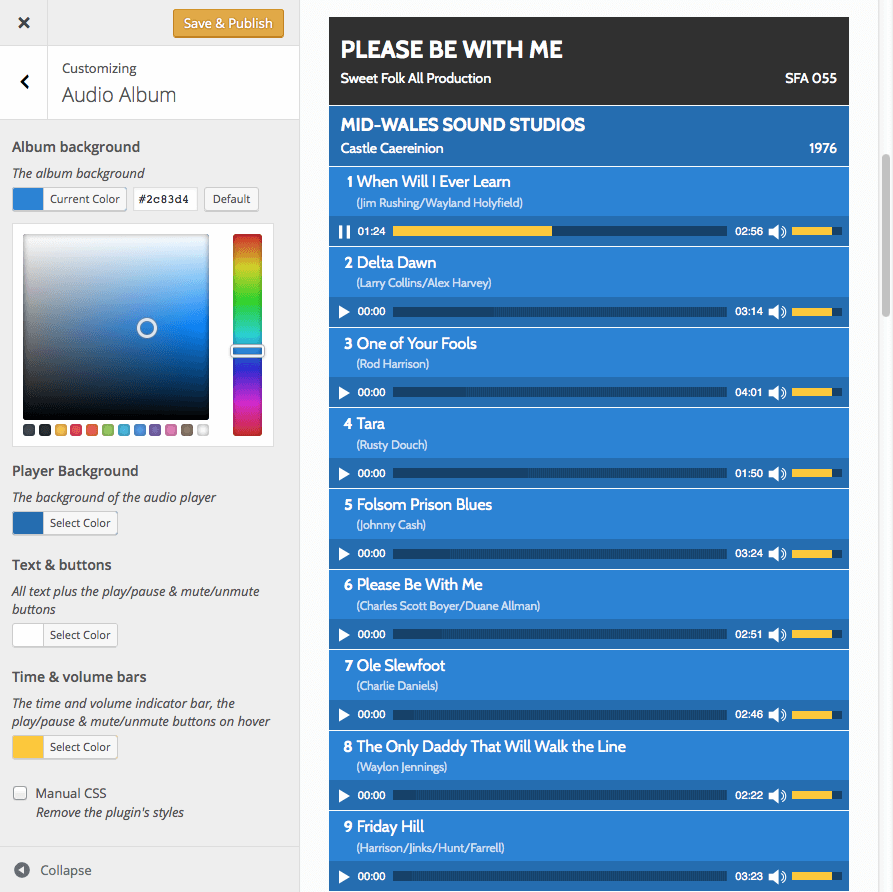
The Audio Album plugin allows you to style a group of audio files as a single album on your WordPress website. You can customize the colors and display multiple albums on each page. It also provides options to add lyrics or other information in a popup window.Screenshots
Changelog
1.5.1
- Various bugfixes
1.5.0
- Removed jQuery as dependency on the front end (although mediaelement still requires jQuery)
1.4.4
- Make translatable
1.4.3
- Fix js error caused by WP migrate no longer being loaded in WP
1.4.2
- Formatting improvements
1.4.0
- Inline script loaded with a dependancy to the enqueued script to ensure jQuery is loaded.
1.3.1
- added CSS for replay button after track has completed playing.
1.3.0
- corrected register_style issue in shortcode function
- corrected $preload variable used instead of array value
- added animated gif loading image as data url
- added transparent png images for time & volume track as data urls
- improved default colours & added customizer controls for colour
- removed font definition from stylesheet to enable the font to be inherited from theme’s body style
- removed rem values from stylesheet
- improved alignment of generated track numbers
- now uses Dashicons for play/pause/mute/unmute buttons – so they can be styled
- Popup template improvements (Genesis only)
- The [audioalbum] shortcode is no longer mandatory before [audiotrack] shortcodes
1.2.0
- improve delimiting for comments
- add default value for preload shortcode param: metadata so total track time appears in player
- improved parameter value sanitization
- use array for shortcode parameters instead of extract
- use constant for plugin version
- use visibility instead of display for delaying appearance of tracks
1.1.0
- Fixed WordPress 4.4 compatibility issue
- Improved enqueuing so script & stylesheet are only loaded when needed
1.0.4
- Improved function to audio players with default style briefly showing as the page loads
- Uses Dashicons in plugin page links
- Minor CSS tweaks
1.0.3
- Fixes incorrect path to svg file in stylesheet
1.0.2
- Prevent unstyled players being flashed onscreen until the page has fully loaded
- Flat Player buttons to replace default gradient filled buttons
1.0.1
- Fixes function name collision when another cubecolour plugin is installed
1.0.0
- Initial Version

