Are you seeking to optimize your ad placements and management on your WordPress site? Unleash the transformative power of WordPress Ad Manager Plugins to revamp your website monetization strategies. These plugins not only streamline ad management but also offer a plethora of features designed to maximize your ad revenue.
This article offers an in-depth exploration of the best Advanced Ads alternatives available for WordPress. It provides detailed descriptions, features, benefits, and pricing structures of each plugin. From beginners to professionals, this listicle promises to deliver valuable insights, tips, and solutions to help you make an informed decision.
Discover how these WordPress Ad Manager Plugins can revolutionize your ad management and boost your earnings.
Table of Contents
Best WordPress Ad Manager Plugins
Ad Inserter – Ad Manager & AdSense Ads
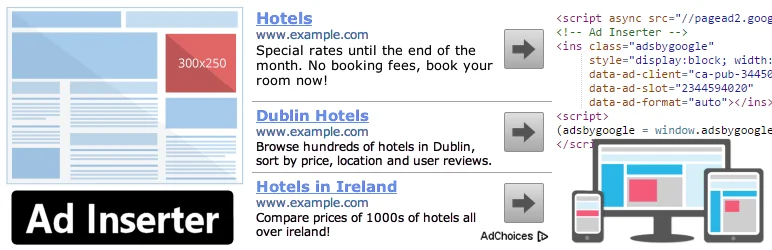
Ad Inserter is an advanced ad management plugin that offers a wide range of features for optimal ad placements on your website. This dynamic plugin supports Google AdSense, Google Ad Manager, Amazon Native Shopping Ads, Media.net, Infolinks and rotating banners.
It is designed to flawlessly insert opt-in forms, header scripts, Javascript, CSS, HTML, PHP, analytics, tracking or advert code anywhere on your page. With Ad Inserter, you can insert ads where other plugins fail, giving you more control over your website’s ad placements.
Features and Benefits
- AdSense Integration: This feature allows you to integrate Google AdSense with your website for monetization seamlessly.
- Syntax Highlighting Editor: Helps in code editing, making your code easier to read and understand.
- Code Preview with Visual CSS Editor: Gives you a preview of your code with a visual CSS editor for easy editing.
- Automatically Inserts Ads on Posts and Pages: Saves you the hassle of manually inserting ads, ensuring optimal ad placement on your website.
- Ad Rotation: Allows you to rotate ads server-side and client-side, which works with caching, keeping your ads fresh and engaging to your website visitors.
- Ad Blocking Detection: Detects ad blockers and prompts users to disable them for optimal ad performance.
- Blacklist/Whitelist Categories, Tags, Taxonomies, Post IDs, URLs, URL Query Parameters, Cookies, Referrers, Browsers, Operating Systems: Gives you control over where your ads appear, improving ad performance.
Pricing Structure
The plugin is free to use.
AdRotate Banner Manager

AdRotate Banner Manager is an innovative, intuitive, and efficient ad management plugin for WordPress. It is designed to make ad management a breeze, allowing you to easily create, manage, and rotate your ads.
Whether you’re utilizing Google AdSense, Google Ad Manager, Amazon Native Shopping Ads, or simply creating your own banners, AdRotate Banner Manager is your one-stop solution. With its robust features and intuitive interface, it’s no wonder it’s trusted by thousands of individuals and businesses alike.
Features and Benefits
- Supports every ad: AdRotate Banner Manager supports all types of ads, whether self-made, from local businesses, Google AdSense, Amazon ads, or any personals or affiliate ad. This allows for flexibility and customization.
- Unlimited ads: There is no limit to the number of ads you can create, giving you the freedom to experiment and optimize.
- Advert block and group block: This enables you to organize and manage your ads efficiently.
- Advanced error checking: This ensures that your ads and groups are running smoothly.
- Advert previews: This allows you to view your ads as they will appear live, helping to ensure they are perfect before they go live.
- Detailed tracking: Track clicks and impressions for detailed analysis and optimization.
- Constant development: AdRotate Banner Manager has been in constant development since 2008, ensuring it remains up-to-date and efficient.
- AdRotate Pro, the premium version, offers additional features like filters to show or hide ads on tablets and phones, live previews for adverts, geo-targeting, tracking through Matomo Analytics or Google Analytics 4, managing ads.txt file from the dashboard, and much more.
Pricing Structure
The plugin is free to use with the premium version starting from €49.00
Ads.txt Manager

Ads.txt Manager is a powerful WordPress plugin that is designed to create, manage and validate your ads.txt and app-ads.txt from within WordPress. This plugin is an answer to the initiative by the Interactive Advertising Bureau that aims to give publishers control over who can sell their ad inventory.
Ads.txt Manager eliminates the need to upload a file and has built-in validation to prevent malformed records that can lead to issues resulting in a drop in ad revenue.
Features and Benefits
- Easy Creation and Management: The plugin allows you to create and manage your ads.txt file from within WordPress, making the process simpler and more efficient. This feature ensures ease of use and saves time for website administrators.
- Built-in Validation: Ads.txt Manager prevents malformed records with its built-in validation. This feature ensures that you avoid issues that can lead to loss of ad revenue, maintaining the integrity of your advertising configurations.
- Compatibility: Requires PHP 7.4+ and WordPress 5.7+ for smooth functioning. This ensures that the plugin works seamlessly with modern server environments and WordPress installations.
- Syntax Highlighting and Pre-save Error Checking: Although ad blockers may interfere with these features, they are designed to help you spot and correct errors before saving your work. This enhances accuracy and reduces the likelihood of mistakes in your ads.txt file.
- Future-Proof: The plugin is designed not only for current needs but also with an eye towards future changes and upgrades in ad fraud specifications. This ensures that your ad management remains effective and compliant as industry standards evolve.
Pricing Structure
The plugin is free to use.
Ads by WPQuads
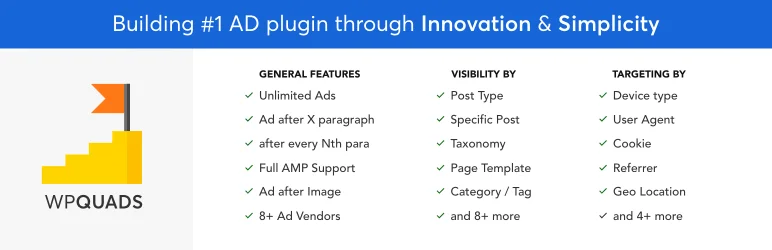
The WPQuads Ads plugin is a state-of-the-art ad inserter and Adsense solution specifically developed for WordPress websites. With a modern approach, WPQuads is renowned for its high coding quality, making it a go-to option for websites with millions of monthly page impressions.
WPQuads aims to solve the problem of ad integration, offering a comprehensive solution for displaying ads in a way that maximizes revenue and enhances user experience.
Features and Benefits
- Web Stories Integration: Allows you to advertise in AMP Web Stories, expanding your reach.
- Click Fraud Protection: Protects your ad revenue from fraudulent clicks.
- GDPR & Privacy tools: Ensures that your ads comply with privacy laws, saving you from potential legal issues.
- Google Adsense support: Offers deep integration with various Google Adsense ad types.
- Google AD Manager and Double Click for Publishers (DFP) support: Provides additional platforms for ad integration.
Pricing Structure
The plugin is free to use with the premium version starting from $89.
FlatPM – Ad Manager, AdSense and Custom Code

FlatPM is a superior ad management plugin that revolutionizes the way you organize ads on your WordPress website. If you’ve been looking for a professional and efficient solution to streamline your ad blocks and optimize your site’s performance, FlatPM is the tool you need.
Unlike other plugins like Advanced Ads or Ad Inserter, FlatPM delivers a unique level of functionality and flexibility, all without using jQuery in its code.
Features and Benefits
- Pixel or User Screen Height Output: This unique feature allows ad display based on pixels or the height of the user’s screen, an option you won’t find in any other plugin.
- Article Text-Based Output: Ads can be displayed based on characters or a percentage of your article text, providing a level of customization that enhances user experience.
- Configurable Ad Display: Ads can be displayed once, with repetitions, or based on CSS selectors. This versatility makes it easy to tailor ad display to your content.
- Pop-up Display Options: Ads can pop up in different positions, including left, bottom, or right, with a total of 9 positions available.
- Ads on Hover: FlatPM allows ads to display when users hover over elements like images, text, or videos, making for a more interactive user experience.
- Video Preroll: Enhance user engagement with video preroll ads before YouTube or Vimeo videos.
- Content and User Targeting Options: From publications, categories, authors, and templates to geolocation, browser type, ISP, and user roles, you can personalize ads to a tee.
- Additional Features: The plugin also includes options for ad reloading, fixed widgets, lazyload advertising, stylization, interface fine-tuning, export/import capabilities, output in head and footer, caching plugin compatibility, and auto cache reset when changing ad settings.
Pricing Structure
The plugin is free to use.
Why You Need Advance Ads Alternatives for WordPress Ad Manager Plugins
Advance Ads is a popular WordPress ad management plugin that helps website owners effectively manage and display advertisements on their WordPress sites. However, there are instances where users might seek alternatives to Advance Ads for various reasons. Let’s delve into why this might be the case:
- Feature Set: While Advance Ads offers a robust set of features for ad management, some users may have specific requirements that aren’t fully met by this plugin. They might need additional functionalities such as advanced targeting options, ad rotation, or integration with specific ad networks, which may not be available in Advance Ads.
- Ease of Use: Although Advance Ads aims to be user-friendly, some users might find its interface or setup process too complex for their needs. They may prefer alternatives that offer a more intuitive and streamlined experience, especially if they’re new to ad management or WordPress in general.
- Performance: Ad management plugins can sometimes affect website performance, particularly if they’re resource-intensive or poorly optimized. Users might seek alternatives to Advance Ads if they experience slowdowns or compatibility issues with their site’s theme or other plugins. They may look for alternatives that are known for their efficiency and minimal impact on site performance.
- Support and Updates: Prompt support and regular updates are crucial for maintaining the security and functionality of any WordPress plugin. Users might consider alternatives to Advance Ads if they’re dissatisfied with the level of support provided by the plugin developers or if they perceive a lack of timely updates addressing bugs or compatibility issues.
- Cost: While Advance Ads offers a free version with basic features, some users may require more advanced functionalities available only in the premium versions. The cost of upgrading to these premium plans might be prohibitive for some users, prompting them to explore alternative plugins that offer similar features at a more affordable price point or through a different pricing model.
- Integration: Depending on their specific needs, users might require seamless integration with other tools or platforms such as email marketing services, e-commerce platforms, or analytics tools. If Advance Ads lacks integration options for the tools they use or if the integration is cumbersome, users might consider alternative plugins that offer better compatibility and integration possibilities.
- Flexibility and Customization: Every website is unique, and users may require a high level of flexibility and customization options to tailor ad placements and styling to their specific requirements. If Advance Ads doesn’t offer sufficient customization options or if users find its customization process restrictive, they may look for alternative plugins that provide more extensive customization capabilities.
Given these considerations, users exploring alternatives to Advance Ads for WordPress ad management might evaluate other plugins based on their feature set, ease of use, performance, support, cost, integration capabilities, and flexibility.
Final Word
The range of WordPress Ad Manager Plugins discussed here present an exciting opportunity to streamline and optimize your website’s ad management. These plugins are designed to help you grow your audience, boost engagement, and establish your site as an authority in your niche.
So, why wait? Take the next step in enhancing your website’s ad management today and unlock the full potential of your online presence.
FAQs About WordPress Ad Manager Plugins
- What are WordPress Ad Manager Plugins?
WordPress Ad Manager Plugins are tools designed to help website owners efficiently manage and display advertisements on their WordPress sites. These plugins offer various features such as ad placement, scheduling, targeting, and performance tracking to optimize ad revenue and user experience. - Why consider alternatives to Advanced Ads for WordPress Ad Management?
While Advanced Ads is a popular choice, users might seek alternatives for reasons such as specific feature requirements, ease of use, performance concerns, support and updates, cost considerations, integration needs, and flexibility in customization. - What are some key features to look for in Advanced Ads alternatives?
When exploring alternatives, it’s essential to consider features like advanced targeting options, ad rotation, efficiency in performance, reliable support and updates, cost-effectiveness, seamless integration with other tools, and flexibility in customization to meet diverse website needs. - Which Advanced Ads alternatives offer advanced targeting options?
Several alternatives provide advanced targeting capabilities, allowing users to display ads based on factors such as user demographics, device type, location, referral source, and more. Examples include Ad Inserter, WP Quads, and WP Advanced Ads. - How can I ensure minimal impact on website performance with an ad management plugin?
Opt for ad management plugins known for their efficiency and minimal impact on website performance. Look for plugins that are well-optimized, lightweight, and compatible with your site’s theme and other plugins. Regularly monitor performance metrics and adjust ad placements as needed. - What support options are available for Advanced Ads alternatives?
Evaluate the support options provided by alternative plugins, including documentation, forums, ticket-based support, and community resources. Choose plugins backed by responsive support teams that offer timely assistance and updates to address any issues or concerns. - Are there cost-effective alternatives to Advanced Ads?
Yes, several Advanced Ads alternatives offer competitive pricing plans, including free versions with basic features and premium versions with advanced functionalities. Compare pricing plans and features to find a solution that fits your budget and requirements. - Can Advanced Ads alternatives integrate with other tools and platforms?
Look for plugins that offer seamless integration with email marketing services, e-commerce platforms, analytics tools, and other third-party services you use. Integration capabilities ensure smooth workflows and enable you to leverage data for better ad targeting and performance optimization. - How customizable are Advanced Ads alternatives?
Consider the level of flexibility and customization options offered by alternative plugins. Look for solutions that allow you to tailor ad placements, styling, and targeting criteria to suit your website’s unique needs and branding preferences. - What are some popular Advanced Ads alternatives recommended by users?
Users often recommend alternatives such as Ad Inserter, WP Quads, AdRotate, and WP Advanced Ads for their robust features, ease of use, performance, support, and affordability. Evaluate these options based on your specific requirements to find the best fit for your WordPress ad management needs.


