

The Elementor Website Builder has it all: drag and drop page builder, pixel perfect design, mobile responsive editing,…

About Upcasted S3 Offload – AWS S3, DigitalOcean Spaces, Backblaze, MinIO Storage Integration
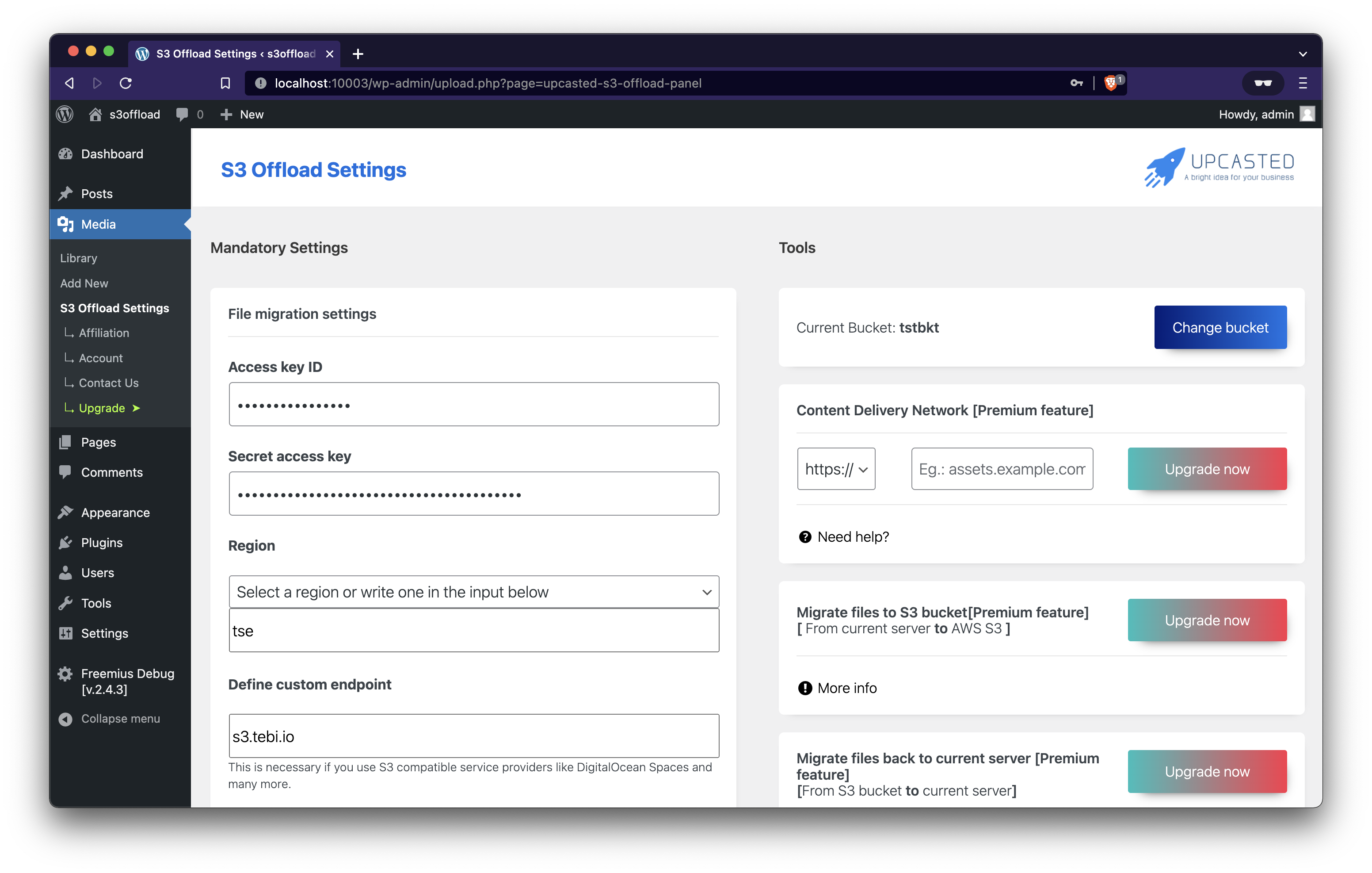
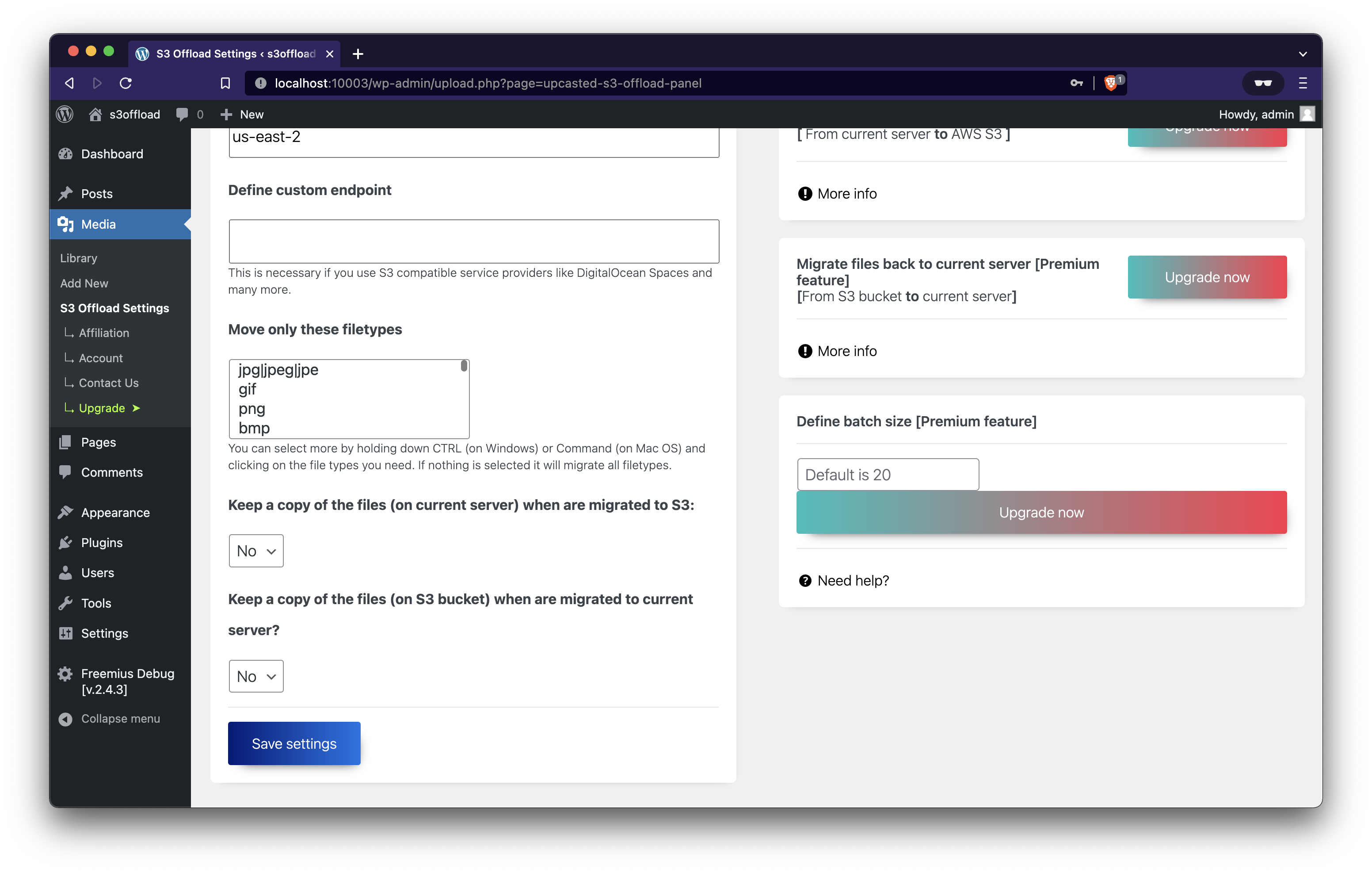
Upcasted S3 Offload seamlessly connects your WordPress Media Library to cloud storage providers like AWS S3, improving website performance by reducing server load and enhancing loading times. It offers cost savings by lowering hosting expenses, ensures security with encryption and redundancy measures, and includes free features like unlimited file migrations and real-time tracking, with additional PRO features available for advanced users.Screenshots

Changelog
3.0.5
- Updated some dependencies
- Fixed a problem where selecting a bucket was restricted to AWS providers only. Updated functionality now allows bucket selection for other providers as well.
3.0.4
- Improved User Interface: Enhanced design and layout for a more intuitive user experience.
- Added S3 Indicator: Introduced a cloud icon overlay in the Media Library grid view to clearly identify files stored in S3 Storage.
- Optimized Default Batch Size: Adjusted the default batch size settings to better accommodate smaller servers, ensuring smoother operation.
- Code Enhancements: Refactored code for improved performance and maintainability.
- Clearer Descriptions: Updated explanations throughout the interface to enhance clarity and usability.
- Dependency Updates: Updated libraries and dependencies to ensure compatibility and stability.
- Security Updates: Implemented new security measures and patched vulnerabilities to safeguard data and enhance protection against potential threats.
3.0.3
- Added: Option to manually input the bucket name for greater flexibility.
- Fixed: Issue with Filetypes filter not functioning correctly.
- Fixed: Bug preventing successful bucket creation on AWS S3.
- Updated: All dependencies to their latest versions for improved stability and secu
- Increased: Minimum PHP version requirement to 7.4 to leverage newer language features.
- Improved: Clarity of assistance texts for better user understanding.
- Made: Minor visual enhancements to enhance user experience and aesthetics.
3.0.2
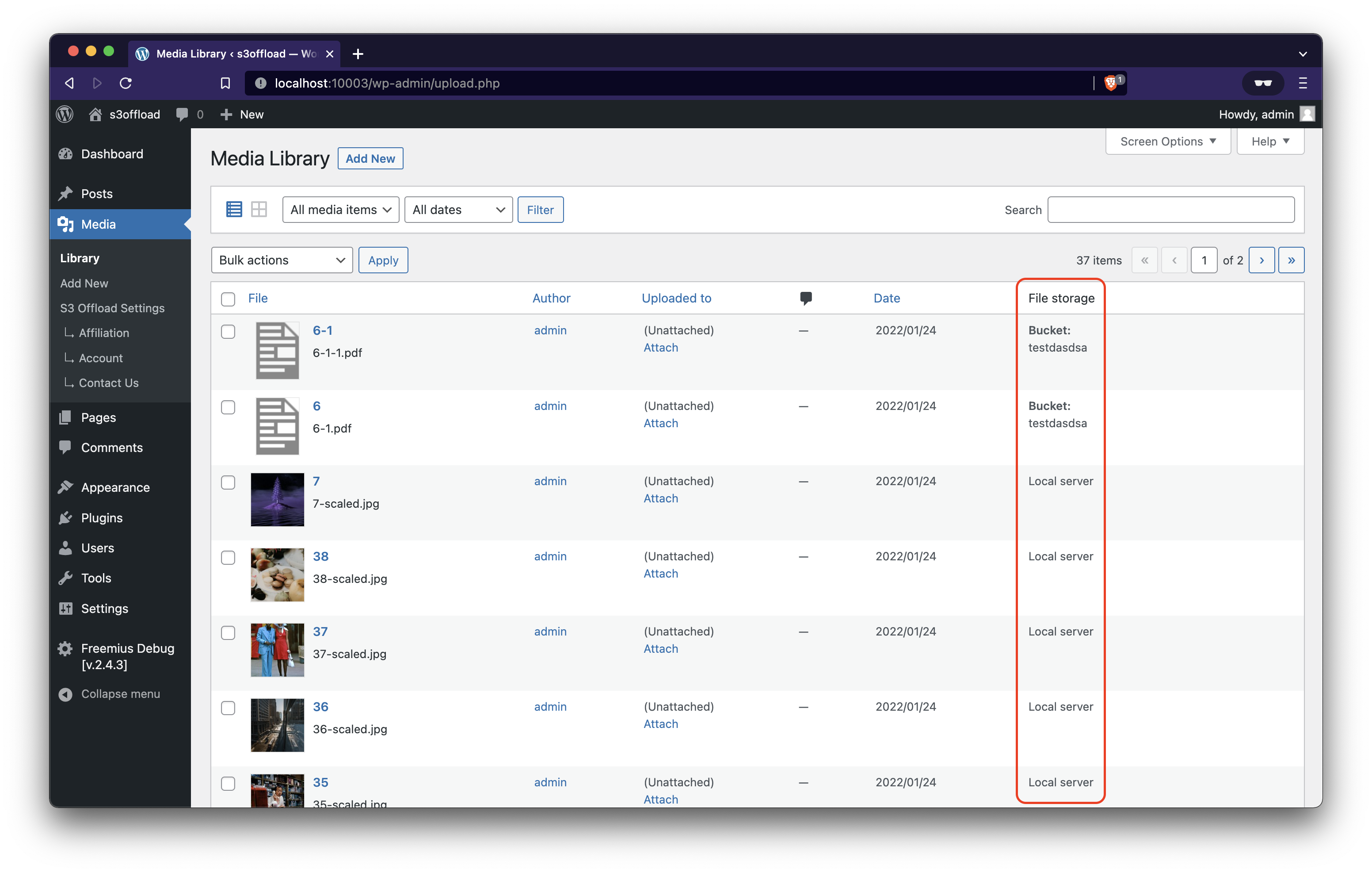
- added indicator to media library list view to view where each file is stored.
- added FAQ section on plugin settings page
- fixed a visual bug for notices
- fixed some remote case when the migrator got stuck because of corrupt media
3.0.1
- Upgraded: AWS SDK, Guzzle & more
- Security fix
- Fix: Image path was wrong for certain users
3.0.0
- Upgraded: minimum PHP version to 7.0
- Added: New input “Define custom endpoint”. This is necessary only for those who prefer on using other S3 storage providers like Linode Object Storage, DigitalOcean Spaces, DreamObjects, Wasabi, Vultr Object Storage and many more.
- Added: New input “Define batch size”. This is useful to those who want to move more or less files in a batch when migrating media files.
- Enhancement: Better error handling
- Enhancement: Rewritten plugin code and optimised logic for better performance and stability
- Enhancement: Now the Region has a select box with all the available AWS S3 regions. For those who prefer S3 compatible storage providers it allows you to put a custom value if needed.
- Removed: In window migration tool with AJAX. That tool was not stable and permitted only a small number of files to be migrated.
- Tested also with the new WordPress 5.9
2.2.1
- Enhancement: Made file type filter more human-readable
2.2.0
- Added: Filetype mime filter. Now you can filter the files you upload to AWS my mime type.
- Update: Freemius SDK updated to the latest version
2.1.2
- Fix: Some users could not delete certain files like .mp3, .mov, .pdf, .mp4
2.1.1
- Fix: Images were not showing after installing and connecting the plugin.
- The plugin is fully compatible with WordPress 5.6
2.1.0
!Important – Please update because this version is more reliable
* Fix: now all files are uploaded correctly (PDF and many other work)
* Enhancement: you can now move you files faster than ever. Huge speed increase.
2.0.0
!Important – Please update because this version is more reliable
* Feature: new uploader so you can upload files faster
* Feature: support for huge files up to 5Tb
* Feature: option to choose if you want or not to keep a copy on website server
* Enhancement: Interface improvements
* Enhancement: Added detailed description for every tool
* [PRO] Fixed: sometimes if the transfer stopped because of an error it could not continue past that attachment and got stuck
* [PRO] Feature: support for CDN
* [PRO] Feature: support for background transfer of the files to and from S3
* [PRO] Feature: option to choose if you want or not to keep a copy on Amazon S3 when migrating files back to server.
1.0.3
- Added Multipart Uploader, so it can upload large files without any problems
1.0.2
- !IMPORTANT Fixed some issues with the licensing that made the plugin to malfunction.
1.0.1
- Renamed the plugin

