

Just another contact form plugin. Simple but flexible.

About Send Images to RSS
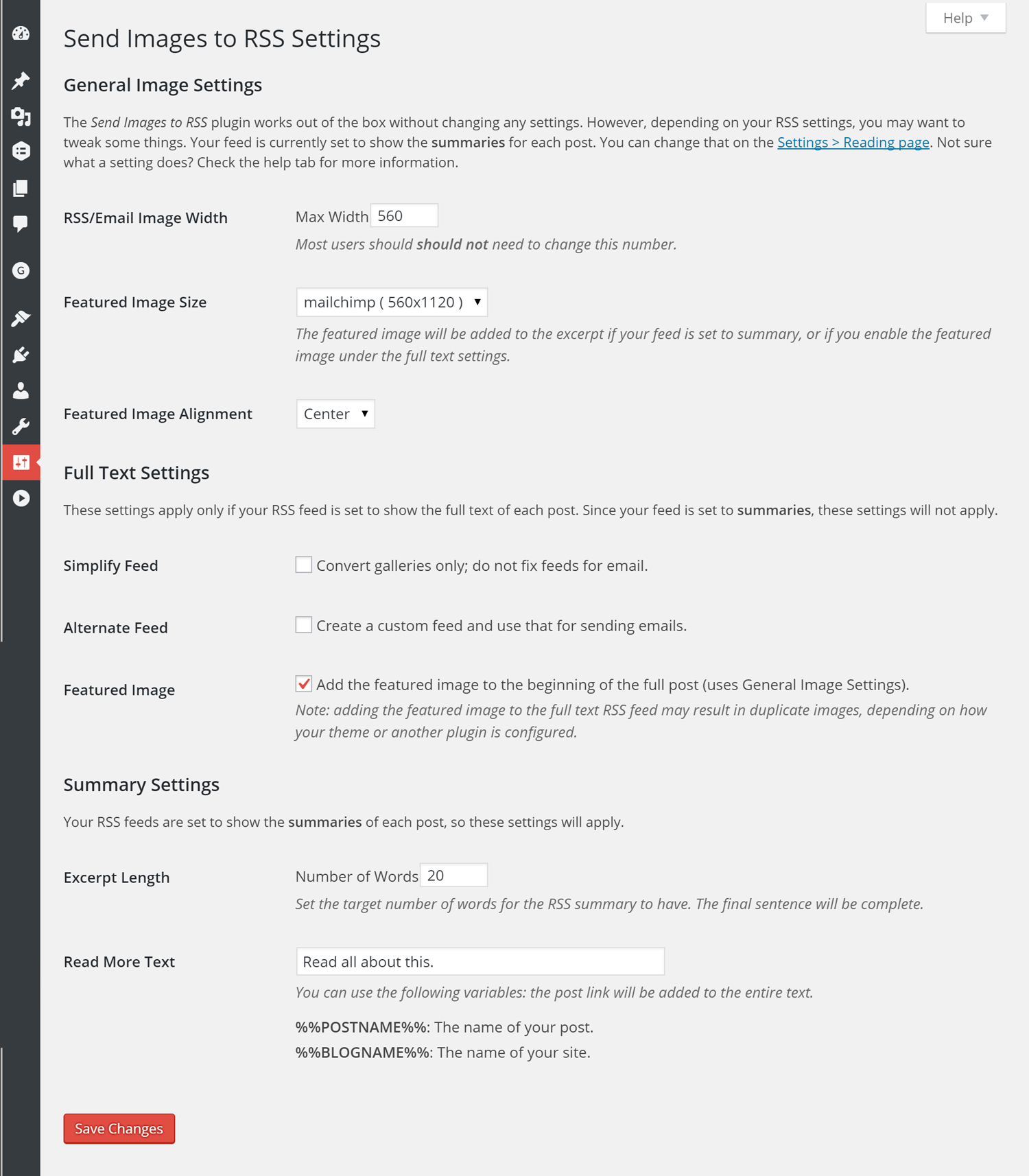
Send Images to RSS is a plugin that helps optimize images in RSS feeds for email clients. It can replace large images with smaller, email-friendly versions and add styling to make them look better in emails. It also offers features for both full text and summary feeds, and is compatible with most themes and plugins.Screenshots
Changelog
3.4.1
- fixed: undefined function for sites running WordPress 4.9
3.4.0
- added: support for core gallery block
- updated: new minimum WordPress version 4.9
- updated: new minimum PHP version 5.6.20
- fixed: image IDs not being properly retrieved if the original image is larger than 2560 px wide
3.3.2
- fixed: error with external images/captions on full feeds
3.3.1
- fixed: overzealous tag stripping on excerpts (props @gretchenlouise for reporting)
3.3.0
- added: filter for the excerpt permalink
- added: filter to allow users to keep shortcodes in excerpts
- added: support for embeds in full text feeds
- changed: additional max-width set on images to help prevent overflow (props @ivanpr)
- fixed: margins on featured images set to align: none
- fixed: featured images added to full content no longer remove iframes
3.2.2
- changed: link back to site from excerpt is now nofollow, but can be overridden via filter
- changed: added margin to excerpt style filter parameters
3.2.1
- fixed: default settings key added for processing both feeds
3.2.0
- added: setting to not change small images in content, even if a larger version exists
- added: filter to change the RSS thumbnail size
- updated: now allows an alternate feed, even if it’s summaries only
- updated: reversed decision from 2.5 to ignore external images; back to doing what we can to make them fit
- fixed: image ID properly returns as false if there is a URL mismatch
- fixed: settings page is now accessible
- fixed: centering images (smaller than email width)
3.1.1
- added: option to process both the full text and summary feeds simultaneously.
3.1.0
- added: now include the featured image with your full text feeds
- fixed: disable responsive images in RSS feeds (sorry, WP 4.4, but this isn’t helpful here)
- fixed: max-width style on featured images
3.0.1
- improved: moved filters to individual functions
- bugfix: fixed image ID retrieval if protocol mismatch (eg secure admin, nonsecure front end)
- bugfix: override Photon in every possible way
- bugfix: added missing permalink to excerpt read more filter
3.0.0
- new: optionally add your featured image to the excerpt in your feed!
- new: settings page has been added to handle excerpt settings.
- improved: the full text feed should now parse more quickly.
- improved: plugin settings are now saved to the database as an array.
- bugfix: fixed conflict with iThemes security
2.6.1
- bugfix: correctly handles with captions wrapped around a linked image.
- bugfix: activation error for some users FIXED.
2.6.0
- added a filter to optionally attempt to process external images.
- added a filter to optionally not replace small images in post content.
- added filters for granular control over image/caption styling.
- bugfix: if images are external, they no longer completely stop the presses.
2.5.2
- added filter to process images correctly if user has Photon (Jetpack) enabled
- added Spanish translation, provided by Web Hosting Hub
- added error message for users who have their feed set to Summary instead of Full text
- changed error messages to be less invasive
- fixed feed output if user has older PHP (pre 5.3.6)
2.5.1
- bugfix: if images are external, they are not processed by the plugin
- content is loaded more efficiently
- encoding tweaks
- escaped things
2.5.0
- added new function to deal with captions and alignment.
- deprecated original caption function since we have a whole new wonderland of caption action.
- refactoring due to a lot more things being processed.
- also set small image width to be max of 1/2 the max-width set in Media Settings.
2.4.2
- updated for new WordPress version.
- added plugin icon.
- moved, but did not change, main image function.
2.4.1
- bugfix: corrected sanitization method for email image size.
2.4.0
- Added a simplify feed method, which allows user to clean up galleries only, without creating an email friendly feed.
- Many much refactoring and input and tail kicking from the incomparable Gary Jones
- Help tab added to media settings page.
2.3.0
- Added an alternate feed method so that original feed could serve up full sized images while alternate feed would be used for email.
2.2.0
- Added a image width setting to the Settings > Media screen so that the MailChimp size image can be changed.
2.1.1
- Revised for OOP
- integrated gallery scan into main function
2.1.0
- Much revising–set conditional to use MailChimp size image if exists
- Updated function to retrieve image URL to not use guid
- Changed filter to the_content instead of the_content_rss due to shortcode explosions
- If an image is smaller than MailChimp size, left/right alignment will be honored; otherwise, alignment will be set to center.
- If a post has a gallery, an additional scan occurs to pull full size images and use those (if a MailChimp size image exists, it will still be used).
2.0.0beta
- Total rewrite
- Adds a new image size called ‘mailchimp’ to WordPress so that it can be used instead of trying to shoehorn the large images.
- strips out GravityForm shortcodes, but if others exist, that could be problematic.
1.1.1
- simplified immensely. Dropped need for user to edit plugin files.
- deals with captions.
1.0.0
- Initial release.

