

Just another contact form plugin. Simple but flexible.

About Wise Chat
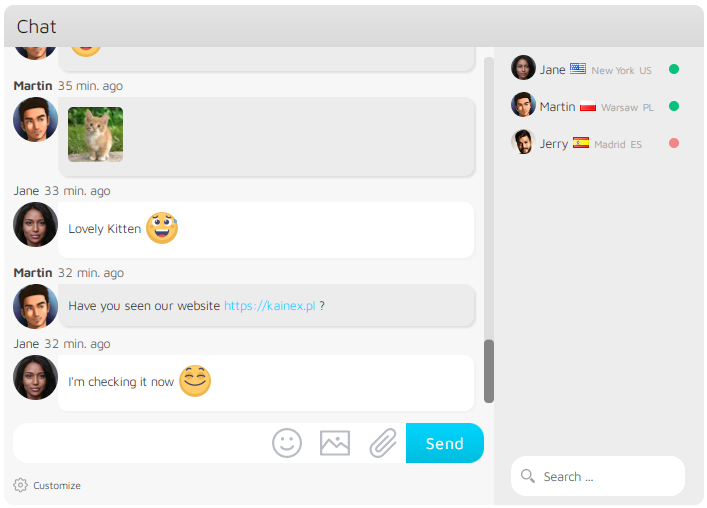
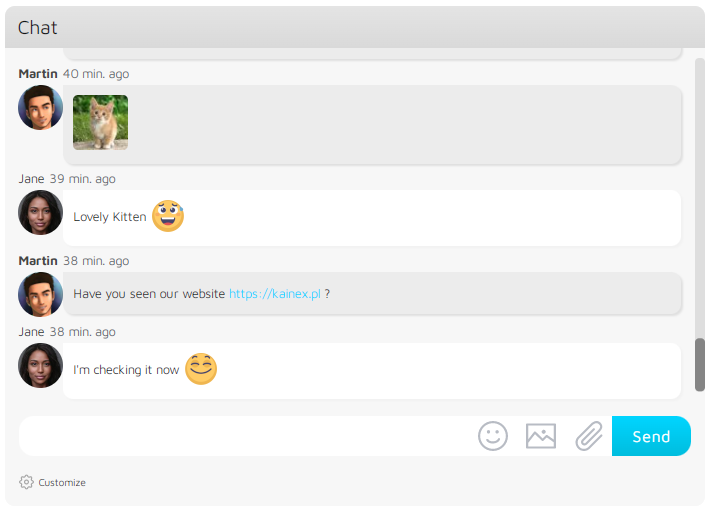
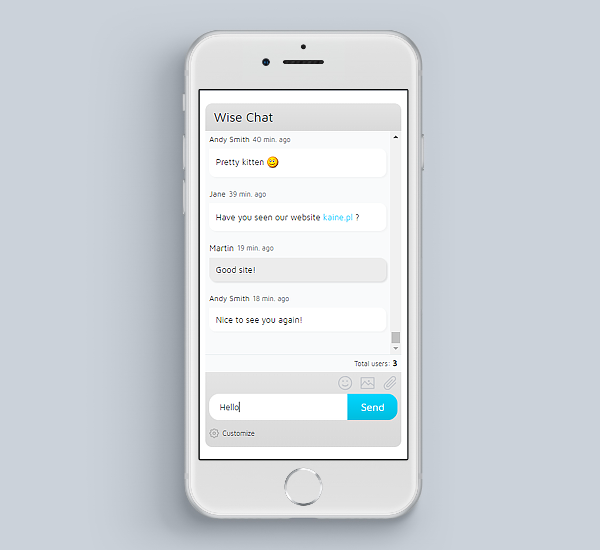
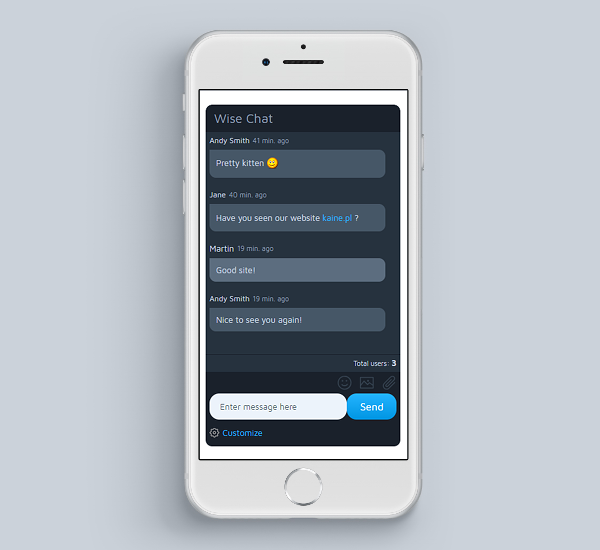
Wise Chat is a chat plugin that allows you to build social networks and increase user engagement on your website. It is easy to set up and configure, and offers a wide range of features such as themes, appearance adjustments, and mobile-friendly design. The plugin also offers additional features in the Wise Chat Pro version, including private messaging, video calls, avatars, and more.Screenshots



Changelog
3.3.2
- Fixed: breaking the site with Elementor installed
3.3.1
- Fixed: no channel open message
3.3
- Private messages
- Multiple public channels (up to 3)
- Multisite support
3.2
- Added Gold engine (auto-activated on new setups)
- Added engines diagnostics
- Added option to output the chat in full screen
- Improvements to engines
- Managing the chat’s settings by any user role with ‘manage_wise_chat_option’ capability, admins have this capability by default
- Fixed: issue with setting height to YT videos
- Fixed: issues with inserting Chinese characters on mobile devices (like iPhone)
3.1.7
- Fixed: chat stopped working after WordPress 6.3.2 upgrade
3.1.6
- Added option to choose images viewer
- Added option to output video attachments (mp4 and webm) as video players and sound attachments (mp3 and wav) as sound players
3.1.5
- JS files cleanup
3.1.4
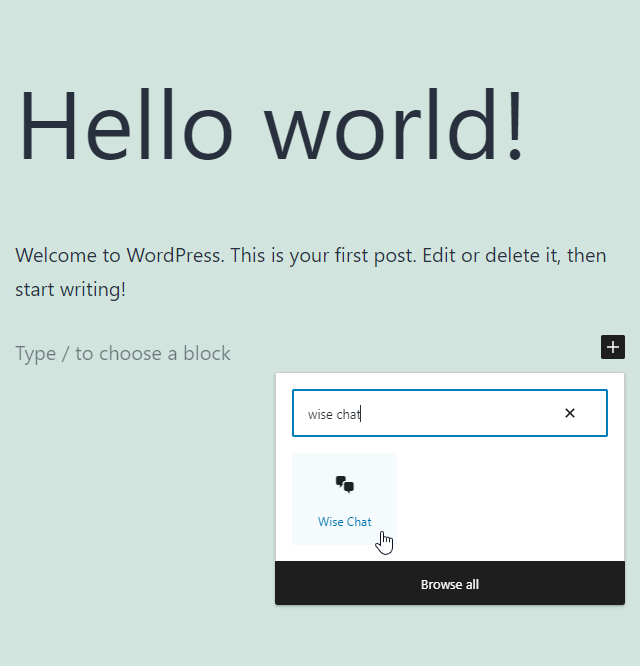
- Added “Wise Chat” block to easy add chats to pages using WordPress Gutenberg editor
- Fixed: CSRF on the settings page
3.1.3
- Moved Google fonts to local assets
- Option to mute the sounds by default
- Fixed: auto-scroll issues
- Fixed: the chat disappears when posting utf8 characters in links
- Fixed: ‘Missing required fields’ error when inserting an emoji
3.1.2
- Fixed: PHP 8.1 errors and warnings
- Fixed: Warning: Undefined array key “show_avatars”
- Fixed: DOMDocument::loadHTML(): Argument #1 ($source) must not be empty
- Fixed: PHP Warning: Undefined array key “channel”
- Fixed: no new message sound
3.1.1
- Loading past messages when scrolled to the end
- Chat opening hours – switched to WordPress timezone
3.1
- Elementor integration
- Added option to hide tabs in the mobile version
- Fixed: removed “Channel” text from the title in mobile mode
3.0
- Plugin re-implemented to new code
- New mobile version
- Refreshed all themes
- Full support of caching / proxy plugins and servers
- 100% height support
- Deleting own messages option
- Renamed bans to muted, kicks to bans
- Custom scrollbars
- Online / offline users
- Avatars
- Emoticons visible while typing
- New set of emoticons
- Emoticons sizes
- Fixed: error “Function openssl_free_key() is deprecated”
2.9.8
- Tested on WordPress 6.0
- Fixed: username duplication error despite disabled checking
2.9.7
- PHP8 updates
- Removed duplicated emoticons
- Tests on the latest WordPress
2.9.6
- Added German bad words dictionary
2.9.5
- Fixed: jQuery error in some WordPress setups
2.9.4
- Fixed: 403 error when saving the settings (this was caused by Imunify360 rule #77142267)
- Fixed: Notice: Undefined index: SERVER_ADDR
2.9.3
- Fixed: 403 error when saving the settings
- Fixed: Notice: Trying to access array offset on value of type int in /wp-content/plugins/wise-chat/src/WiseChatOptions.php
- Fixed: PHP Warning: Cannot modify header information – headers already sent in /wp-content/plugins/wise-chat/src/dao/user/WiseChatUserSettingsDAO.php
2.9.2
- Fixed: added missing translation files
2.9.1
- Added WordPress translations support
- Fixed: sending wcUserSettings cookie only if necessary
- Fixed: restored deleted AJAX Engine option in Advanced settings
2.9
- Switched user session handling to cookies (remembering users for a long time)
- Performance optimization: removed PHP session usage
- Fixed: Error: cURL error 28: Operation timed out after 10001 milliseconds with 0 bytes received
- Fixed: auto-scroll issue
2.8.4
- Fixed: PHP Deprecated: session.php error
- Fixed: CSV Injection
- Fixed: > / < characters issues in the users list
- Fixed: {% if allowToReceiveMessages %} errors caused by template processing class
2.8.3
- Fixed: no message when posting emojis (messages table converted from utf8 to utf8mb4)
- Fixed: links errors in multiline messages
2.8.2
- Fixed: images uploading error: Call to undefined function filter_block_content
- Fixed: stopped /wp-content/plugins hard-coding
- Fixed: stopped /tmp directory hard-coding
2.8.1
- Tested on WordPress 5.3
2.8
- Major update of all 4 themes
- Improved: Moved Javascript code to the footer
2.7
- Spam report button
- Improved: W3C issues
- Improved: admin action buttons without direct img elements
- Fixed: security issue with the external links
2.6.3
- Option to adjust date and time format in messages
- Option to adjust lock time of user names
- Fixed: error in WiseChatRenderer
2.6.2
- Option to disable user names duplication check
- Removed ad footer
- Source files tags update
2.6.1
- Kicking users
- Changed default settings to reflect richer interface
- Option to reset all settings to default
- Fixed: text color by roles when username is linked
2.6
- A new theme: “Air Flow”
- “Wise Chat Channel Users” widget for displaying current users
- Option to set username color for each user role separately
- Option to set limit to the length of user names
- Reloading page after sending valid POST forms on Force Username and Channel Password screens
- Settings page improvement – preserving current tab after saving settings
- Fixed: choosing text color issues
- Fixed: text input width on Force Username and Channel Password screens
- Fixed: image uploader preview issue on Chrome
2.5
- New engine “Ultra Lightweight AJAX” which consumes 5 times less CPU
- Less frequent maintenance actions which means less CPU usage
- Option to display message and username in the same line
- Better displaying emoticons panel on mobile devices
- Option to enable / disable displaying errors to chat users
- Fixed: issue with broken menu on Wise Chat Pro settings page, this blocked navigation between settings sections
- Fixed: issues with setting background colors
2.4.3
- Option to pass more complex configuration in shortcode, for example: [wise-chat opening_hours=”{opening: 8:30, openingMode: AM, closing: 8:32, closingMode: AM }” enable_opening_control=”1″ opening_days=”{ Monday,Tuesday}”]
- Option to select which parts of a message are effected when user changes text color
- Option to exclude anonymous users from the counter calculation
- Set validity time on AJAX internal requests (preventing indexation by Web crawlers)
- Option to verify “X-Requested-With” header in AJAX requests
- Fixed: valid content type (application/json) for content returned for AJAX requests
- Fixed: unclickable image upload button on some themes
- Fixed: error with uploading images on WordPress 4.7
- Fixed: switched to JSON content type for AJAX requests (this may prevent from indexing raw data by Google)
2.4.2
- Fixed: error with uploading PNG files when EXIF extension is available
- Fixed: invalid encoding of UTF-8 characters in localized texts
- Fixed: the plugin cannot be deleted in WordPress 4.6 and above
2.4.1
- Fixed: bug in emoticons posting
2.4
- Option to pass simple arrays in shortcode, array format: {element1,element2,…,elementN}
- Option to generate a sound when user is mentioned using @UserName notation
- Added 20 new sounds to use in notifications
- Option to enable a sound notification when user joins or leaves the channel
- “User has joined/left the channel” notifications
- Shift+ENTER moves the cursor to the new line in multiline mode, ENTER sends the message
- Fixed: unwanted emoticons displayed after double quote
- Fixed: errors with sending images when there is no Exif PHP module installed
- Fixed: jQuery up to version 3.1 is now supported
- Fixed: bug in “Powered by” feature
2.3
- Emoticons layer expands to the top
- Three new emoticon sets
- Debug mode option (easier to report errors)
- Option to select which user roles have to be hidden in the users list
- Allow to use extended range of letters (Unicode characters) in username
- Shift+ENTER moves to the new line in message input field (when multiline mode is not enabled)
- Fixed: anonymous users are sometimes on the users list when “WP users only” option is selected
- Fixed: logged in user becomes anonymous after some inactivity time (especially on mobile devices)
- Fixed: no scrollbar on users list
- Fixed: /whois command does not accept usernames with spaces, now such names can be typed in double quotes
2.2
- Clickable usernames on the users list
- Additional filter that allows to filter outgoing links
- Hiding anonymous users on the users list
- Option to give access to the chat for specific user roles only
- Option to make the chat read-only for selected user roles
- Option to give ban and/or delete permissions to each user role separately
- Option to auto-hide users list on the narrow screens
- Messages timestamp split to two spans – date and time
- Disabled horizontal scrollbar on users list
- Improved safety during deletion of images uploaded by the chat
- Fixed: word wrapping of the long messages
- Fixed: users list moves to the bottom on narrow screens
2.1
- Read-only mode for anonymous users
- Option to delete a channel on the channels list
- Option to show errors log (for support usage only)
- Option to display country flag, city and country code of users on the list
- Option allowing to mention someone – after username is clicked “@UserName:” text is inserted into message input field
- Auto-scroll on start-up
- Support for links in “youtu.be” format
- Added animation during auto-scroll
- Fixed: bugs after upgrade to WordPress 4.4
- Fixed: problem with auto-scroll when padding is set on .wcMessages div
- Fixed: error messages in case of connection problems
- Fixed: bug that caused lack of the text coloring in some cases
2.0.1
- Fixed bug with rendering chat shortcode
2.0
- most of the code has been rewritten, database structure has been changed significantly
- performance optimizations (on average 20-50%), less CPU usage
- option to force users to enter their name on first visit
- option to show a button that enables to insert an emoticon into message
- added options to set font size, font color and background color on various elements of the chat
- option for users to change text color (in Customize box)
- option to choose which user role can delete messages or ban users
- links to YouTube videos displayed as the video player
- images auto-correction of orientation (when EXIF data is available)
- progress bar when selecting an image (or taking a picture) to upload
- options to adjust images size limit, resizing dimensions, thumbnails dimensions
- option to adjust attachments size limit
- option to adjust width of the users list
- shift + enter sends message in multiline mode
- ban button next to delete message button
- option to set duration of the automatic bans
- option to set duration of the bans in flood control
- ability to pass all shortcode options to the widget
- added new shortcuts to few emoticons
- option to configure text to use as a replacement word in bad words filter
- improved mechanism of WPuser-message connection, link to WP users stays valid even if the display name has been changed
- completely new settings page
- technical improvements (switched to DI container)
- Lightweight AJAX engine is now the default (in fresh installation)
- fixed: auto-changing user name in all messages when WordPress user logs out
- fixed: scrolling on iPhone (Safari)
1.8
- private chat rooms (secured by password)
- channels limit for an user
- shortcode “wise-chat-channel-stats” displaying channel statistics
- option to hide time on messages
- option to display elapsed time in messages
- progress bar when sending messages with attachments or images
- attachments uploader
- usability enhancements
- new mechanism of assigning users to channels
- showing user name also for logged in users (a label above the input field)
- option to reset the counter used to generate anonymous username
- fixed: issues with custom configuration when using shortcodes
- fixed: auto-cleaning per channel (using shortcode only)
- fixed: issues with ping internal messages
- fixed: changing name of an user now refreshes it in all messages
- fixed: issues with opening hours control
- fixed: duplicated messages in some rare cases
1.7
- Custom CSS styles setting
- Checking for new messages right after sending a message (the delay eliminated)
- Messages backup feature (for each channel)
- Messages auto-clean after defined time
- /whois command for getting details of users
- Option to choose location of the input controls (input field, submit button, customizations panel): bottom or top
- Option to choose messages order: newest on the top or on the bottom
- More intelligent auto-scrolling of messages (scrolls only if scrollbar is on the bottom)
- New messages notification in browser’s title when window is hidden
- New messages notification by playing a sound
- Flood control feature
- Additional “displayname” variable in user name link templates, “username” fixed to truly show user’s name
- Chat opening hours / days
- Counter of current users
- Limit of users per channel
1.6
- Three themes
- Twitter hash tags support
- Custom filters (filtering texts, hyperlinks, e-mails and phrases that match a regular expressions)
- Chat window title
- Advanced configuration (AJAX engine and refresh time)
- Lightweight AJAX engine
1.5
- Posting images (stored in Media Library)
- Images uploader – posting pictures from camera (in case of mobile devices) or from local storage (in case of desktop)
- List of users in the side bar
- Flexible messages list on small devices
- Option to moderate channels by removing single messages
1.4
- Configurable width and height of the chat window
- Channels statistics on settings page, including message and active users counters
- User name to link conversion template
- Emoticons support
- Auto-ban feature
- Multiline messages support
1.3
- Messages history (using arrow keys) in input field
- Posting links in chat messages
- Linking WP user name to the author page
- Fixed bug with duplicated messages in chat window
- Message submit button
- Rearrangements of the settings page
- Language localization of end-user messages and texts
- Timezones support
- Access only for logged in WP users
1.2
- Wise Chat widget
- Option to allow unlogged user change his/her name
- Option to show user’s name
- Bans control on settings page
- Changing text color of a logged in user
1.1
- Minor rearrangements of the settings panel
1.0
- Initial version

